ChatGPT: what it does, who it fits and where it falls short
ChatGPT is OpenAI's conversational assistant: you type or speak a request and get text answers, generated images, file and data analysis, web-search results with citations, and multi-step deep research reports.
Our take: Start on Free (unlimited everyday text chat with GPT-5.6 Luna); move to Plus at $20/month when you need GPT-6 reasoning models, projects, scheduled tasks and higher tool limits.
Main limitation: Almost every tool (uploads, images, voice, deep research, Codex) has plan-dependent usage caps that OpenAI states can change over time, and the API is billed separately from every ChatGPT subscription.
By the AI Tool Atlas editors.
Based on the vendor's official documentation; we have not tested this product hands-on. What “documented overview” means
Who ChatGPT fits
Start on Free (unlimited everyday text chat with GPT-5.6 Luna); move to Plus at $20/month when you need GPT-6 reasoning models, projects, scheduled tasks and higher tool limits. Based on the vendor's documentation, not on a hands-on test.
Best for: General writing, brainstorming, studying and everyday Q&A
Also a good fit for
Research with web search and cited deep-research reports
Analyzing uploaded files, spreadsheets and images
Teams needing a shared workspace with admin controls and no training on their data
Consider another tool if you need a plan-inclusive API (ChatGPT plans never include API usage)
Or if
You want predictable, published per-tool quotas (limits are described as varying with demand)
You want to build and publish custom GPTs on a personal plan (not available on Free/Go/Plus/Pro)
You need annual billing on an individual plan (only Business and Enterprise offer it)
Scenario fit
Scenario
Fit
Why
Plan
Casual everyday chat, occasional image or file
Good fit
Free tier gives unlimited everyday text chats with GPT-5.6 Luna plus limited uploads, image creation and search
Free
Daily knowledge work with reasoning models, projects and scheduled tasks
Good fit
Plus adds GPT-6 reasoning models, projects, scheduled tasks and expanded limits for $20/month
Plus
Heavy research and coding all day
Fits with conditions
Pro tiers ($100/$200/$500 per month) offer the highest included usage, but allowances vary by tier and models can become temporarily unavailable at a limit
Pro 100 / Pro 200 / Pro 500
Small team wanting shared workspace and no training on data
Good fit
Business Standard seats are $25/user/month monthly or $20 annually with a 2-seat minimum and no training on workspace data
Business
Developers embedding models into their own product
Poor fit
No ChatGPT plan includes API access; the OpenAI API is a separate, usage-billed product
—
Organization needing SSO, SCIM, data residency and DPA
Fits with conditions
Enterprise offers these but pricing is via sales only
Enterprise
ChatGPT in the news
Headlines from US outlets, selected automatically, not endorsements. Updated Nov 28, 2026
ChatGPT is a conversational AI assistant that answers questions, drafts and rewrites text, reasons through problems, translates, analyzes uploaded files and images, generates images, searches the web with citations, runs code for data analysis and can execute multi-step agentic tasks (ChatGPT Work, Codex, dots).
What you provide and what you get back
What you give ChatGPT and what comes back, from its documentation
Free: GPT-5.6 Luna. Paid: GPT-6 Astra, GPT-6.1 Sol, GPT-6 Luna, GPT-5.6 Sol/Terra/Luna, GPT-5 Thinking Mini (access varies by plan).
Web search and citations
Built-in search cites sources when current information is needed; deep research produces cited structured reports. source (opens in a new tab)
Context window (consumer plans)
GPT Instant total context: Free 27K, Go/Plus 54K, Pro 128K tokens; GPT Reasoning: Go/Plus 256K, Pro 400K (Free varies). source (opens in a new tab)
Memory
Remembers user facts across chats when enabled; view, edit or delete memories; separate from training controls. source (opens in a new tab)
Voice
Voice mode on mobile and supported desktop/web; limited on Free, expanded on Go/Plus, unlimited (subject to guardrails) on Pro. source (opens in a new tab)
File uploads and data analysis
Upload PDFs, presentations, spreadsheets; code runs in a secure environment for analysis and charts; limited on Free. source (opens in a new tab)
Custom GPTs
Creation and publishing not available on personal plans (Free, Go, Plus, Pro); available in Business, Enterprise and Edu workspaces. source (opens in a new tab)
Agentic features
ChatGPT Work, Codex (including Codex Cloud), scheduled tasks and dots (always-on agents for eligible Pro and Business Premium users). source (opens in a new tab)
Supported languages
Translation between languages listed as a core capability; a supported-languages list exists in the help center but was not verified. source (opens in a new tab)
Best use cases for ChatGPT
Scenarios are worked out by our editors from the documentation; the actual result depends on your input and plan.
Stores useful facts to personalize future responses Less repeated context
Access: Limited on Free, expanded on Go/Plus, maximum on ProLimit: Not available in custom GPTssource (opens in a new tab)
ChatGPT Work and Codex
Agentic work sessions that create editable documents and run coding tasks in isolated cloud environments Delegating multi-step work
Access: Limited on Free/Go (desktop), expanded on Plus, longest on Pro; Business/EnterpriseLimit: Usage draws from plan allowance, then creditssource (opens in a new tab)
Pros, cons and deal-breakers
Reasons to choose ChatGPT
Free tier includes unlimited everyday text chat with GPT-5.6 Luna plus search, uploads and image creation Usable without payingdocumentedsource (opens in a new tab)
Users can turn off model training and use temporary chats Privacy controls on every plandocumentedsource (opens in a new tab)
Business and Enterprise data is not used for training by default, with SOC 2 and encryption Suitable for company datadocumentedsource (opens in a new tab)
Broad tool set in one product: search, deep research, images, voice, data analysis, agents Fewer separate toolsdocumentedsource (opens in a new tab)
Available on web, iOS, Android and desktop apps Same account everywheredocumentedsource (opens in a new tab)
Check before paying for ChatGPT
Usage limits for tools and models vary by plan and can change with demand Hard to plan capacitydocumentedsource (opens in a new tab)
Consumer conversations may be used for training unless you opt out; Free and Go may show ads Defaults favor OpenAIdocumentedsource (opens in a new tab)
Custom GPT creation removed from personal plans Need a Business workspace to build GPTsdocumentedsource (opens in a new tab)
How to use ChatGPT to get a cited answer to a research question
Set up ChatGPT
Open chatgpt.com or the mobile app (account optional in supported regions)
Optionally sign in and open Settings > Data controls to turn off Improve the model for everyone
Example: get a cited answer to a research question
Type the question in the message box
Click the web-search icon or use /Search so ChatGPT looks up current sources
Ask follow-ups in the same chat; ChatGPT keeps the context
Review and export the result
Open the cited links and confirm they support the answer
Use Share to send a read-only copy of the conversation
Example prompt suggested by our editors (not a recorded output of the product)
Compare the 2026 pricing of the three main ChatGPT consumer plans and cite the official pages you used.
ChatGPT integrations, API and team features
ChatGPT API documentation. platform.openai.com, captured Oct 28, 2026
Export: Data export from Settings > Data controls (personal plans), Editable documents, spreadsheets and presentations via ChatGPT Work, Shared read-only conversation links
API access and separate billing
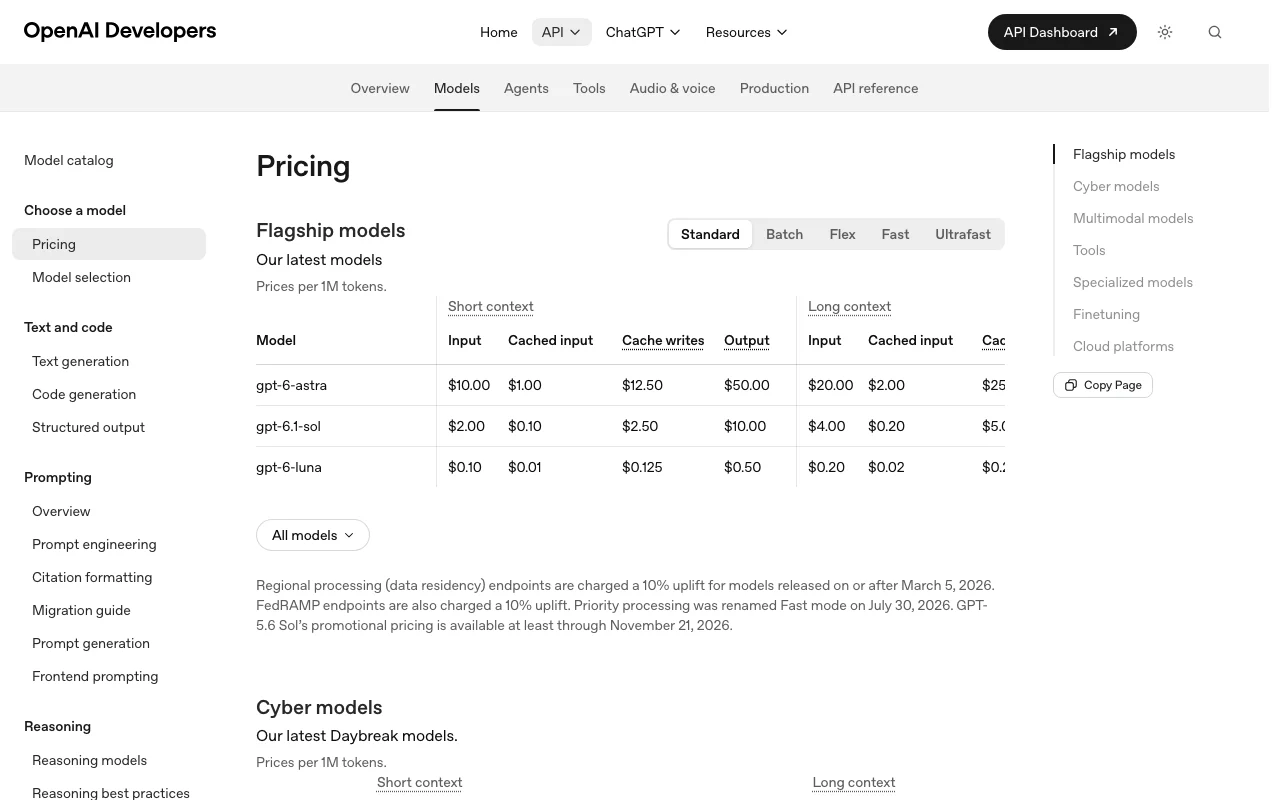
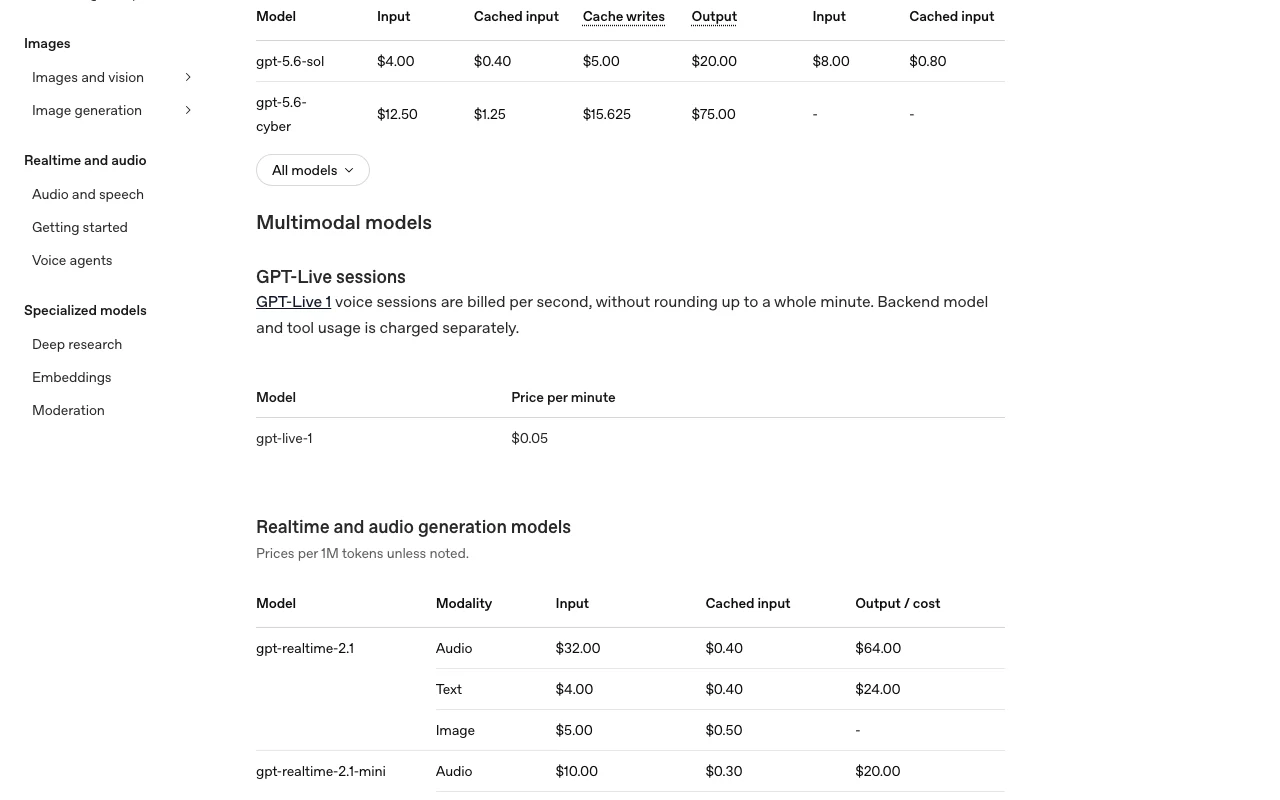
An API is available, billed separately from the app subscription. OpenAI API is a separate product billed per 1M tokens; not included in any ChatGPT plan. API documentation ↗
Summarized from the vendor's current policies; this is not legal advice and a vendor's badge is not an independent audit.
How your inputs and outputs are handled
Business customers own inputs and outputs where allowed by law; consumer terms not verified (policy page rendered only in a localized version).
Consumer plans: conversations may be used to improve models unless Improve the model for everyone is turned off or temporary chat is used. Business, Enterprise, Edu, API: not used for training by default.
Temporary chats may be retained up to 30 days for safety; Enterprise, Edu and Healthcare customers control retention. Consumer default retention not verified.
Commercial use and plan restrictions
Not verified from official pages.
Self-service data export and account deletion are for Free/Go/Plus/Pro; in Business/Enterprise these go through the workspace owner.
Yes. The Free tier gives unlimited everyday text chats with GPT-5.6 Luna, subject to abuse guardrails; uploads, images, voice and data analysis have separate limits.
On consumer plans it may, unless you turn off Improve the model for everyone or use a temporary chat; Business and Enterprise data is not used for training by default.
For Codex, OpenAI publishes estimates per five-hour period on Plus, for example 15 to 160 GPT-6.1 Sol messages or 350 to 3,000 GPT-6 Luna messages; these are estimates, not fixed caps, and weekly limits may also apply. Pro plans ($100, $200 or $500 a month) currently have no five-hour limit. For regular chat messages OpenAI publishes no counts on the pages we read; the usage dashboard shows current limits and reset times.
What happens when ChatGPT says I have reached my usage limit?
On Plus, Business and Pro you can buy extra ChatGPT credits to keep working, or wait for the window to reset. Image generation draws from the same allowance and then from credits. On any plan you can run extra local Codex chats with your own API key, billed at standard API rates. A fallback for regular chat, such as switching to a smaller model, is not described on the pages we read.
Do Codex and ChatGPT chat share one usage allowance?
ChatGPT Work and Codex share usage, and Codex local messages and cloud chats share the plan's allowance. Whether regular ChatGPT chat draws from the same pool is not stated on the pricing page.
Not verified: Go USD price: pricing page renders prices client-side in local currency (EUR shown); help article gives no figure; Enterprise pricing: sales-only, no published figures; Consumer privacy policy details (retention periods, commercial-use terms): openai.com policy page served only a localized version and curl was blocked; Exact per-tool usage caps (messages, images, uploads) per plan: vendor states they vary and change over time; Supported UI languages list not verified; Whether the pricing page shows the same plan lineup in USD for US visitors (page could only be viewed with EUR prices).
How we documented and maintain this page
Every fact about ChatGPT above comes from the 14 official pages listed here, last compared on Sep 30, 2026; we have not run ChatGPT ourselves, so it has no editorial score. How we check and re-check pages.
Article updated Sep 28, 2026; prices checked Sep 30, 2026. Outbound links to vendors are plain links; we do not earn commissions. How we review · Report an error