A general-purpose chat assistant that answers questions, drafts text, analyzes uploaded files, generates images and video, runs multi-source Deep Research reports and connects to Gmail, Drive, Calendar, YouTube and Maps.
Our take: Best fit for people already living in Google accounts and apps who want one assistant across chat, Workspace data and Chrome, with a $0 tier and paid tiers from $4.99/month.
Main limitation: Usage is governed by compute-based limits that refresh every 5 hours up to a weekly cap, and free-tier chats with Keep Activity on are used to train Google models with human review.
By the AI Tool Atlas editors.
Based on the vendor's official documentation; we have not tested this product hands-on. What “documented overview” means
Who should use Google Gemini
Best fit for people already living in Google accounts and apps who want one assistant across chat, Workspace data and Chrome, with a $0 tier and paid tiers from $4.99/month. Based on the vendor's documentation, not on a hands-on test.
Best for: Google Workspace and Gmail users who want an assistant grounded in their own mail, files and calendar
Also a good fit for
Students and researchers analyzing long documents (1M-token context on AI Pro/Ultra)
Creators wanting image and video generation bundled with a chat assistant
Developers who want a free API tier to prototype before paying
Consider another tool if you need strict no-training defaults on a free consumer plan without changing settings
Or if
You do not use Google accounts or Workspace and want deep Microsoft 365 integration
You need a predictable per-message quota rather than compute-based limits that Google says may change
You are in the EEA/UK and under 18 (paid AI plans require 18+ there)
Scenario fit
Scenario
Fit
Why
Plan
Casual daily Q&A, drafting, summaries
Good fit
Free tier includes 3.6 Flash, image generation, Deep Research, Gemini Live, Canvas and Gems at $0.
Free
Analyzing long reports or codebases
Fits with conditions
1M-token context window (about 1,500 pages) requires Google AI Pro or Ultra; Free is 32k tokens.
Google AI Pro
Assistant inside Gmail, Docs, Vids
Fits with conditions
Gemini in Google apps is listed from AI Plus upward, not on Free; 18+ and select languages.
Google AI Plus
Heavy video generation, agentic tasks, Deep Think
Fits with conditions
Deep Think, Gemini Spark and highest limits are Ultra-only, starting at $99.99/month.
Google AI Ultra
Company-wide deployment with data controls
Good fit
Gemini Enterprise editions state customer data is not used to train Google models; Business edition from $21/seat.
Gemini Enterprise Business
Building your own app on the model
Good fit
Gemini Developer API has a free tier and pay-as-you-go paid tier where content is not used to improve products.
Gemini Developer API Paid
Confidential data on a personal free account
Poor fit
With Keep Activity on, chats may be reviewed by humans and used for training; reviewed chats kept up to 3 years.
—
Google Gemini in the news
Headlines from US outlets, selected automatically — not endorsements. Updated Oct 12, 2026
Prices checked Sep 30, 2026 on the official US pricing page. Official pricing ↗ Prices and limits change often.
The official Google Gemini pricing page as we saw it. gemini.google, captured Oct 1, 2026
Free access and trial conditions
Gemini app Free plan at $0 with a Google Account; some features usable without signing in. Gemini Developer API has a free tier.
Eligible US college students 18+ get Google AI Pro free for one year (redeem by 2026-12-31, payment method required, auto-renews at $19.99/month). Gemini Enterprise Business offers a trial. Google AI Pro includes a limited trial of Veo 3.1 Lite.
Gemini 3.8 Flash: $0.75 input / $3.75 output per 1M tokens through 2026-12-31, doubling to $1.50 / $7.50 from 2027-01-01. Gemini 3.1 Pro preview: $2.00 input / $12.00 output per 1M tokens for prompts up to 200k tokens, higher above 200k
For: Production applications (API channel)
Limits
Rate limits tied to usage tier (Tier 1-3) based on cumulative spend
Grounding with Google Search: 5,000 free requests/month then $14 per 1,000
Includes
Higher rate limits
Context caching
3 more
Batch API at 50% cost reduction
Access to most advanced models
Content not used to improve Google products
API included
Usage caps, credits and extra costs
AI credits can be purchased to extend Gemini app usage limits. API grounding with Google Search/Maps billed at $14 per 1,000 after 5,000 free per month. Google Flow credits vary by tier.
Not stated on the US subscriptions page; no refunds for partial billing periods except as required by law.
What is Google Gemini, and how does it work?
Gemini is Google's AI chat assistant, available as a web app, mobile apps, macOS and Windows desktop apps, inside Chrome and inside Google Workspace apps. It runs Google's Gemini 3-series models, supports file, image, audio and video input, generates images and video, and can act on connected Google and third-party apps. The same models are sold to developers via the Gemini Developer API and to organizations via Gemini Enterprise.
Google Gemini's official site: how the product presents itself. gemini.google.com, captured Oct 1, 2026
What you provide and what you get back
What you give Google Gemini and what comes back, from its documentation
You provide
Text prompts
Voice (Gemini Live, desktop dictation)
Images
Documents and code (up to 10 files per prompt, 100 MB each)
Video (up to 2 GB each)
Audio
GitHub repository or code folder (up to 5,000 files, 100 MB)
Google Drive files
You get back
Text and chat responses
Deep Research reports
Images (Nano Banana)
Video (Veo / Gemini Omni)
Canvas documents and prototypes
Quizzes, flashcards, study notebooks
Audio Overviews (Gemini Notebook)
Where you can use it
Platforms
Web, Desktop, Mobile, API
Account
Not required
Works offline
No
Models / versions
Gemini app: 3.6 Flash (all users), 3.1 Pro (varying access on Free, higher on paid), Flash-Lite fallback; thinking levels Standard/Extended/Deep Think (Ultra). API: Gemini 3.8 Flash, 3.1 Pro preview and others; model names may change.
Free 32k tokens; Google AI Pro and Ultra 1 million tokens (about 1,500 pages or 30,000 lines of code); a 128k tier is also listed source (opens in a new tab)
Usage limits
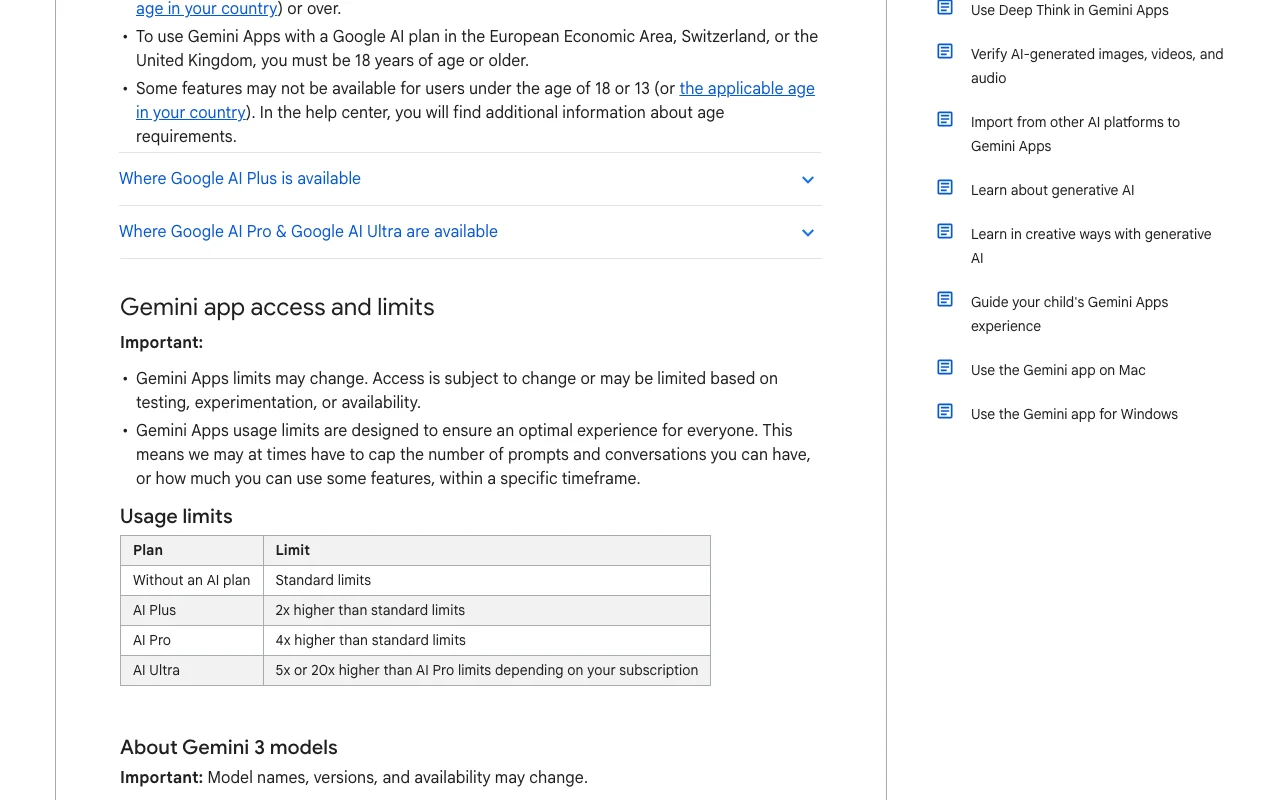
Compute-based limits factoring prompt complexity, features and chat length; refresh every 5 hours until a weekly limit; Plus 2x, Pro 4x Free; Ultra 5x or 20x Pro; may change without notice source (opens in a new tab)
File uploads
Up to 10 files per prompt; video up to 2 GB each, other files 100 MB; video 5 min / audio 10 min total on Free, 1 hour / 3 hours on Pro and Ultra source (opens in a new tab)
Web browsing / search
Deep Research analyzes hundreds of sources; Gemini automatically uses public information from certain Google services source (opens in a new tab)
Lets Gemini read and act on Gmail, Calendar, Drive, YouTube, Maps, Flights, Hotels, Spotify, WhatsApp and more Personalized answers from your own data
Access: Signed-in users with Keep Activity onLimit: Off when Keep Activity is off (except some Android phone apps); varies by devicesource (opens in a new tab)
Gemini Spark
Autonomous personal agent that runs tasks, organizes files and works across Workspace Offloads multi-step busywork
Access: Google AI Ultra, 18+, supported countries (macOS app)Limit: Ultra-only; English; beta rolloutsource (opens in a new tab)
Google Gemini: strengths and limits
Reasons to choose Google Gemini
Substantial free tier including Deep Research, image generation, Live and Canvas Most everyday tasks cost nothingdocumentedsource (opens in a new tab)
1M-token context window on Pro and Ultra Whole books or codebases can be analyzed in one chatdocumentedsource (opens in a new tab)
Paid plans bundle cloud storage, YouTube Premium, Flow credits and Gemini in Workspace apps Price covers more than the chat assistant alonedocumentedsource (opens in a new tab)
Available in 70+ languages and 230+ countries on the web app Broad international accessdocumentedsource (opens in a new tab)
Free developer API tier plus Batch API at 50% discount on paid Cheap path from prototype to productiondocumentedsource (opens in a new tab)
Check before paying for Google Gemini
With Keep Activity on, chats are used to train models and a subset is read by human reviewers Confidential data should not be entered on personal accounts without changing settingsdocumentedsource (opens in a new tab)
Usage limits are compute-based, refresh every 5 hours to a weekly cap and may change without notice Hard to predict how many prompts you getdocumentedsource (opens in a new tab)
Free plan context window is 32k tokens Large files lose details unless you paydocumentedsource (opens in a new tab)
Many features are 18+ or select-country only (Deep Think, Spark, Daily Brief, Nano Banana Pro) Advertised features may not be available to youdocumentedsource (opens in a new tab)
API paid prices for Gemini 3.8 Flash double on 2027-01-01 Budget for a price increasedocumentedsource (opens in a new tab)
How to use Google Gemini for get a grounded summary of your own documents
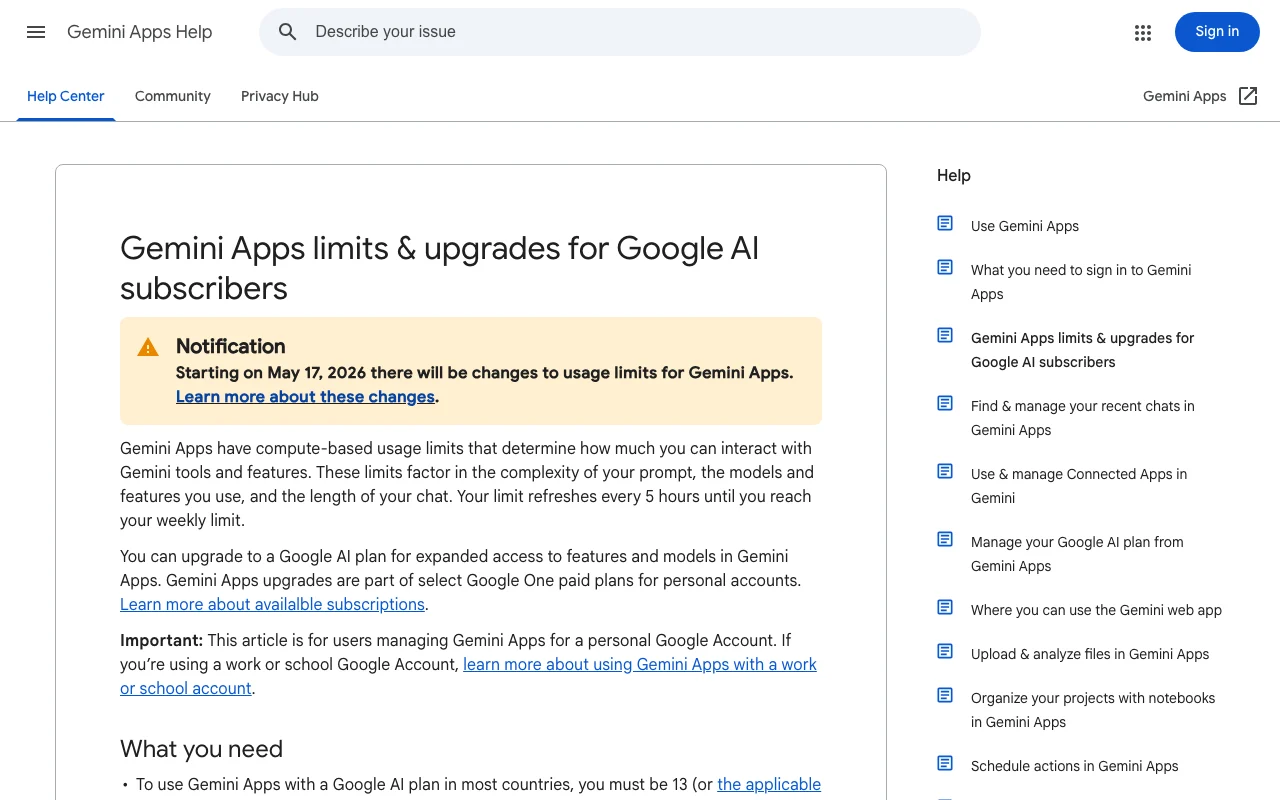
Google Gemini help center. support.google.com, captured Oct 1, 2026
Set up Google Gemini
Open gemini.google.com in Chrome, Safari, Firefox, Opera or Edge and sign in with a Google Account
Optionally upgrade to Google AI Pro for the 1M-token context window
Example: get a grounded summary of your own documents
Click Add files and upload up to 10 PDFs or pick files from Google Drive
Type your question in the text box and click Submit
Ask follow-ups in the same chat; switch model in the drop-down if needed
Review and export the result
Compare key figures against the source document; Google warns Gemini can make mistakes
If you get a context-window message, split the files or upgrade
Check Settings > Usage Limits to see remaining usage
Example prompt suggested by our editors (not a recorded output of the product)
I uploaded three customer-feedback PDFs. Summarize the five most common complaints, cite which document each comes from, and suggest one fix per complaint.
Google Gemini integrations, API and team features
Native integrations and export formats
Integrations
Integration
Type
Notes
Google Workspace (Gmail, Drive, Docs, Calendar, Keep, Tasks)
An API is available, billed separately from the app subscription. Gemini Developer API with free and pay-as-you-go tiers; enterprise via Gemini Enterprise Agent Platform API documentation ↗
Gemini Enterprise Standard / Plus (unlimited seats, VPC-SC, CMEK) Gemini Enterprise Standard / Plussource (opens in a new tab)
Gemini in Google Workspace editions Workspace Business/Enterprise (pricing not verified in USD)source (opens in a new tab)
Privacy, data use and commercial rights
Summarized from the vendor's current policies; this is not legal advice and a vendor's badge is not an independent audit.
How your inputs and outputs are handled
Chats, uploaded files and connected-app data are stored in Gemini Apps Activity; a subset is reviewed by human reviewers (including service providers) to improve services and enforce policies.
Personal accounts with Keep Activity on: activity is used to train generative AI models. Keep Activity off or temporary chats: not used for training unless you submit feedback. API free tier and AI Studio: content used to improve products; API paid tier and Gemini Enterprise: not used to train models.
Default auto-delete 18 months (options 3, 36 months or indefinite). Temporary chats and Keep-Activity-off chats kept 72 hours. Human-reviewed chats retained up to 3 years disconnected from the account and not deleted with activity.
Commercial use and plan restrictions
API terms: you are responsible for your use of generated content; consumer commercial-use terms not verified.
Temporary chats not available on work/school accounts, Gemini in Chrome or Google Messages. Audio and Live video/screenshares not used to improve services by default.
Controls for business users
Gemini Enterprise: customer data not used to train Google models, not used for ads, not sold
Standard/Plus: VPC-SC, Customer-Managed Encryption Keys, data residency
Workspace admins control Connected Apps and Drive access
Yes, the Gemini app has a $0 plan with a Google Account that includes 3.6 Flash, image generation, Deep Research, Gemini Live and Canvas; paid plans start at $4.99/month for higher limits. source (opens in a new tab)
What does Google AI Pro cost and add?
$19.99/month; 4x the usage limits of Free, a 1M-token context window, video generation, 5 TB storage, Gemini in Gmail/Docs, Gemini in Chrome and YouTube Premium Lite. source (opens in a new tab)
Does Google train on my Gemini chats?
On personal accounts with Keep Activity on, yes, including human review of a subset; turn Keep Activity off or use temporary chats to stop future chats being used for training (72-hour retention still applies). source (opens in a new tab)
How do usage limits work?
Limits are compute-based (prompt complexity, features, chat length), refresh every 5 hours until a weekly limit, and can be extended with AI credits or a higher plan; when reached, subscribers can continue with Flash-Lite. source (opens in a new tab)
Can I use Gemini without signing in?
Some features work without signing in, but saving activity and additional features require a Google Account. source (opens in a new tab)
Is there a Gemini desktop app?
Yes, macOS (gemini.google/mac) and Windows 10+ (gemini.google/desktop) apps exist as of the 2026-09-10 release note. source (opens in a new tab)
How much does the Gemini API cost?
There is a free tier; the paid tier for Gemini 3.8 Flash is $0.75 per 1M input tokens and $3.75 per 1M output tokens through 2026-12-31, doubling from 2027-01-01; Gemini 3.1 Pro is $2.00 / $12.00 for prompts up to 200k tokens. source (opens in a new tab)
Recent changes that affect your choice
: Skills rolled out globally in Gemini chat (18+); skills will replace Gems with automatic migration.
Gemini for Studentspricing · checked Sep 30, 2026 · student offer FAQ and terms
Not verified: Google Workspace edition prices with Gemini: pricing page rendered in EUR from this location, so USD not verified; Annual billing prices for Google AI Plus/Pro/Ultra: US page shows monthly only; Exact prompt counts behind 'standard limits' on Free: Google gives only multipliers and 5-hour/weekly wording; Which context-window tier (128k) maps to which plan: table listed 32k, 128k and 1M without plan labels for 128k; Gemini Enterprise billing term and trial length; Consumer commercial-use rights for generated content (not found on pages checked); Export formats from the Gemini app; Google One AI plans page (one.google.com) returned French despite hl=en; not used.
How we documented and maintain this page
Every fact about Google Gemini above comes from the 14 official pages listed here, last compared on Sep 30, 2026; we have not run Google Gemini ourselves, so it has no editorial score. How we check and re-check pages.
Article updated Sep 28, 2026; prices checked Sep 30, 2026. Outbound links to vendors are plain links; we do not earn commissions. How we review · Report an error