Claude answers questions, writes and edits text and code, analyzes uploaded documents and images, searches the web and produces files, slides, docs and interactive artifacts from a chat prompt.
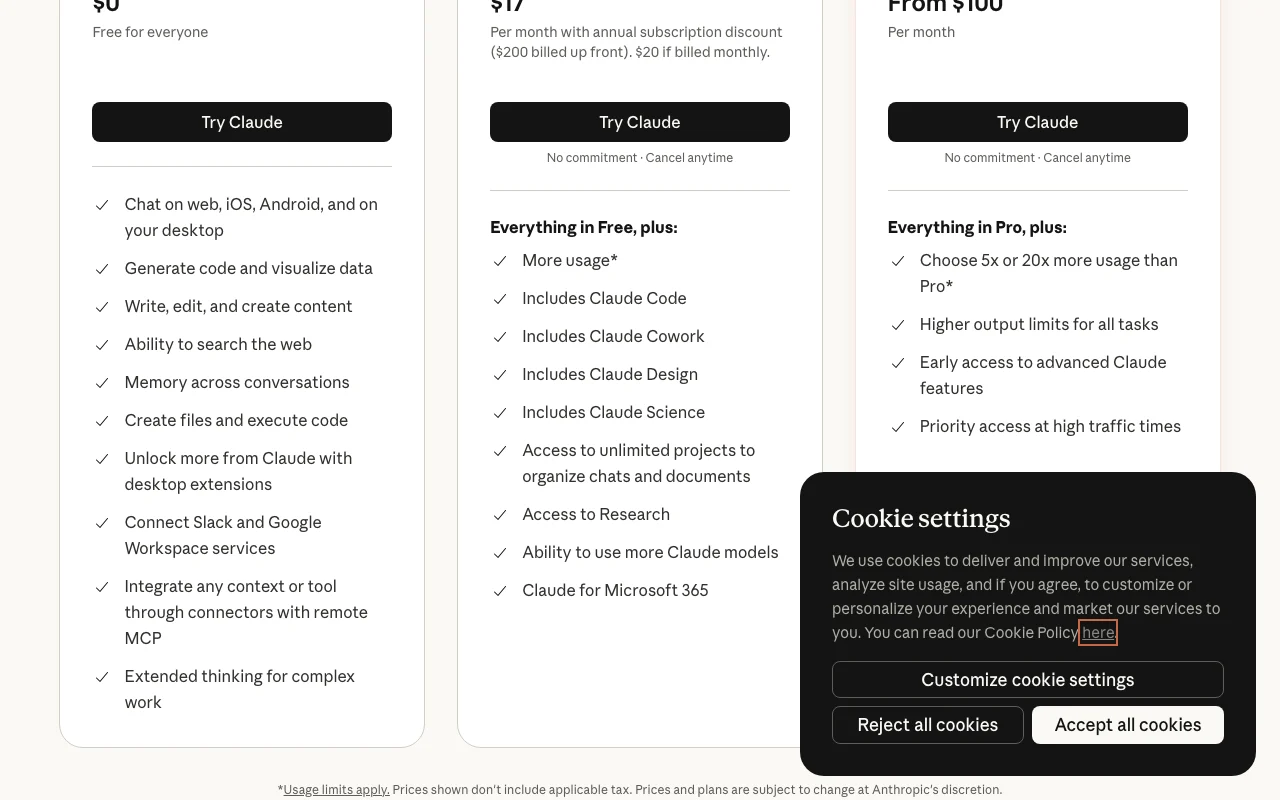
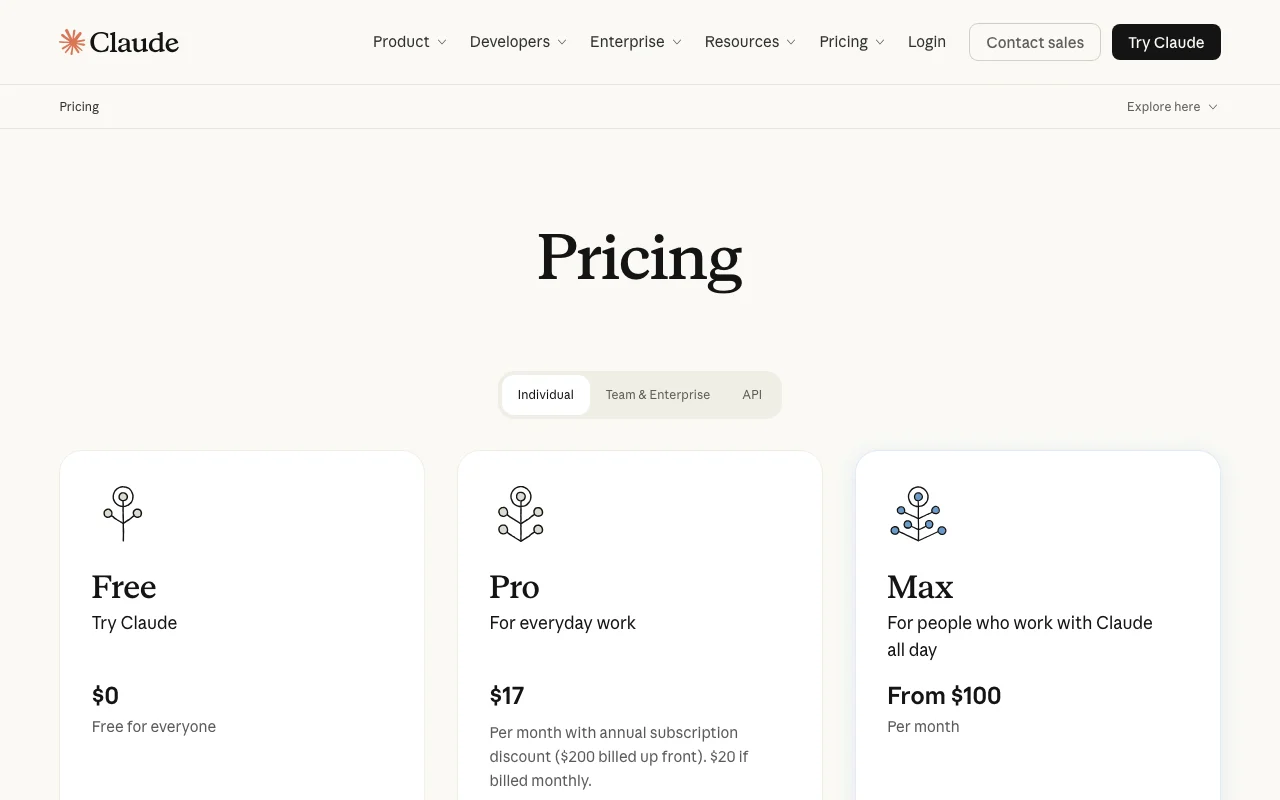
Our take: Start on the Free plan; move to Pro ($20/mo or $17/mo billed annually) when you hit usage limits or need Claude Code, Research, Projects beyond 5 and the larger model lineup.
Main limitation: All plans have usage limits that reset on a schedule; the paid chat subscription does not include API access, which is billed separately per token.
By the AI Tool Atlas editors.
Based on the vendor's official documentation; we have not tested this product hands-on. What “documented overview” means
Is Claude right for you?
Start on the Free plan; move to Pro ($20/mo or $17/mo billed annually) when you hit usage limits or need Claude Code, Research, Projects beyond 5 and the larger model lineup. Based on the vendor's documentation, not on a hands-on test.
Best for: Working with long documents (PDF up to 1000 pages, 500 MB per file in chat)
Also a good fit for
Writing, editing and coding help in a single assistant
Teams needing SSO, admin controls and no training on content by default
Developers who want the same models via a pay-per-token API
Consider another tool if you need to generate photos or illustrations (Claude only builds HTML/SVG diagrams and charts)
Or if
You want one subscription covering both chat and API usage
You need a predictable unlimited plan (all consumer plans have usage limits)
You are under 18 (minimum age requirement)
Scenario fit
Scenario
Fit
Why
Plan
Occasional questions, drafting and file analysis
Good fit
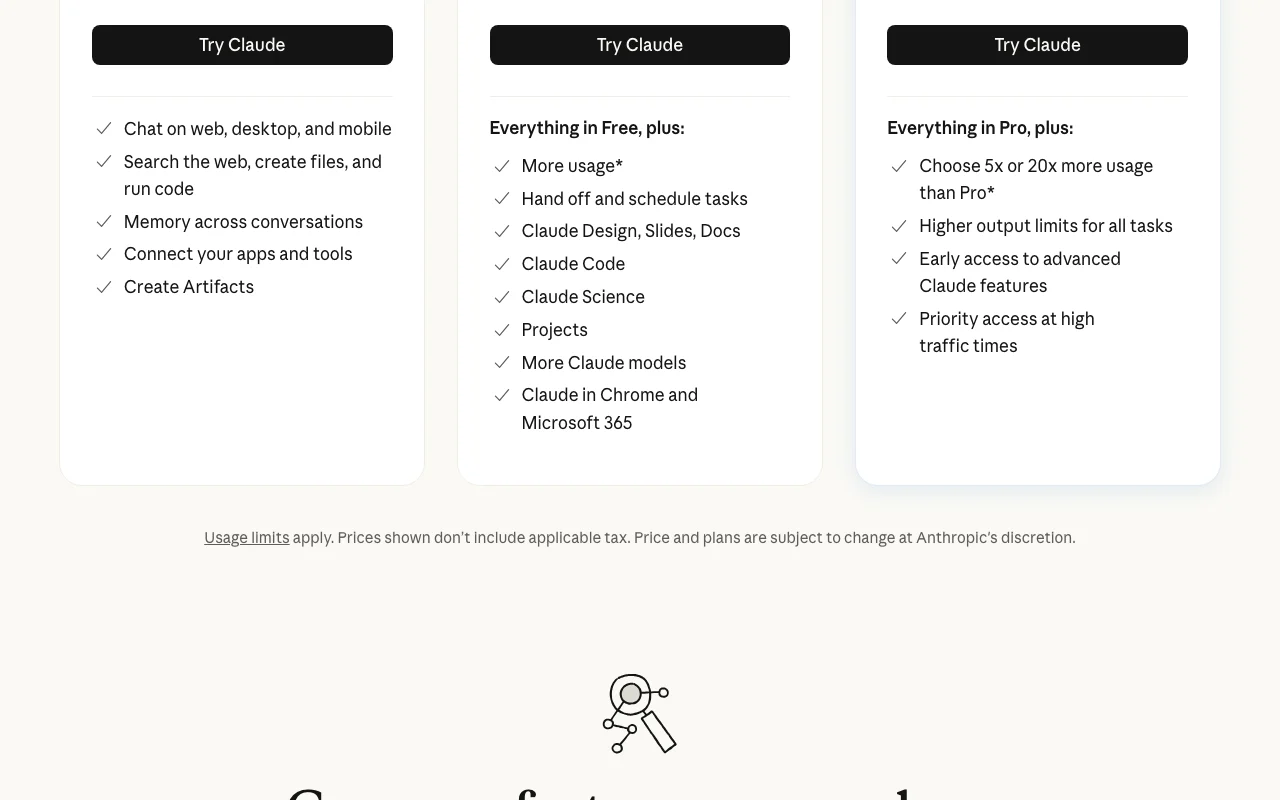
Free plan includes web/desktop/mobile chat, web search, memory, file creation and code execution, artifacts, up to 5 projects.
Free
Daily knowledge work, coding, research reports
Good fit
Pro adds more usage, Claude Code, Research, Claude Design/Slides/Docs, more models and Chrome/Microsoft 365 extensions.
Pro
Heavy all-day use with long agentic tasks
Fits with conditions
Max gives 5x or 20x Pro usage and priority access, but is monthly-only and still has usage limits; usage credits at API rates can extend it.
Max
Company rollout with SSO and central billing
Good fit
Team (2-150 users) adds SSO, domain verification, admin controls, enterprise search, no model training by default.
Per-model token pricing; e.g. Sonnet 5.5 $2 input / $10 output per MTok, Opus 5.5 $4 / $20, Haiku 4.5 $1 / $5, Fable 5.1 $10 / $50. Batch processing saves 50%. Developer channel, separate from chat plans.
For: Developers building products on Claude models
Limits
Rate limits per Console tier
Web search $10 per 1K searches
1 more
Code execution: 50 free hours daily per org, then $0.05 per hour per container
Includes
Messages API, prompt caching, batch processing
Managed Agents $0.08 per session-hour
1 more
US-only inference at 1.1x pricing
API included
Usage caps, credits and extra costs
Usage credits at standard API rates once plan limits are hit (Pro, Max, Team, seat-based Enterprise); prepaid usage bundles $50/$250/$1000 at 10-30% discount; API usage billed separately from chat subscriptions.
Prices shown do not include applicable tax.
What is Claude, and how does it work?
Claude is Anthropic's AI assistant: a chat interface on web, desktop and mobile that answers, writes, codes, analyzes files and images, searches the web, remembers context across chats and can run longer tasks (Cowork) that produce files, decks, docs and designs. The same models are sold to developers via the Claude Platform API.
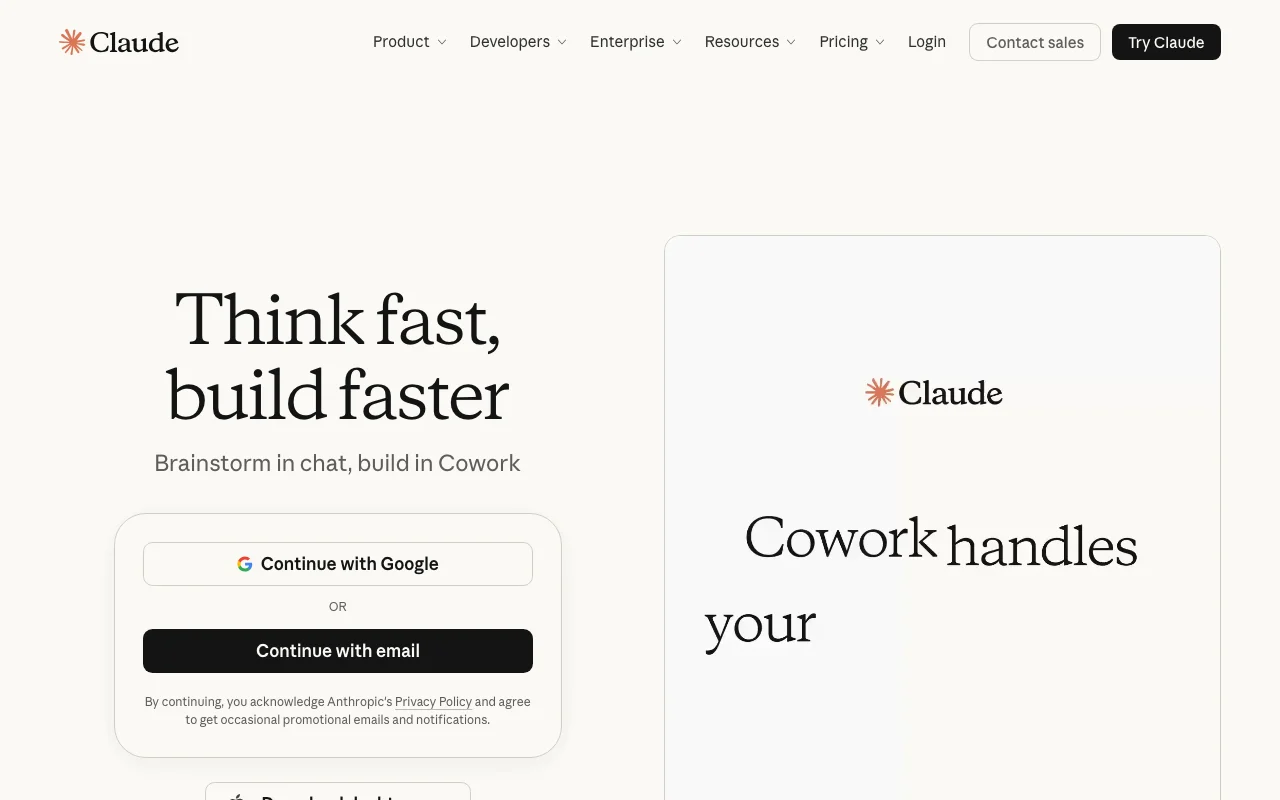
Claude's official site: how the product presents itself. claude.com, captured Oct 1, 2026
What you provide and what you get back
What you give Claude and what comes back, from its documentation
Files created via code execution (documents, spreadsheets, presentations)
Artifacts (interactive HTML/SVG, Claude Design, Slides, Docs)
Charts and diagrams (HTML/SVG, not raster images)
Where you can use it
Platforms
Web, Desktop, Mobile, API
Account
Required
Works offline
No
Models / versions
Sonnet 5.5, Opus 5.5, Fable 5.1 (knowledge cutoff June 2026), Haiku 4.5; older Sonnet 5, Opus 5, Fable 5, Opus 4.8 etc. Free: Sonnet and Haiku only.
Interface languages
11 UI languages (English, French, German, Hindi, Indonesian, Italian, Japanese, Korean, Portuguese BR, Spanish LatAm, Spanish Spain); Claude converses in any language source (opens in a new tab)
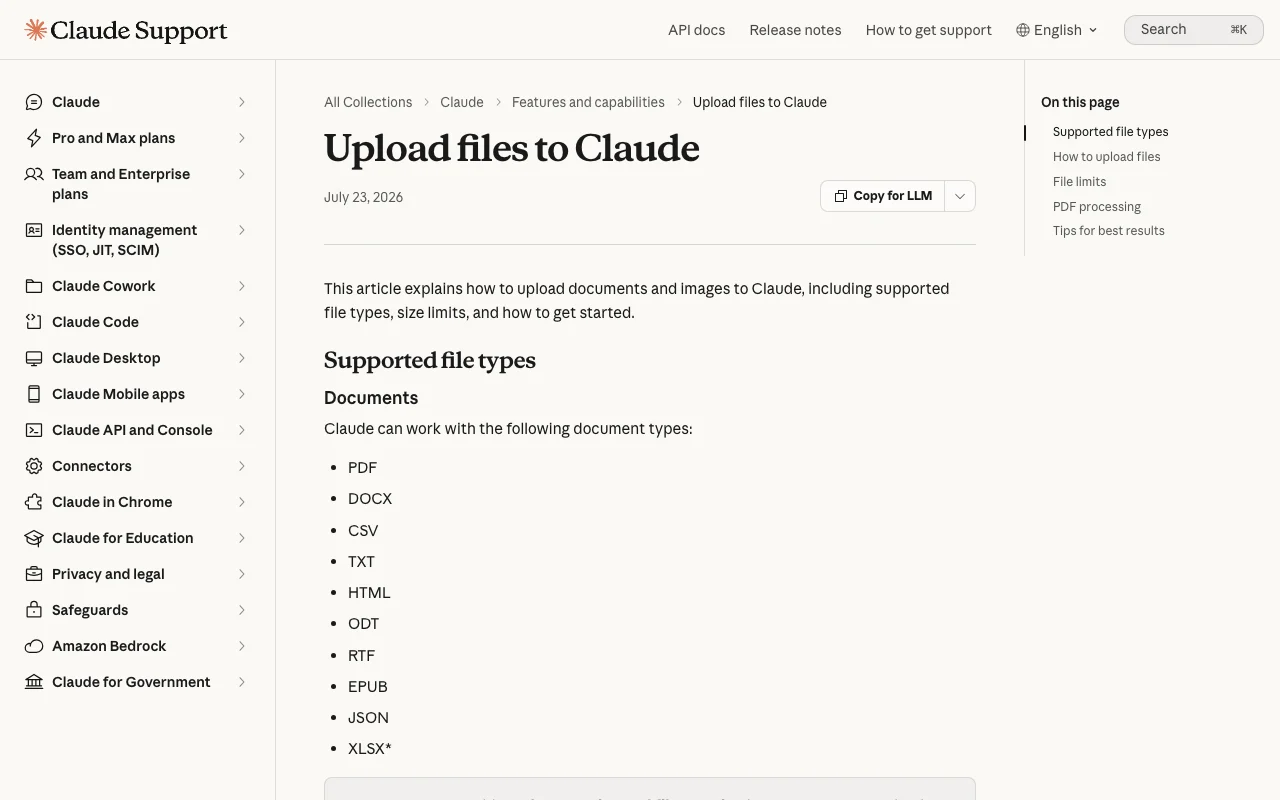
500 MB per file, up to 20 files per chat, images up to 8000x8000 px, PDFs up to 1000 pages (visual analysis only up to 100 pages) source (opens in a new tab)
Project files
30 MB per file; unlimited count within context window; text extraction only except multimodal PDFs source (opens in a new tab)
Context window (paid plans, chat)
1M tokens on Fable 5.1, Opus 5.5, Opus 5, Sonnet 5.5, Sonnet 5; 500K on several older models; 200K otherwise source (opens in a new tab)
Memory
On by default for Free/Pro/Max, off by default for Team/Enterprise; editable Topics; sensitive topics excluded unless enabled source (opens in a new tab)
Image generation
Not supported (no photos/illustrations); builds HTML/SVG charts, diagrams, interactive visuals (beta) source (opens in a new tab)
Usage limits
Session limits reset every five hours; usage across claude.ai, Claude Code and Desktop counts toward the same limit source (opens in a new tab)
Feature overview on the official site. claude.com, captured Oct 1, 2026
Artifacts, Claude Design, Slides, Docs
Creates and edits designs, decks and living documents inside any conversation Turns a chat into a shareable deliverable without switching tools
Access: Artifacts on all plans incl. Free; Design/Slides/Docs on Pro and above (beta, off by default on Enterprise)Limit: Free plan lacks Claude Design/Slides/Docs per pricing tablesource (opens in a new tab)
Connectors (MCP) and desktop extensions
Connects Claude to Slack, Google Workspace, Microsoft 365, GitHub, Linear and any MCP server to read data and take actions Brings your own data into the assistant without manual uploads
Access: All plans; admin controls on Team/EnterpriseLimit: Claude inherits each user's permissions; mobile install of connectors in betasource (opens in a new tab)
Memory and chat search
Remembers context across conversations, editable under Settings > Memory Less re-explaining; can import/export memory
Access: All plans; off by default for Team/EnterpriseLimit: Incognito chats excluded; sensitive topics excluded unless enabledsource (opens in a new tab)
Research and web search
Searches the web and runs multi-step research Answers about recent events beyond the knowledge cutoff
Access: Web search on all plans; Research on Pro and aboveLimit: Research not on Freesource (opens in a new tab)
Code execution and file creation
Runs code to create and edit files, enables automatic context management in long chats Spreadsheets, documents and data analysis from a prompt
Access: All plansLimit: Must be enabled for XLSX uploads and automatic context managementsource (opens in a new tab)
Usage credits and bundles
Continue past plan limits at standard API rates; prepaid bundles discounted 10-30% Avoids hard stops during heavy work
Access: Pro, Max, Team (bundles); seat-based Enterprise (credits)Limit: Charged separately; daily redemption limit $2000; monthly bundle caps $2000 (individual) / $3000 (Team)source (opens in a new tab)
Pros, cons and deal-breakers
Reasons to choose Claude
Free plan includes web search, memory, file creation with code execution and artifacts Meaningful use without payingdocumentedsource (opens in a new tab)
Large file handling: 500 MB per file, 20 files per chat, PDFs up to 1000 pages Suits document-heavy workdocumentedsource (opens in a new tab)
Up to 1M-token context window on newest models for paid plans Long conversations and large inputs in one sessiondocumentedsource (opens in a new tab)
Model training on your content is opt-out for consumers and off by default for Team/Enterprise Control over training usedocumentedsource (opens in a new tab)
Usage limits on every plan, including Max; vendor does not offer unlimited usage Heavy users may hit five-hour session caps and pay usage creditsdocumentedsource (opens in a new tab)
Paid chat plans do not include API or Console access Developers pay twice for chat plus APIdocumentedsource (opens in a new tab)
Max is monthly-only; Enterprise is annual-only with usage billed at API rates Less billing flexibility at the high enddocumentedsource (opens in a new tab)
Consumer inputs and outputs may be used for training unless you opt out; flagged chats are used regardless Must adjust privacy settings for sensitive workdocumentedsource (opens in a new tab)
How to use Claude for analyze an uploaded document and produce a summary file
Claude help center. support.claude.com, captured Oct 1, 2026
Set up Claude
Sign up at claude.com with Google, email or SSO (18+)
Optionally install the desktop or mobile app
Check Settings > Privacy for the model improvement setting
Example: analyze an uploaded document and produce a summary file
Start a new chat and click the + button, choose Add files or photos
Upload a PDF (up to 500 MB, 1000 pages)
Ask for a structured summary and a DOCX or XLSX output (code execution enabled)
Download the created file or turn it into an Artifact/Doc
Review and export the result
Spot-check cited page numbers against the PDF viewer page numbers
Confirm figures in the generated file match the source
Note that visual elements are only analyzed for PDFs of 100 pages or fewer
Example prompt suggested by our editors (not a recorded output of the product)
Summarize the attached 60-page contract into a one-page brief: parties, term, termination rights, payment terms, and any unusual clauses. Cite page numbers. Then create a DOCX with the brief.
Claude integrations, API and team features
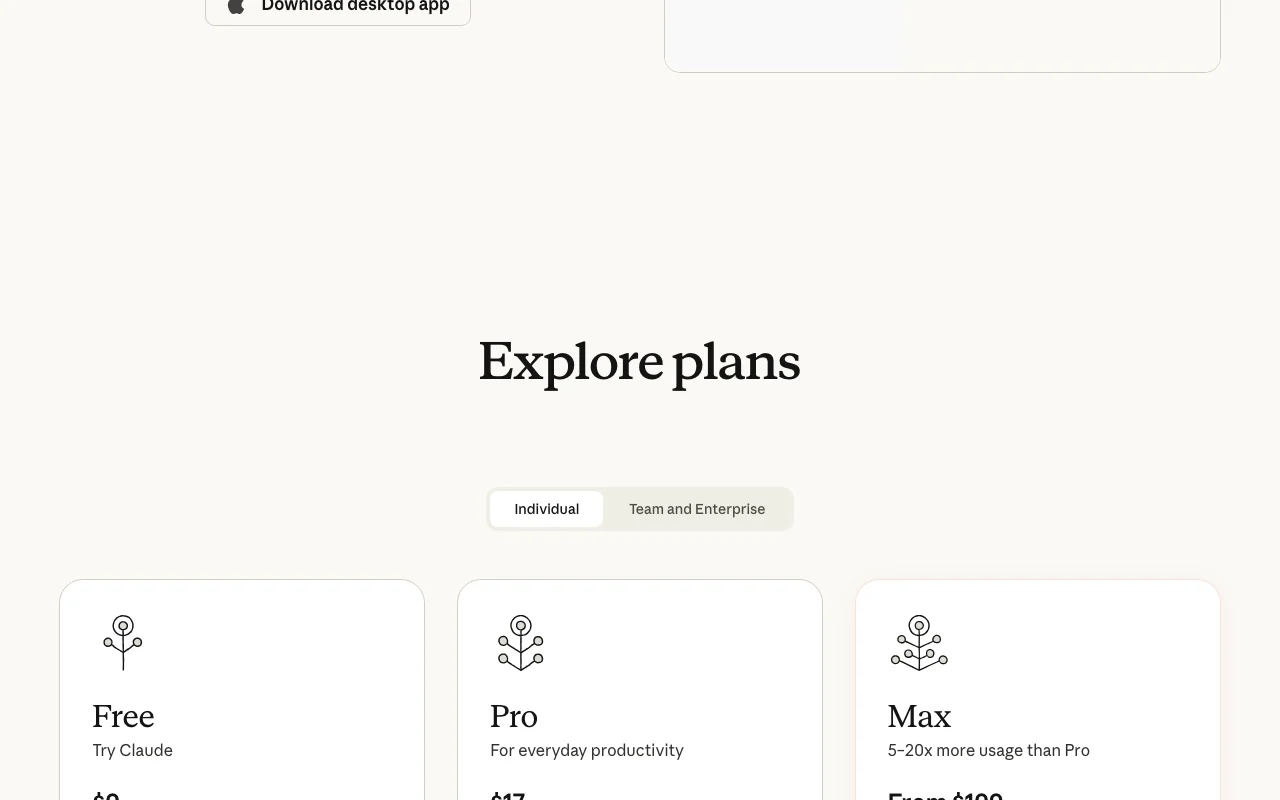
Plan comparison on the official pricing page. claude.com, captured Oct 1, 2026
Export: Files created via code execution (DOCX, XLSX, PPTX-style decks via Slides), Account data export (conversations and user data) via Settings > Privacy, Memory import/export
API access and separate billing
An API is available, billed separately from the app subscription. Pay-per-token via Claude Platform/Console; not included in chat subscriptions API documentation ↗
Summarized from the vendor's current policies; this is not legal advice and a vendor's badge is not an independent audit.
How your inputs and outputs are handled
You retain rights in Inputs; Anthropic assigns to you its rights in Outputs subject to the Terms. Outputs may be inaccurate and should be verified.
Consumer (Free/Pro/Max): Inputs and Outputs may be used to train models unless you opt out in settings; flagged or reported content is used regardless. Team/Enterprise: no training by default. Incognito chats are not used for training.
Deleted conversations removed from history immediately and from back-end within 30 days. Incognito chats retained 30 days by default (longer under Enterprise custom retention). Enterprise offers custom data retention controls.
Commercial use and plan restrictions
Outputs can be used in your products; Terms prohibit using Outputs to train competing models (general-purpose chatbots, open-ended text models).
Data export self-serve on Free/Pro/Max; on Team/Enterprise only the Primary Owner can export. 18+ only.
Yes, the Free plan costs $0 with limited usage; it includes web, desktop and mobile chat, web search, memory, file creation and artifacts. source (opens in a new tab)
How much is Claude Pro?
$20 per month, or $17 per month with an annual subscription ($200 billed up front). source (opens in a new tab)
Does a Pro or Max subscription include the API?
No. Chat plans and the Claude Console/API are separate products billed separately. source (opens in a new tab)
Does Claude train on my conversations?
For Free/Pro/Max, yes unless you opt out in privacy settings; Team and Enterprise have no training by default; incognito chats are never used. source (opens in a new tab)
Can Claude generate images?
No photos or illustrations; it can build charts, diagrams and interactive HTML/SVG visuals and can analyze images you upload. source (opens in a new tab)
What happens when I hit the usage limit?
Session limits reset every five hours; on Pro, Max and Team you can enable usage credits billed at standard API rates to keep going. source (opens in a new tab)
What files can I upload?
PDF, DOCX, CSV, TXT, HTML, ODT, RTF, EPUB, JSON, XLSX and JPEG/PNG/GIF/WebP images; 500 MB per file, 20 files per chat, PDFs up to 1000 pages. source (opens in a new tab)
Recent changes that affect your choice
: Claude Sonnet 5.5 launched as a faster, lower-cost complement to Opus 5.5
: Cowork capabilities merged into every conversation (rolling out to Pro and Max); Claude Design, Slides and Docs available in any conversation, Artifacts on every plan
Privacy Policypolicy · checked Sep 30, 2026 · Training use of Inputs/Outputs, Deletion within 30 days, Data retention section
Consumer Terms of Servicepolicy · checked Sep 30, 2026 · Section 4 Inputs, Outputs, Actions, and Materials
Not verified: Exact numeric message or token quotas per plan (vendor gives only relative multipliers: more than Free, 5x/20x Pro); Mobile app-store pricing for Pro/Max (vendor says it may vary); Consumer data retention period when model improvement is enabled (not stated on pages fetched; Privacy Center not fetched); Whether a free trial exists for Pro/Max (none documented); Voice mode supported language list.
How we documented and maintain this page
Every fact about Claude above comes from the 25 official pages listed here, last compared on Sep 30, 2026; we have not run Claude ourselves, so it has no editorial score. How we check and re-check pages.
Article updated Sep 28, 2026; prices checked Sep 30, 2026. Outbound links to vendors are plain links; we do not earn commissions. How we review · Report an error