Chat assistantsDocumented overviewLast checked Oct 2, 2026

Clawputer: Pricing, Features & Best Use Cases

Personal AI assistant reached by iMessage or Telegram, with its own Linux sandbox and persistent memory.

Is Clawputer right for you?

Clawputer suits people who would rather text an assistant than open an app and want it to have a real Linux computer, with one free day then $20 a month during early access. Based on the vendor's documentation, not on a hands-on test.

Best for: People who prefer texting an assistant

Also a good fit for

  • Developers wanting an agent with a real computer

Consider another tool if early access pricing; terms may change

Or if

  • Reached only via iMessage or Telegram
  • Paid after one free day ($20/month)

Clawputer pricing and usage limits

Prices checked Oct 2, 2026 on the official US pricing page. Official pricing ↗ Prices and limits change often.

Free access and trial conditions

One day free

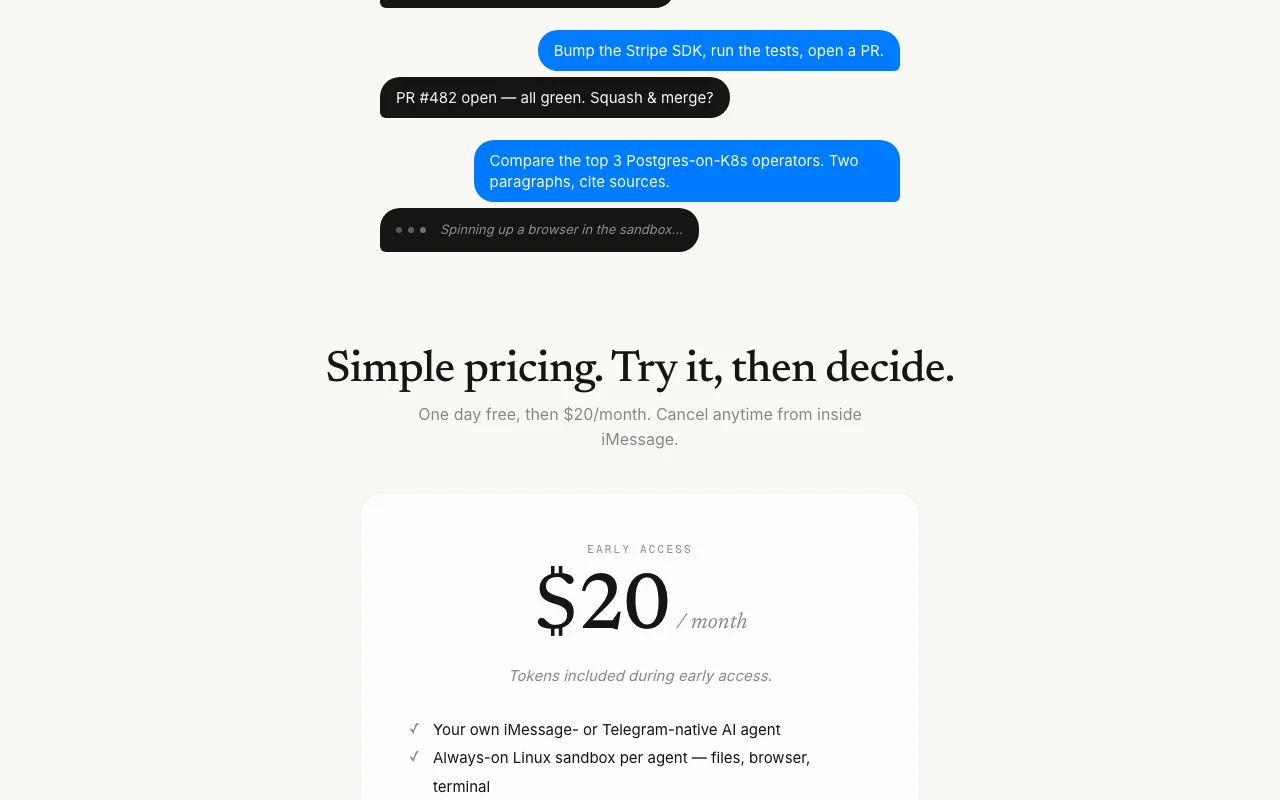
One day free, then $20/month

Paid plans: what changes as you upgrade

Early access web

$20 source (opens in a new tab)

Monthly

One day free, then $20/month; cancel from iMessage

For: Individuals

Limits

  • No rate limits stated

Includes

  • iMessage or Telegram agent
  • Linux sandbox
2 more
  • Persistent memory
  • Tokens included during early access

Usage caps, credits and extra costs

Tokens included during early access only

Not stated

What is Clawputer, and how does it work?

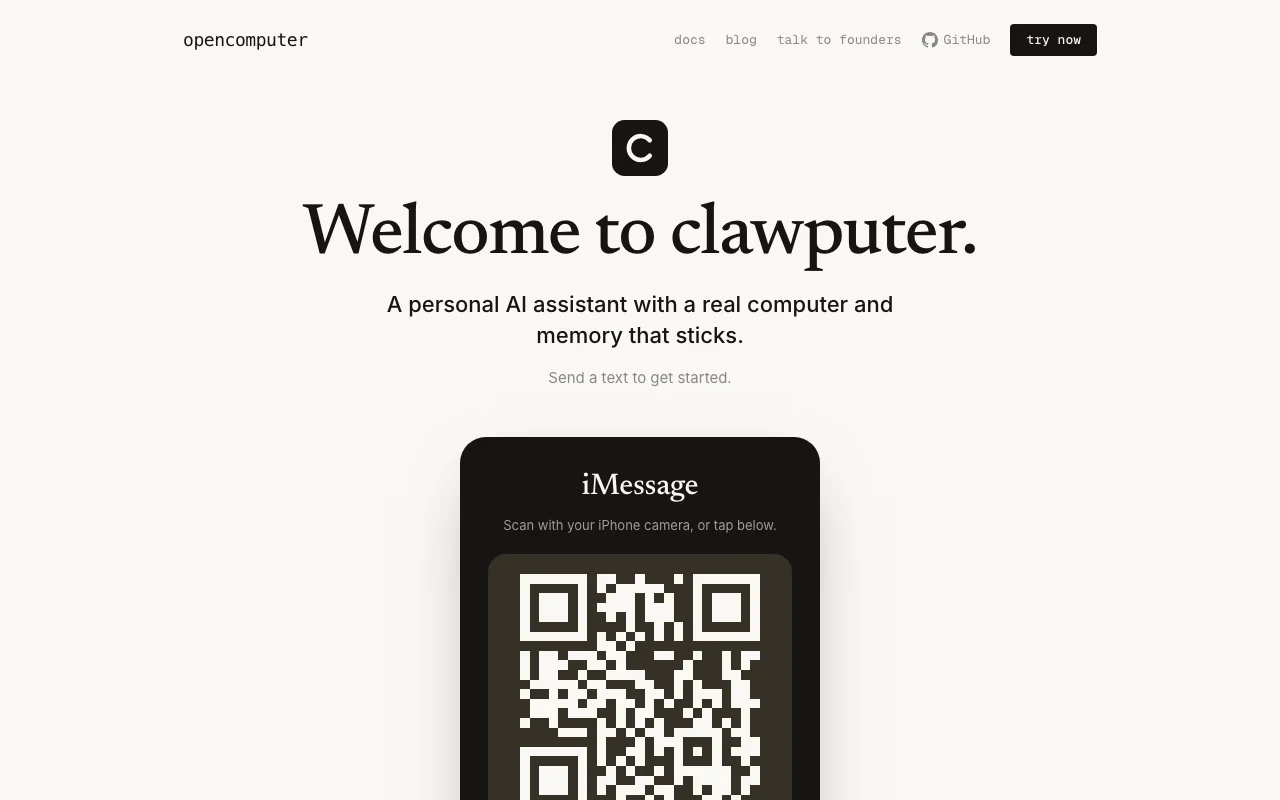
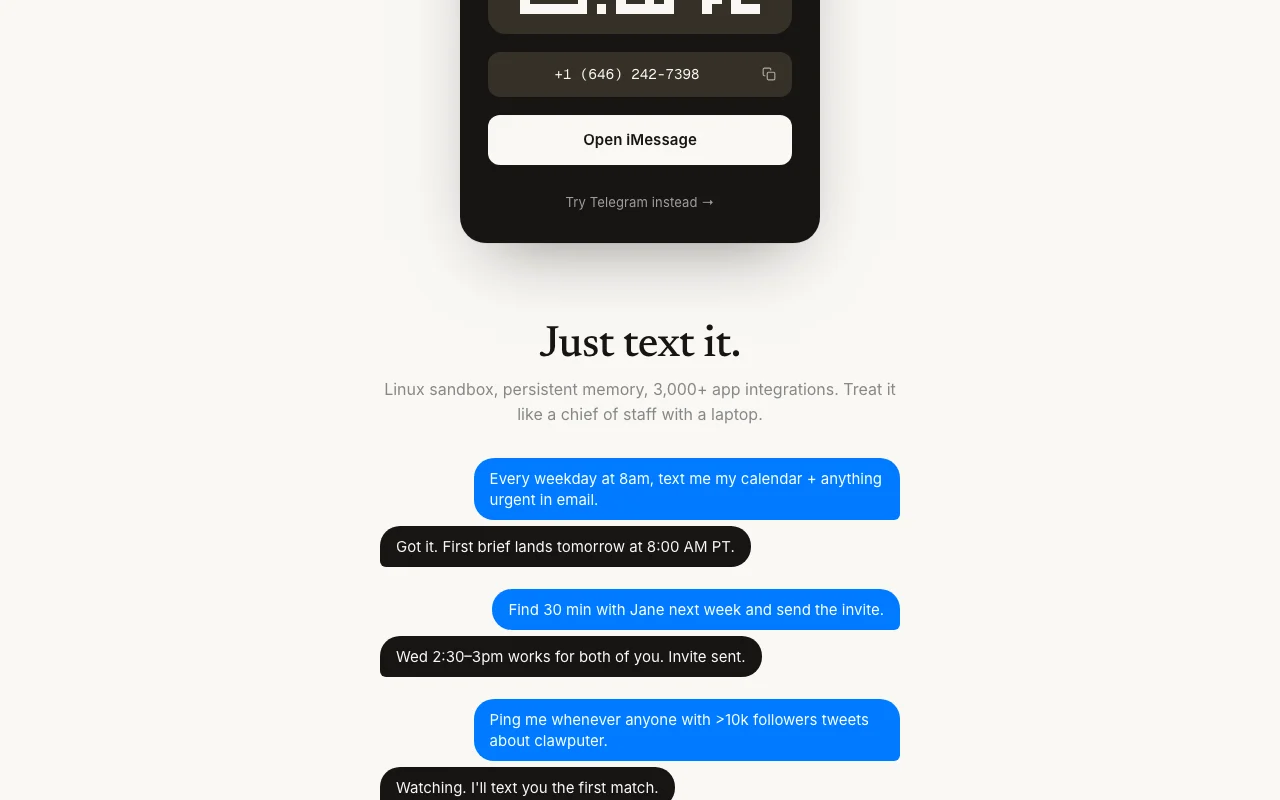
Clawputer is a personal AI assistant you text through iMessage or Telegram. Each agent gets an always-on Linux sandbox with files, a browser and a terminal, plus persistent memory. The site lists 3,000+ app integrations and example tasks such as daily calendar briefs, scheduling and opening pull requests. It is built by opencomputer.

Clawputer homepage — screenshot of the chat assistants AI tool, Oct 2, 2026
Clawputer's official site: how the product presents itself. opencomputer.dev, captured Oct 2, 2026

What you provide and what you get back

How Clawputer works: what you provide, where it runs and what you get backYOU PROVIDEYour inputText messages via iMessage or Tel…Connected apps (3,000+ integratio…Scheduled instructionsCHAT ASSISTANTSClawputeriMessage, Telegramfrom $20 (Early access)free tier availablechecked Oct 2, 2026YOU GET BACKThe resultText replies and briefsCalendar invites and emails sentCode changes and pull requestsinput → Clawputer → output · from the vendor's own pages, no hands-on test unless stated
What you give Clawputer and what comes back, from its documentation

You provide

  • Text messages via iMessage or Telegram
  • Connected apps (3,000+ integrations)
  • Scheduled instructions

You get back

  • Text replies and briefs
  • Calendar invites and emails sent
  • Code changes and pull requests

Where you can use it

Platforms
iMessage, Telegram
Account
Not required
Channels
iMessage, Telegram
Memory
gbrain (Postgres + vector)
Integrations
3,000+
Runtime
OpenClaw, OpenComputer

Best use cases for Clawputer

Scenarios are worked out by our editors from the documentation; the actual result depends on your input and plan.

Daily calendar and email briefs by text

Who
Busy professionals
You provide
A daily brief request
Expected result
Calendar and urgent email summarized by text
Plan needed
$20/month
Limitation
Time zone and apps must be connected source (opens in a new tab)

Scheduling meetings and sending invites

Who
People managing calendars
You provide
A meeting request
Expected result
Invite sent after finding a shared slot
Plan needed
$20/month
Limitation
Needs connected calendar source (opens in a new tab)

Running code tasks such as dependency bumps and PRs

Who
Developers
You provide
A repo task
Expected result
A pull request opened for review
Plan needed
$20/month
Limitation
Works in its own sandbox source (opens in a new tab)

Key features and their practical limits

Clawputer homepage — screenshot of the chat assistants AI tool, Oct 2, 2026
Feature overview on the official site. opencomputer.dev, captured Oct 2, 2026

iMessage or Telegram interface

Lets you chat with the assistant from your phone messaging app. Avoids installing an app

Access: All early-access usersLimit: Only those two channels source (opens in a new tab)

Always-on Linux sandbox per agent

Gives each agent a persistent Linux machine with files, browser and terminal. Lets it run real tasks

Access: IncludedLimit: Per-agent, not shared source (opens in a new tab)

Persistent memory (gbrain)

Stores context in a Postgres and vector database called gbrain. Keeps knowledge between chats

Access: IncludedLimit: Retention details not on page source (opens in a new tab)

3,000+ app integrations

Connects to many outside apps through integrations. Allows actions across email, calendar and code

Access: IncludedLimit: Individual app list not shown source (opens in a new tab)

Pros, cons and deal-breakers

Reasons to choose Clawputer

Check before paying for Clawputer

How to use Clawputer for texting a personal AI assistant that can use a computer

Set up Clawputer

  1. Open the Clawputer page on your phone
  2. Scan the QR code or tap Open iMessage (or try Telegram)
  3. Send a text to the number
  4. Start your free day

Example: texting a personal AI assistant that can use a computer

  1. Text a daily 8am calendar and email brief request
  2. Ask it to find 30 minutes with a colleague
  3. Ask for a code task such as a dependency bump
  4. Approve the pull request or invite

Review and export the result

  1. Check the first brief arrives at the time requested
  2. Confirm cancellation works from iMessage
Example prompt suggested by our editors (not a recorded output of the product)
Every weekday at 8am, text me my calendar and anything urgent in email.

Clawputer API

API access and separate billing

Clawputer has no public API in its official documentation. Docs at docs.opencomputer.dev API documentation ↗

Privacy, data use and commercial rights

Summarized from the vendor's current policies; this is not legal advice and a vendor's badge is not an independent audit.

How your inputs and outputs are handled

Privacy link pointed to OpenComputer page content; policy not verified

Policies: opencomputer.dev/clawputer/privacy

Other tools to consider instead of Clawputer

"Better suited" is based on documented features and pricing, not on a head-to-head test.

ChatGPT: better suited to

Claude: better suited to

Perplexity: better suited to

Alternatives
AlternativeWhen to choose itPricingLimitation
ChatGPT——Compare
Claude——Compare
Perplexity——

Explore Clawputer further

If you are looking at Clawputer

Clawputer user reviews

No user reviews yet.

Used Clawputer? Be the first to share your experience.

Write a review

Reviews are checked by a moderator before they appear. Your email is never published. Plain text only.

Your rating (required)

Show what you made or what went wrong. Images are published only if the review is approved; location data is removed.

    Clawputer FAQ

    How much is Clawputer?

    One day free, then $20 per month, cancel anytime from inside iMessage. source (opens in a new tab)

    Which messaging apps does Clawputer use?

    iMessage and Telegram. source (opens in a new tab)

    Does Clawputer need an app install or signup?

    No app to install and no signup form, per the site. source (opens in a new tab)

    What does the Clawputer sandbox include?

    An always-on Linux machine per agent with files, browser and terminal. source (opens in a new tab)

    Are Clawputer tokens included?

    Yes, during early access. source (opens in a new tab)

    Sources and review methodology

    Official sources and verification dates

    Not verified: Privacy policy details; Pricing after early access; Region availability.

    How we documented and maintain this page

    Every fact about Clawputer above comes from the 5 official pages listed here, last compared on Oct 2, 2026; we have not run Clawputer ourselves, so it has no editorial score. How we check and re-check pages.

    Article updated Oct 10, 2026; prices checked Oct 2, 2026. Outbound links to vendors are plain links; we do not earn commissions. How we review · Report an error