Chat assistantsDocumented overviewLast checked Sep 29, 2026

Clico: Pricing, Features & Best Use Cases

AI creative studio combining chat, research, writing, image and video generation from third-party models on web, Mac desktop and Chrome.

Is Clico right for you?

Clico is a fit for creators and everyday AI users who want chat, image and video models from several vendors in one credit-based workspace on web, Chrome and Mac. Based on the vendor's documentation, not on a hands-on test.

Best for: Creators

Also a good fit for

  • Everyday AI users

Consider another tool if free plan limited to 200 credits per month and 6 chat models

Or if

  • Video requires Pro or Max
  • Desktop app is Mac only

Clico pricing and usage limits

Prices checked Sep 29, 2026 on the official US pricing page. Official pricing ↗ Prices and limits change often.

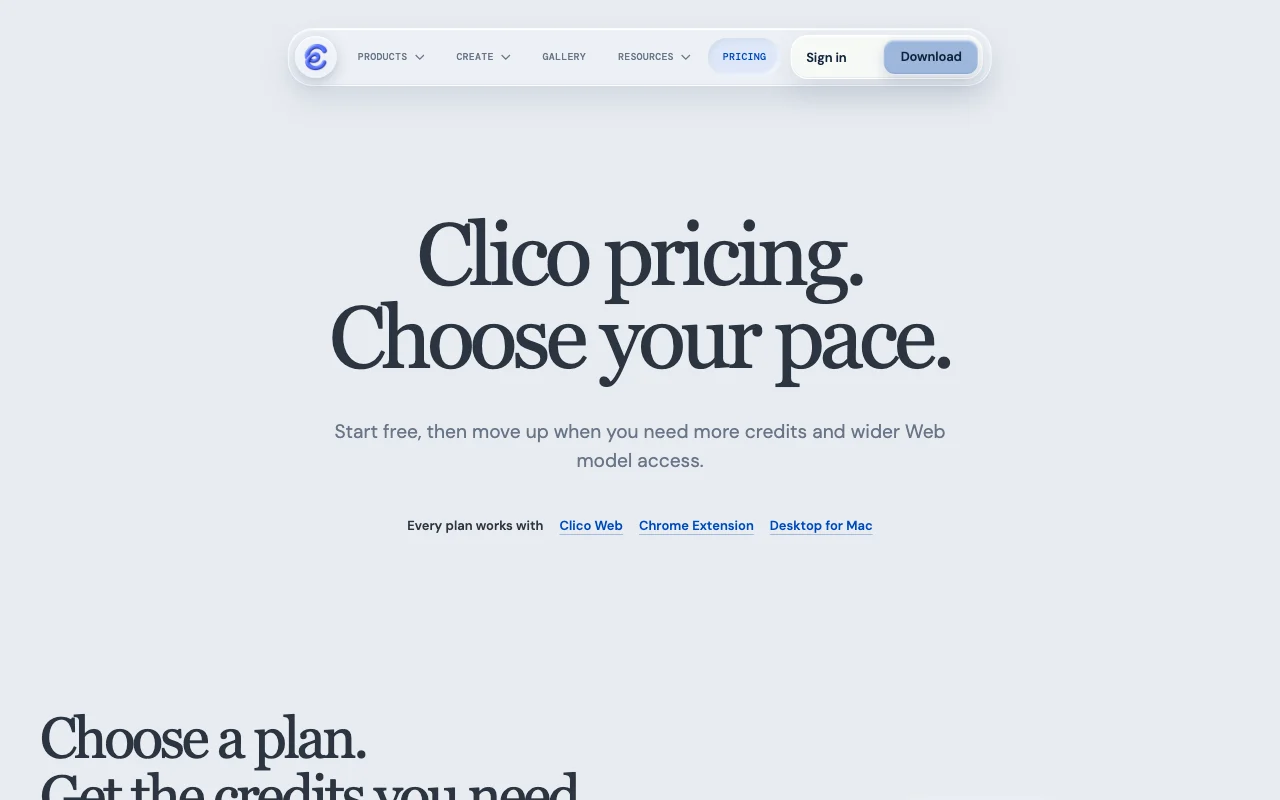
Clico pricing page with plans and prices — screenshot of the chat assistants AI tool, Oct 1, 2026
The official Clico pricing page as we saw it. tryclico.com, captured Oct 1, 2026

Free access and trial conditions

Free plan forever, no card

None separate

Paid plans: what changes as you upgrade

Free web

Free source (opens in a new tab)

Month

For: Trying Clico

Limits

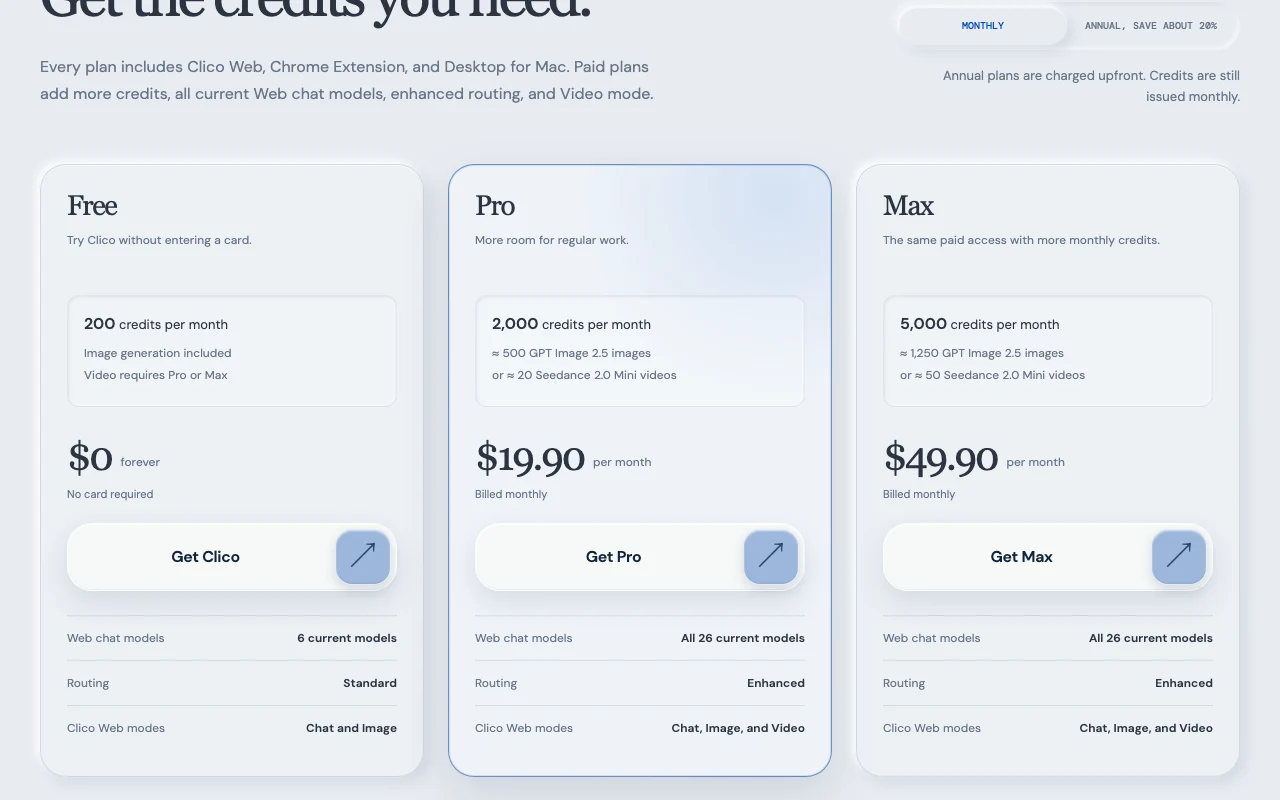
  • 200 credits per month
  • 6 chat models
1 more
  • Video not included

Includes

  • Image generation
  • Web, Chrome and Mac access

Pro web

$19.9/mo source (opens in a new tab)

Month

$192 per year billed upfront

For: Regular creators

Limits

  • 2,000 credits per month

Includes

  • All 26 chat models
  • Enhanced routing
1 more
  • Video mode

Max web

$49.9/mo source (opens in a new tab)

Month

$480 per year billed upfront

For: Heavy image and video users

Limits

  • 5,000 credits per month

Includes

  • Everything in Pro
  • 2.5x credits

Usage caps, credits and extra costs

None listed

Not stated

What is Clico, and how does it work?

Clico brings AI chat, web research, writing, image generation and editing, video and music creation into one workspace using third-party models. It is available as Clico Web, a Chrome extension and a Mac desktop app, all sharing one account and monthly credit allowance.

Clico homepage — screenshot of the chat assistants AI tool, Oct 1, 2026
Clico's official site: how the product presents itself. tryclico.com, captured Oct 1, 2026

What you provide and what you get back

How Clico works: what you provide, where it runs and what you get backYOU PROVIDEYour inputText promptsReference images or videosSelected web page content via the…CHAT ASSISTANTSClicoWeb, Desktopfrom $19.9/mo (Pro)free tier availableaccount requiredchecked Sep 29, 2026YOU GET BACKThe resultChat answers with sourcesGenerated and edited imagesGenerated videos (Pro and Max)input → Clico → output · from the vendor's own pages, no hands-on test unless stated
What you give Clico and what comes back, from its documentation

You provide

  • Text prompts
  • Reference images or videos
  • Selected web page content via the Chrome extension

You get back

  • Chat answers with sources
  • Generated and edited images
  • Generated videos (Pro and Max)

Where you can use it

Platforms
Web, Desktop
Account
Required
Chat models
6 on Free, 26 on Pro and Max
Image models
GPT Image 2.5, Nano Banana, Seedream, Grok, FLUX
Video models
Seedance, Veo, Kling, Sora 2 Pro, Runway Gen-4.5 and more
Clients
Web, Chrome extension, Mac desktop

Best use cases for Clico

Scenarios are worked out by our editors from the documentation; the actual result depends on your input and plan.

Generate and edit images

Who
Creators and marketers
You provide
Text prompt or reference image
Expected result
Images from models such as GPT Image 2.5, Nano Banana or FLUX
Plan needed
Free includes image generation
Limitation
Credits per image vary by model and quality source (opens in a new tab)

Create videos from text or images

Who
Short-form video makers
You provide
Prompt or reference image
Expected result
Clips from models like Seedance, Veo or Kling
Plan needed
Pro or Max
Limitation
Not available on Free source (opens in a new tab)

Research with source links

Who
Students and writers
You provide
Question for web research
Expected result
Answer with cited sources
Plan needed
All plans
Limitation
Free is limited to 6 chat models source (opens in a new tab)

What Clico does, and where it stops

Clico homepage — screenshot of the chat assistants AI tool, Oct 1, 2026
Feature overview on the official site. tryclico.com, captured Oct 1, 2026

Multi-model chat

Lets you pick from up to 26 chat models from different vendors in one conversation view Compares model answers without separate subscriptions

Access: Free gets 6, Pro and Max get 26Limit: Model list can change source (opens in a new tab)

Image generation and editing

Creates and edits pictures using models from OpenAI, Google, ByteDance, xAI and Black Forest Labs Covers design drafts and visuals

Access: All plansLimit: Credits per image depend on model and quality source (opens in a new tab)

Video mode

Produces video from prompts using models such as Seedance, Veo, Kling and Sora Makes short clips without separate tools

Access: Pro and MaxLimit: Roughly 20 Seedance 2.0 Mini 10-second videos on Pro source (opens in a new tab)

Web research with sources

Searches the web and returns answers with source links Supports fact checking

Access: All plansLimit: Quality depends on chosen model source (opens in a new tab)

Shared credits across clients

Uses one monthly credit balance across Web, Chrome extension and Mac app Avoids separate quotas

Access: All plansLimit: Unused credits do not roll over source (opens in a new tab)

Pros, cons and deal-breakers

Reasons to choose Clico

Check before paying for Clico

How to use Clico for generating images and videos with several AI models

Set up Clico

  1. Open tryclico.com and click Get Clico to create a free account
  2. Choose Clico Web, the Chrome extension or the Mac app
  3. Check your credit balance in the account
  4. Pick a model in the model picker

Example: generating images and videos with several AI models

  1. Switch to Image mode and choose GPT Image 2.5
  2. Enter a prompt describing the product photo you want
  3. Generate and refine the result
  4. On Pro or Max, switch to Video mode to animate it

Review and export the result

  1. Watch the credit counter after each generation
  2. Confirm the plan allows Video mode before relying on it
Example prompt suggested by our editors (not a recorded output of the product)
A studio photo of a ceramic mug on a wooden table, soft morning light

Clico API

Clico pricing page with plans and prices — screenshot of the chat assistants AI tool, Oct 1, 2026
Plan comparison on the official pricing page. tryclico.com, captured Oct 1, 2026

API access and separate billing

Clico has no public API in its official documentation. Docs URL returned 404

Privacy, data use and commercial rights

Summarized from the vendor's current policies; this is not legal advice and a vendor's badge is not an independent audit.

How your inputs and outputs are handled

Prompts, files, page content and generated output are processed; paths differ by client

Policies: tryclico.com/privacy

Clico alternatives by need

"Better suited" is based on documented features and pricing, not on a head-to-head test.

ChatGPT: better suited to

Midjourney: better suited to

Leonardo.Ai: better suited to

Alternatives
AlternativeWhen to choose itPricingLimitation
ChatGPT——Compare
Midjourney——
Leonardo.Ai——

Explore Clico further

If you are looking at Clico

Clico user reviews

No user reviews yet.

Used Clico? Be the first to share your experience.

Write a review

Reviews are checked by a moderator before they appear. Your email is never published. Plain text only.

Your rating (required)

Show what you made or what went wrong. Images are published only if the review is approved; location data is removed.

    Clico FAQ

    How much does Clico cost?

    Free is $0 with 200 credits a month, Pro $19.90 a month with 2,000 credits and Max $49.90 with 5,000. source (opens in a new tab)

    Do unused credits roll over?

    No, the allowance refreshes monthly and unused credits do not roll over. source (opens in a new tab)

    Which plans include video?

    Video mode requires Pro or Max. source (opens in a new tab)

    How do annual plans work?

    Pro costs $192 a year and Max $480, charged upfront with credits issued monthly. source (opens in a new tab)

    What happens at the credit limit?

    Credit-based actions pause until the allowance refreshes; history stays readable. source (opens in a new tab)

    Sources and review methodology

    Official sources and verification dates

    Not verified: Privacy policy is marked draft; Commercial-use terms for outputs; Watermark policy.

    How we documented and maintain this page

    Every fact about Clico above comes from the 4 official pages listed here, last compared on Sep 29, 2026; we have not run Clico ourselves, so it has no editorial score. How we check and re-check pages.

    Article updated Oct 10, 2026; prices checked Sep 29, 2026. Outbound links to vendors are plain links; we do not earn commissions. How we review · Report an error