Chat assistantsDocumented overviewLast checked Oct 2, 2026

intoCHAT: Pricing, Features & Best Use Cases

Builder for AI chatbots trained on your website, PDFs and docs, embedded with one script line.
Is intoCHAT right for you?

intoCHAT suits small sites and stores that want a chatbot trained on their own pages and PDFs and embedded with one script tag, starting on a free plan. Based on the vendor's documentation, not on a hands-on test.

Best for: Small businesses adding site chat

Also a good fit for

  • Support teams

Consider another tool if free plan limited to 1 agent and 25 messages per month

Or if

  • Starter limited to 2,500 messages per month
  • Overage requires upgrade after a grace period

intoCHAT pricing and usage limits

Prices checked Oct 2, 2026 on the official US pricing page. Official pricing ↗ Prices and limits change often.

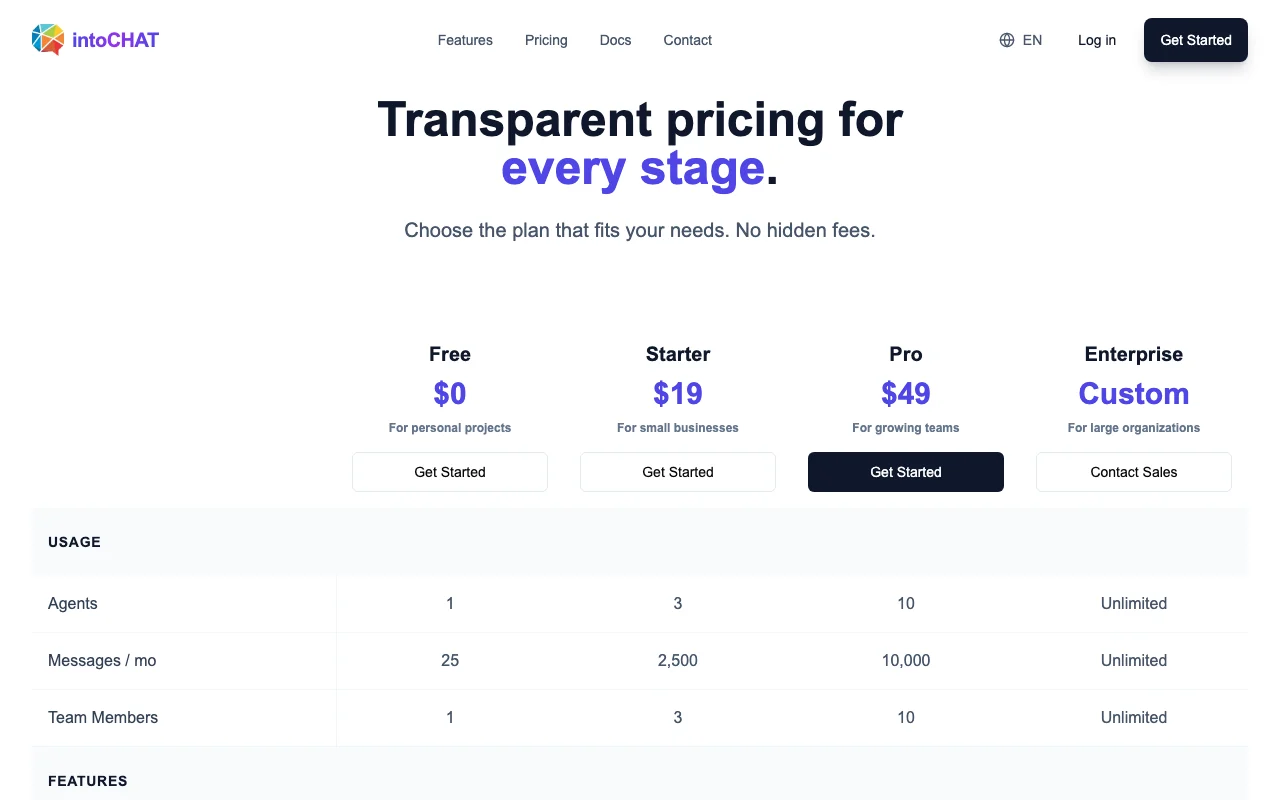
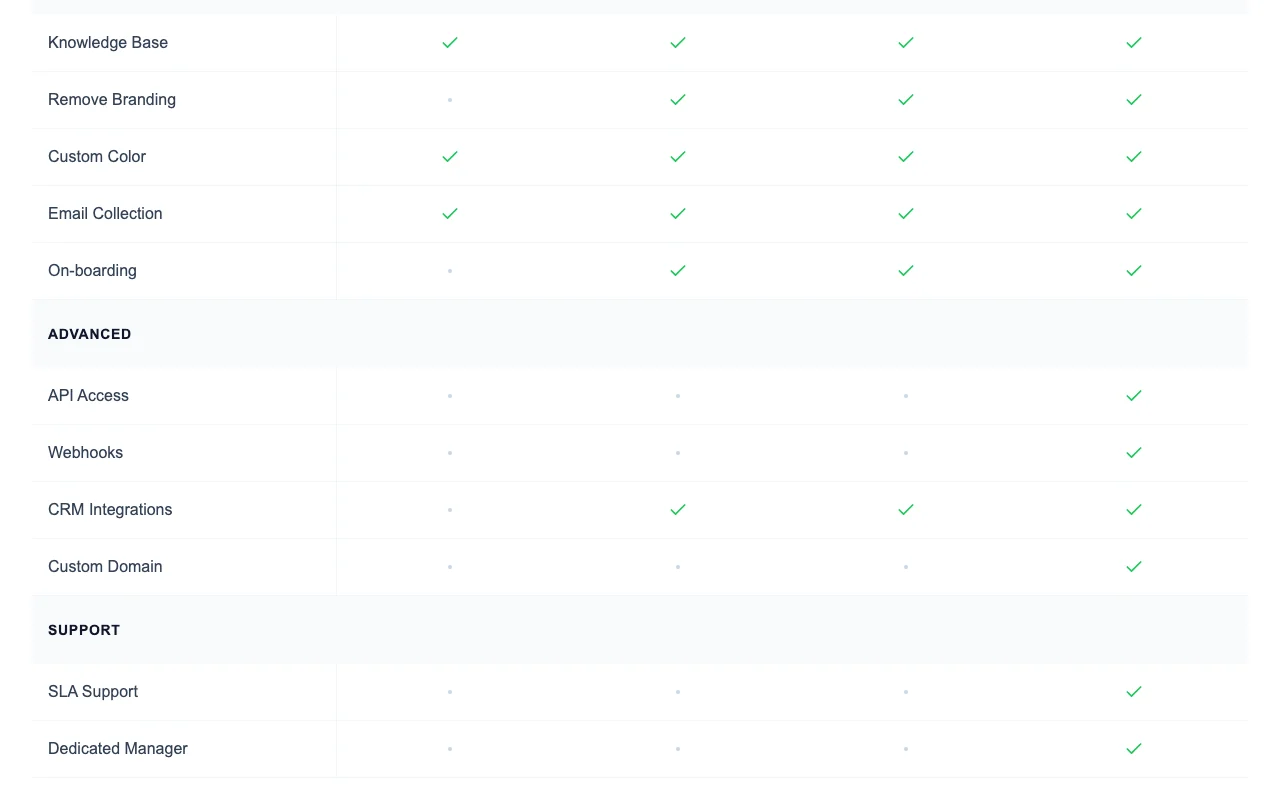
intoCHAT pricing page with plans and prices — screenshot of the chat assistants AI tool, Oct 2, 2026
The official intoCHAT pricing page as we saw it. intochat.ai, captured Oct 2, 2026

Free access and trial conditions

Free plan at $0 with 1 agent and 25 messages per month.

Paid plans: what changes as you upgrade

Free web

Free source (opens in a new tab)

Unknown

For: Personal projects

Limits

  • 1 agent
  • 25 messages per month
1 more
  • 1 team member

Includes

  • For personal projects

Starter web

See official pricing source (opens in a new tab)

Unknown

Page shows $19 but does not say whether it is monthly or annual, so price is left null.

For: Small businesses

Limits

  • 3 agents
  • 2,500 messages per month
1 more
  • 3 team members

Includes

  • For small businesses

Pro web

See official pricing source (opens in a new tab)

Unknown

Page shows $49 but does not say whether it is monthly or annual, so price is left null.

For: Growing teams

Limits

  • 10 agents
  • 10,000 messages per month
1 more
  • 10 team members

Includes

  • For growing teams

Enterprise web

Custom pricing source (opens in a new tab)

Custom

For: Large organizations

Limits

  • Unlimited agents
  • Unlimited messages
1 more
  • Unlimited team members

Includes

  • SLA support
  • Dedicated manager

Usage caps, credits and extra costs

At 80% and 100% of the message limit you are notified; the bot keeps working for a grace period, then an upgrade is needed.

What is intoCHAT, and how does it work?

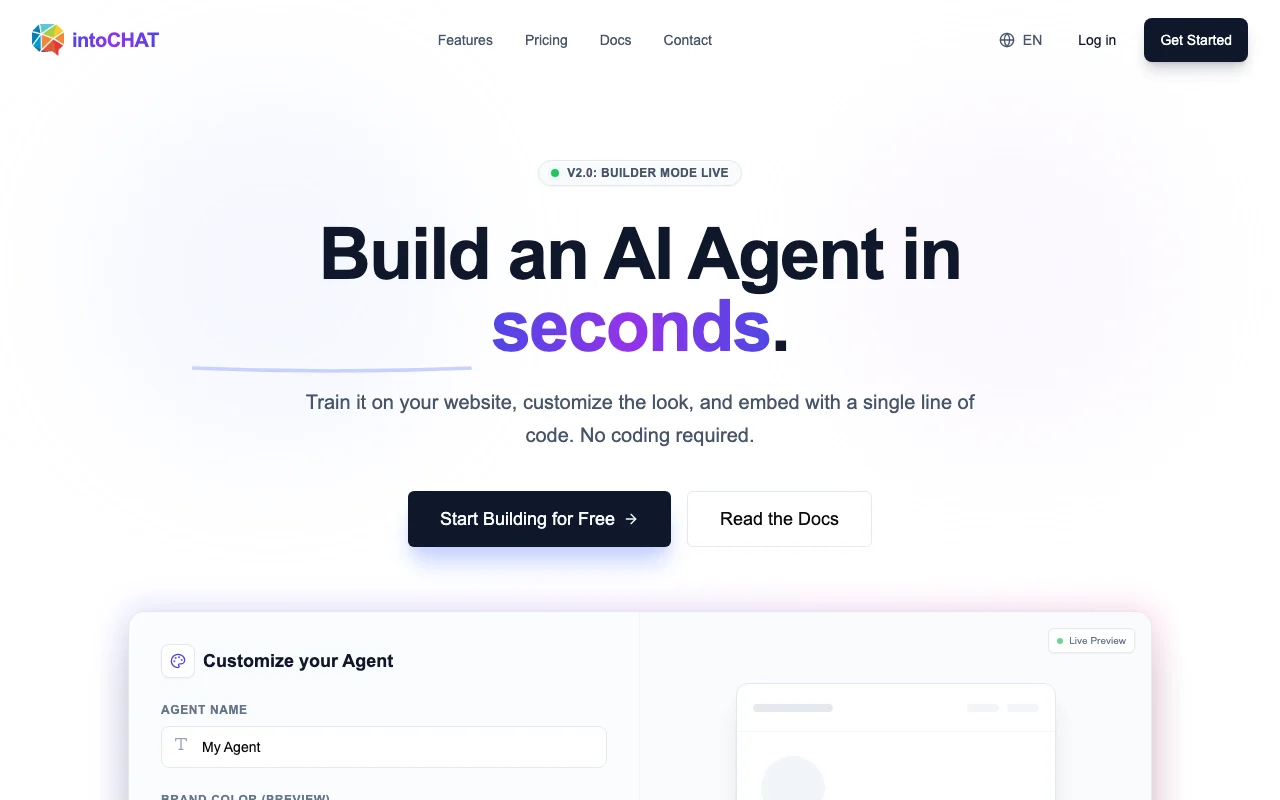
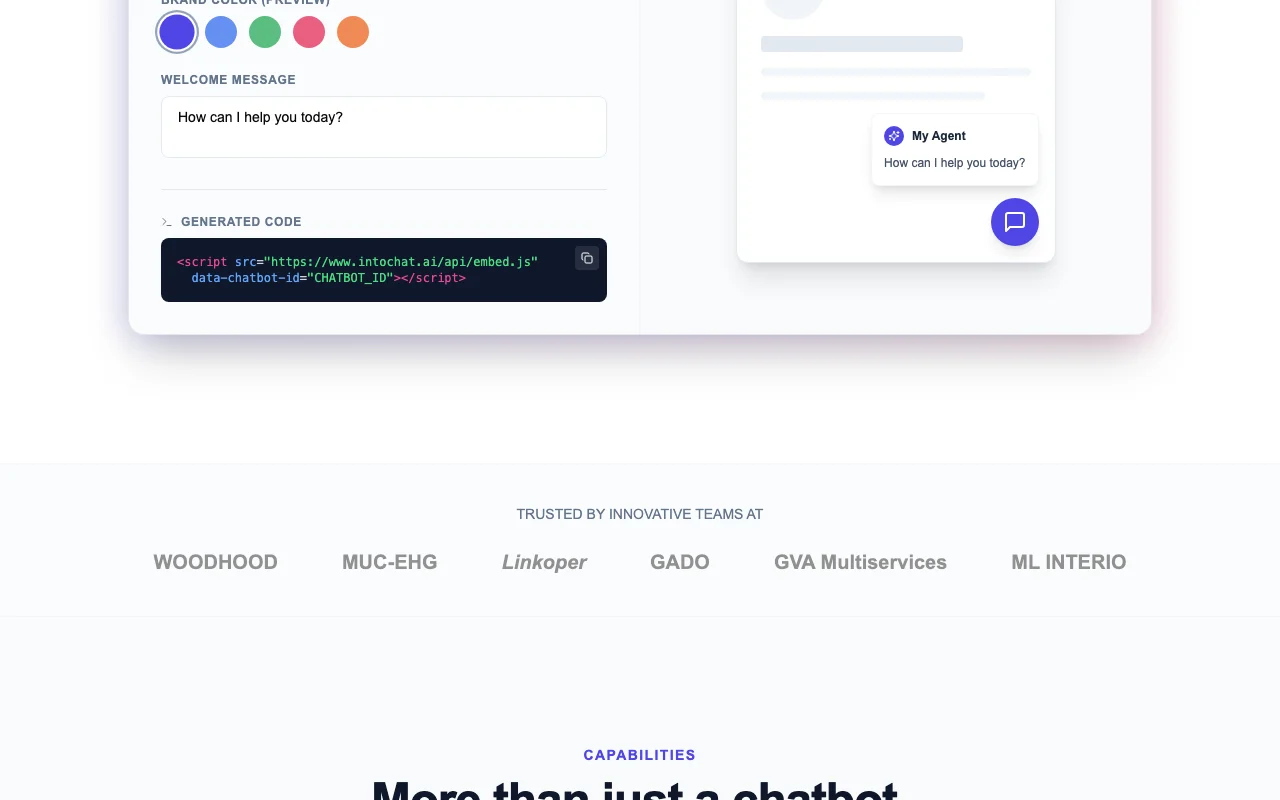
intoCHAT lets users build AI chat agents trained on their website, PDFs, Notion docs and other sources, then embed them on a site with a single line of code. It lists lead collection, CRM sync, conversation analytics, multi-language replies and API access. Plans range from a free tier to paid Starter and Pro plans.

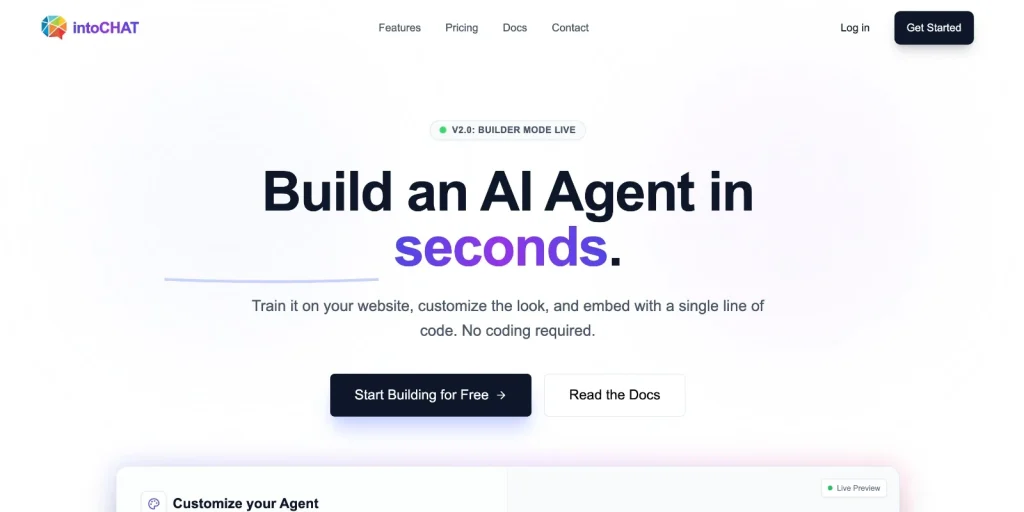
intoCHAT homepage — screenshot of the chat assistants AI tool, Oct 2, 2026
intoCHAT's official site: how the product presents itself. intochat.ai, captured Oct 2, 2026

What you provide and what you get back

How intoCHAT works: what you provide, where it runs and what you get backYOU PROVIDEYour inputWebsite URLsPDF filesNotion docsLive data via APICHAT ASSISTANTSintoCHATWeb, APIfree tier, paid price not publish…free tier availableaccount requiredchecked Oct 2, 2026YOU GET BACKThe resultChat replies in 95+ languagesCollected leads and emailsConversation analyticsEmbeddable chat widgetinput → intoCHAT → output · from the vendor's own pages, no hands-on test unless stated
What you give intoCHAT and what comes back, from its documentation

You provide

  • Website URLs
  • PDF files
  • Notion docs
  • Live data via API

You get back

  • Chat replies in 95+ languages
  • Collected leads and emails
  • Conversation analytics
  • Embeddable chat widget

Where you can use it

Platforms
Web, API
Account
Required
Knowledge sources
PDFs, website URLs, Notion docs
Languages
95+ with auto-detect
Embed
Script tag, React/Next.js, WordPress, Shopify
CRM sync
Salesforce, HubSpot, Pipedrive, Zapier
Model
Gemini models per homepage

What people use intoCHAT for

Scenarios are worked out by our editors from the documentation; the actual result depends on your input and plan.

Website customer support bot

Who
Small business owners
You provide
Website URL and product PDFs
Expected result
A support chatbot embedded on the site with one script tag
Plan needed
Free to try, Starter for volume
Limitation
Free plan allows only 25 messages per month source (opens in a new tab)

Lead qualification

Who
Marketing and sales teams
You provide
Visitor conversations on the site
Expected result
Collected emails and qualified leads synced to a CRM
Plan needed
Pro for CRM integrations
Limitation
CRM integrations are a paid-plan feature per the comparison table source (opens in a new tab)

E-commerce product questions

Who
Online store owners
You provide
Product catalog and order API
Expected result
Answers on stock, sizing and order status
Plan needed
Pro or Enterprise for API access
Limitation
Live data needs API integration source (opens in a new tab)

What intoCHAT does, and where it stops

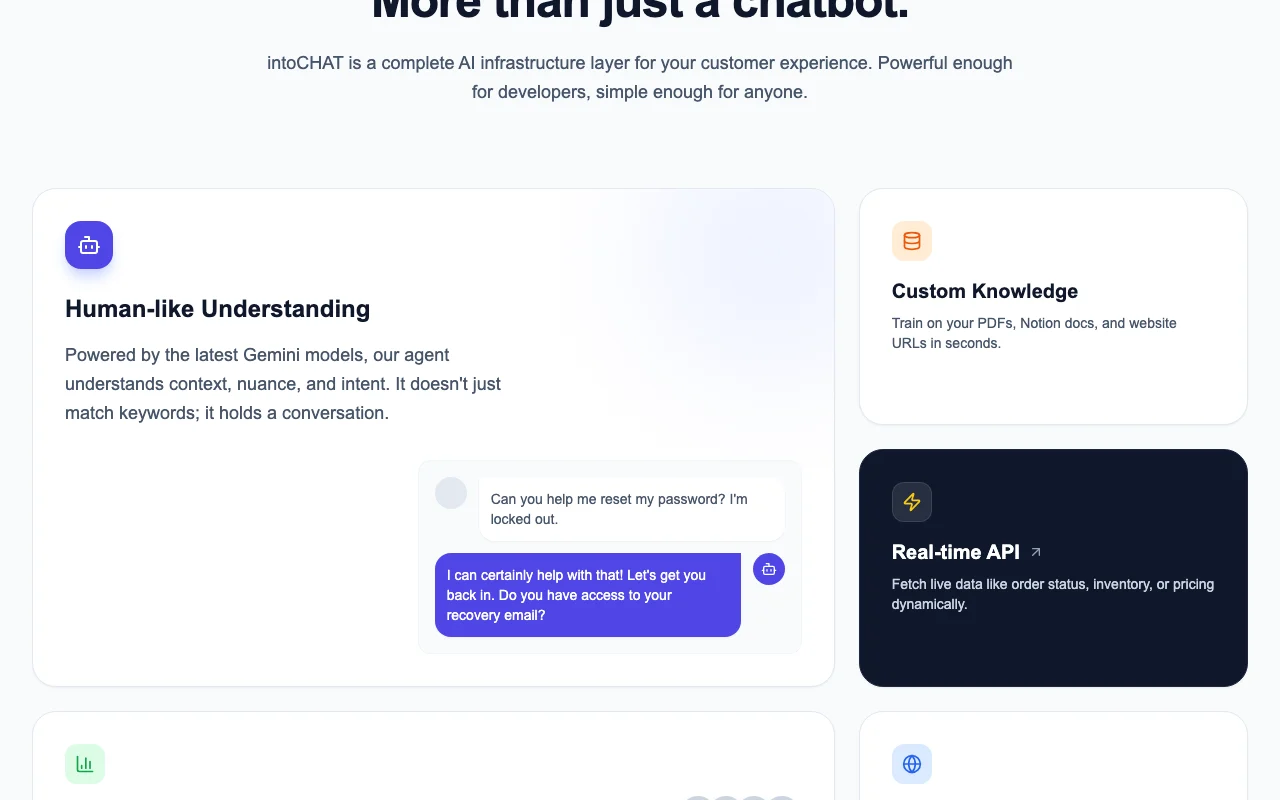
intoCHAT homepage — screenshot of the chat assistants AI tool, Oct 2, 2026
Feature overview on the official site. intochat.ai, captured Oct 2, 2026

Train on PDFs, URLs, Notion

Ingests PDFs, Notion docs and website URLs, and can crawl a pasted URL and auto-refresh when the site changes. Keeps answers aligned with current content.

Access: All plansLimit: Message limits cap how many answers it can give per month. source (opens in a new tab)

One-line embed script

Embeds the chat widget on any site by adding a single script tag with a chatbot ID before the closing body tag. Needs no backend setup.

Access: All plansLimit: Shopify and WordPress use dedicated apps or plugins. source (opens in a new tab)

Lead and email collection

Collects visitor emails and qualifies prospects through natural-language conversation, then syncs to Salesforce, HubSpot, Pipedrive or Zapier. Replaces static forms.

Access: Email collection on paid tiers per tableLimit: Exact plan availability of each integration is not fully legible in the text. source (opens in a new tab)

Conversation analytics

Shows a dashboard analysing conversations to reveal what customers ask and where they get stuck. Guides content and product decisions.
Access: DashboardLimit: Example figures on the homepage are illustrative, not guarantees. source (opens in a new tab)

Pros, cons and deal-breakers

Reasons to choose intoCHAT

Check before paying for intoCHAT

How to use intoCHAT for adding an AI support chatbot to a website

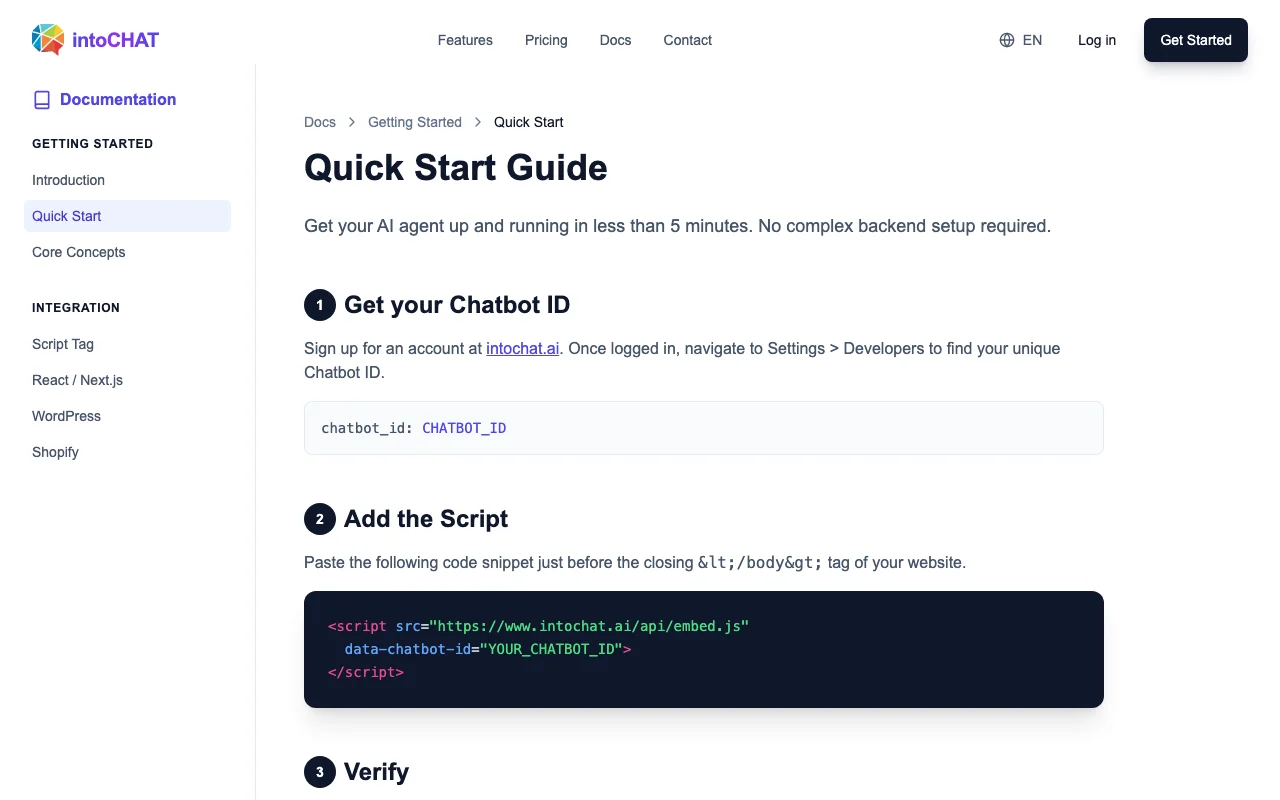
intoCHAT documentation — screenshot of the chat assistants AI tool, Oct 2, 2026
intoCHAT documentation: where the steps below come from. intochat.ai, captured Oct 2, 2026

Set up intoCHAT

  1. Sign up for an intoCHAT account at intochat.ai.
  2. Find your Chatbot ID under Settings > Developers.
  3. Add your website URL, PDFs or Notion docs as knowledge sources.

Example: adding an AI support chatbot to a website

  1. Paste your website URL so intoCHAT can index the pages.
  2. Set the agent name, brand color and welcome message.
  3. Paste the script tag before the closing body tag of your site.
  4. Open your site and test the chat bubble.

Review and export the result

  1. Confirm the chat bubble appears in the bottom right corner.
  2. Ask a question from your docs and check the answer matches.

intoCHAT API

intoCHAT documentation — screenshot of the chat assistants AI tool, Oct 2, 2026
intoCHAT documentation (continued). intochat.ai, captured Oct 2, 2026

API access and separate billing

intoCHAT has no public API in its official documentation. Docs cover Script Tag, React/Next.js, WordPress and Shopify. API documentation ↗

Privacy, data use and commercial rights

Summarized from the vendor's current policies; this is not legal advice and a vendor's badge is not an independent audit.

How your inputs and outputs are handled

Chat logs and Knowledge Base uploads are stored; payments go through Stripe.

Policy says private data is not used to train shared public models; account-specific models may be trained.

Commercial use and plan restrictions

SSO, audit logs and custom domains are listed under enterprise control.

Controls for business users

  • AES-256 at rest
  • TLS 1.3 in transit
  • SOC2 compliance (vendor-stated)

Policies: intochat.ai/en/privacy

Best intoCHAT alternatives for different needs

"Better suited" is based on documented features and pricing, not on a head-to-head test.

ChatGPT: better suited to general AI assistant

Zapier: better suited to automation between apps

Alternatives
AlternativeWhen to choose itPricingLimitation
ChatGPTyou want an assistant for yourself, not an embedded support widget— source (opens in a new tab)Not a website chatbot builder with embed scriptCompare
Zapieryou want to connect lead data across tools— source (opens in a new tab)Does not provide a trained website chatbot by itself

Explore intoCHAT further

Related to intoCHAT

intoCHAT user reviews

No user reviews yet.

Used intoCHAT? Be the first to share your experience.

Write a review

Reviews are checked by a moderator before they appear. Your email is never published. Plain text only.

Your rating (required)

Show what you made or what went wrong. Images are published only if the review is approved; location data is removed.

    intoCHAT FAQ

    What are the intoCHAT message limits per plan?

    Free allows 25 messages per month, Starter 2,500, Pro 10,000 and Enterprise is unlimited. source (opens in a new tab)

    What happens if I exceed my intoCHAT message limit?

    You are notified at 80% and 100%, the bot keeps working for a grace period, then you need to upgrade. source (opens in a new tab)

    Does intoCHAT give non-profit discounts?

    Yes, it offers a 50% discount for registered non-profit organizations through sales. source (opens in a new tab)

    Does intoCHAT train public models on my data?

    No; the pricing FAQ and privacy policy say private data is not used to train shared public models. source (opens in a new tab)

    How do I embed intoCHAT on my site?

    Copy your Chatbot ID from Settings > Developers and paste the one-line script tag before the closing body tag. source (opens in a new tab)

    Sources and review methodology

    Official sources and verification dates

    Not verified: Billing period for Starter and Pro prices; Which features are included in each plan (comparison table checkmarks not legible); Data retention period; Commercial-use terms; US availability not stated.

    How we documented and maintain this page

    Every fact about intoCHAT above comes from the 4 official pages listed here, last compared on Oct 2, 2026; we have not run intoCHAT ourselves, so it has no editorial score. How we check and re-check pages.

    Article updated Oct 2, 2026; prices checked Oct 2, 2026. Outbound links to vendors are plain links; we do not earn commissions. How we review · Report an error