
CodingDocumented overviewLast checked Sep 29, 2026

OpenAI Codex: Pricing, Features & Best Use Cases

OpenAI's coding agent for the CLI, IDE extension, desktop app, web and iOS, included in ChatGPT plans or billed by API.

Who OpenAI Codex fits

Choose Codex if you already use ChatGPT and want one coding agent across a local CLI, IDE extension, desktop app and cloud/web, with the option to pay by API instead. Based on the vendor's documentation, not on a hands-on test.

Best for: ChatGPT subscribers

Also a good fit for

  • Developers wanting CLI plus cloud agent

Consider another tool if usage limits apply per plan

Or if

  • API-key use lacks cloud features such as GitHub code review and Slack
  • Free and Go plans list desktop app only

OpenAI Codex in the news

Headlines from US outlets, selected automatically — not endorsements. Updated Oct 2, 2026

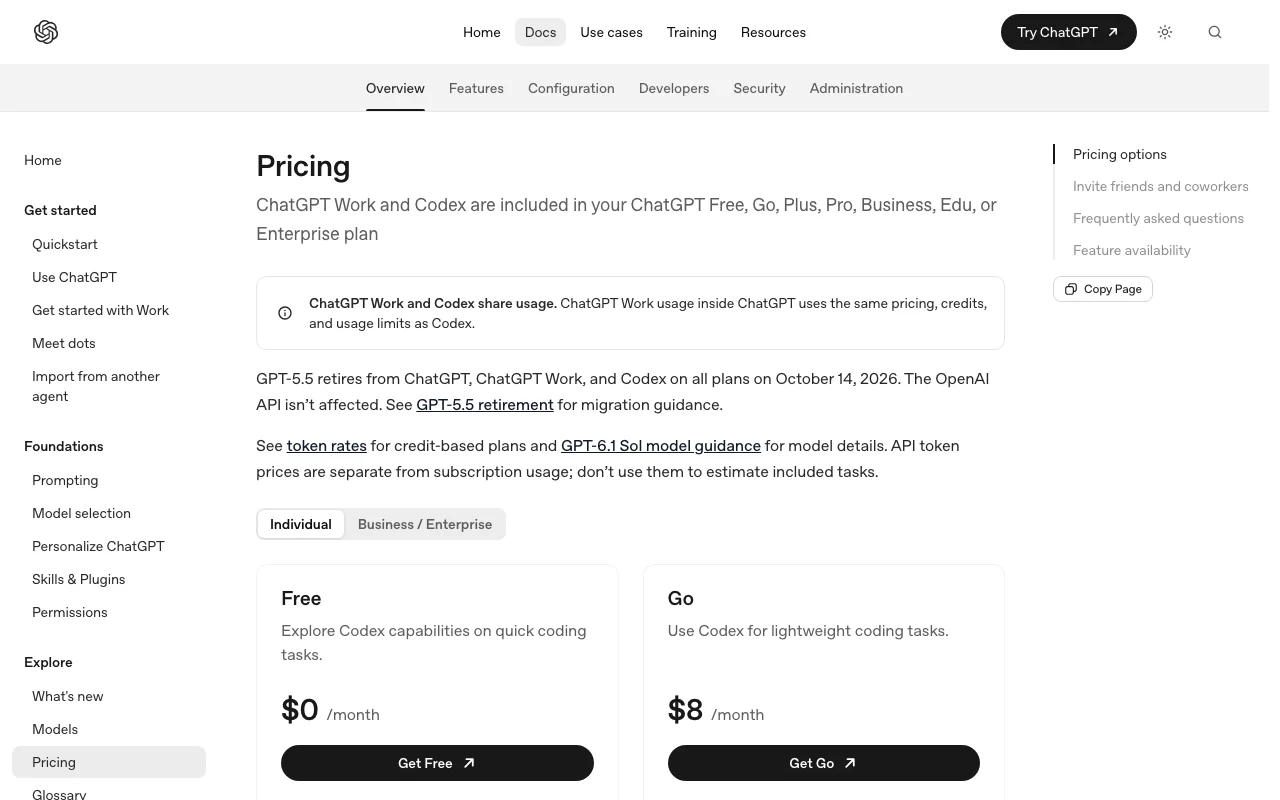
OpenAI Codex pricing and usage limits

Prices checked Sep 29, 2026 on the official US pricing page. Official pricing ↗ Prices and limits change often.

OpenAI Codex pricing page with plans and prices — screenshot of the coding AI tool, Oct 2, 2026
The official OpenAI Codex pricing page as we saw it. developers.openai.com, captured Oct 2, 2026

Free access and trial conditions

A Free ChatGPT plan includes Codex (desktop app listed).

Paid plans: what changes as you upgrade

Free ChatGPT

Free source (opens in a new tab)

Month

For: Trying Codex

Limits

  • Desktop app only listed
  • Usage limits apply

Includes

  • Try Codex

No API

Go ChatGPT

$8/mo source (opens in a new tab)

Month

For: Light use

Limits

  • Desktop app only listed
  • Usage limits apply

Includes

  • Codex access

No API

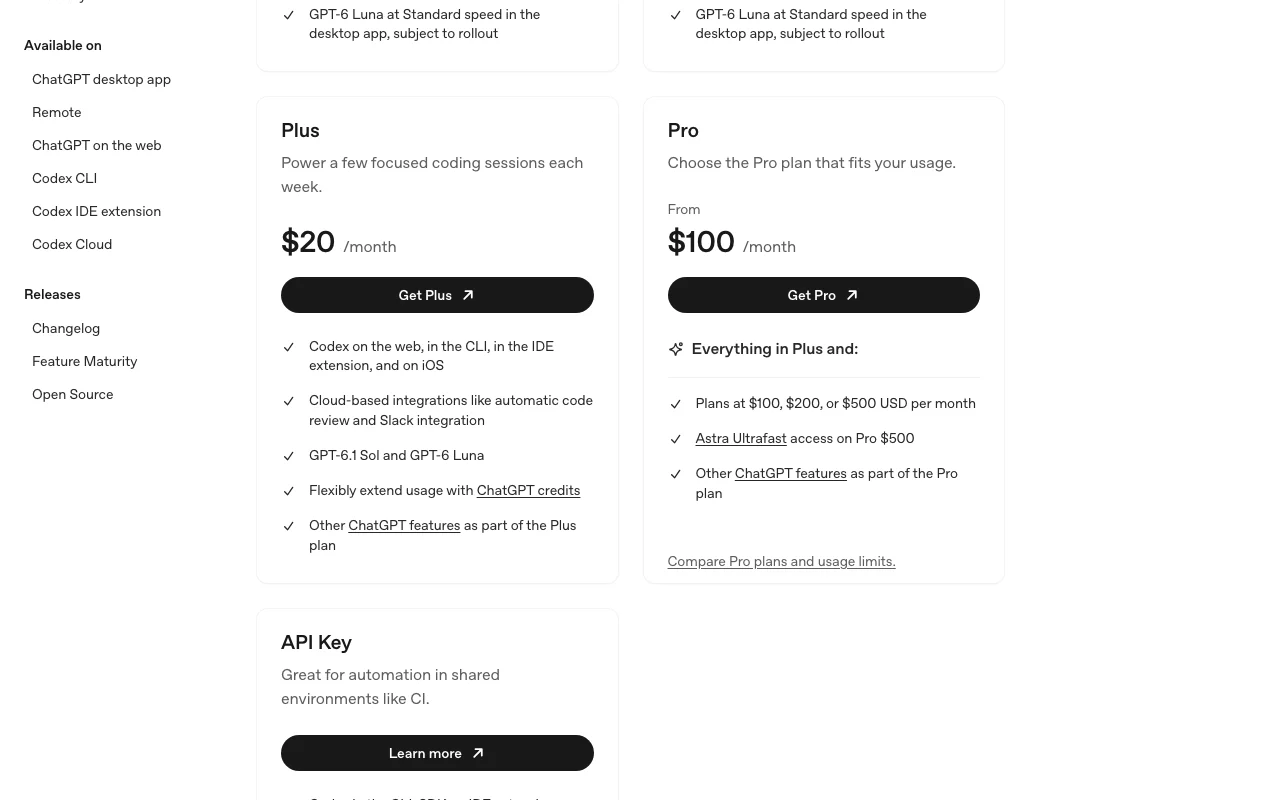
Plus ChatGPT

$20/mo source (opens in a new tab)

Month

For: Individual developers

Limits

  • Usage limits apply

Includes

  • Codex on CLI, IDE, web and iOS

No API

Pro ChatGPT

See official pricing source (opens in a new tab)

Month

Seed lists tiers at $100, $200 or $500 per month; mapping of tier to usage was not confirmed, so no single price is set.

For: Heavy individual use

Limits

  • Higher usage than Plus

Includes

  • Codex access

No API

Business ChatGPT

$25 per user per month, billed monthly source (opens in a new tab)

User/month, annual commitment

$20 per user per month billed annually; $25 monthly.

For: Teams

Limits

  • Usage limits apply

Includes

  • Workspace admin features

No API

API key API

Usage-based source (opens in a new tab)

Usage

For: CI and automation

Limits

  • No GitHub code review or Slack

Includes

  • CLI/IDE use in CI

API included

Usage caps, credits and extra costs

API-key use is billed at API rates; Enterprise/Edu is contact sales.

What is OpenAI Codex, and how does it work?

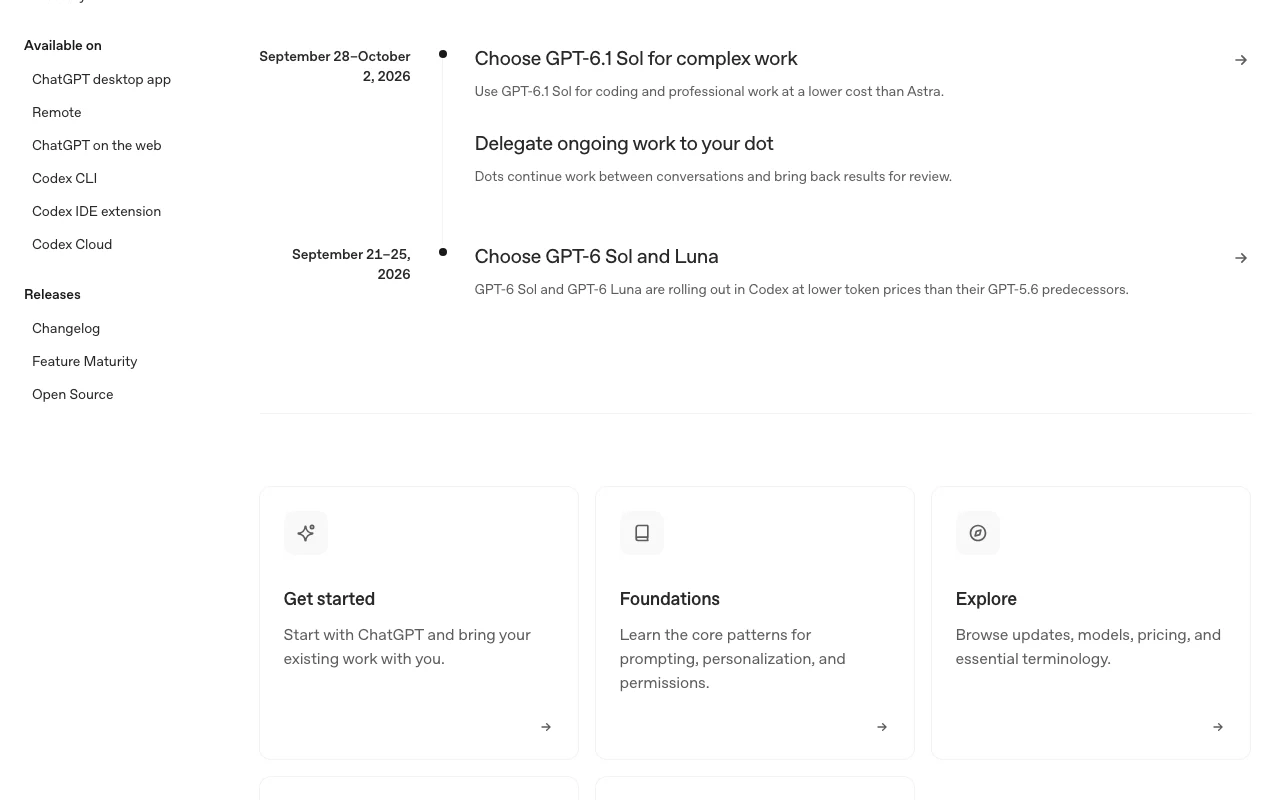
Codex is OpenAI's coding agent. The CLI runs locally on a computer, and Codex is also offered as an IDE extension, a desktop app and a cloud-based web agent. Usage is included in ChatGPT plans (Free, Go, Plus, Pro, Business, Enterprise/Edu) or paid at API rates with an API key.

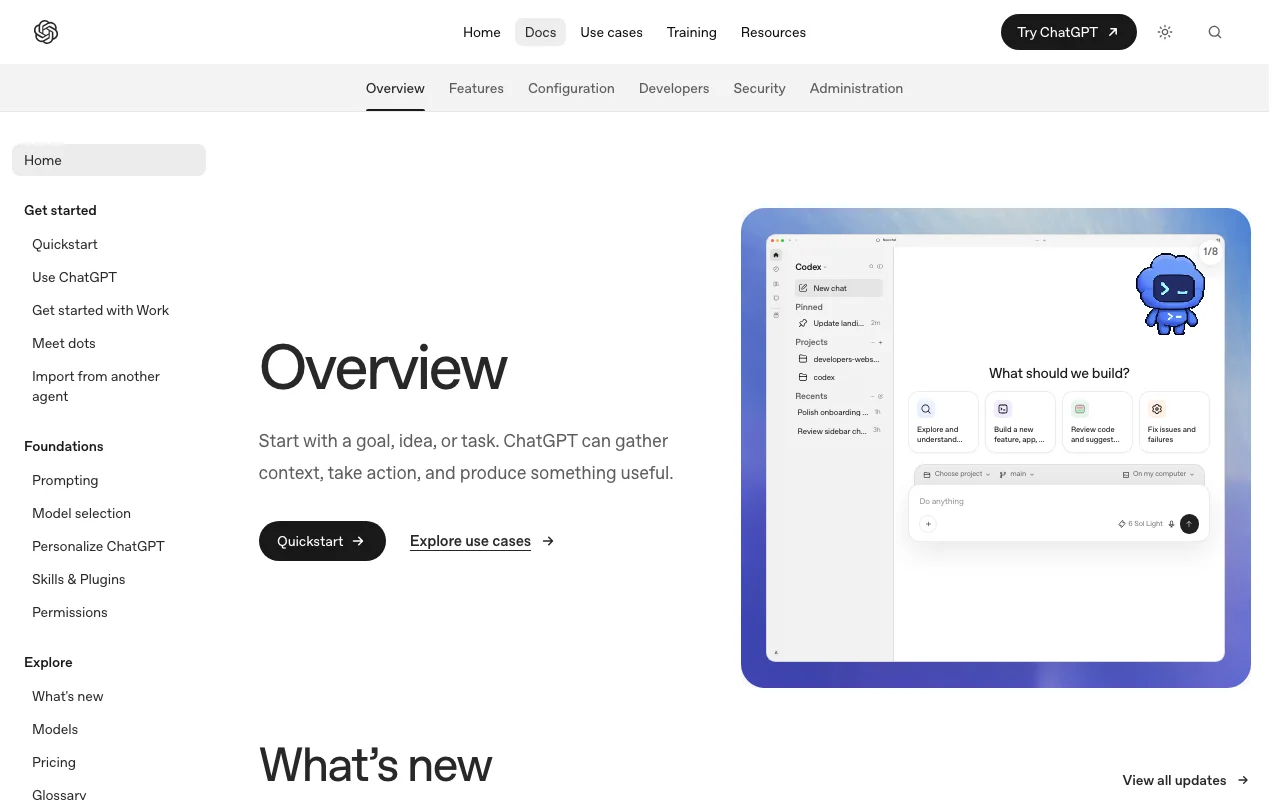
OpenAI Codex homepage — screenshot of the coding AI tool, Oct 2, 2026
OpenAI Codex's official site: how the product presents itself. developers.openai.com, captured Oct 2, 2026

What you provide and what you get back

How OpenAI Codex works: what you provide, where it runs and what you get backYOU PROVIDEYour inputNatural-language coding tasksYour local repository (CLI/IDE)Connected GitHub repositories (cl…Code changes for reviewCODINGOpenAI CodexCLI, IDE, Desktopfrom $8/mo (Go)free tier availableaccount requiredchecked Sep 29, 2026YOU GET BACKThe resultCode edits and pull-request style…Code review commentsCommand output from local runsinput → OpenAI Codex → output · from the vendor's own pages, no hands-on test unless stated
What you give OpenAI Codex and what comes back, from its documentation

You provide

  • Natural-language coding tasks
  • Your local repository (CLI/IDE)
  • Connected GitHub repositories (cloud)
  • Code changes for review

You get back

  • Code edits and pull-request style changes
  • Code review comments
  • Command output from local runs

Where you can use it

Platforms
CLI, IDE, Desktop, Web, Mobile
Account
Required
Models / versions
GPT-6.1 Sol, GPT-6 Astra, GPT-6 Luna, GPT-6 Sol; GPT-5.6 Sol/Terra/Luna during rollout
IDEs and terminals
CLI (macOS, Windows, Linux), VS Code, Cursor, Windsurf, desktop app, web, iOS source (opens in a new tab)
Repo access
Local repo via CLI/IDE; GitHub-connected repos in the cloud source (opens in a new tab)
Sandboxing
Docs nav lists Sandboxing and Agent approvals, but content was not fetched source (opens in a new tab)

Where OpenAI Codex is most useful

Scenarios are worked out by our editors from the documentation; the actual result depends on your input and plan.

Quick coding tasks

Who
Developers with small tasks
You provide
A short description of a quick change or question
Expected result
A fast edit or answer from the agent
Plan needed
Free, Go and above
Limitation
Free and Go list the desktop app only source (opens in a new tab)

Focused coding sessions

Who
Developers in longer sessions
You provide
A larger task such as a refactor in an open repo
Expected result
Multi-step work in CLI, IDE or desktop app
Plan needed
Plus, Pro and above
Limitation
Usage limits apply per plan source (opens in a new tab)

Automatic code review

Who
Teams reviewing pull requests
You provide
Connected GitHub repositories
Expected result
Automatic code review on changes
Plan needed
ChatGPT plans (not API key)
Limitation
GitHub code review is not available with API-key use source (opens in a new tab)

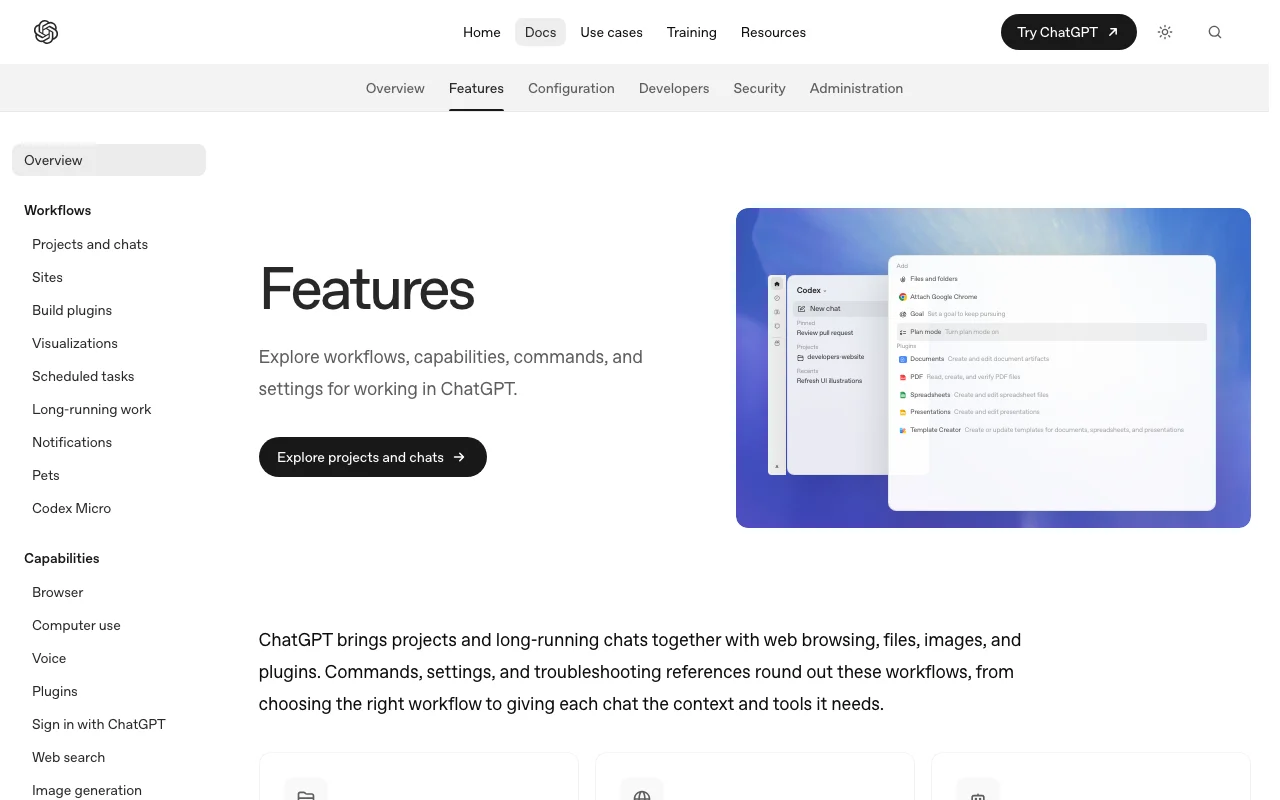
What OpenAI Codex does, and where it stops

OpenAI Codex homepage — screenshot of the coding AI tool, Oct 2, 2026
Feature overview on the official site. developers.openai.com, captured Oct 2, 2026

Open-source CLI installable via script, npm or Homebrew

Provides an open-source command-line agent that runs locally on your computer, installable by script, npm or Homebrew. Lets you inspect and modify the code you run it against.

Access: Install script, npm or Homebrew.Limit: Runs against local files; cloud-only features need a ChatGPT sign-in. source (opens in a new tab)

IDE extension (VS Code, Cursor, Windsurf)

Adds Codex to VS Code, Cursor and Windsurf as an extension so the agent works next to your open files. Keeps the agent inside the editor you use.

Access: Editor marketplaces.Limit: Only those three editors are listed in the seed research. source (opens in a new tab)

Desktop app

Offers a desktop app for running Codex sessions outside the terminal. Gives a visual interface for non-terminal users.

Access: Downloadable app; Free and Go plans list desktop app only.Limit: Plan-dependent surfaces. source (opens in a new tab)

Codex on the web and iOS (Plus plan)

Runs Codex as a cloud agent on the web and on iOS, so tasks can run without your machine. Lets you start work from a phone.

Access: Plus plan and above per seed research.Limit: Not available via API key. source (opens in a new tab)

OpenAI Codex pros and cons

Reasons to choose OpenAI Codex

Check before paying for OpenAI Codex

How to use OpenAI Codex for reviewing and refactoring code in a local repository

Set up OpenAI Codex

  1. Install the Codex CLI with the install script, npm or Homebrew (see the project README).
  2. Open a terminal in your repository folder.
  3. Start the CLI and choose to sign in with your ChatGPT account (or use an API key).
  4. Optionally install the IDE extension in VS Code, Cursor or Windsurf.

Example: reviewing and refactoring code in a local repository

  1. Describe the refactor and the files involved.
  2. Let Codex propose edits and review them.
  3. Approve the changes you want to keep.
  4. Ask Codex to run the test command.

Review and export the result

  1. Run your test suite and linter yourself.
  2. Inspect the full diff before committing.
Example prompt suggested by our editors (not a recorded output of the product)
Refactor the payment retry logic in src/billing/retry.ts to use exponential backoff with a maximum of 5 attempts, keep the public function signatures unchanged, update the unit tests, and summarise what changed.

OpenAI Codex API

OpenAI Codex pricing page with plans and prices — screenshot of the coding AI tool, Oct 2, 2026
Plan comparison on the official pricing page. developers.openai.com, captured Oct 2, 2026

API access and separate billing

OpenAI Codex has no public API in its official documentation. Cloud features such as GitHub code review and Slack are not available with API-key use. API documentation ↗

Privacy, data use and commercial rights

Summarized from the vendor's current policies; this is not legal advice and a vendor's badge is not an independent audit.

How your inputs and outputs are handled

Not described in the fetched pages.

OpenAI Codex alternatives by need

"Better suited" is based on documented features and pricing, not on a head-to-head test.

GitHub Copilot: better suited to

Cursor: better suited to

ChatGPT: better suited to

Devin Desktop (formerly Windsurf): better suited to

Alternatives
AlternativeWhen to choose itPricingLimitation
GitHub Copilot——Compare
Cursor——Compare
ChatGPT——
Devin Desktop (formerly Windsurf)——Compare

Explore OpenAI Codex further

Related to OpenAI Codex

OpenAI Codex user reviews

No user reviews yet.

Used OpenAI Codex? Be the first to share your experience.

Write a review

Reviews are checked by a moderator before they appear. Your email is never published. Plain text only.

Your rating (required)

Show what you made or what went wrong. Images are published only if the review is approved; location data is removed.

    OpenAI Codex FAQ

    Which ChatGPT plans include Codex?

    Free, Go, Plus, Pro, Business and Enterprise/Edu plans include Codex usage; Free and Go list the desktop app only. source (opens in a new tab)

    Can I use Codex with only an API key?

    Yes, you pay API rates, but cloud features such as GitHub code review and Slack are not available with API-key use. source (opens in a new tab)

    Which editors does the Codex extension support?

    VS Code, Cursor and Windsurf per the research seed. source (opens in a new tab)

    How do I install the Codex CLI?

    Use the install script, npm or Homebrew; the CLI is open source and runs locally. source (opens in a new tab)

    Is Codex available on mobile?

    Codex on the web and iOS is listed for the Plus plan in the seed research; other plan availability was not confirmed. source (opens in a new tab)

    Sources and review methodology

    Official sources and verification dates

    Not verified: Privacy, training use and retention (privacy page 404); Context window; Supported languages and CLI commands; Sandbox details; Pro tier usage mapping; Pricing page content not captured (fetched pages were navigation only); Trial.

    How we documented and maintain this page

    Every fact about OpenAI Codex above comes from the 6 official pages listed here, last compared on Sep 29, 2026; we have not run OpenAI Codex ourselves, so it has no editorial score. How we check and re-check pages.

    Article updated Oct 2, 2026; prices checked Sep 29, 2026. Outbound links to vendors are plain links; we do not earn commissions. How we review · Report an error