CodingDocumented overviewLast checked Oct 1, 2026

Devin Desktop (formerly Windsurf): Pricing, Features & Best Use Cases

AI coding IDE managing local and cloud agents inside a full IDE.

Who should use Devin Desktop (formerly Windsurf)

Recommended for professional developers and teams needing agentic code changes with choice of frontier models at $20/month Pro or $200/month Max. Based on the vendor's documentation, not on a hands-on test.

Best for: Professional developers

Also a good fit for

  • Engineering teams
  • Developers wanting an AI-first IDE

Consider another tool if budget-only users (limited free quota)

Or if

  • Need unlimited agent usage at lower cost
  • Require non-desktop-based coding solution

Devin Desktop (formerly Windsurf) pricing and usage limits

Prices checked Oct 1, 2026 on the official US pricing page. Official pricing ↗ Prices and limits change often.

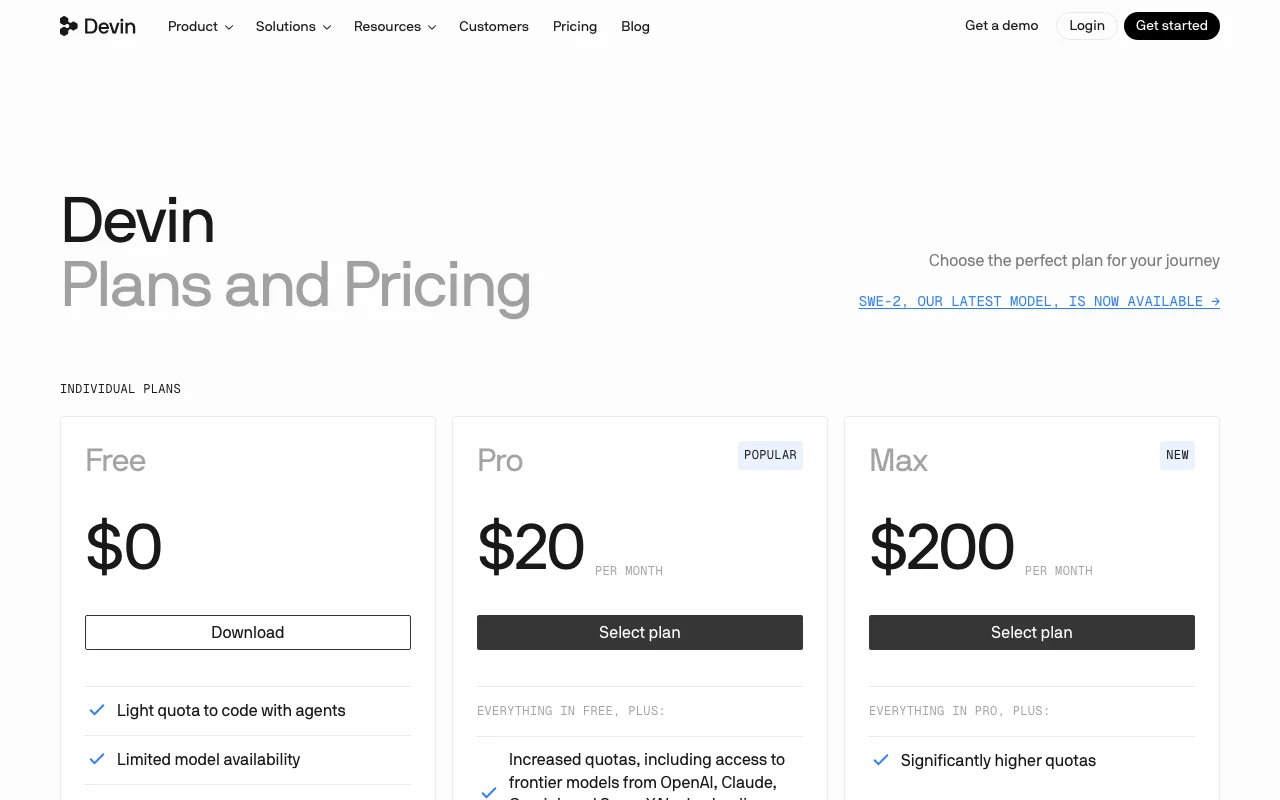
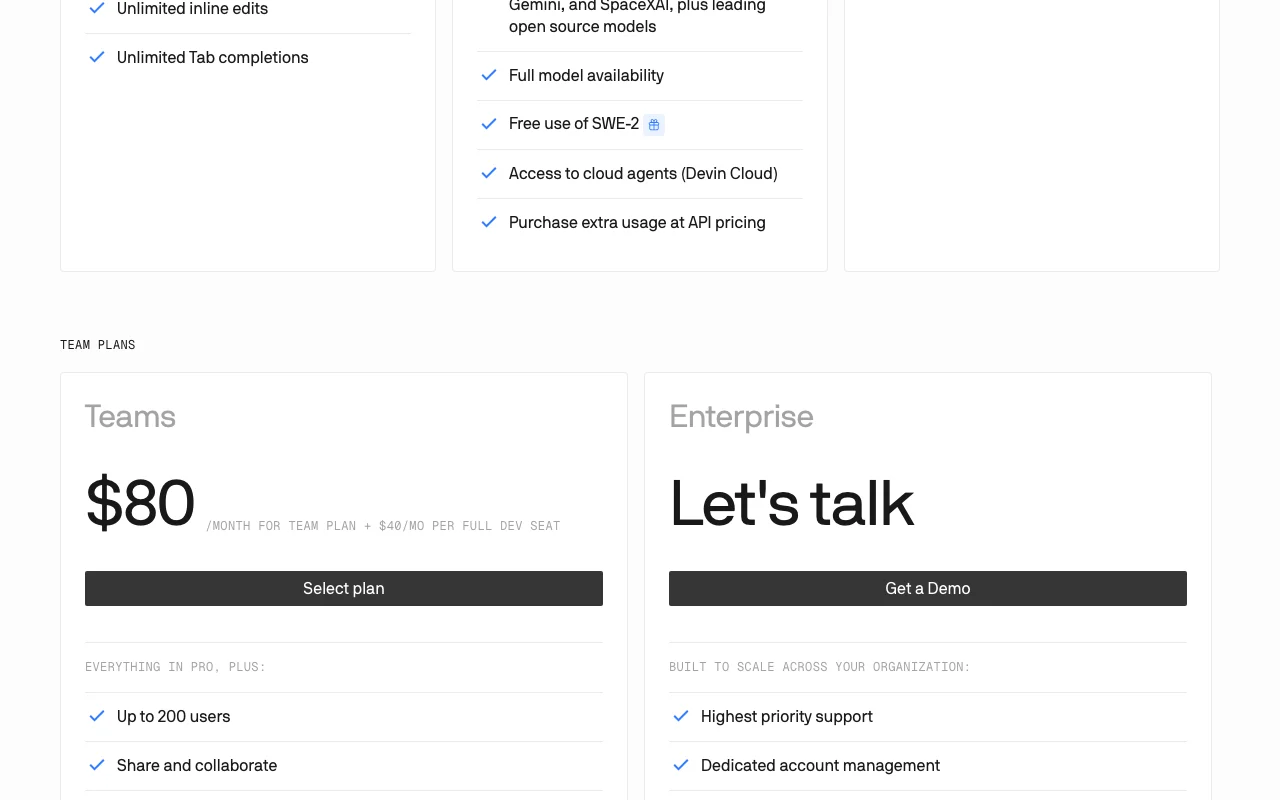
Devin Desktop (formerly Windsurf) pricing page with plans and prices — screenshot of the coding AI tool, Oct 1, 2026
The official Devin Desktop (formerly Windsurf) pricing page as we saw it. devin.ai, captured Oct 1, 2026

Free access and trial conditions

Free plan with light quota to code with agents, unlimited tab completions and inline edits.

No free trial stated; Free plan available immediately.

Paid plans: what changes as you upgrade

Free self-serve

Free source (opens in a new tab)

Month

For: Individual developers trying agents and tab completions

Limits

  • Light quota for agent usage, resets daily and weekly
  • Limited model availability
1 more
  • Up to 10 concurrent sessions

Includes

  • Unlimited tab completions
  • Unlimited inline edits
2 more
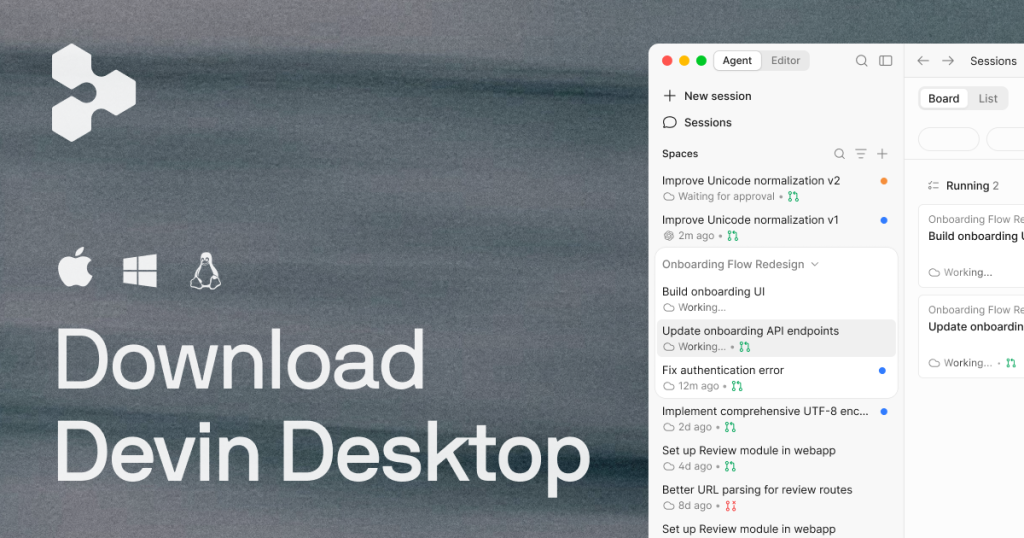
  • Devin Desktop
  • Basic integrations

No API

Pro self-serve

$20/mo source (opens in a new tab)

Month

For: Professional developers needing frontier models and higher quotas

Limits

  • Increased quotas (daily and weekly refresh)
  • Full model availability (Claude, GPT, Gemini, SpaceXAI, open source)
1 more
  • Up to 10 concurrent sessions

Includes

  • Everything in Free
  • Free SWE-2 Free through October 16, 2026
2 more
  • Access to cloud agents (Devin Cloud)
  • Premium models

API billed separately

Max self-serve

$200/mo source (opens in a new tab)

Month

For: Power users and heavy agent users needing maximum quotas

Limits

  • Significantly higher quotas than Pro
  • Full model availability
1 more
  • Unlimited concurrent sessions

Includes

  • Everything in Pro
  • Highest agent usage quotas
2 more
  • Priority support
  • Fast context

API billed separately

Teams self-serve

$80/mo source (opens in a new tab)

Month

Billed monthly, no annual discount stated

For: Engineering teams needing collaboration and centralized management

Limits

  • Up to 200 users
  • Unlimited concurrent sessions
1 more
  • Each full user gets own generous quota

Includes

  • Everything in Pro
  • Share and collaborate across team
2 more
  • Centralized billing
  • Admin dashboard with analytics

API billed separately

Enterprise contact-sales

Custom pricing source (opens in a new tab)

For: Large organizations with custom requirements

Limits

  • Custom quotas
  • Unlimited users with custom terms
1 more
  • Dedicated deployment option available

Includes

  • Highest priority support
  • Dedicated account management
2 more
  • SAML/OIDC SSO
  • Centralized enterprise admin controls

API included

Usage caps, credits and extra costs

Users exceeding quota on paid plans can purchase extra usage at API pricing.

Not stated; typical US sales tax applies.

What is Devin Desktop (formerly Windsurf), and how does it work?

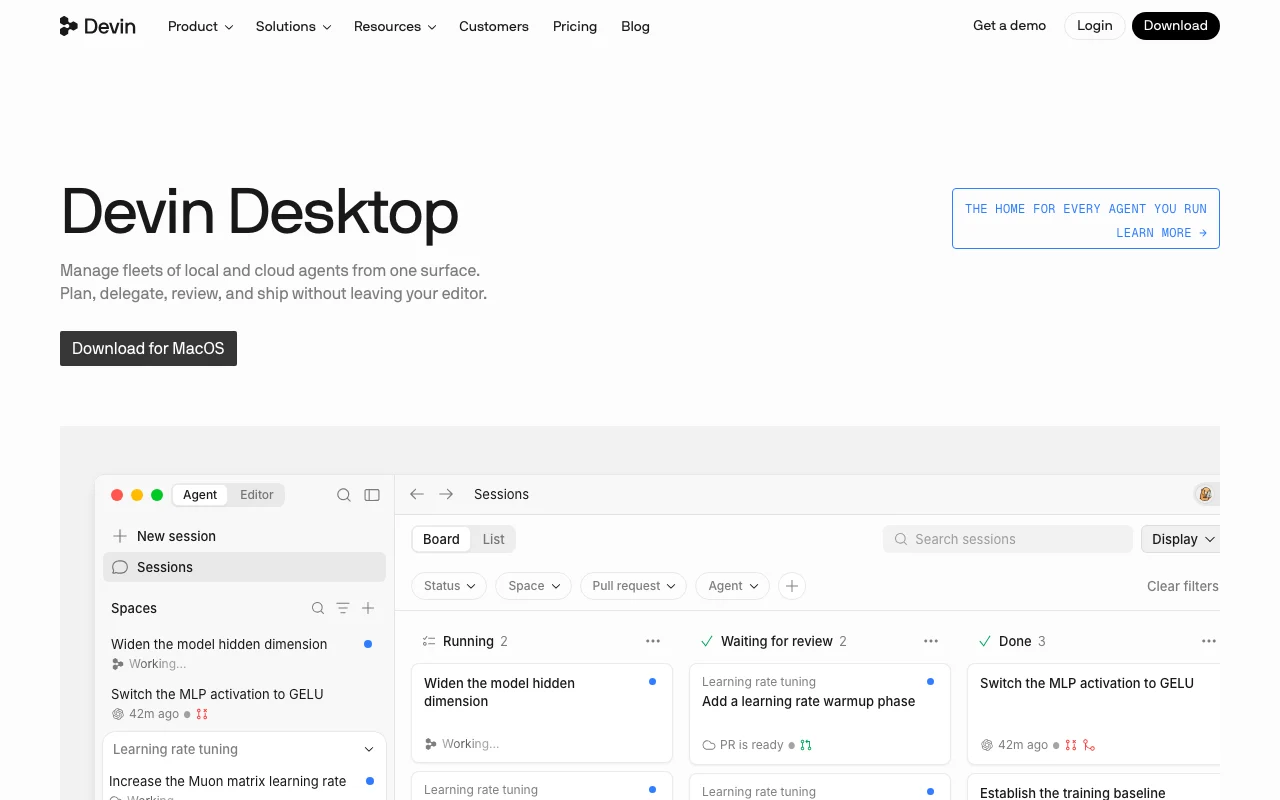
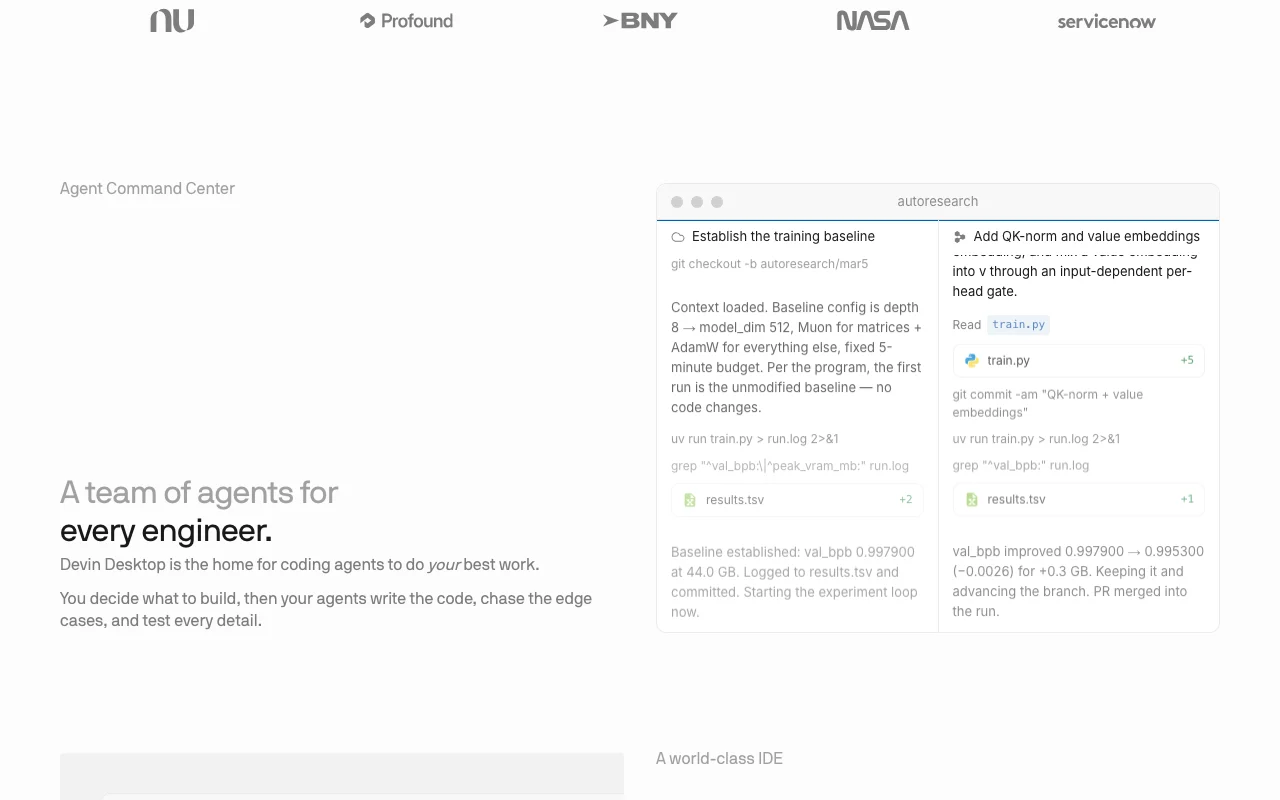
Devin Desktop (formerly Windsurf) is an IDE with Agent Command Center for planning, delegating, reviewing and shipping work by local and cloud coding agents. It includes full IDE features (autocomplete, debugging, syntax highlighting) plus tab completions and inline edits.

Devin Desktop (formerly Windsurf) homepage — screenshot of the coding AI tool, Oct 1, 2026
Devin Desktop (formerly Windsurf)'s official site: how the product presents itself. windsurf.com, captured Oct 1, 2026

What you provide and what you get back

How Devin Desktop (formerly Windsurf) works: what you provide, where it runs and what you get backYOU PROVIDEYour inputCode repositories (via Git integr…Natural language instructions for…Files and context from codebaseCODINGDevin Desktop (formerly Wind…Desktop, JetBrains plugin availab…from $20/mo (Pro)free tier availableaccount requiredchecked Oct 1, 2026YOU GET BACKThe resultCode changes and pull requestsDebugging and trace informationAgent execution logs and statusinput → Devin Desktop (formerly Windsurf) → output · from the vendor's own pages, no hands-on test unless stated
What you give Devin Desktop (formerly Windsurf) and what comes back, from its documentation

You provide

  • Code repositories (via Git integration)
  • Natural language instructions for coding tasks
  • Files and context from codebase

You get back

  • Code changes and pull requests
  • Debugging and trace information
  • Agent execution logs and status

Where you can use it

Platforms
Desktop (macOS, Windows, Linux), JetBrains plugin available, CLI available
Account
Required
Models / versions
SWE-2, Haiku, GPT 5.2 Mini, Claude, Gemini, SpaceXAI, open source models
Full IDE with syntax highlighting, autocomplete, debugging tools
Local and cloud agents via Agent Client Protocol (ACP)
All programming languages supported by IDE (Python, TypeScript, JavaScript, Rust, Go, etc.)
SWE-2, Claude, GPT, Gemini, SpaceXAI, Haiku, open source (limited on Free)
GitHub, GitLab, Bitbucket, custom Git, Slack, Teams, Linear, Jira
macOS, Windows, Linux desktop; JetBrains plugin; CLI
What people use Devin Desktop (formerly Windsurf) for

Scenarios are worked out by our editors from the documentation; the actual result depends on your input and plan.

Agentic multi-file code changes

Who
Developers managing large refactors
You provide
Task description and repository context
Expected result
Multi-file code changes with tests and PR ready
Plan needed
Pro or Max for full model availability
Limitation
Quota-based usage, larger tasks consume more quota source (opens in a new tab)

Autocompleting code

Who
All users
You provide
Partial code and context
Expected result
Tab completion suggestions
Plan needed
Free (unlimited tab completions)
Limitation
Free plan has limited model choices source (opens in a new tab)

Refactoring existing projects

Who
Developers improving legacy code
You provide
Repository and refactoring requirements
Expected result
Refactored code with changes traced and tested
Plan needed
Pro or Max
Limitation
Complex refactors use higher quota source (opens in a new tab)

Devin Desktop (formerly Windsurf) features and their limits

Devin Desktop (formerly Windsurf) homepage — screenshot of the coding AI tool, Oct 1, 2026
Feature overview on the official site. windsurf.com, captured Oct 1, 2026

Agent Command Center

Manage multiple agents, track status, review work Organize agentic coding tasks in Spaces and Kanban boards

Access: All paid plans and FreeLimit: Free plan has light agent quota source (opens in a new tab)

Full IDE with autocomplete and debugging

Syntax highlighting, autocomplete, debugging tools Stay in flow reading and tracing agent changes

Access: All plansLimit: Desktop-only source (opens in a new tab)

Tab completions and inline edits

Predict next edit, suggest code inline Accelerate manual coding and edit agent output

Access: Unlimited on all plansLimit: Limited model availability on Free source (opens in a new tab)

Fast Context

Find exact files and lines agents need in milliseconds Reduce context window and improve agent efficiency

Access: All plansLimit: Automatic, no user configuration source (opens in a new tab)

Devin Desktop (formerly Windsurf): strengths and limits

Reasons to choose Devin Desktop (formerly Windsurf)

Check before paying for Devin Desktop (formerly Windsurf)

How to use Devin Desktop (formerly Windsurf) for running agentic code changes using Agent Command Center

Set up Devin Desktop (formerly Windsurf)

  1. Download Devin Desktop for macOS, Windows, or Linux from devin.ai
  2. Create account and sign in
  3. Choose plan (Free, Pro, Max, or Enterprise)
  4. Clone repository or open existing project
  5. Open Agent Command Center in editor

Example: running agentic code changes using Agent Command Center

  1. Describe your coding task in natural language (e.g., 'Add unit tests for auth module')
  2. Select SWE-2 or preferred model from available options
  3. Agent Command Center shows status in Kanban board
  4. Review code changes in IDE, trace execution, debug as needed
  5. Push changes to pull request when ready

Review and export the result

  1. Verify agent quota is available in plan details
  2. Check model availability for your plan (Free has limited, Pro+ has full access)
  3. Run test suite to validate agent changes
Example prompt suggested by our editors (not a recorded output of the product)
Add error handling to the database connection module, include unit tests and update documentation.

Devin Desktop (formerly Windsurf) integrations and API

Devin Desktop (formerly Windsurf) pricing page with plans and prices — screenshot of the coding AI tool, Oct 1, 2026
Plan comparison on the official pricing page. devin.ai, captured Oct 1, 2026

Native integrations and export formats

Export: Git repositories, Pull requests, Code files (all formats)

API access and separate billing

Devin Desktop (formerly Windsurf) has no public API in its official documentation. Extra usage purchased at API pricing for users exceeding quota.

Privacy, data use and commercial rights

Summarized from the vendor's current policies; this is not legal advice and a vendor's badge is not an independent audit.

How your inputs and outputs are handled

Agent processes code and instructions; outputs are code changes and PR diffs.

Not stated in available pages

Not stated in available pages

Commercial use and plan restrictions

Allowed; pricing supports commercial use on all plans

Enterprise supports dedicated deployment and VPC deployment options

Controls for business users

  • Centralized admin controls (Teams and Enterprise)
  • SAML/OIDC SSO (Enterprise)
  • Dedicated account management (Enterprise)

Policies: windsurf.com/privacy (404 — not available)

Other tools to consider instead of Devin Desktop (formerly Windsurf)

"Better suited" is based on documented features and pricing, not on a head-to-head test.

Cursor: better suited to aI code editor alternative

GitHub Copilot: better suited to aI code completion only

Replit: better suited to cloud-based coding with AI

Alternatives
AlternativeWhen to choose itPricingLimitation
CursorPrefer lightweight editor over full IDE$20/month Pro source (opens in a new tab)Fewer agentic features than Devin DesktopCompare
GitHub CopilotOnly need tab completion, not agents$10/month individual source (opens in a new tab)No agent-based multi-file changesCompare
ReplitPrefer cloud IDE over desktopFree to $20/month source (opens in a new tab)Limited agent capabilitiesCompare

Explore Devin Desktop (formerly Windsurf) further

If you are looking at Devin Desktop (formerly Windsurf)

Devin Desktop (formerly Windsurf) user reviews

No user reviews yet.

Used Devin Desktop (formerly Windsurf)? Be the first to share your experience.

Write a review

Reviews are checked by a moderator before they appear. Your email is never published. Plain text only.

Your rating (required)

Show what you made or what went wrong. Images are published only if the review is approved; location data is removed.

    Devin Desktop (formerly Windsurf) FAQ

    How does usage work?

    Each paid plan includes usage allowance that refreshes automatically on daily and weekly basis. Cost per message varies based on model used, task size and complexity, and reasoning required. Most users will not hit their limits. source (opens in a new tab)

    What happens when I reach my usage limit?

    Most users never hit their limits. If you exceed included usage on a paid plan, you can purchase extra usage consumed at API pricing. source (opens in a new tab)

    How can I make my usage limits last longer?

    Control prompt size (be precise with instructions, remove unnecessary context). Switch to smaller models like Haiku, GPT 5.2 Mini, and open source models like Kimi K2.5 for routine tasks to extend your usage. source (opens in a new tab)

    What is included in the Free plan?

    Light quota for coding with agents, limited model availability, unlimited inline edits, and unlimited tab completions. source (opens in a new tab)

    What is the Max plan for?

    Max plan is for power users who need significantly higher usage quotas. It includes everything in Pro plus significantly higher quotas at $200/month. source (opens in a new tab)

    Recent changes that affect your choice

    :

    Official announcement (opens in a new tab)

    :

    Official announcement (opens in a new tab)

    Sources and review methodology

    Official sources and verification dates

    • Plans and Pricing | Devin pricing · checked Oct 1, 2026 · Individual plans, Team plans, Enterprise, Compare plans table, FAQs
    • Devin Desktop | Devin homepage · checked Oct 1, 2026 · Agent Command Center, IDE features, Agent Client Protocol, Fast Context, Supercomplete
    • Devin Desktop | Devin homepage · checked Oct 1, 2026 · Redirect and branding info
    • Download | Devin homepage · checked Oct 1, 2026 · Download links

    Not verified: Privacy policy details (https://windsurf.com/privacy returned 404); Detailed documentation (https://windsurf.com/docs returned 404); Training data use policy; Data retention period; Official privacy policy URL; Changelog page URL.

    How we documented and maintain this page

    Every fact about Devin Desktop (formerly Windsurf) above comes from the 4 official pages listed here, last compared on Oct 1, 2026; we have not run Devin Desktop (formerly Windsurf) ourselves, so it has no editorial score. How we check and re-check pages.

    Article updated Oct 2, 2026; prices checked Oct 1, 2026. Outbound links to vendors are plain links; we do not earn commissions. How we review · Report an error