VideoDocumented overviewLast checked Oct 1, 2026

Hailuo AI: Pricing, Features & Best Use Cases

MiniMax's web platform for AI video, image and audio creation, currently featuring the MiniMax H3 model.
Who should use Hailuo AI

Try Hailuo AI to generate short videos, images and audio with MiniMax H3 and reference inputs, using the free credits offered at sign-up before deciding on a subscription. Based on the vendor's documentation, not on a hands-on test.

Best for: Social media creators

Also a good fit for

  • Marketers making short ads

Consider another tool if requires sign-in to create

Or if

  • Subscription plans and limits could not be confirmed
  • Plan prices not visible without JavaScript

Hailuo AI pricing and usage limits

Prices checked Oct 1, 2026 on the official US pricing page. Official pricing ↗ Prices and limits change often.

Hailuo AI pricing page with plans and prices — screenshot of the video AI tool, Oct 1, 2026
The official Hailuo AI pricing page as we saw it. hailuoai.video, captured Oct 1, 2026

Free access and trial conditions

New users get free credits at sign-up; the banner shows 150.

Paid plans: what changes as you upgrade

Sign-up credits web

Free source (opens in a new tab)

One-time

For: Trying the platform

Limits

  • 150 credits shown in the sign-up banner

Includes

  • Unlocks AI video creation

Subscription plans web

See official pricing source (opens in a new tab)

Monthly

For: Regular creators

Limits

  • Not viewed

Includes

  • Subscribe menu item exists

Usage caps, credits and extra costs

Credit costs per generation not viewed.

What is Hailuo AI, and how does it work?

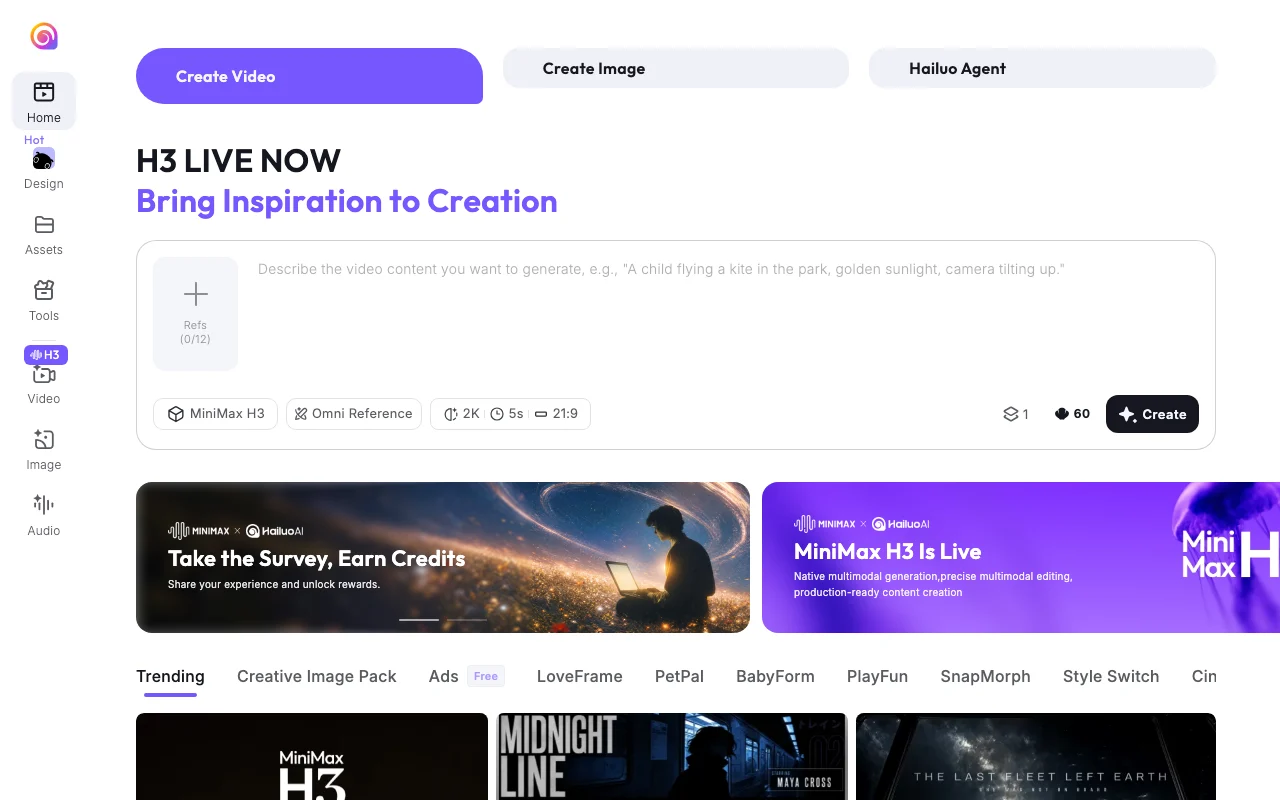
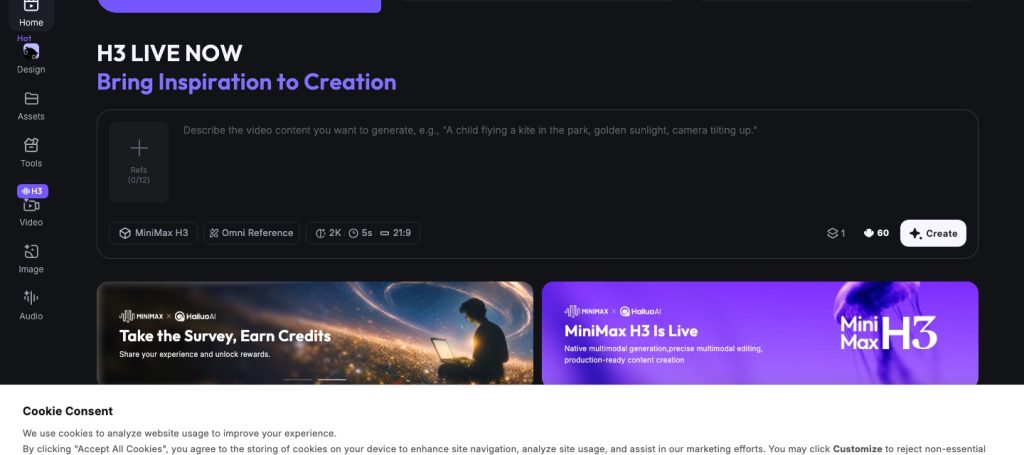
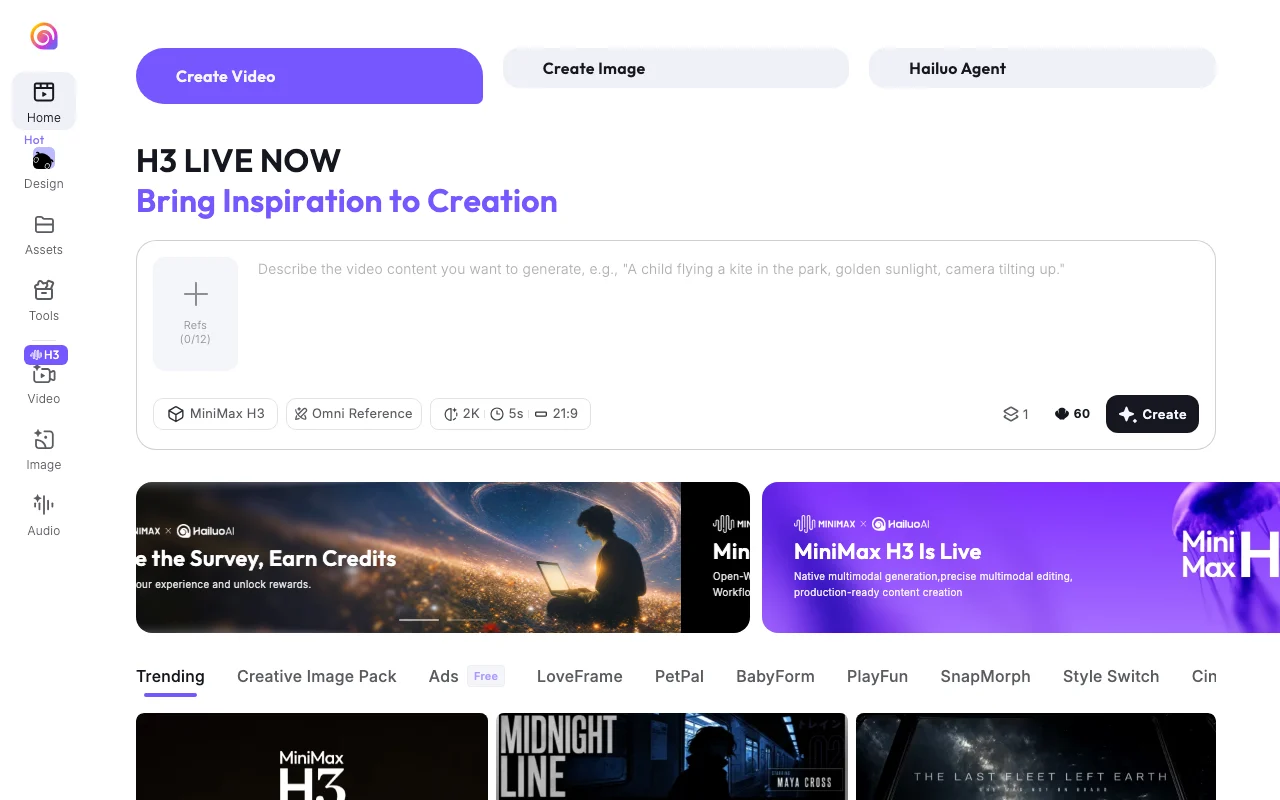
Hailuo AI is MiniMax's web creation platform for generating video, images and audio. Its homepage currently promotes the MiniMax H3 model, described as native multimodal generation with multimodal editing. The site offers a Hailuo Agent, Omni Reference inputs, template packs for effects and ads, and a subscription page; plan details did not render without JavaScript.

Hailuo AI homepage — screenshot of the video AI tool, Oct 1, 2026
Hailuo AI's official site: how the product presents itself. hailuoai.video, captured Oct 1, 2026

What you provide and what you get back

How Hailuo AI works: what you provide, where it runs and what you get backYOU PROVIDEYour inputText prompt describing the videoUp to 12 reference files in Omni…Settings for resolution, duration…VIDEOHailuo AIWebfree tier, paid price not publish…free tier availableaccount requiredchecked Oct 1, 2026YOU GET BACKThe resultAI video (resolution options incl…ImagesAudioinput → Hailuo AI → output · from the vendor's own pages, no hands-on test unless stated
What you give Hailuo AI and what comes back, from its documentation

You provide

  • Text prompt describing the video
  • Up to 12 reference files in Omni Reference
  • Settings for resolution, duration and aspect ratio

You get back

  • AI video (resolution options include 2K, 5s clips shown by default)
  • Images
  • Audio

Where you can use it

Platforms
Web
Account
Required
Model
MiniMax H3
Default clip settings
2K, 5s, 21:9 shown in the UI
References
Up to 12
Media types
Video, image, audio

Where Hailuo AI is most useful

Scenarios are worked out by our editors from the documentation; the actual result depends on your input and plan.

Generating short AI videos from prompts

Who
Social media creators
You provide
A text prompt with optional reference images
Expected result
Short video clip ready for posting
Plan needed
Free credits then subscription
Limitation
Clip length shown by default is 5 seconds source (opens in a new tab)

Creating videos from reference images

Who
Marketers
You provide
Product images as references
Expected result
Ad-style video from templates
Plan needed
Subscription
Limitation
Plan and credit costs unconfirmed source (opens in a new tab)

Producing ad creatives with templates

Who
Hobbyists trying effects
You provide
A photo plus an effect template
Expected result
Stylized video using templates such as Style Switch
Plan needed
Free credits
Limitation
Template quality varies source (opens in a new tab)

Key features and their practical limits

Hailuo AI homepage — screenshot of the video AI tool, Oct 1, 2026
Feature overview on the official site. hailuoai.video, captured Oct 1, 2026

MiniMax H3 video model

Video model promoted on the homepage with native multimodal generation and editing Raises output quality for short clips

Access: Web app; sign inLimit: Plan limits not viewed source (opens in a new tab)

Omni Reference input

Accepts reference files (the prompt box shows 0/12) to guide the video Keeps characters or products consistent

Access: Web appLimit: Reference limit shown as 12 source (opens in a new tab)

Hailuo Agent

Agent helper listed in the navigation Assists with creation tasks

Access: Web appLimit: Capabilities not documented on pages checked source (opens in a new tab)

Video, image and audio creation

Separate tools for video, image and audio Covers a full short-content workflow

Access: Web appLimit: Per-tool credit costs unknown source (opens in a new tab)

Hailuo AI: strengths and limits

Where Hailuo AI is strong

Limitations to check before paying

How to use Hailuo AI for making a short promo video

Set up Hailuo AI

  1. Open hailuoai.video
  2. Click Sign In and create an account
  3. Use the free sign-up credits

Example: making a short promo video

  1. Click Create Video
  2. Upload up to 12 reference images or describe the scene
  3. Choose resolution, duration and aspect ratio
  4. Press Create and review the result

Review and export the result

  1. Check the credit cost before generating
  2. Preview the clip for artifacts before publishing
Example prompt suggested by our editors (not a recorded output of the product)
A child flying a kite in the park, golden sunlight, camera tilting up.

Other tools to consider instead of Hailuo AI

"Better suited" is based on documented features and pricing, not on a head-to-head test.

Kling AI: better suited to

Runway: better suited to

Luma: better suited to

Veo 3.1: better suited to

Alternatives
AlternativeWhen to choose itPricingLimitation
Kling AI——Compare
Runway——Compare
Luma——Compare
Veo 3.1——Compare

Explore Hailuo AI further

If you are looking at Hailuo AI

Hailuo AI user reviews

No user reviews yet.

Used Hailuo AI? Be the first to share your experience.

Write a review

Reviews are checked by a moderator before they appear. Your email is never published. Plain text only.

Your rating (required)

Show what you made or what went wrong. Images are published only if the review is approved; location data is removed.

    Hailuo AI FAQ

    Is Hailuo free?

    New users get free credits at sign-up (150 shown in the banner), but ongoing free allowances were not confirmed. source (opens in a new tab)

    What model does it use?

    The homepage promotes MiniMax H3, described as native multimodal generation with multimodal editing. source (opens in a new tab)

    How many references can I add?

    The prompt box shows a counter of 12 references. source (opens in a new tab)

    Where are the prices?

    The subscribe page rendered no plan data in the browser, so prices are unconfirmed. source (opens in a new tab)

    Can I use it without an account?

    No, creating requires signing in. source (opens in a new tab)

    Sources and review methodology

    Official sources and verification dates

    Not verified: Plan names, USD prices and credit costs; Commercial use and watermark policy; Privacy and retention terms; Mobile apps and API.

    How we documented and maintain this page

    Every fact about Hailuo AI above comes from the 2 official pages listed here, last compared on Oct 1, 2026; we have not run Hailuo AI ourselves, so it has no editorial score. How we check and re-check pages.

    Article updated Oct 2, 2026; prices checked Oct 1, 2026. Outbound links to vendors are plain links; we do not earn commissions. How we review · Report an error