Our take: Choose Claude Code if you want an agent that edits multiple files and runs commands from the terminal, IDE, desktop or web and you already have, or will buy, a Claude Pro, Max, Team or Enterprise plan.
Main limitation: Not included in the Free Claude plan, and usage on subscriptions is capped by plan limits.
By the AI Tool Atlas editors.
Based on the vendor's official documentation; we have not tested this product hands-on. What “documented overview” means
Who Claude Code fits
Choose Claude Code if you want an agent that edits multiple files and runs commands from the terminal, IDE, desktop or web and you already have, or will buy, a Claude Pro, Max, Team or Enterprise plan. Based on the vendor's documentation, not on a hands-on test.
Best for: Developers working in the terminal
Also a good fit for
Teams using Claude subscriptions or Console
Consider another tool if not included in the Free Claude plan
Or if
Most surfaces require a Claude subscription or Console account
Console use is billed by API token consumption
Claude Code in the news
Headlines from US outlets, selected automatically — not endorsements. Updated Oct 2, 2026
Page states US$20/seat/month billed annually plus usage at API rates; usage cost varies, so no single price is given here.
For: Large organizations
Limits
Spend limits set by admins
Includes
SCIM, audit logs, Compliance API
Custom data retention controls
1 more
IP allowlisting
API billed separately
Usage caps, credits and extra costs
Console use is billed by API token consumption; API list prices include Sonnet 5.5 at $2 input / $10 output per MTok. Extra usage options exist on Team/Enterprise.
Prices shown do not include applicable tax.
What is Claude Code, and how does it work?
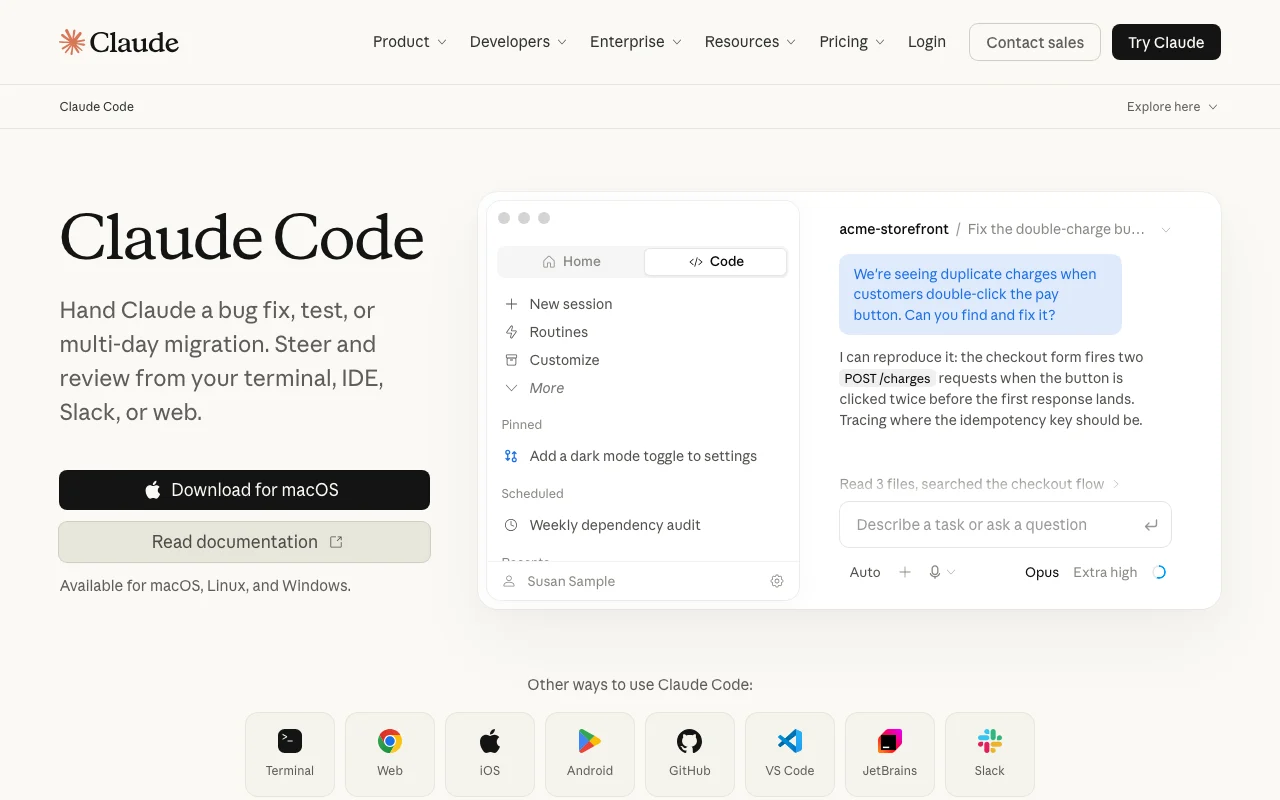
Claude Code is an agentic coding assistant from Anthropic. Per the docs it reads a codebase, edits files, runs commands and integrates with development tools, working across multiple files.
It runs in the terminal (macOS, Linux, WSL, Windows), VS Code and JetBrains extensions, a desktop app and the web. Most surfaces need a Claude subscription or Anthropic Console account.
Claude Code's official site: how the product presents itself. code.claude.com, captured Oct 2, 2026
What you provide and what you get back
What you give Claude Code and what comes back, from its documentation
You provide
Plain-language task descriptions or pasted error messages
Feature overview on the official site. code.claude.com, captured Oct 2, 2026
Terminal CLI with native installer and Homebrew/WinGet options
Installs a command-line agent (curl script, Homebrew, WinGet, apt, dnf, apk) that you start with `claude` inside a project folder and that reads and edits files and runs commands there. Lets you work in an existing terminal workflow with no new editor.
Access: Native installer, Homebrew cask or WinGet; macOS, Linux, WSL and Windows.Limit: Homebrew and WinGet installs do not auto-update; native installs do.source (opens in a new tab)
VS Code and JetBrains extensions
Adds a Claude Code panel to VS Code (and Cursor) with inline diffs, @-mentions, plan review and conversation history, and a JetBrains plugin with diff viewing and selection sharing. Keeps edits and review inside your editor.
Access: VS Code marketplace, Cursor, JetBrains Marketplace.Limit: The JetBrains plugin requires the CLI to be installed separately.source (opens in a new tab)
Desktop app and web access
Provides a standalone desktop app with visual diff review, side-by-side sessions, scheduled tasks and cloud sessions, and a browser version at claude.ai/code plus iOS and Android apps. Lets you start long jobs and check back later without a local setup.
Access: Download for macOS and Windows (Linux beta); web on desktop browsers.Limit: Desktop app requires a paid subscription.source (opens in a new tab)
Integration with development tools
Connects the agent to the tools around your code, with listed entry points for GitHub and Slack, so tasks can start from where the team works. Reduces copy-paste between chat and code.
Access: Links on the product page for GitHub and Slack.Limit: Which exact GitHub and Slack actions are supported is not detailed in the fetched pages.source (opens in a new tab)
Pros, cons and deal-breakers
Reasons to choose Claude Code
Available on several surfaces: terminal, IDE, desktop, web You can keep the same agent when switching between terminal, editor and browserdocumentedsource (opens in a new tab)
Included in Pro and Max subscription plans Existing Claude subscribers get it without a separate purchasedocumentedsource (opens in a new tab)
Native installs update automatically in the background Little maintenance for native installsdocumentedsource (opens in a new tab)
Can also be used via Anthropic Console account API-style billing is available for heavy or automated usedocumentedsource (opens in a new tab)
Check before paying for Claude Code
Not included in the Free Claude plan Free users cannot use it at all and must upgrade firstdocumentedsource (opens in a new tab)
Most surfaces require a Claude subscription or Console account Teams must manage subscriptions or Console accountsdocumentedsource (opens in a new tab)
Console use is billed by API token consumption Costs scale with tokens and are harder to predictdocumentedsource (opens in a new tab)
Subscription usage limits apply Heavy sessions can hit limits and pause workdocumentedsource (opens in a new tab)
How to use Claude Code for fixing a bug in an existing repository
Set up Claude Code
Install the CLI: run `curl -fsSL https://claude.ai/install.sh | bash` on macOS, Linux or WSL (or `brew install --cask claude-code`, or `winget install Anthropic.ClaudeCode`).
Open a new terminal and run `claude --version` to confirm the install.
Change into your project folder with `cd your-project` and run `claude`.
Log in with a Claude subscription or Console account on first use (or set ANTHROPIC_API_KEY).
Example: fixing a bug in an existing repository
Describe the bug in plain language, including any error message.
Let Claude read files and reproduce the problem.
Review the proposed edits and diff, then approve them.
Ask Claude to run the tests and fix any failures.
Review and export the result
Run the project's test suite yourself and confirm it passes.
Read the full diff before committing.
Example prompt suggested by our editors (not a recorded output of the product)
Users are charged twice when they double-click the Pay button in checkout. Find the cause, fix it so one checkout session uses one idempotency key, disable the button while a charge is in flight, and add a test. Run the tests and tell me which files you changed.
Claude Code API
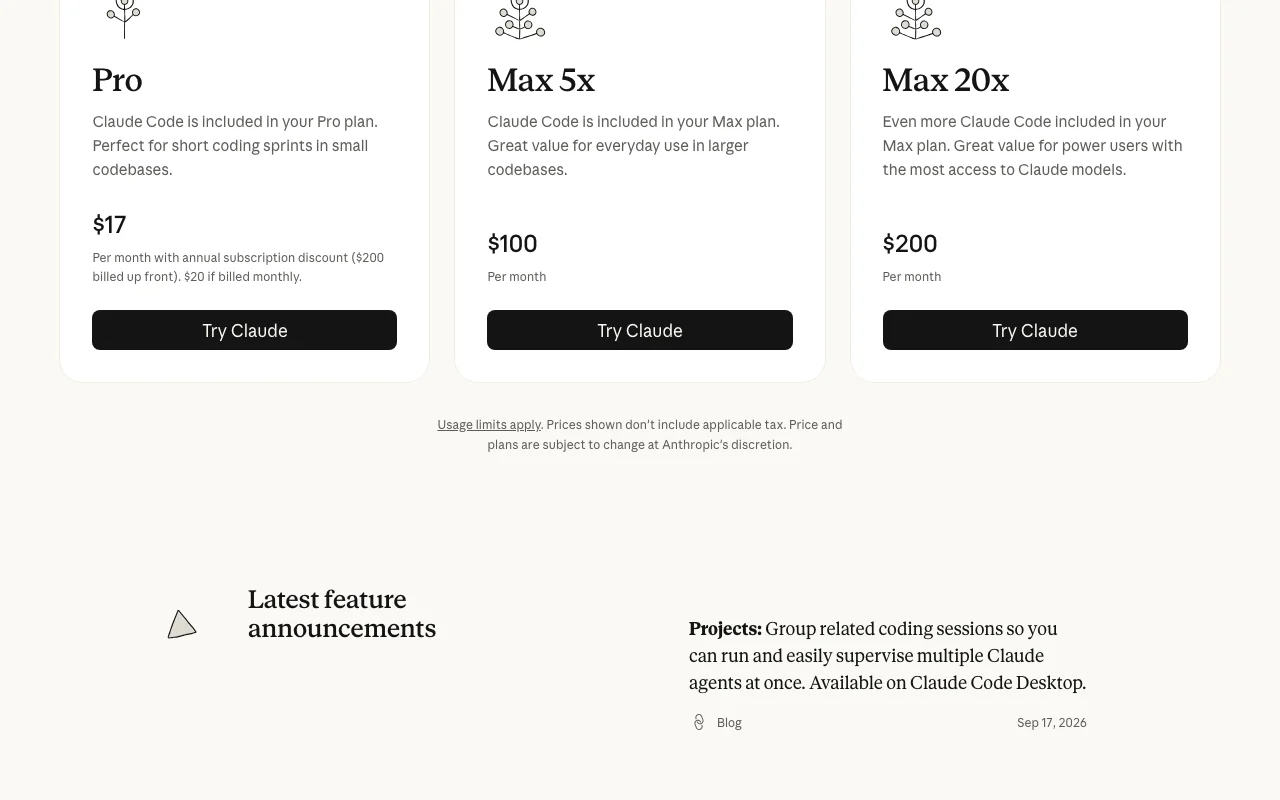
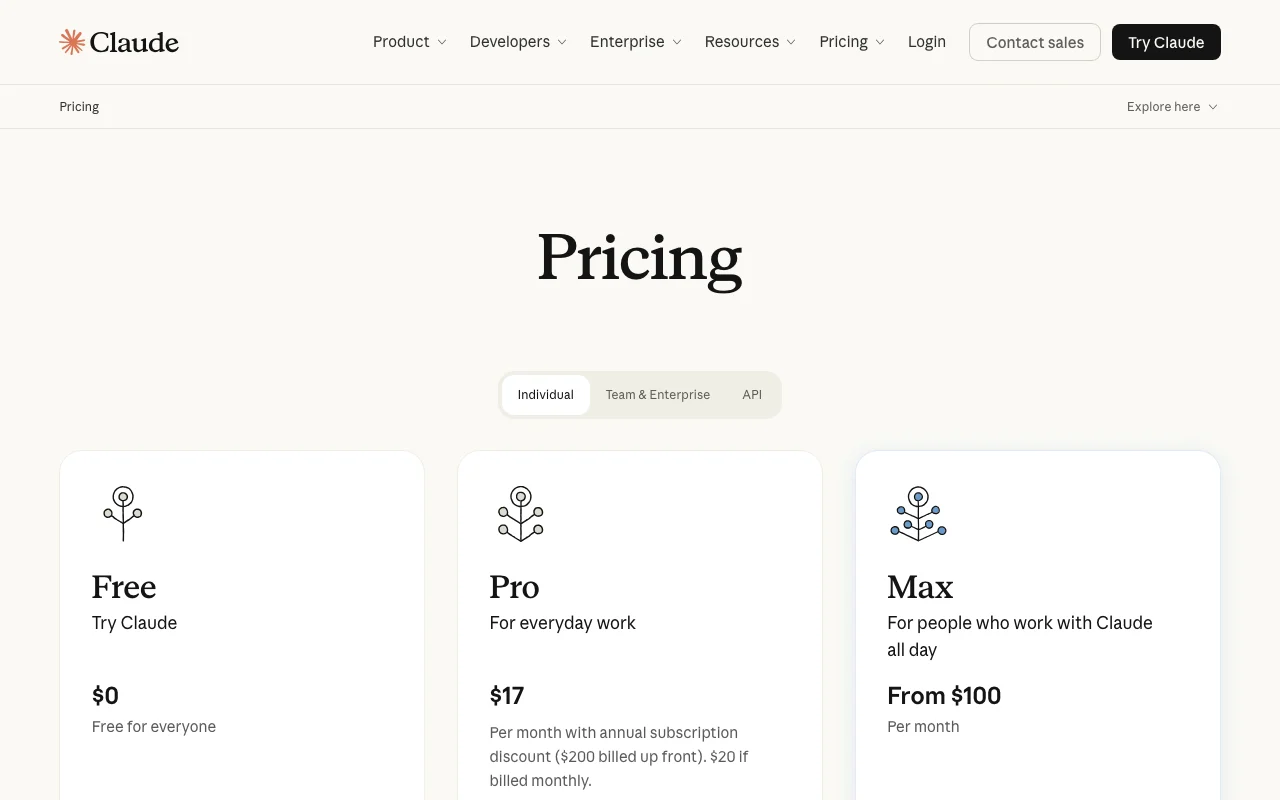
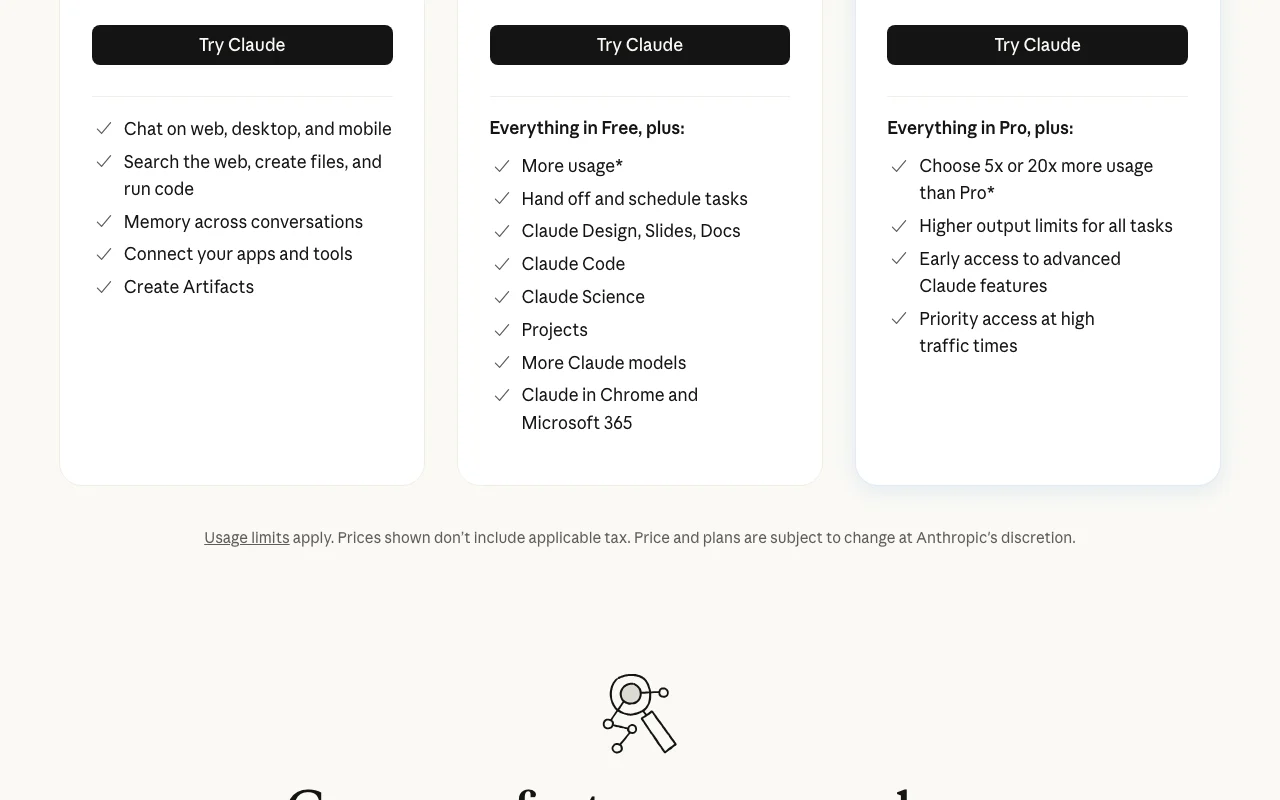
Plan comparison on the official pricing page. anthropic.com, captured Oct 2, 2026
API access and separate billing
Claude Code has no public API in its official documentation. MCP support is not described in the fetched pages. API documentation ↗
Privacy, data use and commercial rights
Summarized from the vendor's current policies; this is not legal advice and a vendor's badge is not an independent audit.
How your inputs and outputs are handled
Code and prompts are sent to Claude models to produce edits; details beyond the pricing page were not fetched.
Pricing page: model training is 'Opt-out' on Free, Pro and Max; 'None by default' on Team and Enterprise.
Commercial use and plan restrictions
Custom data retention controls are listed for Enterprise only.
No. The pricing page lists Claude Code as 'No' on Free and 'Yes' on Pro, Max 5x and Max 20x. source (opens in a new tab)
How much does Claude Code cost on a Pro subscription?
Pro is $17 per month with the annual discount ($200 billed up front) or $20 billed monthly, and includes Claude Code. Max starts at $100 per month (5x or 20x Pro usage). source (opens in a new tab)
Can I use Claude Code without a subscription?
Yes, with an Anthropic Console account, billed by API token consumption. Most surfaces need a subscription or Console account; the CLI, VS Code and JetBrains also support third-party providers. source (opens in a new tab)
Does the terminal version update itself, and how do I install it on Windows?
Native installs update automatically; Homebrew and WinGet installs do not. On Windows, run `irm https://claude.ai/install.ps1 | iex` in PowerShell, or use WinGet. source (opens in a new tab)
Is my code used to train Claude models?
Per the pricing page, training is opt-out on Free, Pro and Max, and off by default on Team and Enterprise. Check Anthropic's policy for current detail; it was not fetched here. source (opens in a new tab)
Not verified: Supported programming languages; MCP support details; Data retention period; Commercial-use terms; Trial availability; Detailed sandboxing/permission model; Docs overview page truncated by fetch cap.
How we documented and maintain this page
Every fact about Claude Code above comes from the 8 official pages listed here, last compared on Sep 29, 2026; we have not run Claude Code ourselves, so it has no editorial score. How we check and re-check pages.
Article updated Oct 2, 2026; prices checked Sep 29, 2026. Outbound links to vendors are plain links; we do not earn commissions. How we review · Report an error