Our take: Context.dev suits developers feeding AI agents and RAG pipelines with scraped pages, crawled sites, brand data and sourced answers, starting free with 1,000 credits per month.
Main limitation: The free tier has no overage and only one concurrent request, and credit costs rise quickly for structured extraction, answers and browser actions.
By the AI Tool Atlas editors.
Based on the vendor's official documentation; we have not tested this product hands-on. What “documented overview” means
Who Context.dev fits
Context.dev suits developers feeding AI agents and RAG pipelines with scraped pages, crawled sites, brand data and sourced answers, starting free with 1,000 credits per month. Based on the vendor's documentation, not on a hands-on test.
Best for: Developers building AI agents
Also a good fit for
Teams needing web data for RAG
Consider another tool if free tier has no overage and 1 concurrent request
Or if
Requires an account and API key
Credit-based usage; heavier use needs paid plans
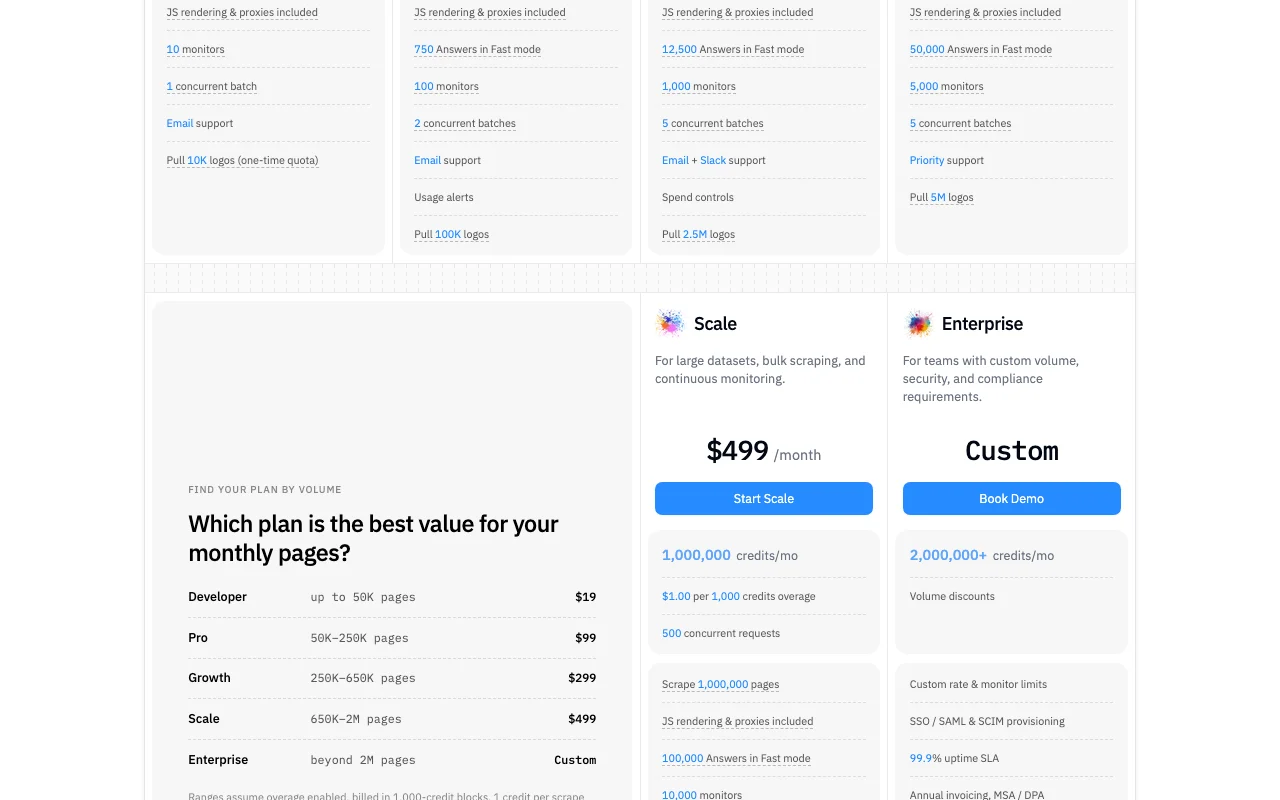
Context.dev pricing and usage limits
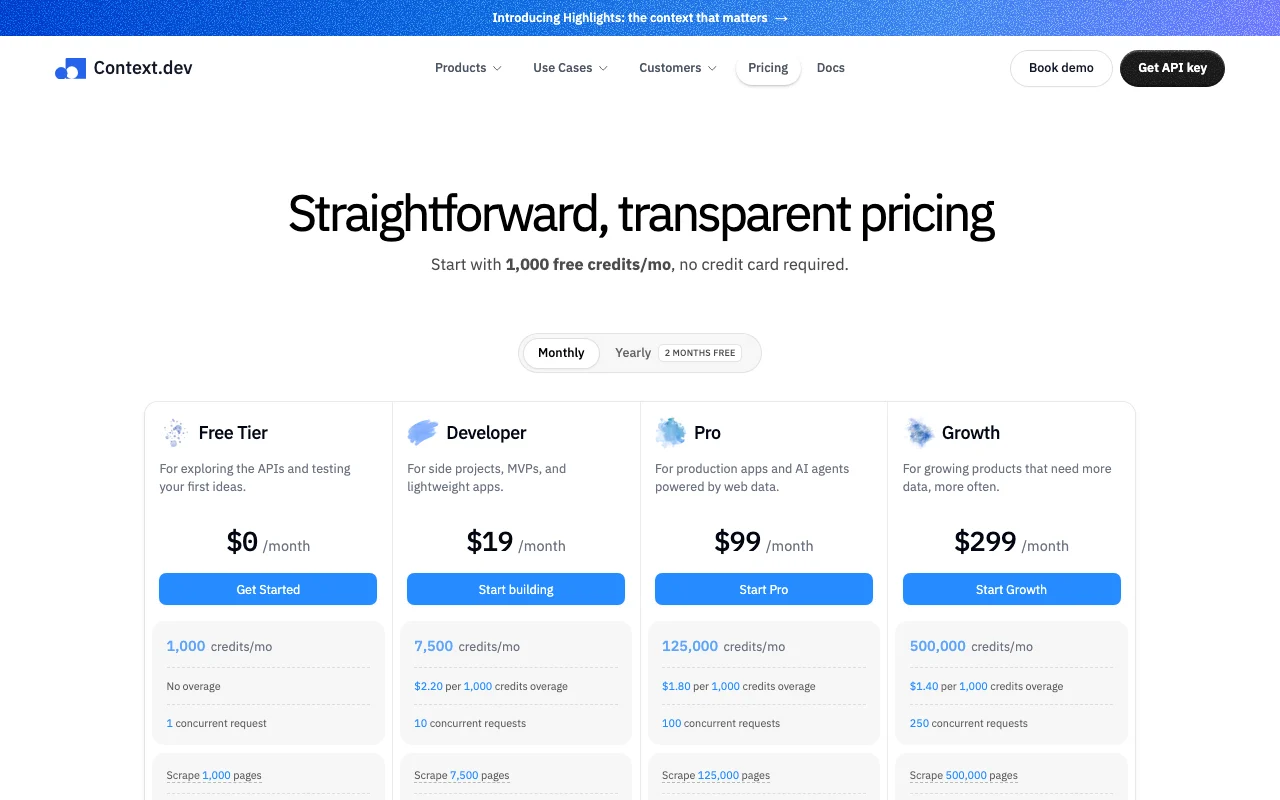
Prices checked Oct 1, 2026 on the official US pricing page. Official pricing ↗ Prices and limits change often.
The official Context.dev pricing page as we saw it. context.dev, captured Oct 1, 2026
Overage and Auto-Topup in 1K-credit blocks; heavier calls cost more credits (JSON extraction 5, Answers from 10).
Not stated.
What is Context.dev, and how does it work?
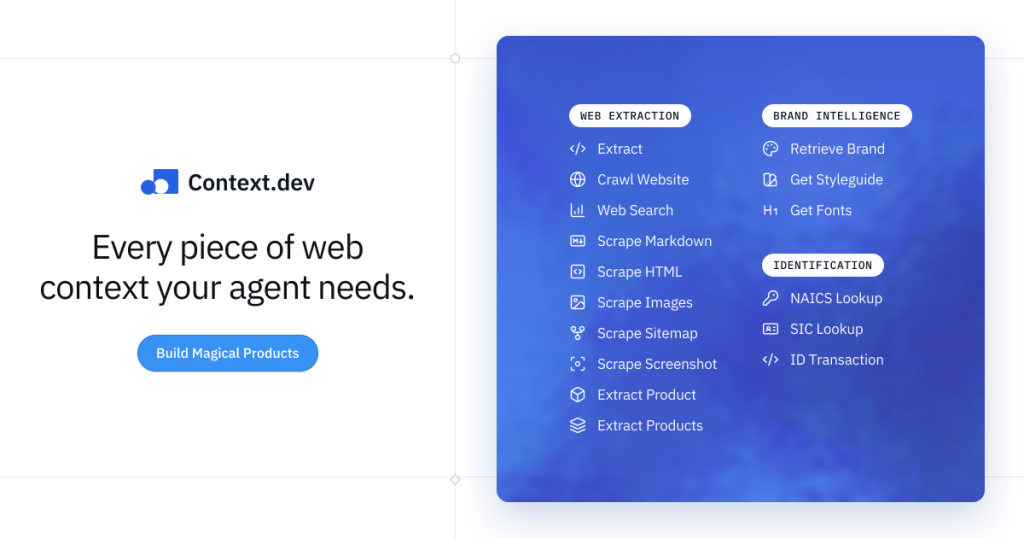
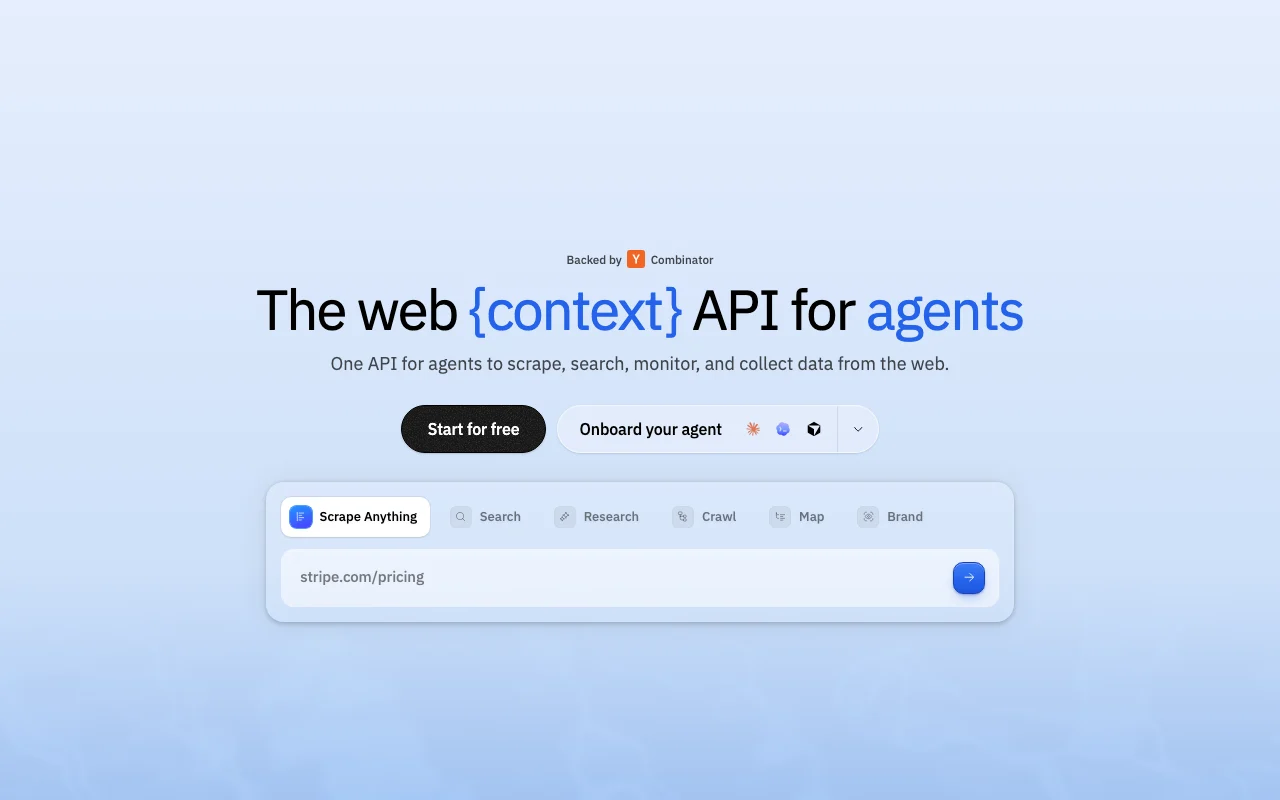
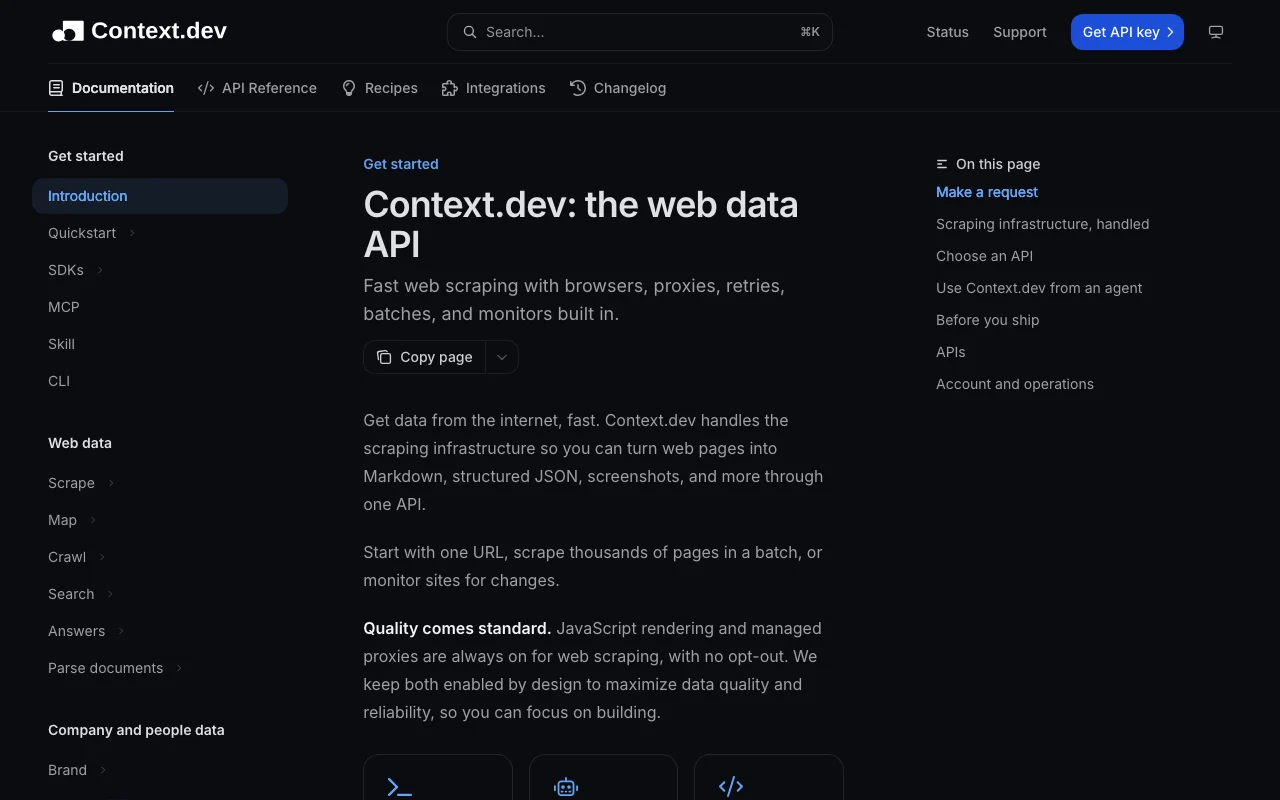
Context.dev is a web data API that returns Markdown, HTML, screenshots and structured fields from any URL, and can map and crawl whole domains.
It also offers batch jobs, change monitors, sourced research answers and company brand data, with SDKs and an agent-assisted setup.
Context.dev's official site: how the product presents itself. context.dev, captured Oct 1, 2026
What you provide and what you get back
What you give Context.dev and what comes back, from its documentation
You provide
URLs, domains or search queries
JSON schemas for extraction
Batch or crawl jobs
You get back
Markdown, HTML, images and screenshots
Structured JSON
Sourced answers
Brand data and styleguides
Where you can use it
Platforms
API
Account
Required
Credit cost
Scrape 1, JSON extraction 5, Crawl 1 per page, Answers 10 (Fast) or 100 (Ultra)
Concurrency
1 / 10 / 100 / 250 / 500 by plan
Default timeout
90 seconds, raisable to 300,000 ms
Annual billing
2 months free
What people use Context.dev for
Scenarios are worked out by our editors from the documentation; the actual result depends on your input and plan.
Free tier with 1,000 credits per month, no card required You can test without a card and judge output quality first.documentedsource (opens in a new tab)
Pricing lists USD plans and per-1,000-credit overage rates Overage rates fall from $2.20 to $1.00 per 1,000 credits as plans rise, so costs are predictable.documentedsource (opens in a new tab)
JS rendering and proxies included on plans Anti-bot handling and rendering need no add-ons, so a standard scrape costs 1 credit.documentedsource (opens in a new tab)
Official SDKs in five languages TypeScript, Python, Ruby, Go and PHP SDKs are provided.documentedsource (opens in a new tab)
Startup and nonprofit discount Eligible organizations get 30% off annual plans for 12 months.documentedsource (opens in a new tab)
Limitations to check before paying
Free tier has no overage and 1 concurrent request Hitting the monthly cap on Free stops service rather than billing more.documentedsource (opens in a new tab)
Requires an account and API key You cannot use it without signing up and managing a key.documentedsource (opens in a new tab)
Credit-based usage; heavier use needs paid plans Costs climb with JSON extraction, Answers and browser actions.documentedsource (opens in a new tab)
API only, no standalone app confirmed Teams wanting a visual scraper must build their own interface.documentedsource (opens in a new tab)
Failed 404 requests are still billed Not-found responses are charged at the base price.documentedsource (opens in a new tab)
How to use Context.dev for crawling a website into Markdown for RAG
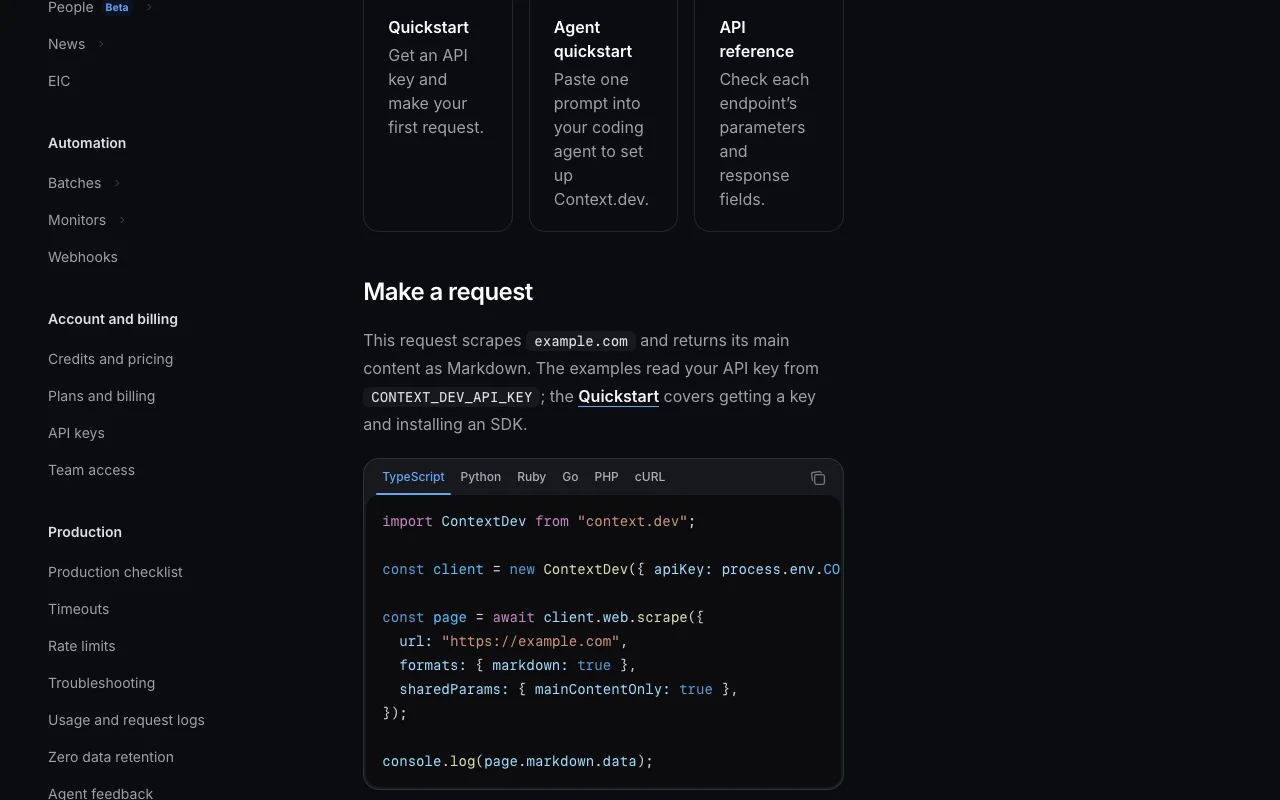
Context.dev documentation: where the steps below come from. docs.context.dev, captured Oct 1, 2026
Set up Context.dev
Create a free account on context.dev; no credit card is needed.
Generate an API key in the dashboard.
Install the TypeScript, Python, Ruby, Go or PHP SDK, or call the REST API.
Run a first scrape to see the credits consumed.
Example: crawling a website into Markdown for RAG
Use Map on the domain to list its URLs.
Call Crawl with depth, page limit and URL patterns.
For larger sites, start a Batch in crawl mode and set a completion webhook.
Index the returned Markdown into your vector store.
Review and export the result
Read key_metadata.credits_consumed on responses.
Confirm page counts match what you expected.
Watch for 401 USAGE_EXCEEDED when credits run out.
Context.dev integrations and API
Context.dev documentation (continued). docs.context.dev, captured Oct 1, 2026
Native integrations and export formats
Export: Markdown, HTML, JSON, Screenshots
API access and separate billing
Context.dev has no public API in its official documentation. Same credit balance covers all APIs. API documentation ↗
Privacy, data use and commercial rights
Summarized from the vendor's current policies; this is not legal advice and a vendor's badge is not an independent audit.
How your inputs and outputs are handled
Sends target URLs and queries; the privacy policy covers collected personal data.
Not verified: Training use of customer data; Data retention periods.
How we documented and maintain this page
Every fact about Context.dev above comes from the 4 official pages listed here, last compared on Oct 1, 2026; we have not run Context.dev ourselves, so it has no editorial score. How we check and re-check pages.
Article updated Oct 10, 2026; prices checked Oct 1, 2026. Outbound links to vendors are plain links; we do not earn commissions. How we review · Report an error