CodingDocumented overviewLast checked Sep 29, 2026

Crewship: Pricing, Features & Best Use Cases

Deploy CrewAI, LangGraph and LangGraph.js agents with one command, with streaming, scaling and artifact storage.

Who should use Crewship

Crewship fits developers who already build CrewAI or LangGraph agents and want a one-command managed deploy, starting free and moving to $25 per month for 500 runs. Based on the vendor's documentation, not on a hands-on test.

Best for: Developers using CrewAI or LangGraph

Also a good fit for

  • Teams shipping agents to production

Consider another tool if free plan: 1 deployment, 30 runs/month, 6 minute max runtime

Or if

  • Pro limited to 500 runs/month
  • Team plan not yet available

Crewship pricing and usage limits

Prices checked Sep 29, 2026 on the official US pricing page. Official pricing ↗ Prices and limits change often.

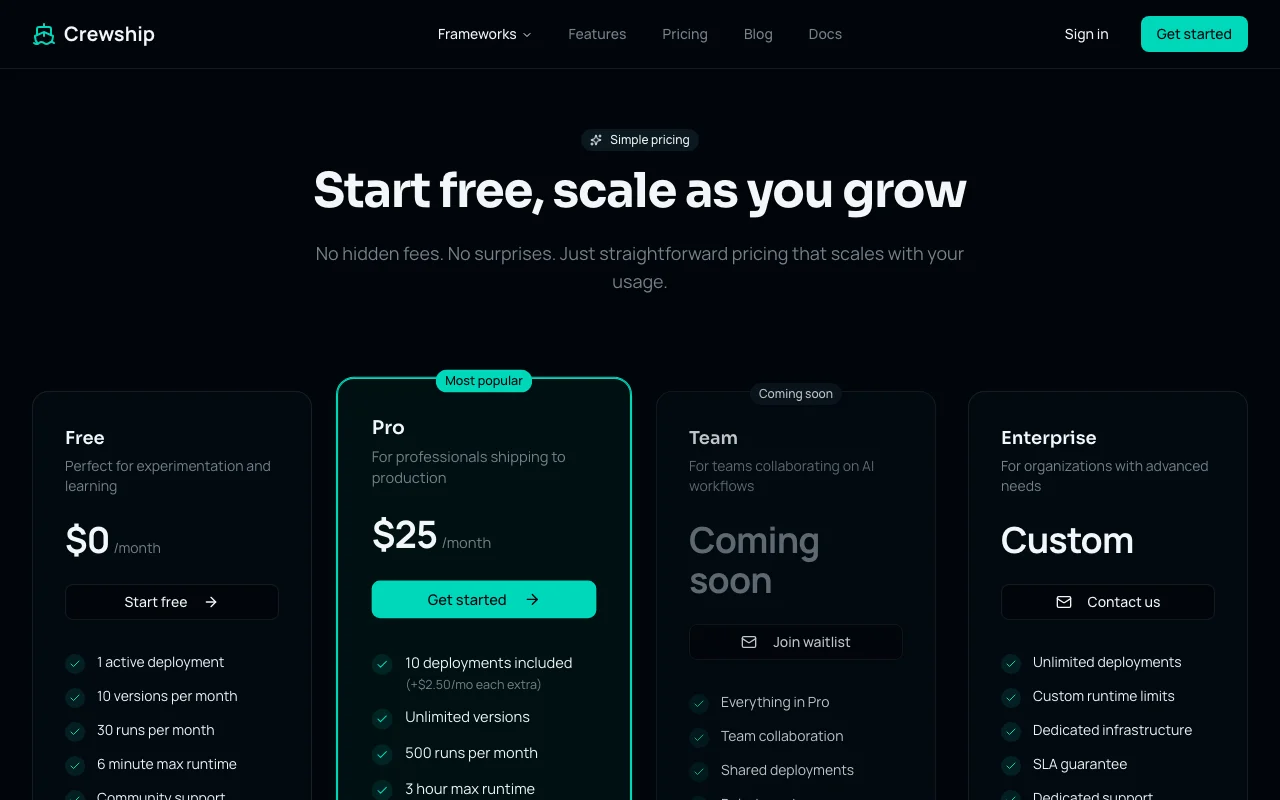
Crewship pricing page with plans and prices — screenshot of the coding AI tool, Oct 1, 2026
The official Crewship pricing page as we saw it. crewship.dev, captured Oct 1, 2026

Free access and trial conditions

Free plan at $0 per month, no credit card.

No separate Pro trial; the free plan lets you try core features.

Paid plans: what changes as you upgrade

Free web

Free source (opens in a new tab)

Month

For: Experimenting and learning

Limits

  • 1 active deployment, 10 versions per month
  • 30 runs per month, 6 minute max runtime
1 more
  • 1 concurrent run, 7 day logs

Includes

  • Real-time streaming
  • Artifacts
1 more
  • Community support

Pro web

$25/mo source (opens in a new tab)

Month

For: Shipping agents to production

Limits

  • 10 deployments (+$2.50 per month each extra)
  • 500 runs per month, 3 hour max runtime
1 more
  • 10 concurrent runs, 30 day logs

Includes

  • Unlimited versions
  • Artifacts up to 100 MB
1 more
  • Priority email support

Team web

See official pricing source (opens in a new tab)

Month

For: Teams (waitlist only)

Limits

  • 1,000 runs per month, 50 concurrent runs
  • Artifacts up to 500 MB, 90 day logs

Includes

  • Everything in Pro
  • Role-based access
2 more
  • Audit logs
  • Shared deployments

Enterprise web

Custom pricing source (opens in a new tab)

Custom

For: Organizations with advanced needs

Limits

  • Unlimited deployments and runs
  • Custom runtime limits

Includes

  • Dedicated infrastructure
  • SLA guarantee
1 more
  • SSO/SAML and dedicated support

Usage caps, credits and extra costs

Extra deployments on Pro cost $2.50 per month each.

Not stated.

What is Crewship, and how does it work?

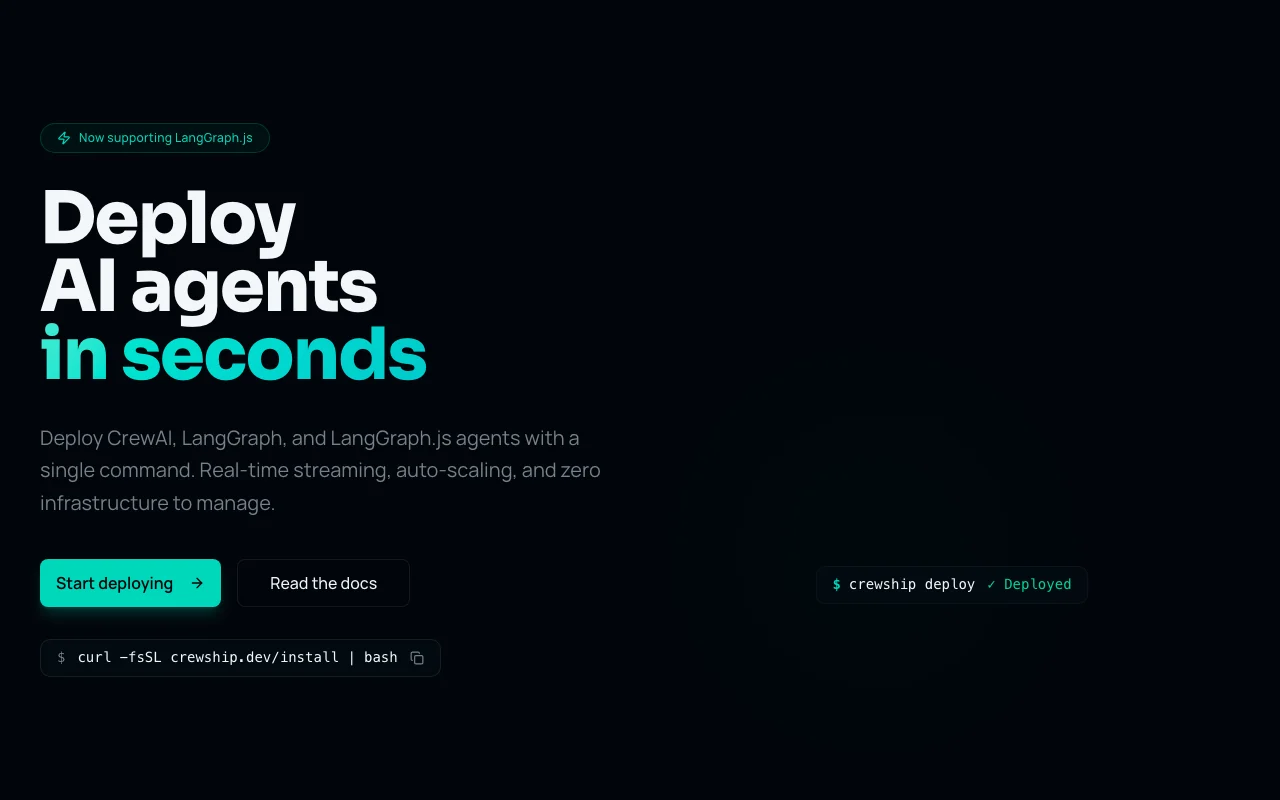
Crewship is a hosting platform for AI agents. Developers deploy CrewAI, LangGraph and LangGraph.js agents with a single CLI command, without managing infrastructure. It streams runs in real time, collects output artifacts via API, versions deployments and provides a web console for runs and schedules.

Crewship homepage — screenshot of the coding AI tool, Oct 1, 2026
Crewship's official site: how the product presents itself. crewship.dev, captured Oct 1, 2026

What you provide and what you get back

How Crewship works: what you provide, where it runs and what you get backYOU PROVIDEYour inputA CrewAI, LangGraph or LangGraph.…Environment secrets and API keysRun inputs sent through the API o…CODINGCrewshipWeb, APIfrom $25/mo (Pro)free tier availableaccount requiredchecked Sep 29, 2026YOU GET BACKThe resultA live deployed agent endpointStreamed run output over SSECollected artifact files and run…input → Crewship → output · from the vendor's own pages, no hands-on test unless stated
What you give Crewship and what comes back, from its documentation

You provide

  • A CrewAI, LangGraph or LangGraph.js project
  • Environment secrets and API keys
  • Run inputs sent through the API or CLI

You get back

  • A live deployed agent endpoint
  • Streamed run output over SSE
  • Collected artifact files and run logs

Where you can use it

Platforms
Web, API
Account
Required
Frameworks live
CrewAI, LangGraph, LangGraph.js
Max runtime
6 min Free / 3 hours Pro
Runs per month
30 / 500 / 1,000 / unlimited
Log retention
7 days / 30 / 90 / 1 year
Install
curl script CLI

Where Crewship is most useful

Scenarios are worked out by our editors from the documentation; the actual result depends on your input and plan.

Hosting CrewAI crews

Who
Developers running CrewAI crews
You provide
A crew project in a git folder
Expected result
A deployed crew started from an API call
Plan needed
Free or Pro
Limitation
Free runtime stops at 6 minutes source (opens in a new tab)

Deploying LangGraph agents

Who
Teams shipping LangGraph agents
You provide
A LangGraph or LangGraph.js graph
Expected result
Versioned deployment with rollback and streaming
Plan needed
Pro
Limitation
500 runs per month cap source (opens in a new tab)

Scheduled agent runs

Who
Engineers automating recurring agent jobs
You provide
Deployed crew and a schedule
Expected result
Scheduled runs with logs and artifacts
Plan needed
Pro
Limitation
Schedules shown in console; frequency limits not stated source (opens in a new tab)

Key features and their practical limits

Crewship homepage — screenshot of the coding AI tool, Oct 1, 2026
Feature overview on the official site. crewship.dev, captured Oct 1, 2026

One-command deploy via CLI

Deploys a crew with the crewship deploy command No infrastructure setup or config files

Access: CLI installed with a curl scriptLimit: Only CrewAI and LangGraph are live source (opens in a new tab)

Real-time streaming (SSE)

Streams agent steps live over Server-Sent Events Lets users watch the agent decide and act

Access: Every planLimit: Concurrent runs 1 to 50 by plan source (opens in a new tab)

Artifact management via API

Collects files an agent creates and serves them by API No custom storage code

Access: Artifacts up to 100 MB on ProLimit: Free plan artifact limit shown as none source (opens in a new tab)

Auto-scaling

Scales runs from zero to many concurrent runs Handles bursts without servers

Access: Concurrent runs 1 / 10 / 50 / unlimitedLimit: Monthly run count is capped source (opens in a new tab)

Crewship pros and cons

Reasons to choose Crewship

Check before paying for Crewship

How to use Crewship for deploying a CrewAI crew

Set up Crewship

  1. Install the CLI with curl -fsSL crewship.dev/install | bash
  2. Create a free account and log in from the CLI
  3. Open your CrewAI or LangGraph project folder

Example: deploying a CrewAI crew

  1. Run crewship deploy in the project
  2. Add your API keys as encrypted secrets
  3. Start a run and watch the SSE stream
  4. Open the console to read logs and download artifacts

Review and export the result

  1. Confirm the run finished under the 6 minute free limit
  2. Check the deployment version in the console

Crewship API

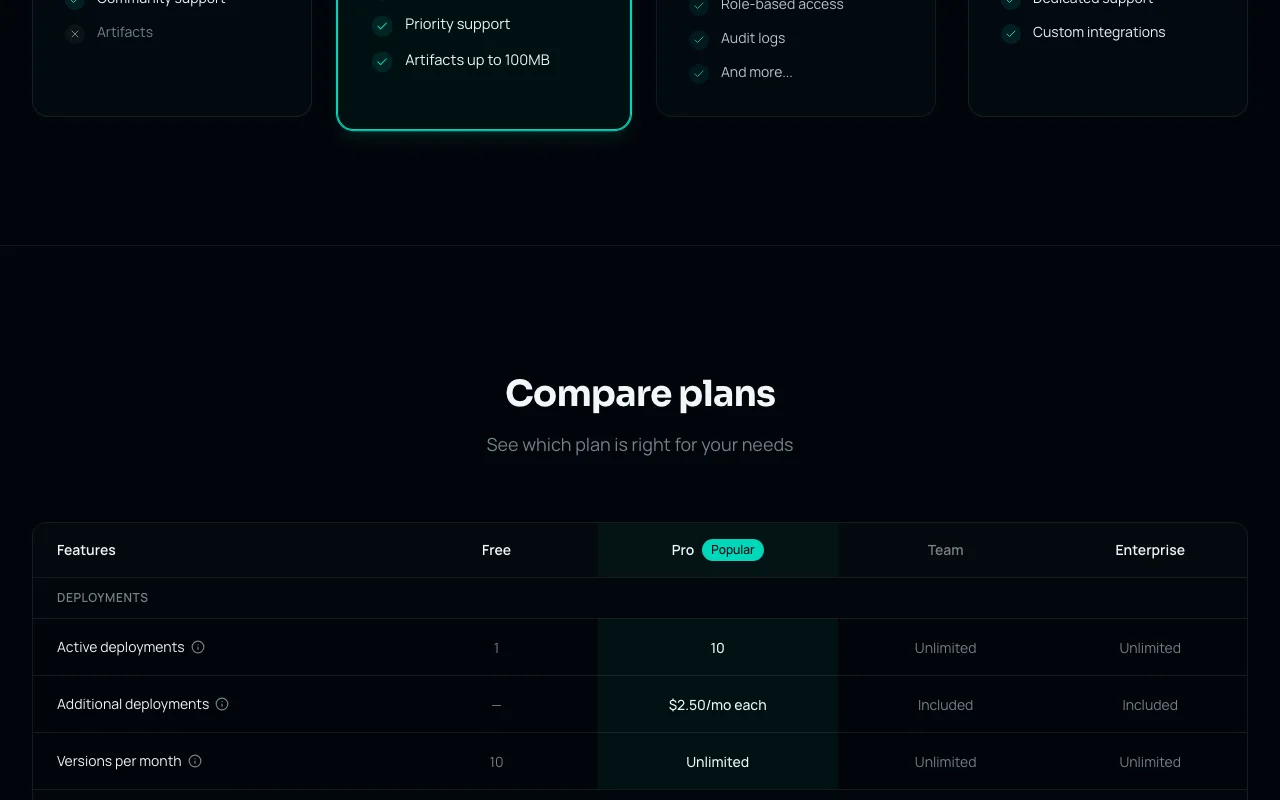
Crewship pricing page with plans and prices — screenshot of the coding AI tool, Oct 1, 2026
Plan comparison on the official pricing page. crewship.dev, captured Oct 1, 2026

API access and separate billing

Crewship has no public API in its official documentation. Artifacts are accessible via API; docs page returned 404.

Privacy, data use and commercial rights

Summarized from the vendor's current policies; this is not legal advice and a vendor's badge is not an independent audit.

How your inputs and outputs are handled

Crewship stores deployed code, build artifacts, run logs and output data, accessible to you and your organization.

Run logs kept 7 / 30 / 90 days / 1 year by plan.

Commercial use and plan restrictions

SSO/SAML only on Enterprise

Controls for business users

  • Isolated environments
  • Encrypted secrets

Policies: crewship.dev/privacy

Other tools to consider instead of Crewship

"Better suited" is based on documented features and pricing, not on a head-to-head test.

n8n: better suited to

Replit: better suited to

Alternatives
AlternativeWhen to choose itPricingLimitation
n8n——
Replit——Compare

Explore Crewship further

If you are looking at Crewship

Crewship user reviews

No user reviews yet.

Used Crewship? Be the first to share your experience.

Write a review

Reviews are checked by a moderator before they appear. Your email is never published. Plain text only.

Your rating (required)

Show what you made or what went wrong. Images are published only if the review is approved; location data is removed.

    Crewship FAQ

    What does Crewship cost?

    Free is $0, Pro is $25 per month, Team is coming soon and Enterprise is custom. source (opens in a new tab)

    What are the Free plan limits?

    One active deployment, 10 versions and 30 runs per month, and a 6 minute max runtime. source (opens in a new tab)

    Which frameworks are supported?

    CrewAI, LangGraph and LangGraph.js are live; Agno, AutoGen, Pydantic AI, OpenAI Agents and Mastra are listed as coming soon. source (opens in a new tab)

    What does an extra deployment cost on Pro?

    Pro includes 10 deployments and extra ones cost $2.50 per month each. source (opens in a new tab)

    Is there a startup discount?

    Yes, the pricing FAQ says early-stage startups can ask for special pricing by emailing the address on the page. source (opens in a new tab)

    Sources and review methodology

    Official sources and verification dates

    Not verified: docs content; self-hosting details; Team plan price; data training terms.

    How we documented and maintain this page

    Every fact about Crewship above comes from the 3 official pages listed here, last compared on Sep 29, 2026; we have not run Crewship ourselves, so it has no editorial score. How we check and re-check pages.

    Article updated Oct 10, 2026; prices checked Sep 29, 2026. Outbound links to vendors are plain links; we do not earn commissions. How we review · Report an error