Our take: Best for teams using multiple AI coding agents who need durable project memory and fast semantic code search, starting free with 10,000 monthly credits.
Main limitation: Credit-metered work; unused credits do not roll over monthly; team plan requires minimum 3 seats.
By the AI Tool Atlas editors.
Based on the vendor's official documentation; we have not tested this product hands-on. What “documented overview” means
Is ContextStream right for you?
Best for teams using multiple AI coding agents who need durable project memory and fast semantic code search, starting free with 10,000 monthly credits. Based on the vendor's documentation, not on a hands-on test.
Best for: Developers using several AI coding agents
Also a good fit for
Teams sharing a codebase with agents
Engineers wanting persistent agent memory
Consider another tool if credit-metered; work pauses when credits are depleted
Or if
Credits do not roll over month to month
Team plan requires a minimum of 3 seats
ContextStream pricing and usage limits
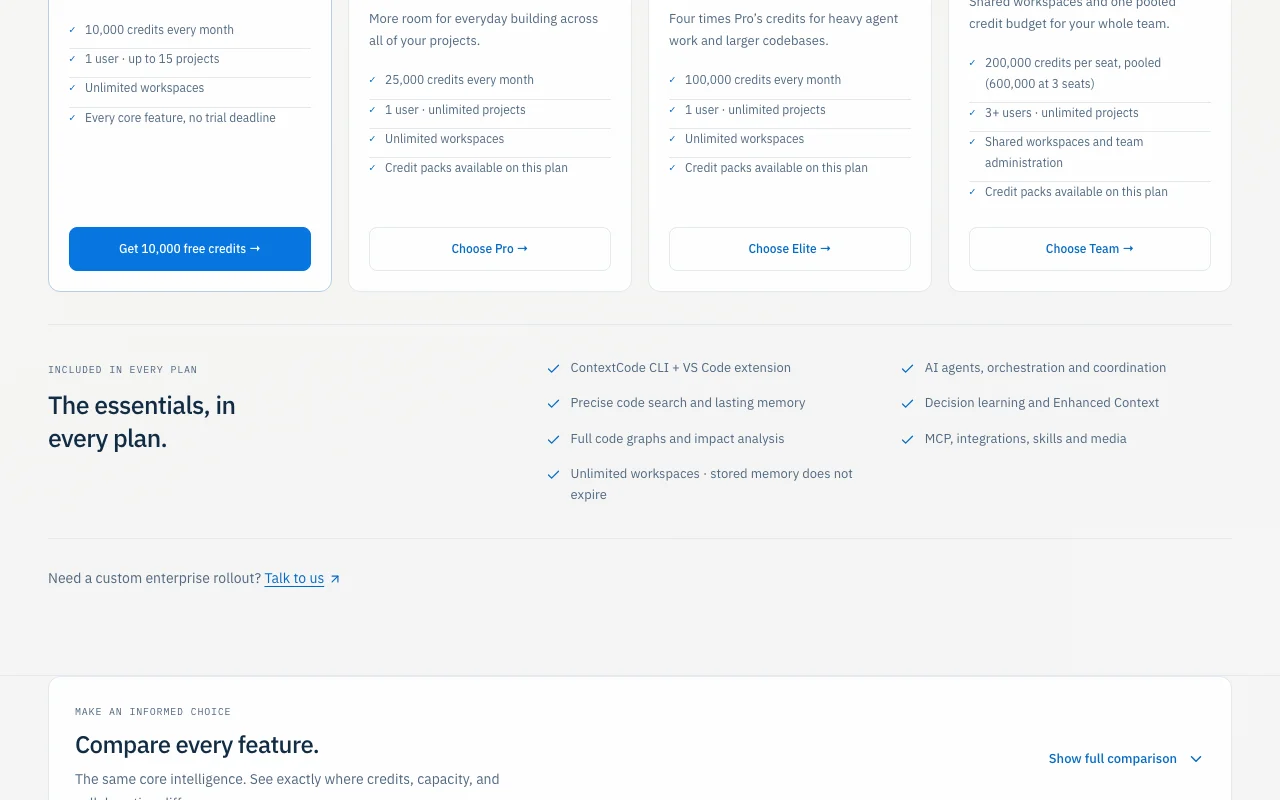
Prices checked Oct 1, 2026 on the official US pricing page. Official pricing ↗ Prices and limits change often.
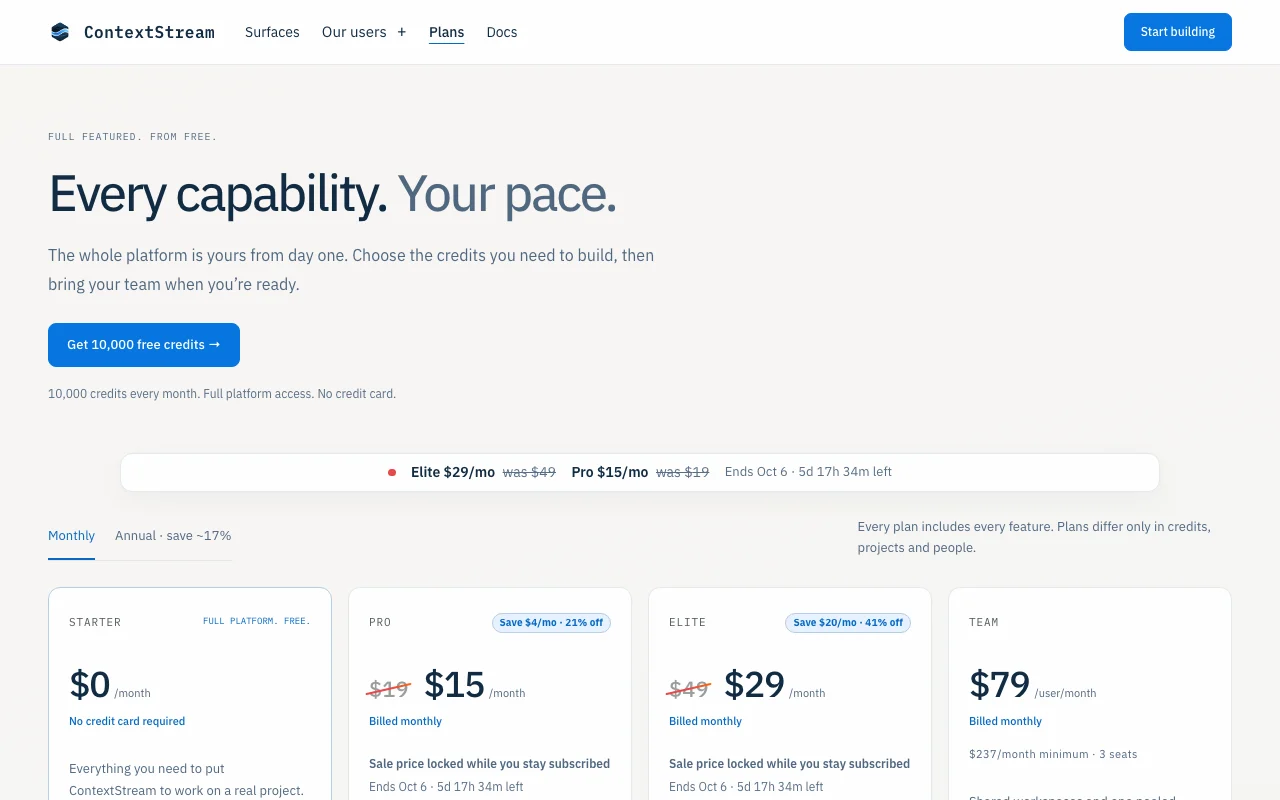
The official ContextStream pricing page as we saw it. contextstream.io, captured Oct 1, 2026
Free access and trial conditions
Starter plan: 10,000 credits/month, no credit card required
Credits metered per operation; extra credits available via packs; unused credits do not roll over
What is ContextStream, and how does it work?
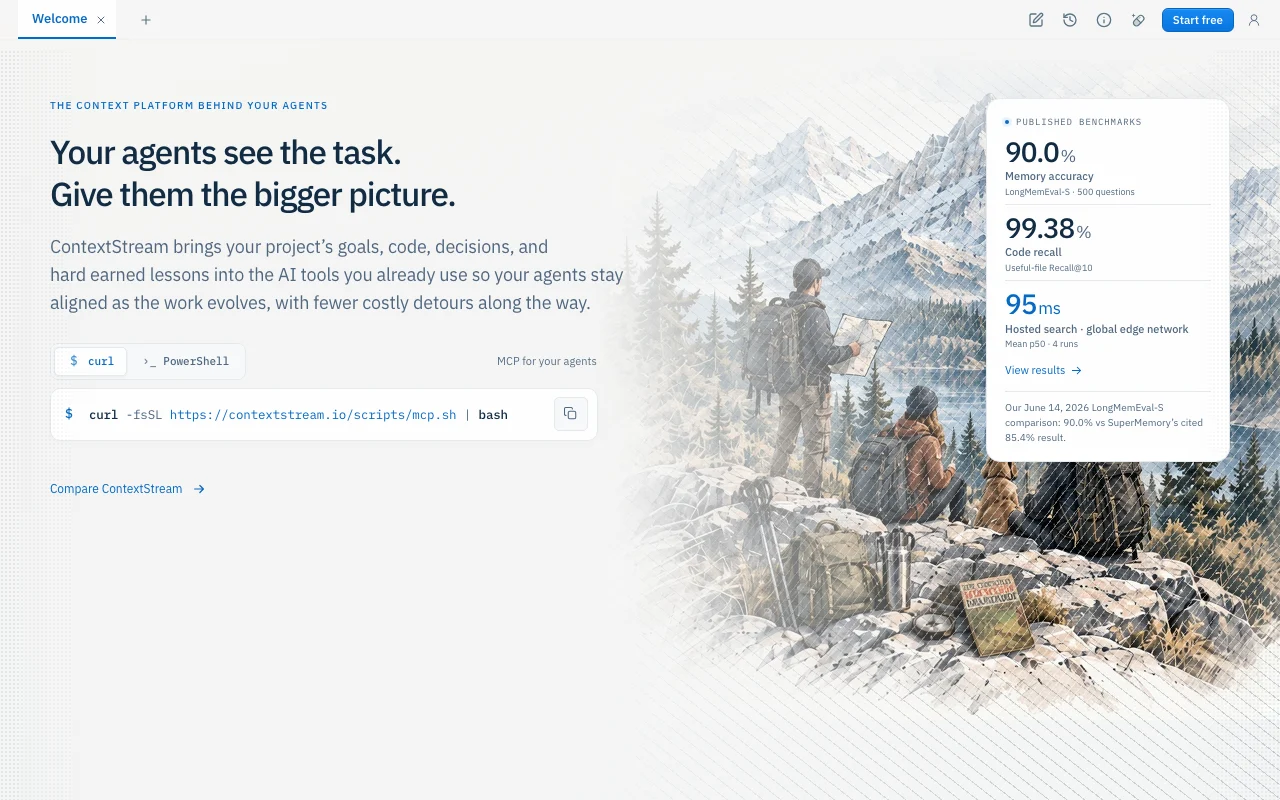
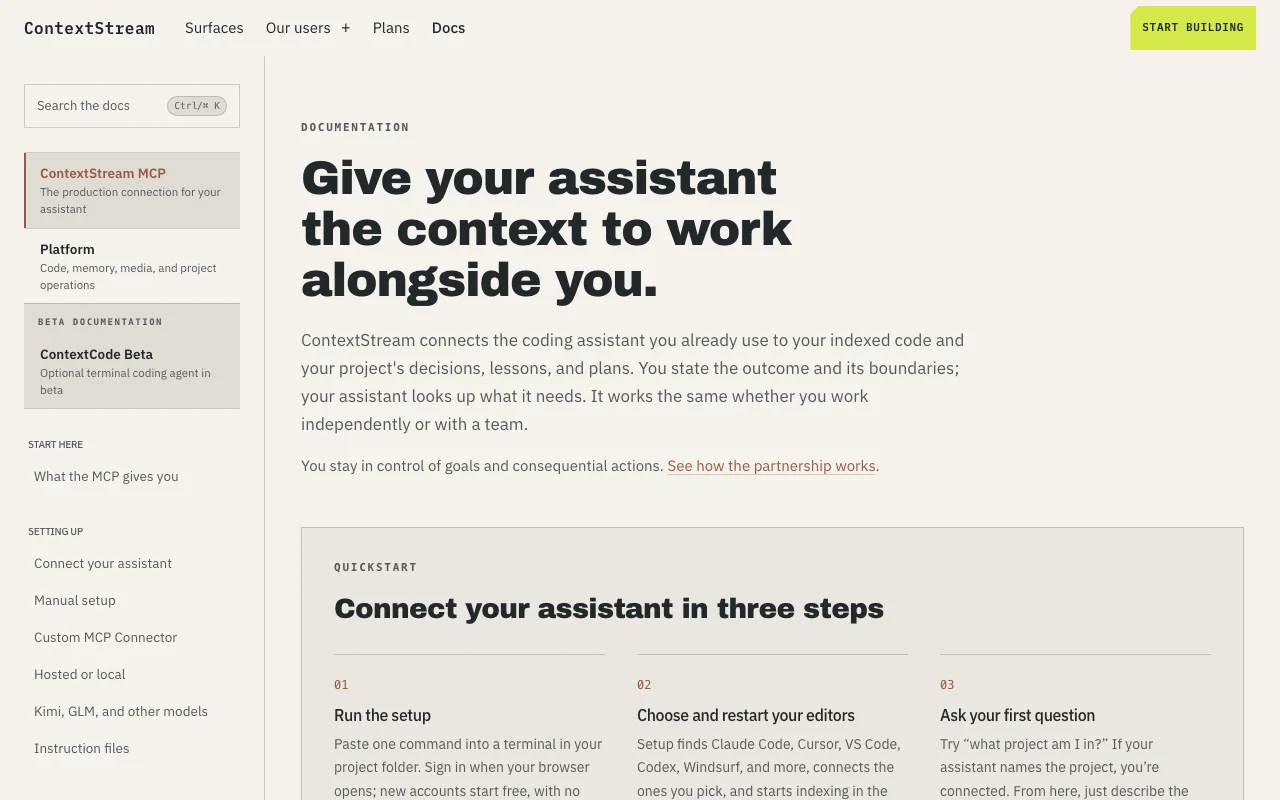
ContextStream gives AI coding agents a shared, persistent layer of project context. It stores decisions, lessons, guardrails, runbooks and handoffs, and pairs them with hosted code search so agents in Cursor, Claude Code, Codex, VS Code, Windsurf and other tools work from the same understanding of a codebase.
Agents connect through an MCP server (hosted or via a local gateway); setup is a one-line script for macOS/Linux or Windows with browser sign-in. Usage is metered in monthly Context Credits, and stored context never expires. Hosted and self-hosted deployment options are documented.
ContextStream's official site: how the product presents itself. contextstream.io, captured Oct 1, 2026
What you provide and what you get back
What you give ContextStream and what comes back, from its documentation
You provide
Code repositories (via GitHub, GitLab, Bitbucket)
Project decisions and lessons
Code host and knowledge tool credentials
You get back
Indexed code search results
Project memory and decision history
Code analysis and impact reports
Shared context bundles
Where you can use it
Platforms
Web, MCP (Cursor, Claude Code, Codex, VS Code, Windsurf), CLI, API
Account
Required
Cursor, Claude Code, Codex, VS Code, Windsurf, and other MCP-compatible clients
Stores project memory (decisions, lessons, guardrails, runbooks) in persistent workspace Agents access prior context instead of relearning; consistency across sessions and team members
Access: Via MCP, CLI, or web dashboardLimit: Storage scales with plan; credits consumed for memory operationssource (opens in a new tab)
Hosted code search on a global edge network
Semantic code search on global edge network with 95ms mean latency Find relevant code by intent, pattern, or symbol without reading entire codebase
Access: Via MCP in editor, CLI, web dashboard, or APILimit: Search operations metered in credits; ~4ms per searchsource (opens in a new tab)
MCP server for Cursor, Claude Code, Codex, VS Code, Windsurf
MCP server for Cursor, Claude Code, Codex, VS Code, Windsurf and other compatible agents One-line setup script; agents connect without manual configuration
Access: Hosted MCP or local gateway; supports self-hostingLimit: Requires editor restart after setup; team plan requires coordinated MCP configsource (opens in a new tab)
CLI and local gateway
CLI (ContextCode) and local gateway for airgapped or self-hosted deployments Operate ContextStream without cloud connectivity; control data egress
Access: macOS, Linux, Windows via downloaded binaryLimit: CLI in beta; local gateway adds latency vs. hostedsource (opens in a new tab)
Pros, cons and deal-breakers
Where ContextStream is strong
Free Starter plan with 10,000 credits/month and no credit card Entry point with no payment or credit card; suitable for evaluating or light usedocumentedsource (opens in a new tab)
Works with many agents via MCP Works with every major editor and coding assistant framework via MCPdocumentedsource (opens in a new tab)
Self-hosting option documented Can deploy on own infrastructure; no cloud dependencydocumentedsource (opens in a new tab)
USD pricing with monthly and annual options All plans billed monthly; annual option available on paid tiersdocumentedsource (opens in a new tab)
Limitations to check before paying
Credit-metered; work pauses when credits are depleted Work pauses until next billing cycle or credits purchased; no carryoverdocumentedsource (opens in a new tab)
Credits do not roll over month to month Monthly reset limits capacity planning for long-term projectsdocumentedsource (opens in a new tab)
Team plan requires a minimum of 3 seats Higher barrier for small teams; minimum $237/month team feedocumentedsource (opens in a new tab)
Requires account and browser sign-in Setup requires browser sign-in and terminal accessdocumentedsource (opens in a new tab)
How to use ContextStream for connecting Claude Code and Cursor to shared project memory
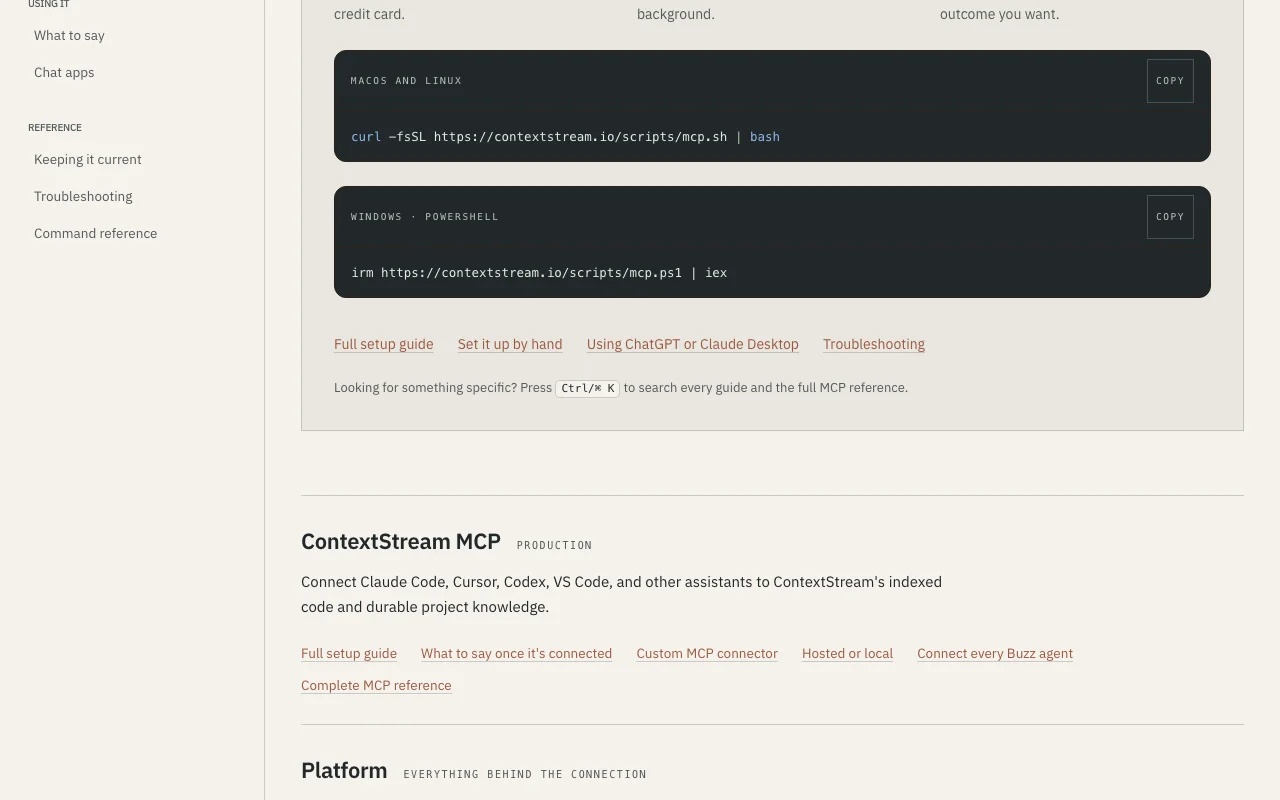
ContextStream documentation: where the steps below come from. contextstream.io, captured Oct 1, 2026
Set up ContextStream
Copy the setup command from https://contextstream.io/docs (macOS/Linux bash or Windows PowerShell)
Paste command in project root folder; sign in via browser when prompted (new account starts free)
Setup finds and lists compatible editors; select Claude Code, Cursor, or both to connect
Indexing starts automatically; command outputs status when complete (typically 30–60 seconds)
Restart selected editors; when connected, agents can query project context
Example: connecting Claude Code and Cursor to shared project memory
In Claude Code, type: "What are the architectural decisions in this project?"
Claude Code queries ContextStream; returns decisions list with timestamps and context
Ask second agent (Cursor): "Apply the same pattern to this new module"
Cursor retrieves the pattern decision from shared project memory; applies it consistently
Human reviews and approves changes; both agents retain the decision in memory
Review and export the result
Verify agents name the project correctly when asked "What project am I in?"
Check ContextStream web dashboard for indexed files count and credit usage
Example prompt suggested by our editors (not a recorded output of the product)
Write a function following the error handling pattern we documented in decisions.
ContextStream integrations and API
ContextStream documentation (continued). contextstream.io, captured Oct 1, 2026
Native integrations and export formats
Export: JSON, CSV, Markdown
API access and separate billing
ContextStream has no public API in its official documentation. Full MCP reference and API docs provided API documentation ↗
Privacy, data use and commercial rights
Summarized from the vendor's current policies; this is not legal advice and a vendor's badge is not an independent audit.
How your inputs and outputs are handled
Code files from indexed repositories, project memory, decisions, and conversation transcripts stored in ContextStream
Data retained while account is active; deleted workspace data purged on backup rotation
Commercial use and plan restrictions
1
Data never sold; never used to train models on any plan; conversation transcripts optional
Credits are included in plans and not purchased separately. Starter gets 10,000/month free. Pro: 25,000/month ($15/month on sale). Elite: 100,000/month ($29/month on sale). Team: 200,000 per seat pooled ($79/user/month, $237 minimum 3 seats). Extra credit packs available for Pro/Elite/Team. source (opens in a new tab)
What editors and agents does ContextStream support?
ContextStream integrates via MCP with Cursor, Claude Code, Codex, VS Code, Windsurf, and other compatible agents. Setup is a one-line script for macOS/Linux (bash) or Windows (PowerShell). source (opens in a new tab)
Can I self-host ContextStream?
Yes. ContextStream provides documentation for self-hosted deployment and local gateway options. Contact sales for enterprise deployment assistance. source (opens in a new tab)
Is my code safe and private?
Yes. Code is indexed and stored for search only; never sold or trained on. Personal workspaces are visible only to you. Team workspaces visible only to members with granted roles. You control what gets indexed via git ignore, .contextignore, and secret filtering. source (opens in a new tab)
What happens when I run out of credits?
Work pauses until the next billing cycle (for free plans) or you purchase credit packs (paid plans). Unused credits do not roll over. Stored project memory never expires. source (opens in a new tab)
ContextStream Privacypolicy · checked Oct 1, 2026 · Data collection, AI providers, Your controls, Security
How we documented and maintain this page
Every fact about ContextStream above comes from the 4 official pages listed here, last compared on Oct 1, 2026; we have not run ContextStream ourselves, so it has no editorial score. How we check and re-check pages.
Article updated Oct 10, 2026; prices checked Oct 1, 2026. Outbound links to vendors are plain links; we do not earn commissions. How we review · Report an error