CodingDocumented overviewLast checked Sep 29, 2026

Clears AI: Pricing, Features & Best Use Cases

Orchestration platform that runs AI coding agents from ticket to pull request, synced with Jira, GitHub, GitLab or Bitbucket.

Who should use Clears AI

Choose Clears if your engineering team wants AI coding agents orchestrated from Jira or board tickets all the way to reviewed pull requests, with a shared context layer and MCP access from the terminal. Based on the vendor's documentation, not on a hands-on test.

Best for: Engineering teams using Jira and GitHub/GitLab/Bitbucket

Also a good fit for

  • R&D leaders wanting autonomous backlog execution
  • Teams already using terminal coding agents

Consider another tool if no permanent free tier; paid from $89 per user/month after trial

Or if

  • Pro plan is capped at 5 users
  • Enterprise features such as VPC deployment require a sales demo

Clears AI pricing and usage limits

Prices checked Sep 29, 2026 on the official US pricing page. Official pricing ↗ Prices and limits change often.

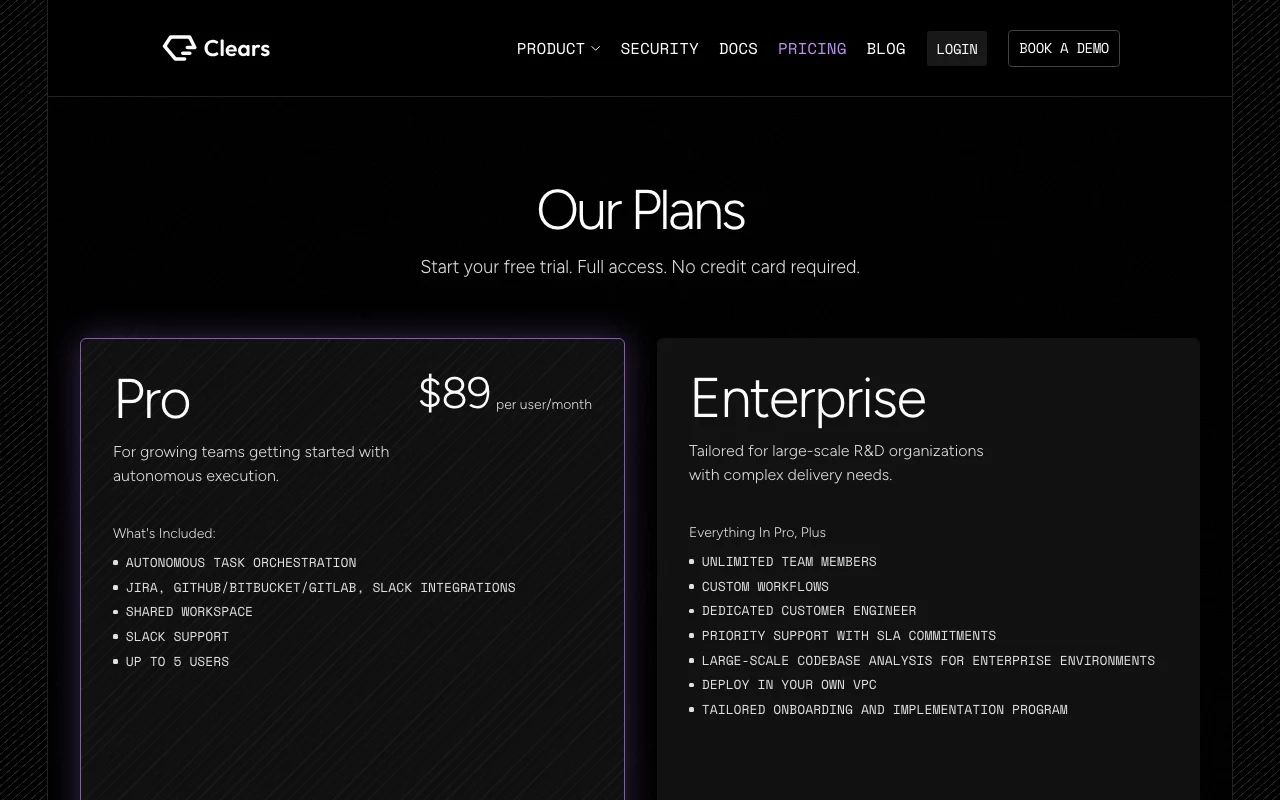
Clears AI pricing page with plans and prices — screenshot of the coding AI tool, Oct 1, 2026
The official Clears AI pricing page as we saw it. clears.ai, captured Oct 1, 2026

Free access and trial conditions

No permanent free tier.

Free trial, no credit card; length not stated.

Paid plans: what changes as you upgrade

Pro Web

$89 per user per month source (opens in a new tab)

Monthly

Billing period not stated

For: Growing teams

Limits

  • Up to 5 users

Includes

  • Autonomous task orchestration
  • Jira, GitHub/GitLab/Bitbucket, Slack integrations
2 more
  • Shared workspace
  • Slack support

Enterprise Web

Custom pricing source (opens in a new tab)

Custom

For: Large R&D organizations

Limits

  • Unlimited team members

Includes

  • Custom workflows
  • Dedicated customer engineer
2 more
  • Priority support with SLA
  • Deploy in your own VPC

What is Clears AI, and how does it work?

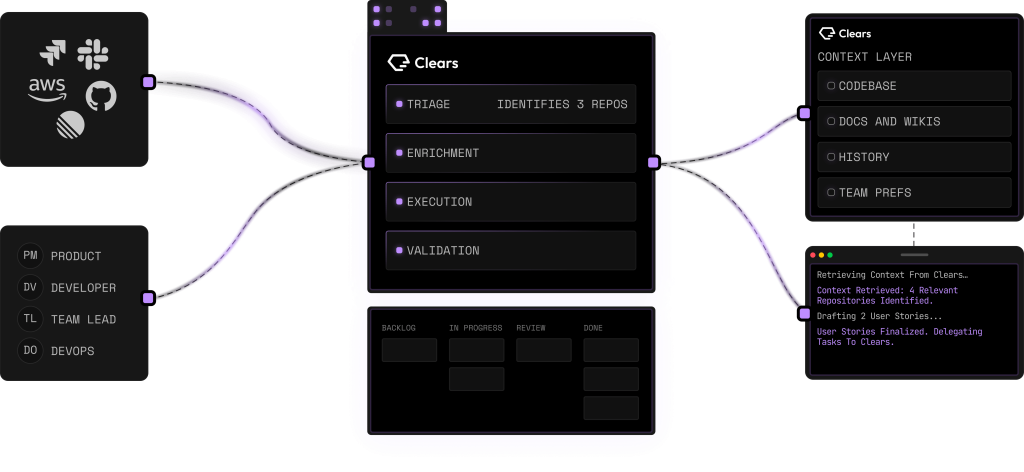
Clears AI is an orchestration layer for agentic software delivery. You connect your backlog (Jira or the built-in board) and repositories, write a story describing what to build, answer the agent's clarifying questions, and the platform analyzes the codebase, produces a specification, splits the work into subtasks, writes code on feature branches and opens pull requests for review. A shared context layer stores conventions and decisions learned from previous runs, background triage flows score and scope incoming tickets, and an MCP server lets a terminal coding agent pull tasks and context from Clears. Integrations cover Jira, GitHub, GitLab, Bitbucket and Slack; the company states SOC 2 certification and offers VPC deployment on the Enterprise plan.

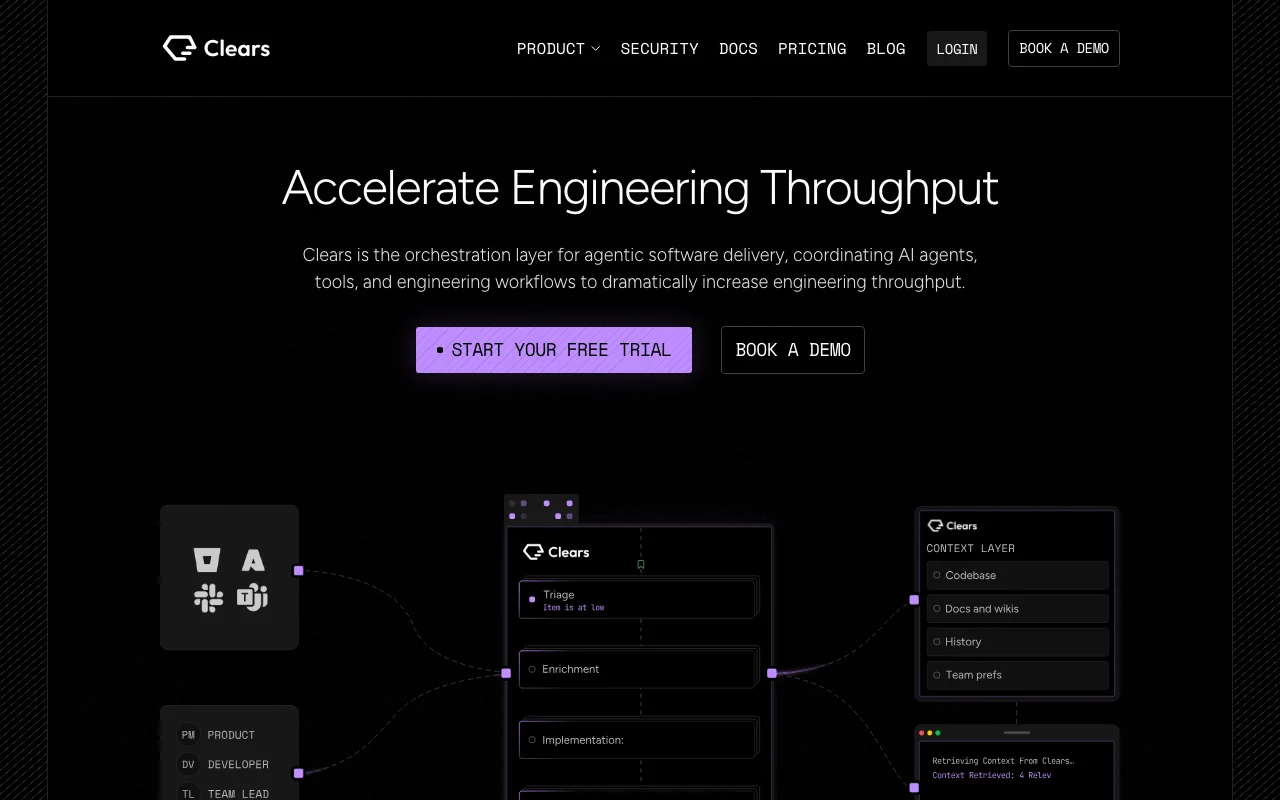
Clears AI homepage — screenshot of the coding AI tool, Oct 1, 2026
Clears AI's official site: how the product presents itself. clears.ai, captured Oct 1, 2026

What you provide and what you get back

How Clears AI works: what you provide, where it runs and what you get backYOU PROVIDEYour inputBacklog tickets (Jira or built-in…Connected GitHub, GitLab or Bitbu…Story descriptions and answers to…CODINGClears AIWebfrom $89 (Pro)no free tieraccount requiredchecked Sep 29, 2026YOU GET BACKThe resultSpecifications and subtasksCode on feature branches and pull…Triage scores and risk assessmentsinput → Clears AI → output · from the vendor's own pages, no hands-on test unless stated
What you give Clears AI and what comes back, from its documentation

You provide

  • Backlog tickets (Jira or built-in board)
  • Connected GitHub, GitLab or Bitbucket repositories
  • Story descriptions and answers to clarifying questions

You get back

  • Specifications and subtasks
  • Code on feature branches and pull requests
  • Triage scores and risk assessments

Where you can use it

Platforms
Web
Account
Required
Git hosts
GitHub, GitLab, Bitbucket
Tickets
Jira or built-in board
Interface
Web board, MCP
Security
SOC 2 stated

Best use cases for Clears AI

Scenarios are worked out by our editors from the documentation; the actual result depends on your input and plan.

Turning backlog tickets into reviewed pull requests autonomously

Who
Engineering teams with big backlogs
You provide
A Jira story
Expected result
A specified, coded and PR-opened change on a feature branch
Plan needed
Pro
Limitation
Humans review the pull request source (opens in a new tab)

Triaging and scoping large volumes of incoming tickets

Who
R&D leaders
You provide
Thousands of raw tickets
Expected result
Background-triaged, scoped and risk-scored tickets
Plan needed
Pro and Enterprise
Limitation
Requires connected ticketing source (opens in a new tab)

Running many coding-agent tasks in parallel from a kanban board

Who
Developers working in terminals
You provide
A coding agent connected over MCP
Expected result
Tasks and context pulled from Clears and documented automatically
Plan needed
Pro
Limitation
Needs an MCP-capable agent source (opens in a new tab)

What Clears AI does, and where it stops

Clears AI homepage — screenshot of the coding AI tool, Oct 1, 2026
Feature overview on the official site. clears.ai, captured Oct 1, 2026

Autonomous story execution from requirement to PR

Analyzes the codebase, asks clarifying questions, writes a spec and splits work into subtasks. Fewer misunderstandings.

Access: ProLimit: Needs repo access source (opens in a new tab)

Clarifying-question and specification generation

Stores conventions and decisions from earlier runs in a shared context layer. No cold starts for each agent.

Access: ProLimit: Quality depends on past runs source (opens in a new tab)

Context layer / memory shared across agent runs

Runs background flows that root-cause, scope and assess risk for incoming tickets. Triage at scale.

Access: ProLimit: Escalates ambiguous cases source (opens in a new tab)

Background triage and risk assessment flows

Shows a task board with every ticket tied to its live agent session. Steer parallel runs.

Access: ProLimit: Capped at 5 users on Pro source (opens in a new tab)

Clears AI: strengths and limits

Where Clears AI is strong

Limitations to check before paying

How to use Clears AI for turning a ticket into a pull request with AI agents

Set up Clears AI

  1. Start a free trial on clears.ai.
  2. Connect Jira (or use the built-in board).
  3. Connect your GitHub, GitLab or Bitbucket repositories.
  4. Connect Slack for notifications.

Example: turning a ticket into a pull request with AI agents

  1. Write a story describing the feature.
  2. Answer the agent's clarifying questions.
  3. Review the generated spec and subtasks.
  4. Review the opened pull request.

Review and export the result

  1. Confirm the PR targets a feature branch with the right changes.
  2. Check the Jira ticket status synced.
  3. Review the context layer entry the run produced.
Example prompt suggested by our editors (not a recorded output of the product)
Add rate limiting to the public search endpoint, with a 60 requests per minute limit per API key, and cover it with tests.

Clears AI API

Clears AI pricing page with plans and prices — screenshot of the coding AI tool, Oct 1, 2026
Plan comparison on the official pricing page. clears.ai, captured Oct 1, 2026

API access and separate billing

Clears AI has no public API in its official documentation. MCP supported; docs page not loaded. API documentation ↗

Privacy, data use and commercial rights

Summarized from the vendor's current policies; this is not legal advice and a vendor's badge is not an independent audit.

How your inputs and outputs are handled

Reads connected repositories and tickets.

Commercial use and plan restrictions

VPC deployment only on Enterprise.

Controls for business users

  • SOC 2 (stated on site)
  • VPC deployment (Enterprise)

Clears AI alternatives by need

"Better suited" is based on documented features and pricing, not on a head-to-head test.

Cursor: better suited to

GitHub Copilot: better suited to

Devin Desktop (formerly Windsurf): better suited to

Replit: better suited to

Alternatives
AlternativeWhen to choose itPricingLimitation
Cursor——Compare
GitHub Copilot——Compare
Devin Desktop (formerly Windsurf)——Compare
Replit——Compare

Explore Clears AI further

If you are looking at Clears AI

Clears AI user reviews

No user reviews yet.

Used Clears AI? Be the first to share your experience.

Write a review

Reviews are checked by a moderator before they appear. Your email is never published. Plain text only.

Your rating (required)

Show what you made or what went wrong. Images are published only if the review is approved; location data is removed.

    Clears AI FAQ

    How much does Clears cost?

    Pro is $89 per user per month for up to 5 users; Enterprise is custom. source (opens in a new tab)

    Is there a free trial?

    Yes, with full access and no credit card; its length is not stated. source (opens in a new tab)

    Which tools does it integrate with?

    Jira, GitHub, GitLab, Bitbucket and Slack. source (opens in a new tab)

    Can it run in our own cloud?

    Enterprise supports deployment in your own VPC. source (opens in a new tab)

    Can a terminal agent use it?

    Yes, through MCP a coding agent can pull tasks and context from Clears. source (opens in a new tab)

    Sources and review methodology

    Official sources and verification dates

    Not verified: Trial length; Billing period for $89; Privacy policy; Docs.

    How we documented and maintain this page

    Every fact about Clears AI above comes from the 2 official pages listed here, last compared on Sep 29, 2026; we have not run Clears AI ourselves, so it has no editorial score. How we check and re-check pages.

    Article updated Oct 10, 2026; prices checked Sep 29, 2026. Outbound links to vendors are plain links; we do not earn commissions. How we review · Report an error