Productivity & writingDocumented overviewLast checked Oct 1, 2026

ToneBird: Pricing, Features & Best Use Cases

Desktop AI reply assistant that drafts messages in your voice inside Gmail, Slack, WhatsApp and other apps, using remembered context.
Who ToneBird fits

Choose ToneBird if you reply to many people in Gmail, Slack, WhatsApp or similar apps on Mac or Windows and want drafts in your own voice that use remembered context about each contact and that you insert and send yourself. Based on the vendor's documentation, not on a hands-on test.

Best for: Professionals who message many contacts

Also a good fit for

  • People replying in multiple languages
  • Freelancers handling client communication

Consider another tool if free plan limited to 15 drafts/day and 30 contacts

Or if

  • Paid checkout not yet offered on the website
  • No web or mobile app listed

ToneBird pricing and usage limits

Prices checked Oct 1, 2026 on the official US pricing page. Official pricing ↗ Prices and limits change often.

Vendor pricing page re-checked automatically 11 days ago: no changes detected.

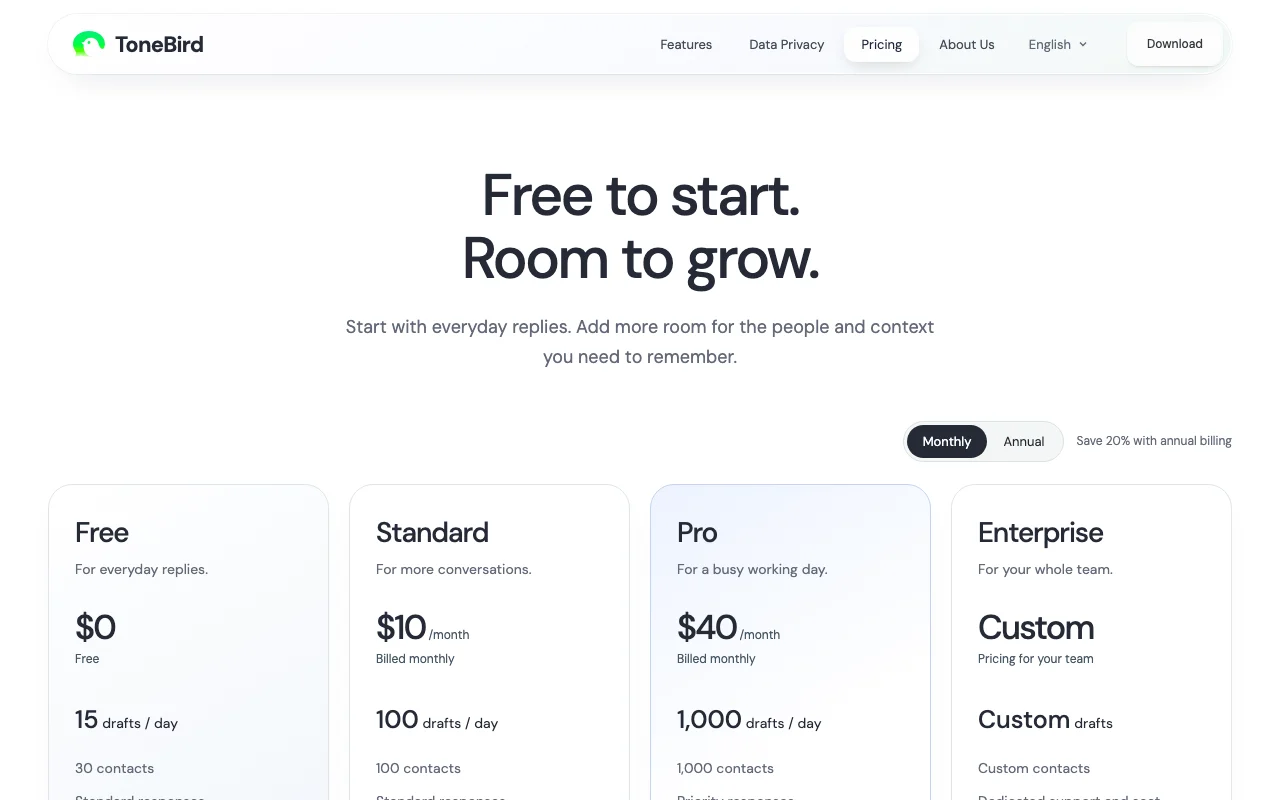
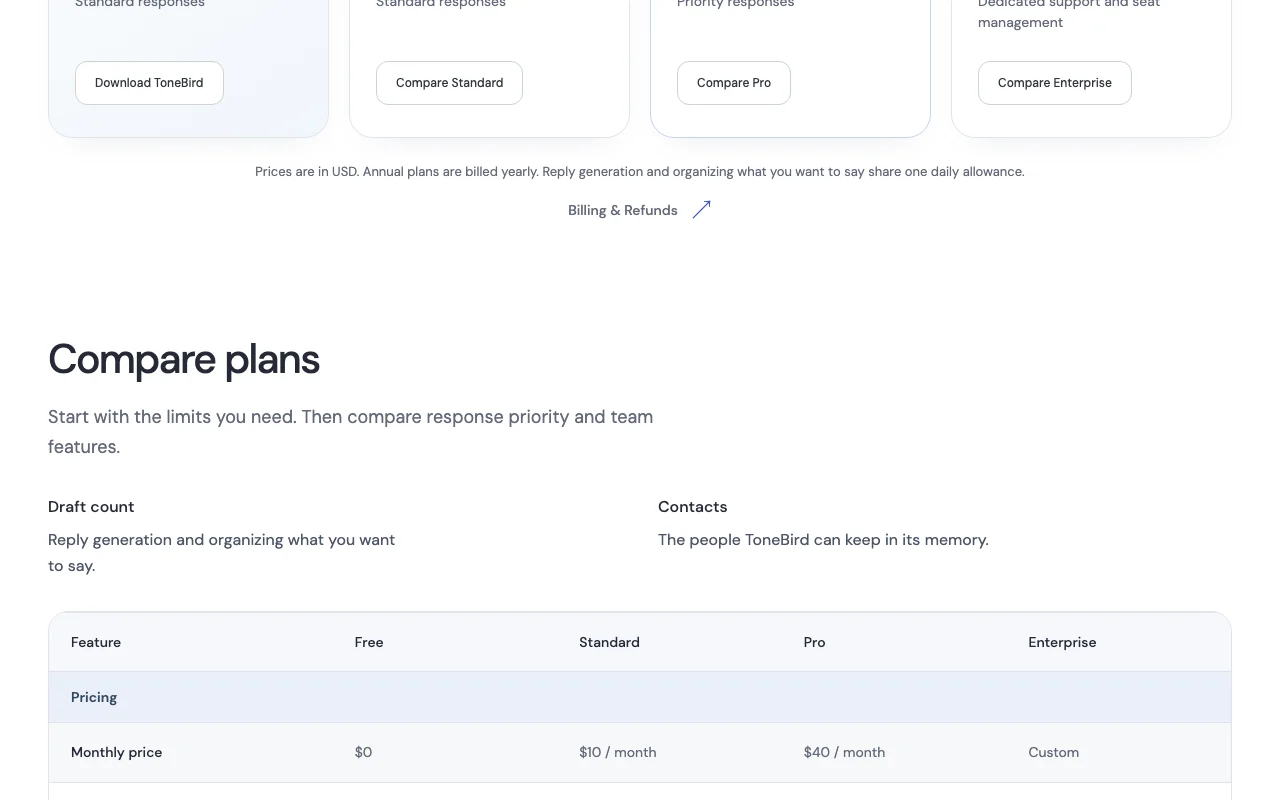
ToneBird pricing page with plans and prices — screenshot of the productivity & writing AI tool, Oct 1, 2026
The official ToneBird pricing page as we saw it. tonebird.ai, captured Oct 1, 2026

Free access and trial conditions

Free plan with 15 drafts/day and 30 contacts; download for Mac or Windows.

None; Free plan serves that role.

Paid plans: what changes as you upgrade

Free Mac and Windows app

Free source (opens in a new tab)

Free

For: Everyday replies

Limits

  • 15 drafts per day
  • 30 contacts

Includes

  • Standard responses

Standard (monthly) Mac and Windows app

$10 source (opens in a new tab)

Monthly

For: More conversations

Limits

  • 100 drafts per day
  • 100 contacts

Includes

  • Standard responses

Standard (annual) Mac and Windows app

$96 source (opens in a new tab)

Annually, annual commitment

Annual billing saves 20% per page

For: More conversations, paid yearly

Limits

  • 100 drafts per day
  • 100 contacts

Includes

  • Standard responses

Pro (monthly) Mac and Windows app

$40 source (opens in a new tab)

Monthly

For: A busy working day

Limits

  • 1,000 drafts per day
  • 1,000 contacts

Includes

  • Priority responses

Pro (annual) Mac and Windows app

$384 source (opens in a new tab)

Annually, annual commitment

Annual billing saves 20% per page

For: A busy working day, paid yearly

Limits

  • 1,000 drafts per day
  • 1,000 contacts

Includes

  • Priority responses

Enterprise Mac and Windows app

Custom pricing source (opens in a new tab)

Custom

For: Whole teams

Limits

  • Custom drafts and contacts

Includes

  • Team sharing and seat management
  • Centralized billing
1 more
  • Dedicated support (SLA)

Usage caps, credits and extra costs

None listed.

Not stated; prices are in USD.

What is ToneBird, and how does it work?

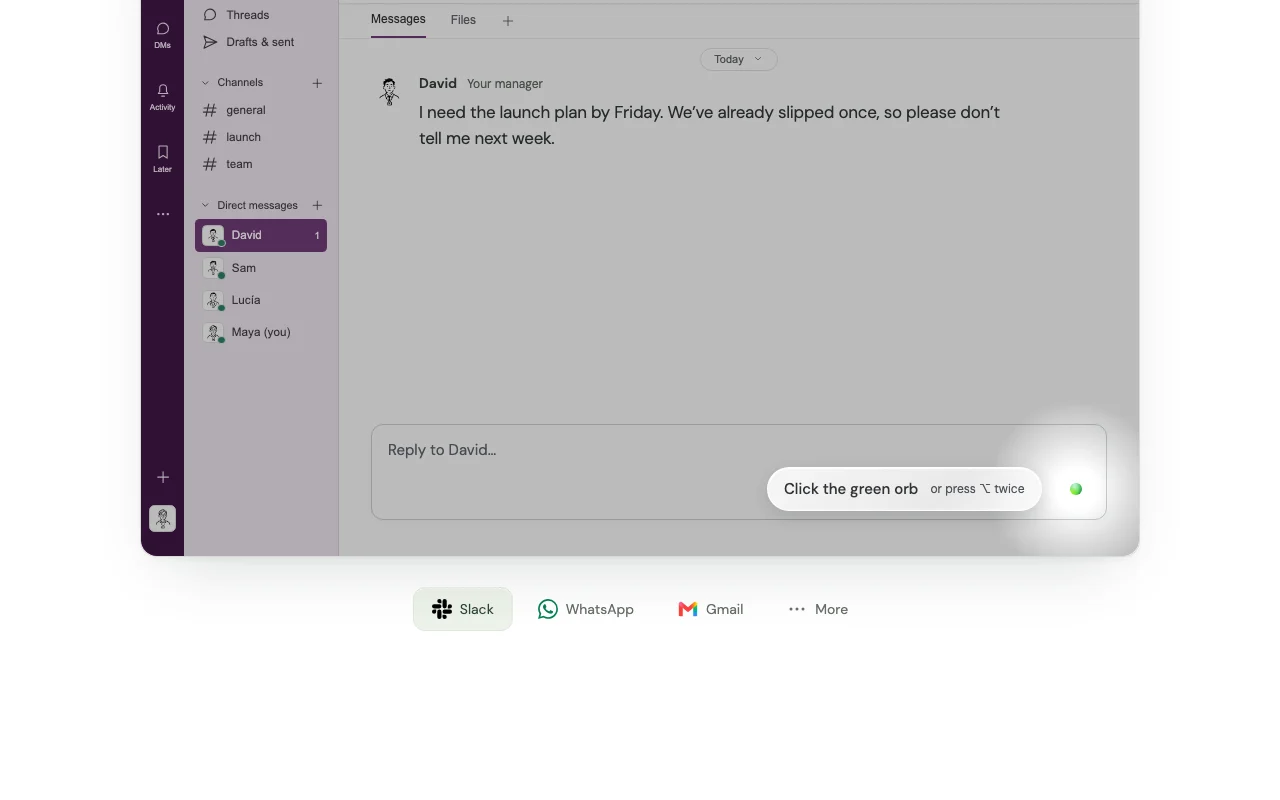
ToneBird is a Mac and Windows app that drafts the next reply in a conversation, in your own voice, directly inside the apps where you type, such as Gmail, Slack, WhatsApp, iMessage and LinkedIn. You open it by clicking an on-screen orb or pressing Option twice (Mac) or Ctrl twice (Windows), pick a suggested reply, tweak it and insert it. It keeps per-person memory of relationships and past conversations to inform drafts. According to the site, tone profiles, person cards and learned corrections are stored locally on the device, learned adjustments need user approval, and ToneBird never sends messages on your behalf.

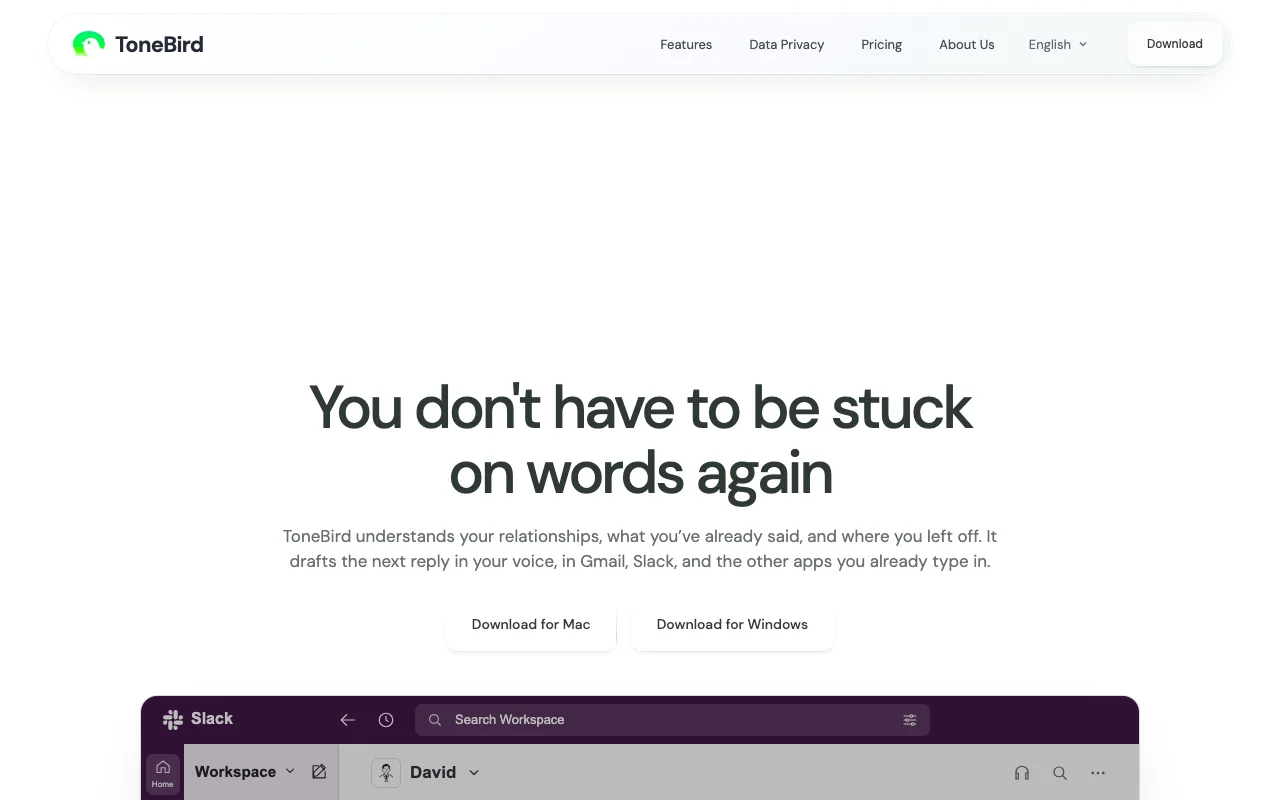
ToneBird homepage — screenshot of the productivity & writing AI tool, Oct 1, 2026
ToneBird's official site: how the product presents itself. tonebird.ai, captured Oct 1, 2026

What you provide and what you get back

How ToneBird works: what you provide, where it runs and what you get backYOU PROVIDEYour inputThe open conversation in the app…Your past conversations and facts…A short instruction about what yo…PRODUCTIVITY & WRITINGToneBirdDesktopfrom $10 (Standard (monthly))free tier availableaccount requiredchecked Oct 1, 2026YOU GET BACKThe resultSeveral reply drafts in your voiceA translation line for non-Englis…A calendar event proposal in some…input → ToneBird → output · from the vendor's own pages, no hands-on test unless stated
What you give ToneBird and what comes back, from its documentation

You provide

  • The open conversation in the app you are typing in (read via Accessibility)
  • Your past conversations and facts from connected files
  • A short instruction about what you want to say

You get back

  • Several reply drafts in your voice
  • A translation line for non-English replies
  • A calendar event proposal in some replies

Where you can use it

Platforms
Desktop
Account
Required
Platforms
macOS, Windows
Permissions
Accessibility; optional Screen Recording
Draft limits
15 / 100 / 1,000 per day
Contact limits
30 / 100 / 1,000
Tweak options
More Precise, Warmer, Add Humor
Model options
Managed gateway or your own model key

What people use ToneBird for

Scenarios are worked out by our editors from the documentation; the actual result depends on your input and plan.

Replying to a manager or client in Slack or Gmail

Who
Managers and professionals under pressure in Slack and Gmail
You provide
A message like 'I need the launch plan by Friday' plus remembered context
Expected result
Reply options that mention the earlier checkpoint, ready to Tweak and Insert
Plan needed
Free to Pro by daily volume
Limitation
Draft count is shared with the 'organize what you want to say' feature source (opens in a new tab)

Drafting replies in another language with a translation shown

Who
Bilingual workers and customer-facing staff
You provide
A Spanish message in Gmail
Expected result
A Spanish reply plus an English translation line
Plan needed
Any
Limitation
Languages supported are not itemized source (opens in a new tab)

Handling pricing or scope questions using remembered context

Who
Freelancers handling scope and pricing questions
You provide
'Can the booking form be included in the $2,400?' with a proposal file connected
Expected result
Replies that cite agreed price or scope from your files and past chats
Plan needed
Any; contacts cap 30/100/1,000
Limitation
Memory limited by contact count per plan source (opens in a new tab)

Key features and their practical limits

ToneBird homepage — screenshot of the productivity & writing AI tool, Oct 1, 2026
Feature overview on the official site. tonebird.ai, captured Oct 1, 2026

Reply drafts inserted into Gmail, Slack, WhatsApp and other apps

An orb or double-press of Option (Mac) or Ctrl (Windows) opens the panel; it reads the open chat through the Accessibility permission, writes drafts, and Insert puts the chosen draft into the reply box without sending. Works in Gmail, Slack, WhatsApp, iMessage, LinkedIn, Discord and more without switching apps.

Access: All plansLimit: Screenshot reading for apps like WeChat needs Screen Recording permission source (opens in a new tab)

Per-contact relationship memory

Stores a person card and learned facts per contact on your device and retrieves them as 'Knowledge Recalled' to ground each draft. Replies reference what was promised earlier and adjust tone per person.

Access: Contacts capped at 30, 100 or 1,000 by planLimit: Context still goes to the model provider for generation source (opens in a new tab)

Tweak options such as more precise, warmer or add humor

Each draft has Tweak buttons such as More Precise, Warmer and Add Humor that regenerate the wording. Fast adjustments without retyping.

Access: All plansLimit: Each tweak likely counts toward the daily allowance (shared with organizing) source (opens in a new tab)

Keyboard shortcut or orb activation

The tool proposes changes to how it writes; you review each learned adjustment before it applies, and you can turn off tone learning. Your voice does not drift without your consent.

Access: All plansLimit: Turning learning off stops adapting to new messages source (opens in a new tab)

ToneBird pros and cons

Reasons to choose ToneBird

  • Free plan with 15 drafts per day You can test the workflow on real replies before any payment. documented source (opens in a new tab)
  • Memory stored locally on the device per the site Tone profile, person cards and usage counts are on your device, with export and delete in Settings > Privacy & Data. documented source (opens in a new tab)
  • Never sends messages automatically You always review and send drafts yourself, reducing the risk of a wrong message going out. documented source (opens in a new tab)
  • Mac and Windows downloads Works with both common desktop operating systems. documented source (opens in a new tab)

Check before paying for ToneBird

  • Free plan limited to 15 drafts/day and 30 contacts Active users hit the cap within hours and cannot upgrade online yet. documented source (opens in a new tab)
  • Paid checkout not yet offered on the website Planned plans can be compared but not bought on the site. documented source (opens in a new tab)
  • No web or mobile app listed You cannot use it from a phone or browser tab-only workflow. documented source (opens in a new tab)
  • Team features only on custom Enterprise plan Teams cannot share memory or manage seats without a custom contract. documented source (opens in a new tab)

How to use ToneBird for drafting replies in your own voice

Set up ToneBird

  1. Download ToneBird for Mac or Windows from tonebird.ai.
  2. Grant the Accessibility permission so it can read the current chat and fill in replies.
  3. Optionally grant Screen Recording for apps like WeChat where Accessibility cannot read text.
  4. Open Settings > Privacy & Data to decide whether it learns your tone from sent messages.

Example: drafting replies in your own voice

  1. Open a conversation in Gmail or Slack and click into the reply box.
  2. Click the orb or press Option twice (Mac) or Ctrl twice (Windows).
  3. Use the arrow keys to pick one of the suggested replies and use Tweak, e.g. Warmer.
  4. Click Insert, review the text and send it with the app's own send button.

Review and export the result

  1. Check the 'Knowledge Recalled' line matches what was actually said earlier.
  2. Verify names, dates and prices in the draft before sending.
  3. Review learned adjustments in Memory and your daily draft count.

ToneBird integrations and API

ToneBird pricing page with plans and prices — screenshot of the productivity & writing AI tool, Oct 1, 2026
Plan comparison on the official pricing page. tonebird.ai, captured Oct 1, 2026

Native integrations and export formats

Export: Local data export to a folder (Settings > Privacy & Data)

API access and separate billing

ToneBird has no public API in its official documentation. No API or docs found (/docs returns 404)

Privacy, data use and commercial rights

Summarized from the vendor's current policies; this is not legal advice and a vendor's badge is not an independent audit.

How your inputs and outputs are handled

Needed conversation context goes to your selected model provider; screenshots may go to a vision model for one read and are then discarded.

ToneBird does not train foundation models on your conversations; providers process requests under their own policies.

Tone profile, person cards, corrections and usage counts stay on your device; optional internal improvement uploads are encrypted and deleted after 30 days.

Commercial use and plan restrictions

Privacy controls apply to every plan.

Controls for business users

  • Export or delete local data
  • Approve learned adjustments
  • Bring your own model key

Policies: tonebird.ai/privacy-and-data

ToneBird alternatives by need

"Better suited" is based on documented features and pricing, not on a head-to-head test.

ChatGPT: better suited to

Claude: better suited to

Microsoft Copilot: better suited to

Notion AI: better suited to

Alternatives
AlternativeWhen to choose itPricingLimitation
ChatGPT——
Claude——
Microsoft Copilot——
Notion AI——Compare

Explore ToneBird further

Tools and guides near ToneBird

ToneBird user reviews

No user reviews yet.

Used ToneBird? Be the first to share your experience.

Write a review

Reviews are checked by a moderator before they appear. Your email is never published. Plain text only.

Your rating (required)

Show what you made or what went wrong. Images are published only if the review is approved; location data is removed.

    ToneBird FAQ

    How many drafts does ToneBird's free plan include?

    Free gives 15 drafts per day and 30 contacts in memory. Reply generation and organizing what you want to say share the same daily allowance. source (opens in a new tab)

    Can I buy ToneBird Standard or Pro today?

    Not on the website yet. The pricing page lists Standard at $10/month ($96/year) and Pro at $40/month ($384/year) but states paid checkout is not offered yet. source (opens in a new tab)

    Does ToneBird send messages for me?

    No. Insert puts the draft in your reply box and you send it with the app's own button. source (opens in a new tab)

    Does ToneBird train AI models on my conversations?

    It says it does not train foundation models on your conversations, though the model provider processes each request under its own policy. source (opens in a new tab)

    How do I open ToneBird while typing?

    Click the on-screen orb or press Option twice on Mac or Ctrl twice on Windows, then choose a reply, Tweak it and Insert. source (opens in a new tab)

    Sources and review methodology

    Official sources and verification dates

    Not verified: Languages supported; Exact Enterprise pricing; When paid checkout opens; Whether Tweak consumes drafts.

    How we documented and maintain this page

    Every fact about ToneBird above comes from the 3 official pages listed here, last compared on Oct 1, 2026; we have not run ToneBird ourselves, so it has no editorial score. How we check and re-check pages.

    Article updated Oct 10, 2026; prices checked Oct 1, 2026. Outbound links to vendors are plain links; we do not earn commissions. How we review · Report an error