Productivity & writingDocumented overviewLast checked Oct 2, 2026

TukiAI: Pricing, Features & Best Use Cases

AI sales and service agent for WooCommerce stores, working on the website, WhatsApp, Messenger and Instagram.


Who should use TukiAI

TukiAI is a fit for WooCommerce stores that want an AI sales and service agent, with a 3-month free pilot and pay-per-sale or flat pricing afterwards. Based on the vendor's documentation, not on a hands-on test.

Best for: WooCommerce store owners

Also a good fit for

  • Small online shops with after-hours traffic

Consider another tool if built for WooCommerce stores only

Or if

  • Agent stops after the pilot until a plan is chosen
  • Pay as you Sell charges $0.50 per sale plus $0.10 per service chat

TukiAI pricing and usage limits

Prices checked Oct 2, 2026 on the official US pricing page. Official pricing ↗ Prices and limits change often.

TukiAI pricing page with plans and prices — screenshot of the productivity & writing AI tool, Oct 2, 2026
The official TukiAI pricing page as we saw it. tukiai.com, captured Oct 2, 2026

Free access and trial conditions

3-month pilot.

3 months.

Paid plans: what changes as you upgrade

Usage caps, credits and extra costs

Taxes may apply.

Prices are pre-tax.

What is TukiAI, and how does it work?

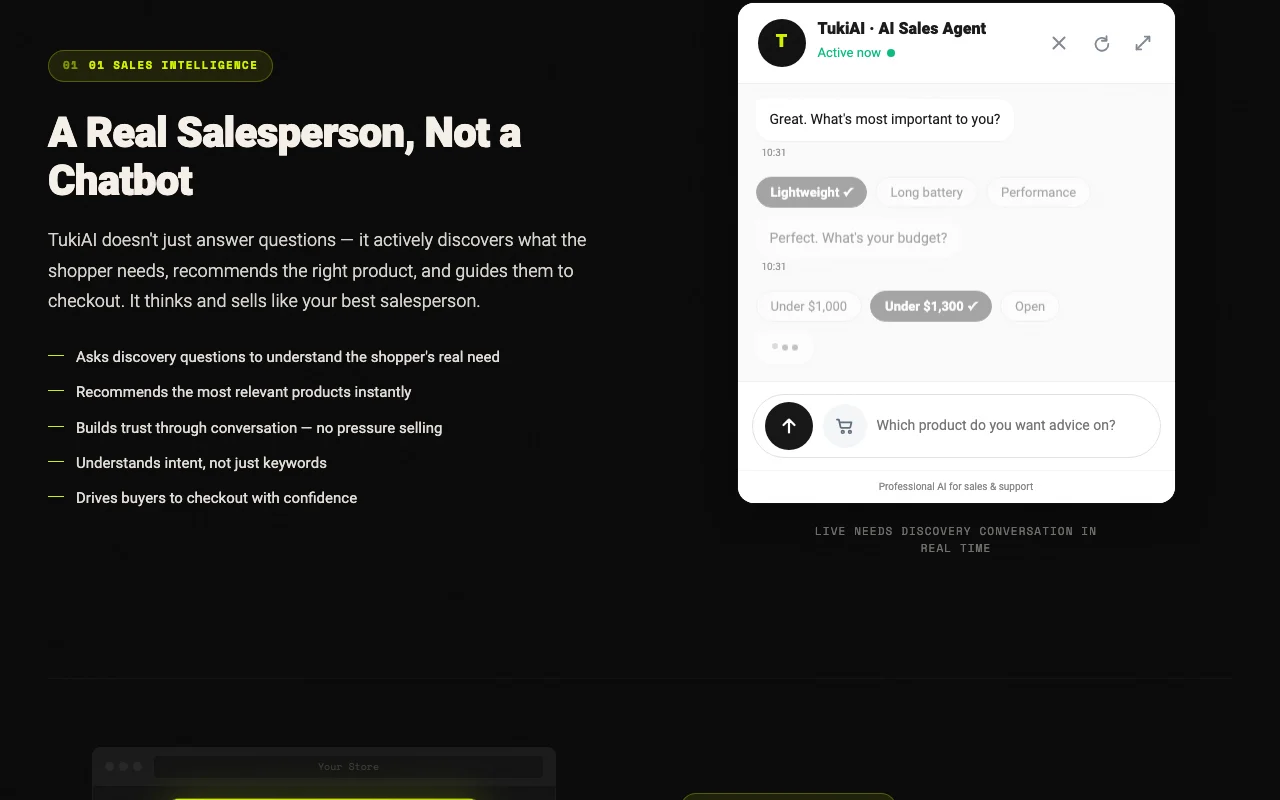
TukiAI is a WordPress plugin that adds an AI sales agent to WooCommerce stores. It reads the product catalog, categories and site content, then recommends products, answers service questions and handles orders, escalating to people when needed. The agent works on the store website and connects to WhatsApp, Messenger and Instagram. The site states support for 54 languages and a 3-month free pilot with no credit card.

TukiAI homepage — screenshot of the productivity & writing AI tool, Oct 2, 2026
TukiAI's official site: how the product presents itself. tukiai.com, captured Oct 2, 2026

What you provide and what you get back

How TukiAI works: what you provide, where it runs and what you get backYOU PROVIDEYour inputWooCommerce catalog, inventory an…Customer chatsPRODUCTIVITY & WRITINGTukiAIfrom $29 (Growth)free tier availableaccount requiredchecked Oct 2, 2026YOU GET BACKThe resultProduct recommendations and ordersWeekly reportsinput → TukiAI → output · from the vendor's own pages, no hands-on test unless stated
What you give TukiAI and what comes back, from its documentation

You provide

  • WooCommerce catalog, inventory and policies
  • Customer chats

You get back

  • Product recommendations and orders
  • Weekly reports

Where you can use it

Account
Required

Where TukiAI is most useful

Scenarios are worked out by our editors from the documentation; the actual result depends on your input and plan.

Product recommendations in store chat

Who
WooCommerce owners
You provide
Catalog
Expected result
Recommendations in chat
Plan needed
Any
Limitation
WooCommerce only source (opens in a new tab)

After-hours customer support

Who
Small shops
You provide
After-hours chats
Expected result
Support answers
Plan needed
Any
Limitation
Escalation to humans source (opens in a new tab)

Order status and return questions

Who
Store managers
You provide
Order questions
Expected result
Status and returns replies
Plan needed
Any
Limitation
Service chats billed source (opens in a new tab)

What TukiAI does, and where it stops

WordPress plugin install

Installs as a plugin and syncs the store. Quick start.

Access: All plans.Limit: Needs up to 24 hours. source (opens in a new tab)

Catalog, inventory and policy sync

Chats on website with product cards; guides shoppers. Guides shoppers.

Access: All plans.Limit: Store only. source (opens in a new tab)

Website chat with product cards

Adds WhatsApp, Messenger and Instagram; more channels. More channels.

Access: All plans.Limit: Meta setup. source (opens in a new tab)

WhatsApp, Messenger and Instagram channels

Reports weekly; visibility. Visibility.

Access: All plans.Limit: Detail limited. source (opens in a new tab)

TukiAI: strengths and limits

Where TukiAI is strong

Limitations to check before paying

How to use TukiAI for adding an AI sales agent to WooCommerce

Set up TukiAI

  1. Start the free pilot.
  2. Install the plugin.
  3. Wait for the store sync.

Example: adding an AI sales agent to WooCommerce

  1. Open the chat.
  2. Ask for a product.
  3. Place a test order.
  4. Review the weekly report.

Review and export the result

  1. Check catalog accuracy.
  2. Check escalation.

TukiAI API

TukiAI pricing page with plans and prices — screenshot of the productivity & writing AI tool, Oct 2, 2026
Plan comparison on the official pricing page. tukiai.com, captured Oct 2, 2026

API access and separate billing

TukiAI has no public API in its official documentation. Not stated in fetched pages.

Privacy, data use and commercial rights

Summarized from the vendor's current policies; this is not legal advice and a vendor's badge is not an independent audit.

How your inputs and outputs are handled

Store catalog and chats.

Other tools to consider instead of TukiAI

"Better suited" is based on documented features and pricing, not on a head-to-head test.

Zapier: better suited to

Make: better suited to

ChatGPT: better suited to

Alternatives
AlternativeWhen to choose itPricingLimitation
Zapier——Compare
Make——Compare
ChatGPT——

Explore TukiAI further

Tools and guides near TukiAI

TukiAI user reviews

No user reviews yet.

Used TukiAI? Be the first to share your experience.

Write a review

Reviews are checked by a moderator before they appear. Your email is never published. Plain text only.

Your rating (required)

Show what you made or what went wrong. Images are published only if the review is approved; location data is removed.

    TukiAI FAQ

    What does TukiAI charge per sale?

    $0.50 plus $0.10 per service chat.

    What happens after the TukiAI pilot?

    The agent stops until you pick a plan.

    How many languages does TukiAI support?

    54.

    When does TukiAI Growth beat pay per sale?

    Above about 60 sales a month.

    What counts as a TukiAI sale?

    An order paid through the agent.

    Sources and review methodology

    Official sources and verification dates

    Not verified: Platforms beyond WooCommerce.; Page not available: https://tukiai.com/docs.

    How we documented and maintain this page

    Every fact about TukiAI above comes from the 3 official pages listed here, last compared on Oct 2, 2026; we have not run TukiAI ourselves, so it has no editorial score. How we check and re-check pages.

    Article updated Oct 10, 2026; prices checked Oct 2, 2026. Outbound links to vendors are plain links; we do not earn commissions. How we review · Report an error