Productivity & writingDocumented overviewLast checked Sep 29, 2026

Uplift: Pricing, Features & Best Use Cases

Service that builds, runs and maintains AI agents for business routines, priced per agent package rather than per seat.

Who should use Uplift

Pick Uplift if a business team wants AI agents for routines like HubSpot lead qualification built, run and maintained for them under one flat package price, and is willing to request access and get a quote. Based on the vendor's documentation, not on a hands-on test.

Best for: Business ops and revenue teams

Also a good fit for

  • Companies without in-house automation engineers

Consider another tool if no public prices; pricing requires contacting the team

Or if

  • Access is by request
  • Built and run by Uplift rather than self-serve

Uplift in the news

Headlines from US outlets, selected automatically — not endorsements. Updated Oct 2, 2026

Uplift pricing and usage limits

Prices checked Sep 29, 2026 on the official US pricing page. Official pricing ↗ Prices and limits change often.

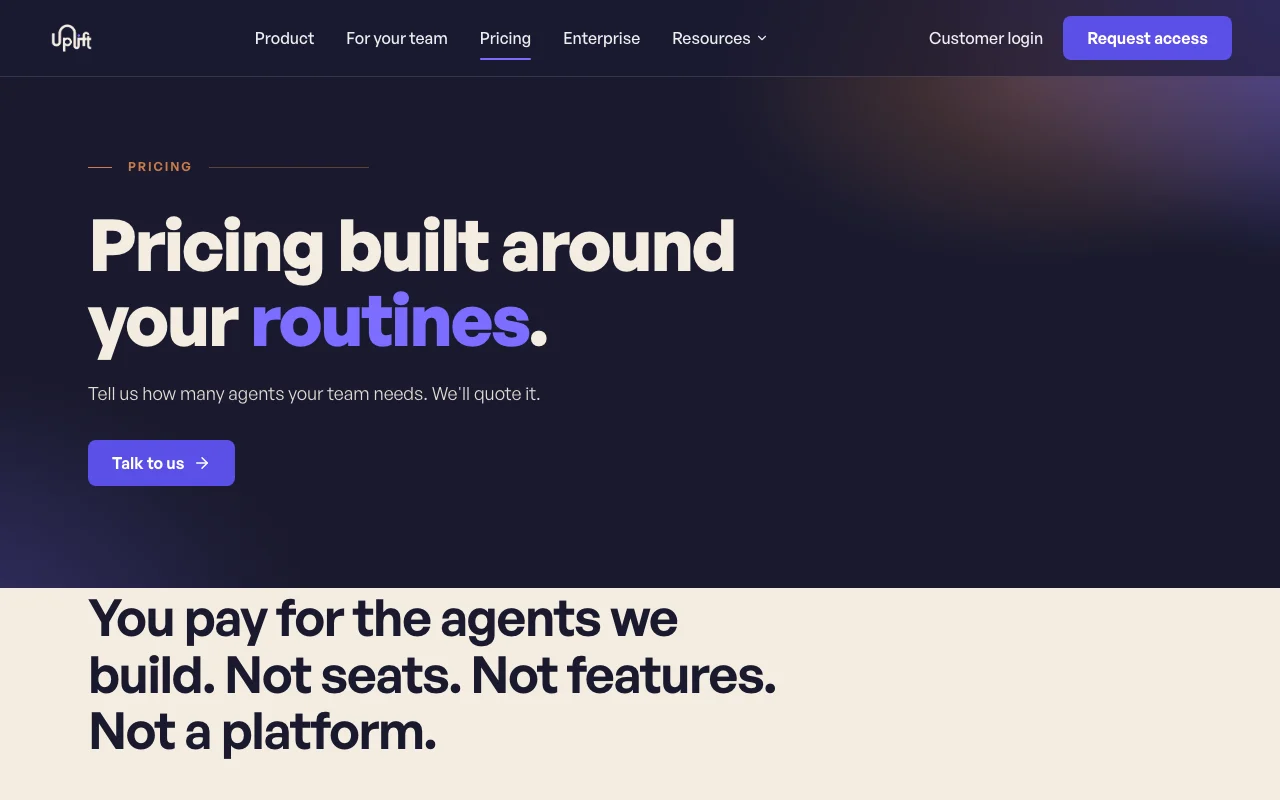
Uplift pricing page with plans and prices — screenshot of the productivity & writing AI tool, Oct 1, 2026
The official Uplift pricing page as we saw it. getuplift.ai, captured Oct 1, 2026

Free access and trial conditions

None stated.

None stated; first engagement process described in FAQ.

Paid plans: what changes as you upgrade

Agent package Web

Custom pricing source (opens in a new tab)

Month

For: Business teams without automation engineers

Limits

  • Quoted by number of agents and routine complexity
  • Per-agent rate falls with volume

Includes

  • Scoping chat per agent
  • 24/7 monitoring
2 more
  • 200+ tools connected
  • Web-app access

Enterprise volumes Web

Custom pricing source (opens in a new tab)

Unknown

For: Large organizations

Limits

  • Multiple teams and agents

Includes

  • SSO
  • Audit logs
2 more
  • Data residency (US, EU, on-premise)
  • Dedicated CSM

Usage caps, credits and extra costs

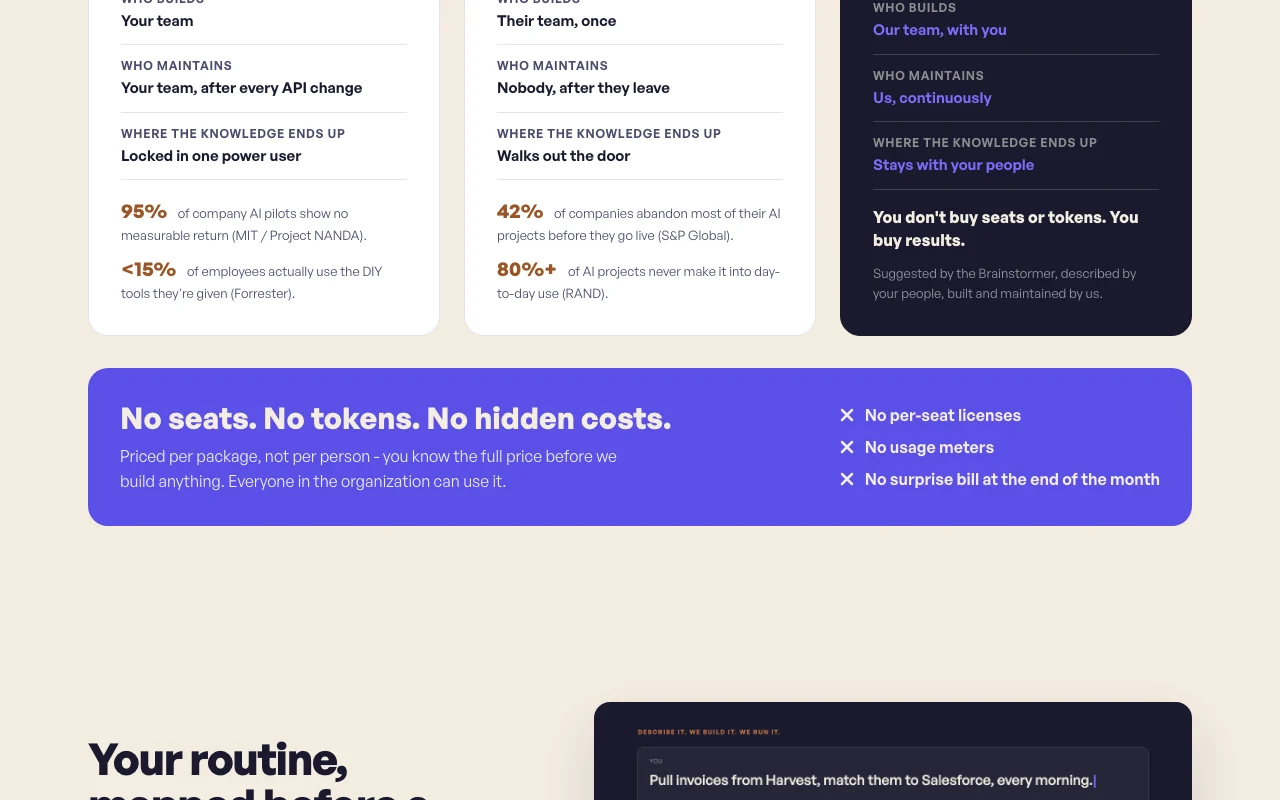
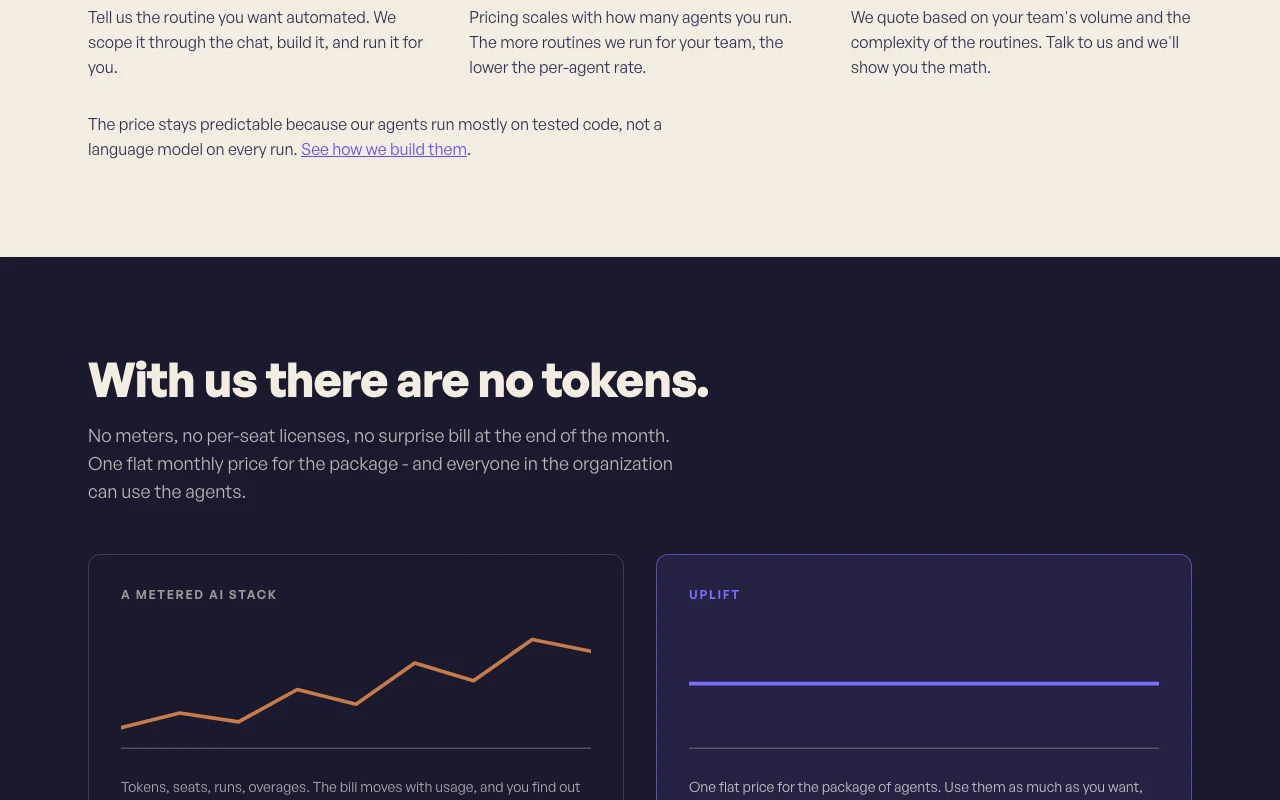
Flat package price; no tokens, seats or meters.

Not stated.

What is Uplift, and how does it work?

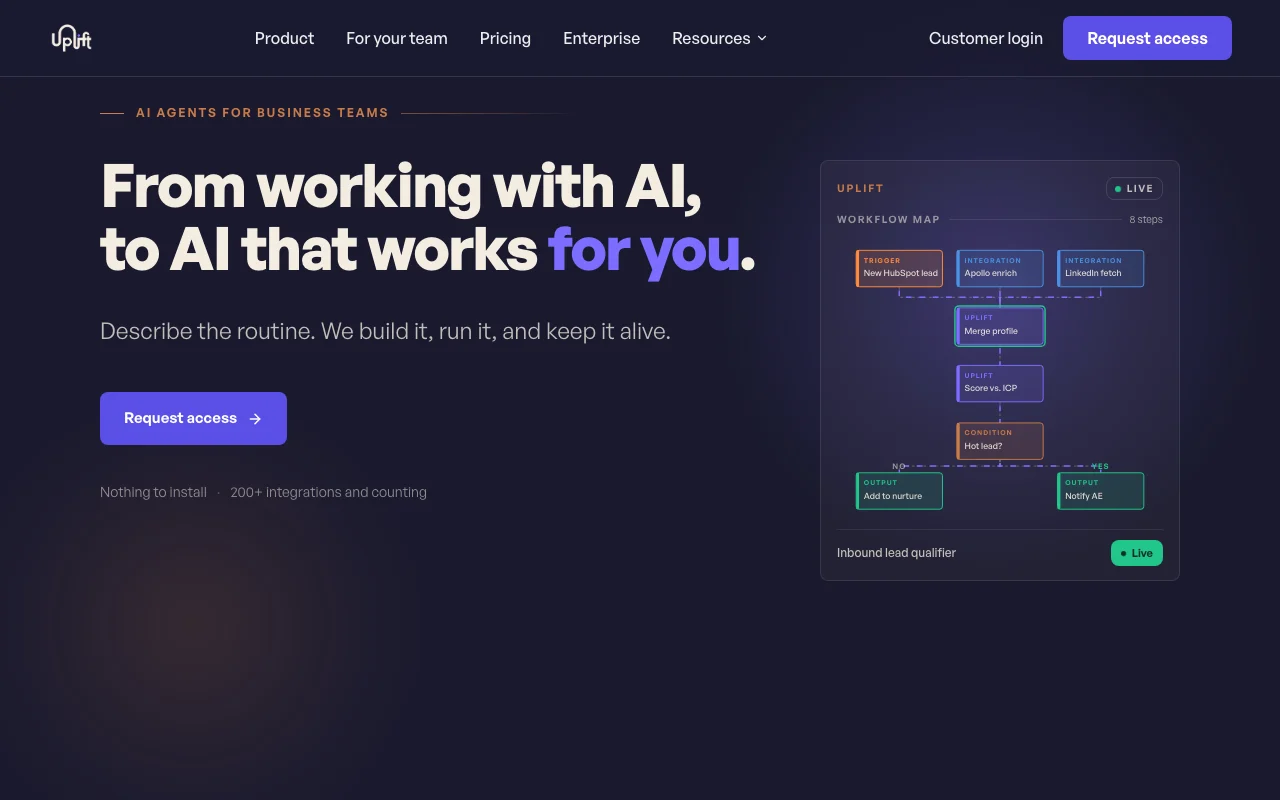
Uplift builds AI agents for business teams. A user describes a routine in a chat, the team maps the workflow for approval, then builds, runs and maintains the agent. Agents connect to 200+ tools such as HubSpot, Salesforce and Slack, run mostly on tested code, and are accessed through a web app with nothing to install.

Uplift homepage — screenshot of the productivity & writing AI tool, Oct 1, 2026
Uplift's official site: how the product presents itself. getuplift.ai, captured Oct 1, 2026

What you provide and what you get back

How Uplift works: what you provide, where it runs and what you get backYOU PROVIDEYour inputA described business routine in t…Connections to tools like HubSpot…PRODUCTIVITY & WRITINGUpliftWebprice not publishedno free tieraccount requiredchecked Sep 29, 2026YOU GET BACKThe resultA production agent built and run…Workflow map for approvalOngoing monitoringinput → Uplift → output · from the vendor's own pages, no hands-on test unless stated
What you give Uplift and what comes back, from its documentation

You provide

  • A described business routine in the scoping chat
  • Connections to tools like HubSpot, Salesforce, Slack

You get back

  • A production agent built and run by Uplift
  • Workflow map for approval
  • Ongoing monitoring

Where you can use it

Platforms
Web
Account
Required
Integrations
200+ tools
Access
By request, web app
Certifications
ISO 27001; SOC 2 Type II in progress
Residency
US, EU, on-premise on Enterprise

Where Uplift is most useful

Scenarios are worked out by our editors from the documentation; the actual result depends on your input and plan.

Qualify inbound leads from HubSpot

Who
Revenue and sales ops teams
You provide
A description of the qualification routine
Expected result
An agent that watches HubSpot and scores new leads
Plan needed
Agent package
Limitation
Needs HubSpot connection and approval of the workflow map source (opens in a new tab)

Automate recurring business routines

Who
Operations teams
You provide
A routine described in chat
Expected result
A built agent running on schedule or trigger
Plan needed
Agent package
Limitation
Uplift builds it; you cannot self-build source (opens in a new tab)

Connect CRM and messaging tools

Who
Teams with disconnected tools
You provide
Access to CRM and Slack
Expected result
Agents moving data between 200+ supported tools
Plan needed
Agent package
Limitation
Tool coverage is as listed by Uplift source (opens in a new tab)

Keeping agents working after API changes

Who
Companies without engineers
You provide
Existing agent needs
Expected result
Uplift handles model and API drift
Plan needed
Agent package
Limitation
Maintenance scope per agreed plan source (opens in a new tab)

Key features and their practical limits

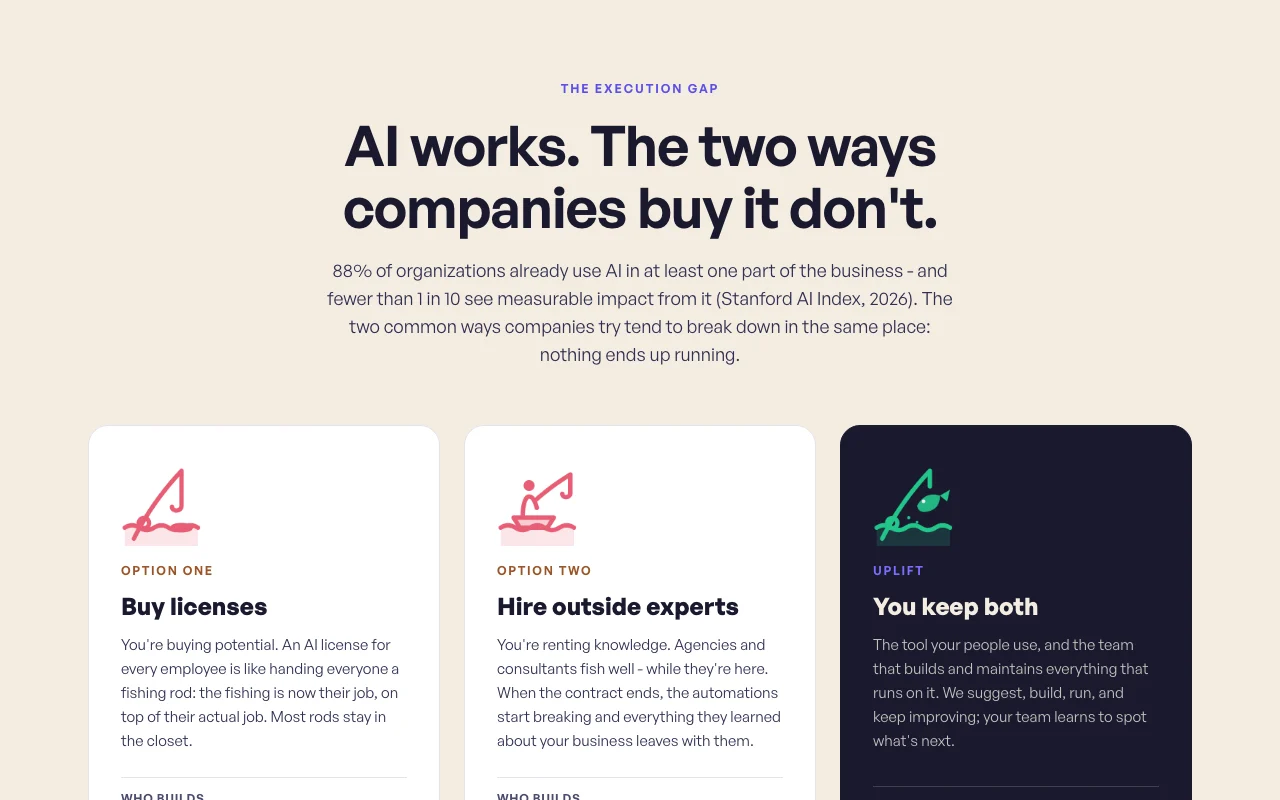
Uplift homepage — screenshot of the productivity & writing AI tool, Oct 1, 2026
Feature overview on the official site. getuplift.ai, captured Oct 1, 2026

Scoping chat per agent

A chat asks follow-up questions and defines the agent's routine. Takes 5 to 15 minutes of your time.

Access: Every packageLimit: Quality depends on how well you describe the routine source (opens in a new tab)

Workflow map confirmed before build

Shows the full plan of steps for you to approve before building. You see what it will do first.

Access: Every packageLimit: You must review it source (opens in a new tab)

24/7 monitoring after launch

Monitors agents 24/7 after launch and handles model and API drift. Agents keep working.

Access: Every packageLimit: Scope per agreement source (opens in a new tab)

200+ integrations

Connects 200+ tools such as HubSpot, Salesforce and Slack. Fits existing stack.

Access: Every packageLimit: Specific tool support must be confirmed source (opens in a new tab)

Uplift: strengths and limits

Reasons to choose Uplift

Check before paying for Uplift

How to use Uplift for getting a business routine automated by an AI agent

Set up Uplift

  1. Request access on getuplift.ai
  2. Open the scoping chat once approved
  3. Describe the routine, such as qualifying HubSpot leads

Example: getting a business routine automated by an AI agent

  1. Answer the follow-up questions
  2. Review the workflow map
  3. Approve it so Uplift can build
  4. Test the delivered agent

Review and export the result

  1. Check the first runs match the approved steps
  2. Confirm monitoring and alerts are active
Example prompt suggested by our editors (not a recorded output of the product)
Watch HubSpot for new inbound leads, score them against our ideal customer profile and post qualified ones to Slack.

Uplift API

Uplift pricing page with plans and prices — screenshot of the productivity & writing AI tool, Oct 1, 2026
Plan comparison on the official pricing page. getuplift.ai, captured Oct 1, 2026

API access and separate billing

Uplift has no public API in its official documentation. Not stated

Privacy, data use and commercial rights

Summarized from the vendor's current policies; this is not legal advice and a vendor's badge is not an independent audit.

How your inputs and outputs are handled

Interactions with the AI assistant are processed, possibly via third-party AI services such as OpenAI, Google Gemini or Claude.

Personal data is never used to train AI models, per the privacy text.

Not captured.

Commercial use and plan restrictions

Not stated.

Custom data residency on Enterprise volumes.

Controls for business users

  • ISO 27001 certified
  • SOC 2 Type II in progress
  • SSO
  • Audit logs

Policies: getuplift.ai/privacy

Uplift alternatives by need

"Better suited" is based on documented features and pricing, not on a head-to-head test.

Zapier: better suited to

Make: better suited to

n8n: better suited to

Alternatives
AlternativeWhen to choose itPricingLimitation
Zapier——Compare
Make——Compare
n8n——Compare

Explore Uplift further

If you are looking at Uplift

Uplift user reviews

No user reviews yet.

Used Uplift? Be the first to share your experience.

Write a review

Reviews are checked by a moderator before they appear. Your email is never published. Plain text only.

Your rating (required)

Show what you made or what went wrong. Images are published only if the review is approved; location data is removed.

    Uplift FAQ

    How much does Uplift cost?

    There are no public prices; you pay a flat monthly package price quoted by the number of agents and complexity. source (opens in a new tab)

    How long to get a first agent running?

    Most teams have one running within the same week; the scoping chat takes 5 to 15 minutes. source (opens in a new tab)

    Does Uplift charge per token, run or seat?

    No. It is one flat price for the package and everyone in the organization can use the agents. source (opens in a new tab)

    What security certifications exist?

    ISO 27001 certified, with SOC 2 Type II in progress. source (opens in a new tab)

    Can I choose data residency?

    Enterprise volumes include custom data residency in the US, EU or on-premise. source (opens in a new tab)

    Sources and review methodology

    Official sources and verification dates

    Not verified: Prices; API; Retention; Free trial.

    How we documented and maintain this page

    Every fact about Uplift above comes from the 2 official pages listed here, last compared on Sep 29, 2026; we have not run Uplift ourselves, so it has no editorial score. How we check and re-check pages.

    Article updated Oct 10, 2026; prices checked Sep 29, 2026. Outbound links to vendors are plain links; we do not earn commissions. How we review · Report an error