Productivity & writingDocumented overviewLast checked Sep 29, 2026

VidiRelay: Pricing, Features & Best Use Cases

Web tool that turns public video links and uploaded audio or video files into editable, timestamped transcripts.
Who VidiRelay fits

Use VidiRelay to turn public TikTok, Reels, YouTube or Facebook links, or uploaded media, into editable timestamped transcripts without a subscription, paying 1 credit per started 10 minutes. Based on the vendor's documentation, not on a hands-on test.

Best for: Creators

Also a good fit for

  • Marketers
  • Researchers

Consider another tool if only public video links accepted; private and local network links are rejected

Or if

  • Credits expire after 12 months
  • Account required

VidiRelay pricing and usage limits

Prices checked Sep 29, 2026 on the official US pricing page. Official pricing ↗ Prices and limits change often.

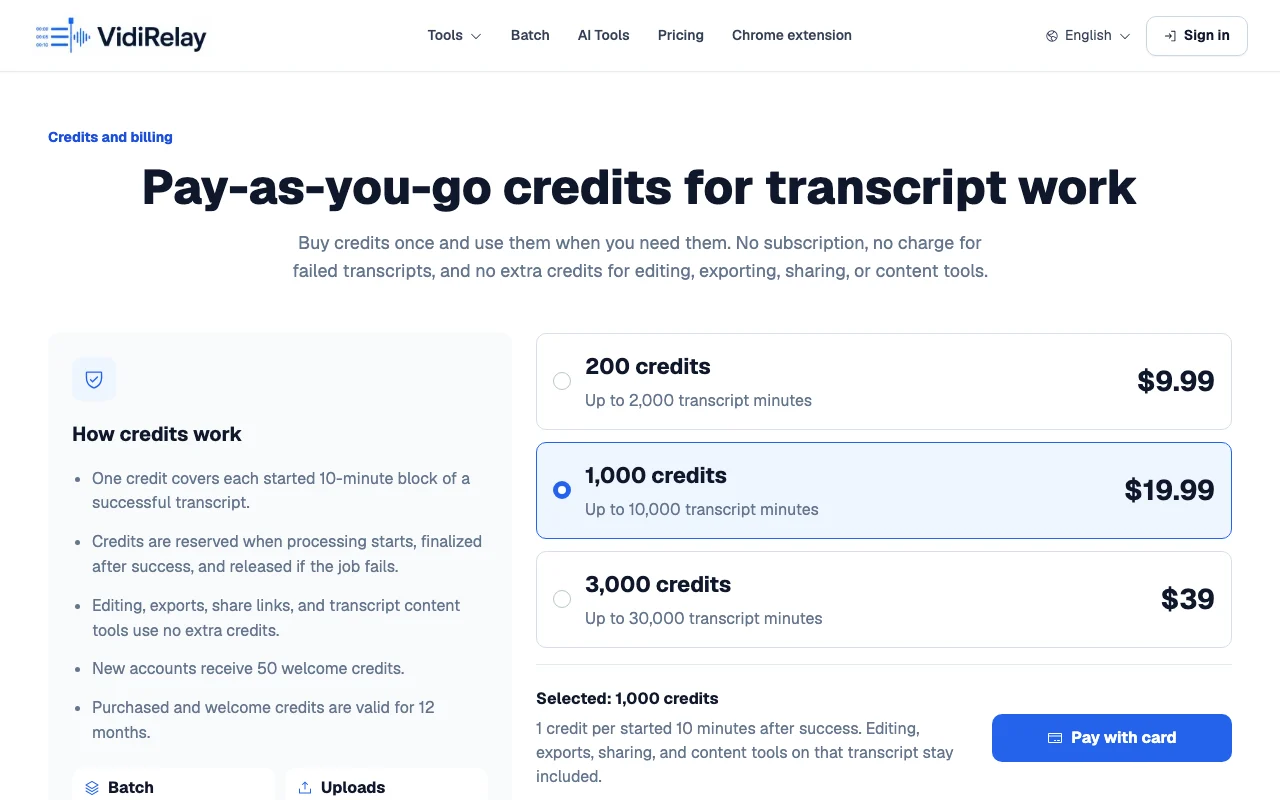
VidiRelay pricing page with plans and prices — screenshot of the productivity & writing AI tool, Oct 1, 2026
The official VidiRelay pricing page as we saw it. vidirelay.com, captured Oct 1, 2026

Free access and trial conditions

New accounts receive 50 welcome credits

Paid plans: what changes as you upgrade

200 credits web

$9.99 one-time source (opens in a new tab)

One-time

For: Light use

Limits

  • Valid 12 months

Includes

  • Batch import
  • 6 export formats
1 more
  • Content tools

No API

1,000 credits web

$19.99 one-time source (opens in a new tab)

One-time

For: Regular use

Limits

  • Valid 12 months

Includes

  • Batch import
  • 6 export formats
1 more
  • Content tools

No API

3,000 credits web

$39 one-time source (opens in a new tab)

One-time

For: Agencies

Limits

  • Valid 12 months

Includes

  • Batch import
  • 6 export formats
1 more
  • Content tools

No API

Usage caps, credits and extra costs

None for editing, exports, sharing or content tools

What is VidiRelay, and how does it work?

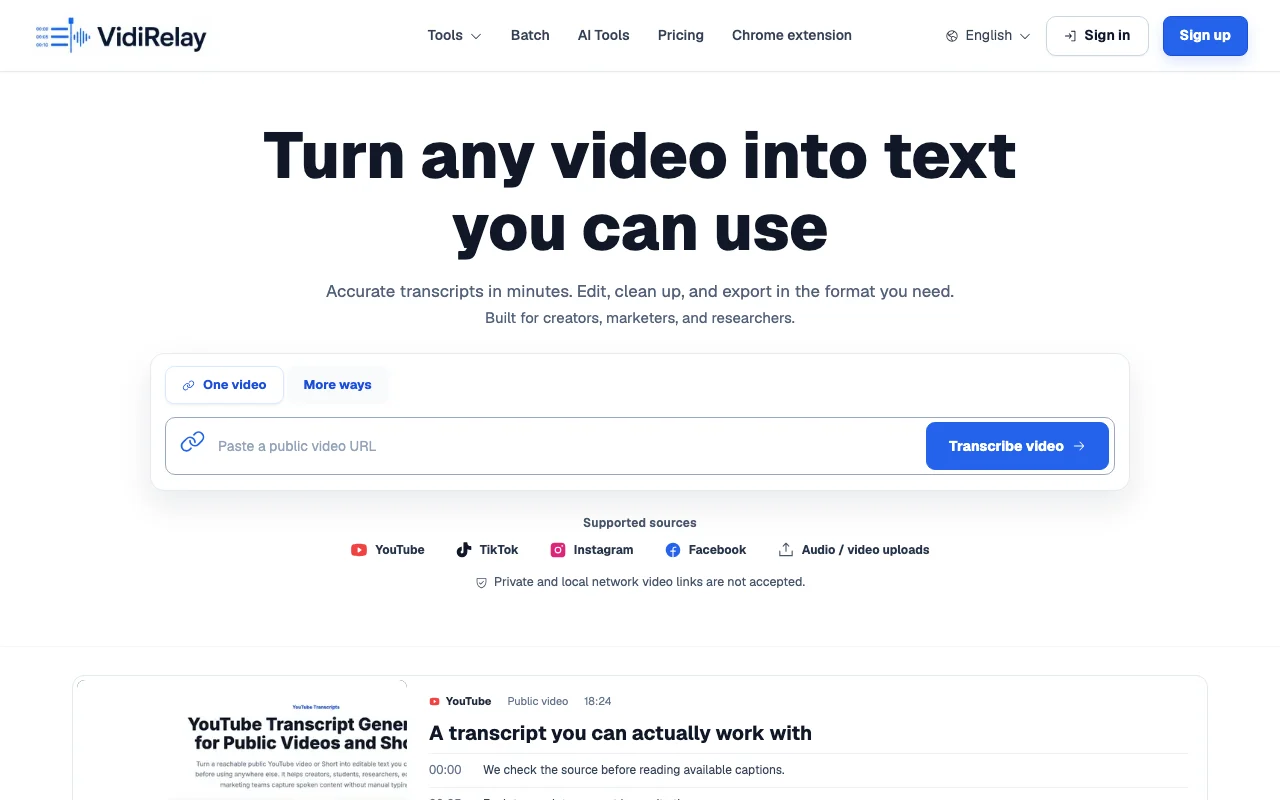
VidiRelay creates transcripts from public TikTok, Instagram Reels, YouTube and Facebook video links, or from uploaded audio and video files. Transcripts are timestamped segments that can be edited and exported. Billing is pay-as-you-go credit packs rather than a subscription. One credit covers each started 10-minute block of a successful transcript.

VidiRelay homepage — screenshot of the productivity & writing AI tool, Oct 1, 2026
VidiRelay's official site: how the product presents itself. vidirelay.com, captured Oct 1, 2026

What you provide and what you get back

How VidiRelay works: what you provide, where it runs and what you get backYOU PROVIDEYour inputPublic video URL, batch of up to…Uploaded MP4, MOV, WebM, MP3, WAV…PRODUCTIVITY & WRITINGVidiRelayWebfrom $9.99 (200 credits)free tier availableaccount requiredchecked Sep 29, 2026YOU GET BACKThe resultEditable timestamped transcript s…TXT, SRT, VTT, CSV, JSON, DOCX do…Summaries, hooks, captions, rewri…input → VidiRelay → output · from the vendor's own pages, no hands-on test unless stated
What you give VidiRelay and what comes back, from its documentation

You provide

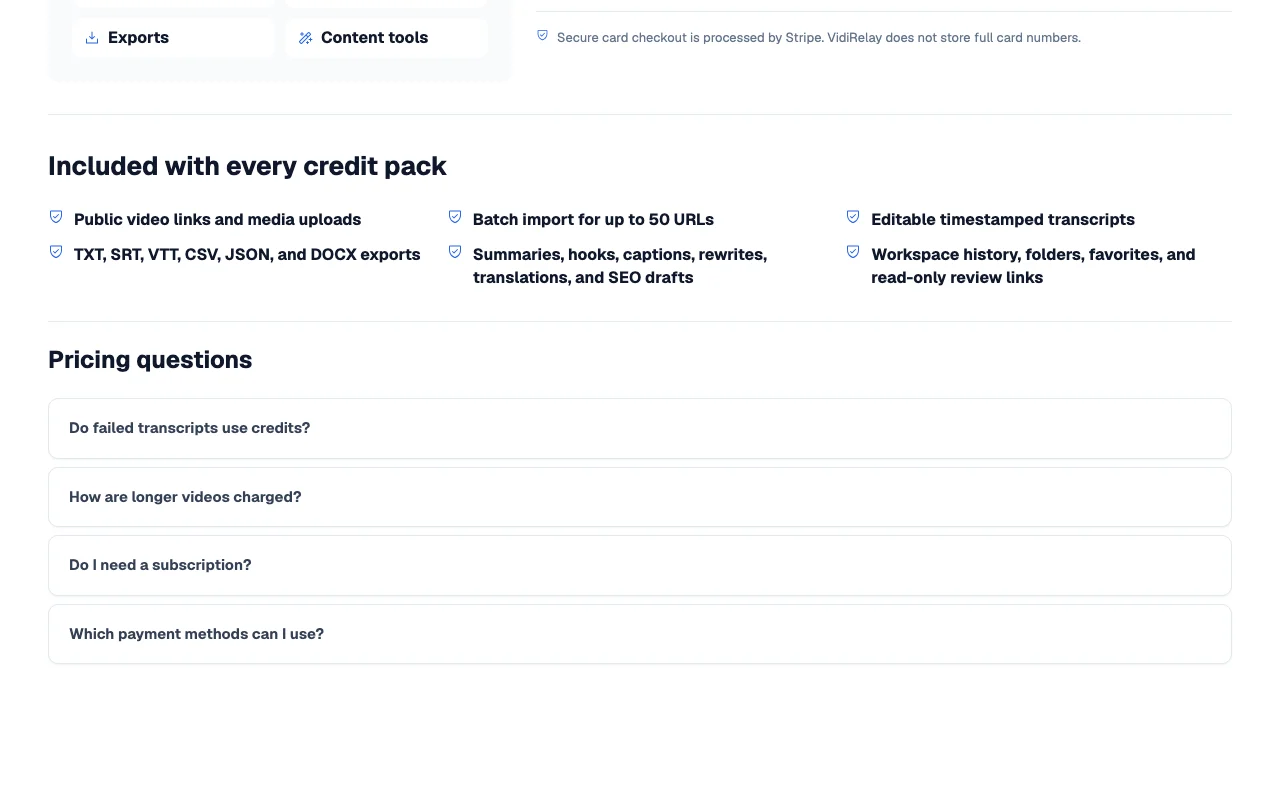
  • Public video URL, batch of up to 50 links, or public playlist
  • Uploaded MP4, MOV, WebM, MP3, WAV, M4A, TXT, SRT or VTT files

You get back

  • Editable timestamped transcript segments
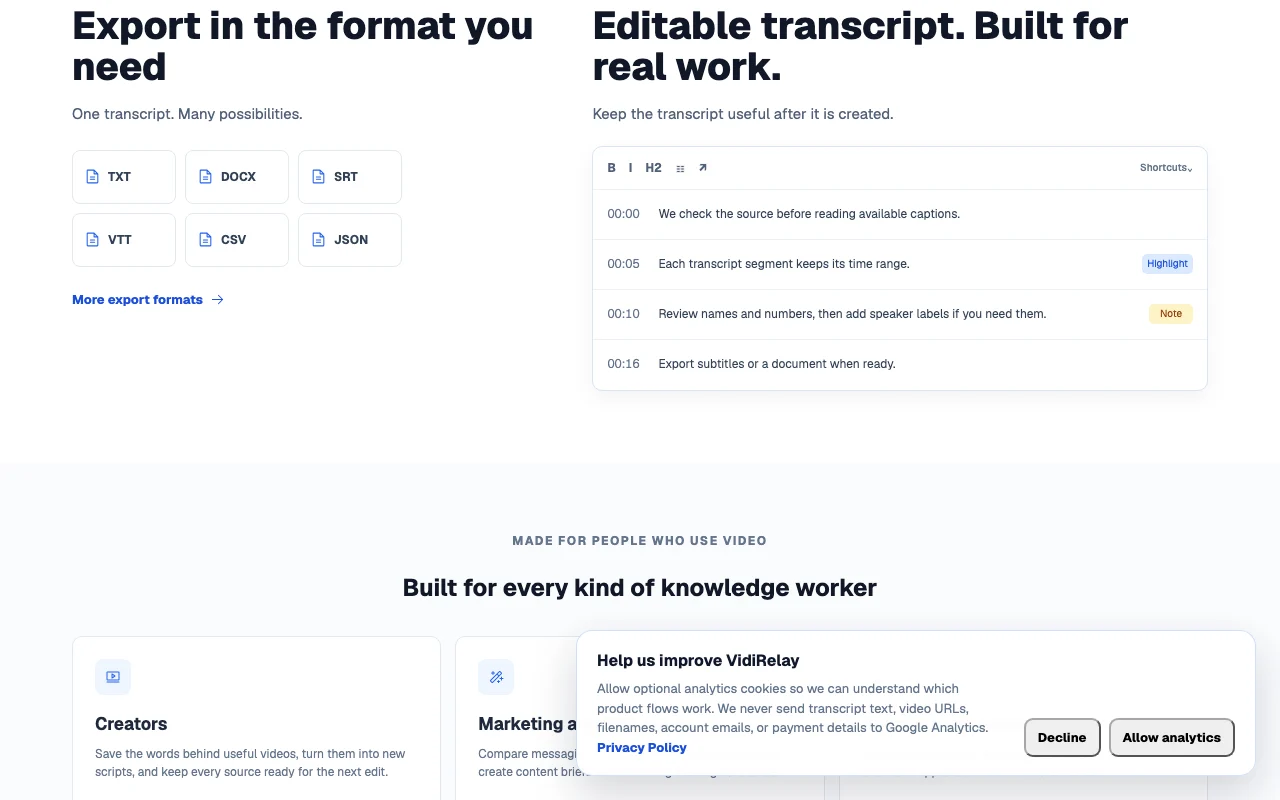
  • TXT, SRT, VTT, CSV, JSON, DOCX downloads
  • Summaries, hooks, captions, rewrites, translations, SEO drafts

Where you can use it

Platforms
Web
Account
Required
Sources
Public TikTok, Instagram Reels, YouTube, Shorts, Facebook
Upload formats
MP4, MOV, WebM, MP3, WAV, M4A, TXT, SRT, VTT
Billing unit
1 credit per started 10 minutes
Credit validity
12 months
Languages
Not stated on fetched pages

Where VidiRelay is most useful

Scenarios are worked out by our editors from the documentation; the actual result depends on your input and plan.

Transcribe short-form social videos

Who
Creators studying other people's TikToks and Reels
You provide
Public TikTok or Instagram Reels link
Expected result
Timestamped transcript you can edit and reuse as a script
Plan needed
Credit packs (1 credit per started 10 min)
Limitation
Private links are rejected source (opens in a new tab)

Convert uploaded audio to text

Who
Researchers with interview recordings
You provide
MP3, WAV, M4A or video file
Expected result
Transcript with timestamps and SRT or DOCX export
Plan needed
Credit packs
Limitation
File size limits apply source (opens in a new tab)

Batch-transcribe up to 50 links

Who
Agencies and marketing teams comparing competitor videos
You provide
List of up to 50 public URLs or a playlist
Expected result
One individual result per accepted link in folders
Plan needed
Credit packs
Limitation
Each link consumes credits per started 10 minutes source (opens in a new tab)

Producing subtitles from a YouTube video

Who
Video editors
You provide
Public YouTube link
Expected result
SRT or VTT subtitle file
Plan needed
Credit packs
Limitation
Names and numbers still need review source (opens in a new tab)

Key features and their practical limits

VidiRelay homepage — screenshot of the productivity & writing AI tool, Oct 1, 2026
Feature overview on the official site. vidirelay.com, captured Oct 1, 2026

Single or batch link import (up to 50 URLs)

Accepts one link or a list and creates a separate transcript per accepted URL Processes a whole creator or campaign in one go

Access: All accountsLimit: Cap of 50 URLs per batch source (opens in a new tab)

Public playlist import

Pulls videos from a public playlist into transcript jobs Collections do not need to be pasted link by link

Access: All accountsLimit: Playlist must be public source (opens in a new tab)

Audio and video file uploads

Transcribes local MP4, MOV, WebM, MP3, WAV and M4A files Covers media that has no public link

Access: All accountsLimit: Listed size limits apply source (opens in a new tab)

Editable timestamped transcripts

Lets you correct names, adjust timestamps, search, highlight and note Cleans the text before export

Access: All accounts, no extra creditsLimit: Speaker labels are added manually source (opens in a new tab)

Content tools

Generates summaries, hooks, captions, rewrites, translations and SEO drafts from a transcript Reuses video text as new content

Access: Included with credit packsLimit: Output quality not documented source (opens in a new tab)

Pros, cons and deal-breakers

Where VidiRelay is strong

Limitations to check before paying

How to use VidiRelay for transcribing a public video

Set up VidiRelay

  1. Open vidirelay.com and create an account to receive 50 welcome credits
  2. Choose One video, batch, playlist or file upload
  3. Check that the source is a public TikTok, Reels, YouTube or Facebook link

Example: transcribing a public video

  1. Paste a public YouTube link and start the job
  2. Wait for the timestamped segments to appear
  3. Correct names and numbers in the editor
  4. Download SRT for subtitles or DOCX for a document

Review and export the result

  1. Compare a few timestamps against the video
  2. Confirm the credits charged match started 10-minute blocks

VidiRelay integrations and API

VidiRelay pricing page with plans and prices — screenshot of the productivity & writing AI tool, Oct 1, 2026
Plan comparison on the official pricing page. vidirelay.com, captured Oct 1, 2026

Native integrations and export formats

Export: TXT, SRT, VTT, CSV, JSON, DOCX

API access and separate billing

VidiRelay has no public API in its official documentation. No API documented on fetched pages

Privacy, data use and commercial rights

Summarized from the vendor's current policies; this is not legal advice and a vendor's badge is not an independent audit.

How your inputs and outputs are handled

Transcripts, timestamps, source details and history are saved in the workspace

Controls for business users

  • Private and local network URLs blocked

Other tools to consider instead of VidiRelay

"Better suited" is based on documented features and pricing, not on a head-to-head test.

Descript: better suited to

Otter.ai: better suited to

Alternatives
AlternativeWhen to choose itPricingLimitation
Descript——
Otter.ai——

Explore VidiRelay further

If you are looking at VidiRelay

VidiRelay user reviews

No user reviews yet.

Used VidiRelay? Be the first to share your experience.

Write a review

Reviews are checked by a moderator before they appear. Your email is never published. Plain text only.

Your rating (required)

Show what you made or what went wrong. Images are published only if the review is approved; location data is removed.

    VidiRelay FAQ

    Do failed transcripts use credits?

    No. Credits are recorded only after transcript text is produced; failed jobs release the reservation. source (opens in a new tab)

    How are longer videos charged?

    One credit per started 10-minute block, so a 24-minute transcript settles at 3 credits. source (opens in a new tab)

    How many links fit in a batch?

    Up to 50 URLs, each producing its own result. source (opens in a new tab)

    Which formats can I download?

    TXT, SRT, VTT, CSV, JSON and DOCX. source (opens in a new tab)

    Which payment methods are offered?

    Stripe Checkout, which may offer cards, Apple Pay, Link, WeChat Pay or Alipay depending on device, location and currency. source (opens in a new tab)

    Sources and review methodology

    Official sources and verification dates

    Not verified: Privacy, retention and training use; Supported transcription languages; Upload size limits; API availability.

    How we documented and maintain this page

    Every fact about VidiRelay above comes from the 2 official pages listed here, last compared on Sep 29, 2026; we have not run VidiRelay ourselves, so it has no editorial score. How we check and re-check pages.

    Article updated Oct 10, 2026; prices checked Sep 29, 2026. Outbound links to vendors are plain links; we do not earn commissions. How we review · Report an error