Productivity & writingDocumented overviewLast checked Sep 29, 2026

ViewMetrics: Pricing, Features & Best Use Cases

Marketing reporting platform that gathers client marketing data into dashboards and lets AI tools like Claude and ChatGPT read it.
Who ViewMetrics fits

ViewMetrics suits solo marketing consultants and small agencies who want client marketing data in dashboards, Google Workspace reports and embeddable charts that Claude or ChatGPT can read through MCP, on flat plans from a free tier. Based on the vendor's documentation, not on a hands-on test.

Best for: Solo consultants

Also a good fit for

  • Small agencies

Consider another tool if free plan: 1 account, 1 workspace, 1 user

Or if

  • Free plan charts carry ViewMetrics branding
  • Starter allows only 1 user

ViewMetrics pricing and usage limits

Prices checked Sep 29, 2026 on the official US pricing page. Official pricing ↗ Prices and limits change often.

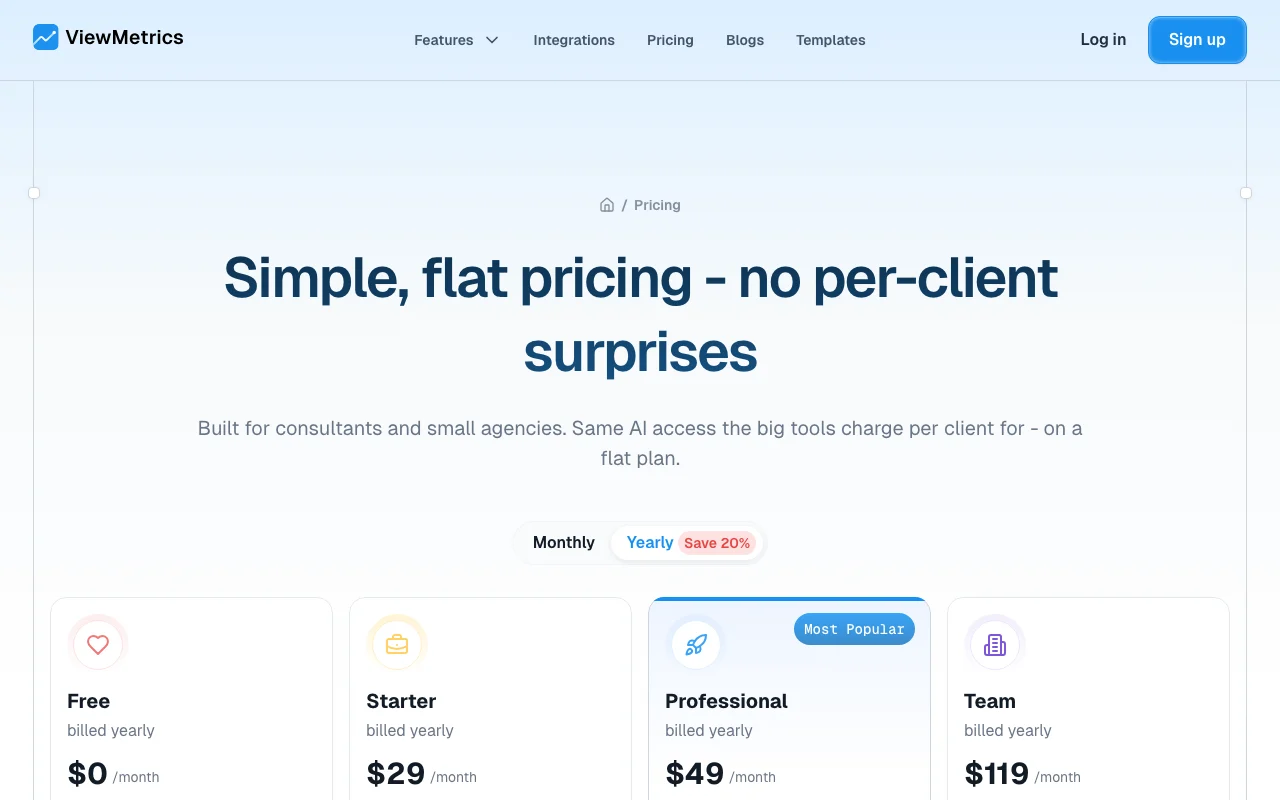
ViewMetrics pricing page with plans and prices — screenshot of the productivity & writing AI tool, Oct 1, 2026
The official ViewMetrics pricing page as we saw it. viewmetrics.com, captured Oct 1, 2026

Free access and trial conditions

Free plan at $0, no trial.

No free trial; the free plan is the entry point.

Paid plans: what changes as you upgrade

Free web

Free source (opens in a new tab)

Month

For: Trying the platform

Limits

  • 1 account, 1 workspace, 1 user
  • ViewMetrics-branded reports and charts

Includes

  • Analytics dashboard
  • Google add-on
2 more
  • Reporting
  • Chat support

Starter web

$29 source (opens in a new tab)

Month, billed yearly, annual commitment

Yearly toggle saves 20%; monthly-billing price not shown in text

For: Solo consultants

Limits

  • 5 accounts, 2 workspaces, 1 user
  • ViewMetrics-branded charts

Includes

  • Analytics dashboard
  • Google add-on
2 more
  • Reporting
  • Chat support

Professional web

$49 source (opens in a new tab)

Month, billed yearly, annual commitment

Yearly toggle saves 20%

For: Small agencies

Limits

  • 50 accounts, 5 workspaces, 5 users

Includes

  • Unbranded reports and charts
  • Analytics dashboard and Google add-on
1 more
  • Chat support

Team web

$119 source (opens in a new tab)

Month, billed yearly, annual commitment

Yearly toggle saves 20%

For: Larger agencies

Limits

  • Unlimited accounts, 20 workspaces, 20 users
  • Extra 20 sources and 3 users at $49/month

Includes

  • Unbranded reports and charts
  • Priority support

Usage caps, credits and extra costs

Every 20 additional sources and 3 additional users: $49/month.

Not stated.

What is ViewMetrics, and how does it work?

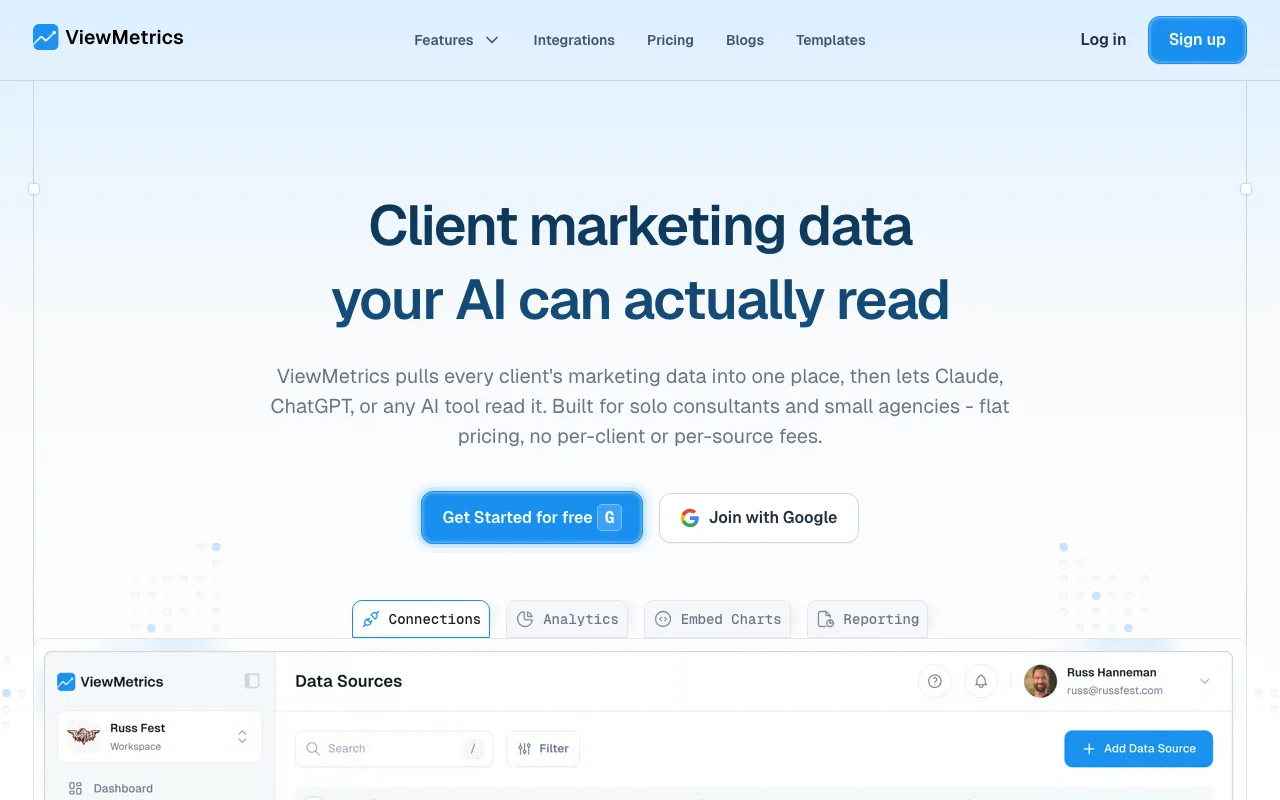
ViewMetrics pulls marketing data from sources such as Google Analytics, Facebook Ads, Mailchimp and LinkedIn into dashboards and client workspaces. It lets AI tools read that data through AI/MCP access. It also offers embeddable charts and a Google Workspace add-on that inserts metrics into Slides, Sheets and Docs. Pricing is flat by accounts, workspaces and users.

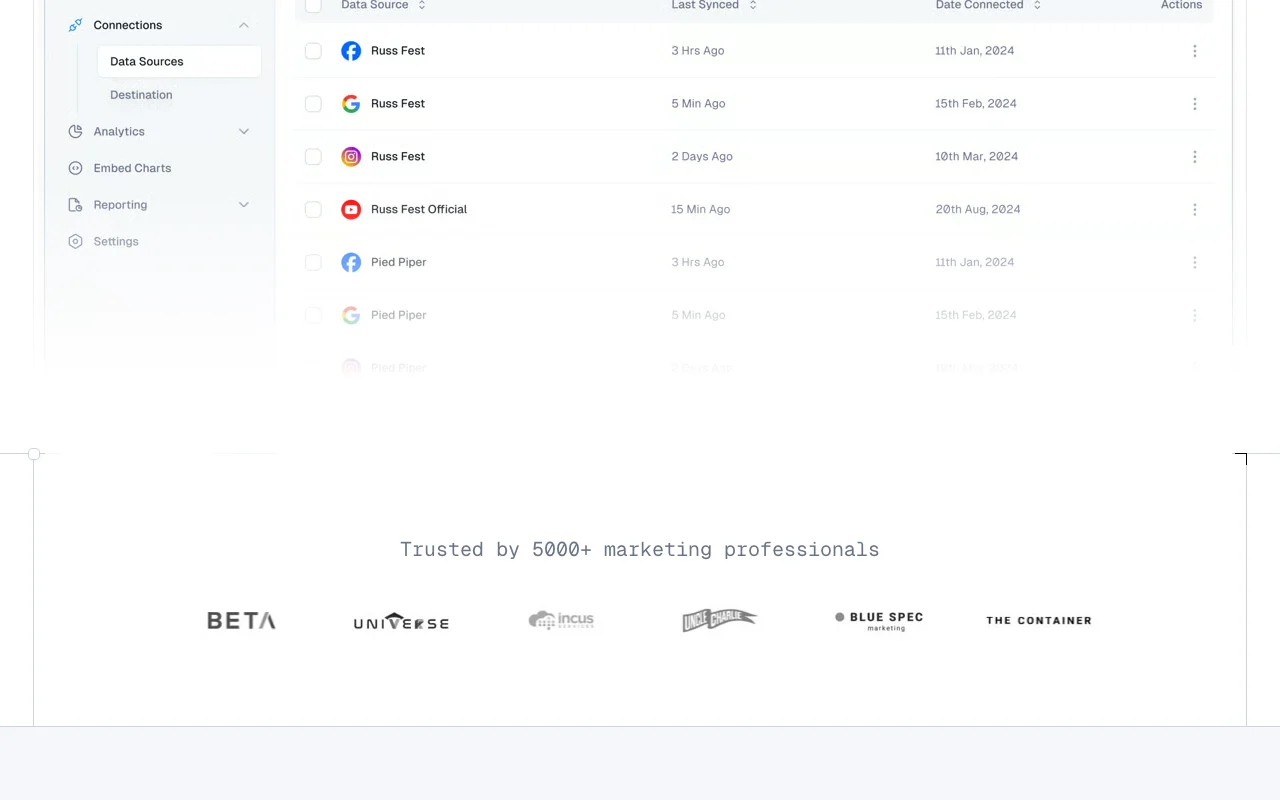
ViewMetrics homepage — screenshot of the productivity & writing AI tool, Oct 1, 2026
ViewMetrics's official site: how the product presents itself. viewmetrics.com, captured Oct 1, 2026

What you provide and what you get back

How ViewMetrics works: what you provide, where it runs and what you get backYOU PROVIDEYour inputConnected marketing sources (Goog…Google Slides or Sheets templatesQuestions from an MCP-connected A…PRODUCTIVITY & WRITINGViewMetricsWebfrom $29 (Starter)free tier availableaccount requiredchecked Sep 29, 2026YOU GET BACKThe resultClient dashboards in workspacesAuto-filled Google Slides, Sheets…Embeddable charts for Notion, Con…Read-only AI answers about client…input → ViewMetrics → output · from the vendor's own pages, no hands-on test unless stated
What you give ViewMetrics and what comes back, from its documentation

You provide

  • Connected marketing sources (Google Analytics, Facebook Ads, Mailchimp, LinkedIn, YouTube)
  • Google Slides or Sheets templates
  • Questions from an MCP-connected AI tool

You get back

  • Client dashboards in workspaces
  • Auto-filled Google Slides, Sheets and Docs reports
  • Embeddable charts for Notion, Confluence or websites
  • Read-only AI answers about client data

Where you can use it

Platforms
Web
Account
Required
Integrations
30+ marketing sources
AI access
MCP, read-only
Workspaces
1, 2, 5, 20
Users
1, 1, 5, 20
Add-on
Google Workspace (Slides, Sheets, Docs)

What people use ViewMetrics for

Scenarios are worked out by our editors from the documentation; the actual result depends on your input and plan.

Client marketing reports

Who
Solo consultants and small agencies
You provide
Client data sources connected to a workspace
Expected result
Dashboards and reports per client without logging into several tools
Plan needed
Starter or Professional
Limitation
Starter has 2 workspaces source (opens in a new tab)

Embedding charts in Notion or websites

Who
Marketers sharing live metrics
You provide
A chart built in ViewMetrics
Expected result
Chart synced once and updated everywhere
Plan needed
Professional (unbranded)
Limitation
Free charts carry ViewMetrics branding source (opens in a new tab)

Automated Google Slides reports

Who
Agencies preparing monthly decks
You provide
A Slides or Sheets template with placeholders
Expected result
Metrics, charts and screenshots inserted automatically
Plan needed
Any
Limitation
Google Workspace required source (opens in a new tab)

Asking an AI assistant about client performance

Who
Consultants using Claude or ChatGPT
You provide
MCP connection and a question
Expected result
Answers from real connected data, read-only
Plan needed
Any
Limitation
AI quality depends on your assistant source (opens in a new tab)

What ViewMetrics does, and where it stops

ViewMetrics homepage — screenshot of the productivity & writing AI tool, Oct 1, 2026
Feature overview on the official site. viewmetrics.com, captured Oct 1, 2026

30+ integrations

Connects sources such as Google Analytics, Facebook Ads, Mailchimp, LinkedIn Analytics and YouTube. One place for all client data.

Access: Source counts by plan (1, 5, 50, unlimited)Limit: Data sources capped on lower plans source (opens in a new tab)

AI / MCP access

Lets Claude, ChatGPT or any MCP tool read your connected data in read-only mode. Ask about any client in plain language.

Access: Site says availableLimit: Plan availability is not itemized source (opens in a new tab)

Embeddable charts

Creates charts that embed in Notion, Confluence or your own site and stay synced. Live metrics in docs.

Access: Embedding listed for Free and upLimit: Branded on Free and Starter source (opens in a new tab)

Google Workspace add-on

Inserts metrics, charts and screenshots into Slides, Sheets and Docs templates. Automated client reports.

Access: All plansLimit: Needs Google Workspace source (opens in a new tab)

Client workspaces

Creates dedicated workspaces and dashboards per client. Reuse dashboards without per-client fees.

Access: 1 to 20 workspaces by planLimit: Workspace count is capped source (opens in a new tab)

ViewMetrics pros and cons

Where ViewMetrics is strong

Limitations to check before paying

How to use ViewMetrics for building a client marketing report

Set up ViewMetrics

  1. Open viewmetrics.com and click Get Started for free, joining with Google.
  2. Create a workspace for your client.
  3. Connect data sources such as Google Analytics and Facebook Ads.
  4. Open the analytics dashboard to confirm data has synced.

Example: building a client marketing report

  1. Create a Google Slides template with ViewMetrics placeholders.
  2. Open the Google Workspace add-on and map metrics into the slides.
  3. Generate the report for the client.
  4. Optionally embed a live chart in the client's Notion page.

Review and export the result

  1. Compare a metric in the report with the source platform.
  2. Confirm branding is as expected for your plan.
Example prompt suggested by our editors (not a recorded output of the product)
Summarize last month's Facebook Ads and Google Analytics performance for this client and flag any drop in conversions.

ViewMetrics integrations and API

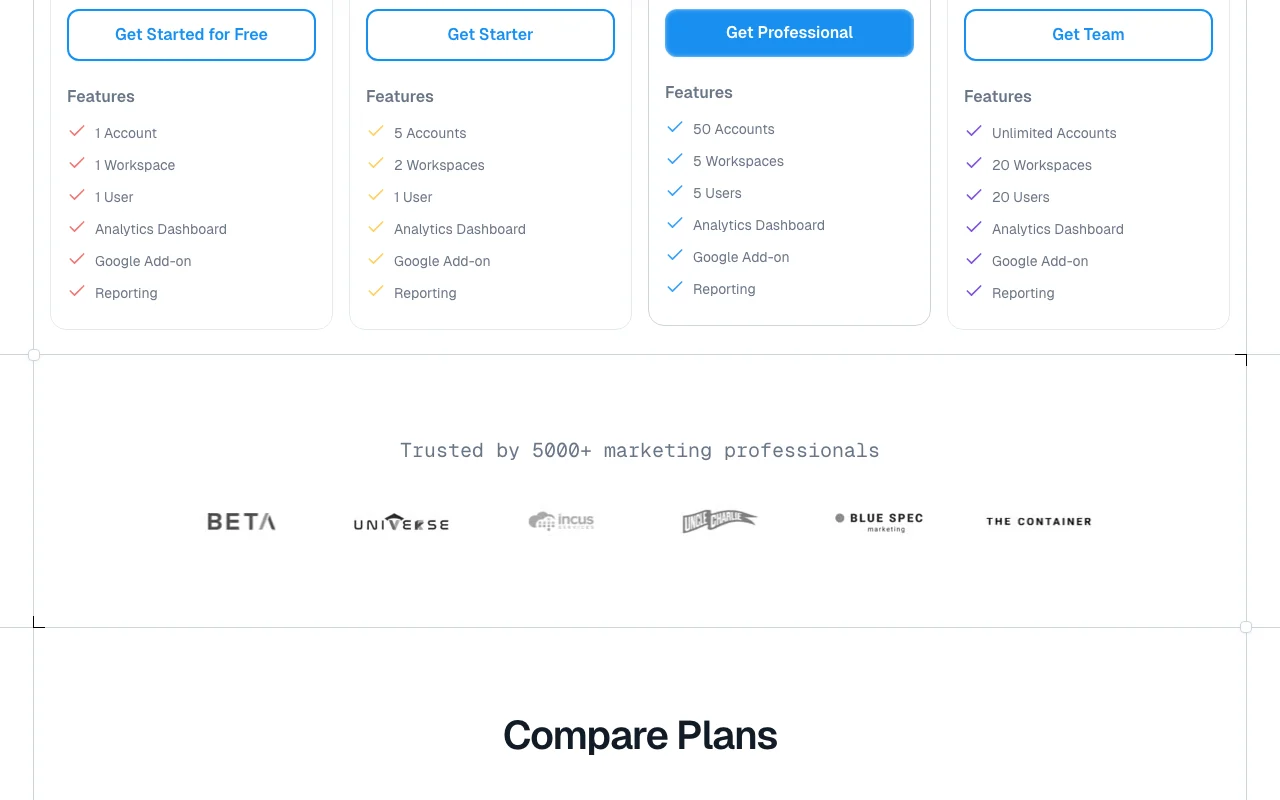
ViewMetrics pricing page with plans and prices — screenshot of the productivity & writing AI tool, Oct 1, 2026
Plan comparison on the official pricing page. viewmetrics.com, captured Oct 1, 2026

Native integrations and export formats

Export: Embeddable charts, Google Slides reports

API access and separate billing

ViewMetrics has no public API in its official documentation. MCP access for AI tools; docs page returned 404

Privacy, data use and commercial rights

Summarized from the vendor's current policies; this is not legal advice and a vendor's badge is not an independent audit.

How your inputs and outputs are handled

Collects account, billing and usage information; connected third-party data such as YouTube API is subject to extra terms.

Policies: viewmetrics.com/privacy-policy

Best ViewMetrics alternatives for different needs

"Better suited" is based on documented features and pricing, not on a head-to-head test.

Zapier: better suited to

Make: better suited to

Notion AI: better suited to

Alternatives
AlternativeWhen to choose itPricingLimitation
Zapier——Compare
Make——Compare
Notion AI——Compare

Explore ViewMetrics further

Tools and guides near ViewMetrics

ViewMetrics user reviews

No user reviews yet.

Used ViewMetrics? Be the first to share your experience.

Write a review

Reviews are checked by a moderator before they appear. Your email is never published. Plain text only.

Your rating (required)

Show what you made or what went wrong. Images are published only if the review is approved; location data is removed.

    ViewMetrics FAQ

    Can Claude or ChatGPT read my ViewMetrics data?

    Yes. Connect ViewMetrics to Claude, ChatGPT or any MCP-capable tool and it reads your connected data in read-only mode. source (opens in a new tab)

    How many clients can I manage on each ViewMetrics plan?

    Workspaces are 1 on Free, 2 on Starter, 5 on Professional and 20 on Team, with accounts of 1, 5, 50 and unlimited. source (opens in a new tab)

    Does ViewMetrics have a free trial?

    No trial, but there is a free plan with 1 account, 1 workspace and 1 user. source (opens in a new tab)

    Which plans remove ViewMetrics branding?

    Professional and Team produce unbranded reports and charts; Free and Starter carry the ViewMetrics logo. source (opens in a new tab)

    What do extra sources and users cost in ViewMetrics?

    Every 20 additional sources and 3 additional users cost $49 per month. source (opens in a new tab)

    Sources and review methodology

    Official sources and verification dates

    Not verified: Monthly-billing prices; Training use of data; API docs; US availability.

    How we documented and maintain this page

    Every fact about ViewMetrics above comes from the 4 official pages listed here, last compared on Sep 29, 2026; we have not run ViewMetrics ourselves, so it has no editorial score. How we check and re-check pages.

    Article updated Oct 10, 2026; prices checked Sep 29, 2026. Outbound links to vendors are plain links; we do not earn commissions. How we review · Report an error