Productivity & writingDocumented overviewLast checked Oct 2, 2026

ViralCanvas AI: Pricing, Features & Best Use Cases

Visual canvas workspace for creators that transcribes videos and drafts content with Claude or GPT models.

Is ViralCanvas AI right for you?

ViralCanvas suits content creators who want to drop videos, PDFs and notes onto a visual canvas, transcribe them and draft posts or scripts with Claude or GPT models, starting at $10 per month. Based on the vendor's documentation, not on a hands-on test.

Best for: Content creators

Also a good fit for

  • YouTubers and podcasters
  • Content marketers

Consider another tool if paid after the 5-day trial (auto-subscribes)

Or if

  • Credit-based usage (Basic 1,000 credits per month)
  • Homepage names Claude models inconsistently

ViralCanvas AI pricing and usage limits

Prices checked Oct 2, 2026 on the official US pricing page. Official pricing ↗ Prices and limits change often.

Free access and trial conditions

No free plan; 5-day free trial with 100 credits.

5-day free trial; auto-subscribes afterwards.

Paid plans: what changes as you upgrade

Basic web

$10 per user source (opens in a new tab)

Monthly

$9.16 per month billed $110 annually

For: Casual exploration

Limits

  • 1,000 AI credits per month
  • 100 credits for testing in the trial

Includes

  • Claude and GPT models
  • Video transcription
1 more
  • Visual canvas

Pro web

$20 per user source (opens in a new tab)

Monthly

$18.33 per month billed $220 annually

For: Regular creators

Limits

  • 2,000 AI credits per month

Includes

  • Unlimited canvases
  • High-priority support
1 more
  • Claude and GPT models

Elite web

$50 per user source (opens in a new tab)

Monthly

$45.82 per month billed $550 annually; monthly price inferred from the $50 annual saving

For: Heavy users

Limits

  • 5,000 AI credits per month

Includes

  • Everything in Pro
  • Highest credit limit

Usage caps, credits and extra costs

Usage draws on monthly credits.

What is ViralCanvas AI, and how does it work?

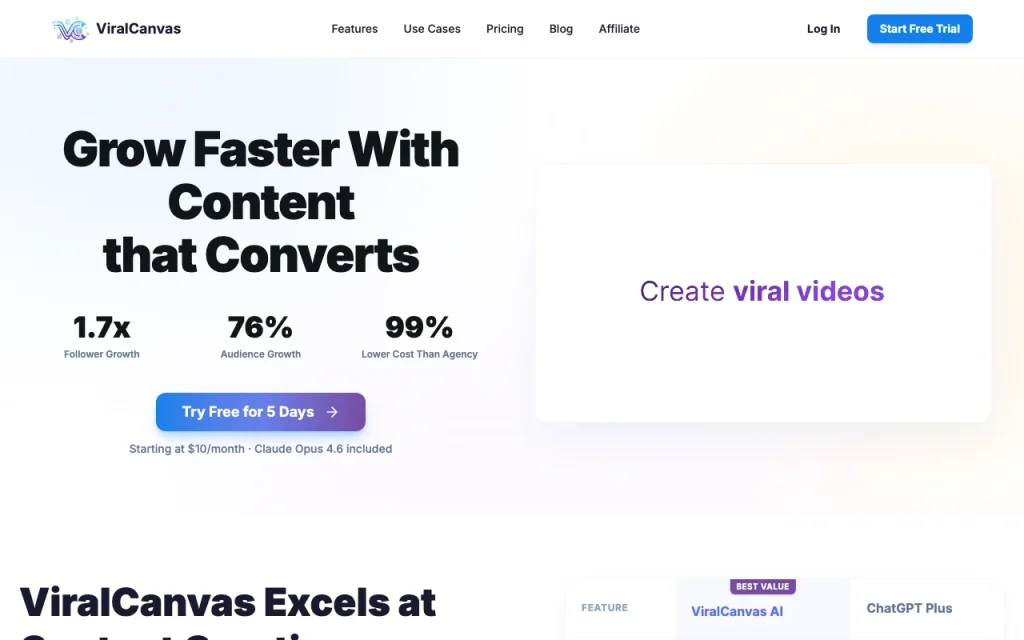
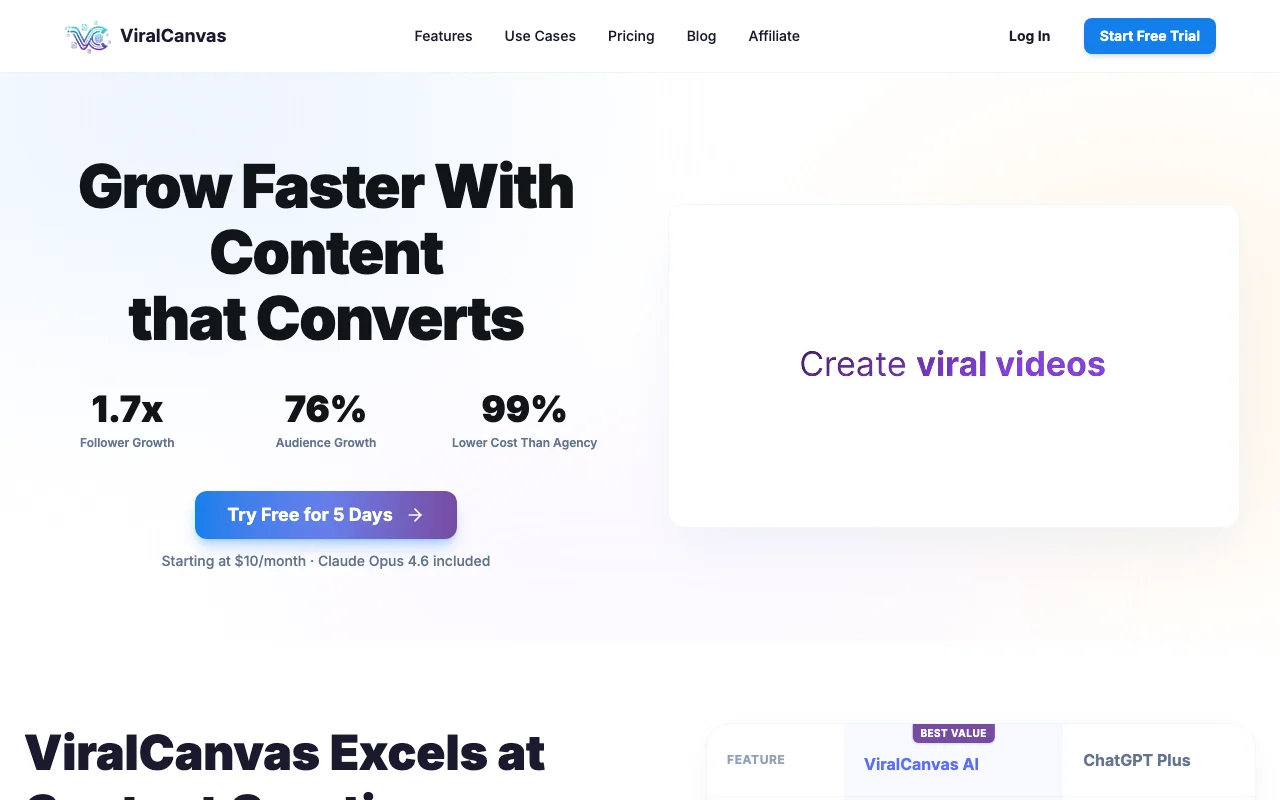
ViralCanvas is a content creation workspace where you drop YouTube links, PDFs and documents onto a visual canvas and connect them to an AI chat. It offers built-in transcription, brand-voice learning, an editor, and a choice of Claude and GPT models.

ViralCanvas AI homepage — screenshot of the productivity & writing AI tool, Oct 2, 2026
ViralCanvas AI's official site: how the product presents itself. viralcanvas.ai, captured Oct 2, 2026

What you provide and what you get back

How ViralCanvas AI works: what you provide, where it runs and what you get backYOU PROVIDEYour inputYouTube and TikTok linksPDFs, Word and text documentsVoice notes and brand guidesPRODUCTIVITY & WRITINGViralCanvas AIfrom $10 (Basic)no free tieraccount requiredchecked Oct 2, 2026YOU GET BACKThe resultTranscriptsDrafted posts, scripts and newsle…Editable text in the built-in edi…input → ViralCanvas AI → output · from the vendor's own pages, no hands-on test unless stated
What you give ViralCanvas AI and what comes back, from its documentation

You provide

  • YouTube and TikTok links
  • PDFs, Word and text documents
  • Voice notes and brand guides

You get back

  • Transcripts
  • Drafted posts, scripts and newsletters
  • Editable text in the built-in editor

Where you can use it

Account
Required
Models
Claude and GPT (names vary on page)
Credits per month
1,000 / 2,000 / 5,000
Inputs
YouTube/TikTok links, PDFs, Word, text
Trial
5 days, 100 credits

Best use cases for ViralCanvas AI

Scenarios are worked out by our editors from the documentation; the actual result depends on your input and plan.

Repurposing podcasts and videos

Who
Podcasters and video creators
You provide
Long video link
Expected result
Transcript turned into posts and scripts
Plan needed
Any plan
Limitation
Credits limit volume source (opens in a new tab)

Drafting social posts

Who
Social creators
You provide
Past videos and a viral reference
Expected result
Script rewritten in your voice
Plan needed
Any plan
Limitation
Needs your sample content source (opens in a new tab)

Research from multiple sources

Who
Researchers
You provide
PDFs, videos and notes
Expected result
Summaries and answers from chosen sources
Plan needed
Any plan
Limitation
Only sources you connect inform answers source (opens in a new tab)

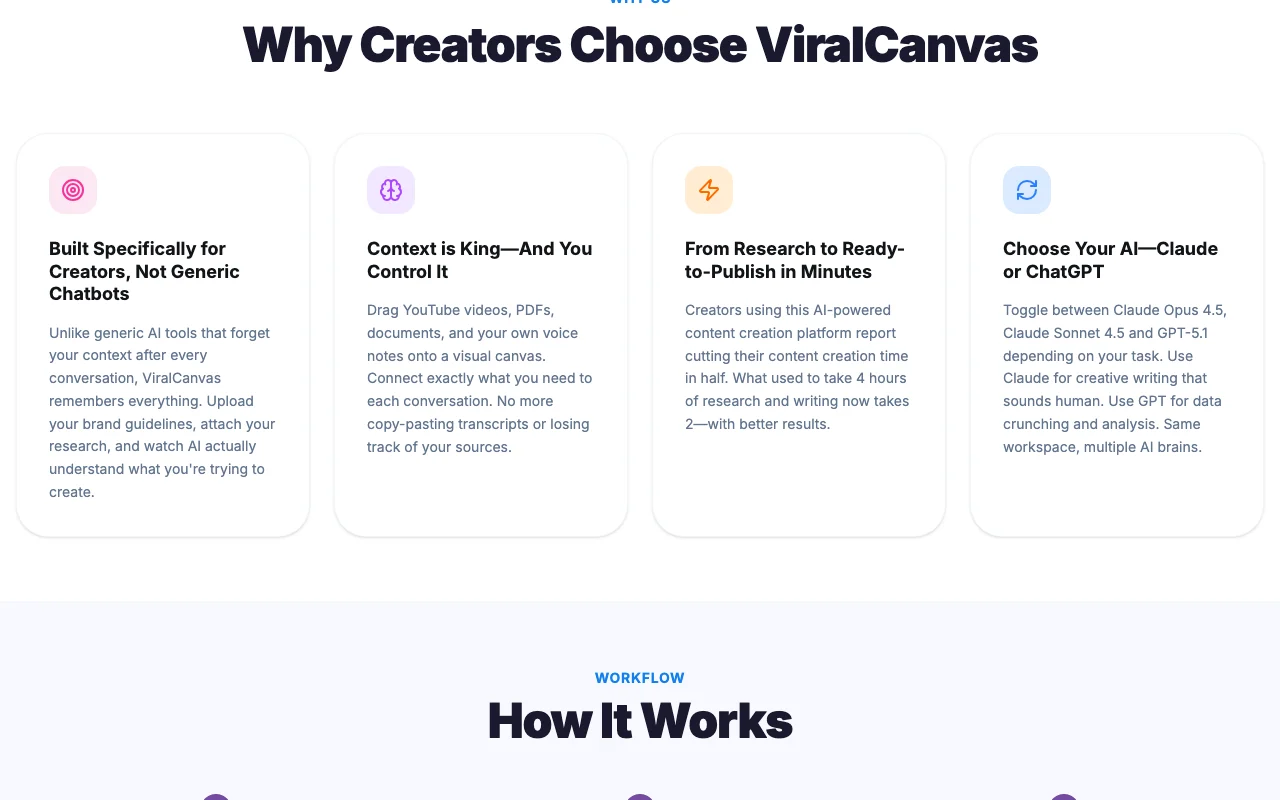
What ViralCanvas AI does, and where it stops

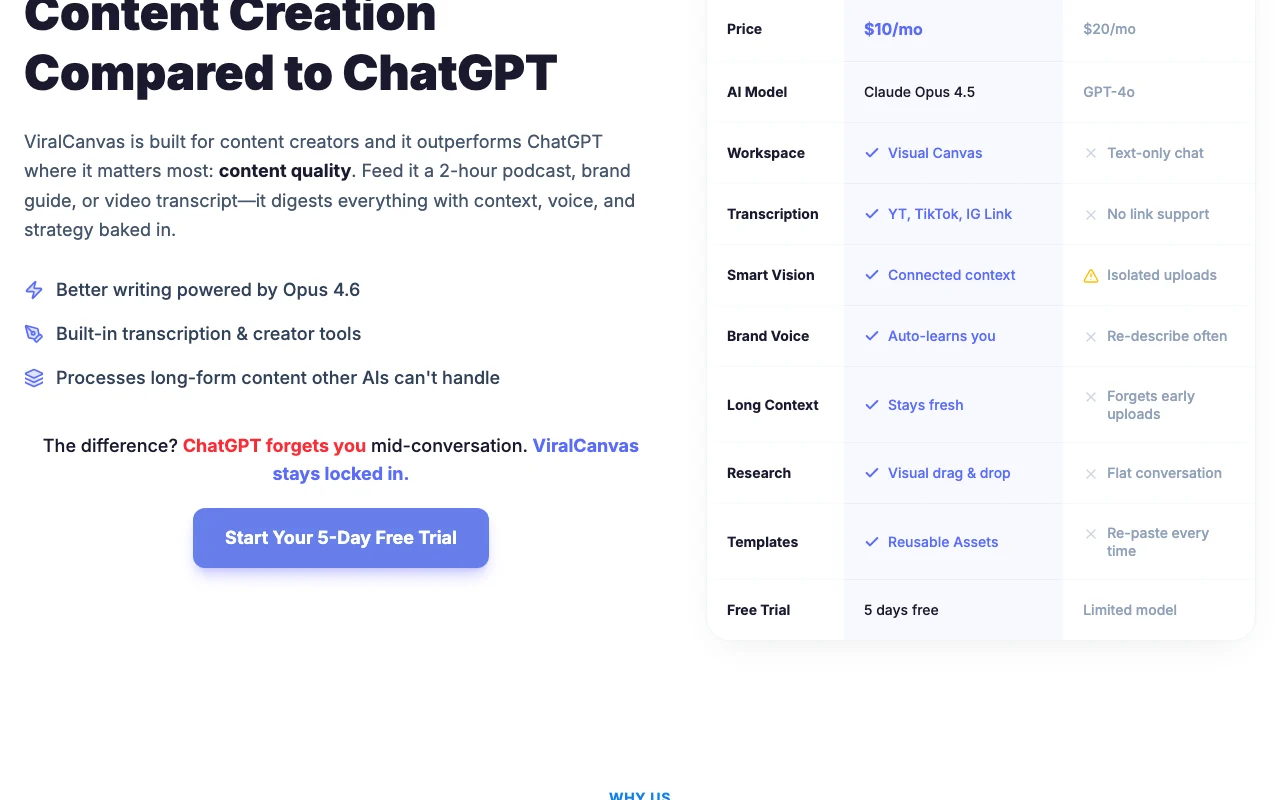
ViralCanvas AI homepage — screenshot of the productivity & writing AI tool, Oct 2, 2026
Feature overview on the official site. viralcanvas.ai, captured Oct 2, 2026

Visual canvas

Lets you arrange videos, PDFs and notes on a whiteboard and connect them to a chat. Keeps context in view.

Access: All plansLimit: Pro and above have unlimited canvases source (opens in a new tab)

Video transcription

Transcribes pasted video links automatically. Skips manual transcription.

Access: All plansLimit: Costs credits source (opens in a new tab)

Document import

Imports PDFs, Word and text files as chat context. Grounds drafts in your documents.

Access: All plansLimit: File size limits not stated source (opens in a new tab)

Model switching

Switches between Claude and GPT models in one workspace. Matches the model to the task.

Access: All plansLimit: Model names differ across pages source (opens in a new tab)

Pros, cons and deal-breakers

Reasons to choose ViralCanvas AI

Check before paying for ViralCanvas AI

How to use ViralCanvas AI for repurposing a video into social posts

Set up ViralCanvas AI

  1. Open viralcanvas.ai and choose Start Free Trial.
  2. Create an account.
  3. Open a new canvas.

Example: repurposing a video into social posts

  1. Paste a YouTube link onto the canvas.
  2. Connect it to an AI chat.
  3. Ask for five social captions in your voice.
  4. Copy the result into the editor and export.

Review and export the result

  1. Compare the transcript with the video.
  2. Cancel before day 5 if you do not want to be billed.
Example prompt suggested by our editors (not a recorded output of the product)
Summarise this video into three LinkedIn posts in a casual first-person tone.

ViralCanvas AI integrations and API

Native integrations and export formats

Export: Built-in editor export

API access and separate billing

ViralCanvas AI has no public API in its official documentation. Not shown

Privacy, data use and commercial rights

Summarized from the vendor's current policies; this is not legal advice and a vendor's badge is not an independent audit.

How your inputs and outputs are handled

Users retain ownership of uploaded content.

Policy says AI providers do not permanently store content for training under current agreements.

Account data deleted or anonymized after account deletion within a reasonable timeframe.

Commercial use and plan restrictions

You retain ownership of all content you upload.

Policies: viralcanvas.ai/privacy

ViralCanvas AI alternatives by need

"Better suited" is based on documented features and pricing, not on a head-to-head test.

ChatGPT: better suited to

Claude: better suited to

Jasper: better suited to

Alternatives
AlternativeWhen to choose itPricingLimitation
ChatGPT——
Claude——
Jasper——Compare

Explore ViralCanvas AI further

If you are looking at ViralCanvas AI

ViralCanvas AI user reviews

No user reviews yet.

Used ViralCanvas AI? Be the first to share your experience.

Write a review

Reviews are checked by a moderator before they appear. Your email is never published. Plain text only.

Your rating (required)

Show what you made or what went wrong. Images are published only if the review is approved; location data is removed.

    ViralCanvas AI FAQ

    How much is ViralCanvas?

    ViralCanvas Basic is $10 per month, Pro $20 and Elite about $50, or less when billed annually. source (opens in a new tab)

    How long is the ViralCanvas free trial?

    The trial lasts 5 days with 100 credits, then auto-subscribes to a paid plan. source (opens in a new tab)

    How many credits does ViralCanvas Basic give?

    Basic includes 1,000 AI credits per month, Pro 2,000 and Elite 5,000. source (opens in a new tab)

    Does ViralCanvas keep ownership of my content?

    No. The privacy policy says you retain ownership of all content you upload. source (opens in a new tab)

    Sources and review methodology

    Official sources and verification dates

    Not verified: Platforms; API; Which Claude and GPT versions are current.

    How we documented and maintain this page

    Every fact about ViralCanvas AI above comes from the 4 official pages listed here, last compared on Oct 2, 2026; we have not run ViralCanvas AI ourselves, so it has no editorial score. How we check and re-check pages.

    Article updated Oct 2, 2026; prices checked Oct 2, 2026. Outbound links to vendors are plain links; we do not earn commissions. How we review · Report an error