Notion AI is the AI layer inside the Notion workspace: an Agent that drafts, edits, translates and builds pages and databases, Enterprise Search with cited answers across Notion and connected apps, AI Meeting Notes transcription and summaries, and Research mode reports.
Our take: Worth it mainly for teams already on Notion who can justify the Business plan ($20 per member/month billed annually), since Free and Plus only get a limited trial of AI responses.
Main limitation: Full AI needs Business or Enterprise, and even there a rolling six-hour and monthly usage allowance applies; premium models, Custom Agents and Workers consume separately purchased Notion credits.
By the AI Tool Atlas editors.
Based on the vendor's official documentation; we have not tested this product hands-on. What “documented overview” means
Is Notion AI right for you?
Worth it mainly for teams already on Notion who can justify the Business plan ($20 per member/month billed annually), since Free and Plus only get a limited trial of AI responses. Based on the vendor's documentation, not on a hands-on test.
Best for: Teams that keep docs, projects and wikis in Notion and want AI on that context
Also a good fit for
Meeting-heavy teams wanting transcripts and summaries without a bot joining calls
Companies needing cited search across Slack, Google Drive, GitHub, Jira and Microsoft 365
Admins who need per-model controls, credit limits and zero data retention (Enterprise)
Consider another tool if you do not use Notion as your workspace (the AI only works inside Notion)
Or if
You want a standalone individual AI assistant; Plus only includes a limited AI trial
You need published numeric quotas (Notion states allowances but not the exact counts)
You need USD prices shown to you in checkout from outside the US (the page geolocates currency)
Scenario fit
Scenario
Fit
Why
Plan
Individual trying AI inside personal Notion notes
Fits with conditions
Free plan includes only a limited number of complimentary AI responses before an upgrade prompt appears
Free
Small team wanting Notion AI as its main writing and search assistant
Good fit
Business includes Notion Agent, AI Meeting Notes, Enterprise Search and Research mode within a usage allowance
Business
Team wanting to run autonomous Custom Agents on repetitive workflows
Fits with conditions
Custom Agents are free to try, then require Notion credits at $10 per 1,000 monthly credits on top of the plan
Business
Regulated organization needing zero LLM data retention and admin model controls
Good fit
Enterprise plan gets zero data retention with LLM providers, SCIM, audit log, DLP/SIEM connections and MCP client controls
Enterprise
Users outside Notion who just want a chat assistant
Poor fit
Notion AI lives inside the Notion workspace and draws on its content; it is not a standalone assistant
—
Notion AI in the news
Headlines from US outlets, selected automatically — not endorsements. Updated Oct 13, 2026
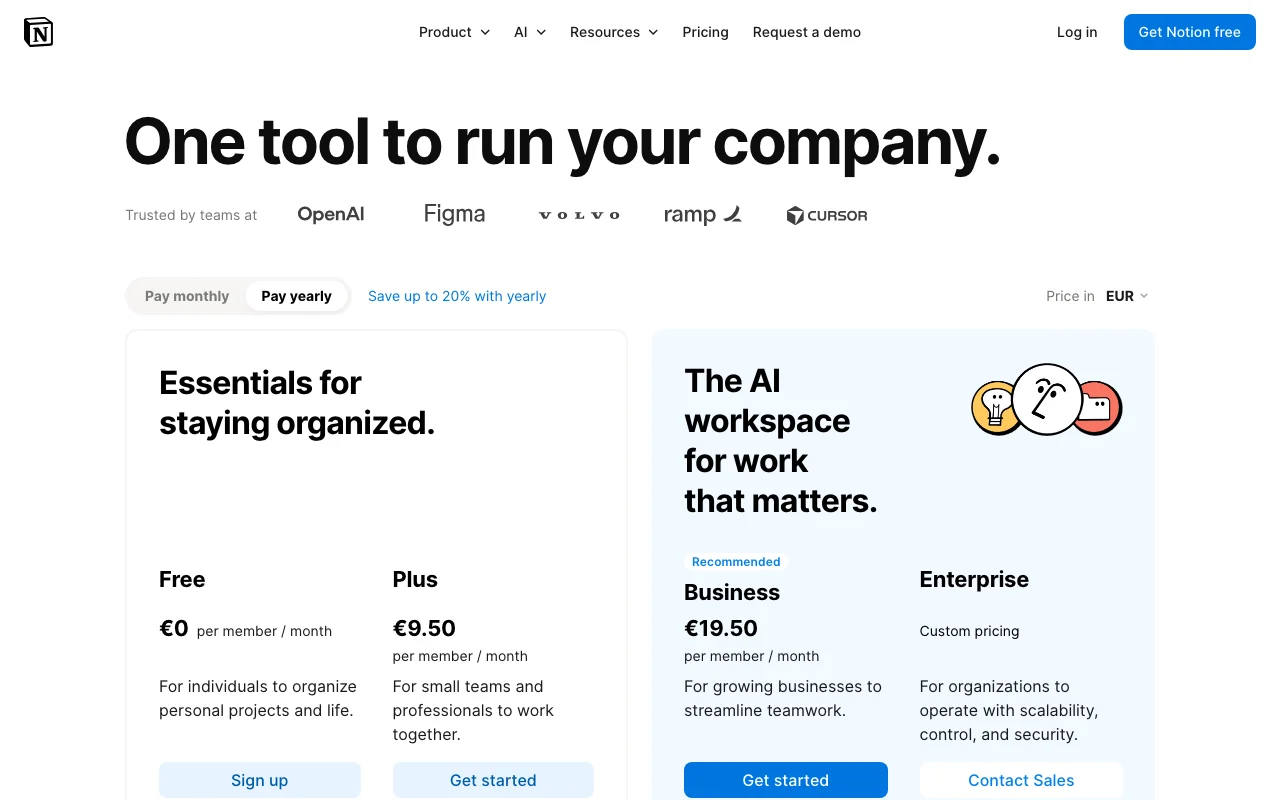
Prices checked Sep 30, 2026 on the official US pricing page. Official pricing ↗ Prices and limits change often.
Vendor pricing page re-checked automatically 4 days ago: no changes detected.
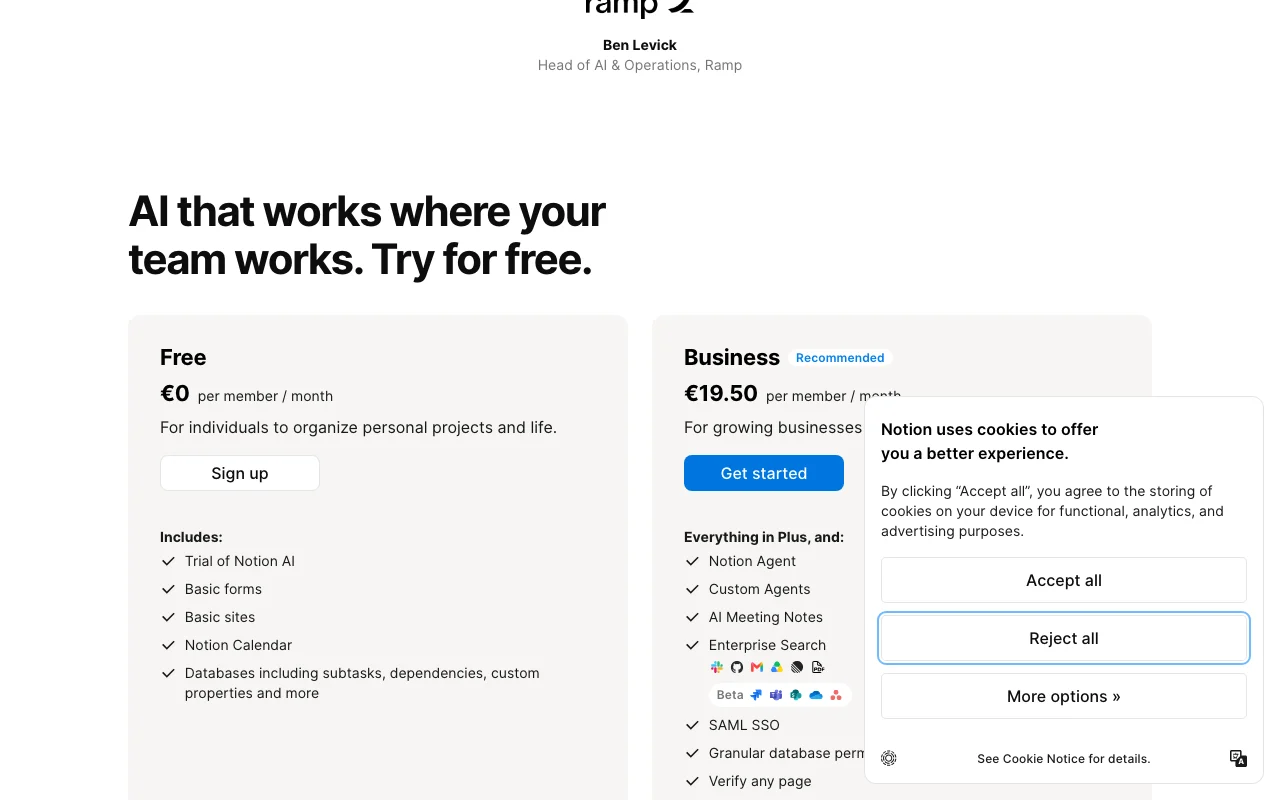
The official Notion AI pricing page as we saw it. notion.com, captured Oct 1, 2026
Free access and trial conditions
Free plan is $0 per member with a limited number of complimentary AI responses; once used, an upgrade to Business or Enterprise is required to continue using AI.
Free and Plus get a 'Trial of Notion AI' / 'Limited Trial'; Custom Agents are 'free to try' before credits are needed. Exact response counts are not published.
Annual credits cost $13 per 1,000 for admins on annual Business or Enterprise plans; unused credits do not carry over
For: Workspaces running Custom Agents or heavy premium-model usage
Limits
Add-on for Business and Enterprise plans only
Unused monthly credits reset each month
1 more
Premium model tokens charged at provider published rates with no markup
Includes
Powers Custom Agents and Workers
Extra AI usage past the allowance when admin enables it
1 more
Premium AI models
No API
Usage caps, credits and extra costs
Notion credits at $10 per 1,000 monthly ($13 per 1,000 annual) for Custom Agents, Workers, premium models and usage past the allowance; Sites custom domain $8/month/domain annual or $10 monthly.
Not stated on the pricing page text we fetched.
What is Notion AI, and how does it work?
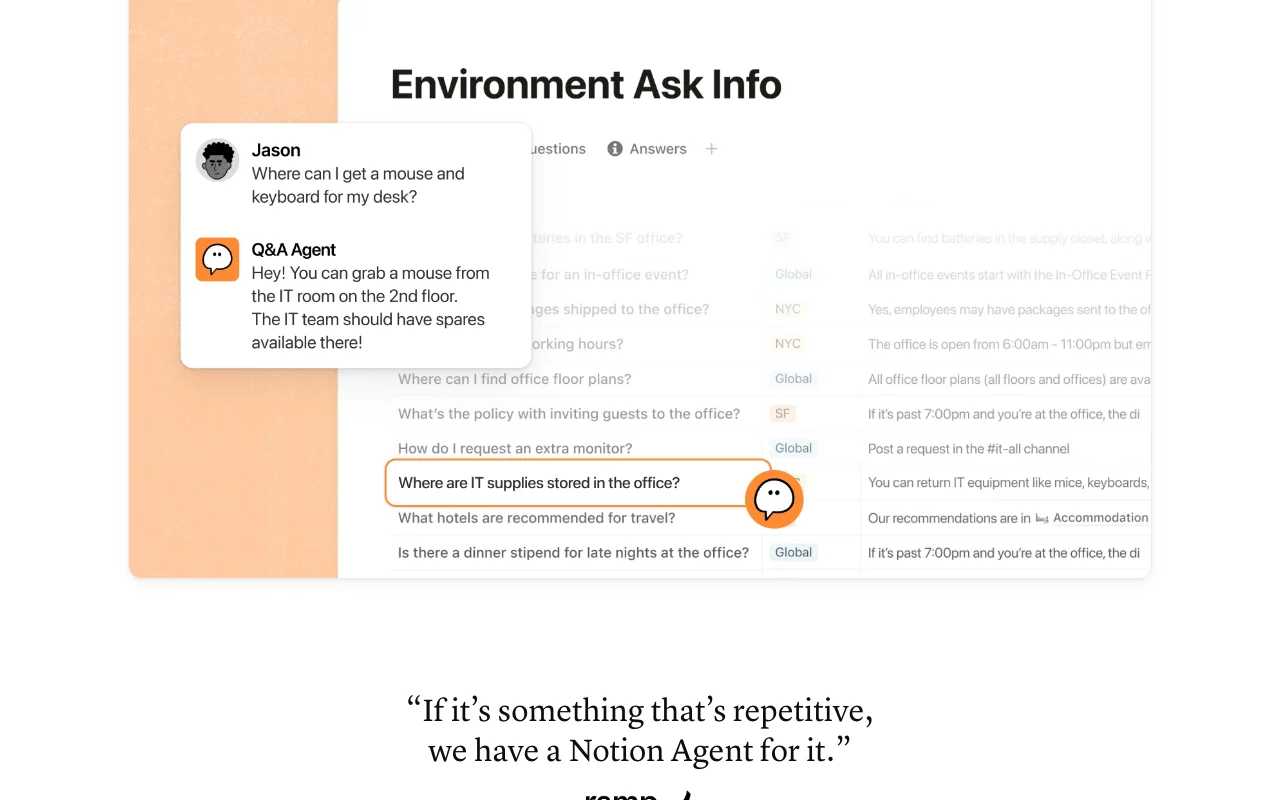
Notion AI is a set of AI features embedded in Notion: a Notion Agent that chats, writes, edits, translates and builds pages and databases using workspace and connected-app context; Enterprise Search that answers questions with citations; AI Meeting Notes that transcribes and summarizes calls; Research mode for reports; database autofill and formula help; image generation (beta); and Custom Agents that run repetitive tasks autonomously.
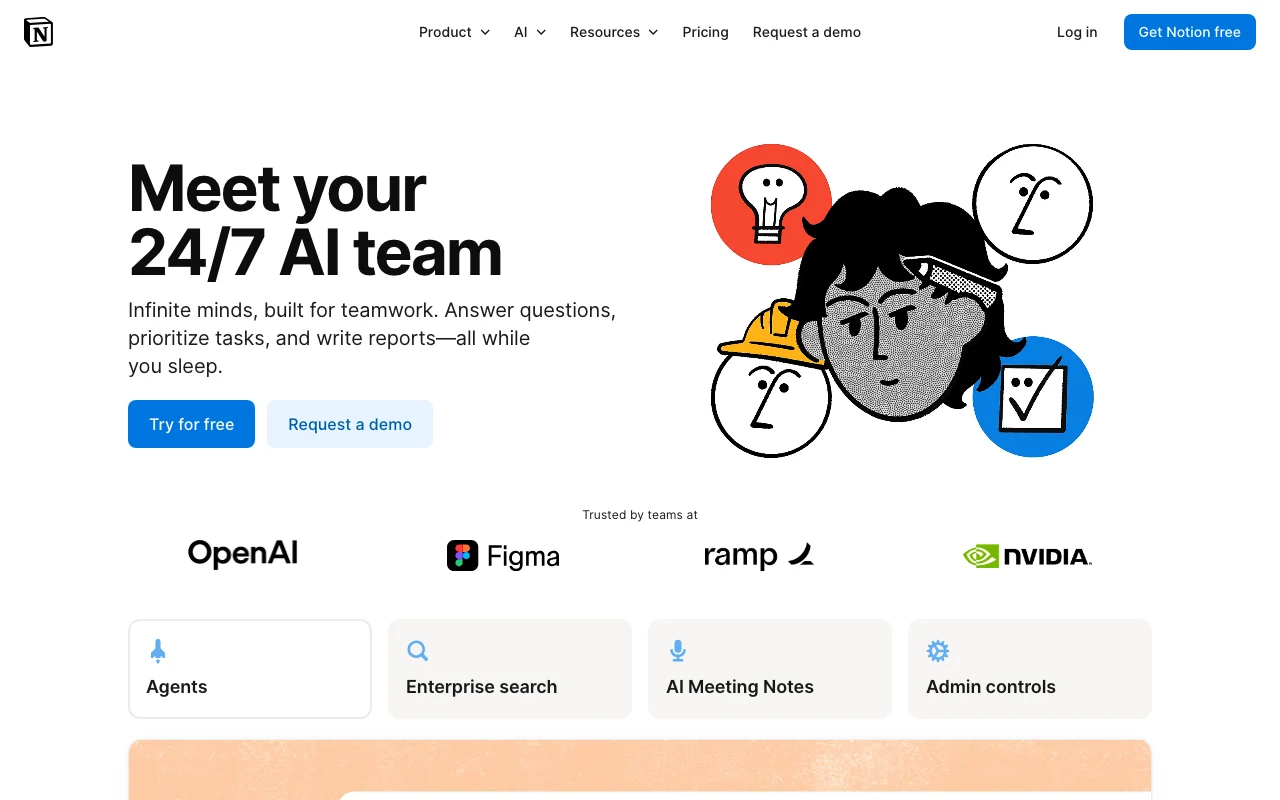
Notion AI's official site: how the product presents itself. notion.com, captured Oct 1, 2026
What you provide and what you get back
What you give Notion AI and what comes back, from its documentation
You provide
Text prompts and inline selections
Notion pages, databases and @-mentions
Uploaded files in chat
Meeting audio (desktop app, browser, mobile)
Connected apps via AI Connectors and MCP
Web search when enabled
You get back
Edited or generated page text and translations
New pages, databases, charts and formulas
Cited answers and Research mode reports
Meeting transcripts with speaker labels and summaries
Downloadable files such as spreadsheets, PDFs or slide decks
Generated or edited images (beta)
Where you can use it
Platforms
Web, Desktop, Mobile, API
Account
Required
Works offline
No
Models / versions
Models from Anthropic, OpenAI and others hosted by Notion; Enterprise Search offers OpenAI GPT, Anthropic Claude and Google Gemini; release notes list Opus 5, GPT-5.6 Sol and Kimi K3 in the model picker
Writing help
Inline edit, tone change, shorten/lengthen, grammar fixes, outlines, email drafts, tables, brainstorming; accept, discard or retry each result source (opens in a new tab)
Skills: reusable instructions in a shared skills library that can be run in Agent chat or automatically; exportable as SKILL.md to Claude Code, Codex, Cursor, Gemini or Grok source (opens in a new tab)
Collaboration
Works inside shared workspaces and teamspaces; honors existing page permissions; Custom Agents can be embedded in any doc source (opens in a new tab)
Integrations
AI Connectors for Slack, Google Drive, Jira (beta), Gmail, Microsoft Teams, SharePoint & OneDrive, GitHub, Outlook, Linear, Google Calendar; Custom MCP connections; Notion MCP for Claude, ChatGPT, Cursor source (opens in a new tab)
Roles and admin controls
Workspace owners toggle web search, data sharing, models, premium models, per-member credit limits, meeting-notes audio storage and transcript deletion source (opens in a new tab)
Export
Agent can produce downloadable spreadsheets, PDFs or slide decks; skills export as SKILL.md files source (opens in a new tab)
Meeting transcription
Any conferencing client, no bot; needs at least 300 transcribed characters for a summary; desktop app captures system audio, browser and mobile suit in-person meetings; own 10-hour daily cap source (opens in a new tab)
What people use Notion AI for
Scenarios are worked out by our editors from the documentation; the actual result depends on your input and plan.
Draft and polish a document from existing workspace context
Who
Knowledge workers and managers
You provide
Highlighted text or an AI block prompt with @-mentioned pages
Expected result
Edited or newly generated content you can accept, discard or regenerate
Feature overview on the official site. notion.com, captured Oct 1, 2026
Notion Agent
Chats and completes multi-step tasks, creating and editing pages, databases and charts using workspace, connected apps and the web Removes manual setup work from inside the workspace you already use
Access: Business, Enterprise; Limited Trial on Free and PlusLimit: Subject to usage allowance; some models may only look at web informationsource (opens in a new tab)
Enterprise Search
Answers questions with citations across Notion and connected apps, switchable among GPT, Claude and Gemini One search box for company knowledge
Access: Business, Enterprise (beta)Limit: Connectors need Business or Enterprise; Jira, Box, OneDrive, Salesforce and Asana listed as betasource (opens in a new tab)
AI Meeting Notes
Transcribes and summarizes meetings from system audio or microphone with speaker labels Meeting memory without inviting a bot
Access: Business, Enterprise, eligible mobile subscriptionsLimit: Own 10-hour daily cap; 300 characters minimum for a summarysource (opens in a new tab)
Research mode
Deep reasoning reports using workspace, connected tools and web Structured reports on projects or hypotheses
Reusable instructions stored in a shared library, run by slash command or automatically, exportable as SKILL.md Codifies team writing standards and repetitive prompts
Access: Introduced in Notion 3.7 release notes; plan scope not statedLimit: Plan availability not stated in release notessource (opens in a new tab)
Custom Agents and Workers
Autonomous agents (with sub-agents) and custom code Workers triggered by events such as meeting summaries Automates post-meeting chores and tool-spanning workflows
Access: Business, EnterpriseLimit: Requires Notion credits after free trial; Workers in betasource (opens in a new tab)
Notion AI: strengths and limits
Reasons to choose Notion AI
AI operates directly on your Notion pages, databases and connected apps while honoring existing permissions Answers and edits use your real context without copy-pastedocumentedsource (opens in a new tab)
Customer data is not used to train models by default, with contractual bans on subprocessor training Suitable for internal company contentdocumentedsource (opens in a new tab)
Enterprise plan gets zero data retention with LLM providers and HIPAA-enabling zero-retention APIs Regulated teams can process sensitive datadocumentedsource (opens in a new tab)
Multiple frontier models with admin controls and no markup on premium-model token rates Cost of premium models is transparent and controllabledocumentedsource (opens in a new tab)
Meeting notes work with any conferencing client without a bot joining No participant-facing bot or calendar integration neededdocumentedsource (opens in a new tab)
Check before paying for Notion AI
Full Notion AI is only on Business ($24 monthly or $20 annual per member) and Enterprise Free and Plus users hit an upgrade wall after limited complimentary responsesdocumentedsource (opens in a new tab)
Usage allowance with a rolling six-hour and a monthly window can pause AI features Heavy users may wait up to six hours or until the next billing cycle unless admins allow creditsdocumentedsource (opens in a new tab)
Premium models, Custom Agents and Workers consume paid Notion credits Actual monthly cost can exceed the seat pricedocumentedsource (opens in a new tab)
Exact allowance counts and complimentary-response numbers are not published Hard to budget usage before subscribingdocumentedsource (opens in a new tab)
Non-Enterprise workspaces have 30-day data retention with LLM providers Zero retention requires the custom-priced Enterprise plandocumentedsource (opens in a new tab)
How to use Notion AI for generate a first draft of a project brief from existing Notion pages
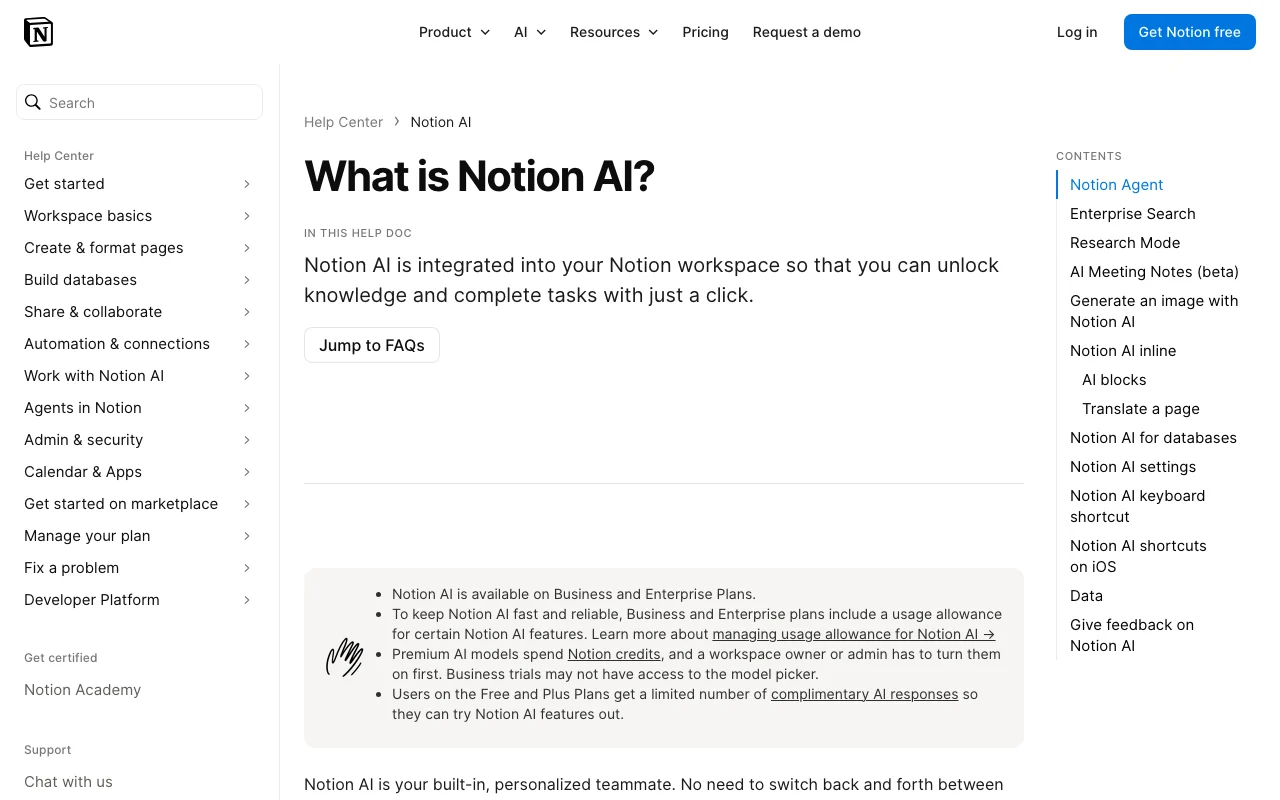
Notion AI help center. notion.com, captured Oct 1, 2026
Set up Notion AI
Sign up for Notion (Business or Enterprise for full AI; Free/Plus for a limited trial)
Workspace owner opens Settings → Notion AI to enable web search, models and optional AI Connectors
Open the page where the draft should live
Example: generate a first draft of a project brief from existing Notion pages
Type /ai or press space on an empty line to open Notion AI
Describe the brief and @-mention the source pages
Review the generated draft and choose accept, discard or try again
Optionally select text and ask to change tone or shorten
Review and export the result
Confirm the citations or @-mentioned pages are the right sources
Check facts and numbers against the original pages
Watch the usage indicator in Agent chat as you approach the allowance
Example prompt suggested by our editors (not a recorded output of the product)
Draft a one-page project brief for the website redesign using @Website Redesign Kickoff Notes and @Q4 Goals. Include objective, scope, owners, timeline and open risks as a table.
Notion AI integrations, API and team features
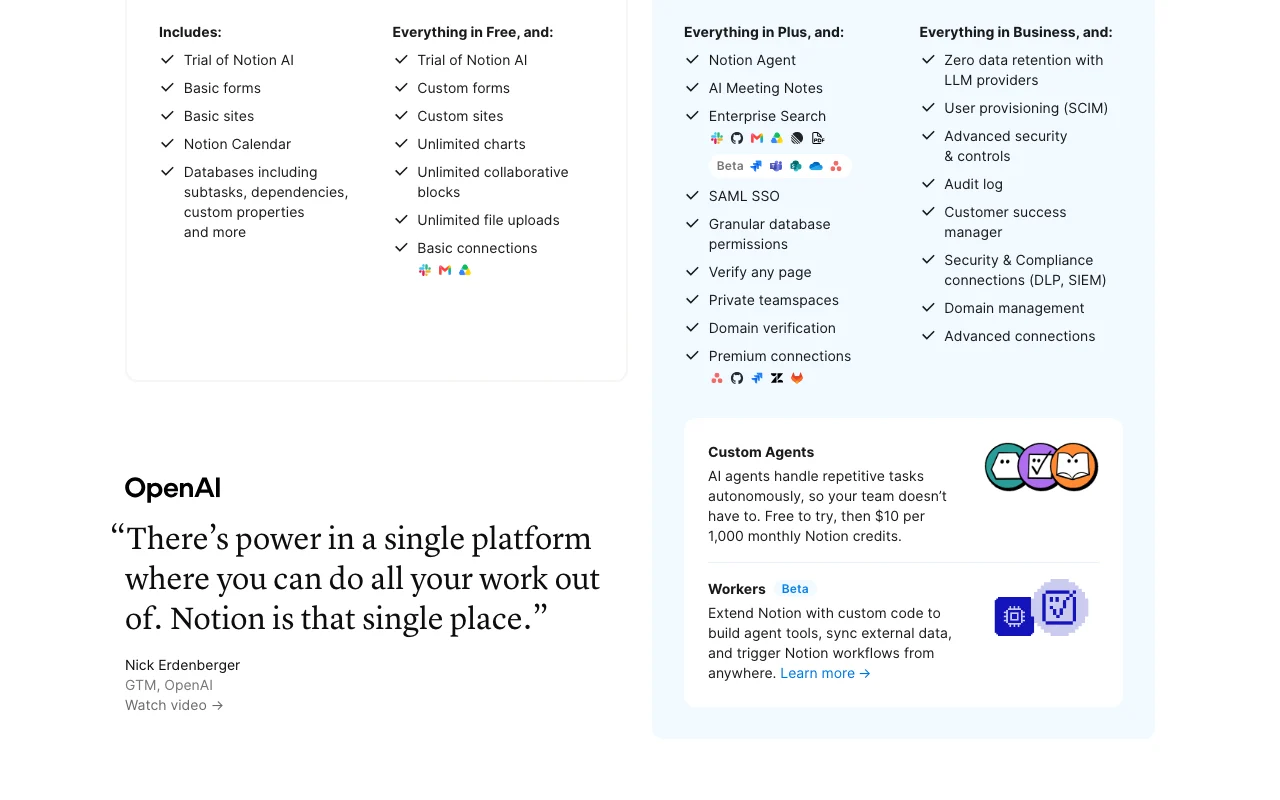
Plan comparison on the official pricing page. notion.com, captured Oct 1, 2026
Export: Spreadsheet, PDF and slide-deck downloads produced by the Agent, SKILL.md skill files
API access and separate billing
An API is available, included in the plan. Notion REST API (internal connections, OAuth public connections, personal access tokens) is a workspace API, not an LLM endpoint; Custom Agent Insights API and Agent SDK (public beta) are Business and Enterprise per release notes API documentation ↗
Summarized from the vendor's current policies; this is not legal advice and a vendor's badge is not an independent audit.
How your inputs and outputs are handled
Input and Output are treated as Customer Data; Notion does not claim ownership of input or generated output (Notion AI Supplementary Terms as summarized in the help center).
By default neither Notion nor its AI subprocessors train on Customer Data; contractual agreements prohibit subprocessor training. Workspace owners can opt in via 'Share data to improve Notion AI'. Thumbs-up/down feedback is not used to train.
LLM providers: zero data retention for Enterprise workspaces, 30 days or fewer for other plans (some features may need data-retaining LLMs). Embeddings deleted within 60 days of page or workspace deletion; deleted pages recoverable 30 days.
Commercial use and plan restrictions
Not stated on the pages fetched; the Supplementary Terms page returned 401.
Zero data retention, DLP alerts on AI prompts and outputs, MCP client controls and automatic transcript deletion are Enterprise-only.
Controls for business users
Web search toggle and confirmation for web requests (all plans)
Model and premium-model toggles with per-member credit limits
Credits dashboard showing per-member spend
AI Meeting Notes audio storage and transcript deletion schedule
SOC 2 Type 2 and ISO 27001 scope includes Notion AI; HIPAA-enabling zero-retention APIs
Only as a trial: Free and Plus workspaces get a limited number of complimentary AI responses, after which Business or Enterprise is required. source (opens in a new tab)
How much does Notion AI cost?
It is included in Business at $24 per member/month billed monthly or $20 billed yearly, and in Enterprise at custom pricing; extra credits cost $10 per 1,000 monthly. source (opens in a new tab)
Is there a usage limit?
Yes: Business and Enterprise include a usage allowance measured over a rolling six-hour window and the monthly billing cycle; admins can allow credits to continue past it. source (opens in a new tab)
Does Notion train AI on my data?
No by default; Notion and its subprocessors are contractually barred from training on Customer Data unless a workspace owner opts in to share data. source (opens in a new tab)
Which AI models does Notion use?
Models hosted by Notion and providers such as Anthropic and OpenAI; Enterprise Search lets you pick GPT, Claude or Gemini, and admins control premium models. source (opens in a new tab)
Does AI Meeting Notes need a bot in the call?
No, it transcribes from your device audio; use the desktop app (4.7.0+, macOS 13+ or latest Windows) for virtual calls since headphone audio is not captured. source (opens in a new tab)
Can I use Notion AI with Claude or ChatGPT?
Yes, via Notion MCP those apps can read and write Notion pages; Enterprise admins choose which clients are allowed. source (opens in a new tab)
Recent changes that affect your choice
: Notion 3.7: shared Agent skills library with SKILL.md export, Custom MCP connections (GitHub, Amplitude), sub-agents, post-meeting Custom Agents, redesigned model picker with Opus 5, GPT-5.6 Sol and Kimi K3, Agent SDK public beta, Notion Agents iOS app
: Model controls: workspace owners choose which AI models are available to Notion Agent and Custom Agents and set a default model (Business and Enterprise)
Not verified: Exact number of complimentary AI responses on Free and Plus (vendor says 'limited number'); Numeric size of the Business/Enterprise six-hour and monthly usage allowance; Enterprise per-seat USD price: the page shows Custom pricing while the payload carries undisplayed amounts; Whether a standalone Notion AI add-on ($10 in payload as ai_add_on_standard_monthly_10) is still sold; not displayed on the page; Commercial-use terms for AI output (Supplementary Terms URL returned 401); Sales tax/VAT handling (not stated in fetched text); Plan scope for Skills and how many credits a Custom Agent run consumes; Android-specific AI feature availability (help pages say 'mobile' generally).
How we documented and maintain this page
Every fact about Notion AI above comes from the 16 official pages listed here, last compared on Sep 30, 2026; we have not run Notion AI ourselves, so it has no editorial score. How we check and re-check pages.
Article updated Sep 28, 2026; prices checked Sep 30, 2026. Outbound links to vendors are plain links; we do not earn commissions. How we review · Report an error