Productivity & writingDocumented overviewLast checked Oct 1, 2026

Opal (spatial notes): Pricing, Features & Best Use Cases

Spatial note-taking app that lays notes, docs and tasks on an infinite canvas, with API keys for AI agents.
Who should use Opal (spatial notes)

Opal suits freelancers and small teams who think spatially and want notes, docs and tasks laid out on a canvas, with API keys for AI agents on the top plan. Based on the vendor's documentation, not on a hands-on test.

Best for: Freelancers

Also a good fit for

  • Solopreneurs
  • Small teams

Consider another tool if free plan limited to 1 workspace, 15 items and 100 MB

Or if

  • Access currently invited in batches (early access)
  • Bulk data export listed as coming soon

Opal (spatial notes) pricing and usage limits

Prices checked Oct 1, 2026 on the official US pricing page. Official pricing ↗ Prices and limits change often.

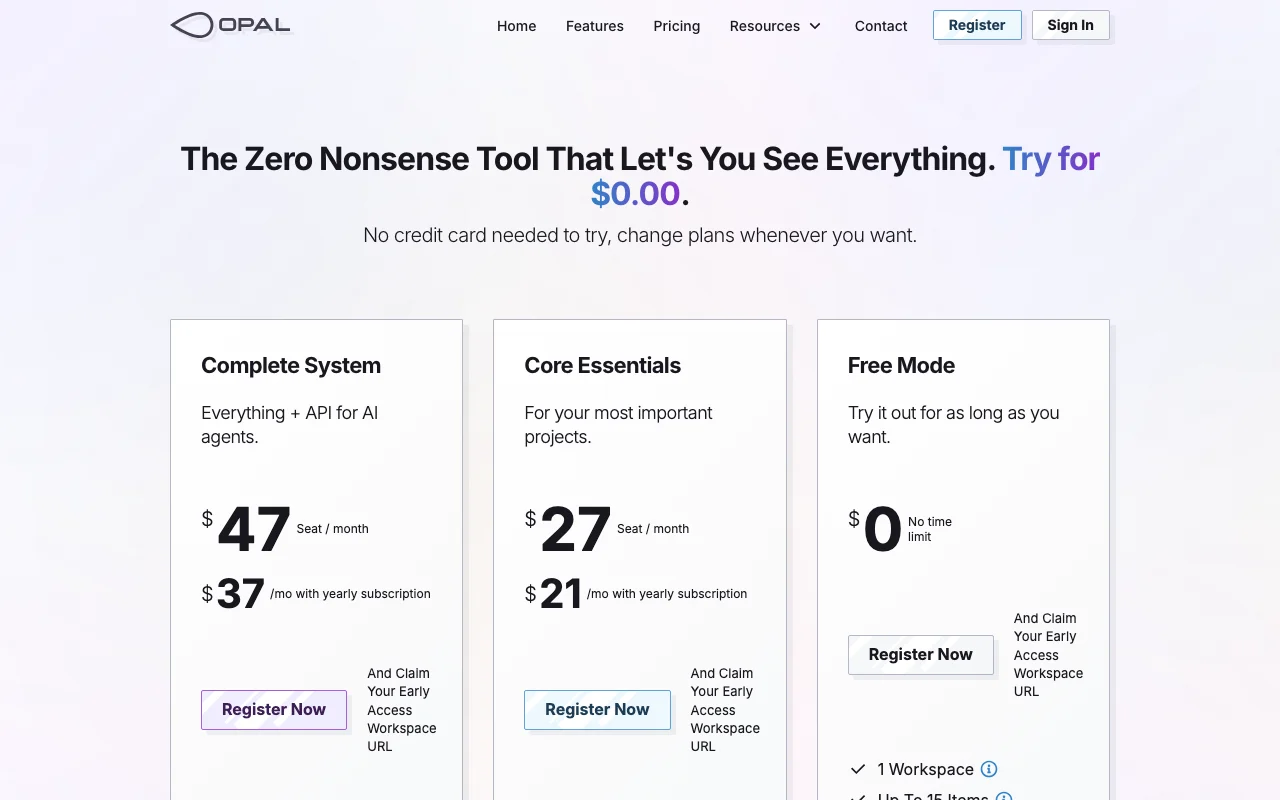
Opal (spatial notes) pricing page with plans and prices — screenshot of the productivity & writing AI tool, Oct 1, 2026
The official Opal (spatial notes) pricing page as we saw it. opalrecall.com, captured Oct 1, 2026

Free access and trial conditions

Free Mode with no time limit

Paid plans: what changes as you upgrade

Free Mode web

Free source (opens in a new tab)

Monthly

For: Trying the canvas

Limits

  • 1 workspace
  • 15 items
1 more
  • 100 MB storage

Includes

  • No time limit
  • Spatial canvas

Core Essentials web

$27 per seat per month source (opens in a new tab)

Monthly

$21 per month with yearly subscription

For: Important projects

Limits

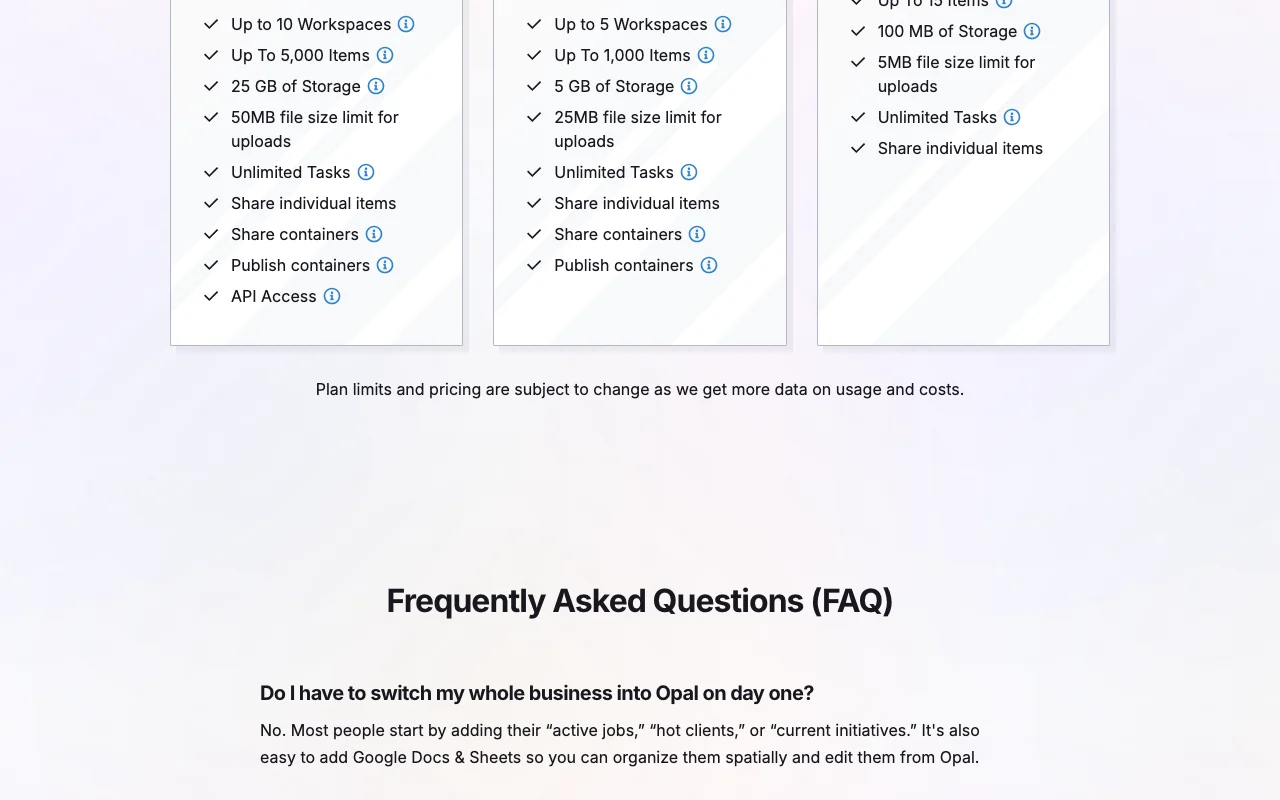
  • Up to 5 workspaces
  • Up to 1,000 items
1 more
  • 5 GB storage

Includes

  • Share binders
  • Publish containers
1 more
  • Unlimited tasks

Complete System web

$47 per seat per month source (opens in a new tab)

Monthly

$37 per month with yearly subscription

For: Heavy users and AI agent integrations

Limits

  • Up to 10 workspaces
  • Up to 5,000 items
1 more
  • 25 GB storage

Includes

  • API access (full and read-only keys)
  • Share and publish containers
1 more
  • Unlimited tasks

Usage caps, credits and extra costs

Not stated

What is Opal (spatial notes), and how does it work?

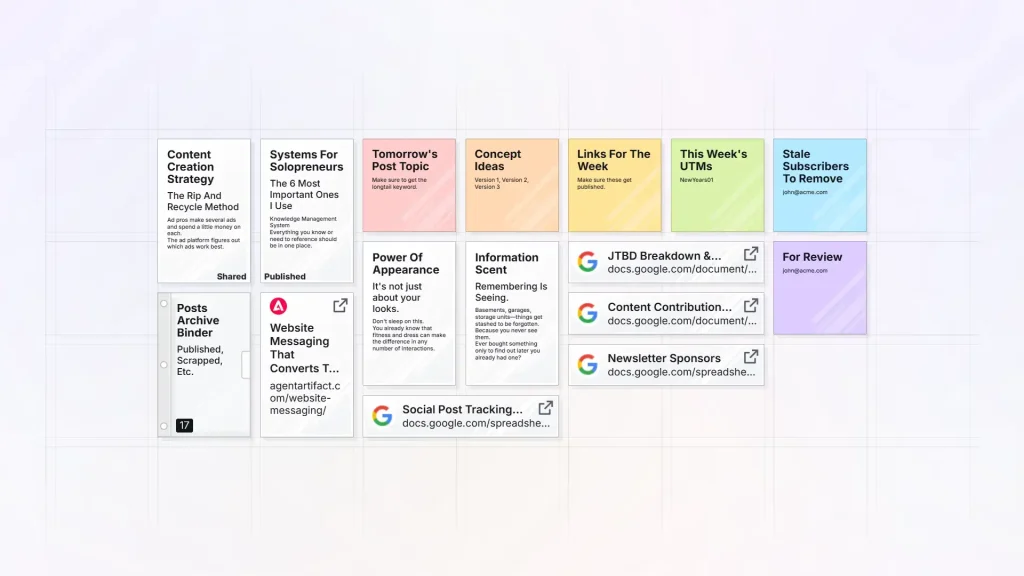
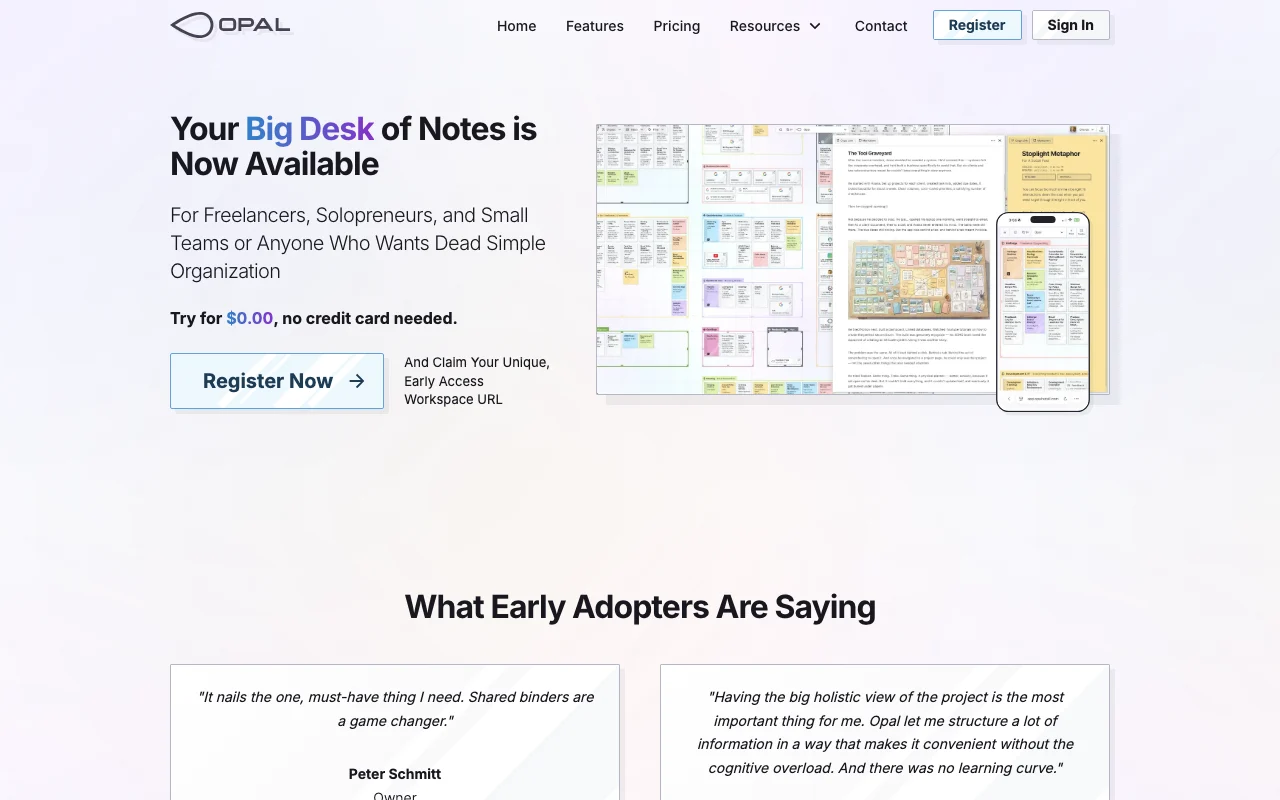
Opal is a spatial notes and project workspace. Notes, documents, links, files and embedded Google Sheets sit on a draggable canvas called a desk, grouped with fences and binders. It offers a free plan and paid per-seat plans, sharing and public publishing of containers, and API keys so AI agents can read or write workspace content. Access is currently opened to users in batches.

Opal (spatial notes) homepage — screenshot of the productivity & writing AI tool, Oct 1, 2026
Opal (spatial notes)'s official site: how the product presents itself. opalrecall.com, captured Oct 1, 2026

What you provide and what you get back

How Opal (spatial notes) works: what you provide, where it runs and what you get backYOU PROVIDEYour inputNotes, documents, links and filesEmbedded Google Sheets and iFramesAPI keys for AI agentsPRODUCTIVITY & WRITINGOpal (spatial notes)APIfrom $27 (Core Essentials)free tier availableaccount requiredchecked Oct 1, 2026YOU GET BACKThe resultWorkspaces (desks) of arranged it…Shared and published bindersIndividual item exportsinput → Opal (spatial notes) → output · from the vendor's own pages, no hands-on test unless stated
What you give Opal (spatial notes) and what comes back, from its documentation

You provide

  • Notes, documents, links and files
  • Embedded Google Sheets and iFrames
  • API keys for AI agents

You get back

  • Workspaces (desks) of arranged items
  • Shared and published binders
  • Individual item exports

Where you can use it

Platforms
API
Account
Required
Workspaces
1 / 5 / 10 source (opens in a new tab)
Items
15 / 1,000 / 5,000 source (opens in a new tab)
Storage
100 MB / 5 GB / 25 GB source (opens in a new tab)
Upload size
25 MB Core, 50 MB Complete source (opens in a new tab)
Sharing
Binders now; fences and workspaces coming source (opens in a new tab)

Where Opal (spatial notes) is most useful

Scenarios are worked out by our editors from the documentation; the actual result depends on your input and plan.

Organizing client projects on one canvas

Who
Freelancers
You provide
Notes, files and links per client
Expected result
A desk showing the project at a glance
Plan needed
Core Essentials
Limitation
Items capped at 1,000 source (opens in a new tab)

Freelancer and small-team note keeping

Who
Solopreneurs
You provide
Notes and tasks
Expected result
Searchable spatial workspace
Plan needed
Free Mode
Limitation
15 items on Free source (opens in a new tab)

Publishing read-only pages for clients

Who
Consultants
You provide
A binder or fence
Expected result
Public link without an account
Plan needed
Core Essentials
Limitation
Binders only; fences coming soon source (opens in a new tab)

What Opal (spatial notes) does, and where it stops

Opal (spatial notes) homepage — screenshot of the productivity & writing AI tool, Oct 1, 2026
Feature overview on the official site. opalrecall.com, captured Oct 1, 2026

Infinite canvas with multiple desks

Lays items on draggable workspaces See everything at once

Access: All plans; 1 / 5 / 10 workspacesLimit: Items capped per plan source (opens in a new tab)

Fences and binders for grouping

Groups items into containers that can be shared Organise by project

Access: All plansLimit: Sharing needs a paid plan source (opens in a new tab)

Block editor with markdown mode and wikilinks

Writes in blocks with markdown and wikilinks Linked notes

Access: All plansLimit: Details not itemized source (opens in a new tab)

Embedded Google Sheets and iFrames

Embeds spreadsheets and web content on the desk Live data beside notes

Access: All plansLimit: Depends on source embedding rules source (opens in a new tab)

Pros, cons and deal-breakers

Where Opal (spatial notes) is strong

Limitations to check before paying

How to use Opal (spatial notes) for organizing a project on a spatial canvas

Set up Opal (spatial notes)

  1. Register for early access at opalrecall.com and claim a workspace URL
  2. Create a workspace (desk)
  3. Add notes, documents and links as items

Example: organizing a project on a spatial canvas

  1. Drag items into a fence
  2. Group a project into a binder
  3. Share the binder or publish a read-only link
  4. Generate an API key for an AI agent (Complete System)

Review and export the result

  1. Open the public link in a private window
  2. Check item and storage counts against plan limits

Opal (spatial notes) integrations and API

Opal (spatial notes) pricing page with plans and prices — screenshot of the productivity & writing AI tool, Oct 1, 2026
Plan comparison on the official pricing page. opalrecall.com, captured Oct 1, 2026

Native integrations and export formats

Export: Individual item export

API access and separate billing

Opal (spatial notes) has no public API in its official documentation. Full access and read-only API keys; bulk export coming soon

Opal (spatial notes) alternatives by need

"Better suited" is based on documented features and pricing, not on a head-to-head test.

Notion AI: better suited to

Gemini Notebook (formerly NotebookLM): better suited to

Alternatives
AlternativeWhen to choose itPricingLimitation
Notion AI——Compare
Gemini Notebook (formerly NotebookLM)——

Explore Opal (spatial notes) further

If you are looking at Opal (spatial notes)

Opal (spatial notes) user reviews

No user reviews yet.

Used Opal (spatial notes)? Be the first to share your experience.

Write a review

Reviews are checked by a moderator before they appear. Your email is never published. Plain text only.

Your rating (required)

Show what you made or what went wrong. Images are published only if the review is approved; location data is removed.

    Opal (spatial notes) FAQ

    Is Opal free?

    Yes, Free Mode has no time limit with 1 workspace, 15 items and 100 MB. source (opens in a new tab)

    What do paid plans cost?

    Core Essentials $27 and Complete System $47 per seat per month, or $21 and $37 with yearly billing. source (opens in a new tab)

    Which plan has API access?

    Complete System, with full-access and read-only keys. source (opens in a new tab)

    Can I export my data?

    Individual items can be exported; bulk export is coming soon. source (opens in a new tab)

    Can anyone sign up now?

    Access is being opened to users in batches (early access). source (opens in a new tab)

    Sources and review methodology

    Official sources and verification dates

    Not verified: Free plan upload limits; Web or app availability; Privacy details; Page not available: https://opalrecall.com/docs.

    How we documented and maintain this page

    Every fact about Opal (spatial notes) above comes from the 4 official pages listed here, last compared on Oct 1, 2026; we have not run Opal (spatial notes) ourselves, so it has no editorial score. How we check and re-check pages.

    Article updated Oct 2, 2026; prices checked Oct 1, 2026. Outbound links to vendors are plain links; we do not earn commissions. How we review · Report an error