Produktivität & SchreibenDokumentierter ÜberblickZuletzt geprüft Oct 1, 2026

Opal (spatial notes): Preise, Funktionen & beste Einsatzzwecke

Spatial note-taking app that lays notes, docs and tasks on an infinite canvas, with API keys for AI agents.
Für wen Opal (spatial notes) geeignet ist

Opal suits freelancers and small teams who think spatially and want notes, docs and tasks laid out on a canvas, with API keys for AI agents on the top plan. Auf Basis der Dokumentation des Anbieters, nicht in einem praktischen Test.

Am besten für: Freelancers

Auch gut geeignet für

  • Solopreneurs
  • Small teams

Ein anderes Tool in Betracht ziehen, wenn free plan limited to 1 workspace, 15 items and 100 MB

Oder wenn

  • Access currently invited in batches (early access)
  • Bulk data export listed as coming soon

Opal (spatial notes) Preise und Nutzungslimits

Preise am Oct 1, 2026 auf der offiziellen US-Preisseite geprüft. Offizielle Preise ↗ Preise und Limits ändern sich häufig.

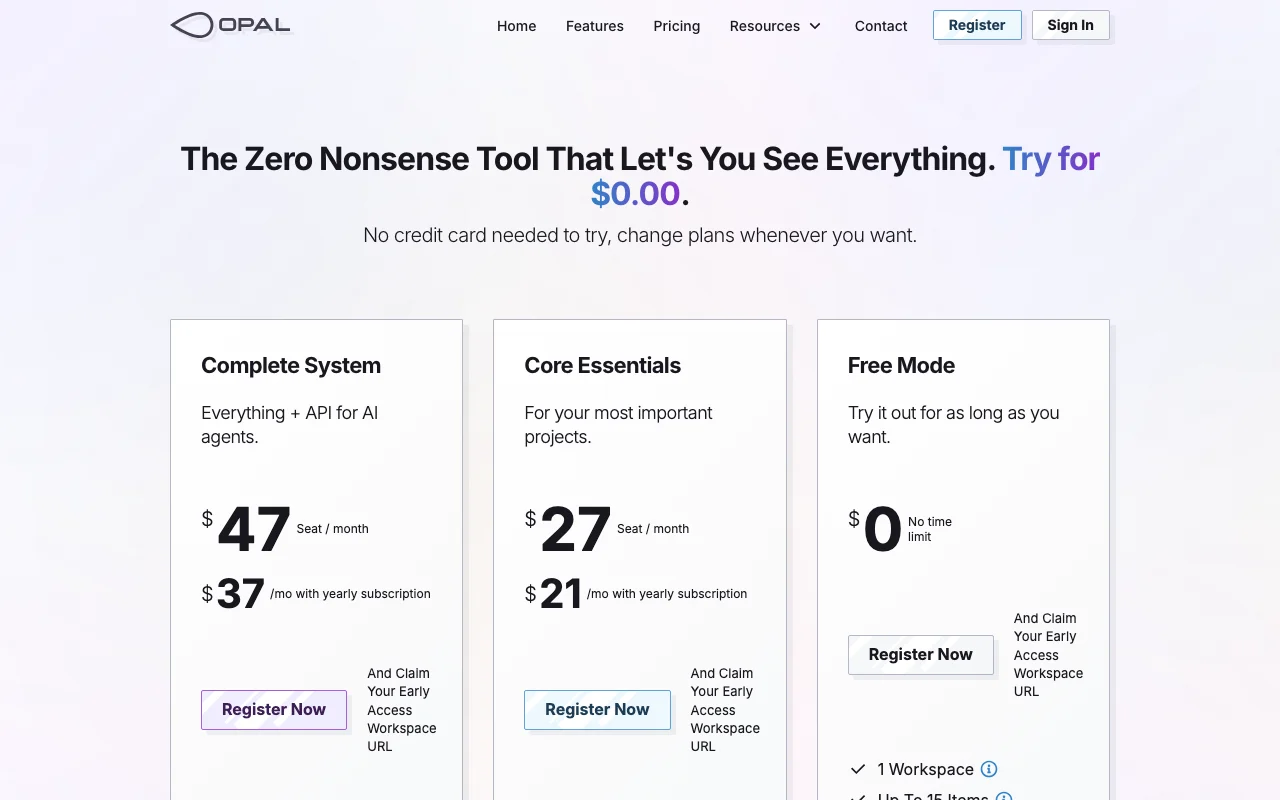
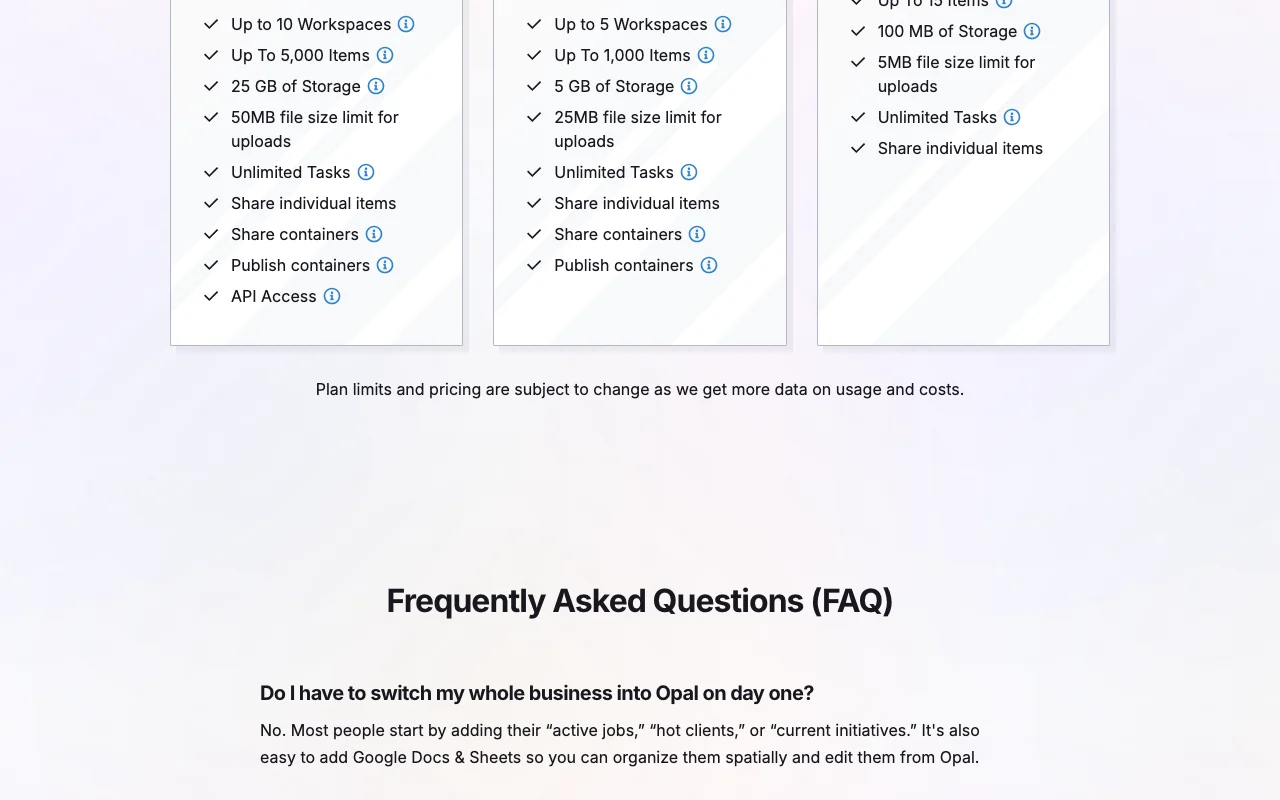
Opal (spatial notes) Preisseite mit Tarifen und Preisen – Screenshot des KI-Tools produktivität & schreiben, Oct 1, 2026
Die offizielle Opal (spatial notes)-Preisseite, wie wir sie gesehen haben. opalrecall.com, erfasst Oct 1, 2026

Kostenloser Zugang und Testbedingungen

Free Mode with no time limit

Kostenpflichtige Tarife: was sich beim Upgrade ändert

Free Mode web

Kostenlos Quelle (öffnet in neuem Tab)

Monthly

Für: Trying the canvas

Limits

  • 1 workspace
  • 15 items
1 mehr
  • 100 MB storage

Enthält

  • No time limit
  • Spatial canvas

Core Essentials web

$27 per seat per month Quelle (öffnet in neuem Tab)

Monthly

$21 per month with yearly subscription

Für: Important projects

Limits

  • Up to 5 workspaces
  • Up to 1,000 items
1 mehr
  • 5 GB storage

Enthält

  • Share binders
  • Publish containers
1 mehr
  • Unlimited tasks

Complete System web

$47 per seat per month Quelle (öffnet in neuem Tab)

Monthly

$37 per month with yearly subscription

Für: Heavy users and AI agent integrations

Limits

  • Up to 10 workspaces
  • Up to 5,000 items
1 mehr
  • 25 GB storage

Enthält

  • API access (full and read-only keys)
  • Share and publish containers
1 mehr
  • Unlimited tasks

Nutzungsobergrenzen, Guthaben und Zusatzkosten

Not stated

Was ist Opal (spatial notes) und wie funktioniert es?

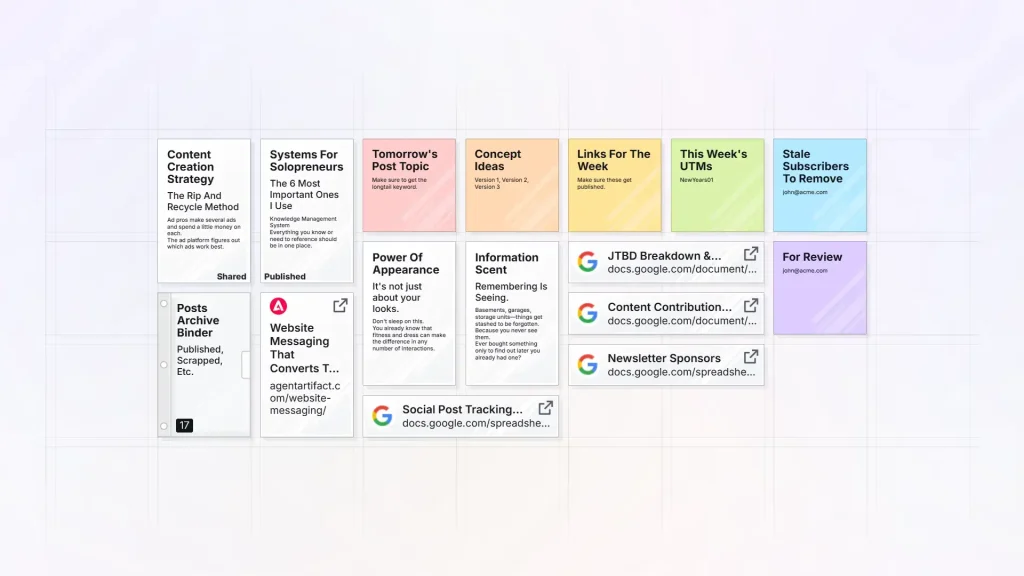
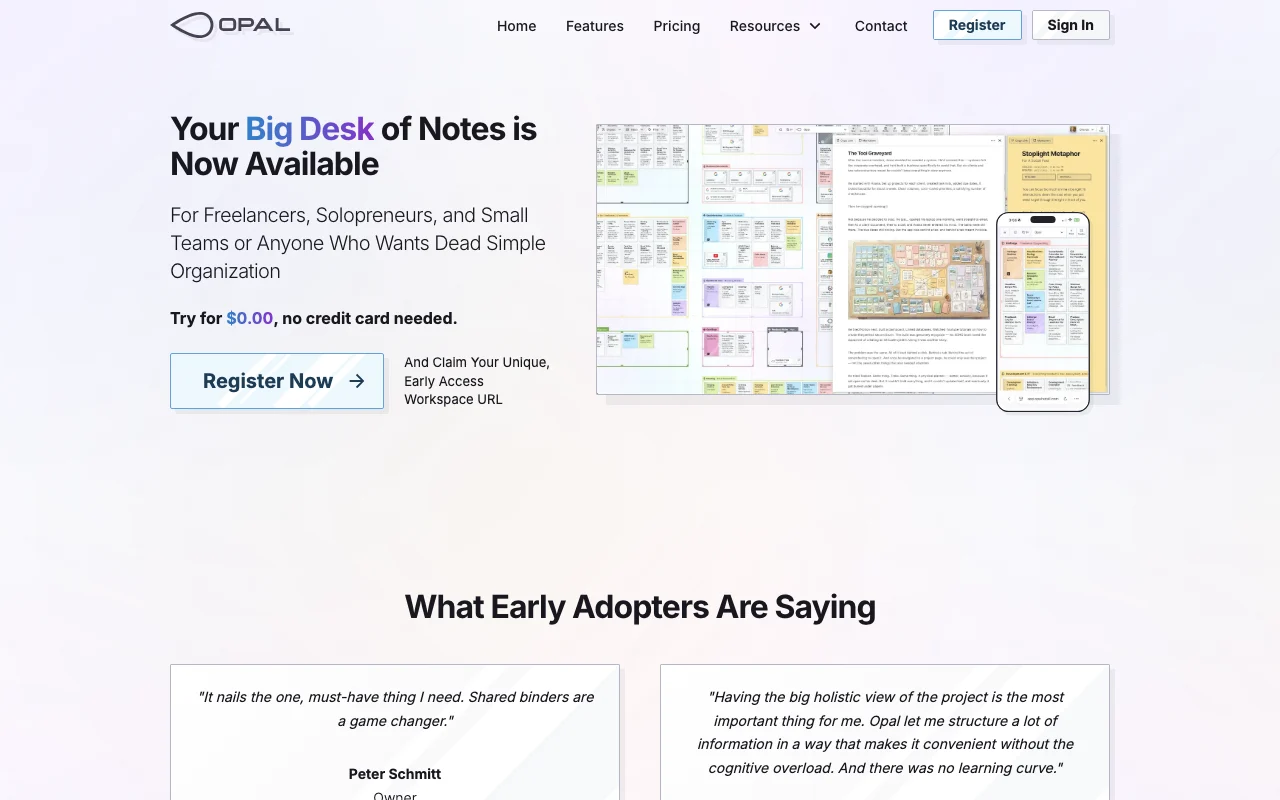
Opal is a spatial notes and project workspace. Notes, documents, links, files and embedded Google Sheets sit on a draggable canvas called a desk, grouped with fences and binders. It offers a free plan and paid per-seat plans, sharing and public publishing of containers, and API keys so AI agents can read or write workspace content. Access is currently opened to users in batches.

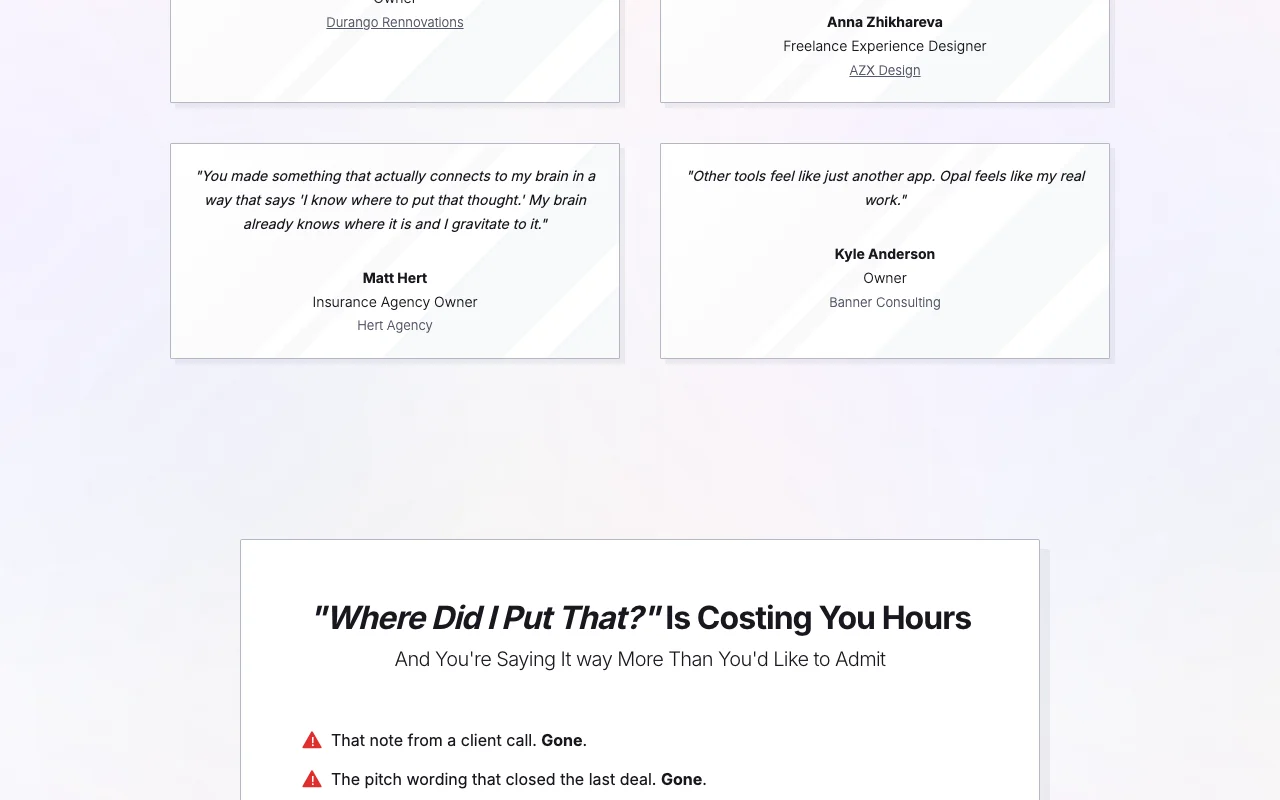
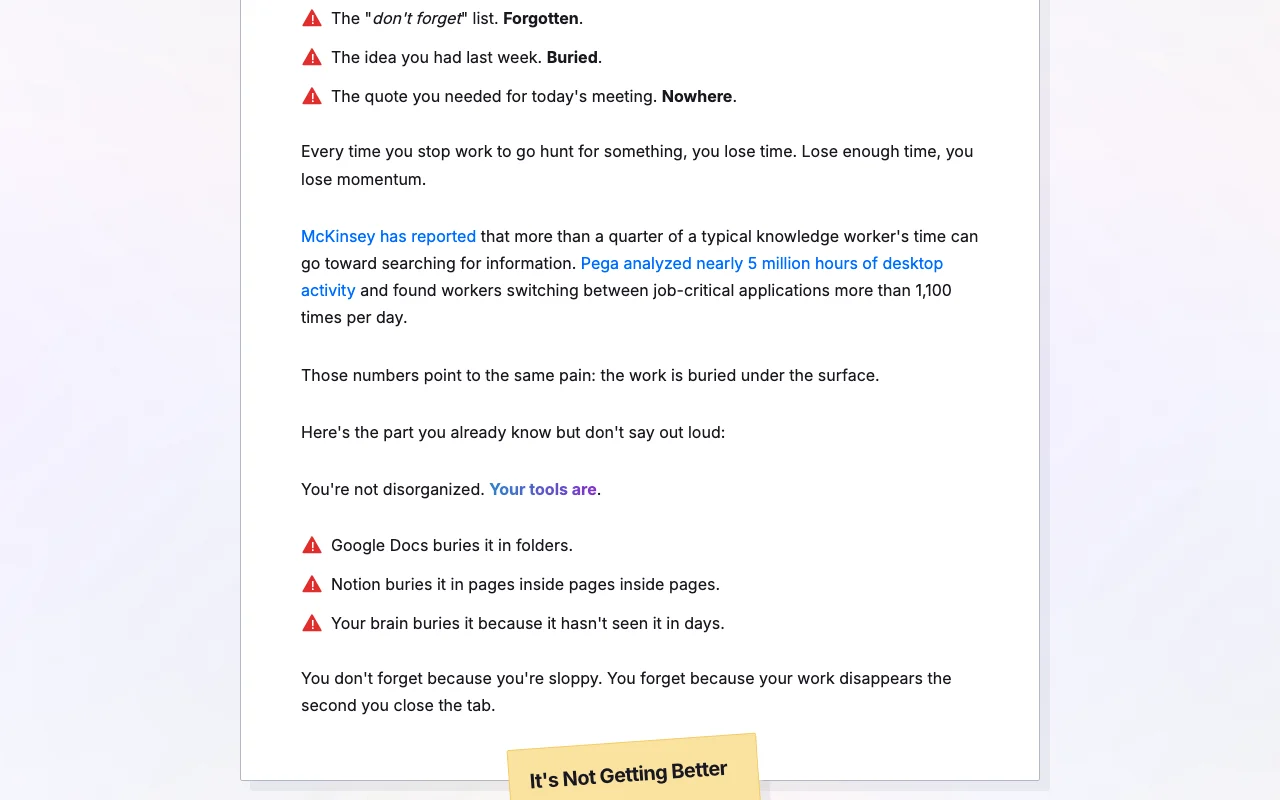
Opal (spatial notes) Startseite – Screenshot des KI-Tools produktivität & schreiben, Oct 1, 2026
Offizielle Website von Opal (spatial notes): So stellt sich das Produkt selbst dar. opalrecall.com, erfasst Oct 1, 2026

Was Sie liefern und was Sie erhalten

Wie Opal (spatial notes) funktioniert: was Sie liefern, wo es läuft und was Sie zurückbekommenSIE LIEFERNIhre EingabeNotes, documents, links and filesEmbedded Google Sheets and iFramesAPI keys for AI agentsPRODUKTIVITäT & SCHREIBENOpal (spatial notes)APIab $27 (Core Essentials)kostenloser Tarif verfügbarKonto erforderlichgeprüft Oct 1, 2026SIE ERHALTEN ZURÜCKDas ErgebnisWorkspaces (desks) of arranged it…Shared and published bindersIndividual item exportsinput → Opal (spatial notes) → output · von den eigenen Seiten des Anbieters, kein praktischer Test, sofern nicht angegeben
Was Sie Opal (spatial notes) geben und was zurückkommt, laut Dokumentation

Sie liefern

  • Notes, documents, links and files
  • Embedded Google Sheets and iFrames
  • API keys for AI agents

Sie erhalten zurück

  • Workspaces (desks) of arranged items
  • Shared and published binders
  • Individual item exports

Wo Sie es nutzen können

Plattformen
API
Konto
Erforderlich
Workspaces
1 / 5 / 10 Quelle (öffnet in neuem Tab)
Items
15 / 1,000 / 5,000 Quelle (öffnet in neuem Tab)
Storage
100 MB / 5 GB / 25 GB Quelle (öffnet in neuem Tab)
Upload size
25 MB Core, 50 MB Complete Quelle (öffnet in neuem Tab)
Sharing
Binders now; fences and workspaces coming Quelle (öffnet in neuem Tab)

Wo Opal (spatial notes) am nützlichsten ist

Die Szenarien erarbeiten unsere Redakteure anhand der Dokumentation; das tatsächliche Ergebnis hängt von Ihrer Eingabe und Ihrem Tarif ab.

Organizing client projects on one canvas

Wer
Freelancers
Sie liefern
Notes, files and links per client
Erwartetes Ergebnis
A desk showing the project at a glance
Benötigter Tarif
Core Essentials
Einschränkung
Items capped at 1,000 Quelle (öffnet in neuem Tab)

Freelancer and small-team note keeping

Wer
Solopreneurs
Sie liefern
Notes and tasks
Erwartetes Ergebnis
Searchable spatial workspace
Benötigter Tarif
Free Mode
Einschränkung
15 items on Free Quelle (öffnet in neuem Tab)

Publishing read-only pages for clients

Wer
Consultants
Sie liefern
A binder or fence
Erwartetes Ergebnis
Public link without an account
Benötigter Tarif
Core Essentials
Einschränkung
Binders only; fences coming soon Quelle (öffnet in neuem Tab)

Was Opal (spatial notes) leistet und wo die Grenzen liegen

Opal (spatial notes) Startseite – Screenshot des KI-Tools produktivität & schreiben, Oct 1, 2026
Funktionsüberblick auf der offiziellen Website. opalrecall.com, erfasst Oct 1, 2026

Infinite canvas with multiple desks

Lays items on draggable workspaces See everything at once

Zugriff: All plans; 1 / 5 / 10 workspacesLimit: Items capped per plan Quelle (öffnet in neuem Tab)

Fences and binders for grouping

Groups items into containers that can be shared Organise by project

Zugriff: All plansLimit: Sharing needs a paid plan Quelle (öffnet in neuem Tab)

Block editor with markdown mode and wikilinks

Writes in blocks with markdown and wikilinks Linked notes

Zugriff: All plansLimit: Details not itemized Quelle (öffnet in neuem Tab)

Embedded Google Sheets and iFrames

Embeds spreadsheets and web content on the desk Live data beside notes

Zugriff: All plansLimit: Depends on source embedding rules Quelle (öffnet in neuem Tab)

Vor- und Nachteile sowie Ausschlusskriterien

Wo Opal (spatial notes) stark ist

Einschränkungen, die Sie vor dem Bezahlen prüfen sollten

So nutzen Sie Opal (spatial notes) für organizing a project on a spatial canvas

Opal (spatial notes) einrichten

  1. Register for early access at opalrecall.com and claim a workspace URL
  2. Create a workspace (desk)
  3. Add notes, documents and links as items

Beispiel: organizing a project on a spatial canvas

  1. Drag items into a fence
  2. Group a project into a binder
  3. Share the binder or publish a read-only link
  4. Generate an API key for an AI agent (Complete System)

Ergebnis prüfen und exportieren

  1. Open the public link in a private window
  2. Check item and storage counts against plan limits

Opal (spatial notes) Integrationen und API

Opal (spatial notes) Preisseite mit Tarifen und Preisen – Screenshot des KI-Tools produktivität & schreiben, Oct 1, 2026
Tarifvergleich auf der offiziellen Preisseite. opalrecall.com, erfasst Oct 1, 2026

Native Integrationen und Exportformate

Export: Individual item export

API-Zugang und separate Abrechnung

Opal (spatial notes) hat laut offizieller Dokumentation keine öffentliche API. Full access and read-only API keys; bulk export coming soon

Opal (spatial notes)-Alternativen nach Bedarf

„Besser geeignet“ beruht auf dokumentierten Funktionen und Preisen, nicht auf einem direkten Test.

Notion AI: besser geeignet für

Gemini Notebook (formerly NotebookLM): besser geeignet für

Alternativen
AlternativeWann Sie es wählen solltenPreiseEinschränkung
Notion AI——Vergleichen
Gemini Notebook (formerly NotebookLM)——

Opal (spatial notes) weiter erkunden

Wenn Sie Opal (spatial notes) in Betracht ziehen

Opal (spatial notes) Nutzerbewertungen

Noch keine Nutzerbewertungen.

Verwendet Opal (spatial notes)? Teilen Sie als Erste oder Erster Ihre Erfahrung.

Bewertung schreiben

Bewertungen werden von einem Moderator geprüft, bevor sie erscheinen. Ihre E-Mail-Adresse wird nie veröffentlicht. Nur Klartext.

Ihre Bewertung (erforderlich)

Zeigen Sie, was Sie erstellt haben oder was schiefgelaufen ist. Bilder werden nur veröffentlicht, wenn die Bewertung freigegeben wird; Standortdaten werden entfernt.

    Opal (spatial notes) FAQ

    Is Opal free?

    Yes, Free Mode has no time limit with 1 workspace, 15 items and 100 MB. Quelle (öffnet in neuem Tab)

    What do paid plans cost?

    Core Essentials $27 and Complete System $47 per seat per month, or $21 and $37 with yearly billing. Quelle (öffnet in neuem Tab)

    Which plan has API access?

    Complete System, with full-access and read-only keys. Quelle (öffnet in neuem Tab)

    Can I export my data?

    Individual items can be exported; bulk export is coming soon. Quelle (öffnet in neuem Tab)

    Can anyone sign up now?

    Access is being opened to users in batches (early access). Quelle (öffnet in neuem Tab)

    Quellen und Bewertungsmethodik

    Offizielle Quellen und Prüfdaten

    Nicht verifiziert: Free plan upload limits; Web or app availability; Privacy details; Page not available: https://opalrecall.com/docs.

    Wie wir diese Seite dokumentiert haben und pflegen

    Jede Angabe zu Opal (spatial notes) oben stammt aus den 4 hier aufgeführten offiziellen Seiten, zuletzt verglichen am Oct 1, 2026; wir haben Opal (spatial notes) nicht selbst getestet, daher gibt es keine redaktionelle Bewertung. Wie wir Seiten prüfen und erneut prüfen.

    Artikel aktualisiert Oct 2, 2026; Preise geprüft Oct 1, 2026. Ausgehende Links zu Anbietern sind einfache Links; wir erhalten keine Provisionen. So testen wir · Fehler melden