Productivity & writingDocumented overviewLast checked Oct 1, 2026

OpenHistory: Pricing, Features & Best Use Cases

Open-source macOS app that turns your app activity into a private, searchable work timeline that local AI agents can query via MCP.
Who should use OpenHistory

OpenHistory is a good fit for Mac users who want a private, on-device timeline of their work that local MCP-capable agents like Claude Cowork or ChatGPT Desktop can search, with the code open source under MIT. Based on the vendor's documentation, not on a hands-on test.

Best for: Mac users who want a private work log

Also a good fit for

  • People running local MCP-capable AI agents
  • Developers who prefer open-source, self-inspectable tools

Consider another tool if macOS 14 or later only; no Windows, Linux or mobile app

Or if

  • On-device summaries need an Apple Intelligence-capable Mac on macOS 26+
  • Cloud summaries require supplying your own paid provider API key

OpenHistory pricing and usage limits

Prices checked Oct 1, 2026 on the official US pricing page. Prices and limits change often.

Vendor pricing page re-checked automatically 11 days ago: no changes detected.

Free access and trial conditions

Free Mac download; no price or plan is stated

None

Paid plans: what changes as you upgrade

Free download Desktop

Free source (opens in a new tab)

Unknown, annual commitment

For: Private personal work history

Limits

  • macOS 14 or later

Includes

  • Activity timeline and daily rollups
  • Local MCP server for agents
1 more
  • Open source MIT code

No API

Usage caps, credits and extra costs

Optional OpenAI, Anthropic or Kimi API usage billed by those providers if you connect them

unknown

What is OpenHistory, and how does it work?

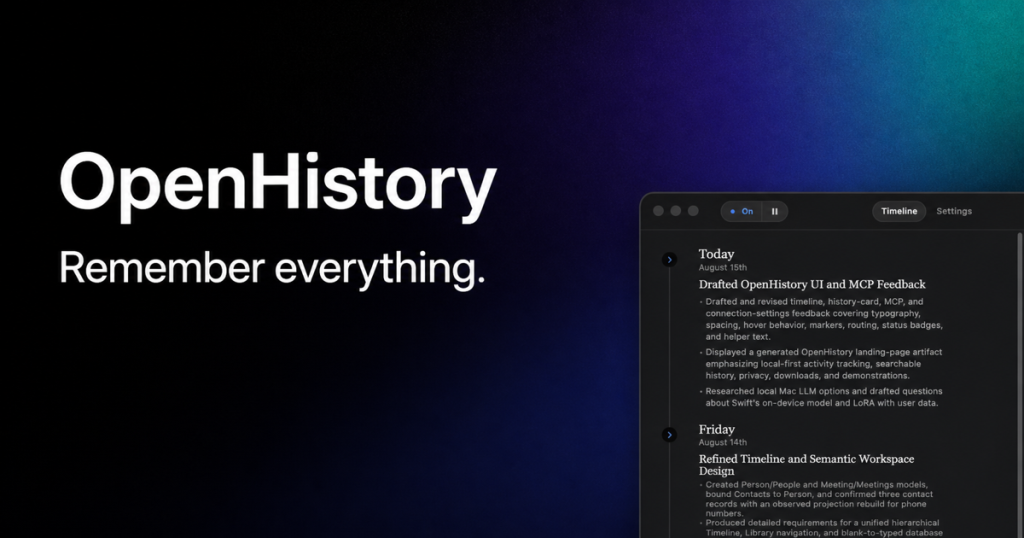
OpenHistory is a macOS app that observes which apps and windows you work in (using the Accessibility permissions you grant) and turns the day into a concise timeline of completed work, decisions and open threads. It does not take screenshots or record audio, camera or keystrokes, and all activity, summaries and settings stay in a permission-restricted folder on the Mac. Summaries can run with Apple's on-device model, or you can optionally plug in your own OpenAI, Anthropic or Kimi API key. Local AI agents such as ChatGPT Desktop or Claude Cowork connect through an authenticated local MCP server and get a redacted, read-only view of the timeline so you can ask questions like what you were working on before lunch.

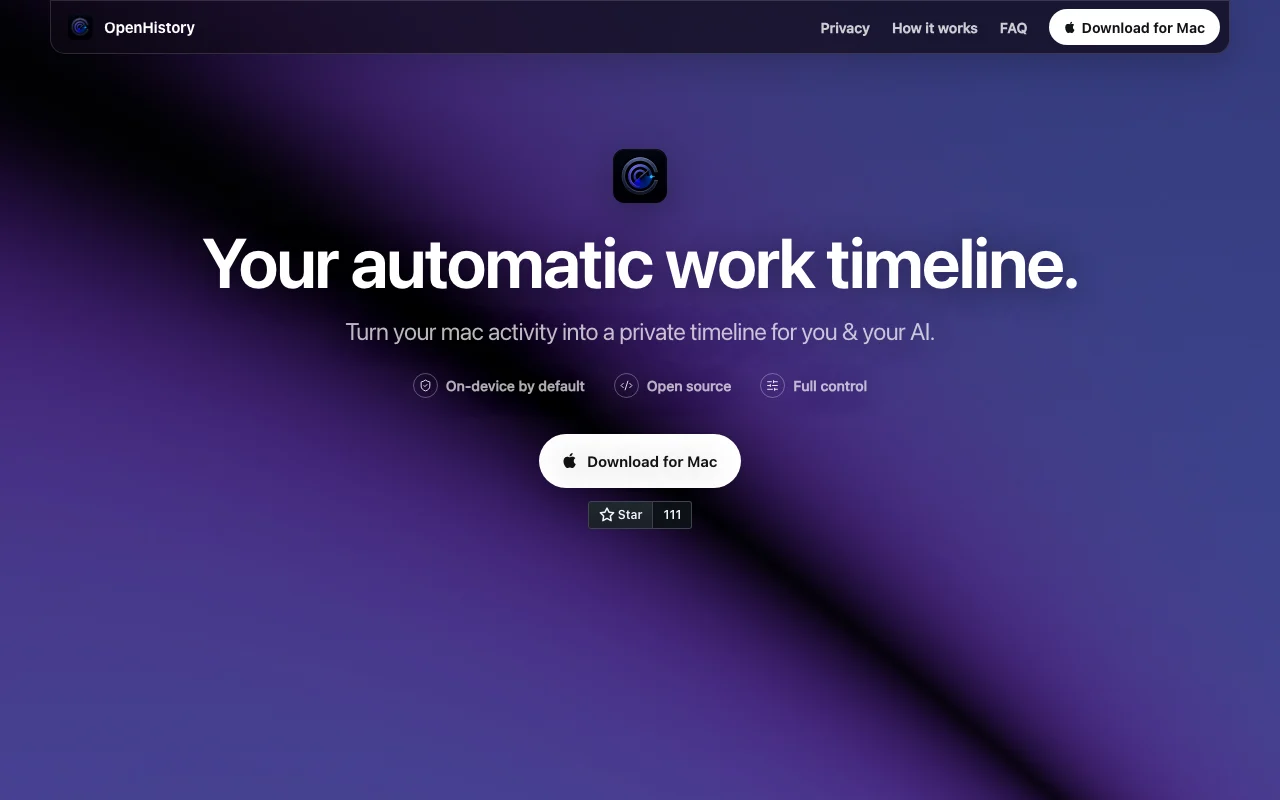
OpenHistory homepage — screenshot of the productivity & writing AI tool, Oct 1, 2026
OpenHistory's official site: how the product presents itself. openhistory.sh, captured Oct 1, 2026

What you provide and what you get back

How OpenHistory works: what you provide, where it runs and what you get backYOU PROVIDEYour inputForeground apps and permitted mac…Window names, browser domains and…Optional provider API keyPRODUCTIVITY & WRITINGOpenHistoryDesktopfree tier, paid price not publish…free tier availableaccount requiredchecked Oct 1, 2026YOU GET BACKThe resultTimeline of completed work, decis…Daily rollupsRedacted read-only view for local…input → OpenHistory → output · from the vendor's own pages, no hands-on test unless stated
What you give OpenHistory and what comes back, from its documentation

You provide

  • Foreground apps and permitted macOS Accessibility context
  • Window names, browser domains and visible interface text you allow
  • Optional provider API key

You get back

  • Timeline of completed work, decisions and open threads
  • Daily rollups
  • Redacted read-only view for local agents via MCP

Where you can use it

Platforms
Desktop
Account
Required

Best use cases for OpenHistory

Scenarios are worked out by our editors from the documentation; the actual result depends on your input and plan.

Reconstructing what you worked on during the day without manual time tracking

Who
Knowledge workers on Mac
You provide
Normal day of app activity
Expected result
Timeline showing what you did without manual tracking
Plan needed
Free
Limitation
Only macOS apps are observed source (opens in a new tab)

Letting a local AI agent answer questions grounded in your own work history

Who
Users of local AI agents
You provide
Natural-language question such as what you worked on before lunch
Expected result
Answer grounded in your own local history
Plan needed
Free
Limitation
Agent must support local MCP source (opens in a new tab)

Producing daily rollups of completed and unfinished work

Who
Freelancers and managers
You provide
Day's activity
Expected result
Daily summary of finished and unfinished work
Plan needed
Free
Limitation
Summary quality depends on the model chosen source (opens in a new tab)

OpenHistory features and their limits

OpenHistory homepage — screenshot of the productivity & writing AI tool, Oct 1, 2026
Feature overview on the official site. openhistory.sh, captured Oct 1, 2026

Automatic activity timeline from foreground apps and window context

Builds a timeline from foreground apps and window context Removes manual time tracking

Access: FreeLimit: Richer context needs Accessibility permission source (opens in a new tab)

No screenshots, audio, camera or keystroke capture

Avoids screenshots, audio, camera and keystroke capture Limits sensitive data collection

Access: FreeLimit: It still reads window text and URLs you permit source (opens in a new tab)

On-device summaries via Apple Intelligence (macOS 26+)

Summarizes with Apple's on-device model Keeps data on the Mac

Access: FreeLimit: Needs Apple Intelligence Mac on macOS 26+ source (opens in a new tab)

Optional cloud inference with your own OpenAI, Anthropic or Kimi API key

Offers optional cloud inference using your OpenAI, Anthropic or Kimi key Allows better summaries on older Macs

Access: Free app, paid providerLimit: You pay the provider and data goes to it source (opens in a new tab)

OpenHistory: strengths and limits

Where OpenHistory is strong

Limitations to check before paying

  • macOS 14 or later only; no Windows, Linux or mobile app Windows and Linux users are excluded documented source (opens in a new tab)
  • On-device summaries need an Apple Intelligence-capable Mac on macOS 26+ Older Macs rely on paid cloud keys documented source (opens in a new tab)
  • Cloud summaries require supplying your own paid provider API key Less context if you refuse permission documented source (opens in a new tab)
  • Richer context requires granting macOS Accessibility permission Setup needs decisions on defaults such as email activity documented source (opens in a new tab)

How to use OpenHistory for building a private work timeline on a Mac

Set up OpenHistory

  1. Download OpenHistory for Mac from openhistory.sh
  2. Accept the first-run notice and grant Accessibility permission
  3. Choose a summary option: Apple on-device or your own API key

Example: building a private work timeline on a Mac

  1. Work normally while OpenHistory observes in the background
  2. Review the generated daily timeline
  3. Approve a local agent such as Claude Cowork to connect over MCP
  4. Ask it what you were working on before lunch

Review and export the result

  1. Check in Settings which capture categories and apps are enabled
  2. Use Pause or Delete all local data to confirm you control collection
Example prompt suggested by our editors (not a recorded output of the product)
What was I working on before lunch, and which tasks are still open?

OpenHistory API

API access and separate billing

OpenHistory has no public API in its official documentation. Authenticated local MCP server giving a redacted read-only timeline

Privacy, data use and commercial rights

Summarized from the vendor's current policies; this is not legal advice and a vendor's badge is not an independent audit.

How your inputs and outputs are handled

Activity, summaries, settings and encrypted keys stored in a permission-restricted local directory

No telemetry; nothing sent to cloud providers unless you configure one

Kept locally until you delete; Delete all local data removes everything

Commercial use and plan restrictions

unknown

none

Controls for business users

  • Pause at any time
  • Per-app exclusions and capture categories
  • Redacted view for agents

Policies: openhistory.sh/privacy

OpenHistory alternatives by need

"Better suited" is based on documented features and pricing, not on a head-to-head test.

Notion AI: better suited to

Gemini Notebook (formerly NotebookLM): better suited to

Microsoft Copilot: better suited to

Alternatives
AlternativeWhen to choose itPricingLimitation
Notion AI——Compare
Gemini Notebook (formerly NotebookLM)——
Microsoft Copilot——

Explore OpenHistory further

Related to OpenHistory

OpenHistory user reviews

No user reviews yet.

Used OpenHistory? Be the first to share your experience.

Write a review

Reviews are checked by a moderator before they appear. Your email is never published. Plain text only.

Your rating (required)

Show what you made or what went wrong. Images are published only if the review is approved; location data is removed.

    OpenHistory FAQ

    What does OpenHistory record?

    Foreground apps and permitted Accessibility context such as window names, browser domains, clicks and visible interface text, but no screenshots, audio, camera or keystrokes. source (opens in a new tab)

    Does my data leave my Mac?

    Not by default; nothing goes to OpenAI, Anthropic or Kimi unless you choose that provider and supply a key. source (opens in a new tab)

    What are the system requirements?

    macOS 14 or later, with Apple On-Device summaries needing an Apple Intelligence Mac on macOS 26 or later. source (opens in a new tab)

    How do AI agents access my history?

    Approved local agents connect to an authenticated MCP server on your Mac and see a redacted, read-only timeline. source (opens in a new tab)

    Can I delete everything?

    Yes, Delete all local data removes activity, summaries, settings, saved keys and agent connections. source (opens in a new tab)

    Sources and review methodology

    Official sources and verification dates

    Not verified: Price beyond free download; Docs page (404).

    How we documented and maintain this page

    Every fact about OpenHistory above comes from the 3 official pages listed here, last compared on Oct 1, 2026; we have not run OpenHistory ourselves, so it has no editorial score. How we check and re-check pages.

    Article updated Oct 10, 2026; prices checked Oct 1, 2026. Outbound links to vendors are plain links; we do not earn commissions. How we review · Report an error