Our take: Best for solopreneurs and freelance consultants who want to eliminate CRM data entry and focus on closing deals.
Main limitation: Free plan limited to 10 prospects and 2 hours of meetings per month; paid tiers capped by monthly meeting hours
By the AI Tool Atlas editors.
Based on the vendor's official documentation; we have not tested this product hands-on. What “documented overview” means
Who Ungrind fits
Best for solopreneurs and freelance consultants who want to eliminate CRM data entry and focus on closing deals. Based on the vendor's documentation, not on a hands-on test.
Best for: Solopreneurs
Also a good fit for
Freelance consultants
Small sales teams
Consider another tool if need unlimited prospects on free tier
Or if
Require Zoom meeting support (coming soon)
Need high-volume call analysis (50+ hours/month)
Ungrind pricing and usage limits
Prices checked Oct 1, 2026 on the official US pricing page. Official pricing ↗ Prices and limits change often.
Vendor pricing page re-checked automatically 12 days ago: no changes detected.
Free access and trial conditions
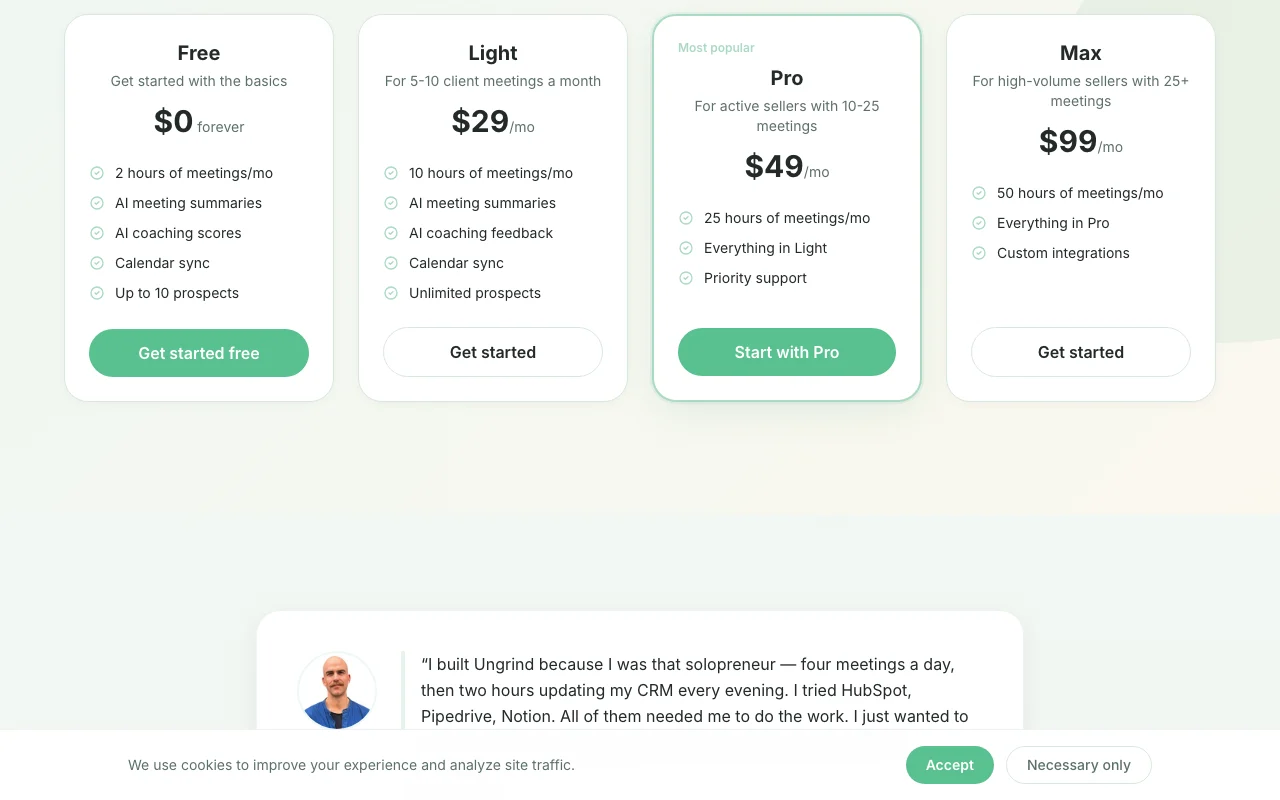
Free plan: 2 hours per month, 10 prospects, no card required, forever
Free plan serves as trial; no separate trial period for paid plans
Annual billing saves 17% (approximately $82/month or $984/year)
For: High-volume sellers with 25+ meetings per month
Limits
50 hours of meetings per month (analyzed)
Unlimited prospects
Includes
Everything in Pro, plus
Custom integrations
1 more
Dedicated support
Usage caps, credits and extra costs
None listed; annual billing discounts available (save 17%)
Not mentioned; likely subject to applicable taxes
What is Ungrind, and how does it work?
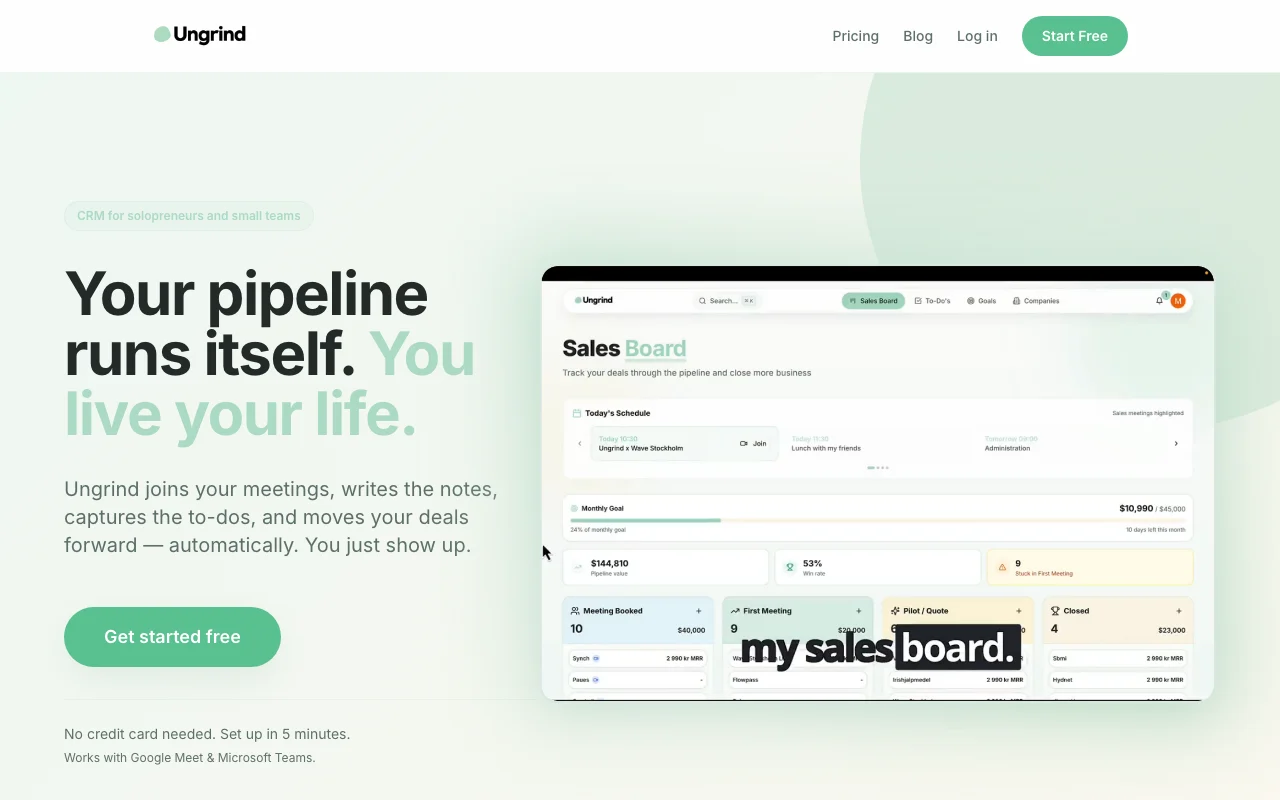
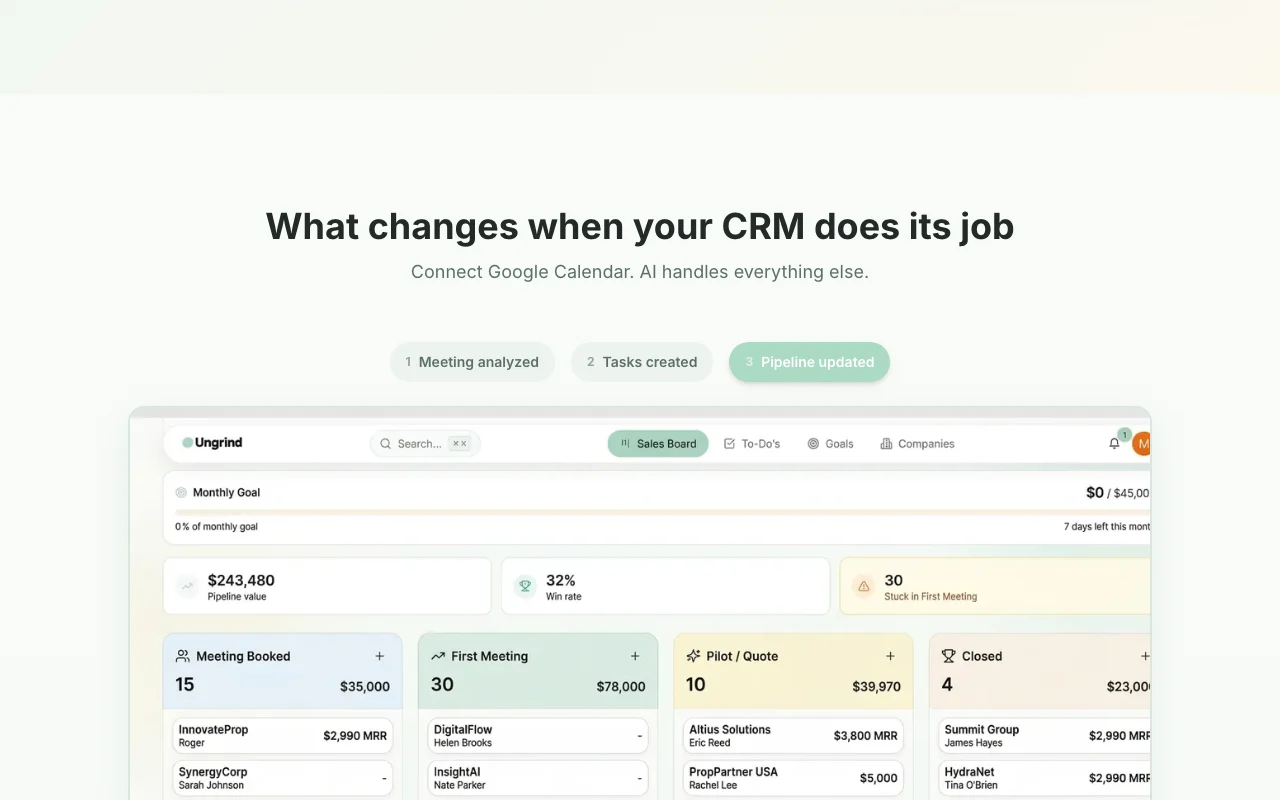
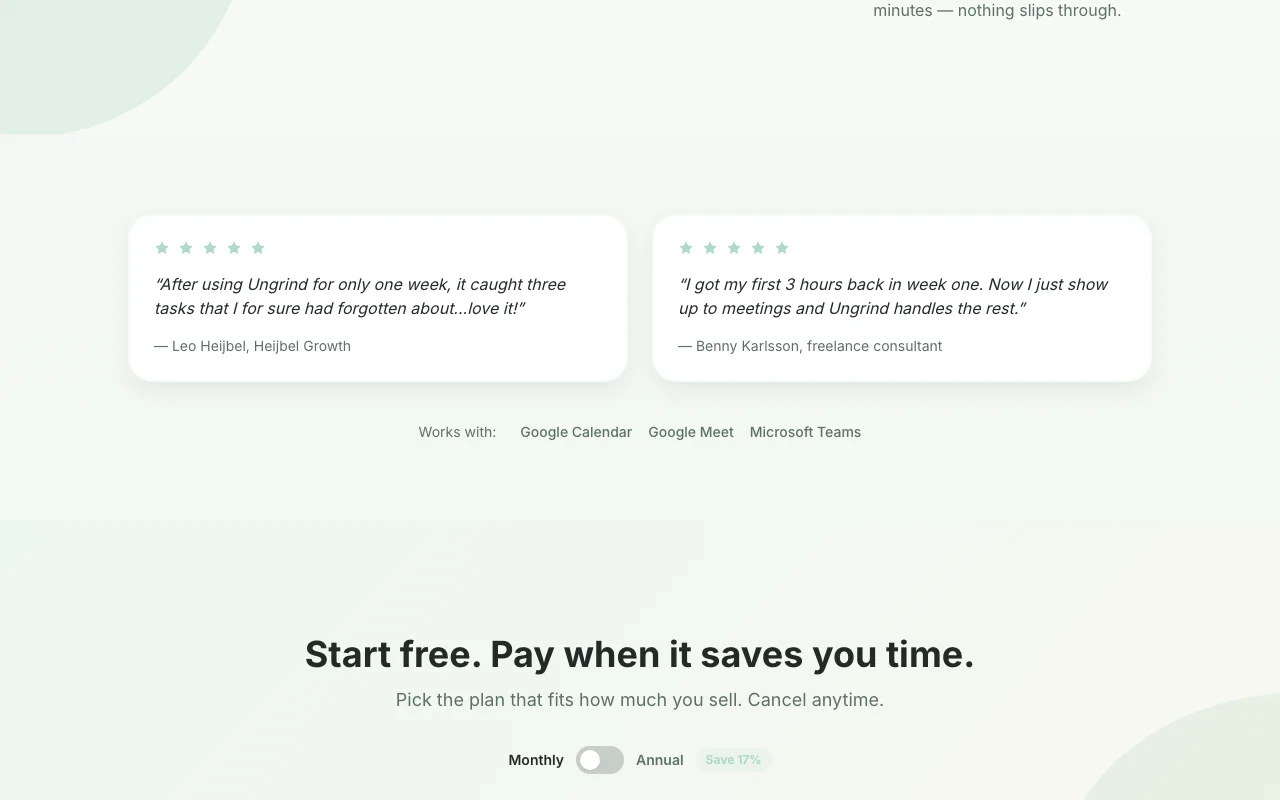
Ungrind is a CRM aimed at solopreneurs and small teams. After connecting Google Calendar, its AI bot joins Google Meet or Microsoft Teams calls, transcribes them and produces summaries and action items. The extracted information is used to update prospects and deal status in the pipeline, so users spend less time on manual CRM entry. Plans are tiered by the number of analyzed meeting hours per month.
Ungrind's official site: how the product presents itself. ungrind.ai, captured Oct 1, 2026
What you provide and what you get back
What you give Ungrind and what comes back, from its documentation
You provide
Google Calendar (calendar sync)
Google Meet or Microsoft Teams meetings (recorded and transcribed)
CSV imports from HubSpot, Pipedrive, Salesforce, or spreadsheets
You get back
Meeting transcription and AI summary
Extracted action items and tasks
Updated prospect and deal pipeline
AI coaching feedback on meeting performance
Where you can use it
Platforms
Web
Account
Required
What people use Ungrind for
Scenarios are worked out by our editors from the documentation; the actual result depends on your input and plan.
Automatic notes for sales calls
Who
Solopreneurs and freelance consultants
You provide
Sales call on Google Meet or Microsoft Teams
Expected result
Summary, action items, and prospect details captured automatically
Plan needed
Any plan (Free to Max)
Limitation
Free: 2 hours/month; Light: 10 hours/month; Pro: 25 hours/month; Max: 50 hours/month source (opens in a new tab)
Capturing follow-up tasks from client meetings
Who
Small sales teams
You provide
Client call with discussion of next steps
Expected result
Tasks extracted and added to deal pipeline automatically
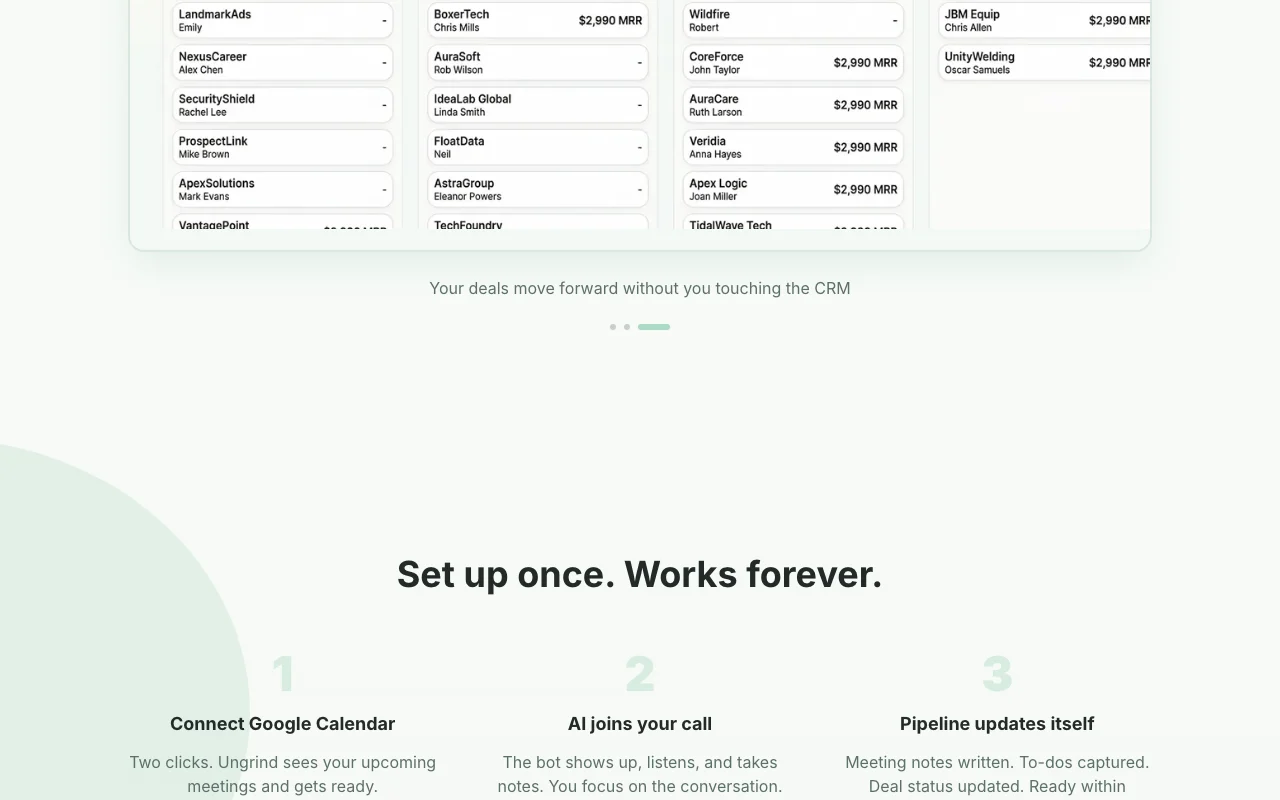
Feature overview on the official site. ungrind.ai, captured Oct 1, 2026
AI meeting bot for Google Meet and Microsoft Teams
Bot automatically joins scheduled meetings, records, and transcribes conversations Eliminates manual note-taking and recording setup
Access: All plansLimit: Only Google Meet and Microsoft Teams supported; Zoom support coming soonsource (opens in a new tab)
Transcription and AI meeting summaries
Transcribes meeting audio and generates summary of discussion and key topics Save time reviewing calls; get instant summary instead of replaying recordings
Access: All plansLimit: Quality depends on audio clarity; summaries generated within minutessource (opens in a new tab)
Automatic task extraction
AI extracts action items and to-dos from meeting discussion Never forget follow-up tasks; tasks automatically added to prospect record
AI updates prospect details, deal status, and next steps based on meeting content Pipeline stays current without manual data entry
Access: All plansLimit: Updates based on meeting discussion; manual review recommended for deal stage changessource (opens in a new tab)
Ungrind pros and cons
Reasons to choose Ungrind
Free plan with 2 hours of meetings per month, no card required Low-risk trial for solopreneurs; try before committing to paid plandocumentedsource (opens in a new tab)
Data stored on EU servers (Frankfurt) per its FAQ GDPR compliance; data privacy for EU usersdocumentedsource (opens in a new tab)
States it does not train AI models on customer data Data used for processing only, not for model trainingdocumentedsource (opens in a new tab)
Data export available Can export all prospects, meetings, and notes before cancelingdocumentedsource (opens in a new tab)
Check before paying for Ungrind
Free plan limited to 10 prospects Free tier only useful for testing; even small freelancers outgrow it quicklydocumentedsource (opens in a new tab)
Paid tiers capped by monthly meeting hours Must upgrade plan if meeting volume increases (2h → 10h → 25h → 50h max)documentedsource (opens in a new tab)
Only Google Meet and Microsoft Teams meetings supported Cannot use with Zoom (though support coming soon) or other platformsdocumentedsource (opens in a new tab)
Requires Google Calendar connection Must use Google Calendar for meeting discovery; other calendars not supporteddocumentedsource (opens in a new tab)
How to use Ungrind for setting up automatic CRM updates from sales meetings
Set up Ungrind
Go to https://ungrind.ai/ and click 'Get started free'
Sign up with email or Google account (no card required)
Connect your Google Calendar (two clicks)
Ungrind will see your upcoming meetings and automatically join Google Meet or Microsoft Teams calls
Example: setting up automatic CRM updates from sales meetings
Schedule a sales meeting on Google Meet or Microsoft Teams
Ungrind's AI bot automatically joins at meeting start
The bot records and transcribes the conversation while you focus on the call
Within minutes of meeting end, Ungrind provides: meeting summary, action items, prospect details update, and AI coaching feedback
Review the summary and confirm task additions; Ungrind updates your deal pipeline automatically
Review and export the result
Verify meeting transcription captures the discussion accurately
Check that extracted tasks match what was discussed
Confirm prospect and deal status updates are correct
Ungrind integrations and API
Native integrations and export formats
Export: CSV export (prospects, meetings, notes)
API access and separate billing
Ungrind has no public API in its official documentation. Max plan includes custom integrations; likely available via sales
Privacy, data use and commercial rights
Summarized from the vendor's current policies; this is not legal advice and a vendor's badge is not an independent audit.
How your inputs and outputs are handled
Meeting recordings and transcriptions stored to generate summaries and extract insights
Explicitly states: 'We never train AI models on your data'
Data retained for 30 days after cancellation, then permanently deleted
Commercial use and plan restrictions
Output belongs to user; can be exported and used commercially
Yes. The Free plan gives you 2 hours of AI-analyzed meetings per month, calendar sync, and up to 10 prospects — forever. No credit card required. Upgrade when you need more. source (opens in a new tab)
How does the AI meeting bot work?
When you have a meeting scheduled, Ungrind's AI bot automatically joins via Google Meet or Microsoft Teams. It records, transcribes, and analyzes the conversation. Within minutes you get a summary, action items, and your pipeline is updated. source (opens in a new tab)
Is Ungrind GDPR compliant?
Yes. All data is stored on EU servers (Frankfurt). You own your data and can export or delete it anytime. We never train AI models on your data. source (opens in a new tab)
Which video platforms are supported?
Google Meet and Microsoft Teams are fully supported. The AI bot joins your calls automatically. Zoom support is coming soon. source (opens in a new tab)
Can I import contacts from another CRM?
Yes! Ungrind supports CSV imports from HubSpot, Pipedrive, Salesforce, and spreadsheets. The AI automatically maps your columns to the right fields. source (opens in a new tab)
Not verified: Privacy policy content (page empty); Detailed API documentation; Max plan custom integrations available; Exact transcription accuracy rate.
How we documented and maintain this page
Every fact about Ungrind above comes from the 1 official page listed here, last compared on Oct 1, 2026; we have not run Ungrind ourselves, so it has no editorial score. How we check and re-check pages.
Article updated Oct 10, 2026; prices checked Oct 1, 2026. Outbound links to vendors are plain links; we do not earn commissions. How we review · Report an error