Our take: Choose Shyne if your team makes decks, social posts and short videos and wants one shared canvas where a built-in or bring-your-own agent (Claude, Codex) edits next to you.
Main limitation: AI work is metered in credits (1,000 on Free, 2,000 on Pro, 12,000 on Ultra per seat per month) and hosted MP4 renders also consume credits.
By the AI Tool Atlas editors.
Based on the vendor's official documentation; we have not tested this product hands-on. What “documented overview” means
Is Shyne right for you?
Choose Shyne if your team makes decks, social posts and short videos and wants one shared canvas where a built-in or bring-your-own agent (Claude, Codex) edits next to you. Based on the vendor's documentation, not on a hands-on test.
Best for: Brand and marketing teams producing multi-format content
Also a good fit for
Solo creators who want AI design help on one canvas
Teams already using Claude or Codex agents
Consider another tool if aI usage is credit-metered; hosted MP4 renders consume credits
Or if
Free plan limited to 2 GB storage and 250 hosted MCP calls per week
Paid image and video models require Pro or higher
Shyne pricing and usage limits
Prices checked Oct 1, 2026 on the official US pricing page. Official pricing ↗ Prices and limits change often.
Vendor pricing page re-checked automatically 12 days ago: no changes detected.
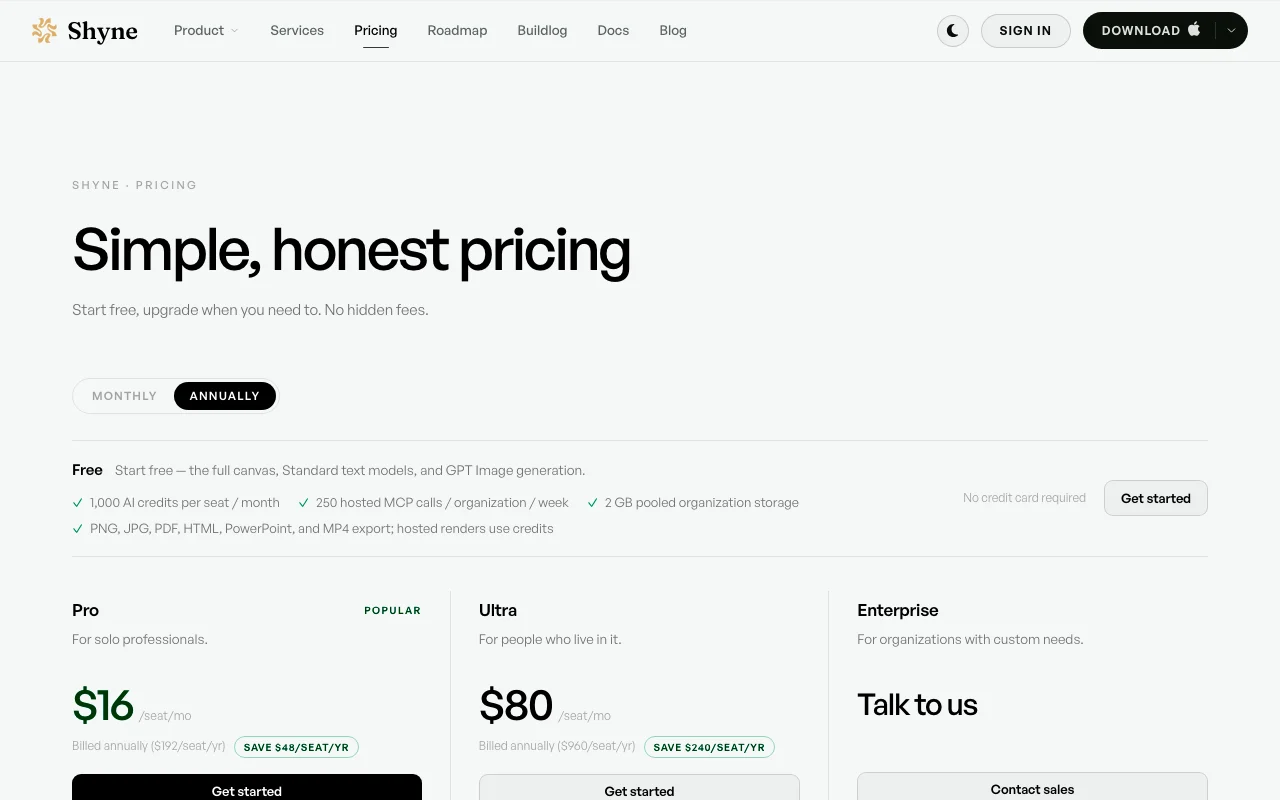
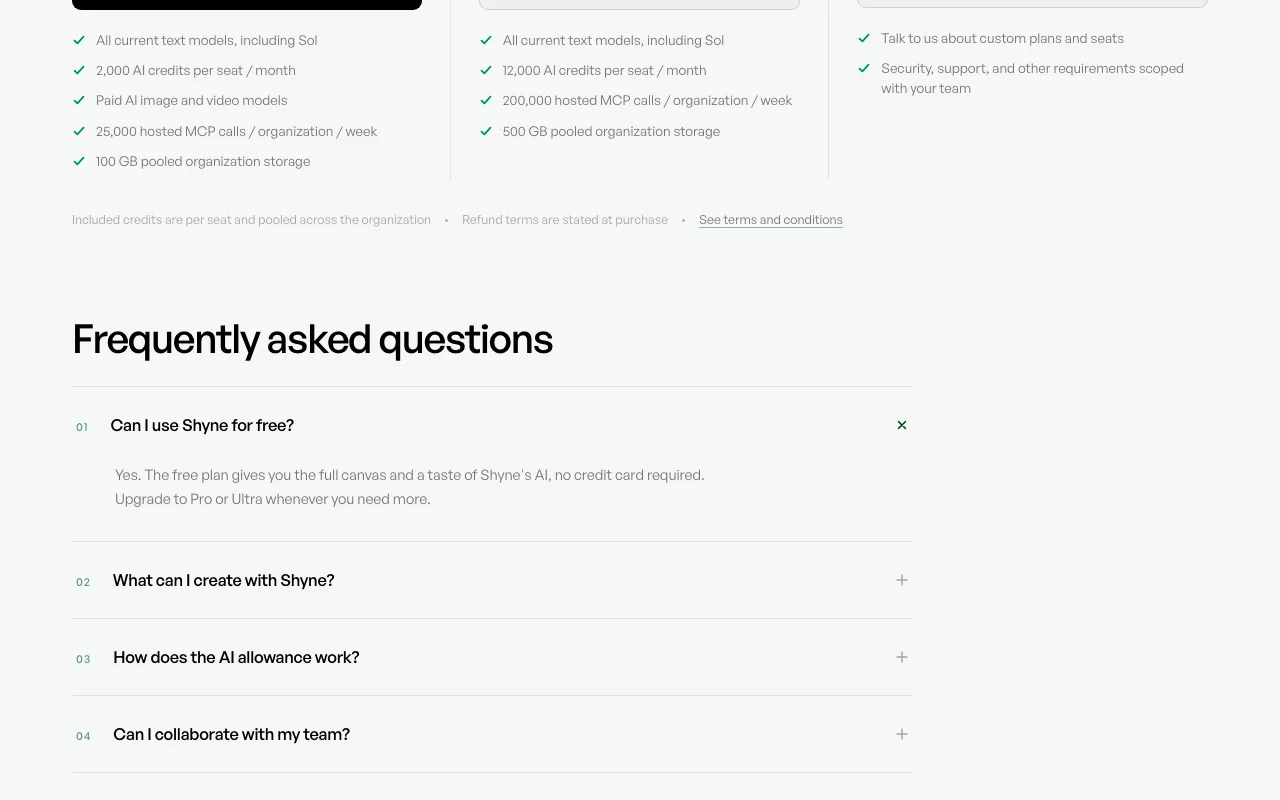
The official Shyne pricing page as we saw it. shyne.ai, captured Oct 1, 2026
Free access and trial conditions
Free plan with 1,000 AI credits per seat per month, no credit card required.
No separate trial stated; the Free plan is the entry point.
Security, support and other requirements scoped with your team
Usage caps, credits and extra costs
Hosted MP4 renders use credits; one credit equals one cent of list-price usage.
Not stated on the pricing page.
What is Shyne, and how does it work?
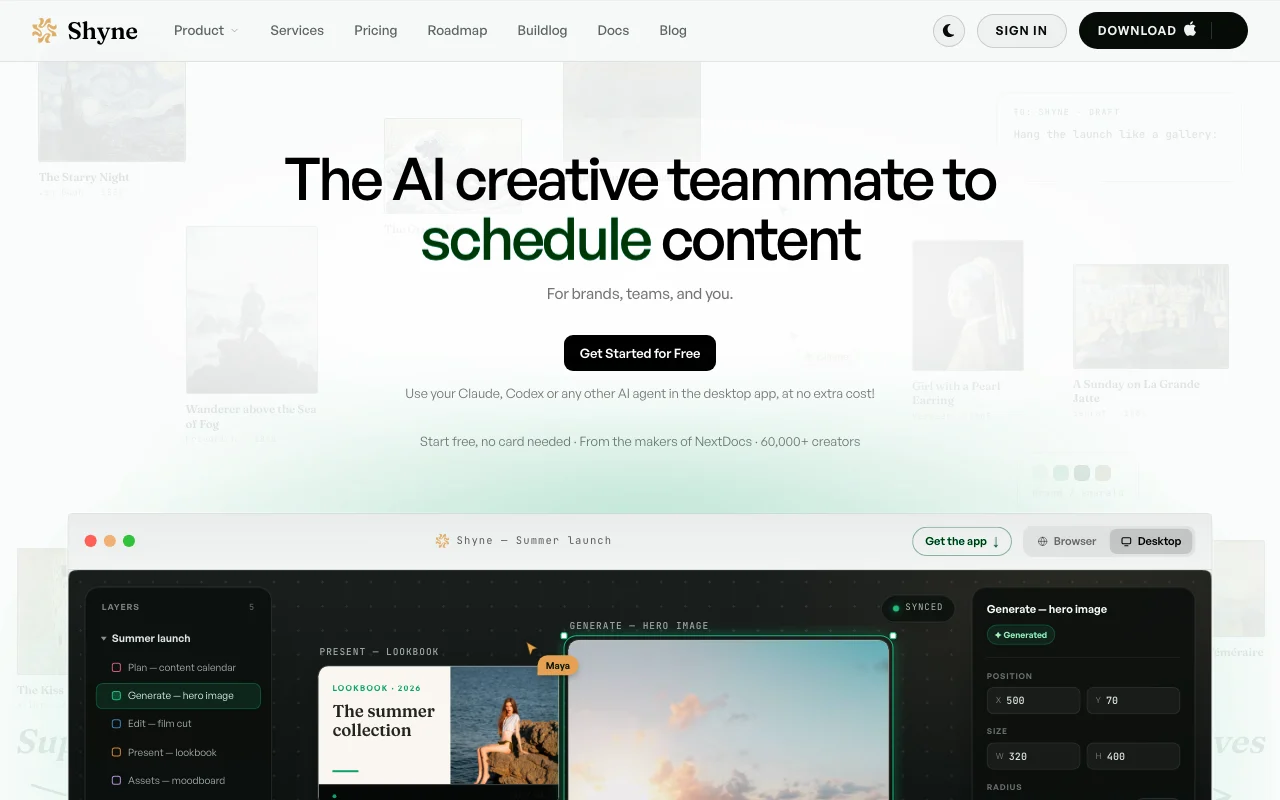
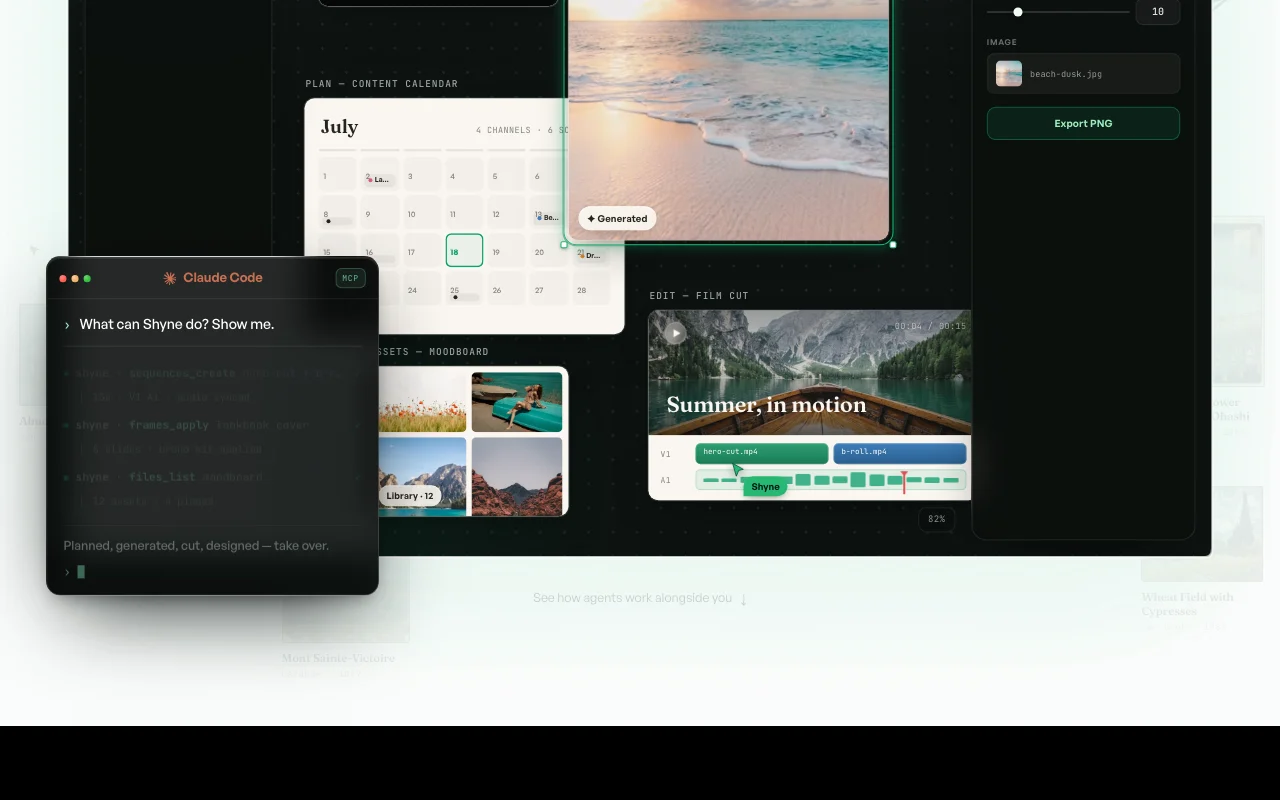
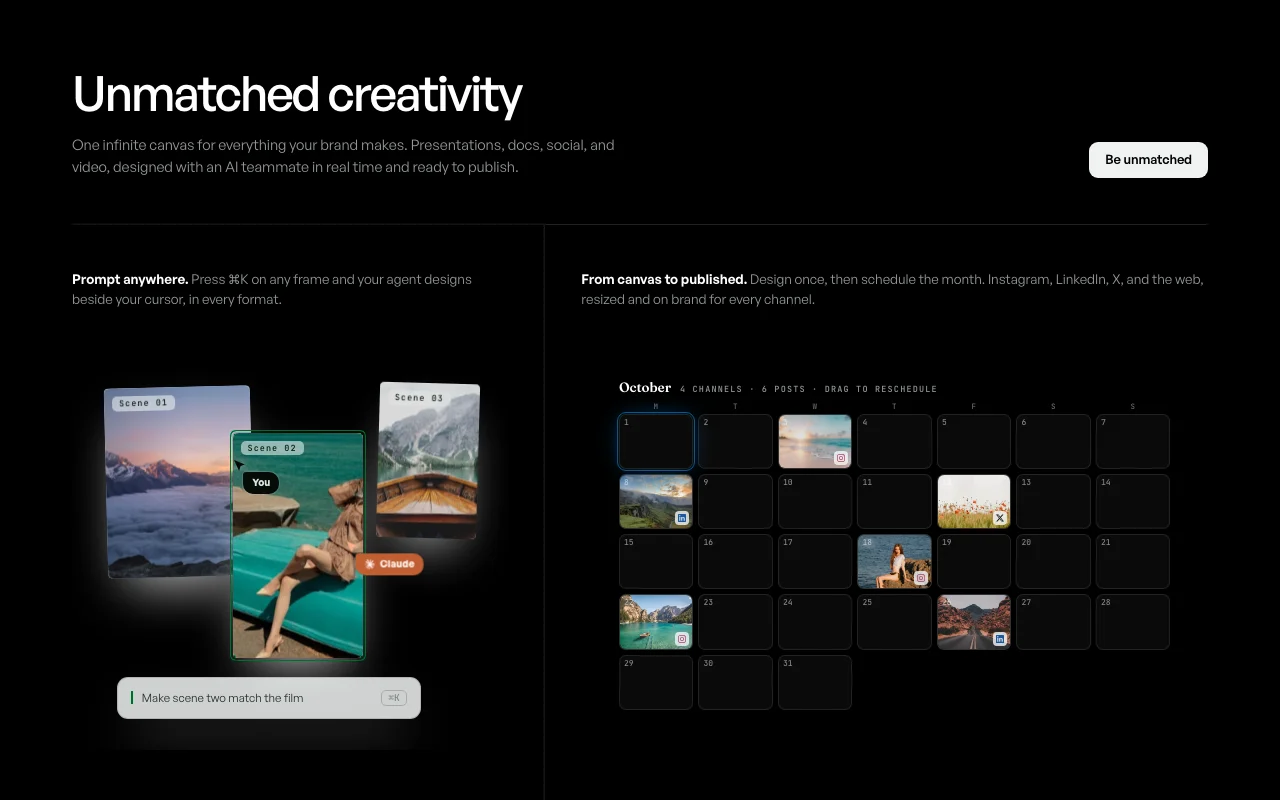
Shyne is a multiplayer design workspace built around one infinite canvas. People and AI agents work side by side to create presentations, documents, one-pagers, social posts, moodboards, infographics, wireframes, mockups, simple websites and video with a real timeline. Brand kits keep colors, fonts and logos consistent, a content calendar schedules posts to channels like Instagram, LinkedIn and X, and exports cover PNG, JPG, PDF, HTML, PowerPoint and MP4.
It runs in the browser and as desktop apps for macOS (Apple silicon) and Windows. A Shyne MCP connection lets you bring your own agent such as Claude or Codex into projects, and a developer REST API is documented. Plans include a Free tier with 1,000 AI credits per seat per month, Pro at $16/seat/mo billed annually, Ultra at $80/seat/mo billed annually, and Enterprise on request.
Shyne's official site: how the product presents itself. shyne.ai, captured Oct 1, 2026
What you provide and what you get back
What you give Shyne and what comes back, from its documentation
You provide
Text prompts to an agent (Cmd+K on a frame)
Dropped files: images, video, audio
Brand kit colors, fonts and logos
You get back
Presentations, docs, social posts, simple sites
PNG, JPG, PDF, HTML, PowerPoint, MP4
Scheduled posts to Instagram, LinkedIn, X
Where you can use it
Platforms
Web, Desktop, API
Account
Required
Models / versions
own models not named; bring your own Claude, ChatGPT, Gemini, Codex agents
Formats
PNG, JPG, PDF, HTML, PowerPoint, MP4
Video
Timeline editing; browser previews at 360p, other MP4 via hosted render using credits
Storage
2 GB Free, 100 GB Pro, 500 GB Ultra (pooled)
Desktop
macOS (Apple silicon) and Windows
Agents
Claude, ChatGPT, Cursor, Codex via MCP
Best use cases for Shyne
Scenarios are worked out by our editors from the documentation; the actual result depends on your input and plan.
Designing pitch decks and documents with an AI teammate
Who
Marketing and founder teams
You provide
A topic brief plus brand kit and a Cmd+K prompt to the agent
Expected result
An editable multi-frame deck exported to PowerPoint or PDF
Feature overview on the official site. shyne.ai, captured Oct 1, 2026
Infinite canvas with live multiplayer editing for people and agents
Lets people and AI agents edit the same canvas live with cursors and presence Removes version files and merge conflicts between teammates and the agent
Free plan with 1,000 AI credits per seat per month and no credit card You can evaluate real canvas work before paying anythingdocumentedsource (opens in a new tab)
Desktop apps for macOS and Windows plus full browser version You can work offline-style in a native app and open project links straight in itdocumentedsource (opens in a new tab)
Exports to PNG, JPG, PDF, HTML, PowerPoint and MP4 on every plan You can hand a finished file to clients in their preferred formatdocumentedsource (opens in a new tab)
Bring your own AI agent (Claude, Codex) via MCP at no extra cost You can reuse an agent subscription you already pay for instead of buying anotherdocumentedsource (opens in a new tab)
Check before paying for Shyne
AI usage is credit-metered; hosted MP4 renders consume credits Heavy video or image work can exhaust the monthly allowance and force an upgradedocumentedsource (opens in a new tab)
Free plan limited to 2 GB storage and 250 hosted MCP calls per week Larger asset libraries and agent automation can hit the free storage and MCP call capsdocumentedsource (opens in a new tab)
Paid image and video models require Pro or higher Free users cannot use the paid generative modelsdocumentedsource (opens in a new tab)
macOS build is Apple silicon only Intel Mac users cannot install the desktop appdocumentedsource (opens in a new tab)
How to use Shyne for building an on-brand launch deck
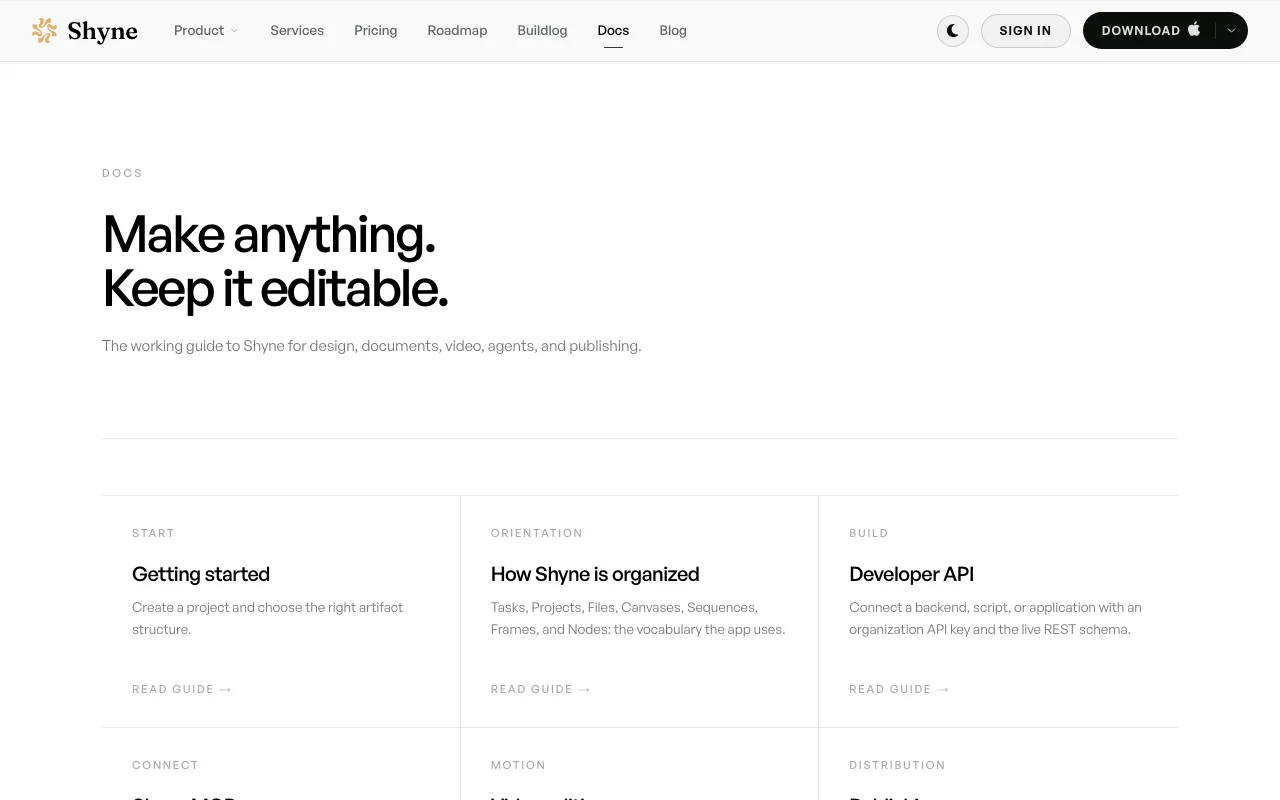
Shyne documentation: where the steps below come from. shyne.ai, captured Oct 1, 2026
Set up Shyne
Create a Shyne account at the sign-in page (the Free plan needs no card)
Create a brand kit with your colors, fonts and logo
Open a new project and choose a presentation structure
Optionally connect Claude or Codex through the Shyne MCP server (mcp.shyne.ai)
Example: building an on-brand launch deck
Press Cmd+K on an empty frame and describe the slide
Let the agent lay out the frames and review its edits on the canvas
Drag in product images or generate a hero image
Export to PowerPoint or PDF from the export menu
Review and export the result
Confirm colors, fonts and logo match the brand kit on every frame
Check the credit balance after generation, especially after hosted MP4 renders
Example prompt suggested by our editors (not a recorded output of the product)
Build an 8-frame launch deck for our summer collection using the brand kit: title, problem, product, three feature frames, pricing, call to action.
Shyne integrations and API
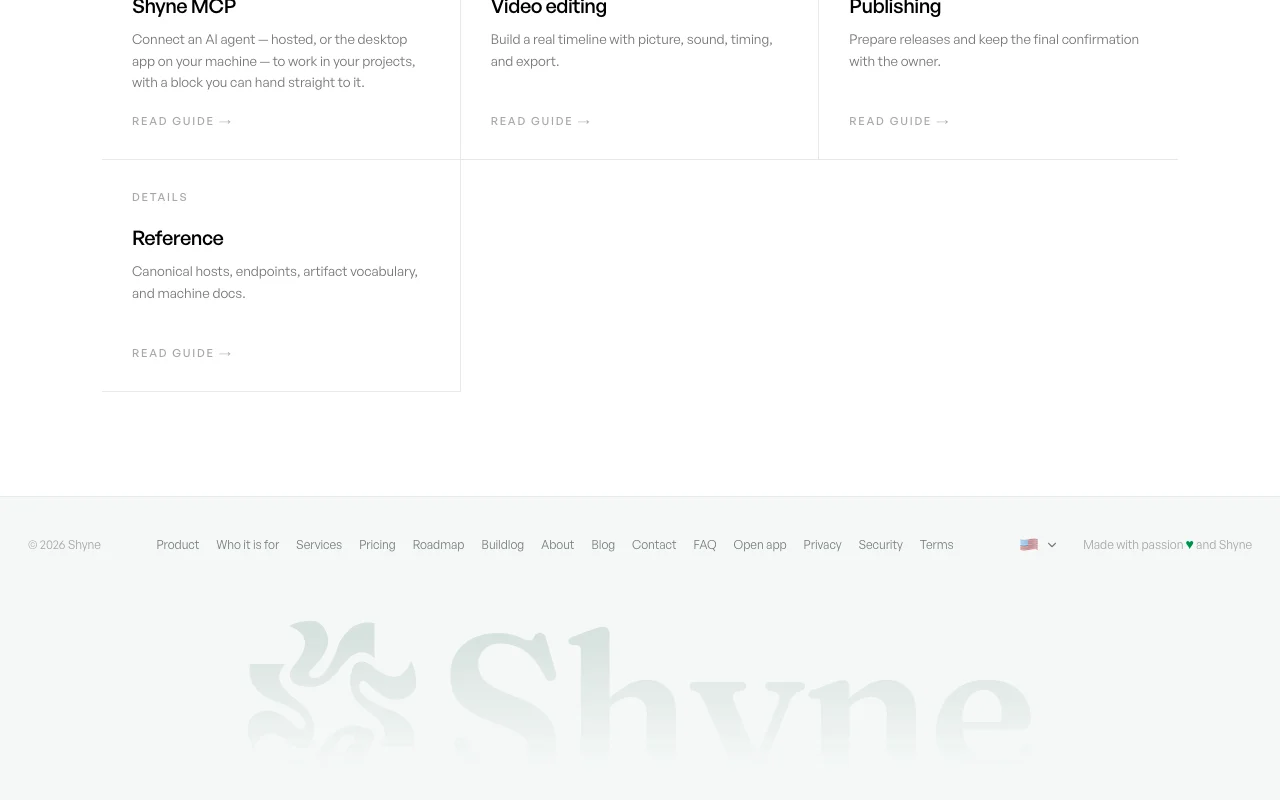
Shyne documentation (continued). shyne.ai, captured Oct 1, 2026
Native integrations and export formats
Export: PNG, JPG, PDF, HTML, PowerPoint, MP4
API access and separate billing
Shyne has no public API in its official documentation. Developer REST API and hosted MCP server documented; hosted MCP calls are capped per plan API documentation ↗
Privacy, data use and commercial rights
Summarized from the vendor's current policies; this is not legal advice and a vendor's badge is not an independent audit.
How your inputs and outputs are handled
Prompts and the relevant slice of the project are sent to model providers to produce results.
States it does not use projects, prompts or media to train its models, and model providers are bound by terms forbidding training on content.
Work stays while the account exists; on account deletion personal data and content are removed within 30 days, backups expire within a further 30 days.
Yes. The Free plan includes the full canvas, Standard text models and GPT Image generation with 1,000 AI credits per seat per month and no credit card. source (opens in a new tab)
How do Shyne AI credits work?
One credit is one cent of list-price usage; Free includes 1,000 per seat monthly, Pro 2,000 and Ultra 12,000, pooled across the organization. source (opens in a new tab)
Which formats can Shyne export?
Every plan exports PNG, JPG, PDF, HTML, PowerPoint and MP4. Short 360p previews render in the browser, other MP4 exports use hosted rendering and credits. source (opens in a new tab)
Can I use my own Claude or Codex agent in Shyne?
Yes. The homepage says you can use Claude, Codex or another agent in the desktop app at no extra cost, via the hosted MCP server, subject to weekly MCP call caps per plan. source (opens in a new tab)
Does Shyne train models on my designs?
No. The privacy policy says projects, prompts and media are not used to train its models, and providers are bound by terms forbidding it. source (opens in a new tab)
Not verified: Monthly-billing prices; Whether API access has separate billing; Tax handling.
How we documented and maintain this page
Every fact about Shyne above comes from the 6 official pages listed here, last compared on Oct 1, 2026; we have not run Shyne ourselves, so it has no editorial score. How we check and re-check pages.
Article updated Oct 10, 2026; prices checked Oct 1, 2026. Outbound links to vendors are plain links; we do not earn commissions. How we review · Report an error