Our take: Desktop image upscaler for photographers and fine artists needing unlimited local and cloud rendering at $29/mo with 9+ specialized AI models.
Main limitation: Standard plans limited to commercial use only for organizations under $1M USD annual revenue; subscription required with no free tier
By the AI Tool Atlas editors.
Based on the vendor's official documentation; we have not tested this product hands-on. What “documented overview” means
Who should use Topaz Gigapixel (formerly Gigapixel AI)
Desktop image upscaler for photographers and fine artists needing unlimited local and cloud rendering at $29/mo with 9+ specialized AI models. Based on the vendor's documentation, not on a hands-on test.
Best for: Photographers preparing images for large prints
Also a good fit for
Print shops and fine artists
Designers restoring low-resolution assets
Consider another tool if need free tier or free trial (none offered)
Or if
Organization exceeds $1M annual revenue (requires Pro plan)
Require browser-based solution instead of desktop
Topaz Gigapixel (formerly Gigapixel AI) pricing and usage limits
Prices checked Oct 1, 2026 on the official US pricing page. Official pricing ↗ Prices and limits change often.
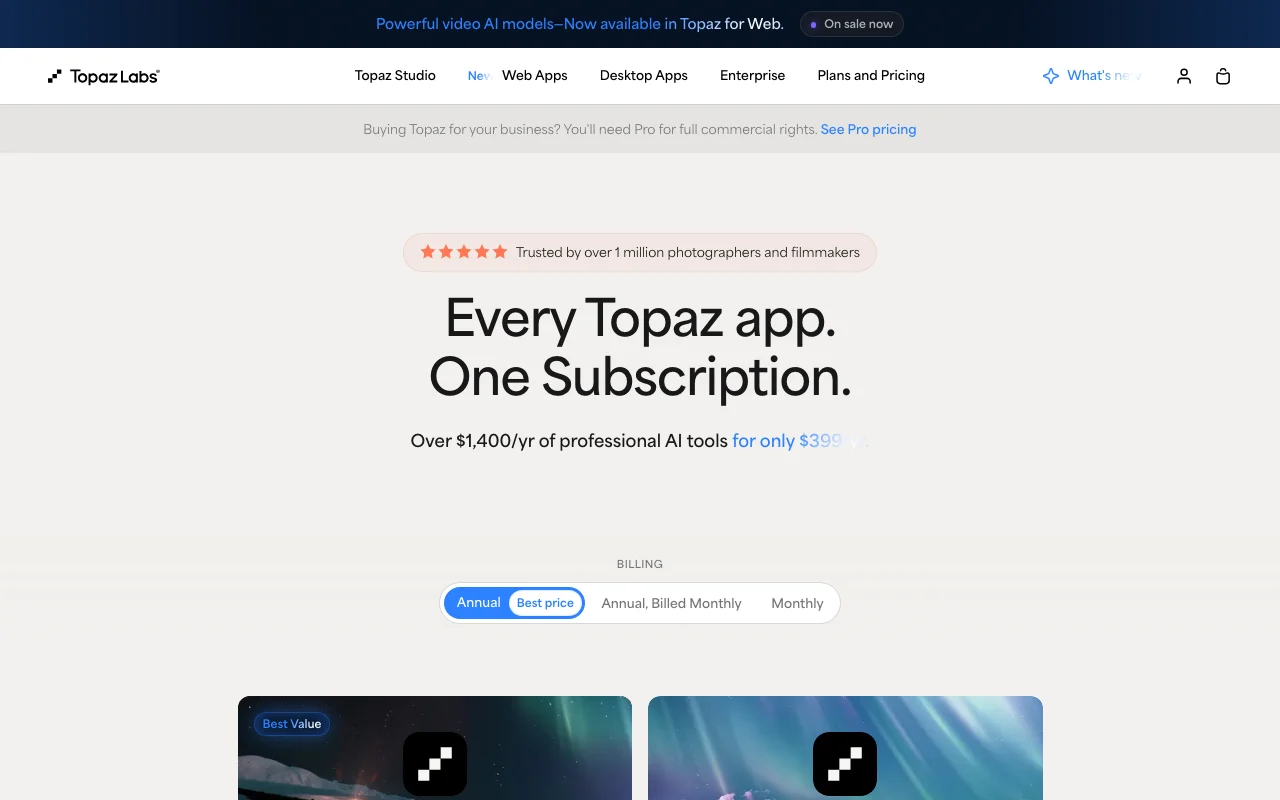
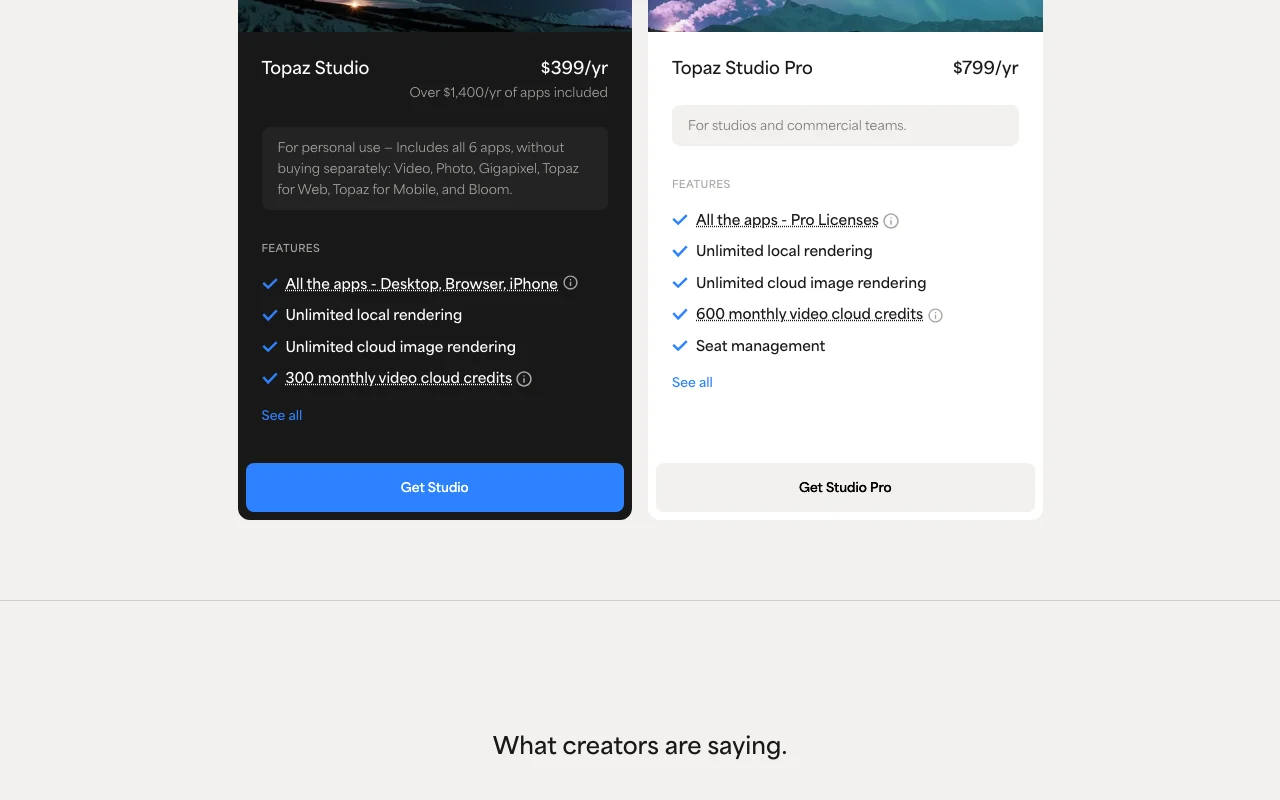
The official Topaz Gigapixel (formerly Gigapixel AI) pricing page as we saw it. topazlabs.com, captured Oct 1, 2026
For: Users committing long-term to Topaz ecosystem; saves $69 annually vs. monthly billing
Limits
2-image cloud concurrency
300 monthly video cloud credits
2 more
32MP cloud export limit (Bloom and Image Web products only)
Limited commercial use (organizations under $1M USD annual revenue)
Includes
Topaz Gigapixel (all models)
Topaz Photo, Topaz Video, Topaz for Mobile, Bloom, Topaz for Web
2 more
Unlimited local rendering
Unlimited cloud image rendering
What is Topaz Gigapixel (formerly Gigapixel AI), and how does it work?
Topaz Gigapixel is a desktop AI image upscaling application from Topaz Labs that enlarges photos and artwork up to 16x in resolution while restoring detail using machine learning. It runs as a standalone application or as a plugin to Photoshop and Lightroom Classic, with both local (on-device) and cloud rendering options included in the subscription. The app includes nine specialized upscaling models (Standard, Standard Max, High Fidelity, Low Res, Text & Shapes, Art & CG, Recover, Redefine, Face Recovery) plus the one-click Wonder model.
Topaz Gigapixel (formerly Gigapixel AI)'s official site: how the product presents itself. topazlabs.com, captured Oct 1, 2026
What you provide and what you get back
What you give Topaz Gigapixel (formerly Gigapixel AI) and what comes back, from its documentation
You provide
Image file (JPEG, PNG, TIFF, etc.)
Upscale factor selection (1x to 16x enlargement)
You get back
Upscaled image file with restored detail and sharpness
High-resolution output suitable for print or large display
Where you can use it
Platforms
Desktop (macOS, Windows)
Account
Required
Works offline
Yes (local rendering available without cloud)
Up to 16x enlargement
9 models: Standard, Standard Max, High Fidelity, Low Res, Text & Shapes, Art & CG, Recover, Redefine, Face Recovery
macOS and Windows as desktop application
Adobe Photoshop and Lightroom Classic
2 images simultaneous processing
Standard plan limited to orgs under $1M USD annual revenue
What people use Topaz Gigapixel (formerly Gigapixel AI) for
Scenarios are worked out by our editors from the documentation; the actual result depends on your input and plan.
Upscaling photos for large prints
Who
Professional photographers, print production teams
You provide
Digital photograph at standard resolution (e.g., 2000x1500px)
Expected result
Photo enlarged to billboard or poster size with preserved detail and sharpness
What Topaz Gigapixel (formerly Gigapixel AI) does, and where it stops
Feature overview on the official site. topazlabs.com, captured Oct 1, 2026
Upscaling up to 16x pixels
Enlarges image resolution from current size up to 16 times larger Enables use of standard-resolution images for large-format printing and displays
Access: Available on all paid plans via local or cloud renderingLimit: Cloud export limited to 32MP on standard plans for Image Web products onlysource (opens in a new tab)
Multiple specialized upscale models (Standard Max, High Fidelity, Low Res, Art & CG, Text & Shapes, Recover, Redefine, Face Recovery)
Provides nine dedicated AI models, each optimized for different image types and content Enables users to select the model best suited to their image content for optimal results
Access: Included in all Gigapixel and Studio plans; Wonder 1 cloud model also availableLimit: User must manually select appropriate model; no automatic selectionsource (opens in a new tab)
Wonder model for one-click upscale, sharpen and denoise
Applies upscaling, sharpening, and denoising in a single operation without model selection Streamlines workflow for users who want automatic optimization without choosing parameters
Access: Wonder 2 and 3 available locally; Wonder 1 via cloud renderingLimit: One-click automation may be less customizable than selecting specific modelsource (opens in a new tab)
Face Recovery model for portraits
Specialized upscaling model designed to recover facial detail and improve portrait quality Preserves facial features and restores expression during enlargement
Access: Included as one of the nine models in all plansLimit: Designed specifically for faces; not ideal for general photographysource (opens in a new tab)
Topaz Gigapixel (formerly Gigapixel AI) pros and cons
Reasons to choose Topaz Gigapixel (formerly Gigapixel AI)
Unlimited local and cloud image rendering on the subscription plan No per-use fees or rendering credits; cost predictable at fixed monthly subscriptiondocumentedsource (opens in a new tab)
Nine specialized upscale models for different image types and content Users can optimize results by selecting model matched to their image (portraits, art, text, low-res, etc.) rather than one-size-fits-all approachdocumentedsource (opens in a new tab)
Works as a plugin inside existing editing software (Photoshop, Lightroom Classic) or standalone Integrates into existing workflows without requiring new software or export/import stepsdocumentedsource (opens in a new tab)
Included in the Topaz Studio all-apps bundle with photo and video tools Cost-effective option for users needing multiple Topaz tools; single $69/mo subscription covers Gigapixel, Photo, Video, and web appsdocumentedsource (opens in a new tab)
Local rendering keeps images on user's computer without uploading to servers Enables secure processing of confidential or proprietary images without transmission riskdocumentedsource (opens in a new tab)
Check before paying for Topaz Gigapixel (formerly Gigapixel AI)
No free plan or free trial offered Users must commit to paid subscription ($29/mo minimum) to test the softwaredocumentedsource (opens in a new tab)
Standard plans allow commercial use only for organizations under $1M USD annual revenue Larger businesses must purchase Topaz Studio Pro ($69/mo) for unrestricted commercial usedocumentedsource (opens in a new tab)
Subscription required; $29/mo minimum for Gigapixel alone Recurring monthly cost of $348/year; no perpetual license option availabledocumentedsource (opens in a new tab)
Cloud concurrency limited to 2 images on standard plans Users processing high volumes must wait for cloud processing queue if uploading more than 2 images simultaneouslydocumentedsource (opens in a new tab)
How to use Topaz Gigapixel (formerly Gigapixel AI) for upscaling photographs for large-format printing
Set up Topaz Gigapixel (formerly Gigapixel AI)
Subscribe to Topaz Gigapixel ($29/mo) or Topaz Studio ($69/mo) at https://www.topazlabs.com/pricing
Download the desktop application for macOS or Windows from Topaz Labs downloads page
Install as standalone app or as plugin to Photoshop/Lightroom Classic
Launch Topaz Gigapixel and open an image file
Enable cloud rendering if desired (included in subscription)
Example: upscaling photographs for large-format printing
Open a standard-resolution photograph (e.g., 2000x1500px)
Select an appropriate model from the nine options (e.g., 'Standard Max' for general photos, 'Face Recovery' for portraits)
Choose upscale factor from 1x to 16x (6x upscale example: 2000px → 12000px)
Click 'Upscale' to process locally or via cloud rendering
Export the enlarged image in JPEG, PNG, or TIFF format
Plan comparison on the official pricing page. topazlabs.com, captured Oct 1, 2026
Native integrations and export formats
Export: JPEG, PNG, TIFF
Privacy, data use and commercial rights
Summarized from the vendor's current policies; this is not legal advice and a vendor's badge is not an independent audit.
How your inputs and outputs are handled
Local rendering keeps image files on user's computer without transmission to Topaz servers. Cloud rendering uploads images to Topaz processing servers and returns enlarged result.
Commercial use and plan restrictions
Personal and commercial use for organizations under $1M USD annual revenue on standard plans. Full commercial use available on Topaz Studio Pro ($69/mo).
Controls for business users
Seat management on Topaz Studio Pro
Explore Topaz Gigapixel (formerly Gigapixel AI) further
Can I use Gigapixel if my organization is larger than $1M annual revenue?
Yes, organizations over $1M revenue can upgrade to Topaz Studio Pro for full commercial use rights. source (opens in a new tab)
Is there a free trial available?
No free trial is listed on the pricing page; users must commit to the paid subscription. source (opens in a new tab)
Can I upscale images offline?
Yes, local rendering is included and requires no internet connection. Cloud rendering is also included for faster processing. source (opens in a new tab)
Not verified: Free trial duration or availability; API availability and documentation; Data retention policy for cloud-processed images; Use of images for model training; Specific export file format support beyond JPEG/PNG/TIFF; Offline model updates and version history.
How we documented and maintain this page
Every fact about Topaz Gigapixel (formerly Gigapixel AI) above comes from the 2 official pages listed here, last compared on Oct 1, 2026; we have not run Topaz Gigapixel (formerly Gigapixel AI) ourselves, so it has no editorial score. How we check and re-check pages.
Article updated Oct 2, 2026; prices checked Oct 1, 2026. Outbound links to vendors are plain links; we do not earn commissions. How we review · Report an error