Image generationDocumented overviewLast checked Oct 1, 2026

Vaethat: Pricing, Features & Best Use Cases

AI render enhancer and upscaler for architectural visualization images.

Is Vaethat right for you?

Vaethat suits architects and 3D visualization studios who want a preset-based AI upscaler and enhancer for archviz renders, with batch workspaces, region enhancement and layered .psd export. Based on the vendor's documentation, not on a hands-on test.

Best for: Architects

Also a good fit for

  • 3D visualization studios

Consider another tool if prices shown in EUR, not USD

Or if

  • Credits consumed by output resolution
  • Basic plan enhances 1 image at a time

Vaethat pricing and usage limits

Prices checked Oct 1, 2026 on the official US pricing page. Official pricing ↗ Prices and limits change often.

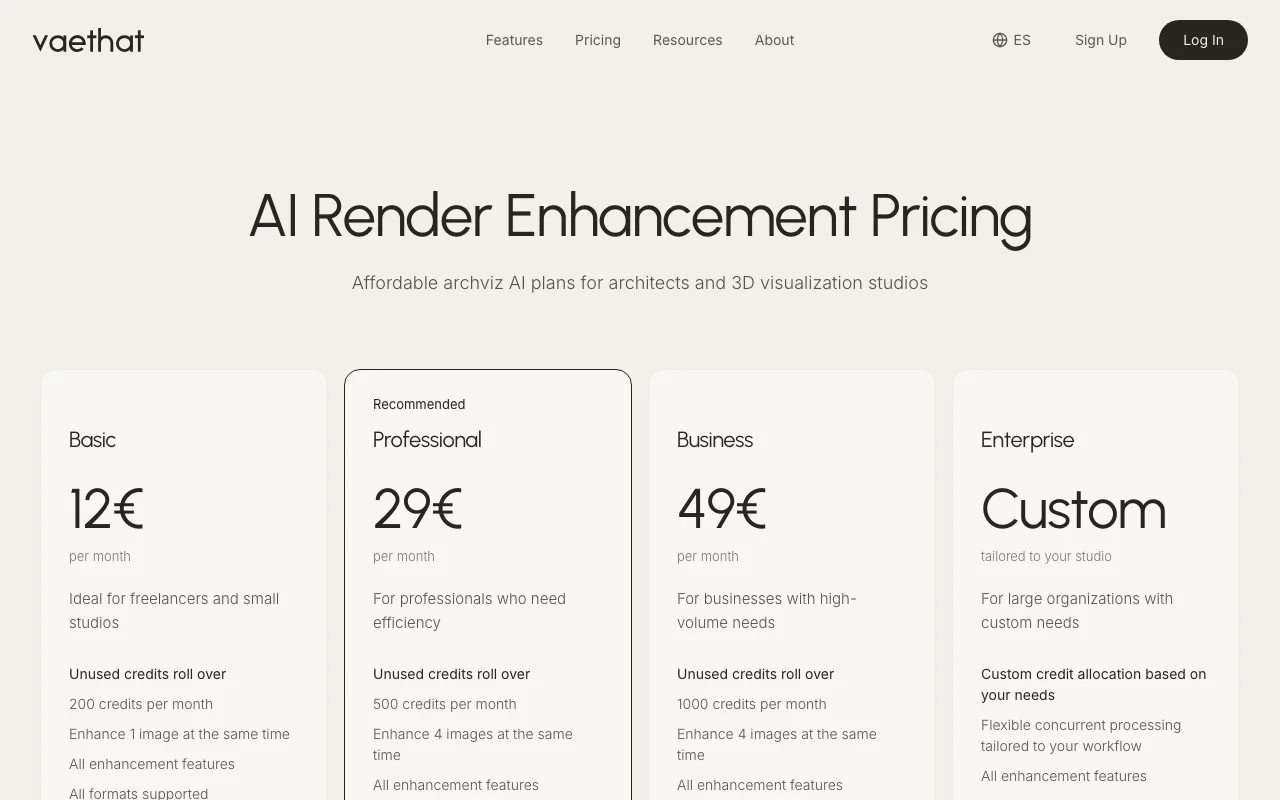
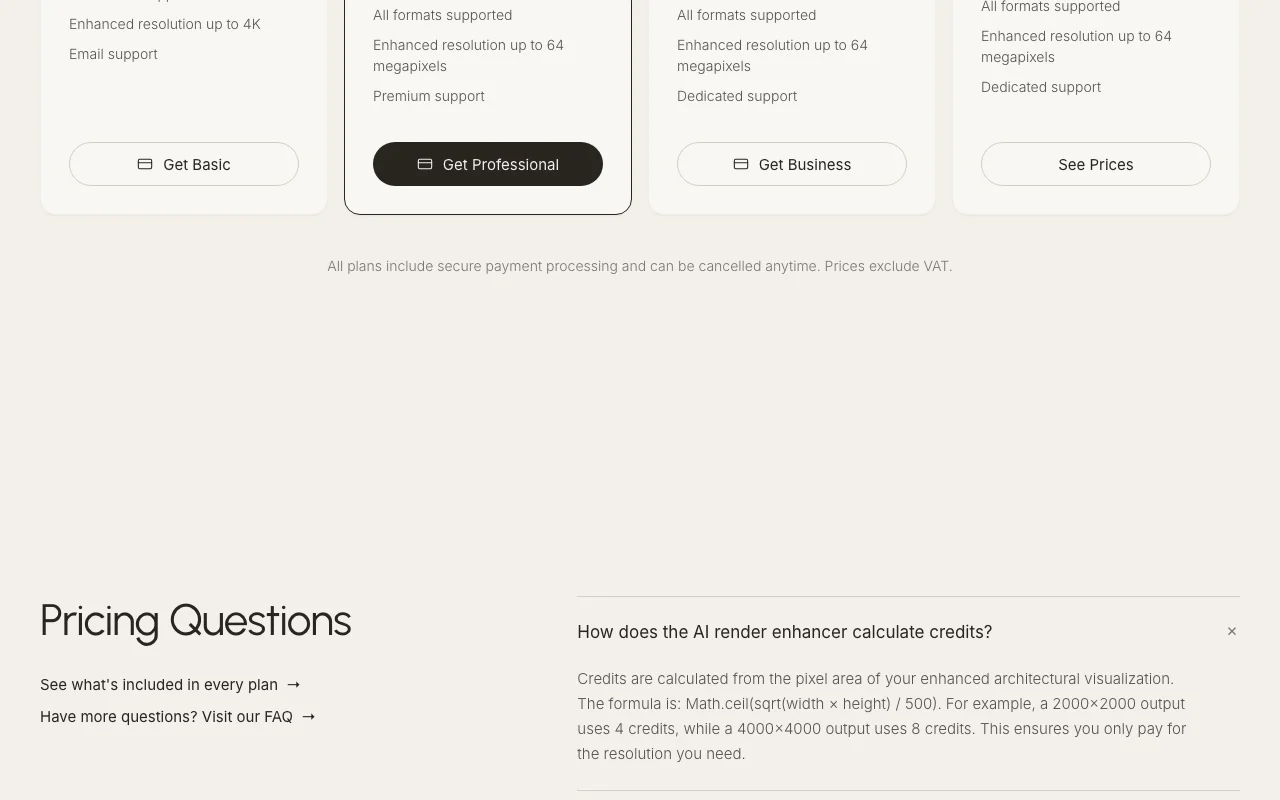
Vaethat pricing page with plans and prices — screenshot of the image generation AI tool, Oct 2, 2026
The official Vaethat pricing page as we saw it. vaethat.com, captured Oct 2, 2026

Free access and trial conditions

No free plan.

No free trial; Basic starts at EUR 12 per month.

Paid plans: what changes as you upgrade

Basic web

See official pricing source (opens in a new tab)

Month

EUR 12/month. Priced in EUR excluding VAT; no USD price.

For: Freelancers and small studios

Limits

  • 200 credits per month
  • Enhance 1 image at a time
1 more
  • Resolution up to 4K

Includes

  • All enhancement features
  • PNG, JPG and WEBP formats
1 more
  • Unused credits roll over (up to 400)

Professional web

See official pricing source (opens in a new tab)

Month

EUR 29/month. Priced in EUR excluding VAT; no USD price.

For: Professionals needing efficiency (recommended)

Limits

  • 500 credits per month
  • Enhance 4 images at a time
1 more
  • Up to 64 megapixels

Includes

  • Premium support
  • Faster priority processing
1 more
  • Rollover up to 1,000 credits

Business web

See official pricing source (opens in a new tab)

Month

EUR 49/month. Priced in EUR excluding VAT; no USD price.

For: High-volume studios

Limits

  • 1000 credits per month

Includes

  • Dedicated support
  • Rollover up to 2,000 credits

Enterprise web

Custom pricing source (opens in a new tab)

For: Large organizations

Limits

  • Custom credit allocation

Includes

  • Flexible concurrent processing
  • Tailored to your studio

Usage caps, credits and extra costs

Credits per image = ceil(sqrt(width x height) / 500), so larger outputs cost more.

Prices exclude VAT.

What is Vaethat, and how does it work?

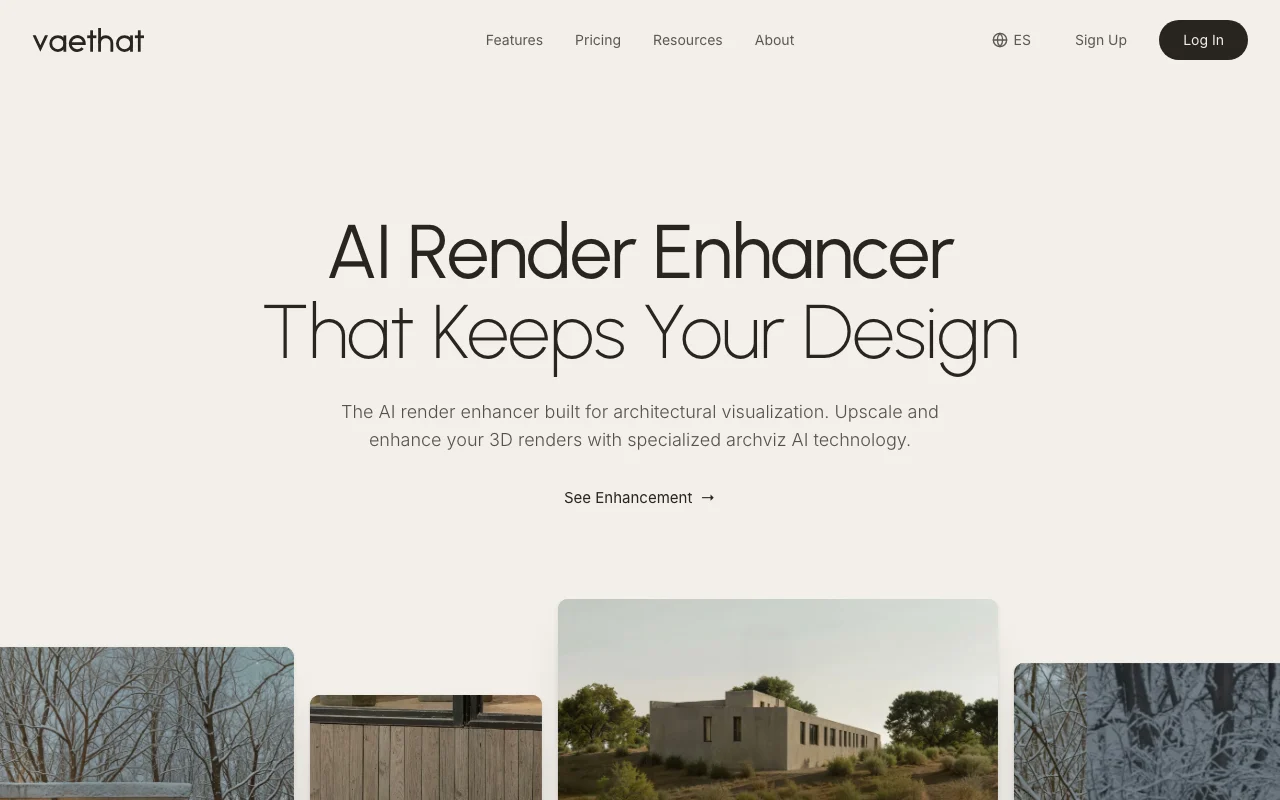
Vaethat is a web-based AI tool that upscales and enhances architectural visualization renders using two presets (Standard and Enhanced), without prompts or sliders. It supports multi-image project workspaces, region enhancement and layered .psd export, and lists compatibility with renderers such as V-Ray and Lumion.

Vaethat homepage — screenshot of the image generation AI tool, Oct 2, 2026
Vaethat's official site: how the product presents itself. vaethat.com, captured Oct 2, 2026

What you provide and what you get back

How Vaethat works: what you provide, where it runs and what you get backYOU PROVIDEYour inputArchitectural renders as PNG, JPG…A chosen preset (Standard or Enha…Selected regions of an imageIMAGE GENERATIONVaethatWebprice not publishedno free tieraccount requiredchecked Oct 1, 2026YOU GET BACKThe resultUpscaled and enhanced renders up…JPG outputLayered .psd with the original as…input → Vaethat → output · from the vendor's own pages, no hands-on test unless stated
What you give Vaethat and what comes back, from its documentation

You provide

  • Architectural renders as PNG, JPG or WEBP
  • A chosen preset (Standard or Enhanced) and 2x or 4x scale
  • Selected regions of an image

You get back

  • Upscaled and enhanced renders up to 4K or 64 MP
  • JPG output
  • Layered .psd with the original as base layer

Where you can use it

Platforms
Web
Account
Required
Input formats
PNG, JPG, WEBP
Output
JPG, layered .psd
Max resolution
4K (Basic), up to 64 MP (Professional)
Credits per month
200 / 500 / 1000 / custom
Concurrent images
1 (Basic), 4 (Professional)

What people use Vaethat for

Scenarios are worked out by our editors from the documentation; the actual result depends on your input and plan.

Upscaling archviz renders

Who
Freelance archviz artists
You provide
A single exterior render
Expected result
A 4K enhanced render with added texture detail
Plan needed
Basic
Limitation
Basic processes one image at a time source (opens in a new tab)

Enhancing interior renders

Who
Studios finishing a project
You provide
A folder of interior renders
Expected result
All renders enhanced in parallel in one workspace
Plan needed
Professional
Limitation
Credits depend on output pixel area source (opens in a new tab)

Competition submissions

Who
Competition teams
You provide
A hero render with a weak focal area
Expected result
A refined focal point via region enhancement
Plan needed
Professional
Limitation
Enhanced mode can shift small elements slightly source (opens in a new tab)

Vaethat features and their limits

Vaethat homepage — screenshot of the image generation AI tool, Oct 2, 2026
Feature overview on the official site. vaethat.com, captured Oct 2, 2026

Standard and Enhanced presets

Offers two presets, Standard and Enhanced, with no prompts or sliders. Removes trial-and-error settings.

Access: All plansLimit: Only two modes to choose from. source (opens in a new tab)

Upscale 2x or 4x

Upscales renders 2x or 4x. Meets print or competition resolution needs.

Access: All plansLimit: Credits grow with output size. source (opens in a new tab)

Multi-image workspace

Opens a whole project in a multi-image workspace and enhances all images at once. Saves hours of per-image post-production.

Access: Concurrent images by planLimit: Basic handles one at a time. source (opens in a new tab)

Region enhancement

Enhances only a selected region and exports a layered .psd with the original beneath. Saves credits and keeps full control in Photoshop.

Access: All plansLimit: Region selection must be drawn manually. source (opens in a new tab)

Pros, cons and deal-breakers

Reasons to choose Vaethat

Check before paying for Vaethat

How to use Vaethat for upscaling and enhancing an architectural render

Set up Vaethat

  1. Open vaethat.com and subscribe to a plan (no trial is offered)
  2. Create a project in the studio and upload your PNG, JPG or WEBP renders
  3. Choose 2x or 4x upscale

Example: upscaling and enhancing an architectural render

  1. Pick Standard Upscale or Enhance Upscale (or both) for the render
  2. Select the exterior or interior recommendation shown in the menu
  3. Optionally draw a region to enhance only one area
  4. Click Enhance and download the JPG or layered .psd

Review and export the result

  1. Compare the result to the original at 100% zoom for shifted details
  2. Check the credits used against the pixel-area formula

Vaethat integrations and API

Vaethat pricing page with plans and prices — screenshot of the image generation AI tool, Oct 2, 2026
Plan comparison on the official pricing page. vaethat.com, captured Oct 2, 2026

Native integrations and export formats

Export: JPG, Layered .psd

API access and separate billing

Vaethat has no public API in its official documentation. No API stated.

Privacy, data use and commercial rights

Summarized from the vendor's current policies; this is not legal advice and a vendor's badge is not an independent audit.

How your inputs and outputs are handled

Uploaded renders are processed only for enhancement.

No. FAQ says uploaded images are not used to train AI models.

Not captured.

Commercial use and plan restrictions

Not stated.

None stated.

Controls for business users

  • Dedicated support (Business)

Best Vaethat alternatives for different needs

"Better suited" is based on documented features and pricing, not on a head-to-head test.

Leonardo.Ai: better suited to

Adobe Firefly: better suited to

Alternatives
AlternativeWhen to choose itPricingLimitation
Leonardo.Ai——Compare
Adobe Firefly——Compare

Explore Vaethat further

Tools and guides near Vaethat

Vaethat user reviews

No user reviews yet.

Used Vaethat? Be the first to share your experience.

Write a review

Reviews are checked by a moderator before they appear. Your email is never published. Plain text only.

Your rating (required)

Show what you made or what went wrong. Images are published only if the review is approved; location data is removed.

    Vaethat FAQ

    How does Vaethat calculate credits?

    By pixel area: ceil(sqrt(width x height) / 500) credits per enhanced image. source (opens in a new tab)

    Does Vaethat have a free trial?

    No. Basic starts at EUR 12 a month for 200 credits up to 4K. source (opens in a new tab)

    Do unused Vaethat credits roll over?

    Yes, with caps per plan: Basic up to 400, Professional 1,000, Business 2,000. source (opens in a new tab)

    What file formats does Vaethat support?

    PNG, JPG and WEBP on all plans. source (opens in a new tab)

    Does Vaethat train on my renders?

    No. The FAQ says uploaded images are not used to train AI models. source (opens in a new tab)

    Sources and review methodology

    Official sources and verification dates

    Not verified: USD prices; Retention; Business concurrency; Features page (empty).

    How we documented and maintain this page

    Every fact about Vaethat above comes from the 3 official pages listed here, last compared on Oct 1, 2026; we have not run Vaethat ourselves, so it has no editorial score. How we check and re-check pages.

    Article updated Oct 2, 2026; prices checked Oct 1, 2026. Outbound links to vendors are plain links; we do not earn commissions. How we review · Report an error