Image generationDocumented overviewLast checked Oct 1, 2026

AI Texture Studio: Pricing, Features & Best Use Cases

AI workspace for seamless textures and PBR materials with map extraction and upscaling.
Who should use AI Texture Studio

Choose AI Texture Studio if you need seamless tileable textures and full PBR map sets from a prompt or photo, with a free 10-credit tier and paid plans from $14/month billed annually. Based on the vendor's documentation, not on a hands-on test.

Best for: 3D artists

Also a good fit for

  • Game developers
  • Render artists

Consider another tool if free plan has 10 starter credits and public assets

Or if

  • Credit-based usage
  • Yearly billing shown for paid plans

AI Texture Studio pricing and usage limits

Prices checked Oct 1, 2026 on the official US pricing page. Official pricing ↗ Prices and limits change often.

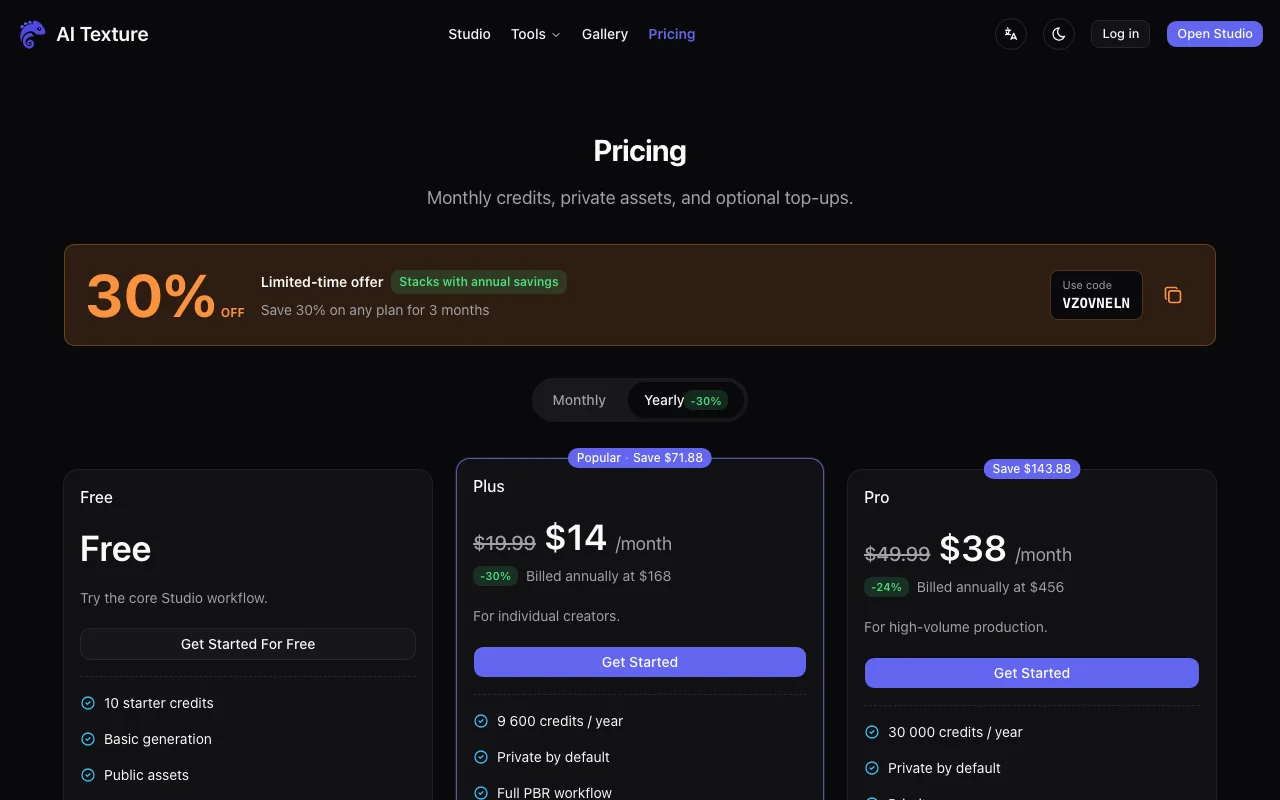
AI Texture Studio pricing page with plans and prices — screenshot of the image generation AI tool, Oct 1, 2026
The official AI Texture Studio pricing page as we saw it. aitexture.ai, captured Oct 1, 2026

Free access and trial conditions

Free plan with 10 starter credits; assets are public.

Paid plans: what changes as you upgrade

Free web

Free source (opens in a new tab)

For: Trying the workflow

Limits

  • 10 starter credits
  • Public assets

Includes

  • Basic generation
  • Personal workspace

Plus web

$14/mo per user source (opens in a new tab)

Month, annual commitment

Billed annually at $168; list $19.99/month shown with launch discount

For: Individual creators

Limits

  • 9,600 credits per year

Includes

  • Private by default
  • Full PBR workflow
1 more
  • Engine exports

Pro web

$38/mo per user source (opens in a new tab)

Month, annual commitment

Billed annually at $456; list $49.99/month

For: High-volume production

Limits

  • 30,000 credits per year

Includes

  • Private by default
  • Priority queue
1 more
  • Priority support

Usage caps, credits and extra costs

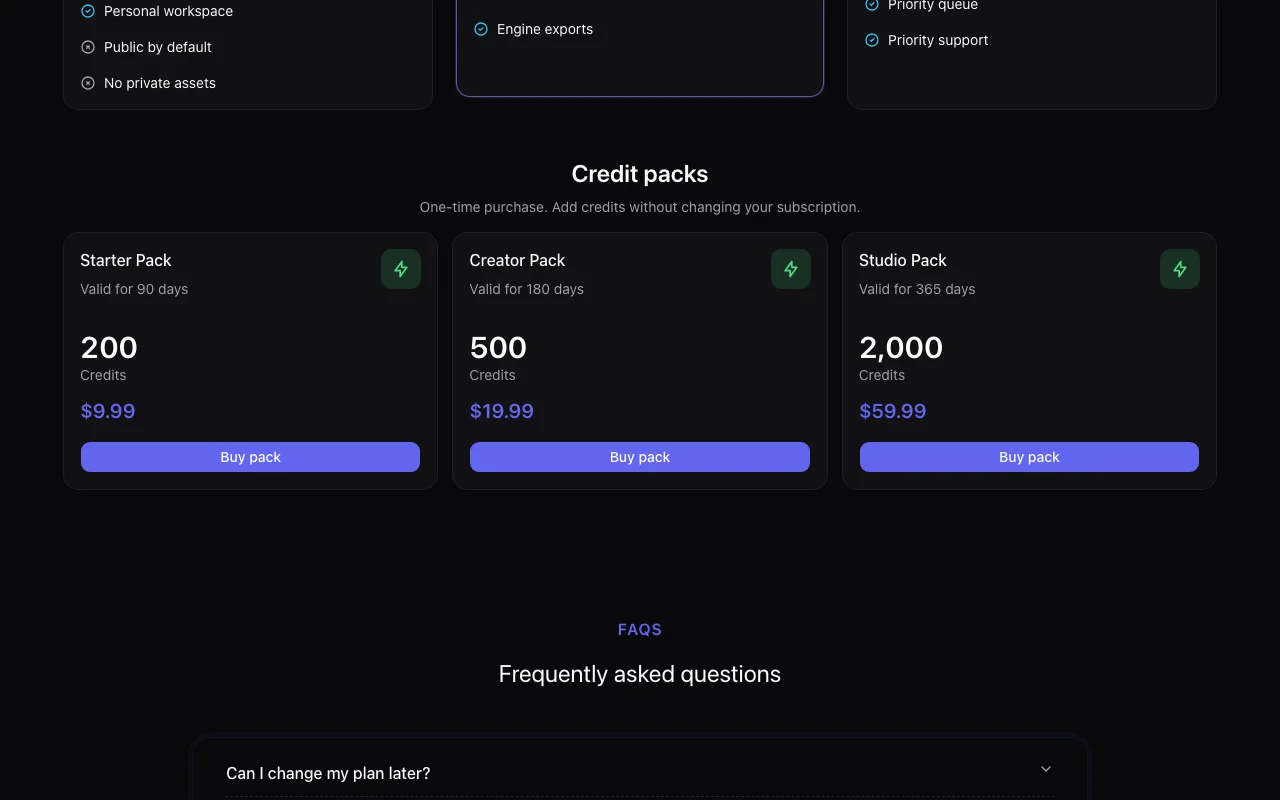
Credit packs: $9.99 (200), $19.99 (500, 180 days), $59.99 (2,000).

What is AI Texture Studio, and how does it work?

AI Texture Studio generates tileable textures from prompts, creates PBR material maps, extracts PBR maps from images and upscales textures 2x or 4x. It targets 3D artists, game teams and render workflows, with engine exports on paid plans.

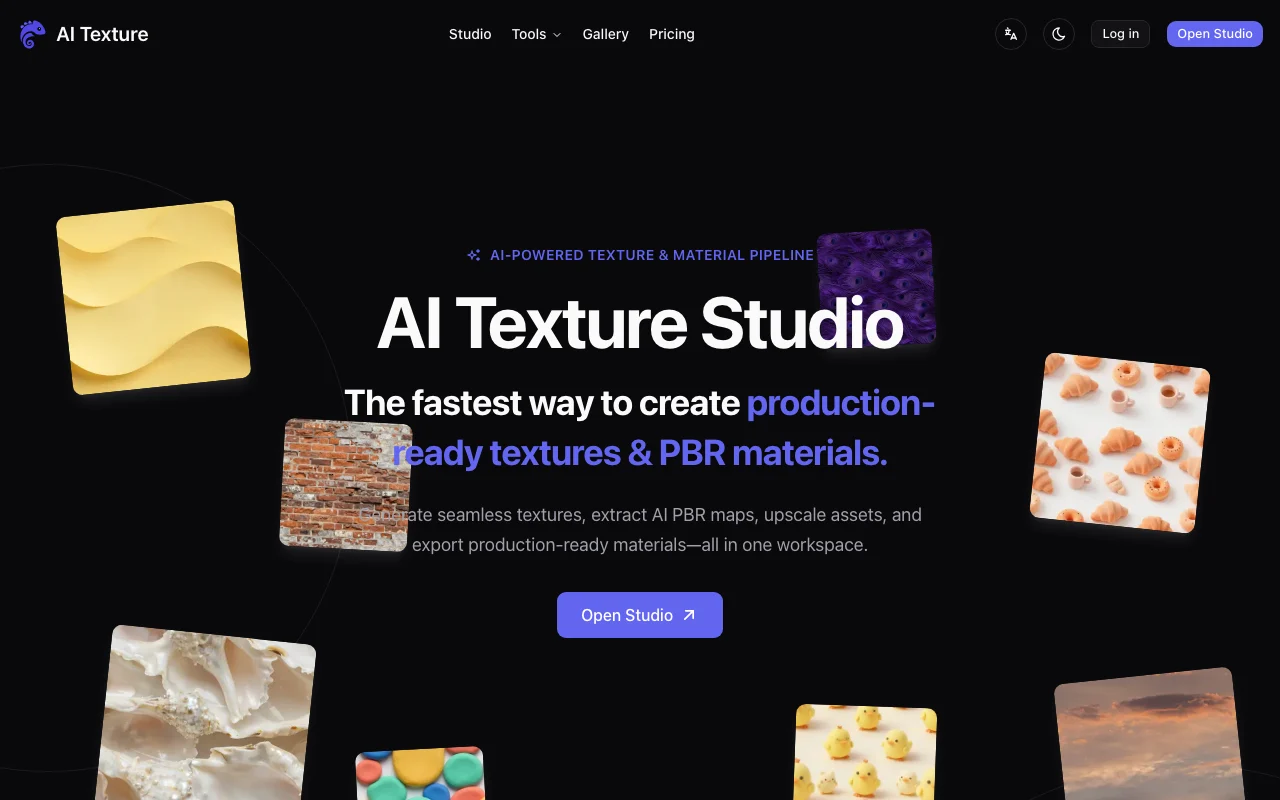
AI Texture Studio homepage — screenshot of the image generation AI tool, Oct 1, 2026
AI Texture Studio's official site: how the product presents itself. aitexture.ai, captured Oct 1, 2026

What you provide and what you get back

How AI Texture Studio works: what you provide, where it runs and what you get backYOU PROVIDEYour inputText promptReference imageExisting texture to upscaleIMAGE GENERATIONAI Texture StudioWebfrom $9.99 (Starter Pack)free tier availableaccount requiredchecked Oct 1, 2026YOU GET BACKThe resultSeamless tileable texturePBR material maps2x or 4x upscaled textureEngine exports on paid plansinput → AI Texture Studio → output · from the vendor's own pages, no hands-on test unless stated
What you give AI Texture Studio and what comes back, from its documentation

You provide

  • Text prompt
  • Reference image
  • Existing texture to upscale

You get back

  • Seamless tileable texture
  • PBR material maps
  • 2x or 4x upscaled texture
  • Engine exports on paid plans

Where you can use it

Platforms
Web
Account
Required
Workflows
Texture, Material, PBR extraction, Upscaler
Upscaling
2x or 4x
Typical generation
About 10 seconds
Default size
1024 x 1024
Commercial terms
Not stated on fetched pages

Best use cases for AI Texture Studio

Scenarios are worked out by our editors from the documentation; the actual result depends on your input and plan.

Seamless textures

Who
3D artists and environment artists
You provide
Surface prompt such as weathered red brick
Expected result
A seamless texture tileable on both axes
Plan needed
Free to test; Plus for private assets
Limitation
Free plan assets are public source (opens in a new tab)

PBR materials

Who
Game and render teams needing material channels
You provide
A prompt or a photo of a surface
Expected result
A PBR material with its map channels, exportable to engines
Plan needed
Plus or Pro
Limitation
Engine exports and full PBR workflow are paid features source (opens in a new tab)

Game assets

Who
Game developers with low-res assets
You provide
An existing texture
Expected result
A 2x or 4x upscaled version
Plan needed
Credit-based, any plan
Limitation
Costs credits per run source (opens in a new tab)

What AI Texture Studio does, and where it stops

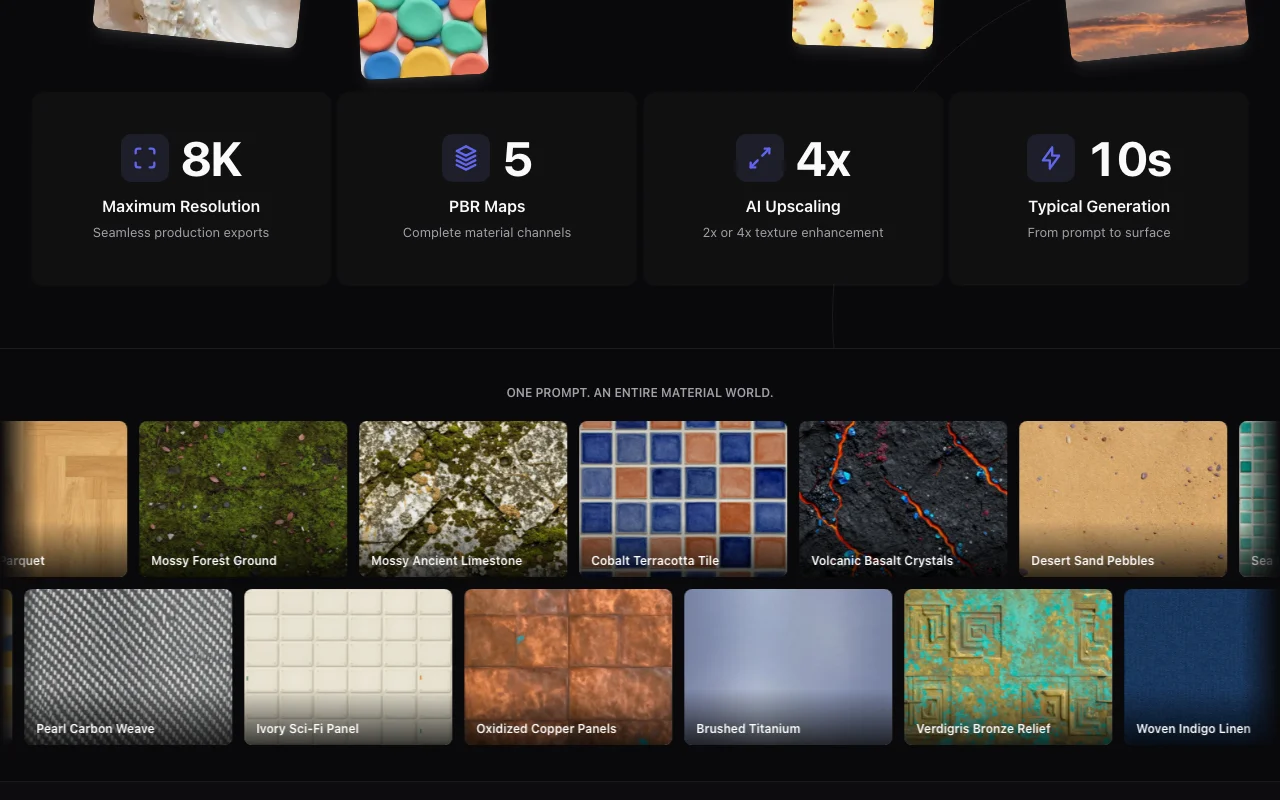
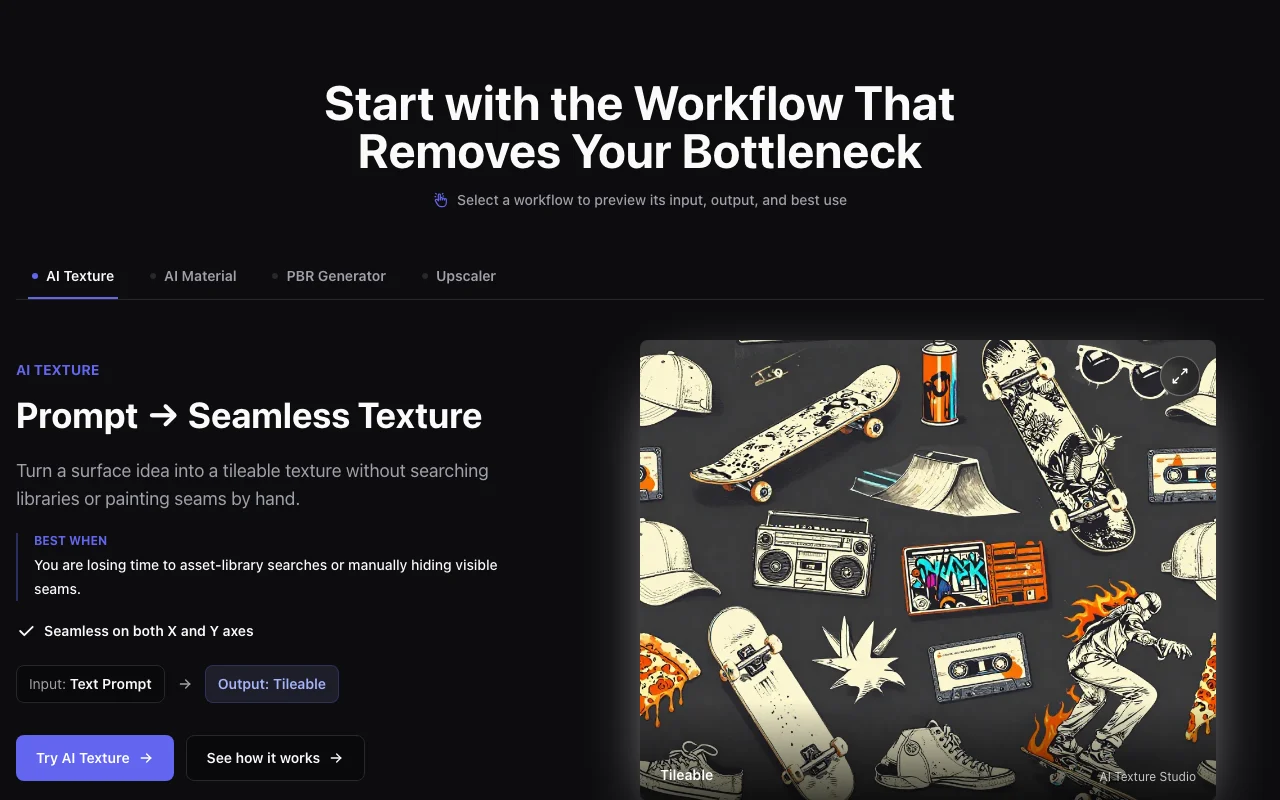
AI Texture Studio homepage — screenshot of the image generation AI tool, Oct 1, 2026
Feature overview on the official site. aitexture.ai, captured Oct 1, 2026

Text-to-seamless texture

Turns a text prompt into a tileable texture Removes seam cleanup and library searching

Access: Free plan has basic generationLimit: Free outputs are public source (opens in a new tab)

Prompt-to-material with PBR maps

Generates a full material with PBR maps from a prompt Gives engine-ready surface channels at once

Access: Plus and Pro include the full PBR workflowLimit: Uses credits source (opens in a new tab)

Image-to-PBR

Extracts PBR maps from a supplied image Reuses photos as materials

Access: Credit-basedLimit: Quality depends on the source image source (opens in a new tab)

2x/4x upscaler

Upscales textures 2x or 4x Raises resolution without re-generating

Access: Credit-basedLimit: Result is limited by plan credits source (opens in a new tab)

Pros, cons and deal-breakers

Where AI Texture Studio is strong

Limitations to check before paying

How to use AI Texture Studio for creating a seamless PBR material

Set up AI Texture Studio

  1. Open aitexture.ai and click Open Studio
  2. Create an account to start with the 10 free credits
  3. Choose a workflow: AI Texture, AI Material, PBR Generator or Upscaler
  4. Set size and the Seamless option

Example: creating a seamless PBR material

  1. Enter a prompt like industrial iron plate, deep pits, flaking metal scales
  2. Press Generate and wait about 10 seconds
  3. Send the result to the PBR workflow to produce map channels
  4. Export the material to your engine format on a paid plan

Review and export the result

  1. Tile the texture 2x2 in your engine to look for visible seams
  2. Check each PBR map renders correctly under a light
  3. Confirm remaining credits after the run
Example prompt suggested by our editors (not a recorded output of the product)
Weathered red brick wall, moss in mortar lines, seamless tileable

AI Texture Studio integrations and API

AI Texture Studio pricing page with plans and prices — screenshot of the image generation AI tool, Oct 1, 2026
Plan comparison on the official pricing page. aitexture.ai, captured Oct 1, 2026

Native integrations and export formats

Export: Engine exports on Plus and Pro (formats not listed on fetched pages)

API access and separate billing

AI Texture Studio has no public API in its official documentation. No API on fetched pages.

Privacy, data use and commercial rights

Summarized from the vendor's current policies; this is not legal advice and a vendor's badge is not an independent audit.

How your inputs and outputs are handled

Free-plan assets are public; paid plans are private by default.

Commercial use and plan restrictions

Public assets on Free; private on Plus/Pro.

Other tools to consider instead of AI Texture Studio

"Better suited" is based on documented features and pricing, not on a head-to-head test.

Leonardo.Ai: better suited to

Midjourney: better suited to

Adobe Firefly: better suited to

Alternatives
AlternativeWhen to choose itPricingLimitation
Leonardo.Ai——Compare
Midjourney——Compare
Adobe Firefly——Compare

Explore AI Texture Studio further

If you are looking at AI Texture Studio

AI Texture Studio user reviews

No user reviews yet.

Used AI Texture Studio? Be the first to share your experience.

Write a review

Reviews are checked by a moderator before they appear. Your email is never published. Plain text only.

Your rating (required)

Show what you made or what went wrong. Images are published only if the review is approved; location data is removed.

    AI Texture Studio FAQ

    Is there a free plan?

    Yes, with 10 starter credits, basic generation and public assets in a personal workspace. source (opens in a new tab)

    How much do paid plans cost?

    Plus is $14/month and Pro $38/month, billed annually at $168 and $456. source (opens in a new tab)

    How many credits do paid plans include?

    Plus has 9,600 credits per year and Pro has 30,000 credits per year. source (opens in a new tab)

    Can I buy extra credits?

    Yes. One-time packs: 200 credits for $9.99, 500 for $19.99 and 2,000 for $59.99, valid for 90, 180 and 365 days. source (opens in a new tab)

    Are my textures private?

    Only on Plus and Pro, which are private by default; free assets are public. source (opens in a new tab)

    Sources and review methodology

    Official sources and verification dates

    Not verified: Privacy policy (not available); Docs (not available); Export formats; Monthly-billing prices; Commercial use terms.

    How we documented and maintain this page

    Every fact about AI Texture Studio above comes from the 2 official pages listed here, last compared on Oct 1, 2026; we have not run AI Texture Studio ourselves, so it has no editorial score. How we check and re-check pages.

    Article updated Oct 10, 2026; prices checked Oct 1, 2026. Outbound links to vendors are plain links; we do not earn commissions. How we review · Report an error