Our take: Best for architects and designers exploring early-stage spatial concepts across interiors, exteriors, and landscapes with photorealistic AI visualization.
Main limitation: Free output is a single watermarked 1K preview with no commercial rights
By the AI Tool Atlas editors.
Based on the vendor's official documentation; we have not tested this product hands-on. What “documented overview” means
Who ArchOne AI fits
Best for architects and designers exploring early-stage spatial concepts across interiors, exteriors, and landscapes with photorealistic AI visualization. Based on the vendor's documentation, not on a hands-on test.
Best for: Architects
Also a good fit for
Interior and landscape designers
Homeowners planning renovations
Small design studios
Consider another tool if free output is a single watermarked 1K preview with no commercial rights
Or if
Credit-based usage; advanced edits and higher resolutions cost more credits
Results are not measured CAD/BIM or construction documents
ArchOne AI pricing and usage limits
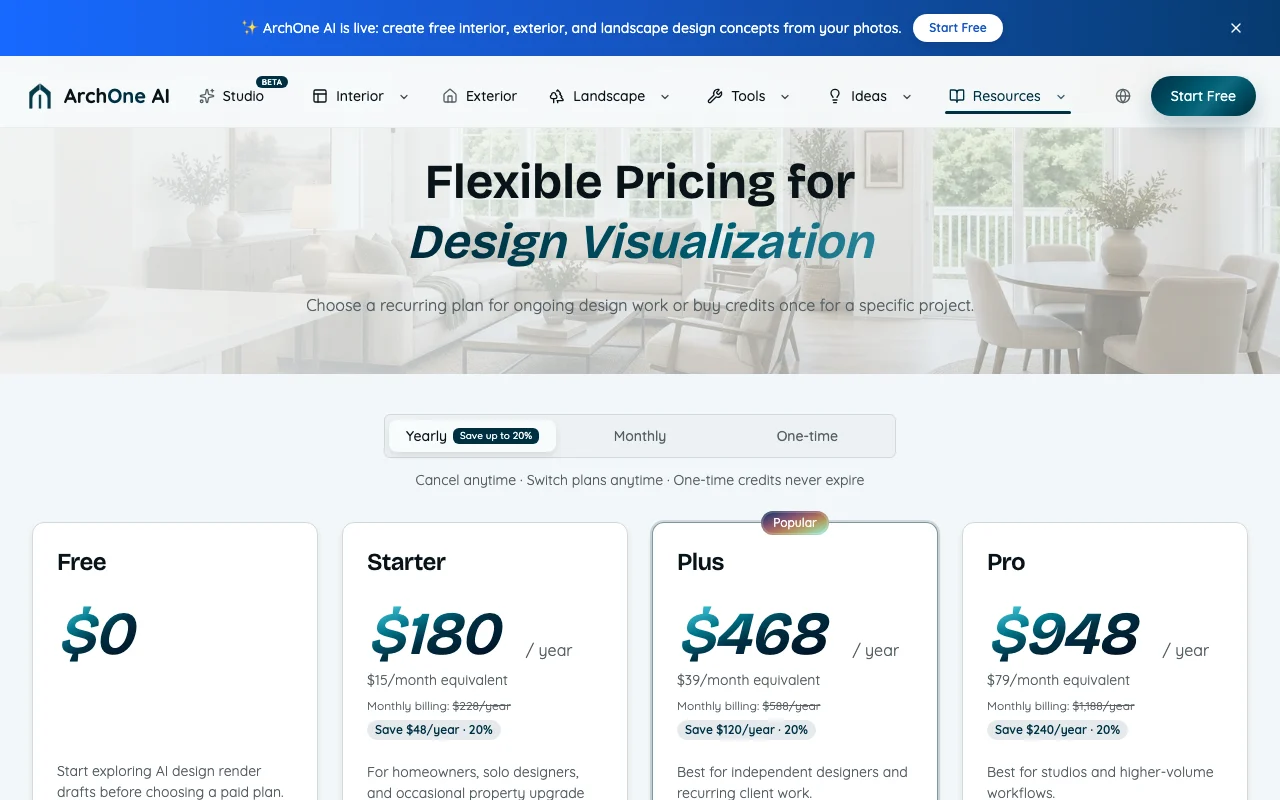
Prices checked Oct 1, 2026 on the official US pricing page. Official pricing ↗ Prices and limits change often.
The official ArchOne AI pricing page as we saw it. archoneai.com, captured Oct 1, 2026
Free access and trial conditions
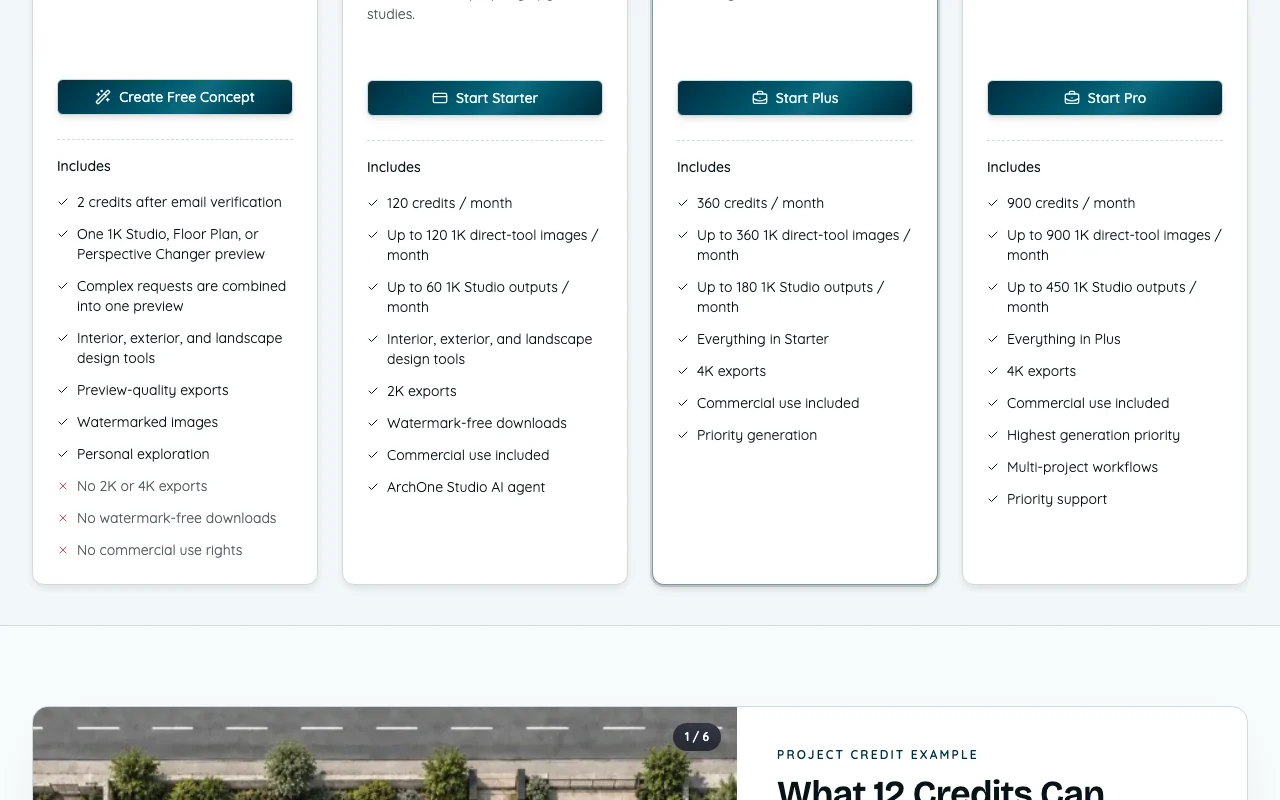
2 free credits after email verification for one 1K watermarked preview
For: One-time projects or topping up when not changing plans
Limits
Pay-as-you-go one-time purchase
Credits never expire while account active
Includes
Supplement subscriptions or purchase without recurring billing
Supports up to 2K output while credits purchased
No API
Usage caps, credits and extra costs
Advanced models, outpainting, upscaling and higher-resolution exports use additional credits beyond base 1K rate. Exact credit cost shown before execution.
What is ArchOne AI, and how does it work?
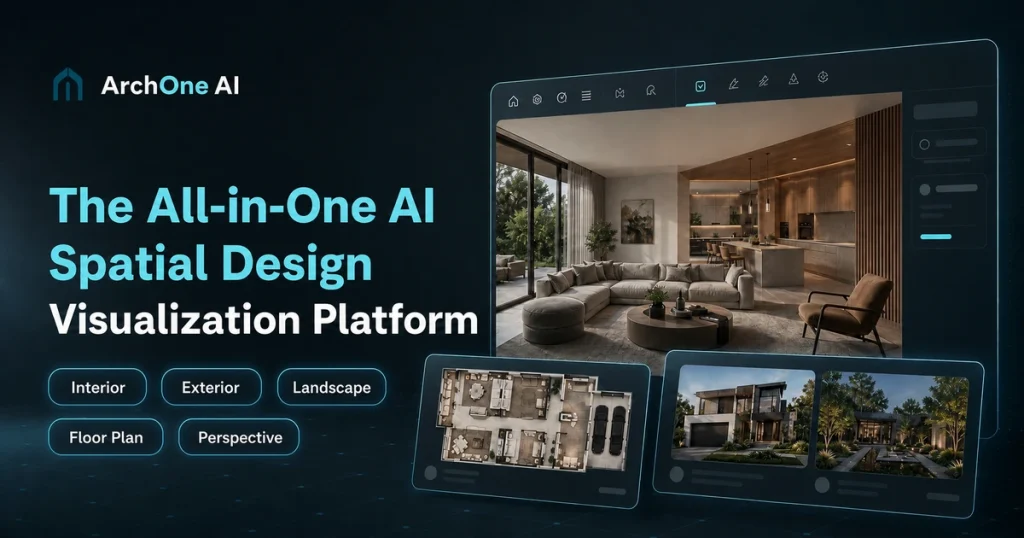
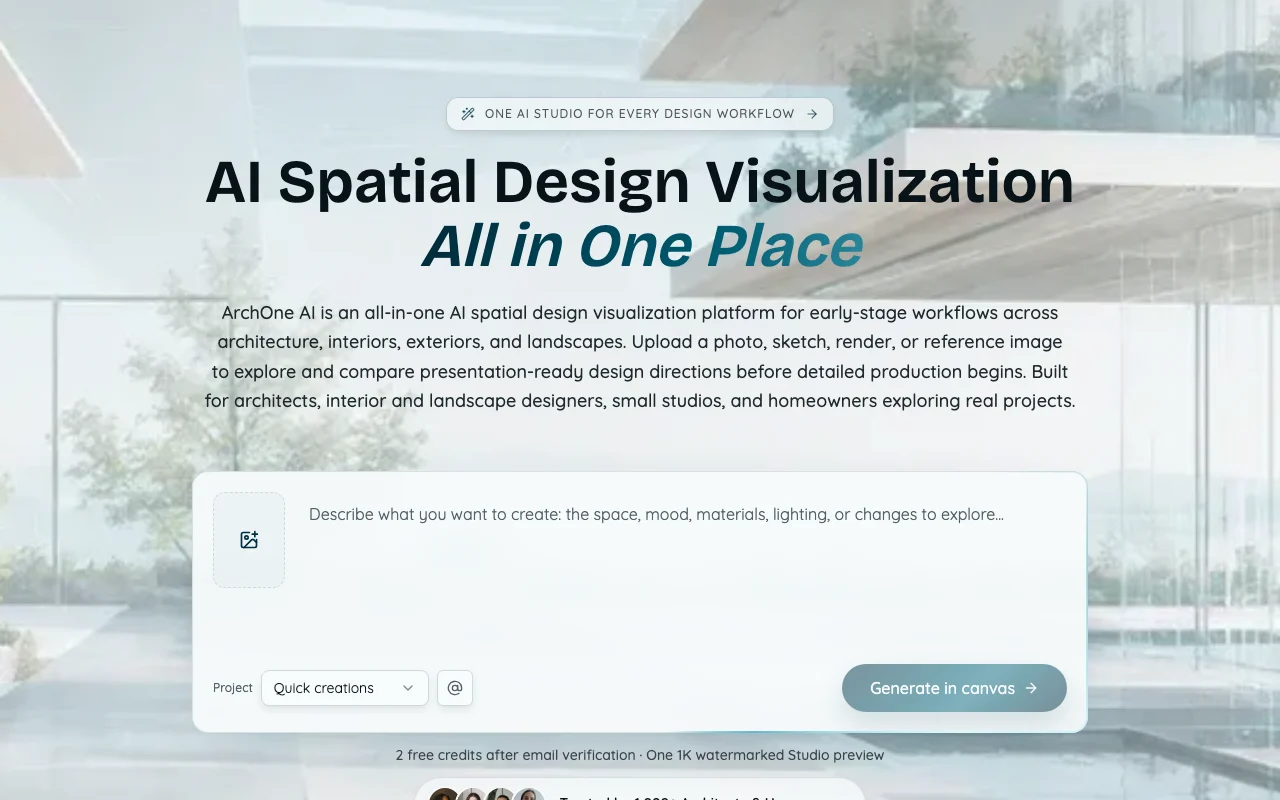
ArchOne AI is a web platform for early-stage design visualization across architecture, interiors, exteriors and landscapes. Users upload a photo, sketch, render or reference image (or a written brief in some workflows) and generate design directions to explore and compare.
Its Studio canvas includes an AI agent and 17 tools for rendering, editing, furnishing, perspective, materials, lighting and upscaling. The site states outputs are concept images, not CAD/BIM files or construction documents, and should be reviewed by qualified professionals.
ArchOne AI's official site: how the product presents itself. archoneai.com, captured Oct 1, 2026
What you provide and what you get back
What you give ArchOne AI and what comes back, from its documentation
You provide
Room or space photos
Sketches or architectural renders
Reference images
Written design briefs
You get back
Photorealistic design concept images
Floor plan visualizations
Material and lighting direction studies
Perspective variations and renderings
Where you can use it
Platforms
Web
Account
Required
Best use cases for ArchOne AI
Scenarios are worked out by our editors from the documentation; the actual result depends on your input and plan.
Visualizing interior redesigns from room photos
Who
Interior designers and homeowners
You provide
Photograph of existing room
Expected result
Multiple design direction concepts with different styles, materials, and furnishings
Plan needed
Starter or Plus ($15–$39/mo equivalent)
Limitation
Free tier limited to one watermarked 1K preview; commercial use requires paid plan source (opens in a new tab)
Exploring exterior and landscape concepts
Who
Landscape and architectural designers
You provide
Exterior or yard photograph or reference image
Expected result
Alternative exterior facades, landscape plantings, hardscape designs
Feature overview on the official site. archoneai.com, captured Oct 1, 2026
Studio canvas with AI agent for generating and refining designs
Enables multi-step design exploration on one canvas with planning and comparison Reduces time spent switching between tools and managing separate design files
Access: All paid plans and free tier with limitationsLimit: Free tier limited to single watermarked preview; Studio workflows charge per actionsource (opens in a new tab)
17 Studio tools incl. render, furnish, material, lighting, upscale
Provides specialized tools for editing, enhancing and refining design concepts Allows iteration without regenerating from scratch; supports material and lighting studies
Access: All paid plans; free tier limited functionalityLimit: Advanced models, upscaling and outpainting consume additional creditssource (opens in a new tab)
Accepts photos, sketches, renders, references or written briefs
Supports multiple input types to start design workflows Works with existing design assets and allows flexibility in how concepts are initiated
Access: Varies by workflow; some require specific input typesLimit: Complex requests combined into single preview on free tiersource (opens in a new tab)
Perspective changer and floor plan tools
Generates alternative camera angles and plan-view concept visualizations Enables client review from multiple viewpoints and early spatial planning
Access: All plans; 1K-only output resolutionLimit: Fixed at 4-credit cost; no 2K or 4K exports availablesource (opens in a new tab)
Pros, cons and deal-breakers
Reasons to choose ArchOne AI
Free tier with 2 credits after email verification Low barrier to entry for testing before purchasing creditsdocumentedsource (opens in a new tab)
Paid plans include commercial use and watermark-free downloads Enables direct use of designs in client presentations and commercial projectsdocumentedsource (opens in a new tab)
One-time credits that do not expire Flexibility to purchase credits without subscription commitmentdocumentedsource (opens in a new tab)
Yearly billing saves up to 20% Annual subscription reduces monthly effective cost by $48–$240/yeardocumentedsource (opens in a new tab)
Check before paying for ArchOne AI
Free output is a single watermarked 1K preview with no commercial rights Free tier unsuitable for professional deliverables or paid projectsdocumentedsource (opens in a new tab)
Credit-based usage; advanced edits and higher resolutions cost more credits Total cost per project unpredictable and can exceed subscription budgetdocumentedsource (opens in a new tab)
Results are not measured CAD/BIM or construction documents Cannot be used for technical deliverables, permitting or constructiondocumentedsource (opens in a new tab)
4K exports only on Plus and Pro High-resolution output requires mid-tier pricing minimumdocumentedsource (opens in a new tab)
How to use ArchOne AI for generating interior, exterior and landscape design concepts from photos
Set up ArchOne AI
Sign up with email address and verify account to receive 2 free credits
Upload or select a photo of the space to redesign (room, exterior, yard, or reference image)
Select the appropriate workflow: Interior, Exterior, Landscape, Floor Plan, or Perspective Changer
Enter a brief description of your design goals or style preference
Generate preview and compare concepts, then refine with Studio tools
Example: generating interior, exterior and landscape design concepts from photos
Upload a photo of a dated living room
Select the Interior Design workflow
Write: 'Modern minimalist design with warm wood tones and large windows'
Review the generated 1K concept with watermark
Subscribe to Plus plan to unlock 4K export and commercial use rights
Use material and lighting tools in Studio to refine the selected direction
Review and export the result
Verify that generated concepts match your design brief and aesthetic goals
Check resolution and format (1K watermarked free; 2K/4K in paid plans)
Example prompt suggested by our editors (not a recorded output of the product)
Modern minimalist living room with light wood flooring, white walls, large floor-to-ceiling windows, minimal furniture, warm lighting, contemporary art, and outdoor view visible through windows
ArchOne AI integrations
Plan comparison on the official pricing page. archoneai.com, captured Oct 1, 2026
Native integrations and export formats
Export: JPEG, PNG
Privacy, data use and commercial rights
Summarized from the vendor's current policies; this is not legal advice and a vendor's badge is not an independent audit.
Commercial use and plan restrictions
Allowed on all paid subscriptions and one-time credit packs; not allowed on free tier
Other tools to consider instead of ArchOne AI
"Better suited" is based on documented features and pricing, not on a head-to-head test.
Midjourney: better suited to general-purpose AI image generation from text prompts
Adobe Firefly: better suited to aI image generation integrated with Creative Cloud
Leonardo.Ai: better suited to affordable AI image generation with style customization
Canva: better suited to design templates and basic image generation for presentations
No. Free outputs are for personal exploration only. All paid subscriptions and one-time credit packs include commercial use rights. source (opens in a new tab)
How many credits does one render use?
Direct tools use 1 credit for 1K, 2 credits for 2K, and 3 credits for 4K. Studio Agent generation has a 2-credit minimum per output. Advanced models, outpainting, and upscaling use additional credits. source (opens in a new tab)
Do credits expire or roll over?
Pay-as-you-go credits never expire while your account remains active. Subscription credits are intended for the current billing period and may not roll over. Free, bonus, or promotional credits may follow separate validity rules. source (opens in a new tab)
What if a generation fails or I don't like the result?
Confirmed technical generation failures automatically return the affected credits. Results are not refundable solely because the style, composition, or design direction is not preferred. source (opens in a new tab)
Does ArchOne AI create construction-ready drawings?
No. ArchOne AI is for concept visualization and early design communication. It does not replace construction drawings, code review, structural engineering, permitting, or site verification. source (opens in a new tab)
Not verified: Privacy policy (404 error); API availability and pricing; Data retention and training use of uploads; Specific payment methods and accepted currencies beyond USD; SLA or uptime guarantees.
How we documented and maintain this page
Every fact about ArchOne AI above comes from the 2 official pages listed here, last compared on Oct 1, 2026; we have not run ArchOne AI ourselves, so it has no editorial score. How we check and re-check pages.
Article updated Oct 10, 2026; prices checked Oct 1, 2026. Outbound links to vendors are plain links; we do not earn commissions. How we review · Report an error