Image generationDocumented overviewLast checked Oct 1, 2026

Thumbs.ai: Pricing, Features & Best Use Cases

AI YouTube thumbnail maker with text-to-thumbnail, face expressions and channel style cloning.
Who should use Thumbs.ai

Thumbs.ai suits YouTube creators who want text-to-thumbnail generation, face expression edits and channel style cloning, with 10 free trial credits before plans from $8/month. Based on the vendor's documentation, not on a hands-on test.

Best for: YouTube creators

Also a good fit for

  • Social media managers

Consider another tool if free plan outputs carry a watermark

Or if

  • Credit-based: Starter is 2 credits per generation
  • Requires an account to create

Thumbs.ai pricing and usage limits

Prices checked Oct 1, 2026 on the official US pricing page. Official pricing ↗ Prices and limits change often.

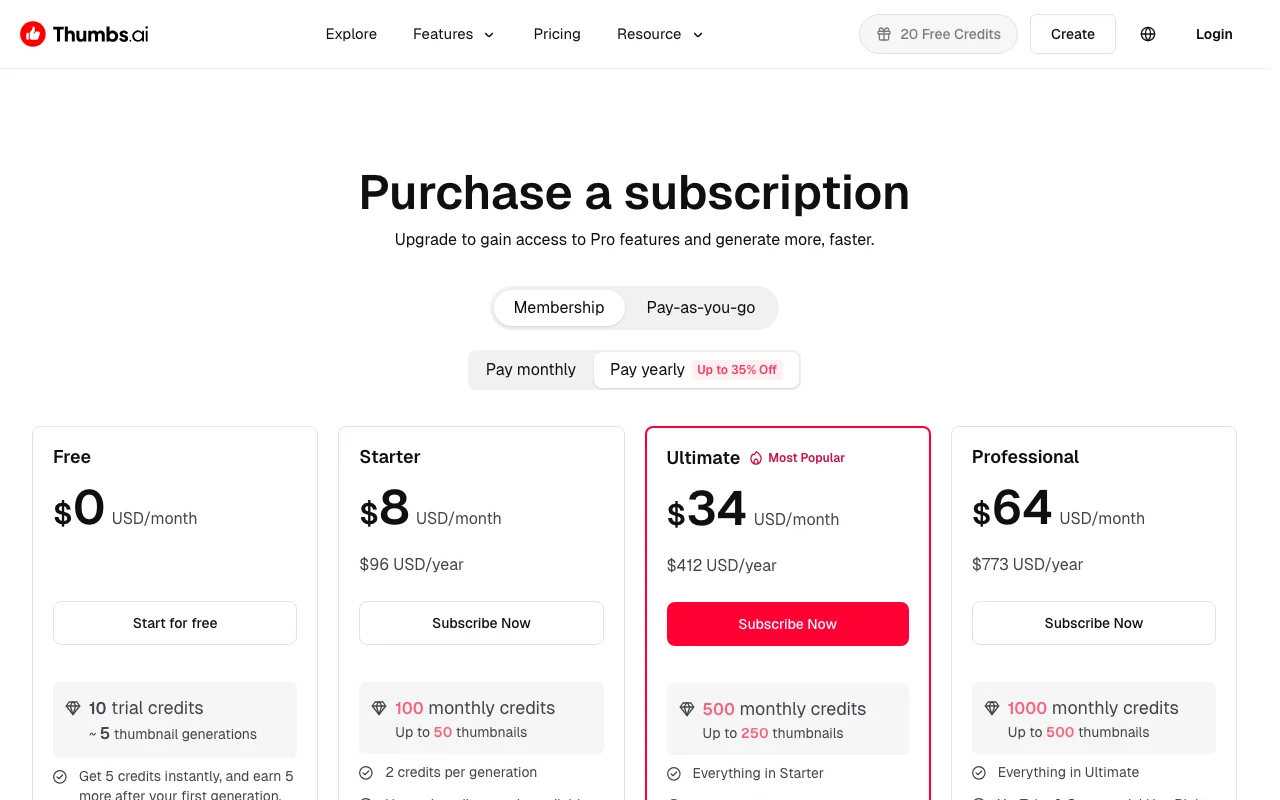
Thumbs.ai pricing page with plans and prices — screenshot of the image generation AI tool, Oct 1, 2026
The official Thumbs.ai pricing page as we saw it. thumbs.ai, captured Oct 1, 2026

Free access and trial conditions

10 trial credits.

Same 10 credits.

Paid plans: what changes as you upgrade

Free web

Free source (opens in a new tab)

Month

For: Trying out

Limits

  • 10 trial credits (~5 generations)
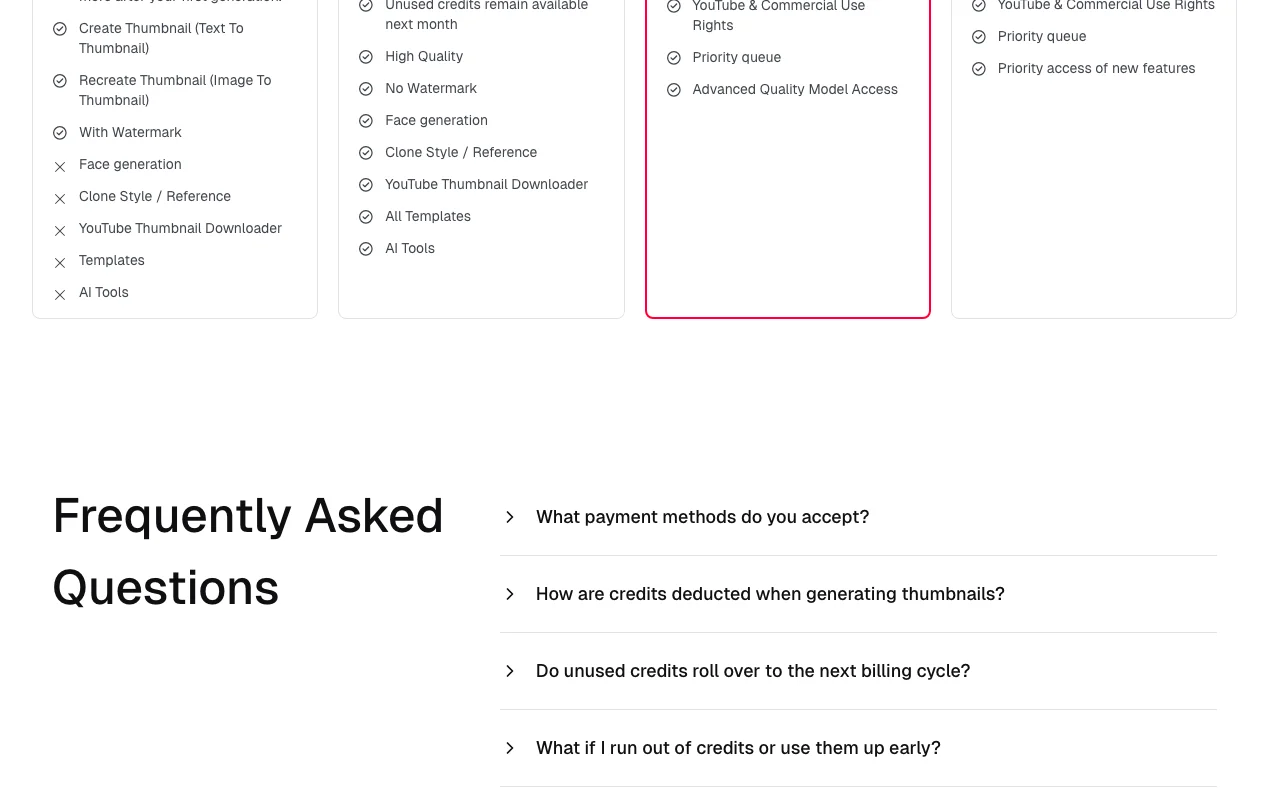
  • Watermark

Includes

  • Text to thumbnail
  • Image to thumbnail
1 more
  • Templates

Starter web

$8/mo source (opens in a new tab)

Month

$96/year

For: Occasional creators

Limits

  • 100 monthly credits
  • 2 credits per generation

Includes

  • High quality
  • No watermark
1 more
  • All templates

Ultimate web

$34/mo source (opens in a new tab)

Month

$412/year

For: Regular uploaders

Limits

  • 500 monthly credits

Includes

  • YouTube and commercial use rights
  • Priority queue
1 more
  • Advanced quality model

Professional web

$64/mo source (opens in a new tab)

Month

$773/year

For: Studios and heavy users

Limits

  • 1,000 monthly credits

Includes

  • Priority access to new features
  • Everything in Ultimate

Usage caps, credits and extra costs

A pay-as-you-go tab exists; details not captured.

Not stated.

What is Thumbs.ai, and how does it work?

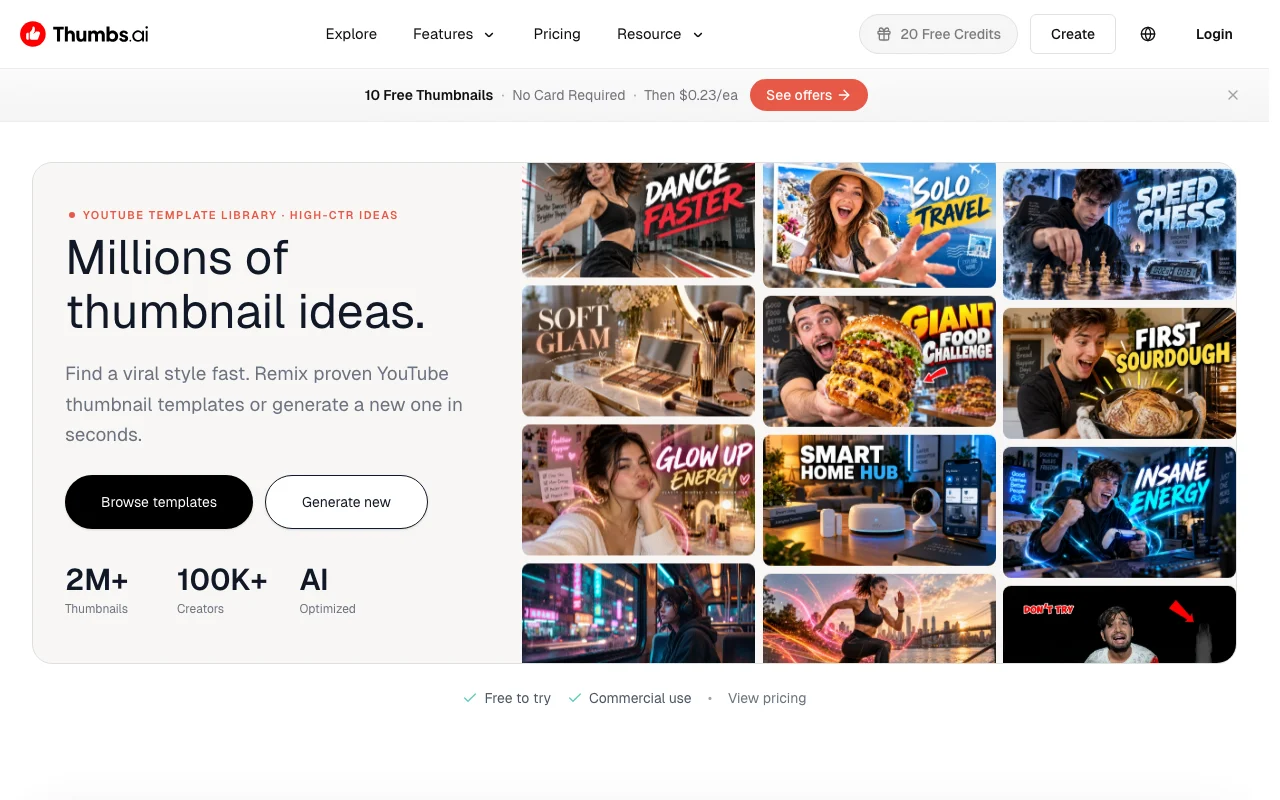
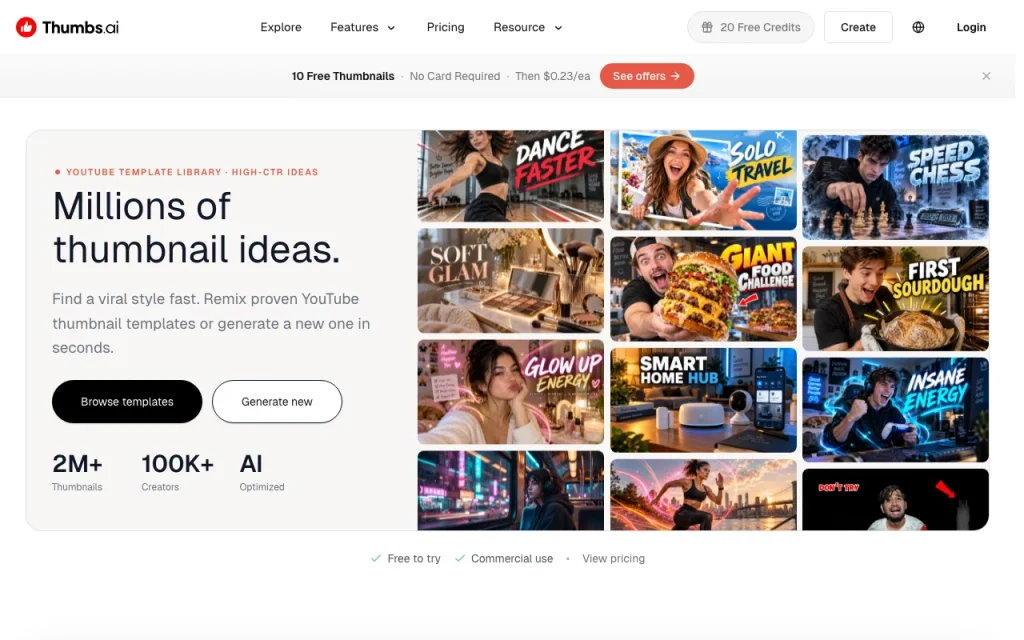
Thumbs.ai is a web tool for creating YouTube thumbnails with AI. Users describe an idea or start from an existing thumbnail or YouTube link and generate new variations. It offers face generation with chosen expressions, cloning the visual style of a channel, and a template library. A free tier with trial credits is available; paid plans add more credits and remove watermarks.

Thumbs.ai homepage — screenshot of the image generation AI tool, Oct 1, 2026
Thumbs.ai's official site: how the product presents itself. thumbs.ai, captured Oct 1, 2026

What you provide and what you get back

How Thumbs.ai works: what you provide, where it runs and what you get backYOU PROVIDEYour inputText promptsExisting thumbnails or YouTube li…Selfies for face expressionsIMAGE GENERATIONThumbs.aiWebfrom $8/mo (Starter)free tier availableaccount requiredchecked Oct 1, 2026YOU GET BACKThe resultYouTube thumbnailsVariations in a cloned channel st…Watermark-free images on paid pla…input → Thumbs.ai → output · from the vendor's own pages, no hands-on test unless stated
What you give Thumbs.ai and what comes back, from its documentation

You provide

  • Text prompts
  • Existing thumbnails or YouTube links
  • Selfies for face expressions

You get back

  • YouTube thumbnails
  • Variations in a cloned channel style
  • Watermark-free images on paid plans

Where you can use it

Platforms
Web
Account
Required
Credits per generation
2 on Starter
Monthly credits
100 / 500 / 1,000
Free limits
10 trial credits, watermark
Tools
Text to thumbnail, recreate, face expression, style clone

What people use Thumbs.ai for

Scenarios are worked out by our editors from the documentation; the actual result depends on your input and plan.

Generate a thumbnail from a text prompt

Who
YouTube creators
You provide
Video idea in a prompt
Expected result
A ready-to-upload thumbnail without design skills
Plan needed
Starter or higher for no watermark
Limitation
Starter uses 2 credits per generation source (opens in a new tab)

Recreate or remix an existing YouTube thumbnail

Who
Creators refreshing old videos
You provide
Existing thumbnail or YouTube link
Expected result
Recreated or remixed version of a thumbnail
Plan needed
Free to try; Starter to remove watermark
Limitation
Free output is watermarked source (opens in a new tab)

Match the visual style of another channel

Who
Channels chasing a proven look
You provide
Another channel's recent uploads
Expected result
Thumbnails matching that channel's visual style
Plan needed
Paid (clone style not on Free)
Limitation
Style cloning not on Free source (opens in a new tab)

Thumbs.ai features and their limits

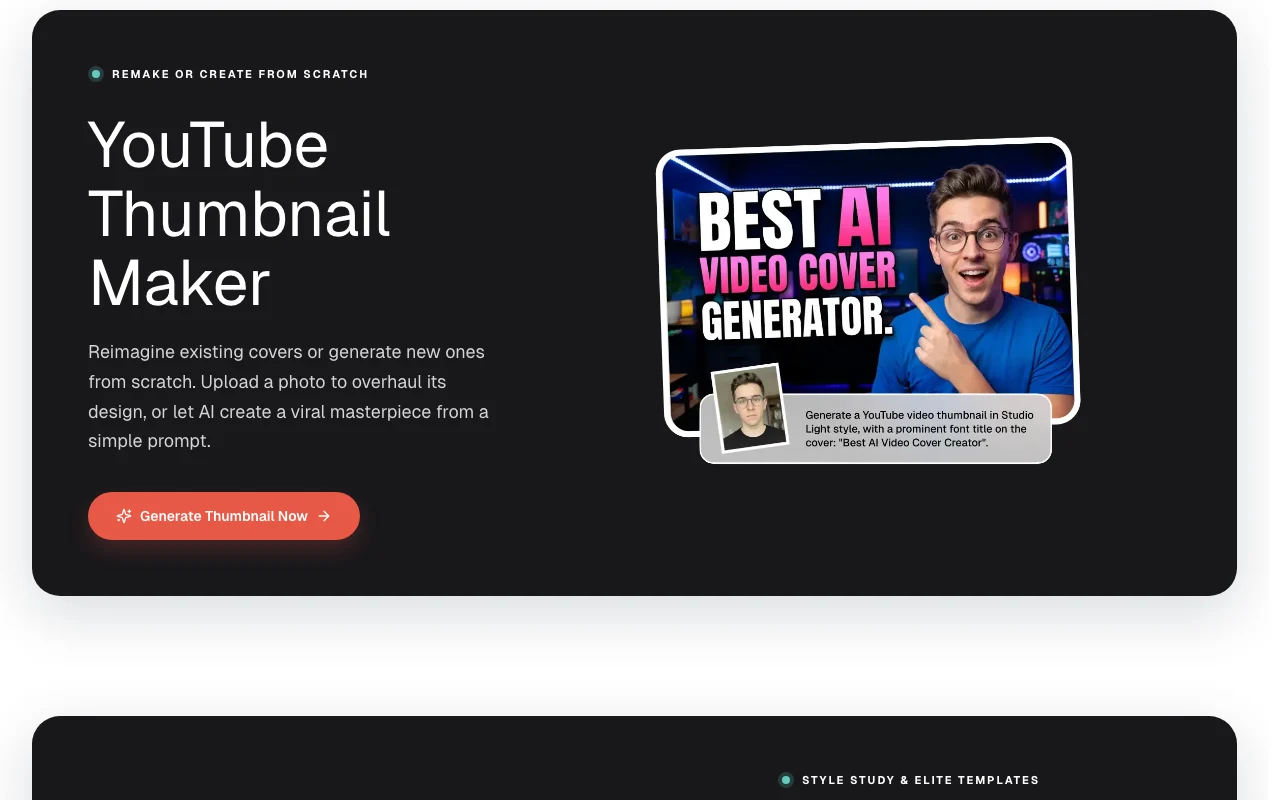
Thumbs.ai homepage — screenshot of the image generation AI tool, Oct 1, 2026
Feature overview on the official site. thumbs.ai, captured Oct 1, 2026

Text to thumbnail

Generates a thumbnail from a text description No design skills needed

Access: All plansLimit: Free adds a watermark source (opens in a new tab)

Recreate thumbnail from image or YouTube link

Recreates a thumbnail from an image or YouTube link Quick remakes

Access: All plansLimit: Free adds a watermark source (opens in a new tab)

AI face expression generator

Changes face expression in your photo More engaging thumbnails

Access: Paid plans (Free has no face generation)Limit: Needs a clear source photo source (opens in a new tab)

Clone channel style

Analyzes a channel's uploads to copy its visual style Matches high-CTR looks

Access: Paid plansLimit: Not available on Free source (opens in a new tab)

Thumbs.ai pros and cons

Reasons to choose Thumbs.ai

Check before paying for Thumbs.ai

How to use Thumbs.ai for making a YouTube thumbnail from a prompt

Set up Thumbs.ai

  1. Sign up and claim 5 instant credits
  2. Open Create Thumbnail
  3. Type your video topic and headline text
  4. Choose a template or style

Example: making a YouTube thumbnail from a prompt

  1. Generate a first thumbnail
  2. Upload your face photo and pick an expression
  3. Regenerate the strongest version
  4. Download the image

Review and export the result

  1. Check the text is readable at small size
  2. Confirm the watermark is absent on your plan
Example prompt suggested by our editors (not a recorded output of the product)
Shocked creator holding a glowing phone, bold yellow text 'I tried it for 30 days', high contrast red background.

Thumbs.ai integrations and API

Thumbs.ai pricing page with plans and prices — screenshot of the image generation AI tool, Oct 1, 2026
Plan comparison on the official pricing page. thumbs.ai, captured Oct 1, 2026

Native integrations and export formats

Export: Image download

API access and separate billing

Thumbs.ai has no public API in its official documentation. None mentioned

Privacy, data use and commercial rights

Summarized from the vendor's current policies; this is not legal advice and a vendor's badge is not an independent audit.

How your inputs and outputs are handled

Prompts and uploaded images are processed to generate thumbnails.

Not stated.

Not stated.

Commercial use and plan restrictions

Ultimate and Professional list YouTube and commercial use rights.

Commercial rights are listed from Ultimate.

Other tools to consider instead of Thumbs.ai

"Better suited" is based on documented features and pricing, not on a head-to-head test.

Canva: better suited to

Adobe Firefly: better suited to

Leonardo.Ai: better suited to

Midjourney: better suited to

Alternatives
AlternativeWhen to choose itPricingLimitation
Canva——
Adobe Firefly——Compare
Leonardo.Ai——Compare
Midjourney——Compare

Explore Thumbs.ai further

Related to Thumbs.ai

Thumbs.ai user reviews

No user reviews yet.

Used Thumbs.ai? Be the first to share your experience.

Write a review

Reviews are checked by a moderator before they appear. Your email is never published. Plain text only.

Your rating (required)

Show what you made or what went wrong. Images are published only if the review is approved; location data is removed.

    Thumbs.ai FAQ

    How many free thumbnails do I get?

    10 trial credits, about 5 generations; 5 arrive instantly and 5 more after your first generation. source (opens in a new tab)

    How many thumbnails does Starter give?

    100 monthly credits at 2 credits each, up to 50 thumbnails. source (opens in a new tab)

    Which plans include commercial use?

    Ultimate and Professional list YouTube and commercial use rights. source (opens in a new tab)

    Do unused credits roll over?

    On Starter, unused credits remain available next month. source (opens in a new tab)

    Is there a yearly discount?

    Yes, up to 35% off; Starter is $96 per year. source (opens in a new tab)

    Sources and review methodology

    Official sources and verification dates

    Not verified: Pay-as-you-go pricing; Refund policy text; Privacy policy; US availability.

    How we documented and maintain this page

    Every fact about Thumbs.ai above comes from the 2 official pages listed here, last compared on Oct 1, 2026; we have not run Thumbs.ai ourselves, so it has no editorial score. How we check and re-check pages.

    Article updated Oct 10, 2026; prices checked Oct 1, 2026. Outbound links to vendors are plain links; we do not earn commissions. How we review · Report an error