VideoDocumented overviewLast checked Oct 1, 2026

NodeTool: Pricing, Features & Best Use Cases

Open-source agent-first creative workspace for images, video, audio and text, with a free desktop app and browser Cloud alpha.
Who should use NodeTool

NodeTool suits creators and developers who want a free, open-source desktop workspace where agents help build image, video and audio projects with their own provider keys or local models. Based on the vendor's documentation, not on a hands-on test.

Best for: Creators who want local control

Also a good fit for

  • Developers building media workflows

Consider another tool if cloud is in alpha and future pricing unannounced

Or if

  • Provider charges are paid separately
  • Hosted models require your own API keys

NodeTool pricing and usage limits

Prices checked Oct 1, 2026 on the official US pricing page. Official pricing ↗ Prices and limits change often.

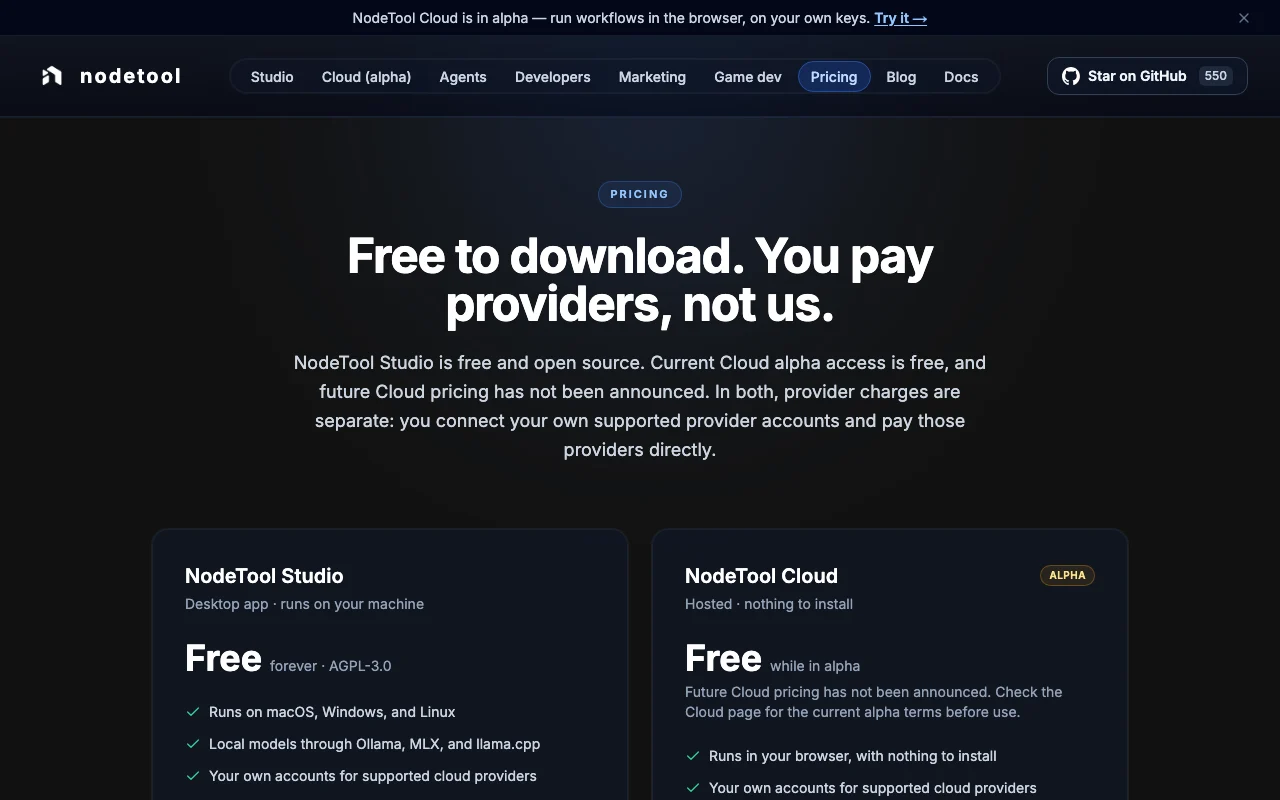
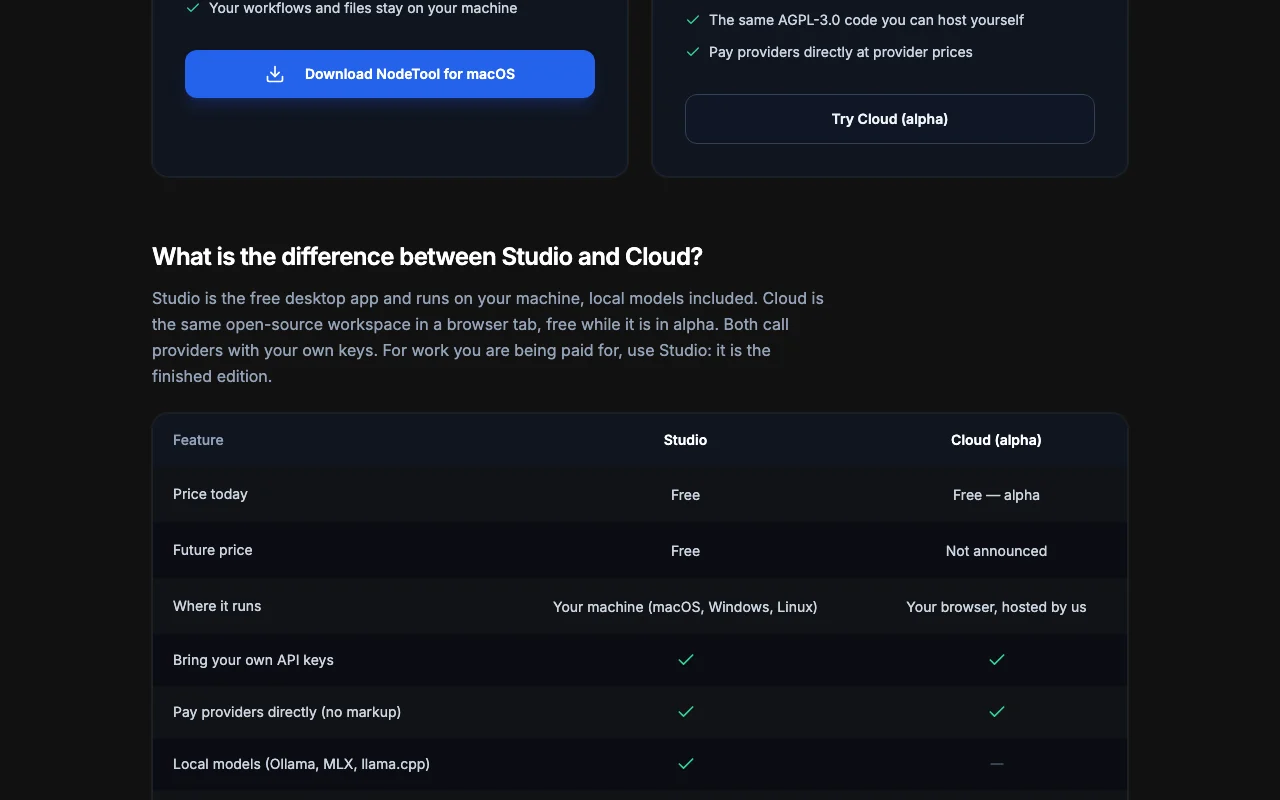
NodeTool pricing page with plans and prices — screenshot of the video AI tool, Oct 2, 2026
The official NodeTool pricing page as we saw it. nodetool.ai, captured Oct 2, 2026

Free access and trial conditions

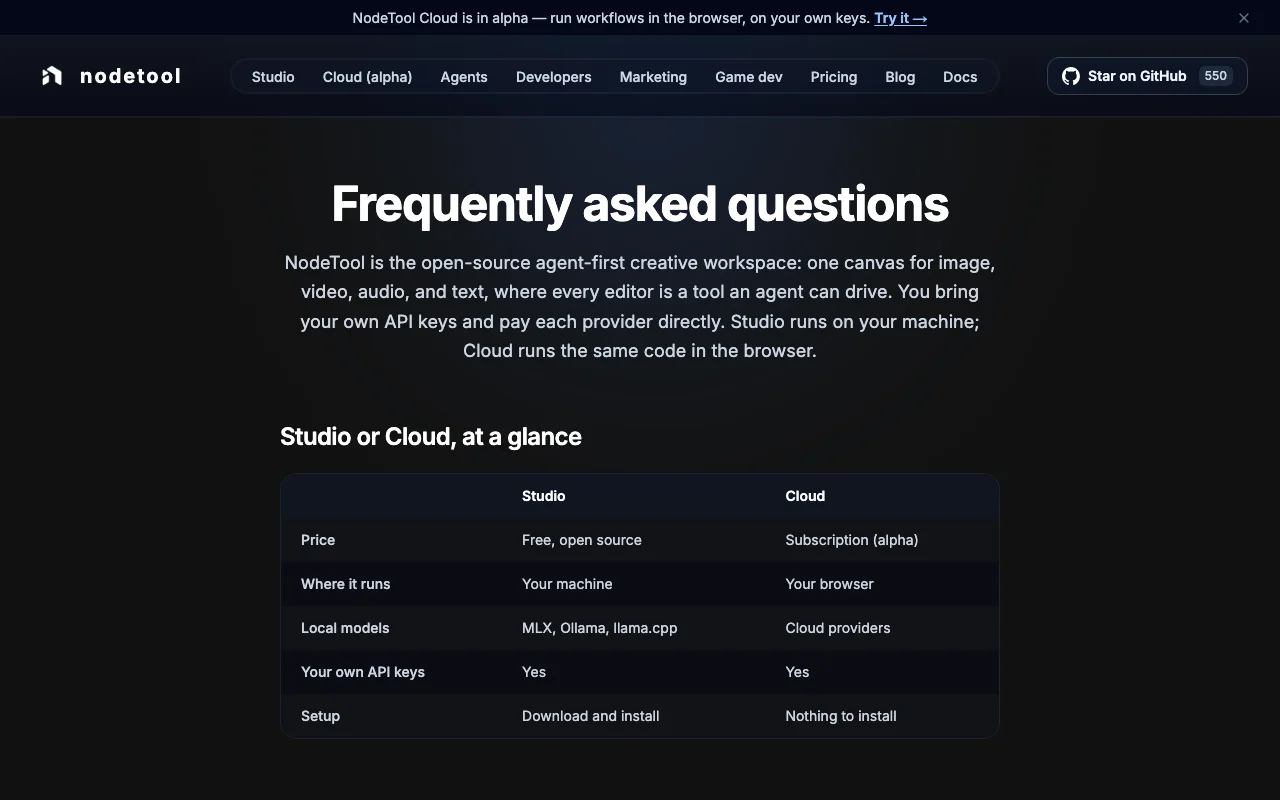
Studio free forever; Cloud free during alpha.

Not applicable.

Paid plans: what changes as you upgrade

NodeTool Studio web

Free source (opens in a new tab)

Free

For: Production work

Limits

  • Runs on macOS, Windows and Linux

Includes

  • Local models via Ollama, MLX, llama.cpp
  • Your own provider accounts
1 more
  • AGPL-3.0

NodeTool Cloud (alpha) web

Free source (opens in a new tab)

Free

For: Trying without installing

Limits

  • Free while in alpha
  • Future pricing not announced

Includes

  • Runs in your browser
  • Same AGPL-3.0 code

Usage caps, credits and extra costs

Provider charges paid directly to providers at list prices.

Not applicable.

What is NodeTool, and how does it work?

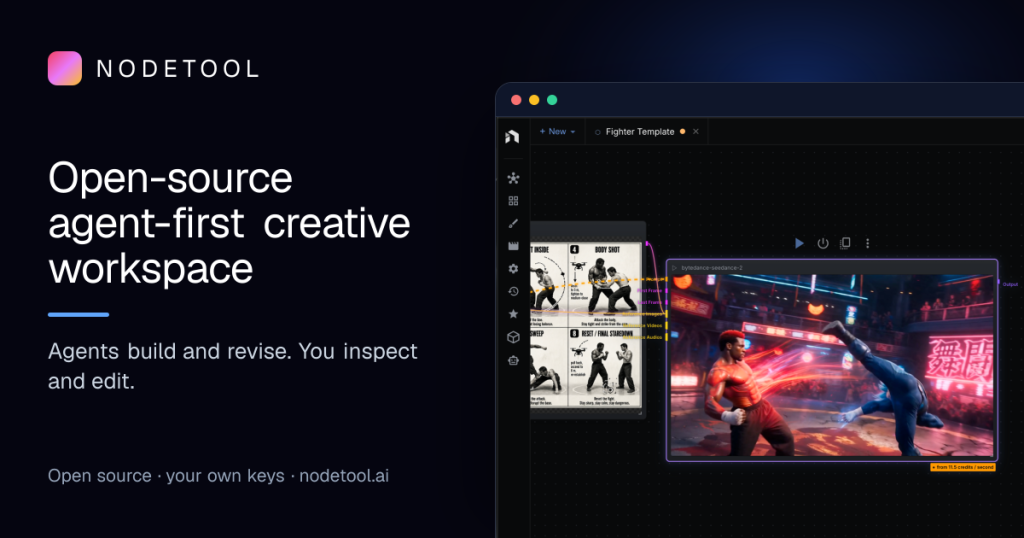
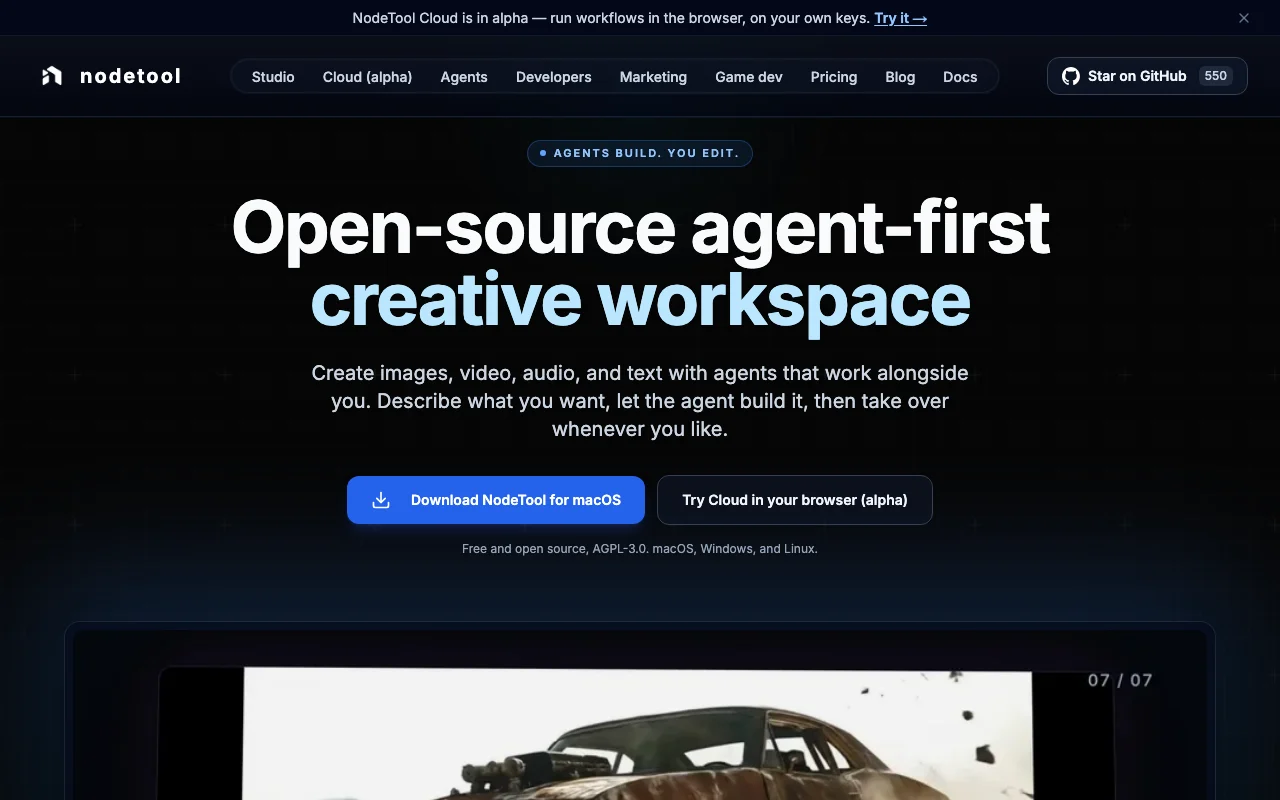
NodeTool is an open-source creative workspace where agents draft scripts, storyboards, renders and timelines for images, video, audio and text. Projects open in editors for storyboard, script and voice, timeline, sketch and 3D, so users can take over at any point. NodeTool Studio is a free AGPL-3.0 desktop app for macOS, Windows and Linux, supporting local models. NodeTool Cloud runs in the browser and is currently in alpha and free; users pay their own model providers directly.

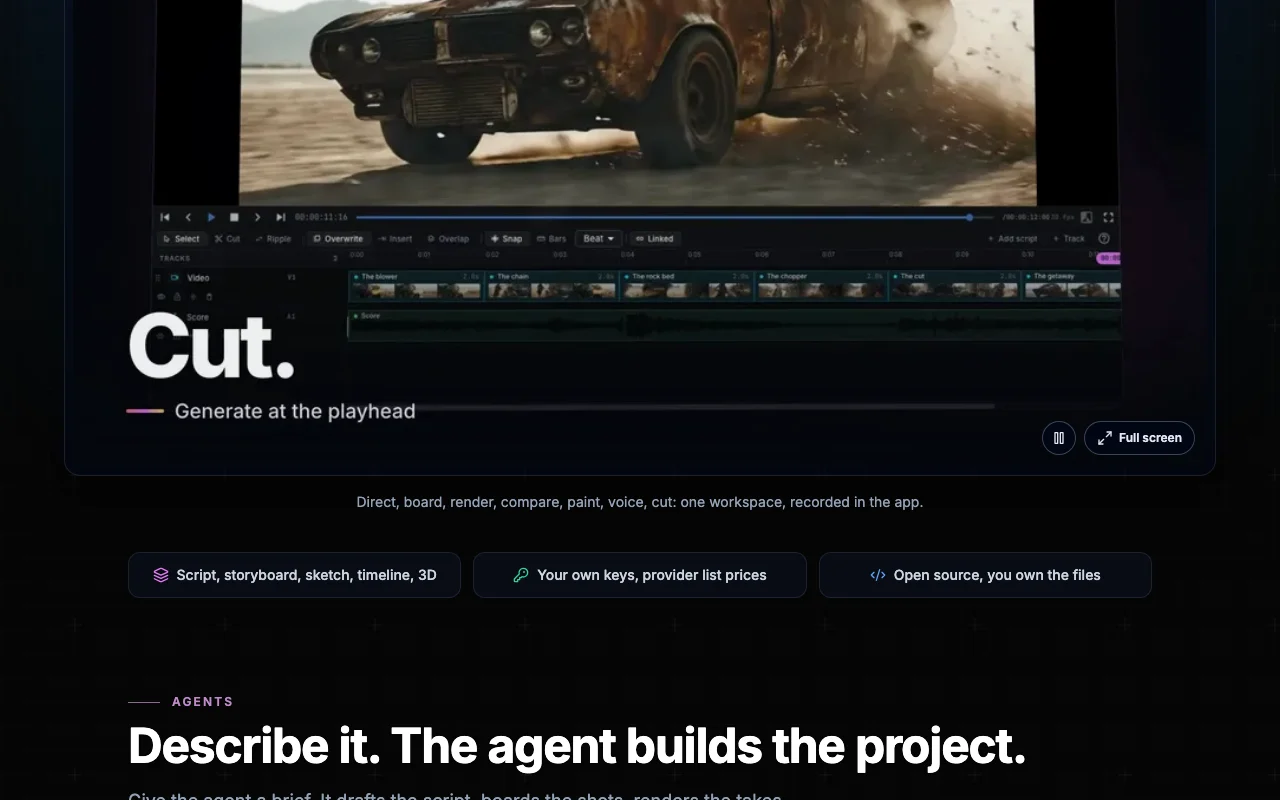
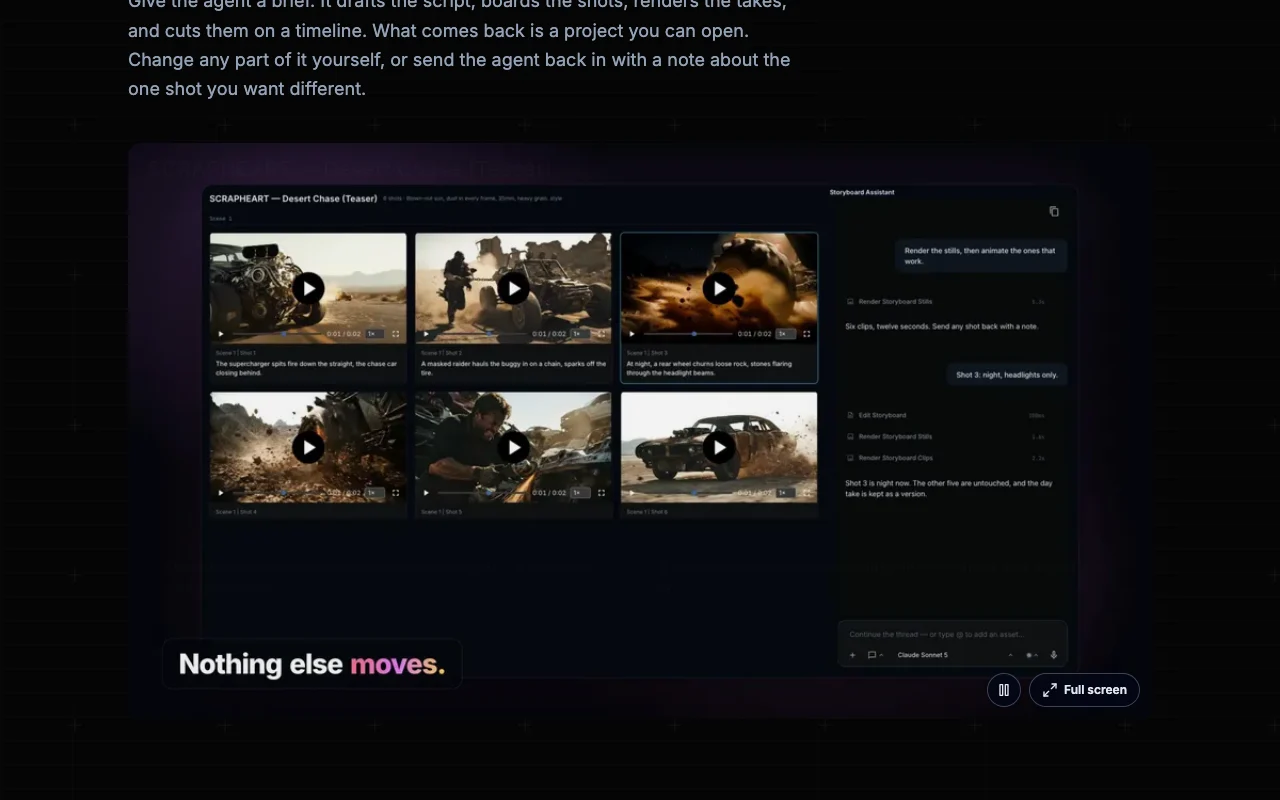
NodeTool homepage — screenshot of the video AI tool, Oct 2, 2026
NodeTool's official site: how the product presents itself. nodetool.ai, captured Oct 2, 2026

What you provide and what you get back

How NodeTool works: what you provide, where it runs and what you get backYOU PROVIDEYour inputText promptsScripts and storyboardsSketches and 3D blockingVIDEONodeToolWeb, Desktopfree tier, paid price not publish…free tier availableaccount requiredchecked Oct 1, 2026YOU GET BACKThe resultImages, video and audioEdited timelinesinput → NodeTool → output · from the vendor's own pages, no hands-on test unless stated
What you give NodeTool and what comes back, from its documentation

You provide

  • Text prompts
  • Scripts and storyboards
  • Sketches and 3D blocking

You get back

  • Images, video and audio
  • Edited timelines

Where you can use it

Platforms
Web, Desktop
Account
Required
License
AGPL-3.0
OS
macOS, Windows, Linux
Local models
Ollama, MLX, llama.cpp
Editors
Storyboard, script, timeline, sketch, 3D

What people use NodeTool for

Scenarios are worked out by our editors from the documentation; the actual result depends on your input and plan.

Agent-built film and video projects

Who
Filmmakers and creators
You provide
Film idea prompt
Expected result
Agent-built storyboard and shots
Plan needed
Studio
Limitation
Needs provider keys or local GPU source (opens in a new tab)

Storyboarding and scripting

Who
Writers
You provide
Dialogue draft
Expected result
Voiced script with per-character voices
Plan needed
Studio
Limitation
Provider costs apply source (opens in a new tab)

Voice casting for characters

Who
Developers
You provide
Workflow
Expected result
Media pipeline
Plan needed
Studio or Cloud
Limitation
Cloud is alpha source (opens in a new tab)

Key features and their practical limits

NodeTool homepage — screenshot of the video AI tool, Oct 2, 2026
Feature overview on the official site. nodetool.ai, captured Oct 2, 2026

Agent that builds projects

Builds projects from a description. Speeds up creation.

Access: Studio and CloudLimit: Output quality varies by provider source (opens in a new tab)

Storyboard, script, timeline, sketch and 3D editors

Provides storyboard, script, timeline, sketch and 3D editors. Edit by hand or agent.

Access: Studio and CloudLimit: Not covered in detail source (opens in a new tab)

Local models via Ollama, MLX and llama.cpp

Runs local models. Keeps work on your machine.

Access: StudioLimit: Graphics card needed for local models source (opens in a new tab)

Bring your own provider keys

Uses your own provider keys. No markup.

Access: Studio and CloudLimit: You pay providers directly source (opens in a new tab)

Pros, cons and deal-breakers

Reasons to choose NodeTool

Check before paying for NodeTool

How to use NodeTool for making a short film with an agent

Set up NodeTool

  1. Download NodeTool Studio from nodetool.ai
  2. Install on macOS, Windows or Linux
  3. Add provider API keys or local models
  4. Create a project

Example: making a short film with an agent

  1. Describe the film to the agent
  2. Review the storyboard
  3. Generate stills, then animate approved shots
  4. Edit on the timeline

Review and export the result

  1. Check provider usage costs
  2. Confirm files saved locally
Example prompt suggested by our editors (not a recorded output of the product)
Make a 30-second film about a lighthouse keeper, storyboard first

NodeTool API

NodeTool pricing page with plans and prices — screenshot of the video AI tool, Oct 2, 2026
Plan comparison on the official pricing page. nodetool.ai, captured Oct 2, 2026

API access and separate billing

NodeTool has no public API in its official documentation. No API documentation fetched; docs 404.

Privacy, data use and commercial rights

Summarized from the vendor's current policies; this is not legal advice and a vendor's badge is not an independent audit.

How your inputs and outputs are handled

Desktop content stays on your machine; prompts go to providers you connect.

Not stated for providers; NodeTool does not collect desktop content.

Local files on your machine.

Commercial use and plan restrictions

Open-source AGPL-3.0.

Policies: nodetool.ai/privacy

NodeTool alternatives by need

"Better suited" is based on documented features and pricing, not on a head-to-head test.

Runway: better suited to

Kling AI: better suited to

Luma: better suited to

Descript: better suited to

Alternatives
AlternativeWhen to choose itPricingLimitation
Runway——Compare
Kling AI——Compare
Luma——Compare
Descript——Compare

Explore NodeTool further

Related to NodeTool

NodeTool user reviews

No user reviews yet.

Used NodeTool? Be the first to share your experience.

Write a review

Reviews are checked by a moderator before they appear. Your email is never published. Plain text only.

Your rating (required)

Show what you made or what went wrong. Images are published only if the review is approved; location data is removed.

    NodeTool FAQ

    Is NodeTool free?

    Studio is free and open source; Cloud is free while in alpha. source (opens in a new tab)

    Who pays for generations?

    You, directly to providers at their prices. source (opens in a new tab)

    Which OS does it run on?

    macOS, Windows and Linux. source (opens in a new tab)

    Can I run models locally?

    Yes through Ollama, MLX and llama.cpp. source (opens in a new tab)

    What license is it?

    AGPL-3.0. source (opens in a new tab)

    Sources and review methodology

    Official sources and verification dates

    Not verified: Future Cloud pricing; Docs.

    How we documented and maintain this page

    Every fact about NodeTool above comes from the 4 official pages listed here, last compared on Oct 1, 2026; we have not run NodeTool ourselves, so it has no editorial score. How we check and re-check pages.

    Article updated Oct 2, 2026; prices checked Oct 1, 2026. Outbound links to vendors are plain links; we do not earn commissions. How we review · Report an error