VideoDocumented overviewLast checked Sep 29, 2026

Pika: Pricing, Features & Best Use Cases

AI creation platform for generating videos, images and audio using Pika's own and third-party models.
Who should use Pika

Start on the free plan with a small credit pack to test models, and move to Creator ($35 per month) if you need a commercial license for client or ad work. Based on the vendor's documentation, not on a hands-on test.

Best for: Social media creators

Also a good fit for

  • Marketers making short ads
  • Hobbyists experimenting with AI video

Consider another tool if free plan has no monthly credits (packs only)

Or if

  • Commercial license only from Creator plan
  • Credit packs cannot be used with the API or iOS app

Pika in the news

Headlines from US outlets, selected automatically — not endorsements. Updated Oct 2, 2026

Pika pricing and usage limits

Prices checked Sep 29, 2026 on the official US pricing page. Official pricing ↗ Prices and limits change often.

Vendor pricing page re-checked automatically 12 days ago: no changes detected.

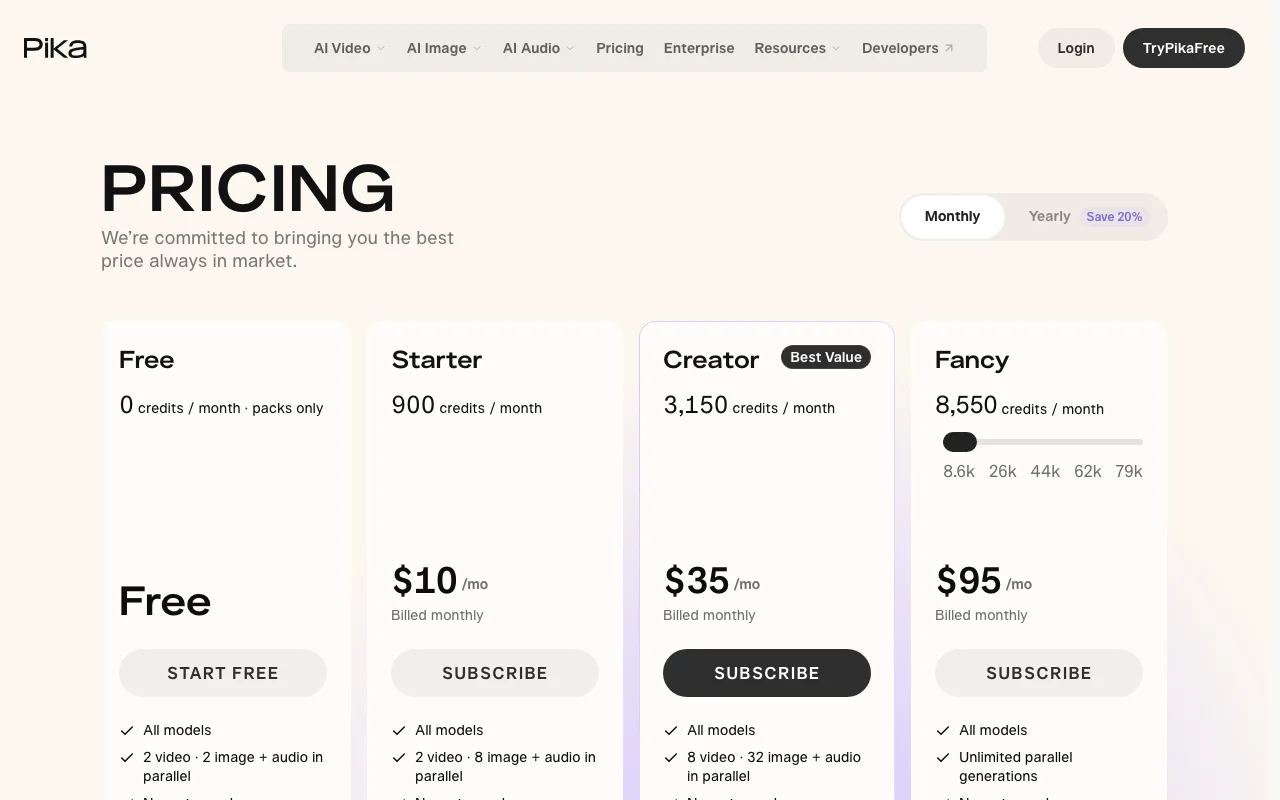
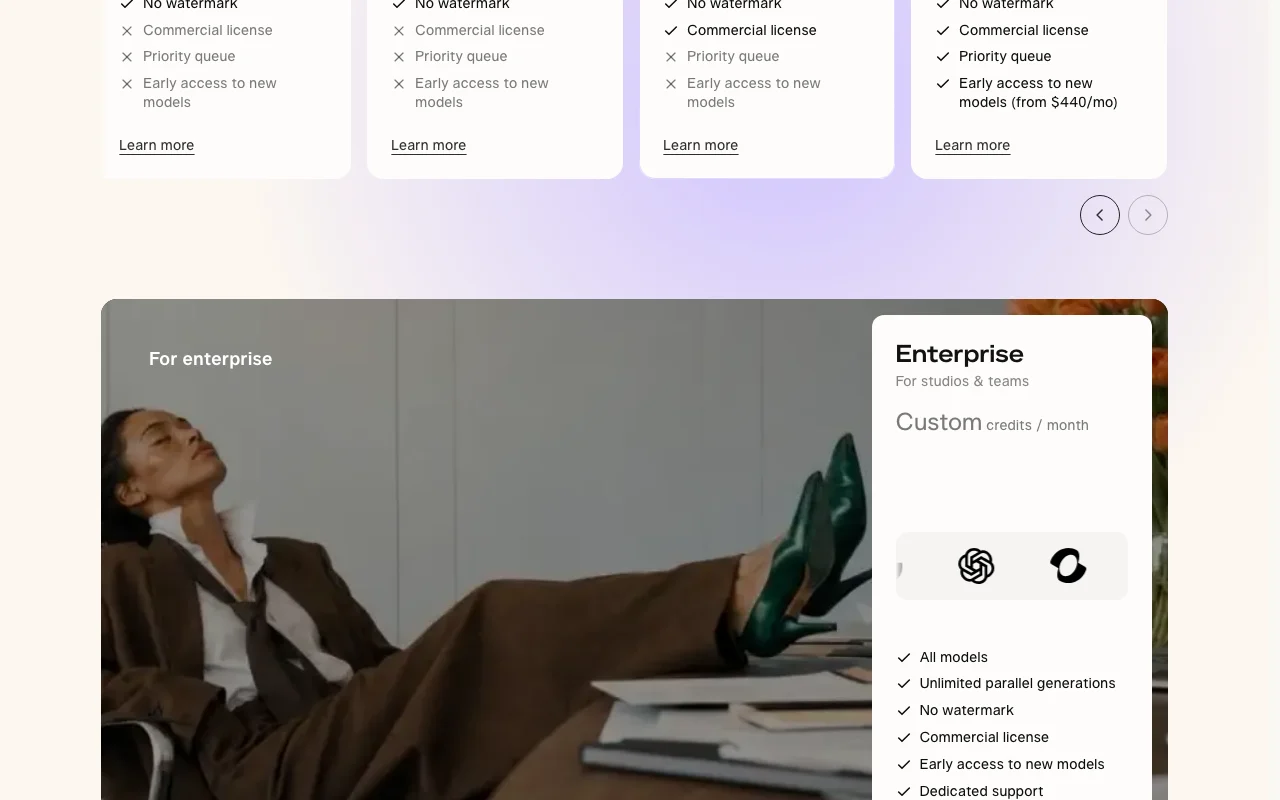
Pika pricing page with plans and prices — screenshot of the video AI tool, Oct 1, 2026
The official Pika pricing page as we saw it. pika.art, captured Oct 1, 2026

Free access and trial conditions

Free plan has no monthly credits; credit packs can be bought on any plan.

No trial stated.

Paid plans: what changes as you upgrade

Free web

Free source (opens in a new tab)

Monthly

For: Trying models

Limits

  • 0 monthly credits (packs only)
  • 2 video and 2 image plus audio in parallel

Includes

  • All models
  • No watermark

Starter web

$10 source (opens in a new tab)

Monthly

Annual billing about $8 per month (20% off)

For: Light use

Limits

  • 900 credits per month
  • 2 video and 8 image plus audio in parallel

Includes

  • All models
  • No watermark

Creator web

$35 source (opens in a new tab)

Monthly

Annual billing about $28 per month (20% off)

For: Commercial creators

Limits

  • 3,150 credits per month
  • 8 video and 32 image plus audio in parallel

Includes

  • All models
  • No watermark
1 more
  • Commercial license

Fancy web

$95 source (opens in a new tab)

Monthly

Annual billing about $76 per month (20% off)

For: Heavy production

Limits

  • 8,550 credits per month and up
  • Unlimited parallel generations

Includes

  • All models
  • No watermark
1 more
  • Commercial license, priority queue

Enterprise web

Custom pricing source (opens in a new tab)

Unknown

For: Studios and teams

Limits

  • Custom credits

Includes

  • Dedicated support
  • Commercial license
1 more
  • Early access to new models

Usage caps, credits and extra costs

Credit packs: $25 for 1,500 credits up to $1,000 for 66,000 credits; 60 credits per $1. Top-ups work only in Pika Create on pika.art, not API, MCP or iOS app.

Not stated.

What is Pika, and how does it work?

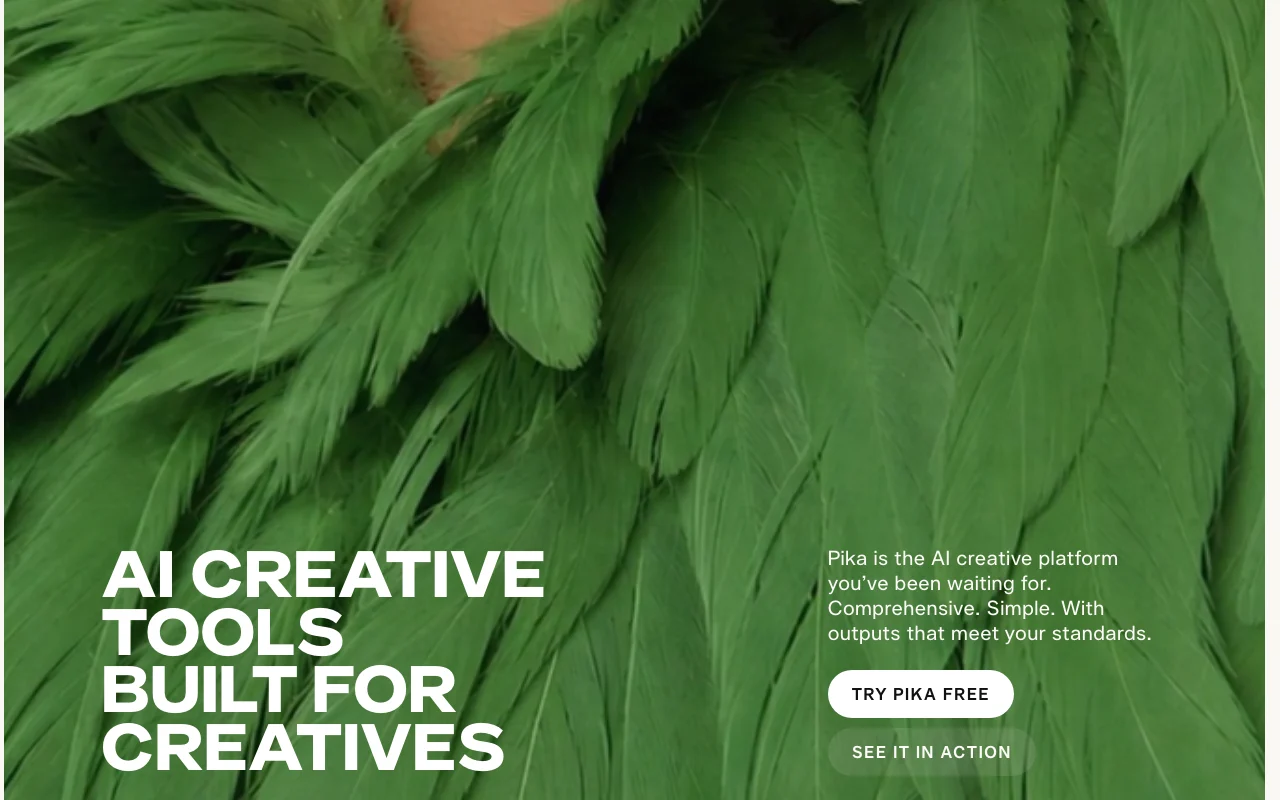
Pika is a web platform for AI video creation, offering apps such as product ads, short films, motion transfer and video extension. It also includes image and audio tools, with models from Pika and partners like Seedance, MiniMax, Wan and ElevenLabs. Plans are credit-based: a free tier relies on purchased credit packs, while paid plans add monthly credits, more parallel generations and, on higher tiers, a commercial license and priority queue. An API is offered for developers.

Pika homepage — screenshot of the video AI tool, Oct 1, 2026
Pika's official site: how the product presents itself. pika.art, captured Oct 1, 2026

What you provide and what you get back

How Pika works: what you provide, where it runs and what you get backYOU PROVIDEYour inputText promptsImages and video clipsReference characters and productsVIDEOPikaWeb, APIfrom $10 (Starter)free tier availableaccount requiredchecked Sep 29, 2026YOU GET BACKThe resultVideos up to 30-second multi-shotImagesSpeech, music, SFX and soundtracksinput → Pika → output · from the vendor's own pages, no hands-on test unless stated
What you give Pika and what comes back, from its documentation

You provide

  • Text prompts
  • Images and video clips
  • Reference characters and products

You get back

  • Videos up to 30-second multi-shot
  • Images
  • Speech, music, SFX and soundtracks

Where you can use it

Platforms
Web, API
Account
Required
Models / versions
Pika 2.5, Seedance 2.5, Wan 3.0, MiniMax H3, GPT Image 2.5, Seedream 5, Nano Banana 2
Watermark
None on all plans
Commercial license
Creator and above
Video length
Up to 30-second multi-shot in Video Studio
Credit cost example
Seedance 2.5 720p 5s clip is 122 credits
Top-up rate
60 credits per $1

Best use cases for Pika

Scenarios are worked out by our editors from the documentation; the actual result depends on your input and plan.

Creating short AI videos from prompts

Who
Social creators and hobbyists
You provide
Text prompt or reference image
Expected result
Short AI video clip
Plan needed
Free with credit pack, or Starter
Limitation
Credits per clip vary by model source (opens in a new tab)

Making product ad videos

Who
Marketers and ad creatives
You provide
Product photo
Expected result
Styled product video or shots without a photoshoot
Plan needed
Creator (commercial license)
Limitation
Commercial license not on Free or Starter source (opens in a new tab)

Extending existing video clips

Who
Editors and filmmakers
You provide
Existing clip
Expected result
Longer clip via extra generated frames
Plan needed
Any plan with credits
Limitation
Plan credits do not roll over source (opens in a new tab)

What Pika does, and where it stops

Pika homepage — screenshot of the video AI tool, Oct 1, 2026
Feature overview on the official site. pika.art, captured Oct 1, 2026

Video apps: Create Video, Product Ad, Short Film, Motion Transfer, Extend Video

Apps for video: Video Studio, Extend Video, Color Grade Covers creation through finishing

Access: All plans (all models included)Limit: Each generation spends credits source (opens in a new tab)

Multiple video models incl. Pika 2.5 and Pikaframes

Offers multiple video models including Seedance 2.5 and Pika 2.5 Lets you choose cost versus quality

Access: All plansLimit: Credits per generation differ by model source (opens in a new tab)

Image models incl. GPT Image and Nano Banana

Image models including GPT Image 2.5 and Nano Banana 2 Makes and edits stills in the same place

Access: All plansLimit: Credits per image differ by model source (opens in a new tab)

Speech, music and SFX generation

Generates speech, music, SFX and soundtracks Adds sound to clips

Access: All plansLimit: Credit cost per audio output not verified source (opens in a new tab)

Pika: strengths and limits

Where Pika is strong

Limitations to check before paying

How to use Pika for creating a short AI video

Set up Pika

  1. Open pika.art and log in with email, Google or Discord
  2. Check your credits or buy a pack
  3. Open Video Studio

Example: creating a short AI video

  1. Enter a prompt or upload a reference image
  2. Pick a model such as Seedance 2.5
  3. Generate the clip
  4. Use Extend Video or Color Grade to refine it

Review and export the result

  1. Confirm the credit cost before generating
  2. Check that your plan includes a commercial license if the clip is for client use
Example prompt suggested by our editors (not a recorded output of the product)
A slow dolly shot of a ceramic coffee cup on a wooden table at sunrise, steam rising, shallow depth of field

Pika API

Pika pricing page with plans and prices — screenshot of the video AI tool, Oct 1, 2026
Plan comparison on the official pricing page. pika.art, captured Oct 1, 2026

API access and separate billing

Pika has no public API in its official documentation. API Club membership offers gen-media models via one API; docs not fetched.

Privacy, data use and commercial rights

Summarized from the vendor's current policies; this is not legal advice and a vendor's badge is not an independent audit.

Commercial use and plan restrictions

Commercial license included from Creator plan up; not on Free or Starter.

Commercial license from Creator; priority queue on Fancy.

Other tools to consider instead of Pika

"Better suited" is based on documented features and pricing, not on a head-to-head test.

Runway: better suited to

Kling AI: better suited to

Luma: better suited to

Synthesia: better suited to

Alternatives
AlternativeWhen to choose itPricingLimitation
Runway——Compare
Kling AI——Compare
Luma——Compare
Synthesia——Compare

Explore Pika further

Tools and guides near Pika

Pika user reviews

No user reviews yet.

Used Pika? Be the first to share your experience.

Write a review

Reviews are checked by a moderator before they appear. Your email is never published. Plain text only.

Your rating (required)

Show what you made or what went wrong. Images are published only if the review is approved; location data is removed.

    Pika FAQ

    Is Pika free?

    Yes, the Free plan costs $0 but includes no monthly credits, so you buy credit packs to generate. source (opens in a new tab)

    How much do plans cost?

    Starter is $10, Creator $35 and Fancy $95 to $880 per month; yearly billing saves 20%. source (opens in a new tab)

    Do outputs have a watermark?

    No, the pricing table lists no watermark on all plans. source (opens in a new tab)

    Do unused credits roll over?

    Plan credits do not roll over; purchased top-up credits carry over and expire 365 days after purchase. source (opens in a new tab)

    Can I use credit packs with the API?

    No, top-up credits cannot be used with the API, MCP, iOS app or old.pika.art. source (opens in a new tab)

    Sources and review methodology

    Official sources and verification dates

    Not verified: Privacy, training use and retention (login-gated pages); API docs; Resolution caps per plan; Changelog.

    How we documented and maintain this page

    Every fact about Pika above comes from the 3 official pages listed here, last compared on Sep 29, 2026; we have not run Pika ourselves, so it has no editorial score. How we check and re-check pages.

    Article updated Oct 2, 2026; prices checked Sep 29, 2026. Outbound links to vendors are plain links; we do not earn commissions. How we review · Report an error