VideoDocumented overviewLast checked Sep 29, 2026

Plazmapunk: Pricing, Features & Best Use Cases

AI music video generator that turns an uploaded song into a synced video from prompts or scenes.
Is Plazmapunk right for you?

Start free with 200 credits to test a one-prompt music video, and move to Punk if you need all aspect ratios, no watermark and a commercial license. Based on the vendor's documentation, not on a hands-on test.

Best for: Independent musicians

Also a good fit for

  • Music marketers
  • Content creators

Consider another tool if free plan limited to 4:3 and one-prompt videos

Or if

  • Credit-based usage
  • Prices shown only in EUR

Plazmapunk pricing and usage limits

Prices checked Sep 29, 2026 on the official US pricing page. Official pricing ↗ Prices and limits change often.

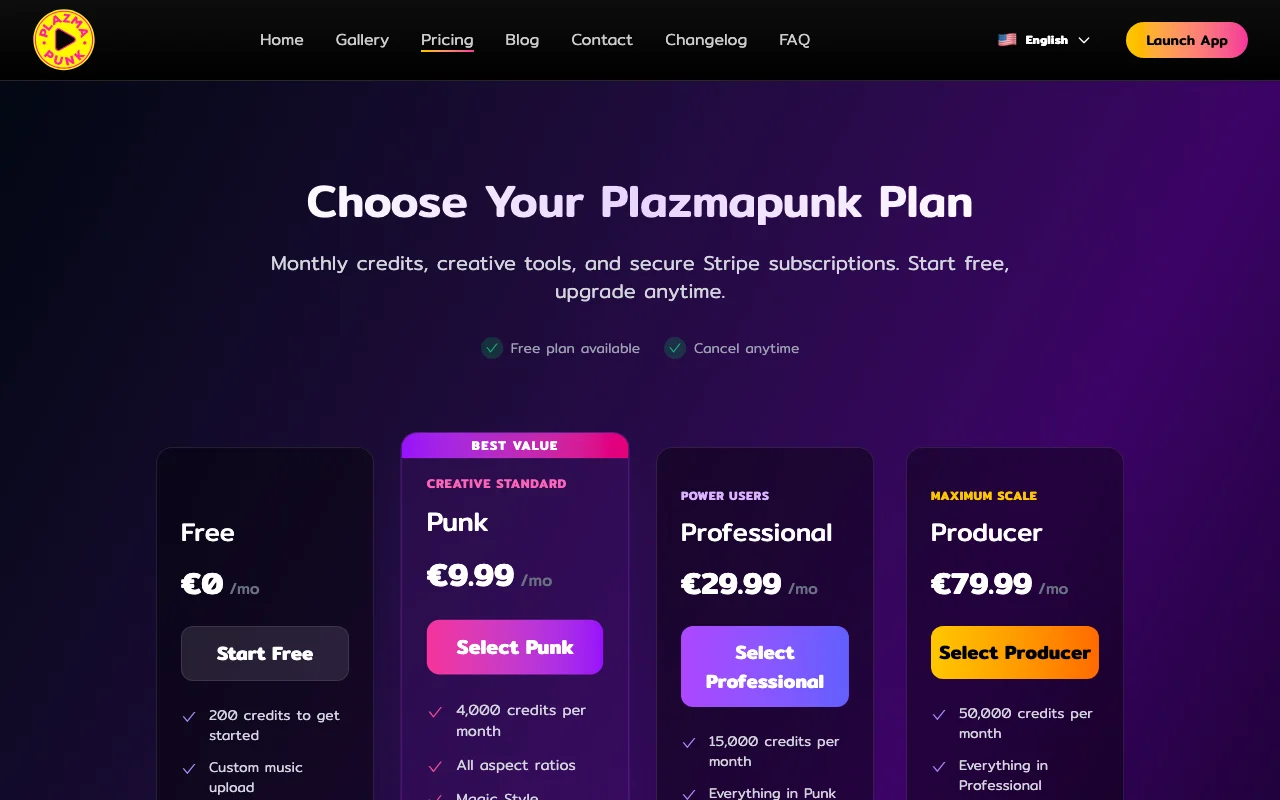
Plazmapunk pricing page with plans and prices — screenshot of the video AI tool, Oct 1, 2026
The official Plazmapunk pricing page as we saw it. plazmapunk.com, captured Oct 1, 2026

Free access and trial conditions

Free plan with 200 credits to get started.

No trial stated; cancel anytime.

Paid plans: what changes as you upgrade

Free web

Free source (opens in a new tab)

Monthly

For: Testing

Limits

  • 200 credits to start
  • 4:3 only
1 more
  • One-prompt video, no Scene Editor

Includes

  • Custom music upload

Punk web

See official pricing source (opens in a new tab)

Monthly

Price shown only in EUR: 9.99

For: Independent artists

Limits

  • 4,000 credits per month
  • Credit rollover

Includes

  • All aspect ratios
  • Scene Editor + Gemini
2 more
  • Full HD, no watermark
  • Commercial license

Professional web

See official pricing source (opens in a new tab)

Monthly

Price shown only in EUR: 29.99

For: Power users

Limits

  • 15,000 credits per month

Includes

  • Everything in Punk
  • Scene Editor + Gemini Pro
1 more
  • Credit rollover

Producer web

See official pricing source (opens in a new tab)

Monthly

Price shown only in EUR: 79.99

For: Maximum scale

Limits

  • 50,000 credits per month

Includes

  • Everything in Professional
  • Priority support

Usage caps, credits and extra costs

Not stated.

Not stated; prices shown in EUR.

What is Plazmapunk, and how does it work?

Plazmapunk generates music videos from uploaded tracks, syncing visuals to the audio. Users can make a quick one-prompt clip or build multi-scene videos in a Scene Editor using several AI models. It runs in the browser via app.plazmapunk.com and uses monthly credits. A free plan offers starter credits, while paid plans (priced in EUR) add all aspect ratios, Full HD upscaling, no watermark and a commercial license.

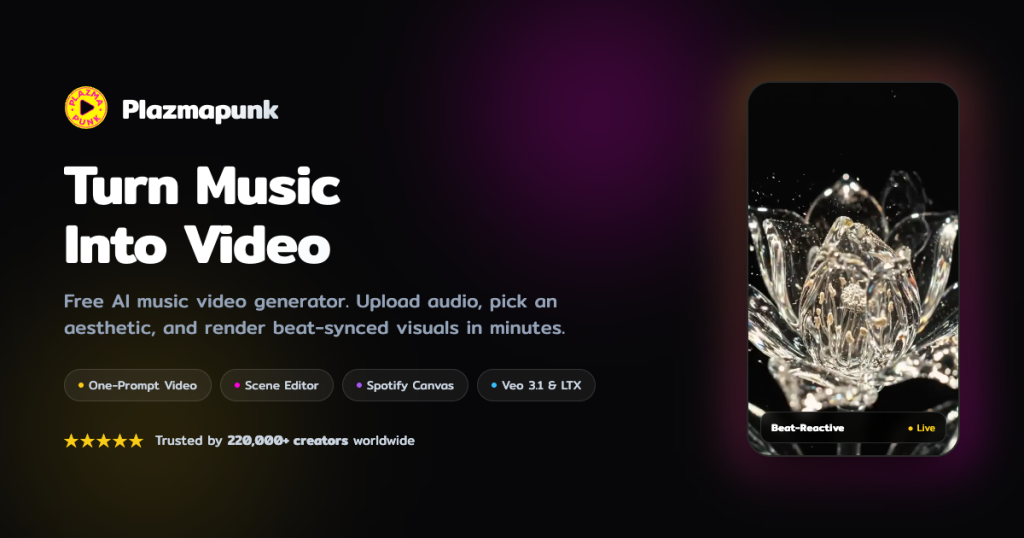
Plazmapunk homepage — screenshot of the video AI tool, Oct 1, 2026
Plazmapunk's official site: how the product presents itself. plazmapunk.com, captured Oct 1, 2026

What you provide and what you get back

How Plazmapunk works: what you provide, where it runs and what you get backYOU PROVIDEYour inputMP3 or WAV track of at least 15 s…Text prompts or preset looksOptional starting imagesVIDEOPlazmapunkWebfree tier, paid price not publish…free tier availableaccount requiredchecked Sep 29, 2026YOU GET BACKThe resultBeat-synced MP4 music videosSpotify Canvas style 9:16 loopsinput → Plazmapunk → output · from the vendor's own pages, no hands-on test unless stated
What you give Plazmapunk and what comes back, from its documentation

You provide

  • MP3 or WAV track of at least 15 seconds
  • Text prompts or preset looks
  • Optional starting images

You get back

  • Beat-synced MP4 music videos
  • Spotify Canvas style 9:16 loops

Where you can use it

Platforms
Web
Account
Required
Aspect ratios
16:9, 9:16, 1:1, 4:3
Models
LTX 2.5, Google Veo 3.1, ZImageTurbo, SDXL
Output format
MP4
Quick Video length
15 to 30 seconds
Watermark/Full HD
Removed/available on paid plans

What people use Plazmapunk for

Scenarios are worked out by our editors from the documentation; the actual result depends on your input and plan.

Creating music videos for releases

Who
Independent musicians
You provide
Track and a style prompt
Expected result
Beat-synced music video
Plan needed
Punk or higher for full features
Limitation
Free plan is 4:3 one-prompt only source (opens in a new tab)

Making short song teasers

Who
Music marketers and creators
You provide
Song snippet and short prompt
Expected result
15 to 30 second teaser
Plan needed
Free for a first test
Limitation
Free output has a watermark source (opens in a new tab)

Producing Spotify Canvas-style clips

Who
Artists on Spotify
You provide
Track and loop prompt
Expected result
3 to 8 second vertical seamless loop
Plan needed
Paid for 9:16 options
Limitation
Loop length limited to 3 to 8 seconds source (opens in a new tab)

What Plazmapunk does, and where it stops

Plazmapunk homepage — screenshot of the video AI tool, Oct 1, 2026
Feature overview on the official site. plazmapunk.com, captured Oct 1, 2026

Quick Video from one prompt (15–30s)

Makes a 15 to 30 second video from one prompt Gets a teaser in about 2 to 4 minutes

Access: All plansLimit: One scene only source (opens in a new tab)

Scene Editor with up to 50 clips per song

Builds multi-scene videos with up to 50 clips per song Gives scene-by-scene control

Access: Paid plansLimit: Not on the Free plan source (opens in a new tab)

Multiple AI models incl. SDXL and LTX

Generates with LTX 2.5, Google Veo 3.1, ZImageTurbo and SDXL Lets you choose between models

Access: Varies by modeLimit: Model access per plan not detailed source (opens in a new tab)

Aspect ratios 16:9, 9:16, 1:1, 4:3

Exports MP4 in 16:9, 9:16, 1:1 and 4:3 Fits YouTube, TikTok, Reels and Shorts

Access: Free: 4:3; paid: allLimit: Full HD only on paid plans source (opens in a new tab)

Plazmapunk pros and cons

Where Plazmapunk is strong

Limitations to check before paying

How to use Plazmapunk for making a music video

Set up Plazmapunk

  1. Open app.plazmapunk.com and sign up
  2. Upload an MP3 or WAV of at least 15 seconds
  3. Choose Quick Video, Scene Editor or Spotify Canvas

Example: making a music video

  1. Pick a preset look or describe an aesthetic
  2. Use Magic Enhance to expand a short prompt
  3. Generate and wait about 2 to 4 minutes
  4. Download the MP4

Review and export the result

  1. Check the video syncs to the beat
  2. Confirm the watermark and resolution match your plan
Example prompt suggested by our editors (not a recorded output of the product)
Neon-lit rainy city street at night, slow camera glide, cyberpunk style, pulsing with the bass

Plazmapunk integrations and API

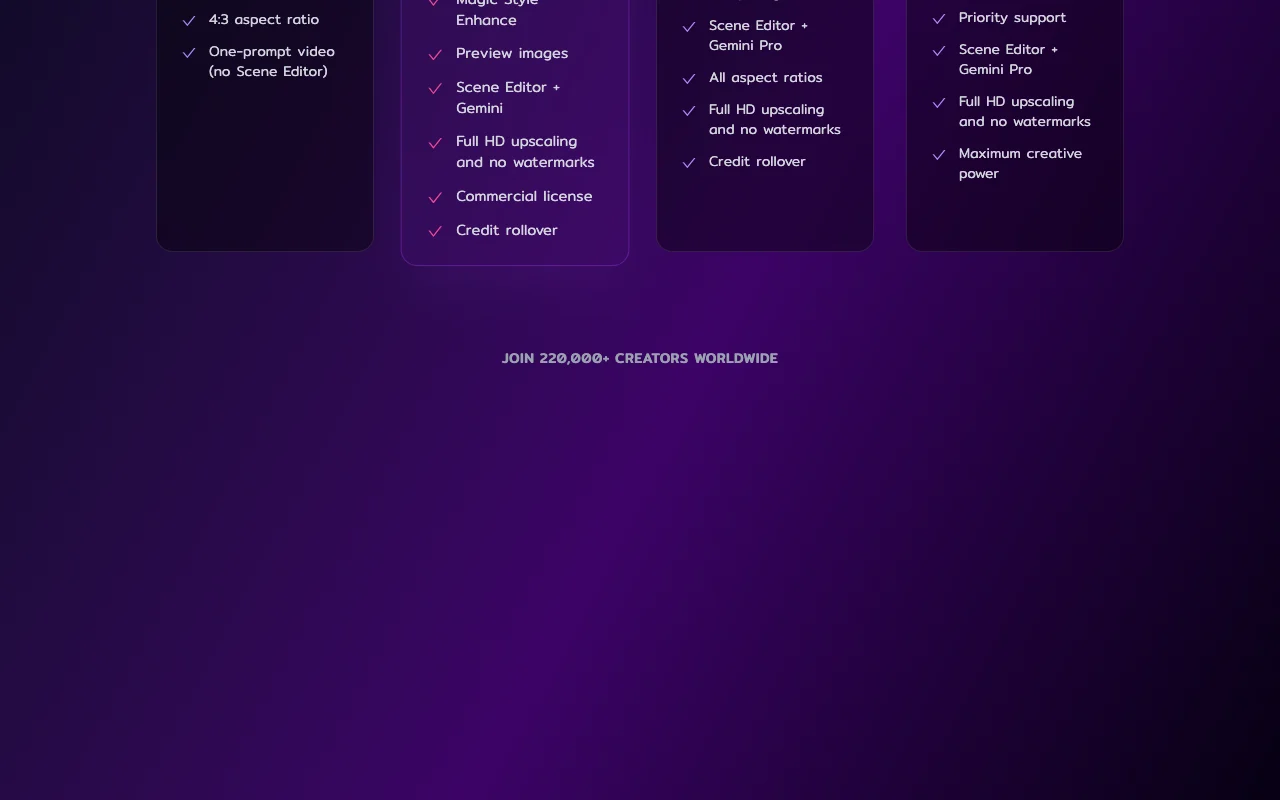
Plazmapunk pricing page with plans and prices — screenshot of the video AI tool, Oct 1, 2026
Plan comparison on the official pricing page. plazmapunk.com, captured Oct 1, 2026

Native integrations and export formats

Export: MP4

API access and separate billing

Plazmapunk has no public API in its official documentation. No API information found.

Privacy, data use and commercial rights

Summarized from the vendor's current policies; this is not legal advice and a vendor's badge is not an independent audit.

How your inputs and outputs are handled

Uploaded and recorded songs are stored on servers linked to your account.

Account and songs deleted permanently via Delete My Account.

Commercial use and plan restrictions

Commercial license from Punk plan.

Commercial license on Punk; not stated for Free.

Controls for business users

  • Delete account and data in settings
  • Disable Matomo tracking

Policies: plazmapunk.com/privacy

Best Plazmapunk alternatives for different needs

"Better suited" is based on documented features and pricing, not on a head-to-head test.

Runway: better suited to

Kling AI: better suited to

Pika: better suited to

Suno: better suited to

Alternatives
AlternativeWhen to choose itPricingLimitation
Runway——Compare
Kling AI——Compare
Pika——Compare
Suno——

Explore Plazmapunk further

If you are looking at Plazmapunk

Plazmapunk user reviews

No user reviews yet.

Used Plazmapunk? Be the first to share your experience.

Write a review

Reviews are checked by a moderator before they appear. Your email is never published. Plain text only.

Your rating (required)

Show what you made or what went wrong. Images are published only if the review is approved; location data is removed.

    Plazmapunk FAQ

    Is Plazmapunk free?

    Yes, the Free plan gives 200 credits, 4:3 aspect ratio and one-prompt videos. source (opens in a new tab)

    How much do paid plans cost?

    Prices are shown in EUR only: Punk 9.99, Professional 29.99 and Producer 79.99 per month; no USD prices are published. source (opens in a new tab)

    What audio files can I upload?

    MP3 or WAV of at least 15 seconds, or record from a mic. source (opens in a new tab)

    How long does generation take?

    Usually 2 to 4 minutes, delivered as an MP4. source (opens in a new tab)

    Can I delete my songs?

    Yes, Delete My Account permanently removes your account and uploaded songs. source (opens in a new tab)

    Sources and review methodology

    Official sources and verification dates

    Not verified: USD prices (EUR only); Training use; API; Changelog.

    How we documented and maintain this page

    Every fact about Plazmapunk above comes from the 3 official pages listed here, last compared on Sep 29, 2026; we have not run Plazmapunk ourselves, so it has no editorial score. How we check and re-check pages.

    Article updated Oct 2, 2026; prices checked Sep 29, 2026. Outbound links to vendors are plain links; we do not earn commissions. How we review · Report an error