Descript vs Otter.ai in 2026: which one fits your work
Pick Descript to edit podcasts or video; pick Otter.ai for transcripts and summaries of Zoom, Teams or Google Meet calls. Descript Hobbyist is $16/mo per editor billed annually, and Otter Pro is $16.99/user/mo. Descript and Otter.ai both have a free plan: 60 media minutes a month on Descript, 300 transcription minutes on Otter.
We based this comparison on our verified profiles of both tools, checked on 1 October 2026 against official pricing, homepage and privacy pages; it uses no third-party benchmarks and no vendor paid for placement.
Is Descript better than Otter.ai? The short answer
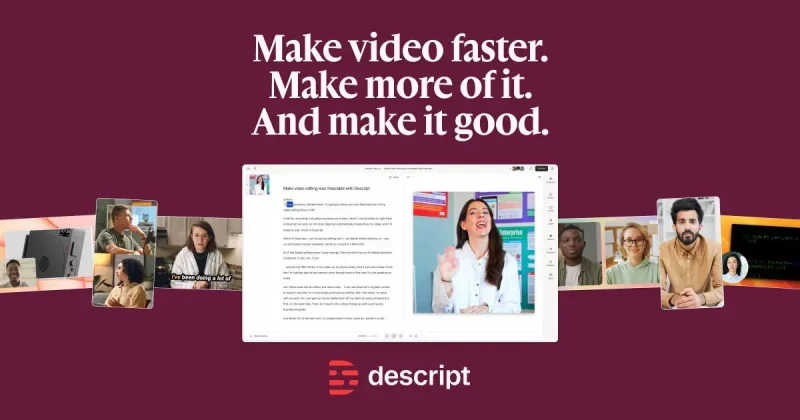
Descript is a text-based video and podcast editor, so pick it if you produce media and want to cut footage by editing a transcript. Otter.ai is an AI meeting assistant for Zoom, Teams and Google Meet, so pick it if your main need is meeting transcripts, summaries and CRM sync. Descript and Otter.ai both have a free plan and cap monthly usage: Descript by media hours and AI credits, Otter by transcription minutes and meeting length. They overlap only on transcription, and each profile points to the other as the choice for a different job.
Based on our profiles of both tools, verified on 1 October against official pricing, homepage and privacy pages; no benchmark was run.
Descript or Otter.ai: which to use, by task
If you only want the answer, this is the table. Everything below is the evidence from the two documented profiles.
Side-by-side comparison
You want to
Use
Why
Edit a podcast by deleting words from the transcript
Descript
Descript edits media through its transcript; Studio Sound and filler-word removal are included.
Get notes and a summary of a Zoom call
Otter.ai
Otter joins Zoom, Teams and Google Meet and produces summaries with action items.
Transcribe a recorded interview
Either
Descript transcribes in 25 languages; Otter lists interview transcription as a use case.
Cut social clips from a long recording
Descript
Social clips from long recordings is a documented Descript use case.
Sync sales call notes to a CRM
Otter.ai
Otter lists Salesforce, HubSpot and Zapier integrations on Pro and above.
Ask questions across many past meetings
Otter.ai
Otter AI Chat works within and across meetings.
Add captions to a video
Descript
Captions and translation are listed Descript features.
Clone a voice for narration
Descript
AI voice cloning is a listed Descript feature; Otter lists none.
Record lecture audio and get a transcript
Otter.ai
Lecture transcription is a documented Otter use case, with a free plan of 300 minutes a month.
Translate and dub a video
Descript
Descript lists translation and dubbing in 30+ languages on Business.
Who should pick which
Which to pick: Descript for editing media by transcript, Otter.ai for meeting transcripts and summaries
Pick Descript if
You edit podcasts or videos and want to cut media by deleting words in the transcript.
You need Studio Sound, filler-word removal, captions or AI voice cloning.
You want 4K export (Creator plan, $24/mo billed annually, and above).
You want API and MCP access listed on the Descript site.
Pick Otter.ai if
You mostly need transcripts and summaries of Zoom, Microsoft Teams or Google Meet calls.
You want Salesforce, HubSpot or Zapier integrations for sales call notes (Pro and above).
You want a free plan with 300 monthly transcription minutes and apps for Mac, Windows, iOS, Android and Chrome.
You want AI Chat that answers questions within and across meetings.
What Descript does better, and what Otter.ai does better
Descript
Edits video and audio by editing the transcript, with Underlord AI co-editor.
Studio Sound, filler-word removal and AI voice cloning.
Screen recorder and Rooms for remote recording.
Translate and dub in 30+ languages on Business.
Otter.ai
Joins Zoom, Microsoft Teams and Google Meet calls for live transcripts with speaker identification.
AI Chat within and across meetings, plus meeting workflows and templates.
Salesforce, HubSpot and Zapier integrations, and an MCP server.
Apps for iOS, Android and a Chrome extension, besides Mac and Windows.
Descript vs Otter.ai pricing: plans and free tiers
Side-by-side comparison
Plan
Tool
Price
Limits
Descript Free
Descript
$0
60 minutes of media per month; 100 AI credits (one-time); 1080p export only
Descript Hobbyist
Descript
$16/mo per editor, billed annually ($24 monthly)
600 minutes of media per month; 400 AI credits per month; 1080p export
Descript Creator
Descript
$24/mo per editor, billed annually ($35 monthly)
1,800 minutes of media per month; 800 AI credits per month; 4K export
Descript Business
Descript
$50/mo per editor, billed annually ($65 monthly)
2,400 minutes of media per month; 1,500 AI credits per month; unlimited 4K export
Descript Enterprise
Descript
Custom
Custom media hours and AI credits
Otter Basic
Otter.ai
$0
300 transcription minutes per month; 3 lifetime file imports; 30 minutes max per meeting
Otter Pro
Otter.ai
$16.99/user/mo
1,200 recording minutes per month; 10 file imports per month; 90 minutes max per meeting
Otter Business
Otter.ai
$30/user/mo
Unlimited in-app recordings; unlimited file imports; 4 hours max per meeting
Otter Enterprise
Otter.ai
Custom, via demo
Unlimited concurrent meetings; custom retention and data controls
If you need notes from Zoom, Teams or Google Meet calls, choose Otter.ai.
If you need CRM sync for sales calls, Otter Pro and above lists Salesforce and HubSpot.
If you need 4K export or voice cloning, Descript Creator is the entry point for 4K.
If you only want to test, the Descript and Otter.ai free plans both work: 60 media minutes on Descript, 300 transcription minutes on Otter.
Pick Descript for media production and Otter.ai for meeting notes.
Frequently asked questions
Is Descript or Otter.ai better for transcription?
Otter.ai is better for live meetings and Descript for recorded media. Otter.ai is built for live meeting transcription with speaker identification on Zoom, Teams and Google Meet. Descript transcribes in 25 languages, but the transcript exists to edit video and audio.
Do Descript and Otter.ai have free plans?
Yes, Descript and Otter.ai both have a free plan. Descript Free gives 60 minutes of media per month and 100 one-time AI credits at 1080p. Otter Basic gives 300 transcription minutes per month, 3 lifetime file imports and a 30-minute limit per meeting.
How much do Descript and Otter.ai cost?
Descript Hobbyist is $16/mo per editor billed annually ($24 monthly), Creator is $24 ($35 monthly) and Business is $50 ($65 monthly). Otter Pro is $16.99/user/mo and Business is $30/user/mo. Both list Enterprise as custom.
Do Descript or Otter.ai have an API?
Descript and Otter.ai both list an API, with caveats. Descript lists API and MCP access on its site, though its docs page returned a 404 when we checked. Otter.ai offers an API and webhooks only on Enterprise, plus an MCP server.