Our take: Best for marketing and product teams producing social media posts, ad creatives, and website animations with brand consistency.
Main limitation: No free plan; usage limited by monthly AI credits that expire each period
By the AI Tool Atlas editors.
Based on the vendor's official documentation; we have not tested this product hands-on. What “documented overview” means
Who Burp fits
Best for marketing and product teams producing social media posts, ad creatives, and website animations with brand consistency. Based on the vendor's documentation, not on a hands-on test.
Best for: Marketing teams
Also a good fit for
Product teams
Social media creators
Design studios
Brand teams producing consistent video content
Consider another tool if you want a free tier or trial before committing
Or if
You need unlimited concurrent video generation
Team library requires minimum Pro tier ($59/month)
Burp pricing and usage limits
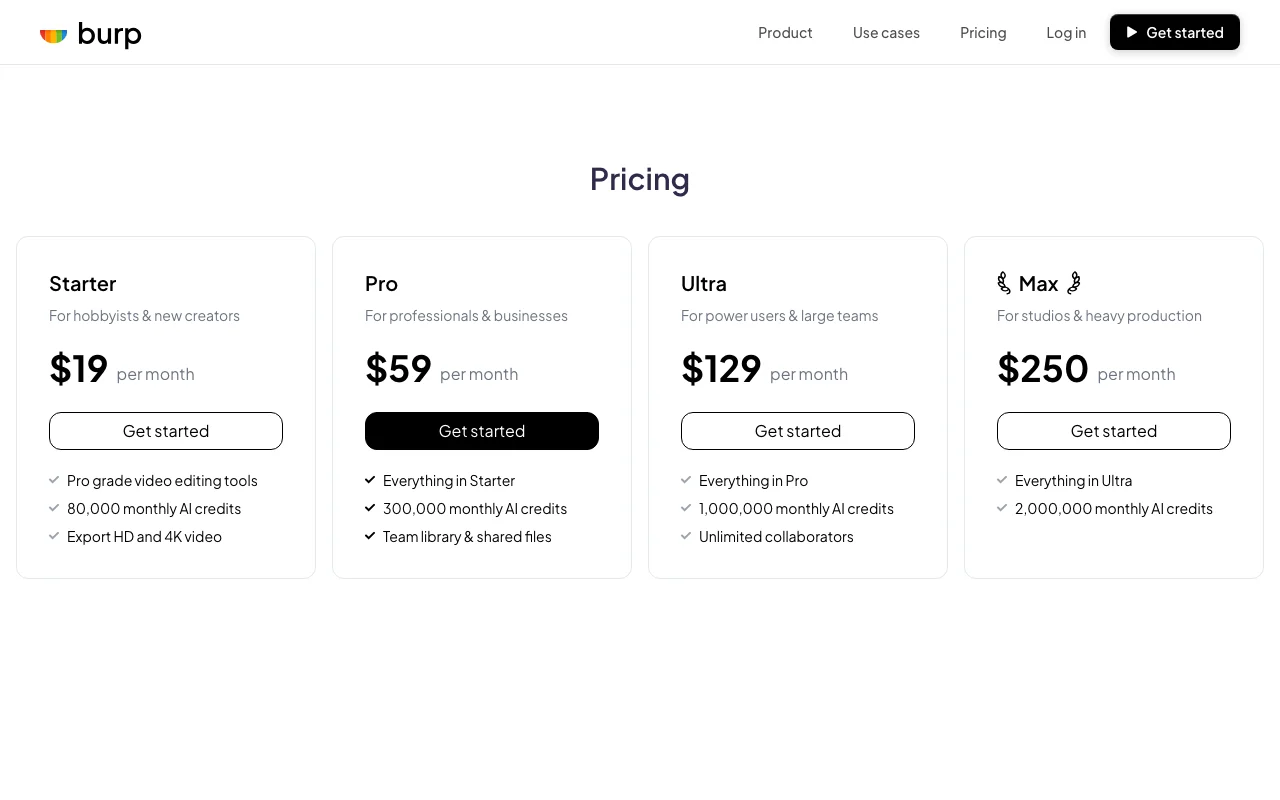
Prices checked Oct 1, 2026 on the official US pricing page. Official pricing ↗ Prices and limits change often.
Vendor pricing page re-checked automatically 11 days ago: no changes detected.
The official Burp pricing page as we saw it. burp.com, captured Oct 1, 2026
No information on overage charges or additional credit purchases beyond monthly allowance
What is Burp, and how does it work?
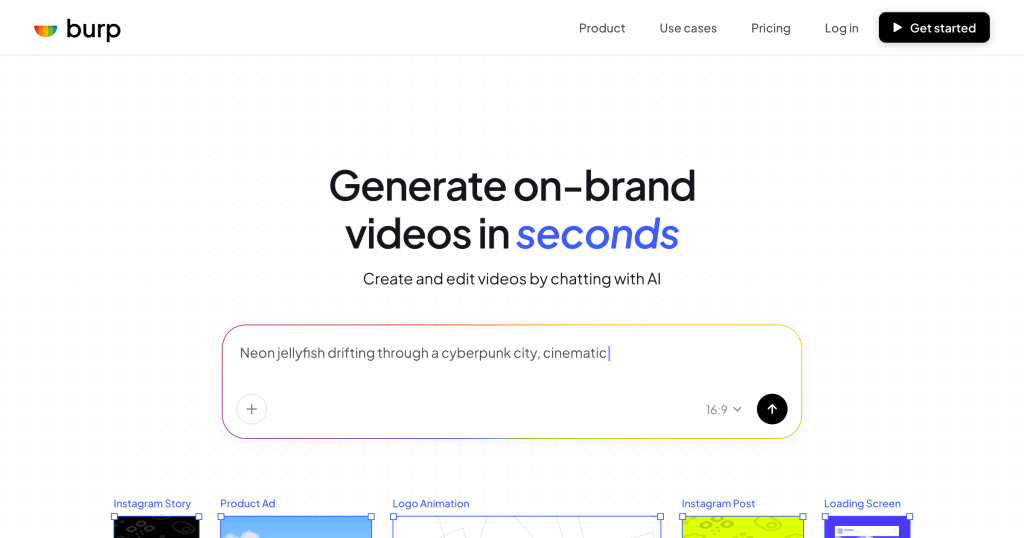
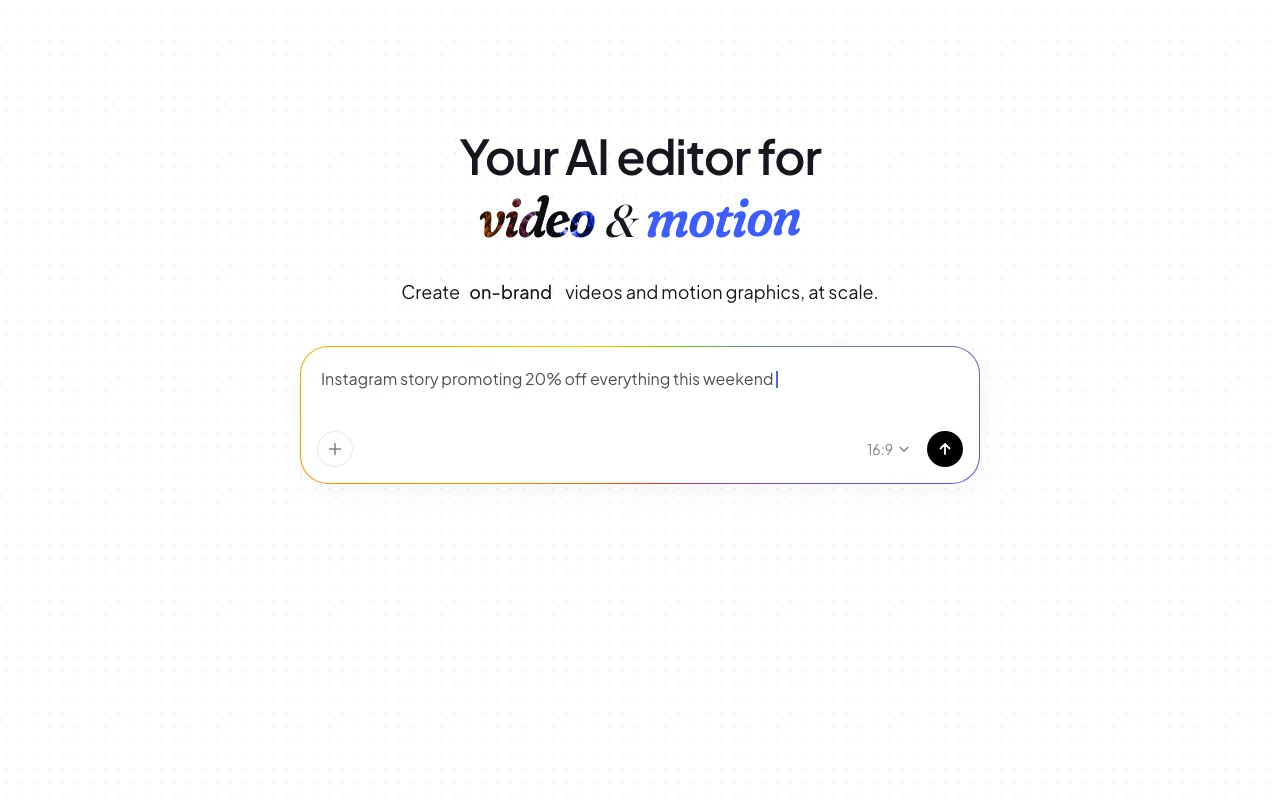
Burp is an AI editor for video and motion graphics. Users type an idea to generate a video in seconds, then refine it by chatting with the AI (for example, trimming clips, retiming keyframes, swapping footage) or by manually editing layers, keyframes and timing on one infinite canvas.
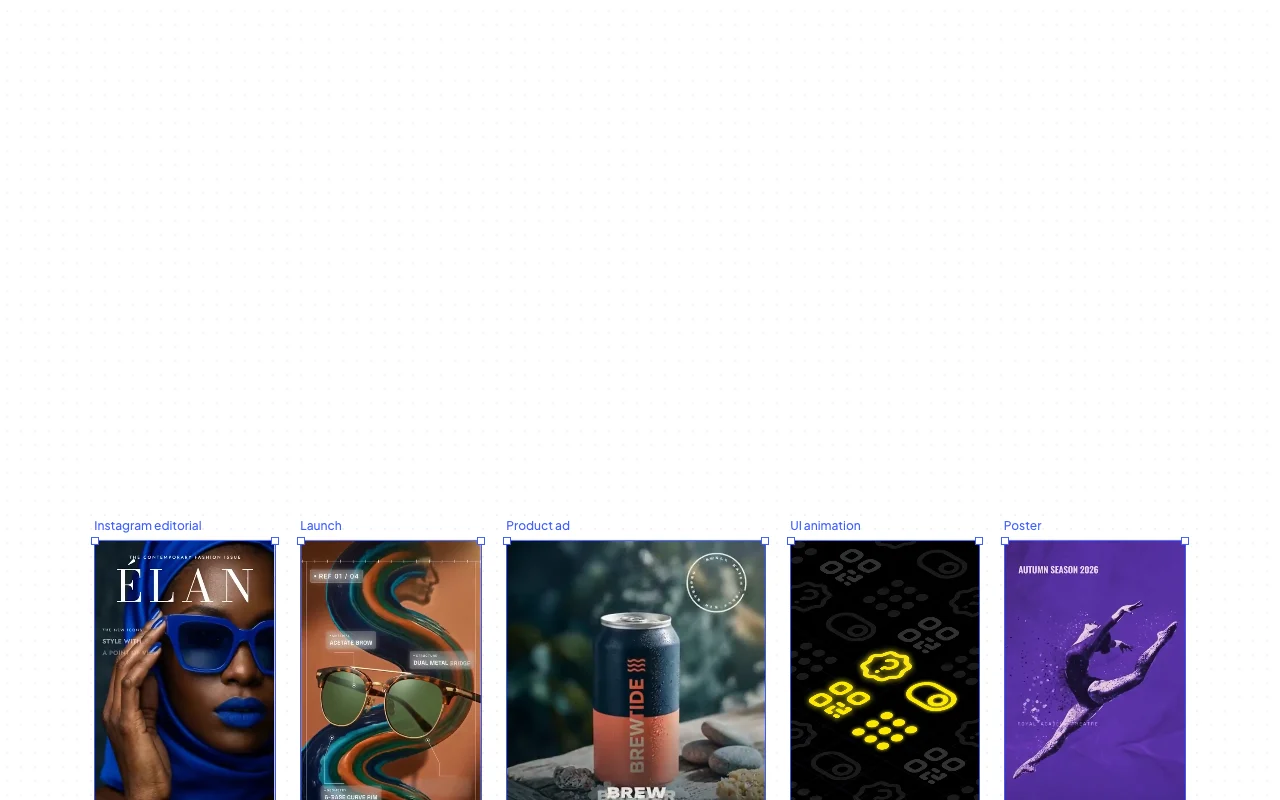
It targets marketing and product teams producing social posts, ad creatives, website/UI animations (exportable as Lottie for web), and animated data or presentation content. Exports include MP4, GIF and 4K video.
Burp's official site: how the product presents itself. burp.com, captured Oct 1, 2026
What you provide and what you get back
What you give Burp and what comes back, from its documentation
You provide
Text prompts and descriptions
Existing videos or footage for editing
Brand guidelines or color references
You get back
AI-generated videos (MP4, GIF)
4K high-resolution video
Web animations (Lottie format)
Motion graphics and transitions
Where you can use it
Platforms
Web
Account
Required
Where Burp is most useful
Scenarios are worked out by our editors from the documentation; the actual result depends on your input and plan.
Social media video posts
Who
Social media managers and content creators
You provide
Video concept or brief description
Expected result
Short-form video ready for Instagram, TikTok, Twitter or YouTube Shorts
Plan needed
Starter for occasional posts; Pro for consistent weekly content
Lottie-compatible animation ready for web integration
Plan needed
Pro or Ultra for sustained production
Limitation
Lottie export limited to vector-based animations; pixel content cannot export as Lottie source (opens in a new tab)
Burp features and their limits
Feature overview on the official site. burp.com, captured Oct 1, 2026
Prompt-to-video generation
Generates complete video from text description in seconds Eliminates need for shooting or stock footage; rapid iteration on concepts
Access: All plansLimit: Generation quality depends on prompt clarity; complex scenes may require refinementsource (opens in a new tab)
Chat-based editing of layers, colors and timing
Allows AI-assisted editing by describing changes in natural language Reduces need for technical video editing knowledge; faster edits than manual timeline work
Access: All plansLimit: AI may misunderstand complex editing requests; manual layer editing required for precisionsource (opens in a new tab)
Manual layer and keyframe editing
Provides full manual control over layers, keyframes, timing and transitions Enables pixel-perfect refinement and precise animation control
Access: All plansLimit: Requires motion graphics knowledge; time-consuming for complex animationssource (opens in a new tab)
Single infinite canvas for composing
Organizes all layers, footage and timelines on one infinite workspace Reduces context switching; supports zooming in for detail or out for overview
Edits keep existing layers instead of regenerating Chat edits retain creative decisions and saves AI credits on refinementsdocumentedsource (opens in a new tab)
HD and 4K export on all plans Professional-grade output available at all price levelsdocumentedsource (opens in a new tab)
Monthly AI credit allowance on every plan Predictable generation budget without surprise overage chargesdocumentedsource (opens in a new tab)
Unlimited collaborators on Ultra and above Larger teams can collaborate without per-seat licensing fees on higher tiersdocumentedsource (opens in a new tab)
Limitations to check before paying
No free plan shown on pricing page Cannot test or explore features without committing to paid tierdocumentedsource (opens in a new tab)
Usage limited by monthly AI credits High-volume production requires moving to higher tiers; unused credits may not roll overdocumentedsource (opens in a new tab)
Team library requires Pro ($59/mo) or higher Starter plan ($19/mo) cannot share assets; collaboration requires upgradedocumentedsource (opens in a new tab)
Pricing billing details beyond 'per month' not stated No transparency on annual discount or monthly vs yearly pricing differencedocumentedsource (opens in a new tab)
How to use Burp for creating a brand-consistent social media video from a text prompt
Set up Burp
Sign up and select a plan (minimum Pro $59/mo for team features)
Upload brand guidelines or color palette to the team library
Start a new project on the infinite canvas
Type your video concept prompt (e.g., 'Floating sneaker through soft clouds, brand colors blue and white')
Click generate to create the initial video
Example: creating a brand-consistent social media video from a text prompt
Prompt: 'A product shot of a sleek wireless earbud on a white background, rotating slowly, with soft shadows'
Burp generates initial video in seconds
Ask via chat: 'Make the rotation speed 2x faster and add a subtle blue glow around the earbud'
AI edits the keyframes and adds glow effect without regenerating
Export as MP4 for Instagram or GIF for Twitter
Save as template for future product videos
Review and export the result
Review final video for brand consistency and animation smoothness
Check AI credit consumption and remaining budget
Example prompt suggested by our editors (not a recorded output of the product)
Sleek tech product floating in a modern minimalist space with soft blue lighting and subtle particle effects
Burp integrations
Plan comparison on the official pricing page. burp.com, captured Oct 1, 2026
You can use both. Chat-based editing is faster for simple changes; manual layer and keyframe editing provides full control. source (opens in a new tab)
Can I share videos on social media if I export from Burp?
Yes. User-generated content and exports are owned by users and can be used commercially on all plans. source (opens in a new tab)
Yes. Burp supports Lottie export for web animations, though only vector-based content can export as Lottie. source (opens in a new tab)
Sources and review methodology
Official sources and verification dates
Burp — Your AI editor for video & motionhomepage · checked Oct 1, 2026 · Product overview, Prompt-to-video generation, Chat-based editing, Use cases (social, ads, UI animations), Export options
Pricing | Burppricing · checked Oct 1, 2026 · Starter plan ($19/mo, 80K credits), Pro plan ($59/mo, 300K credits), Ultra plan ($129/mo, 1M credits), Max plan ($250/mo, 2M credits)
Privacy Policy | Burppolicy · checked Oct 1, 2026 · Data collection practices, Voluntarily provided information, Automatically collected data, User-generated content rights
Not verified: Whether credits roll over if unused; Overage charges if credits exceeded; Whether additional credits can be purchased between billing cycles; API availability and documentation; SLA and uptime guarantees; Free trial or money-back guarantee; Whether annual billing offers discount vs monthly billing; Company location and incorporation details.
How we documented and maintain this page
Every fact about Burp above comes from the 3 official pages listed here, last compared on Oct 1, 2026; we have not run Burp ourselves, so it has no editorial score. How we check and re-check pages.
Article updated Oct 10, 2026; prices checked Oct 1, 2026. Outbound links to vendors are plain links; we do not earn commissions. How we review · Report an error