VideoDocumented overviewLast checked Oct 1, 2026

ChatCut: Pricing, Features & Best Use Cases

AI video editor you direct with prompts, with generation, captions, music and motion graphics, on web and desktop.
Who should use ChatCut

Choose ChatCut if you want to edit video by describing changes in plain language, with generation, captions, music and motion graphics, free to start and from $42/month billed annually. Based on the vendor's documentation, not on a hands-on test.

Best for: Video creators

Also a good fit for

  • Social media editors

Consider another tool if free plan has 5 credits and 60 minutes total web export

Or if

  • Paid plans are credit-limited per month
  • Annual billing needed for listed discounts

ChatCut pricing and usage limits

Prices checked Oct 1, 2026 on the official US pricing page. Official pricing ↗ Prices and limits change often.

ChatCut pricing page with plans and prices — screenshot of the video AI tool, Oct 1, 2026
The official ChatCut pricing page as we saw it. chatcut.io, captured Oct 1, 2026

Free access and trial conditions

Free plan with 5 credits, no credit card required.

Paid plans: what changes as you upgrade

Free web

Free source (opens in a new tab)

For: Trying the editor

Limits

  • 5 free credits
  • Web export limit: 60 minutes total

Includes

  • Basic editing and exports
  • AI images and motion graphics
1 more
  • AI captions and music

Monthly 100 web

$25/mo per user source (opens in a new tab)

Month, annual commitment

For: Monthly 100

Limits

  • 100 credits per month
  • Billed monthly

Includes

  • Seedance, Kling and MiniMax video models
  • AI agent editing
1 more
  • No export limit

Annual 200 web

$42/mo per user source (opens in a new tab)

Month, annual commitment

Billed annually; $45 if billed monthly

For: Annual 200

Limits

  • 200 credits per month
  • Seedance 2.5 up to 500s

Includes

  • Seedance, Kling and MiniMax video models
  • AI agent editing
1 more
  • No export limit

Annual 400 web

$49/mo per user source (opens in a new tab)

Month, annual commitment

Billed annually; $88 if billed monthly

For: Annual 400

Limits

  • 400 credits per month
  • Seedance 2.5 up to 1,000s

Includes

  • Seedance, Kling and MiniMax video models
  • AI agent editing
1 more
  • No export limit

Annual 800 web

$98/mo per user source (opens in a new tab)

Month, annual commitment

Billed annually; $160 if billed monthly

For: Annual 800

Limits

  • 800 credits per month
  • Larger allowances up to 1,200-5,000 credit tiers

Includes

  • Seedance, Kling and MiniMax video models
  • AI agent editing
1 more
  • No export limit

Usage caps, credits and extra costs

A limited-time offer lists Seedance 2.5 from $0.046/sec.

What is ChatCut, and how does it work?

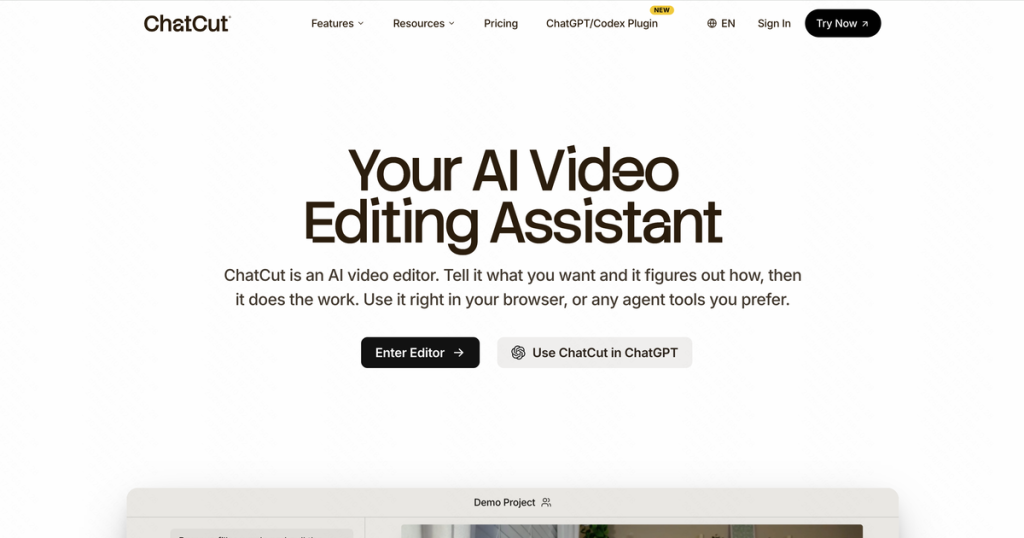
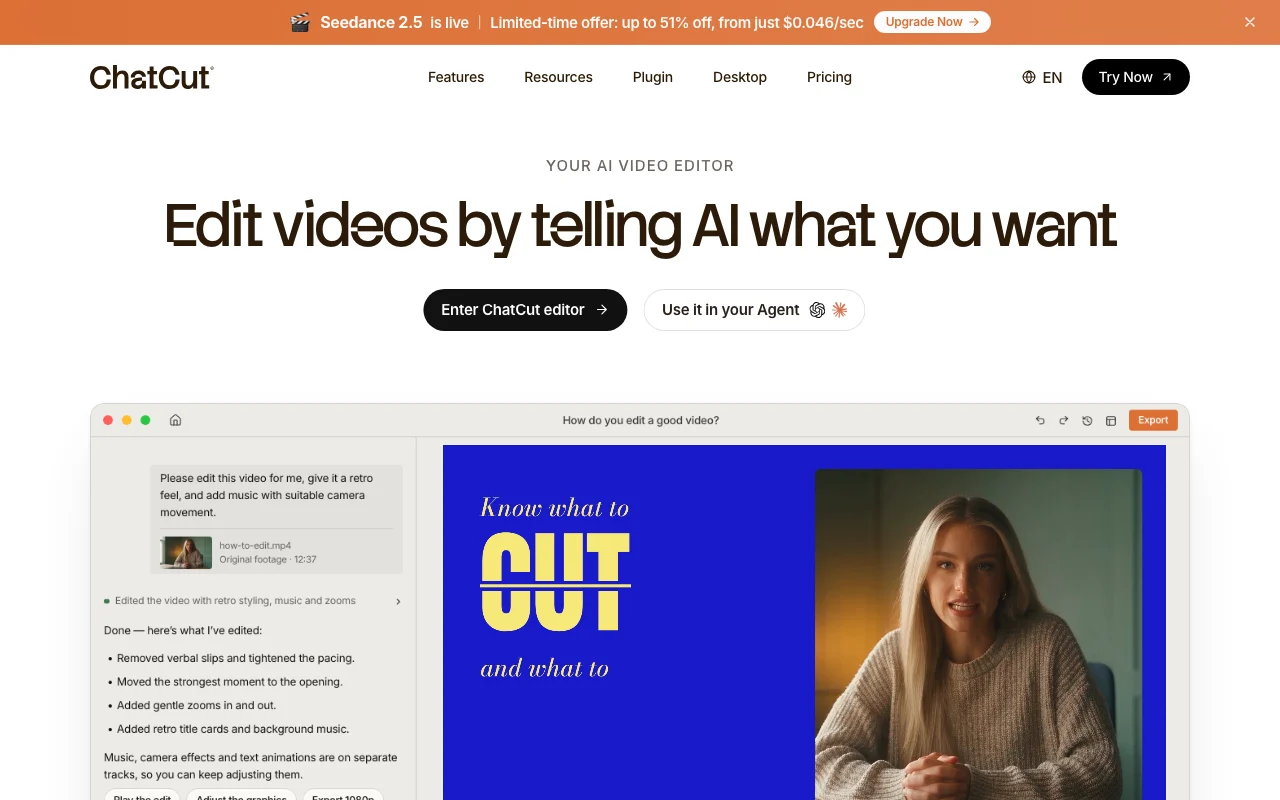
ChatCut is an AI video editor where users describe edits in plain language. The site lists AI video and image generation, captions, music, avatars and motion graphics. It offers a web editor, macOS and Windows downloads, and plugins for ChatGPT/Codex and Claude Code.

ChatCut homepage — screenshot of the video AI tool, Oct 1, 2026
ChatCut's official site: how the product presents itself. chatcut.io, captured Oct 1, 2026

What you provide and what you get back

How ChatCut works: what you provide, where it runs and what you get backYOU PROVIDEYour inputVideo and audio filesPlain-language edit promptsVoice samples to cloneVIDEOChatCutWeb, Desktopfrom $25/mo (Monthly 100)free tier availableaccount requiredchecked Oct 1, 2026YOU GET BACKThe resultEdited video exportAI-generated clips, images, music…Captions and transparent motion g…input → ChatCut → output · from the vendor's own pages, no hands-on test unless stated
What you give ChatCut and what comes back, from its documentation

You provide

  • Video and audio files
  • Plain-language edit prompts
  • Voice samples to clone

You get back

  • Edited video export
  • AI-generated clips, images, music and motion graphics
  • Captions and transparent motion graphics

Where you can use it

Platforms
Web, Desktop
Account
Required
Platforms
Web, macOS, Windows
Video models
Seedance 2.5/2.0, Kling 3.0, MiniMax H3
Image models
GPT Image 2, Nano Banana 2
Voice cloning
2 voices on 200-credit plan, 4 on 400
Export
No limit on paid, 60 min total web on Free

What people use ChatCut for

Scenarios are worked out by our editors from the documentation; the actual result depends on your input and plan.

Prompt-based video editing

Who
Creators editing talking-head or interview footage
You provide
Raw footage and a prompt like find the best moments
Expected result
A first cut with highlights and B-roll
Plan needed
Free to try
Limitation
Free web export capped at 60 minutes total source (opens in a new tab)

AI video generation

Who
Marketers making short clips
You provide
A product idea
Expected result
AI-generated video with Seedance, Kling or MiniMax models
Plan needed
Paid plans
Limitation
Generation consumes credits per second of video source (opens in a new tab)

Auto captions

Who
Video editors adding graphics
You provide
A sentence describing a chart or title
Expected result
Editable motion graphics clips on the timeline
Plan needed
Free includes motion graphics
Limitation
Transparent export needs a paid plan source (opens in a new tab)

Key features and their practical limits

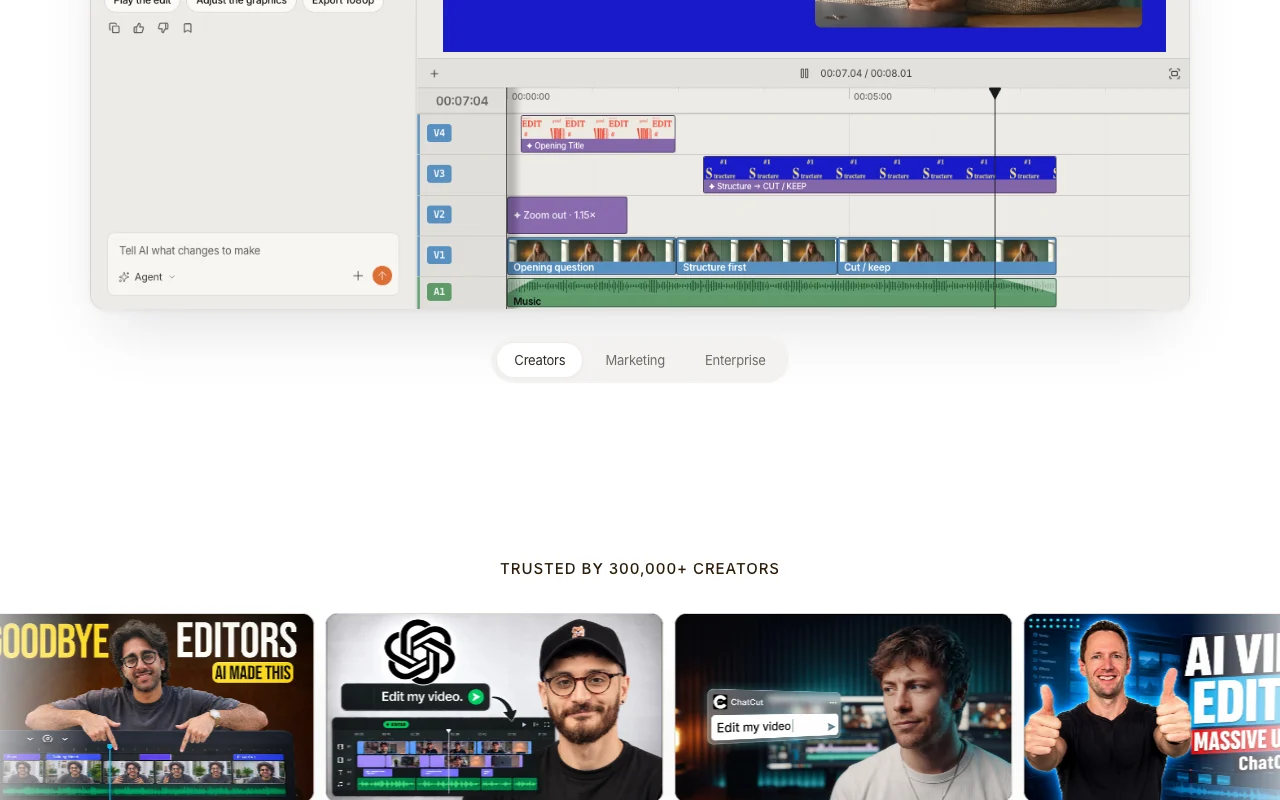
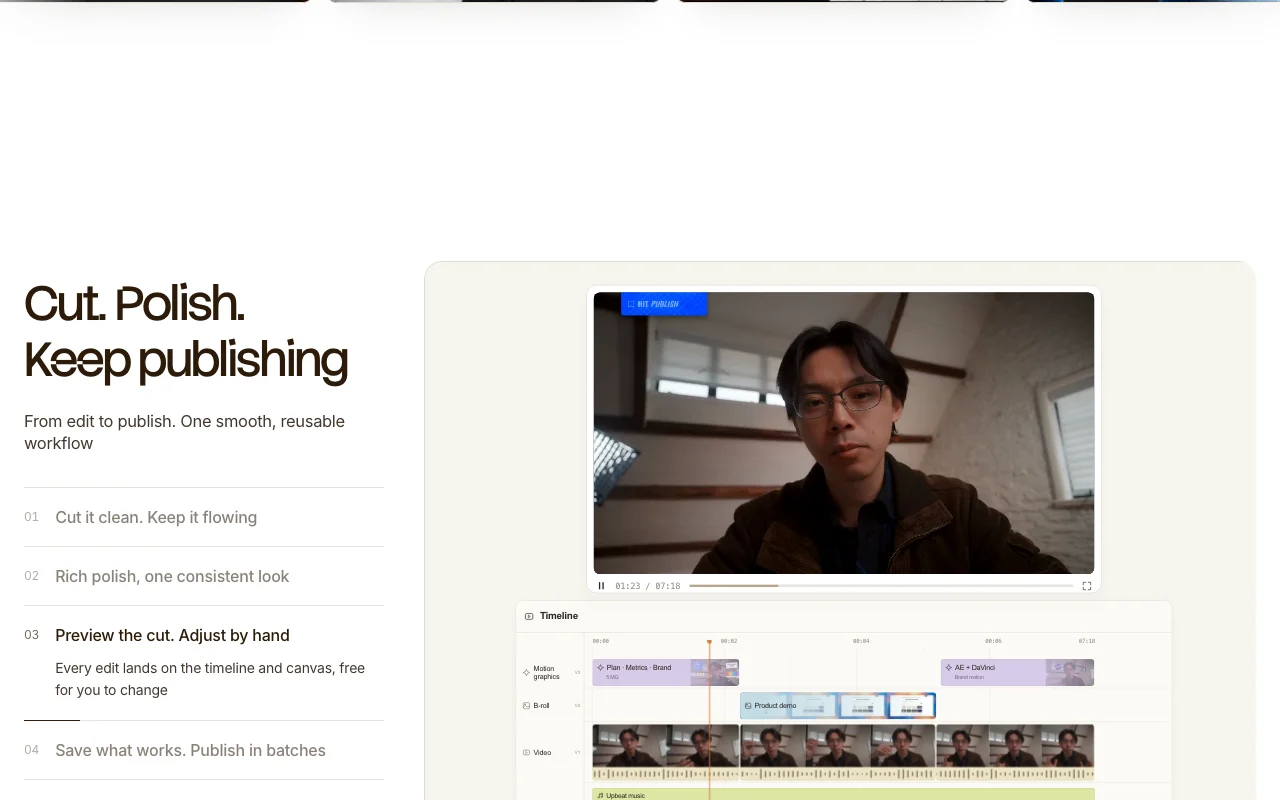
ChatCut homepage — screenshot of the video AI tool, Oct 1, 2026
Feature overview on the official site. chatcut.io, captured Oct 1, 2026

Chat-driven editing

Edits video through chat prompts that build and change the timeline Replaces manual timeline work for rough cuts

Access: Web editor and desktop appLimit: Large edits need review source (opens in a new tab)

Video generation with Seedance and Kling models

Generates video with Seedance 2.5, Seedance 2.0, Kling 3.0 and MiniMax H3 Adds AI footage without leaving the editor

Access: Paid plansLimit: Each model has a seconds allowance per plan source (opens in a new tab)

AI captions

Adds AI captions with previews of caption styles Lets you compare styles on your own text

Access: All plansLimit: Free web export limited source (opens in a new tab)

AI music generator

Generates AI music and motion graphics Provides soundtrack and animated titles from a sentence

Access: All plansLimit: Counts against monthly allowance on paid plans source (opens in a new tab)

ChatCut pros and cons

Reasons to choose ChatCut

Check before paying for ChatCut

How to use ChatCut for editing a video by prompt

Set up ChatCut

  1. Open chatcut.io and click Enter ChatCut editor
  2. Create an account and start with the 5 free credits
  3. Upload your video into Assets
  4. Optionally install the desktop app or the Claude Code or Codex plugin

Example: editing a video by prompt

  1. Open the AI workspace and type find the highlights and add B-roll
  2. Review the proposed cut on the timeline
  3. Ask for AI captions and pick a style from the previews
  4. Export the video

Review and export the result

  1. Play the timeline to verify the cuts and B-roll match your request
  2. Check the credits balance after generation
  3. Confirm the export length is within the free 60-minute limit
Example prompt suggested by our editors (not a recorded output of the product)
Find the best moments in this interview, add B-roll, and put captions at the bottom

ChatCut integrations and API

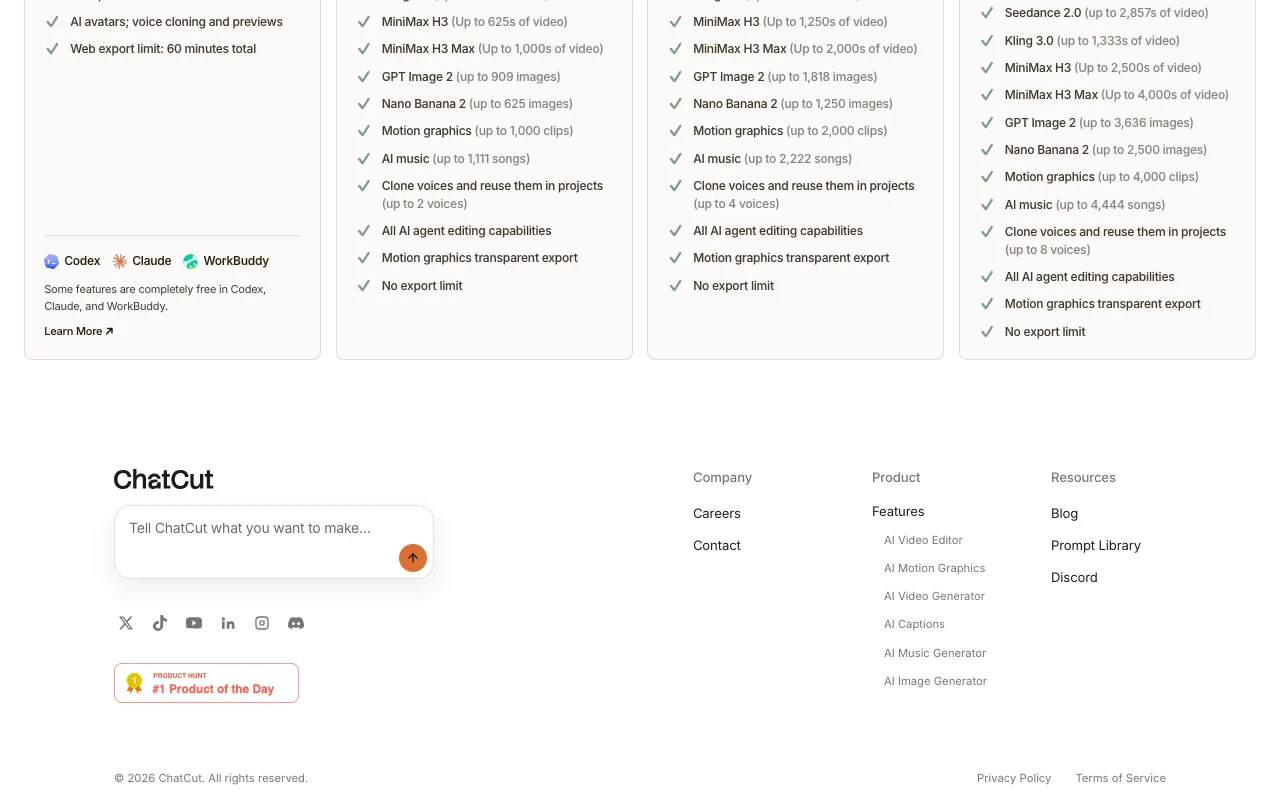
ChatCut pricing page with plans and prices — screenshot of the video AI tool, Oct 1, 2026
Plan comparison on the official pricing page. chatcut.io, captured Oct 1, 2026

Native integrations and export formats

Export: Video, Captions, Transparent motion graphics, Editable project files

API access and separate billing

ChatCut has no public API in its official documentation. Agent plugins; no REST API stated. API documentation ↗

Privacy, data use and commercial rights

Summarized from the vendor's current policies; this is not legal advice and a vendor's badge is not an independent audit.

How your inputs and outputs are handled

Policy covers personal data for the service; the company is based in Austin, Texas.

Policies: chatcut.io/privacy

Other tools to consider instead of ChatCut

"Better suited" is based on documented features and pricing, not on a head-to-head test.

Runway: better suited to

Descript: better suited to

Kling AI: better suited to

Alternatives
AlternativeWhen to choose itPricingLimitation
Runway——Compare
Descript——Compare
Kling AI——Compare

Explore ChatCut further

If you are looking at ChatCut

ChatCut user reviews

No user reviews yet.

Used ChatCut? Be the first to share your experience.

Write a review

Reviews are checked by a moderator before they appear. Your email is never published. Plain text only.

Your rating (required)

Show what you made or what went wrong. Images are published only if the review is approved; location data is removed.

    ChatCut FAQ

    Is ChatCut free?

    Yes. The free plan has 5 credits, no credit card, and a 60-minute total web export limit. source (opens in a new tab)

    What do paid plans cost?

    Annual billing is $42/month for 200 credits, $49 for 400 and $98 for 800; monthly billing is $45, $88 and $160 for those tiers, and $25 for 100 credits. source (opens in a new tab)

    Which video models can I generate with?

    Seedance 2.5 and 2.0, Kling 3.0, MiniMax H3 and H3 Max, with image models GPT Image 2 and Nano Banana 2. source (opens in a new tab)

    Is there a desktop app?

    Yes, for macOS and Windows, with local media and 4K. source (opens in a new tab)

    Can I use it from Claude Code or Codex?

    Yes. There are plugins for Claude Code and ChatGPT/Codex. source (opens in a new tab)

    Recent changes that affect your choice

    :

    Official announcement (opens in a new tab)

    :

    Official announcement (opens in a new tab)

    :

    Official announcement (opens in a new tab)

    Sources and review methodology

    Official sources and verification dates

    Not verified: Data retention and training use; Commercial use terms; Full list of higher-tier prices.

    How we documented and maintain this page

    Every fact about ChatCut above comes from the 2 official pages listed here, last compared on Oct 1, 2026; we have not run ChatCut ourselves, so it has no editorial score. How we check and re-check pages.

    Article updated Oct 10, 2026; prices checked Oct 1, 2026. Outbound links to vendors are plain links; we do not earn commissions. How we review · Report an error