Our take: Best for content creators, podcasters and small video teams needing multilingual subtitles, transcription, and clip repurposing in one workflow.
Main limitation: Free credits are one-time only; credit-based usage meters processing volume; batch processing requires Studio plan or higher
By the AI Tool Atlas editors.
Based on the vendor's official documentation; we have not tested this product hands-on. What “documented overview” means
Is CinLink right for you?
Best for content creators, podcasters and small video teams needing multilingual subtitles, transcription, and clip repurposing in one workflow. Based on the vendor's documentation, not on a hands-on test.
Best for: Content creators
Also a good fit for
Small video teams and production agencies
Podcasters and content localization
Social media and marketing teams
Consider another tool if you want recurring free credits
Or if
You need unlimited concurrent processing
You require API access (Enterprise-only)
CinLink pricing and usage limits
Prices checked Oct 1, 2026 on the official US pricing page. Official pricing ↗ Prices and limits change often.
Vendor pricing page re-checked automatically 13 days ago: no changes detected.
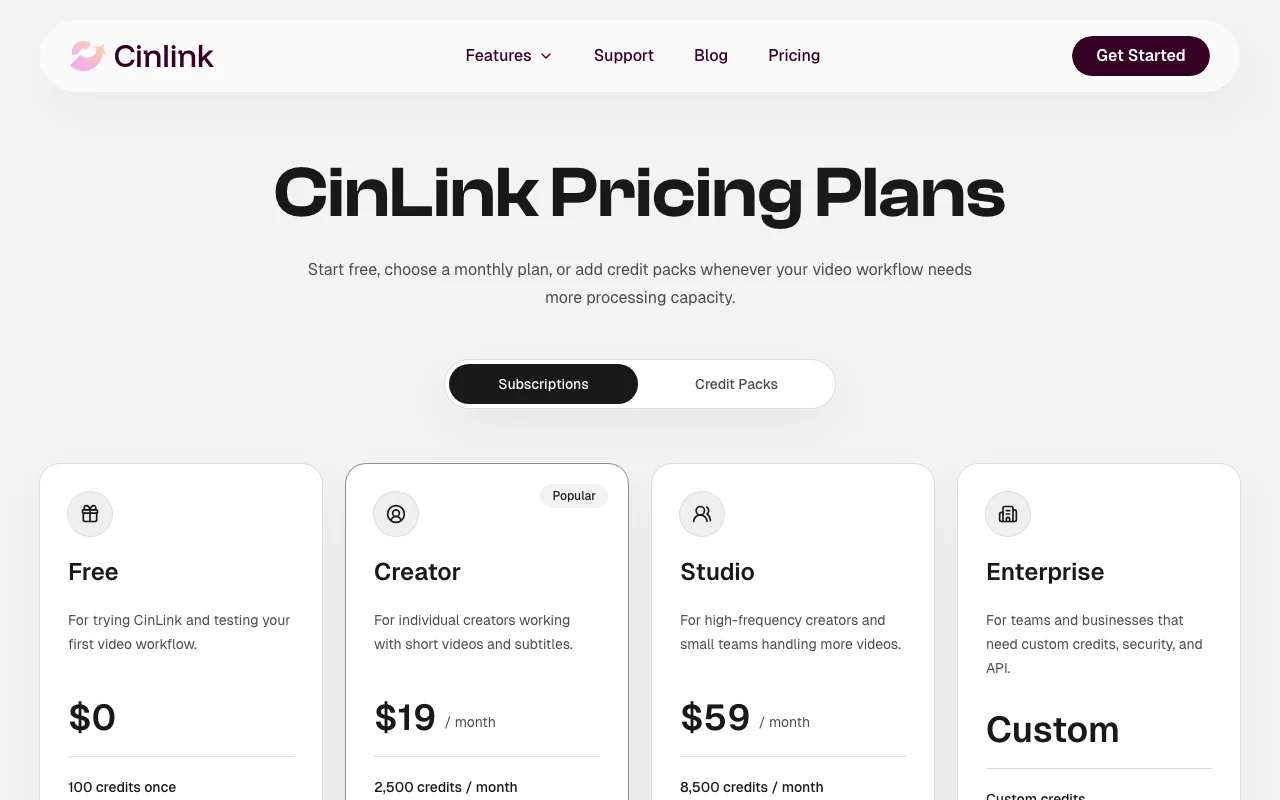
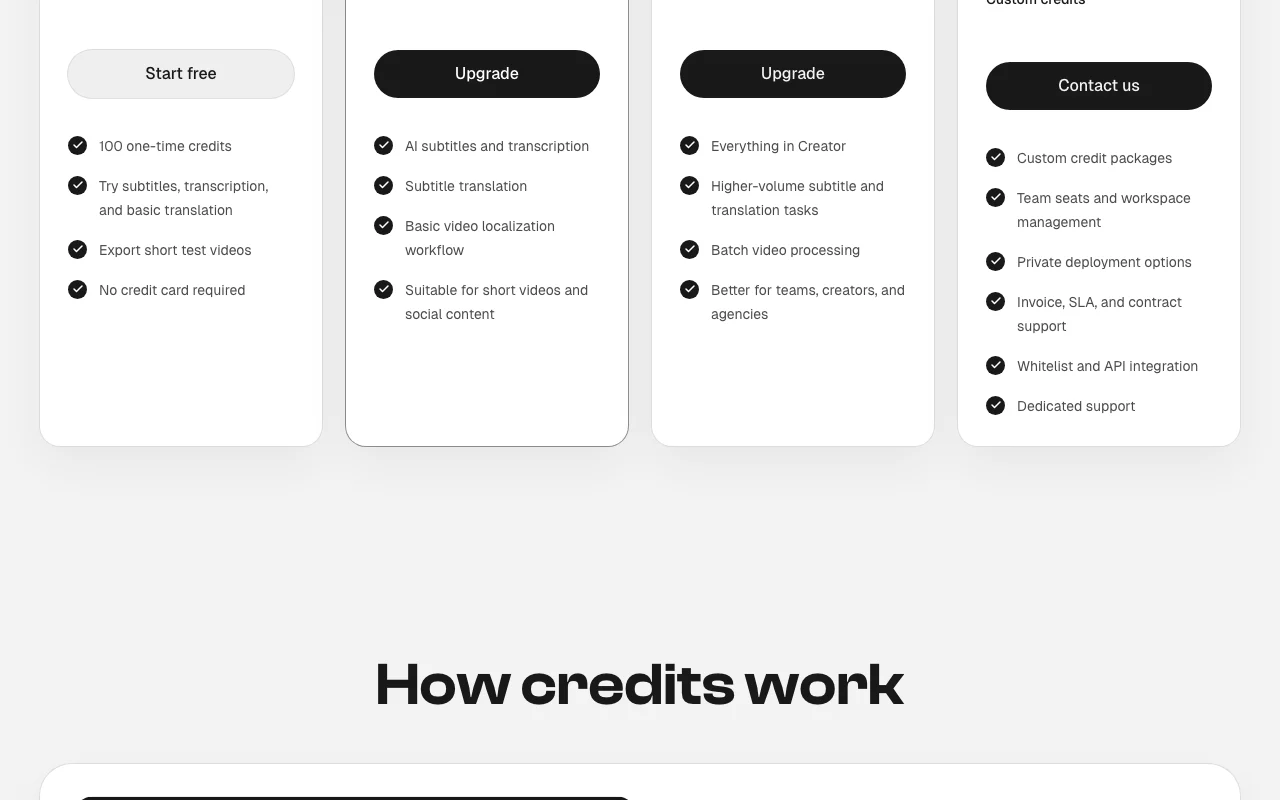
The official CinLink pricing page as we saw it. cinlink.ai, captured Oct 1, 2026
Free access and trial conditions
100 one-time credits after email verification; no credit card required
For: Teams and businesses requiring custom solutions and API integration
Limits
Custom credit allocation
Custom workflows and integrations
Includes
Custom credit packages
Team seats and workspace management
4 more
Private deployment options
Invoice, SLA, and contract support
Whitelist and API integration
Dedicated support
API included
Usage caps, credits and extra costs
Credit packs can be purchased anytime to exceed monthly allocation
What is CinLink, and how does it work?
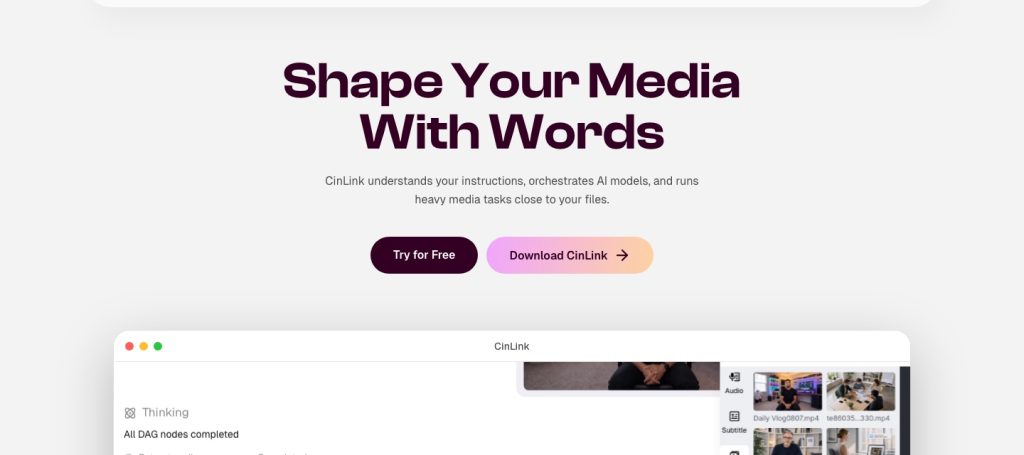
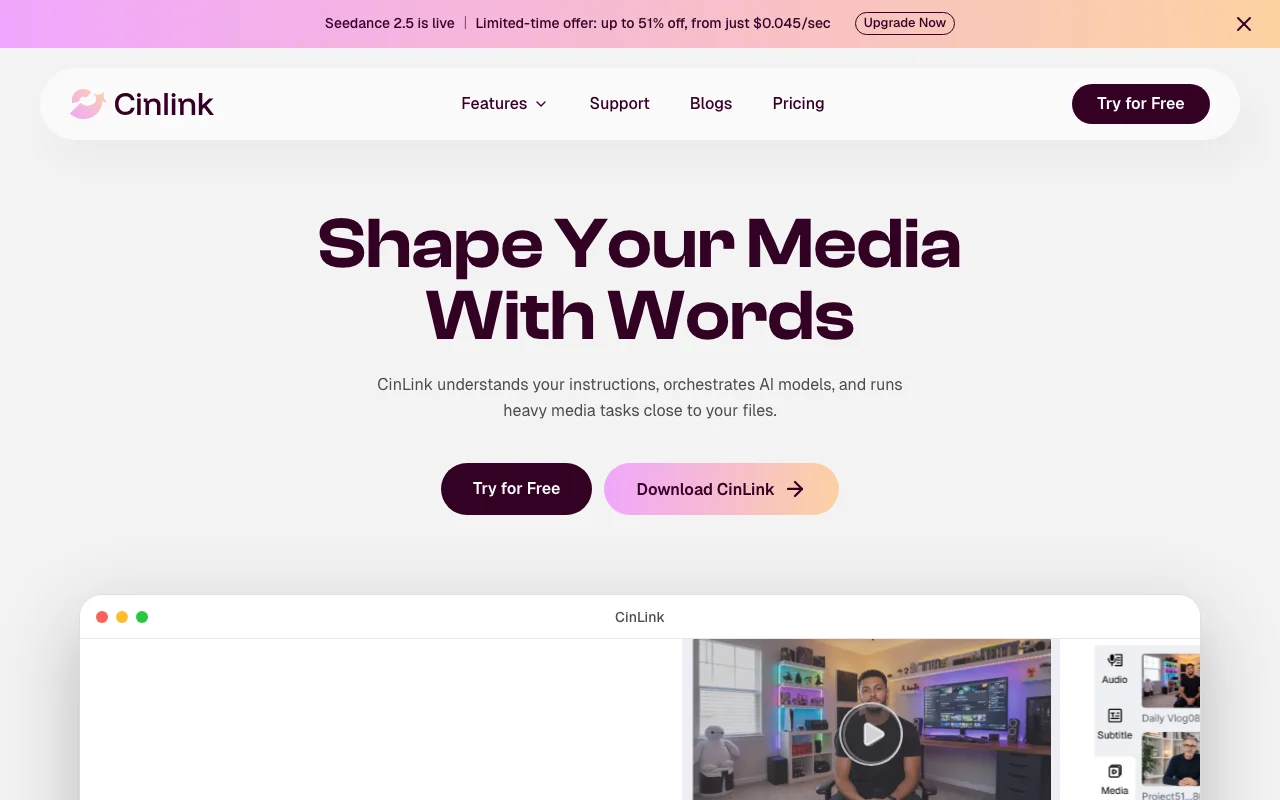
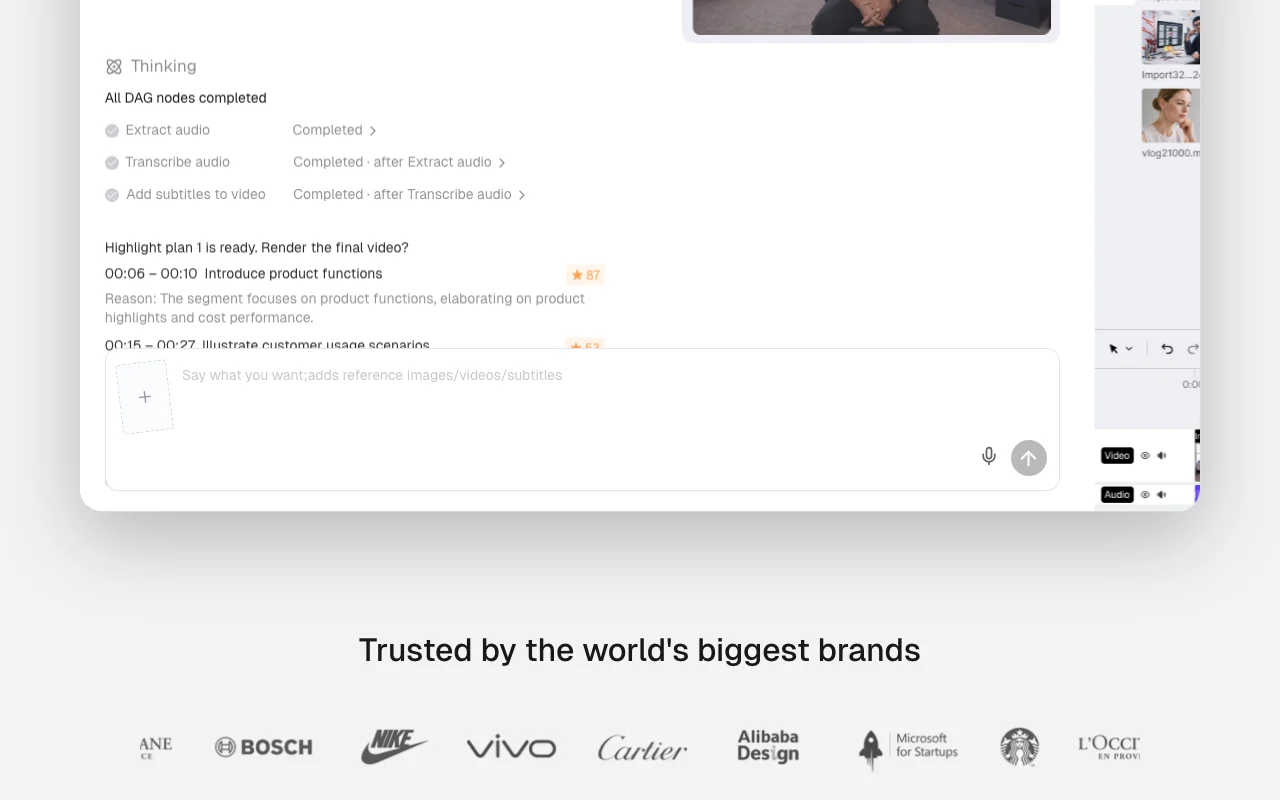
CinLink is an AI media tool where users describe what they want in plain language and it plans and runs a workflow of tasks such as extracting audio, transcribing, adding subtitles, translating and exporting.
It aims to understand a whole project, combining speech, visuals, on-screen text and timecodes across many files. Features include an AI subtitle generator with editable timing and SRT export, video transcription, subtitle and video translation, AI dubbing, burned-in captions, long-video-to-shorts, summarization and image/video enhancement. Usage is billed in credits.
CinLink's official site: how the product presents itself. cinlink.ai, captured Oct 1, 2026
What you provide and what you get back
What you give CinLink and what comes back, from its documentation
You provide
Video or audio files
Plain-language project descriptions
Reference images and captions
Text for subtitles or captions
You get back
Subtitled videos (SRT export or burned-in)
Transcribed text with timestamps
Translated subtitles and audio
Dubbed videos with AI voices
Short-form clips from long videos
Video summaries and outlines
Where you can use it
Platforms
Web, Desktop (download available)
Account
Required
What people use CinLink for
Scenarios are worked out by our editors from the documentation; the actual result depends on your input and plan.
Adding and translating subtitles
Who
Content creators and international teams
You provide
Video file or uploaded media
Expected result
Subtitled video with SRT file export in target language
Plan needed
Creator ($19/mo) for basic subtitling; Studio ($59/mo) for complex translations
Limitation
Translation complexity may increase credit consumption; bilingual captions consume more credits source (opens in a new tab)
Transcribing interviews and podcasts
Who
Podcasters and researchers
You provide
Audio or video file of interview or podcast episode
Expected result
Full transcription with timestamps; optional captions
Plan needed
Creator for single-file transcription; Studio for batch processing
Limitation
Long videos (>1 hour) may require more credits; technical terminology needs refinement source (opens in a new tab)
Dubbing videos into other languages
Who
Video production and localization teams
You provide
Video with original audio or text description
Expected result
Dubbed video with AI-generated voice in target language
Plan needed
Studio ($59/mo) for multi-language dubbing with voice review
Feature overview on the official site. cinlink.ai, captured Oct 1, 2026
Prompt-driven multi-step media workflows
Accepts plain-language description of desired workflow and orchestrates AI tasks sequentially Reduces need to manually chain tools; understands project context across steps
Access: All paid plansLimit: Complex workflows may require manual adjustment; AI understanding limited to described scopesource (opens in a new tab)
AI subtitle generator with SRT export and burn-in
Auto-generates timed captions from audio and exports as SRT file or burned into video Eliminates manual transcription and timing; editable style and formatting
Access: All plansLimit: Accuracy depends on audio clarity; speaker overlap may cause errorssource (opens in a new tab)
Subtitle and video translation, AI dubbing
Translates captions to multiple languages and generates new voice track in target language Enables global reach without hiring multilingual voice actors; maintains pacing and tone
Access: Creator and above; Studio includes voice reviewLimit: AI voice may sound unnatural; cultural context not always preservedsource (opens in a new tab)
Long video to shorts and video summarizer
Extracts key moments from long videos and generates summaries with timestamps Repurposes long content for social media; highlights critical information
Access: All paid plansLimit: Highlights may not match editorial intent; manual curation often neededsource (opens in a new tab)
CinLink: strengths and limits
Reasons to choose CinLink
Free plan with 100 one-time credits, no credit card required Low barrier to entry for testing featuresdocumentedsource (opens in a new tab)
Paid plans from $19/month Affordable entry point for individual creatorsdocumentedsource (opens in a new tab)
Exports both SRT files and captioned video Flexibility for different publishing and archival workflowsdocumentedsource (opens in a new tab)
Enterprise option with API and private deployment Suitable for large organizations with security and integration requirementsdocumentedsource (opens in a new tab)
Check before paying for CinLink
Free credits are one-time only No recurring free use after initial 100 credits exhausteddocumentedsource (opens in a new tab)
Credit-based usage limits processing volume Total monthly cost unpredictable if processing complex or long videosdocumentedsource (opens in a new tab)
Batch processing only on Studio plan and above Requires upgrade from Creator to handle multiple files; increases costdocumentedsource (opens in a new tab)
API access only via custom Enterprise plan Programmatic integration not available to individual or small-team usersdocumentedsource (opens in a new tab)
How to use CinLink for generating subtitles for a video and translating them to another language
Set up CinLink
Sign up for free account and receive 100 one-time credits
Upload your video file (or provide URL if already hosted)
Describe your workflow in plain language (e.g., 'transcribe audio, add English subtitles, translate to Spanish')
Let CinLink plan the workflow steps
Review and confirm the planned workflow
Export with SRT file or video with burned-in captions
Example: generating subtitles for a video and translating them to another language
Upload a 10-minute podcast episode in English
Prompt: 'Transcribe this episode and add bilingual English-Spanish captions'
CinLink extracts audio, transcribes, and translates text
Review transcription and captions in the editor
Adjust timing or wording as needed
Export as SRT file for archiving and video with captions for social media
Review and export the result
Verify transcription accuracy and speaker identification
Check translated caption quality and timing alignment
Example prompt suggested by our editors (not a recorded output of the product)
Transcribe this podcast episode, add English captions, and generate bilingual Spanish captions. Keep key technical terms unchanged.
CinLink integrations and API
Plan comparison on the official pricing page. cinlink.ai, captured Oct 1, 2026
100 one-time credits after email verification. Enough for basic testing of subtitles, transcription, and simple translations. source (opens in a new tab)
Credit packs are available at $16 per 1M tokens plus a 1M token bonus; see exact current pricing on the platform. source (opens in a new tab)
How accurate is the transcription?
Transcription accuracy depends on audio clarity, background noise, and speaker overlap. Editable captions are always available for correction. source (opens in a new tab)
CinLink Pricing Planspricing · checked Oct 1, 2026 · Free plan (100 credits), Creator ($19/mo, 2,500 credits), Studio ($59/mo, 8,500 credits), Enterprise (custom), How credits work
Privacy Policy | CinLinkpolicy · checked Oct 1, 2026 · Data collection practices, Local and cloud processing, Privacy controls
Not verified: Exact credit consumption per task type; Whether free credits can be extended with renewals; Specific data retention policy after account deletion; Whether user content is used for model training; Maximum video length or file size limits; SLA and uptime guarantees.
How we documented and maintain this page
Every fact about CinLink above comes from the 3 official pages listed here, last compared on Oct 1, 2026; we have not run CinLink ourselves, so it has no editorial score. How we check and re-check pages.
Article updated Oct 10, 2026; prices checked Oct 1, 2026. Outbound links to vendors are plain links; we do not earn commissions. How we review · Report an error