VideoDocumented overviewLast checked Sep 29, 2026

Cliptude: Pricing, Features & Best Use Cases

AI video generator that turns a prompt or script into faceless documentary-style YouTube videos with voiceover, footage, maps and charts.

Who should use Cliptude

Cliptude fits YouTube creators and agencies that want to produce long faceless documentary, Top 10 or explainer videos from a prompt or script, with credit plans from $19 a month. Based on the vendor's documentation, not on a hands-on test.

Best for: YouTube creators

Also a good fit for

  • Agencies

Consider another tool if no free plan shown on pricing page

Or if

  • Credit-based; premium formats use many more credits
  • Videos are 6 minutes minimum

Cliptude pricing and usage limits

Prices checked Sep 29, 2026 on the official US pricing page. Official pricing ↗ Prices and limits change often.

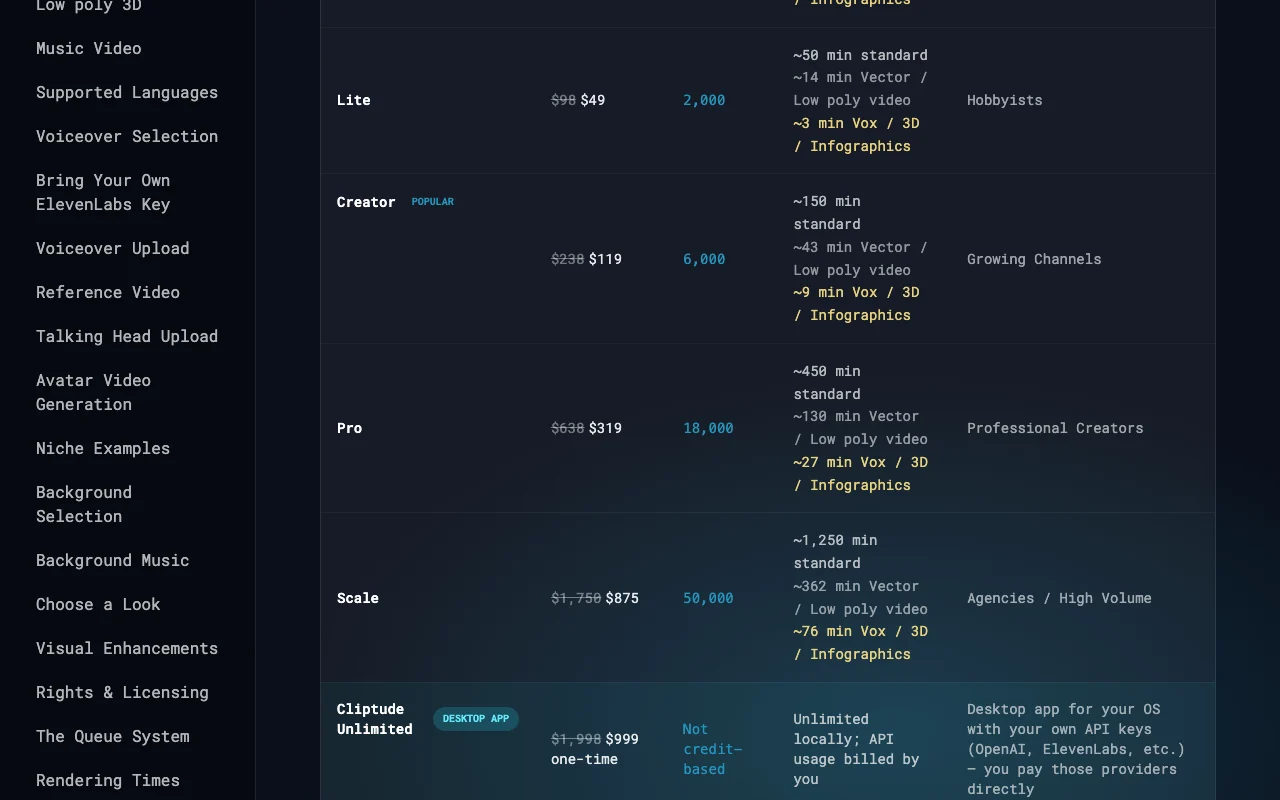
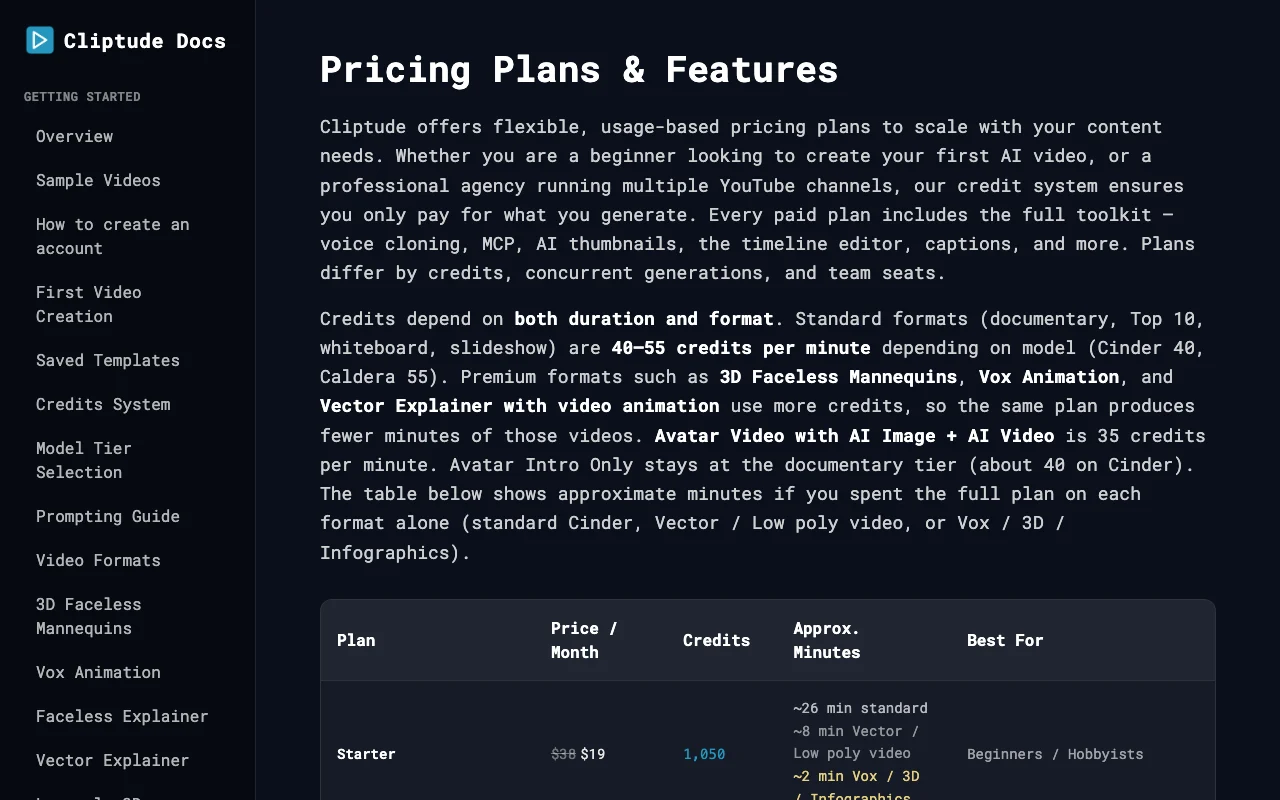
Cliptude pricing page with plans and prices — screenshot of the video AI tool, Oct 2, 2026
The official Cliptude pricing page as we saw it. cliptude.com, captured Oct 2, 2026

Free access and trial conditions

None shown

None shown

Paid plans: what changes as you upgrade

Starter web

$19/mo source (opens in a new tab)

Month

List price $38 shown struck through

For: Beginners and hobbyists

Limits

  • 1,050 credits a month
  • ~26 min standard video

Includes

  • Full toolkit

Lite web

$49/mo source (opens in a new tab)

Month

List price $98

For: Hobbyists

Limits

  • 2,000 credits a month
  • ~50 min standard video

Includes

  • Full toolkit

Creator web

$119/mo source (opens in a new tab)

Month

List price $238

For: Growing channels

Limits

  • 6,000 credits a month
  • ~150 min standard video

Includes

  • Full toolkit

Pro web

$319/mo source (opens in a new tab)

Month

List price $638

For: Professional creators

Limits

  • 18,000 credits a month
  • ~450 min standard video

Includes

  • Full toolkit

Scale web

$875/mo source (opens in a new tab)

Month

List price $1,750

For: Agencies and high volume

Limits

  • 50,000 credits a month
  • ~1,250 min standard video

Includes

  • Full toolkit
  • Team seats

Unlimited Desktop App web

$999 one-time source (opens in a new tab)

One-time

List price $1,998

For: High-volume users with provider keys

Limits

  • Own API keys required

Includes

  • Unlimited local generation

Usage caps, credits and extra costs

Desktop app requires paying OpenAI, ElevenLabs and others directly

Orders processed by Paddle, Lemon Squeezy and Polar who collect tax

What is Cliptude, and how does it work?

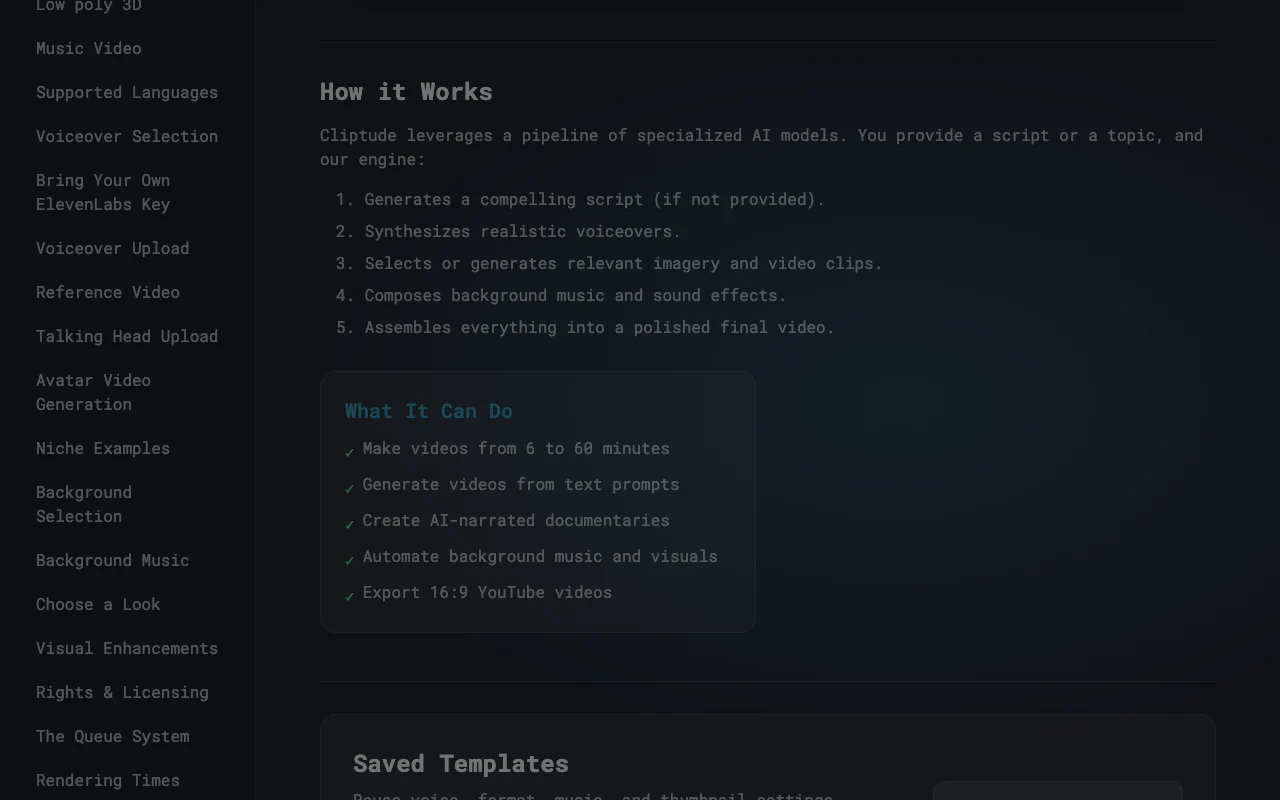
Cliptude generates videos of 6 to 60 minutes from a topic or script, handling script, voiceover, footage, music and assembly. Formats include documentary, Top 10, whiteboard, avatar and others. Plans are credit-based; paid plans include a timeline editor, captions, thumbnails and MCP/REST API/CLI access. A one-time desktop app works with your own API keys.

What you provide and what you get back

How Cliptude works: what you provide, where it runs and what you get backYOU PROVIDEYour inputTopic or scriptOwn voiceover or talking-head foo…Saved template settingsVIDEOCliptudeWeb, Desktop, APIfrom $19/mo (Starter)no free tieraccount requiredchecked Sep 29, 2026YOU GET BACKThe result6 to 60 minute videosThree AI thumbnails per videoProject ZIP with FCP7 XML for Pre…input → Cliptude → output · from the vendor's own pages, no hands-on test unless stated
What you give Cliptude and what comes back, from its documentation

You provide

  • Topic or script
  • Own voiceover or talking-head footage
  • Saved template settings

You get back

  • 6 to 60 minute videos
  • Three AI thumbnails per video
  • Project ZIP with FCP7 XML for Premiere, Resolve or Final Cut

Where you can use it

Platforms
Web, Desktop, API
Account
Required
Video length
6 to 60 minutes
Languages
57
Captions
21 burned-in styles for 16:9
Standard format cost
40-55 credits per minute

Best use cases for Cliptude

Scenarios are worked out by our editors from the documentation; the actual result depends on your input and plan.

Faceless YouTube channels

Who
Creators running automated channels
You provide
Topic and saved template
Expected result
Finished video with voiceover, footage and music
Plan needed
Starter and up
Limitation
Videos are at least 6 minutes source (opens in a new tab)

Documentary-style explainers

Who
Educators and agencies
You provide
Script
Expected result
Video with maps, charts and timelines from the script
Plan needed
Creator or Pro
Limitation
Premium formats burn credits faster source (opens in a new tab)

Top 10 videos

Who
Entertainment channels
You provide
Title and topic
Expected result
Ranked countdown video with thumbnails
Plan needed
Standard formats 40-55 credits per minute
Limitation
Approx. 26 min of standard video on Starter source (opens in a new tab)

What Cliptude does, and where it stops

Prompt or script to video

Writes the script, voiceover, footage, music and assembly from a topic or provided script Replaces a manual production pipeline

Access: All paid plansLimit: Credits scale with duration and format source (opens in a new tab)

Voice cloning

Clones a voice from a short sample using ElevenLabs, MiniMax, Cartesia, Inworld or Voicetory Keeps a consistent narrator

Access: All paid plansLimit: Needs your own consent for the voice source (opens in a new tab)

AI thumbnails

Creates three thumbnail options per video with optional style reference Saves design time

Access: All paid plansLimit: YouTube style matching is optional source (opens in a new tab)

Timeline editor and Cliptude Agent

Offers a browser editor and prompt-based changes to clips, voice and music Fine tuning without leaving the app

Access: All paid plansLimit: Browser-based only source (opens in a new tab)

MCP, REST API and CLI

Starts jobs from Claude, Cursor, Codex, ChatGPT or scripts using a saved template Enables automation

Access: All paid plansLimit: Uses same credit balance source (opens in a new tab)

Cliptude pros and cons

Where Cliptude is strong

Limitations to check before paying

How to use Cliptude for producing a faceless documentary video

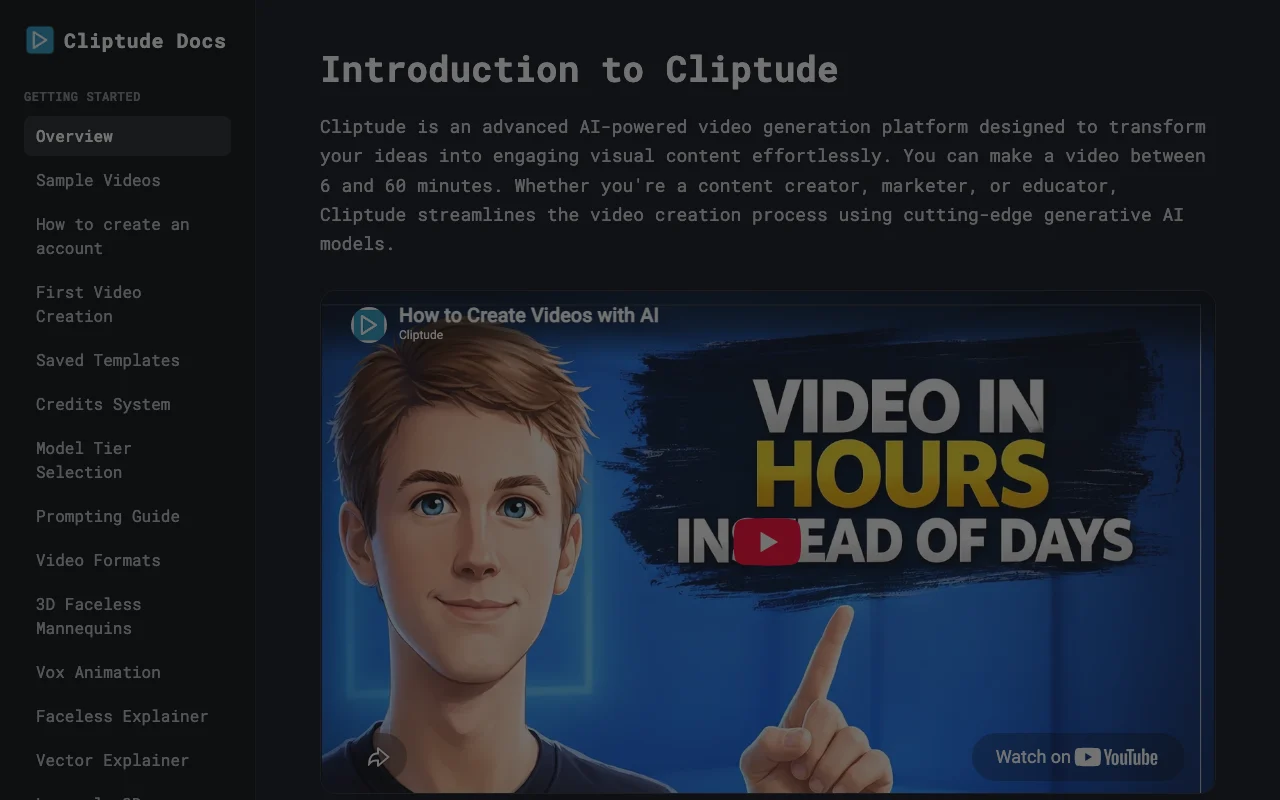
Cliptude documentation — screenshot of the video AI tool, Oct 2, 2026
Cliptude documentation: where the steps below come from. cliptude.com, captured Oct 2, 2026

Set up Cliptude

  1. Create an account at cliptude.com and pick a paid plan
  2. Save a template with your voice, format, music and thumbnail settings
  3. Choose a video format such as Documentary or Top 10
  4. Set the language and target duration

Example: producing a faceless documentary video

  1. Enter a title and topic for a Top 10 video
  2. Start generation and wait for the draft
  3. Open the timeline editor to adjust clips or voice
  4. Export the ZIP or publish with the generated thumbnails

Review and export the result

  1. Check the credit estimate against your plan balance before generating
  2. Watch the draft for factual accuracy in the script
Example prompt suggested by our editors (not a recorded output of the product)
Top 10 largest cities in medieval Europe

Cliptude integrations and API

Cliptude documentation — screenshot of the video AI tool, Oct 2, 2026
Cliptude documentation (continued). cliptude.com, captured Oct 2, 2026

Native integrations and export formats

Export: ZIP with FCP7 XML (Premiere, Resolve, Final Cut)

API access and separate billing

Cliptude has no public API in its official documentation. MCP, REST API and CLI on paid plans API documentation ↗

Privacy, data use and commercial rights

Summarized from the vendor's current policies; this is not legal advice and a vendor's badge is not an independent audit.

How your inputs and outputs are handled

Email and usage data collected; content processed to generate videos

Retained as long as necessary

Policies: cliptude.com/privacy/

Other tools to consider instead of Cliptude

"Better suited" is based on documented features and pricing, not on a head-to-head test.

Runway: better suited to

Kling AI: better suited to

Synthesia: better suited to

Alternatives
AlternativeWhen to choose itPricingLimitation
Runway——Compare
Kling AI——Compare
Synthesia——Compare

Explore Cliptude further

Tools and guides near Cliptude

Cliptude user reviews

No user reviews yet.

Used Cliptude? Be the first to share your experience.

Write a review

Reviews are checked by a moderator before they appear. Your email is never published. Plain text only.

Your rating (required)

Show what you made or what went wrong. Images are published only if the review is approved; location data is removed.

    Cliptude FAQ

    How much does Cliptude cost?

    Plans run Starter $19, Lite $49, Creator $119, Pro $319 and Scale $875 a month, plus a $999 one-time desktop app. source (opens in a new tab)

    How many credits does a minute of video cost?

    Standard formats cost 40 to 55 credits per minute; Vox, 3D and infographic formats use about 660. source (opens in a new tab)

    How long can videos be?

    From 6 to 60 minutes. source (opens in a new tab)

    Can I use my own voice?

    Yes, voice cloning works from a short sample via ElevenLabs, MiniMax, Cartesia, Inworld or Voicetory. source (opens in a new tab)

    Can I edit the video in Premiere or Resolve?

    Yes, project export gives a ZIP with FCP7 XML for Premiere Pro, DaVinci Resolve and Final Cut Pro. source (opens in a new tab)

    Sources and review methodology

    Official sources and verification dates

    Not verified: Whether discounted prices are permanent; Free tier; Commercial-use terms for outputs.

    How we documented and maintain this page

    Every fact about Cliptude above comes from the 4 official pages listed here, last compared on Sep 29, 2026; we have not run Cliptude ourselves, so it has no editorial score. How we check and re-check pages.

    Article updated Oct 10, 2026; prices checked Sep 29, 2026. Outbound links to vendors are plain links; we do not earn commissions. How we review · Report an error