Free trial web
Free source (opens in a new tab)
One-time
For: Trying it on a real project
Limits
- 7 days
- 1 device
Includes
- All features
- Multicam up to 8 speakers

VideoDocumented overviewLast checked Oct 1, 2026
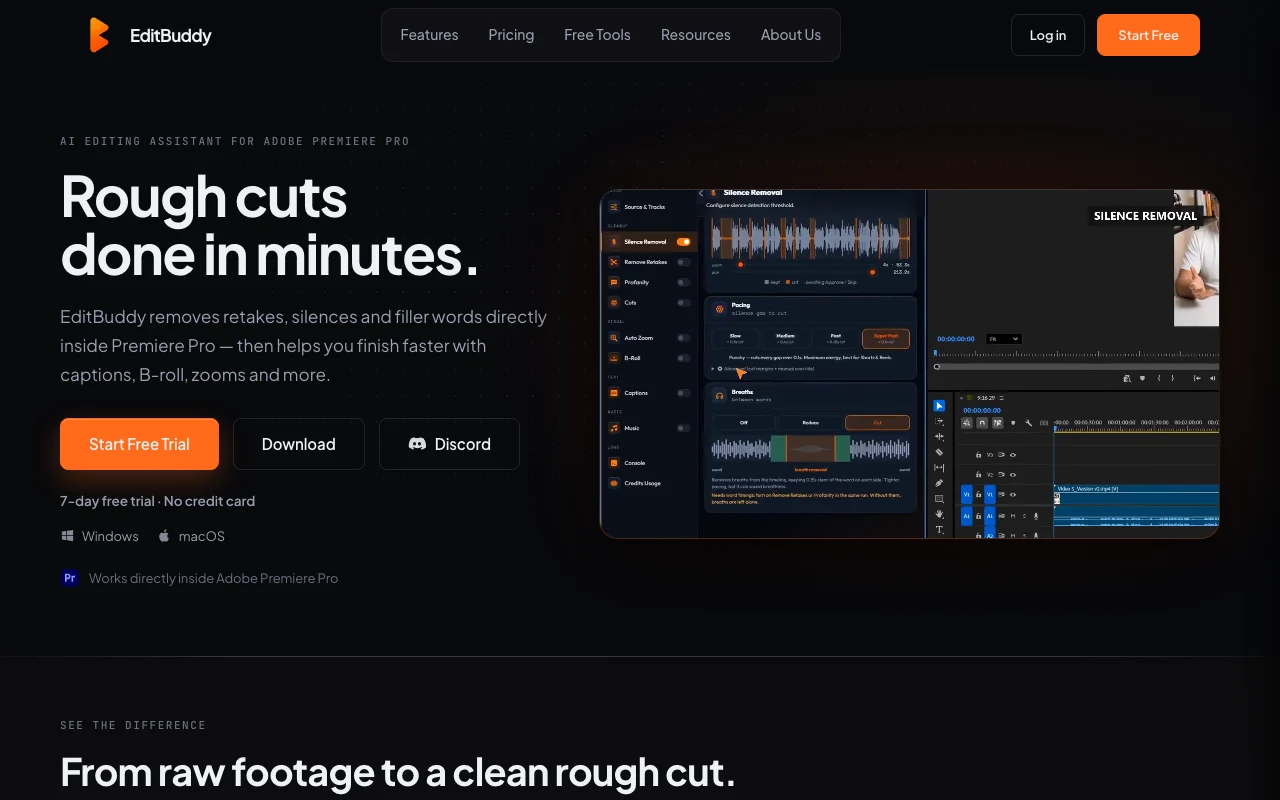
AI editing extension for Adobe Premiere Pro that removes silences, retakes and filler words and adds captions, B-roll and zooms.
 (open full size in a new tab)
 (open full size in a new tab)
 (open full size in a new tab)
 (open full size in a new tab)
 (open full size in a new tab)
Our take: Choose EditBuddy if you edit talking-head or podcast video in Premiere Pro and want silence, retake and filler removal plus captions as editable timeline clips, starting with a free 7-day trial.
Main limitation: It only works inside Adobe Premiere Pro 2022 or newer, and AI minutes are capped at 400 or 1,000 per month.
Choose EditBuddy if you edit talking-head or podcast video in Premiere Pro and want silence, retake and filler removal plus captions as editable timeline clips, starting with a free 7-day trial. Based on the vendor's documentation, not on a hands-on test.
Also a good fit for
Or if
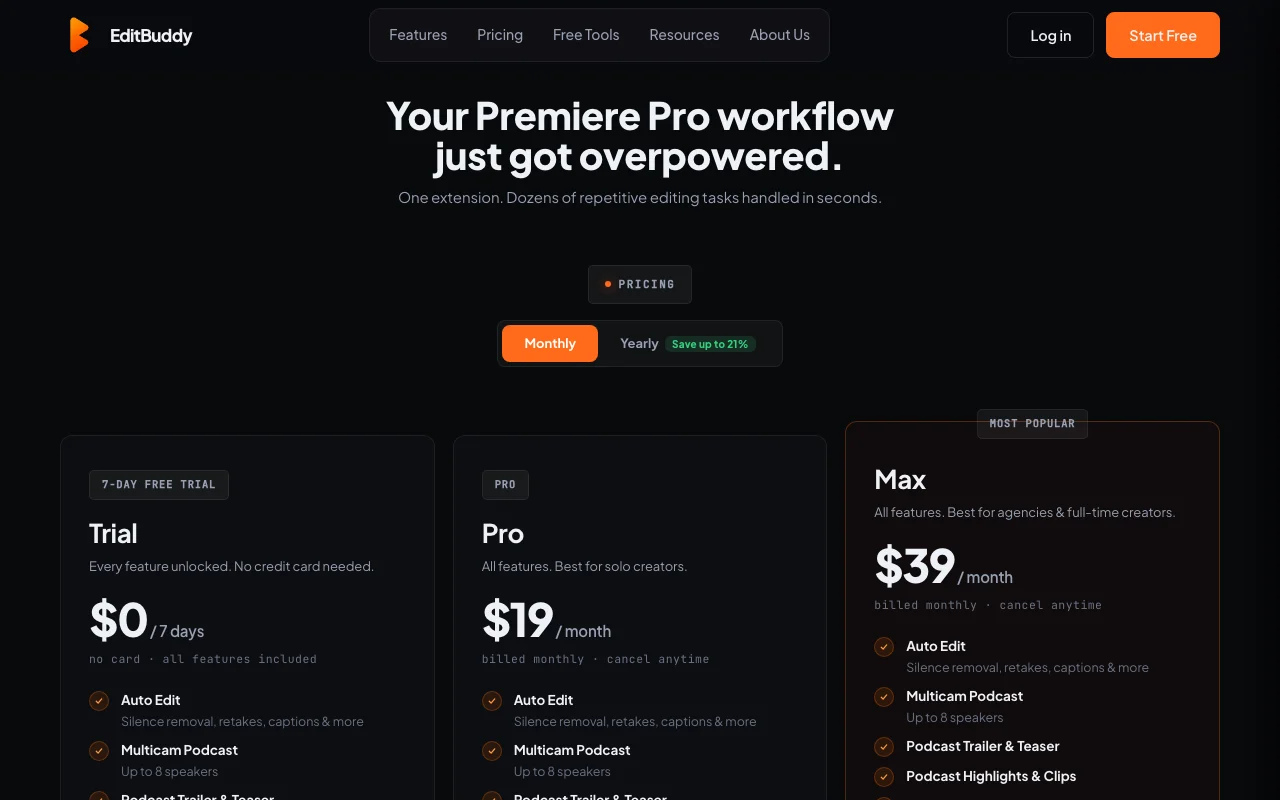
Prices checked Oct 1, 2026 on the official US pricing page. Official pricing ↗ Prices and limits change often.
No free plan after the 7-day trial
7 days, all features, no card
Free source (opens in a new tab)
One-time
For: Trying it on a real project
Limits
Includes
$19/mo source (opens in a new tab)
Month
$180/year billed yearly (about $15/month)
For: Solo creators
Limits
Includes
$39/mo source (opens in a new tab)
Month
$384/year billed yearly (about $32/month)
For: Agencies and full-time creators
Limits
Includes
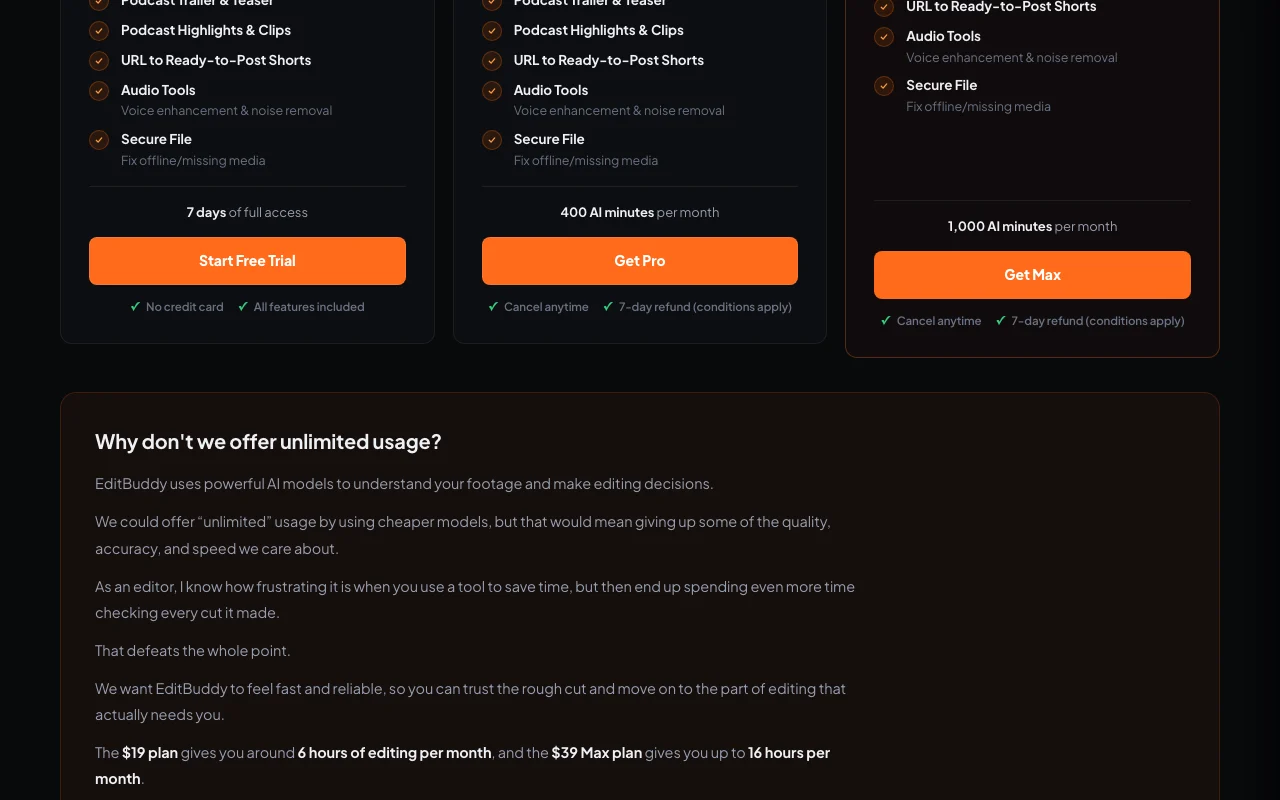
AI minute top-ups: 70 min $5, 220 min $14, 650 min $35
Not stated
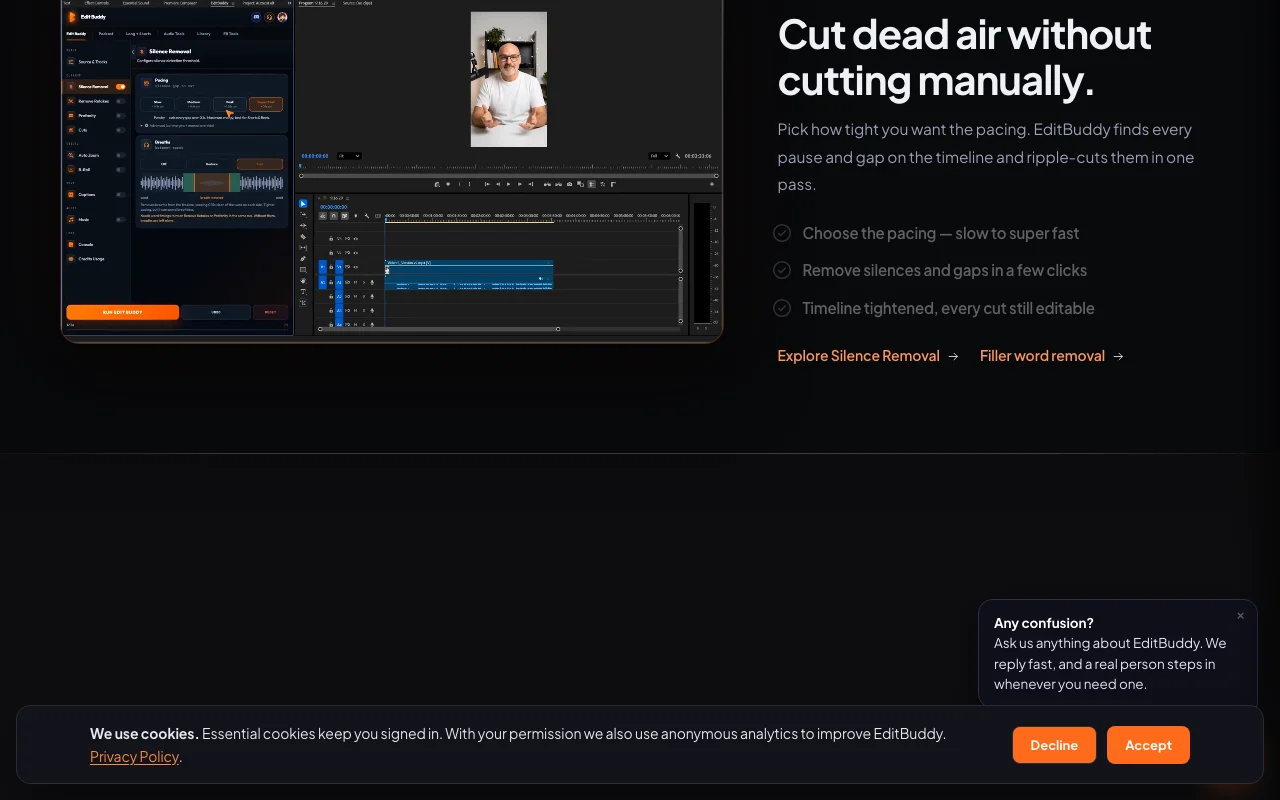
EditBuddy is an extension that works inside Adobe Premiere Pro on Windows and macOS. It builds rough cuts by removing silences, filler words and repeated takes, with every cut left editable on the timeline. It also adds animated captions, auto B-roll, auto zooms, AI music, multicam podcast editing and long-to-shorts conversion that reframes highlights to 9:16.
You provide
You get back
Scenarios are worked out by our editors from the documentation; the actual result depends on your input and plan.
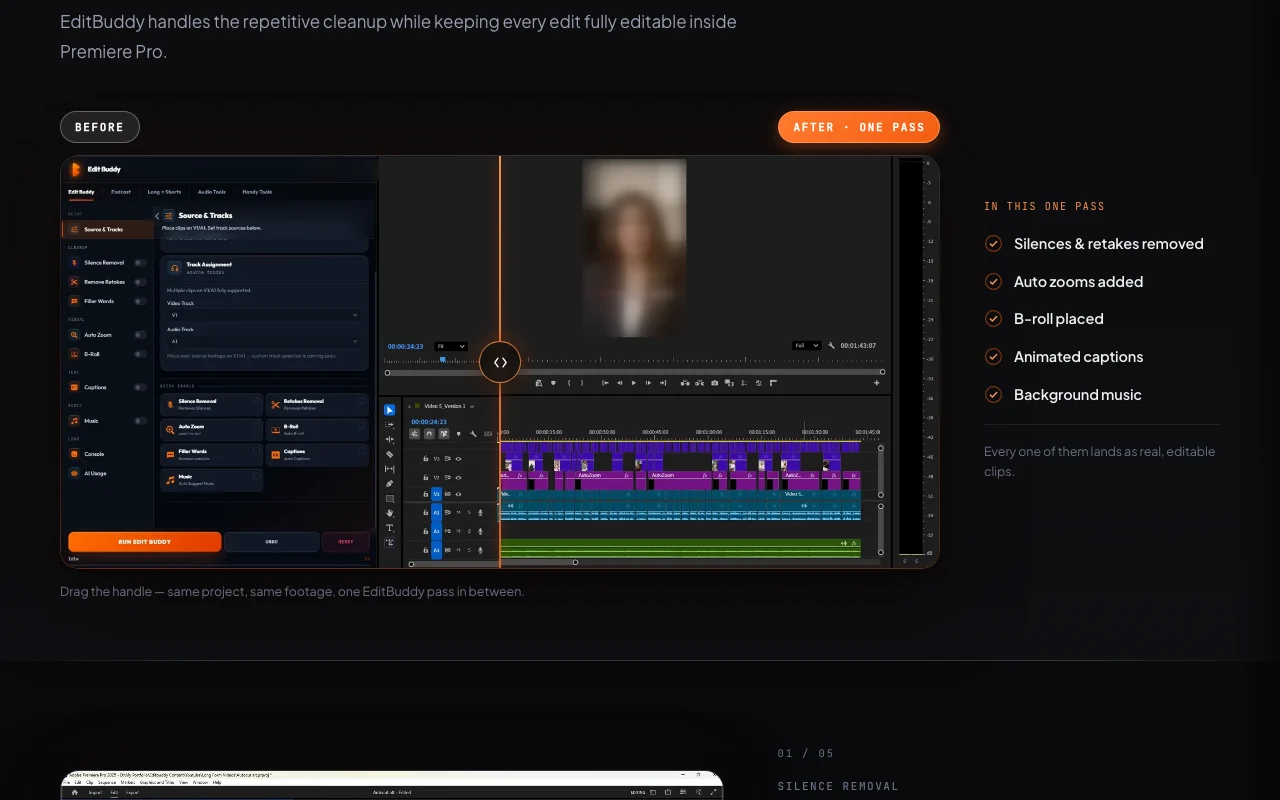
Removes silences, gaps and filler words at chosen pacing Tightens pacing in one pass
Detects repeated takes from the transcript and keeps the intended one Avoids manual take hunting
Adds word-level animated captions on their own track Social-style captions fast
Adds auto B-roll, auto zoom, AI music and more Speeds up finishing
EditBuddy has no public API in its official documentation. No API; extension for Premiere Pro
Summarized from the vendor's current policies; this is not legal advice and a vendor's badge is not an independent audit.
Project files stay local; only minimum extracted data (audio, transcript, low-res frames) is sent to cloud providers
Not used to train third-party models
Policies: editbuddy.app/privacy
"Better suited" is based on documented features and pricing, not on a head-to-head test.
No user reviews yet.
Used EditBuddy? Be the first to share your experience.
Free 7-day trial, then Pro $19 per month (400 AI minutes) or Max $39 per month (1,000 AI minutes); yearly saves up to 21%. source (opens in a new tab)
One minute of source video, however many tools run on it. source (opens in a new tab)
Adobe Premiere Pro 2022 or newer (22.0+) on Windows or macOS. source (opens in a new tab)
No; originals stay on your machine and only minimal extracted data is sent for AI features. source (opens in a new tab)
Yes via top-ups that never expire: 70 min $5, 220 min $14, 650 min $35. source (opens in a new tab)
Not verified: Data retention; Commercial-use terms; API.
Every fact about EditBuddy above comes from the 3 official pages listed here, last compared on Oct 1, 2026; we have not run EditBuddy ourselves, so it has no editorial score. How we check and re-check pages.
Article updated Oct 10, 2026; prices checked Oct 1, 2026. Outbound links to vendors are plain links; we do not earn commissions. How we review · Report an error
compare>