VideoDocumented overviewLast checked Oct 1, 2026

FoxCut: Pricing, Features & Best Use Cases

AI video and image studio with many generation models, camera-move presets, character lock, storyboards and an editor.

Who FoxCut fits

Choose FoxCut if you want many third-party video and image models plus camera, character and storyboard tools under one credit balance, and check the per-generation credit estimate before each render. Based on the vendor's documentation, not on a hands-on test.

Best for: Filmmakers and video creators

Also a good fit for

  • Marketing teams making ad videos
  • Creators needing character consistency

Consider another tool if no recurring free credit allowance

Or if

  • Basic plan limited to selected core models
  • Credit-based; a 5-second 1080p FoxCut DoP clip costs 30 credits

FoxCut pricing and usage limits

Prices checked Oct 1, 2026 on the official US pricing page. Official pricing ↗ Prices and limits change often.

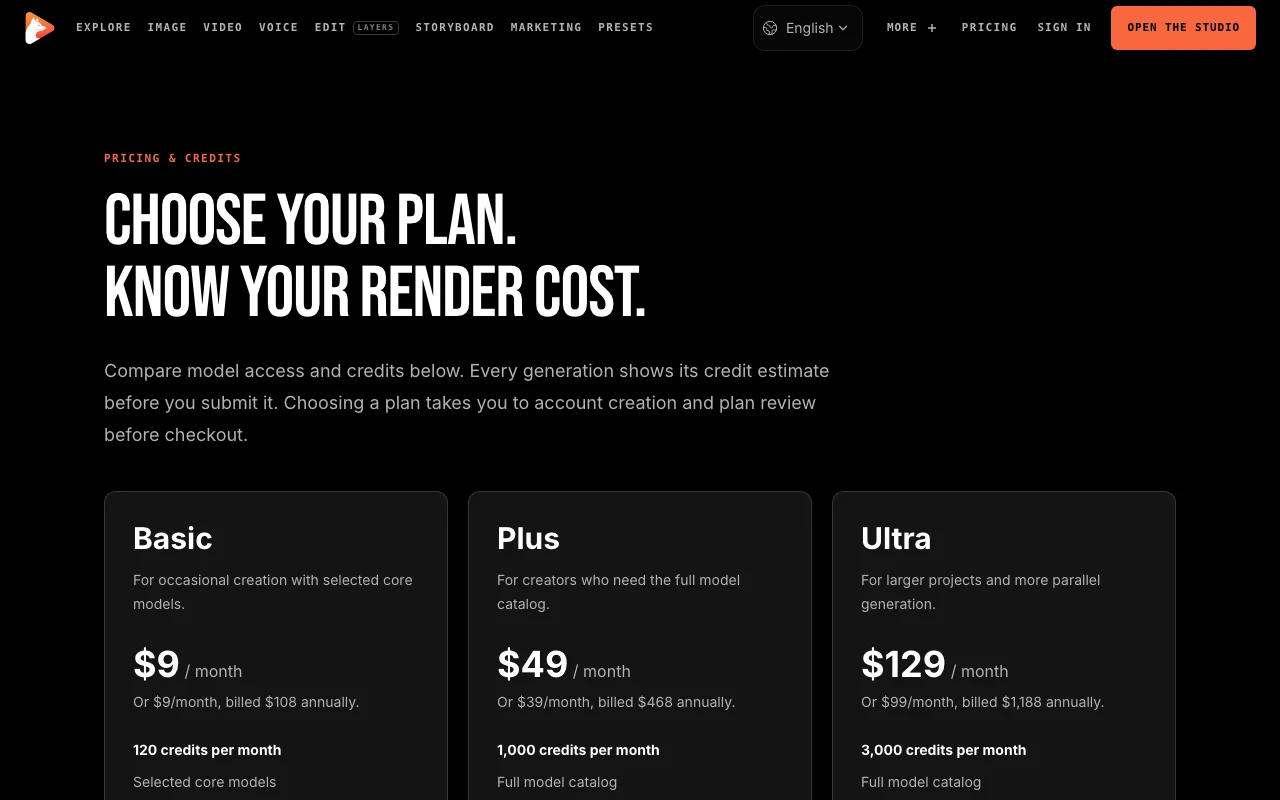
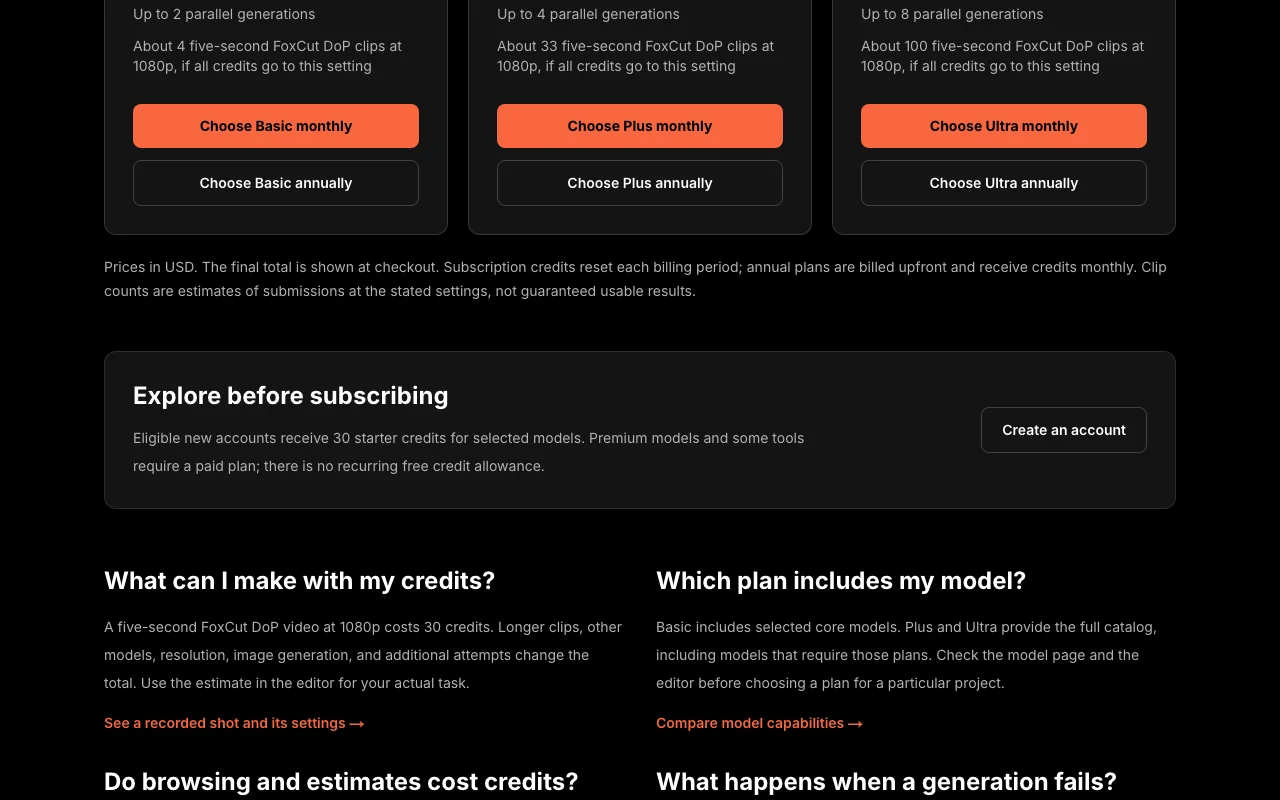
FoxCut pricing page with plans and prices — screenshot of the video AI tool, Oct 1, 2026
The official FoxCut pricing page as we saw it. foxcut.ai, captured Oct 1, 2026

Free access and trial conditions

No recurring free credits

30 one-time starter credits for eligible new accounts

Paid plans: what changes as you upgrade

Basic web

$9/mo source (opens in a new tab)

Month

Annual: $9/month billed $108/year

For: Occasional creation

Limits

  • 120 credits per month
  • Up to 2 parallel generations
1 more
  • About 4 five-second FoxCut DoP 1080p clips

Includes

  • Selected core models
  • Credit estimate before each generation

Plus web

$49/mo source (opens in a new tab)

Month

Annual: $39/month billed $468/year

For: Creators needing the full catalog

Limits

  • 1,000 credits per month
  • Up to 4 parallel generations
1 more
  • About 33 five-second FoxCut DoP 1080p clips

Includes

  • Full model catalog
  • Credit estimate before each generation

Ultra web

$129/mo source (opens in a new tab)

Month

Annual: $99/month billed $1188/year

For: Larger projects

Limits

  • 3,000 credits per month
  • Up to 8 parallel generations
1 more
  • About 100 five-second FoxCut DoP 1080p clips

Includes

  • Full model catalog
  • Credit estimate before each generation

Usage caps, credits and extra costs

Credits per generation vary by model

Final total shown at checkout

What is FoxCut, and how does it work?

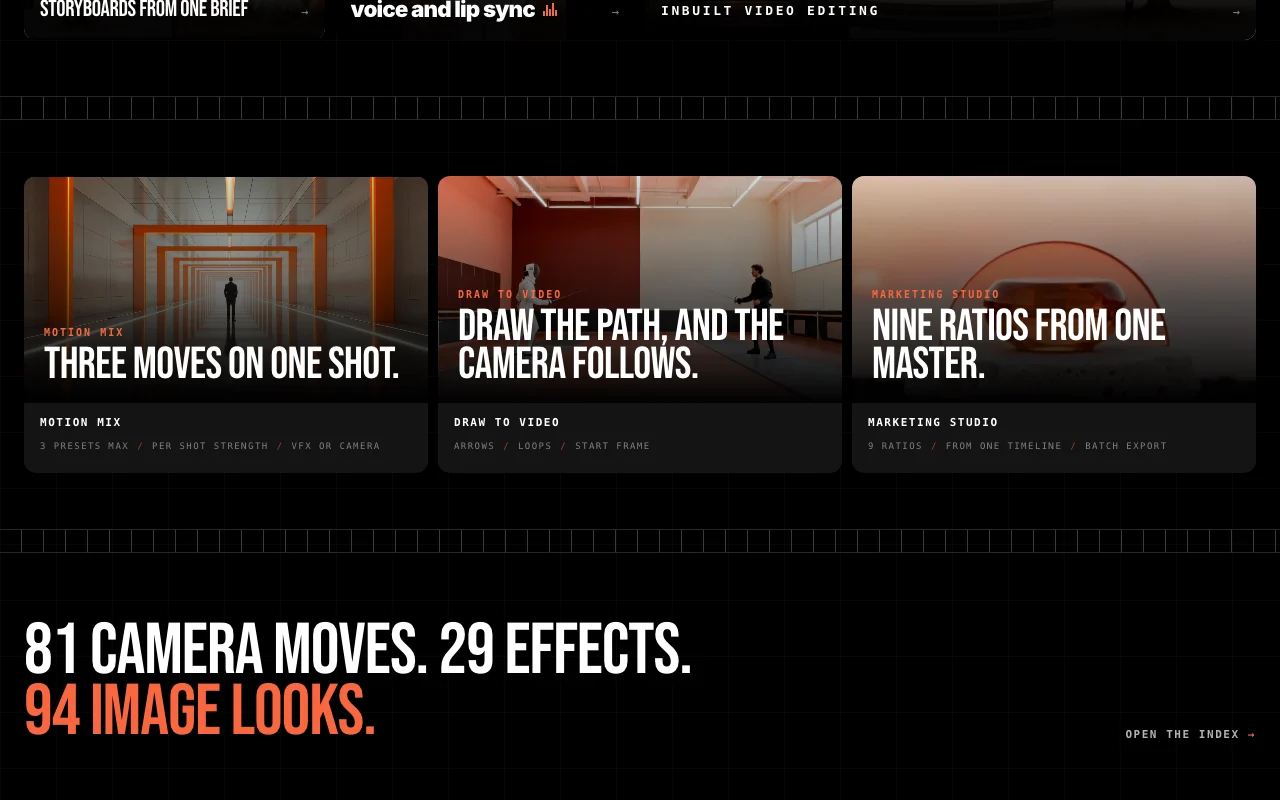
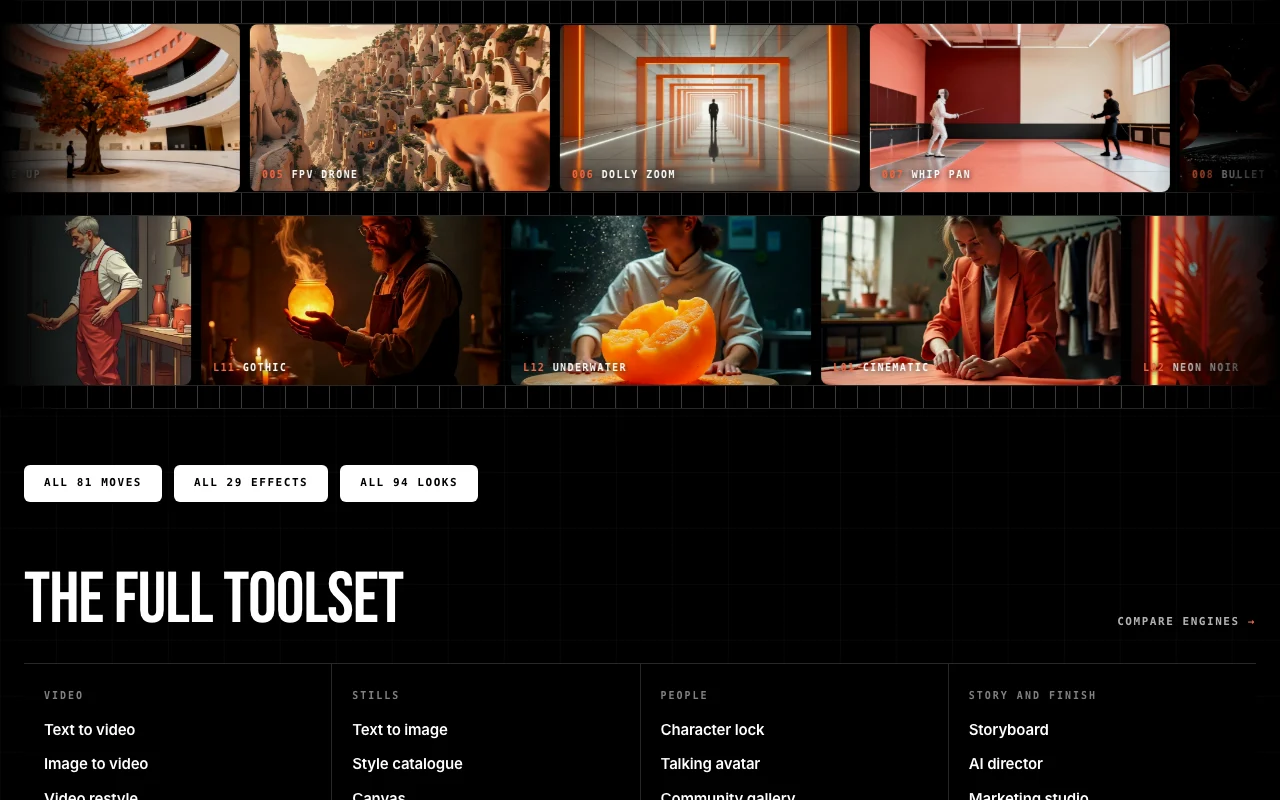
FoxCut is a browser studio for generating AI video and still images and then editing them into a finished piece. It gives access to multiple video engines (such as Veo, Kling, Sora, Seedance and its own FoxCut DoP) and image engines under one credit balance. It adds directing tools on top of the models: 81 camera moves, 29 effects, 94 image looks, character consistency across shots, storyboards from a brief, voice and lip sync, a timeline editor and a marketing studio for exporting multiple aspect ratios. MCP and CLI access are also listed.

FoxCut homepage — screenshot of the video AI tool, Oct 1, 2026
FoxCut's official site: how the product presents itself. foxcut.ai, captured Oct 1, 2026

What you provide and what you get back

How FoxCut works: what you provide, where it runs and what you get backYOU PROVIDEYour inputText promptsReference images and start/end fr…Briefs for storyboardsVIDEOFoxCutWebfrom $9/mo (Basic)no free tieraccount requiredchecked Oct 1, 2026YOU GET BACKThe resultAI video clipsStill imagesMulti-ratio marketing exportsinput → FoxCut → output · from the vendor's own pages, no hands-on test unless stated
What you give FoxCut and what comes back, from its documentation

You provide

  • Text prompts
  • Reference images and start/end frames
  • Briefs for storyboards

You get back

  • AI video clips
  • Still images
  • Multi-ratio marketing exports

Where you can use it

Platforms
Web
Account
Required
Video engines
12 incl. Veo 3.1, Kling 3.0, Sora 2, Seedance
Camera moves
81
Effects
29
Image looks
94
Ratios
9 from one master

What people use FoxCut for

Scenarios are worked out by our editors from the documentation; the actual result depends on your input and plan.

Generating short cinematic video clips

Who
Filmmakers and creators
You provide
Prompt or image with a camera-move preset
Expected result
Short cinematic clip
Plan needed
Basic and up
Limitation
Premium models need Plus source (opens in a new tab)

Keeping a consistent character across shots

Who
Creators needing continuity
You provide
Character reference
Expected result
Same character across shots
Plan needed
Plus for full catalog
Limitation
Quality varies by model source (opens in a new tab)

Storyboarding a video from a brief

Who
Marketing teams
You provide
A brief
Expected result
Storyboard and ad video in nine ratios
Plan needed
Plus or Ultra
Limitation
Credits per attempt source (opens in a new tab)

What FoxCut does, and where it stops

FoxCut homepage — screenshot of the video AI tool, Oct 1, 2026
Feature overview on the official site. foxcut.ai, captured Oct 1, 2026

Multiple video and image models under one login

Offers 12 video engines and 20 image engines under one login Switch models without switching tools

Access: Basic: selected core models; Plus/Ultra: full catalogLimit: Credit cost per model differs source (opens in a new tab)

81 camera-move presets and 29 VFX effects

81 camera moves, 29 effects and 94 image looks Direct shots without prompt-only luck

Access: PlansLimit: Generated clip results vary source (opens in a new tab)

Character lock across shots

Character lock keeps a cast consistent Maintains identity across shots

Access: PlansLimit: Needs good reference source (opens in a new tab)

Storyboard and AI director tools

Storyboards, AI director and timeline editor Go from idea to finished piece

Access: PlansLimit: Credits for generation source (opens in a new tab)

FoxCut: strengths and limits

Where FoxCut is strong

Limitations to check before paying

How to use FoxCut for generating a cinematic short clip

Set up FoxCut

  1. Create a FoxCut account (30 starter credits if eligible)
  2. Choose a plan if you need premium models
  3. Open the studio and pick a video model

Example: generating a cinematic short clip

  1. Write your prompt or upload a start frame
  2. Choose a camera-move preset
  3. Check the credit estimate and submit
  4. Review the result and iterate

Review and export the result

  1. Compare the credit ledger with the estimate
  2. Confirm failed jobs are handled in credit history
Example prompt suggested by our editors (not a recorded output of the product)
Slow orbit around a lone lighthouse at golden hour, 35mm film look, waves crashing.

FoxCut integrations and API

FoxCut pricing page with plans and prices — screenshot of the video AI tool, Oct 1, 2026
Plan comparison on the official pricing page. foxcut.ai, captured Oct 1, 2026

Native integrations and export formats

Export: Multiple aspect ratios (nine)

API access and separate billing

FoxCut has no public API in its official documentation. MCP and CLI listed; details not verified

Privacy, data use and commercial rights

Summarized from the vendor's current policies; this is not legal advice and a vendor's badge is not an independent audit.

How your inputs and outputs are handled

Processes prompts, uploads, generated assets and credit ledger

Controls for business users

  • Revocable MCP/CLI credentials

Policies: foxcut.ai/privacy

Best FoxCut alternatives for different needs

"Better suited" is based on documented features and pricing, not on a head-to-head test.

Runway: better suited to

Kling AI: better suited to

Luma: better suited to

Synthesia: better suited to

Alternatives
AlternativeWhen to choose itPricingLimitation
Runway——Compare
Kling AI——Compare
Luma——Compare
Synthesia——Compare

Explore FoxCut further

Related to FoxCut

FoxCut user reviews

No user reviews yet.

Used FoxCut? Be the first to share your experience.

Write a review

Reviews are checked by a moderator before they appear. Your email is never published. Plain text only.

Your rating (required)

Show what you made or what went wrong. Images are published only if the review is approved; location data is removed.

    FoxCut FAQ

    How much does FoxCut cost?

    Basic $9, Plus $49 and Ultra $129 per month; annual billing makes it $9, $39 and $99 per month. source (opens in a new tab)

    What does a clip cost?

    A five-second FoxCut DoP video at 1080p costs 30 credits. source (opens in a new tab)

    Is there a free allowance?

    Only 30 one-time starter credits for eligible new accounts. source (opens in a new tab)

    Do estimates cost credits?

    No; browsing and estimating are free. source (opens in a new tab)

    What about failed generations?

    They are protected by FoxCut credit handling; check the ledger or contact support. source (opens in a new tab)

    Sources and review methodology

    Official sources and verification dates

    Not verified: Commercial terms; Training use; Retention.

    How we documented and maintain this page

    Every fact about FoxCut above comes from the 3 official pages listed here, last compared on Oct 1, 2026; we have not run FoxCut ourselves, so it has no editorial score. How we check and re-check pages.

    Article updated Oct 10, 2026; prices checked Oct 1, 2026. Outbound links to vendors are plain links; we do not earn commissions. How we review · Report an error