VideoDocumented overviewLast checked Oct 1, 2026

captionrich: Pricing, Features & Best Use Cases

Browser-based AI video editor that adds captions, cuts, B-roll and emojis, with a free plan and paid Pro and Max Pro tiers.
Is captionrich right for you?

Choose captionrich if you edit talking-head or podcast videos and want AI captions, silence and filler removal and an Auto Clipper, starting free with no watermark and paid plans from $6/month billed yearly. Based on the vendor's documentation, not on a hands-on test.

Best for: Short-form video creators

Also a good fit for

  • Podcasters repurposing clips
  • Small marketing teams

Consider another tool if free plan limited to 3 videos per month, up to 3 minutes each

Or if

  • Free plan has no Auto Clipper, AI tokens or translation
  • Free plan has local editing only, no cloud project storage

captionrich pricing and usage limits

Prices checked Oct 1, 2026 on the official US pricing page. Official pricing ↗ Prices and limits change often.

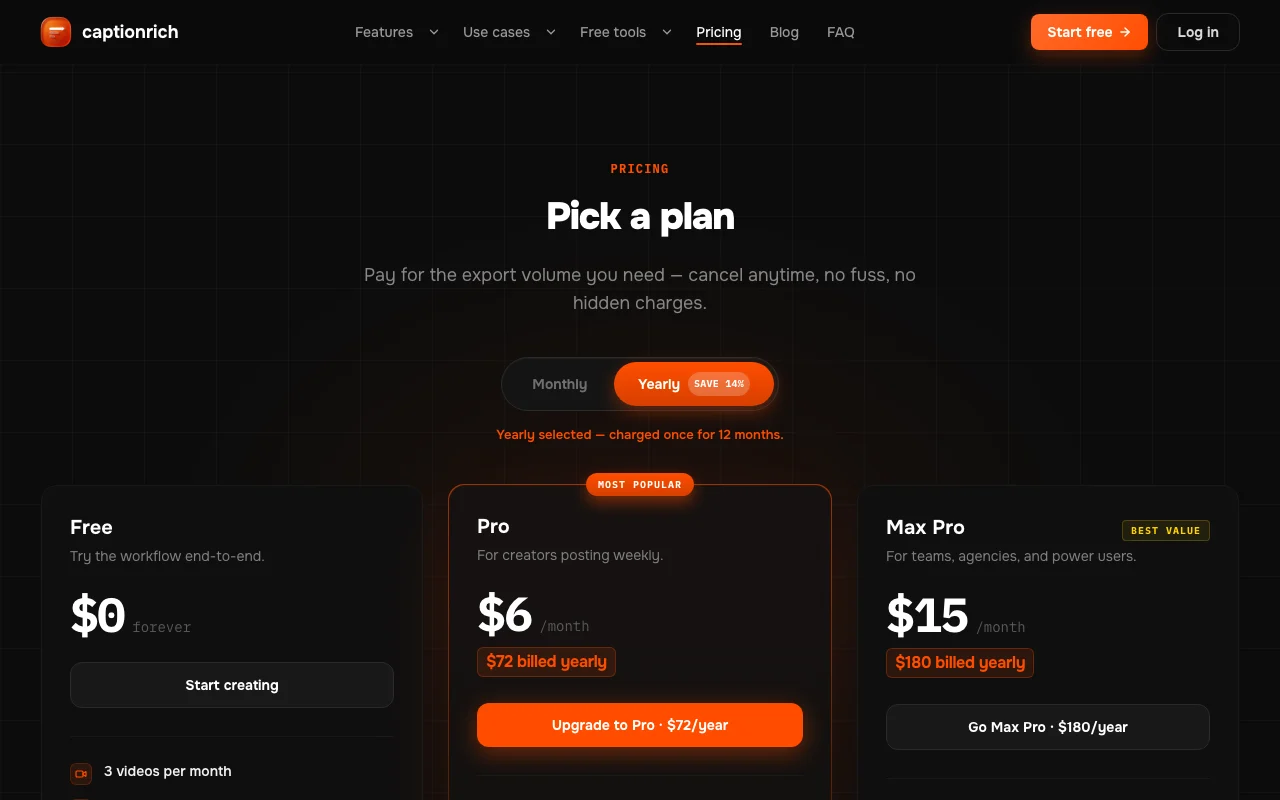
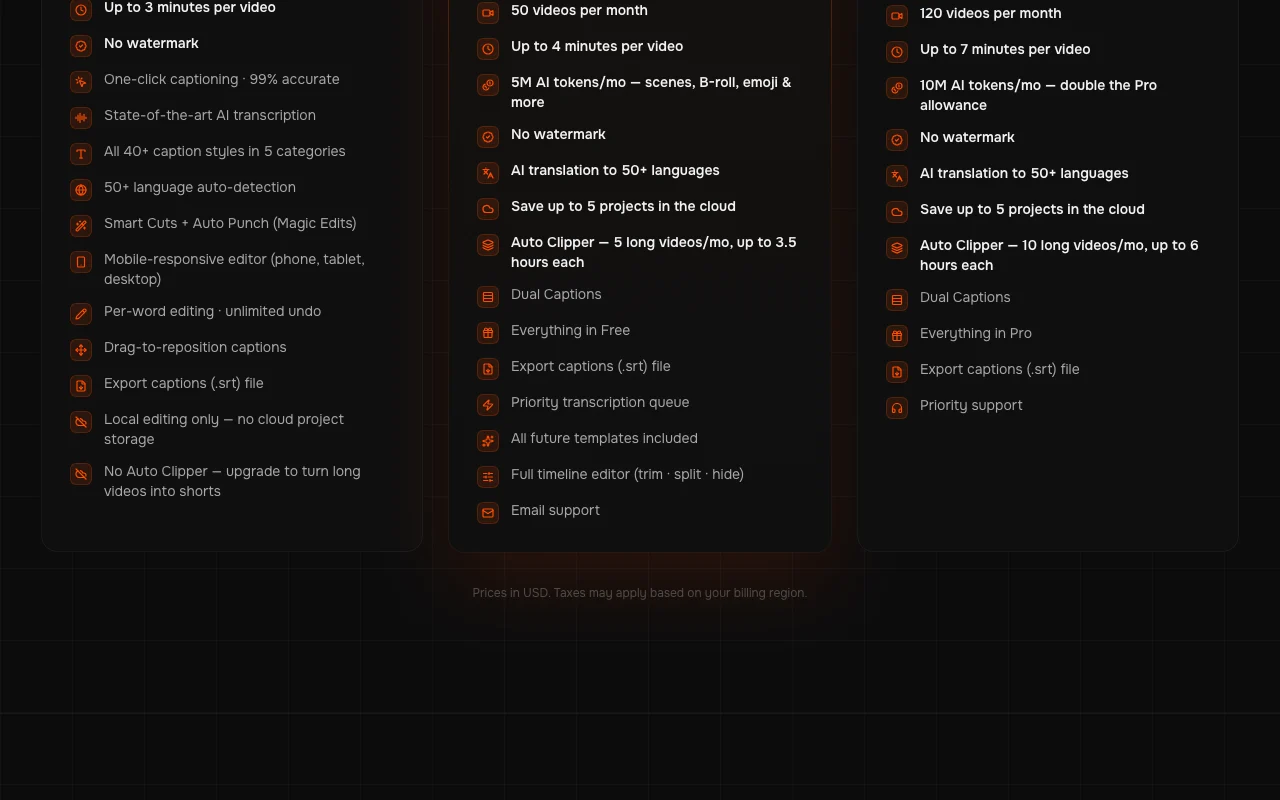
captionrich pricing page with plans and prices — screenshot of the video AI tool, Oct 1, 2026
The official captionrich pricing page as we saw it. captionrich.com, captured Oct 1, 2026

Free access and trial conditions

Free forever plan with 3 videos per month and no watermark.

Paid plans: what changes as you upgrade

Free web

Free source (opens in a new tab)

For: Trying the workflow

Limits

  • 3 videos per month
  • Up to 3 min per video
1 more
  • Local editing only

Includes

  • No watermark
  • 40+ caption styles
2 more
  • SRT export
  • Smart Cuts

No API

Pro web

$6/mo per user source (opens in a new tab)

Month, annual commitment

$72 billed yearly

For: Creators posting weekly

Limits

  • 50 videos per month
  • Up to 4 min per video
1 more
  • 5M AI tokens per month

Includes

  • Auto Clipper, 5 long videos
  • AI translation to 50+ languages
2 more
  • 5 cloud projects
  • Dual Captions

No API

Max Pro web

$15/mo per user source (opens in a new tab)

Month, annual commitment

$180 billed yearly

For: Teams and agencies

Limits

  • 120 videos per month
  • Up to 7 min per video
1 more
  • 10M AI tokens per month

Includes

  • Auto Clipper, 10 long videos
  • Priority support
2 more
  • AI translation
  • Dual Captions

No API

Usage caps, credits and extra costs

Taxes may apply based on billing region.

What is captionrich, and how does it work?

captionrich is an AI video editor aimed at short-form creators. It generates captions, removes silences and filler words, and can add B-roll, emojis and scene transitions. It offers a Free plan plus Pro and Max Pro tiers that raise monthly export volume and AI-token allowances. The site also lists several free browser tools such as a caption generator and subtitle burner.

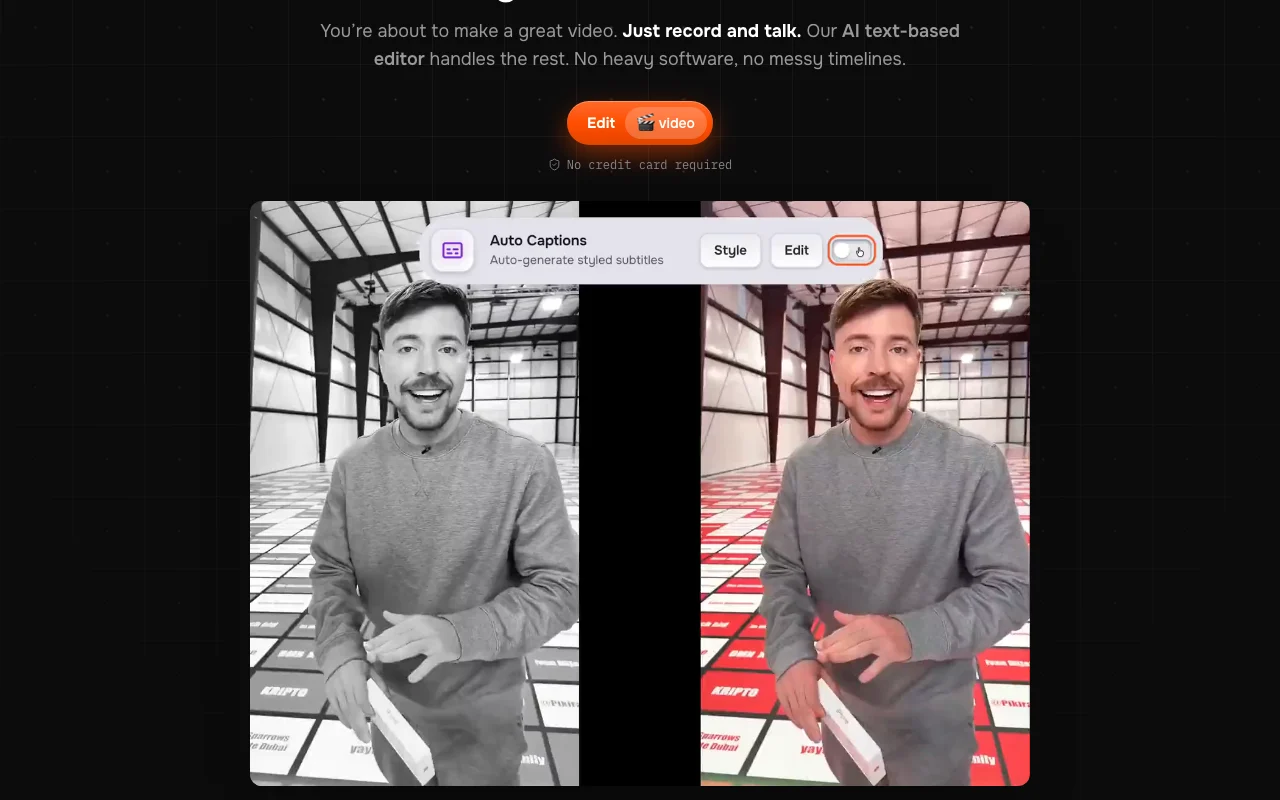
captionrich homepage — screenshot of the video AI tool, Oct 1, 2026
captionrich's official site: how the product presents itself. captionrich.com, captured Oct 1, 2026

What you provide and what you get back

How captionrich works: what you provide, where it runs and what you get backYOU PROVIDEYour inputTalking-head or podcast videoOptional long video for Auto Clip…Own B-roll or stock footageVIDEOcaptionrichWebfrom $6/mo (Pro)free tier availableaccount requiredchecked Oct 1, 2026YOU GET BACKThe resultCaptioned video with no watermarkSRT caption file9:16 clips from long videos on pa…input → captionrich → output · from the vendor's own pages, no hands-on test unless stated
What you give captionrich and what comes back, from its documentation

You provide

  • Talking-head or podcast video
  • Optional long video for Auto Clipper
  • Own B-roll or stock footage

You get back

  • Captioned video with no watermark
  • SRT caption file
  • 9:16 clips from long videos on paid plans

Where you can use it

Platforms
Web
Account
Required
Caption styles
40+ in 5 categories
Languages
50+ auto-detection and AI translation (paid)
Max video length
3, 4 and 7 minutes by plan
Export
Video and .srt
Watermark
None on any plan

Best use cases for captionrich

Scenarios are worked out by our editors from the documentation; the actual result depends on your input and plan.

Captioning TikTok, Reels and Shorts videos

Who
Short-form creators
You provide
A talking video
Expected result
Captions in one of 40+ styles with silences cut
Plan needed
Free
Limitation
Free is 3 videos a month up to 3 minutes each source (opens in a new tab)

Turning long podcasts into 9:16 clips

Who
Podcasters and long-form creators
You provide
A long podcast episode
Expected result
Several vertical clips ready for TikTok, Reels and Shorts
Plan needed
Pro or Max Pro
Limitation
Auto Clipper handles 5 or 10 long videos per month source (opens in a new tab)

Removing silences and filler words from talking-head videos

Who
Talking-head presenters
You provide
A raw take with ums and flubs
Expected result
Filler words, silences and bad takes removed automatically
Plan needed
Free for Smart Cuts, Pro for AI tokens
Limitation
AI features use monthly token allowance source (opens in a new tab)

captionrich features and their limits

captionrich homepage — screenshot of the video AI tool, Oct 1, 2026
Feature overview on the official site. captionrich.com, captured Oct 1, 2026

Auto captions with 40+ styles

Generates captions with 99% claimed accuracy in 40+ styles and 50+ detected languages Gets captions quickly without typing

Access: All plansLimit: Free is local editing only source (opens in a new tab)

Text-based editor

Lets you delete words in the transcript to cut the video Makes editing as easy as editing a document

Access: All plansLimit: Works best on speech-led video source (opens in a new tab)

Auto Clipper for long videos

Auto Clipper turns long videos into short vertical clips Repurposes podcasts without manual cutting

Access: Pro and Max ProLimit: 5 or 10 long videos per month; none on Free source (opens in a new tab)

Remove silences, filler words and bad takes

Removes silences, filler words and bad takes Tightens pacing automatically

Access: Smart Cuts on FreeLimit: Edits can be reversed but need review source (opens in a new tab)

captionrich pros and cons

Where captionrich is strong

Limitations to check before paying

How to use captionrich for captioning and cutting a talking-head video

Set up captionrich

  1. Open captionrich.com and click Edit video
  2. Sign in with Google
  3. Upload your video file in the browser

Example: captioning and cutting a talking-head video

  1. Wait for the one-click captioning to transcribe
  2. Choose a caption style and drag captions to position
  3. Turn on Remove Silences and Filler Words
  4. Export the video and the SRT file

Review and export the result

  1. Scrub the video to confirm cuts did not remove needed words
  2. Check captions against the speech in the per-word editor
  3. Verify the export has no watermark

captionrich integrations and API

captionrich pricing page with plans and prices — screenshot of the video AI tool, Oct 1, 2026
Plan comparison on the official pricing page. captionrich.com, captured Oct 1, 2026

Native integrations and export formats

Export: Video, SRT

API access and separate billing

captionrich has no public API in its official documentation. No API on fetched pages.

Privacy, data use and commercial rights

Summarized from the vendor's current policies; this is not legal advice and a vendor's badge is not an independent audit.

How your inputs and outputs are handled

Editing runs in your browser; audio extracted from the video is sent to a transcription provider and discarded. Saved projects, including source video, are stored in Cloudflare R2.

Last 5 saved projects kept; oldest deleted automatically; account deletion removes all.

Commercial use and plan restrictions

Cloud storage only on paid plans.

Controls for business users

  • Delete saved projects at any time

Policies: captionrich.com/privacy

Best captionrich alternatives for different needs

"Better suited" is based on documented features and pricing, not on a head-to-head test.

Descript: better suited to

Runway: better suited to

Canva: better suited to

Alternatives
AlternativeWhen to choose itPricingLimitation
Descript——Compare
Runway——Compare
Canva——

Explore captionrich further

Related to captionrich

captionrich user reviews

No user reviews yet.

Used captionrich? Be the first to share your experience.

Write a review

Reviews are checked by a moderator before they appear. Your email is never published. Plain text only.

Your rating (required)

Show what you made or what went wrong. Images are published only if the review is approved; location data is removed.

    captionrich FAQ

    Is captionrich free?

    Yes. The Free plan gives 3 videos a month up to 3 minutes each, with no watermark and all 40+ caption styles. source (opens in a new tab)

    What do Pro and Max Pro cost?

    Pro is $6/month ($72 billed yearly) and Max Pro is $15/month ($180 billed yearly), with 50 and 120 videos per month. source (opens in a new tab)

    Where is my video processed?

    Editing runs in your browser; only extracted audio is sent to the transcription provider and then discarded. source (opens in a new tab)

    What is the Auto Clipper?

    A paid feature that turns long videos into short clips, 5 long videos a month on Pro and 10 on Max Pro. source (opens in a new tab)

    Do unused exports roll over?

    No. Unused monthly exports do not roll over. source (opens in a new tab)

    Sources and review methodology

    Official sources and verification dates

    Not verified: Docs (not available); Export resolution; Commercial use terms on free plan.

    How we documented and maintain this page

    Every fact about captionrich above comes from the 2 official pages listed here, last compared on Oct 1, 2026; we have not run captionrich ourselves, so it has no editorial score. How we check and re-check pages.

    Article updated Oct 10, 2026; prices checked Oct 1, 2026. Outbound links to vendors are plain links; we do not earn commissions. How we review · Report an error