VideoDocumented overviewLast checked Oct 1, 2026

Charios: Pricing, Features & Best Use Cases

Browser-based 2D character rigging and animation tool for game developers, with export to Unity, Godot and Unreal.
Is Charios right for you?

Charios suits indie game developers who want to rig a layered 2D character in the browser, apply mocap clips and export to Unity, Godot or Unreal without learning Spine. Based on the vendor's documentation, not on a hands-on test.

Best for: Indie game developers

Also a good fit for

  • 2D animators

Consider another tool if free plan limited to 30 credits/month and 3 projects

Or if

  • AI actions consume credits
  • PNG/JSON export needs paid plan

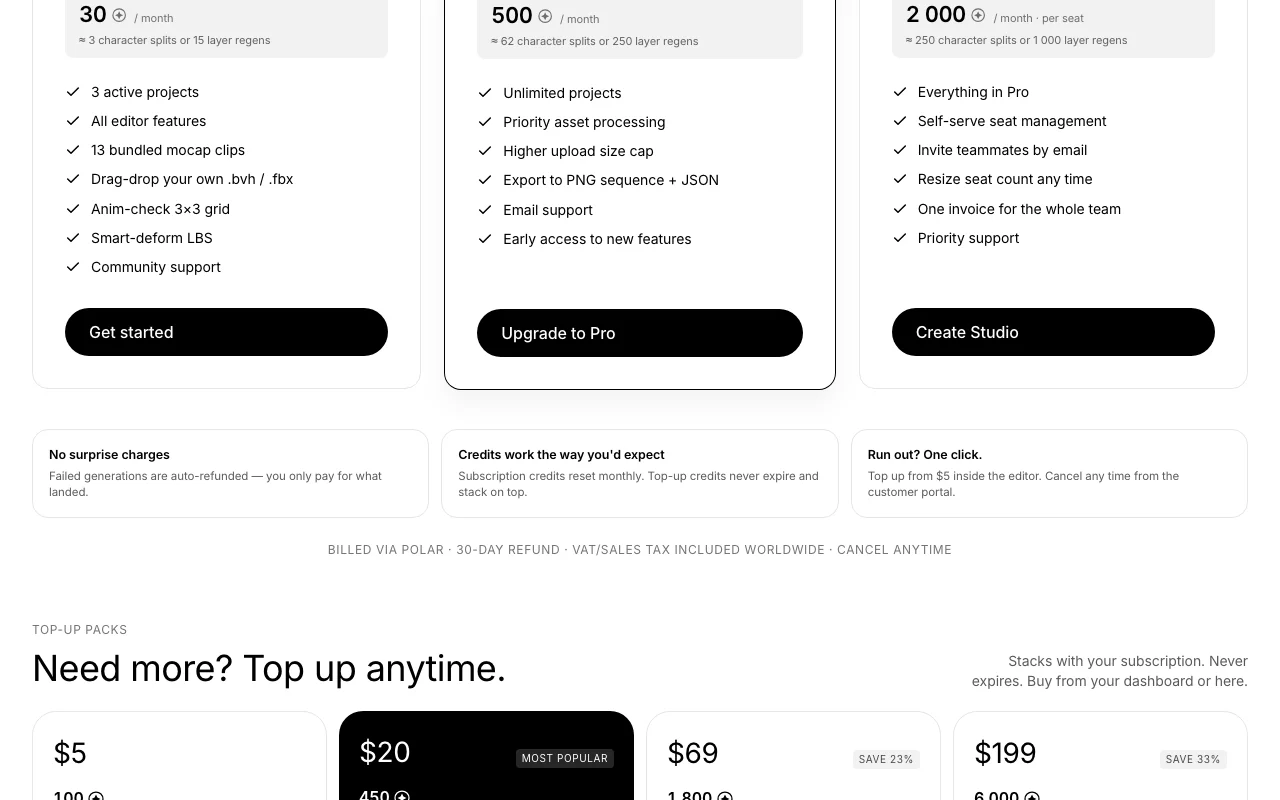
Charios pricing and usage limits

Prices checked Oct 1, 2026 on the official US pricing page. Official pricing ↗ Prices and limits change often.

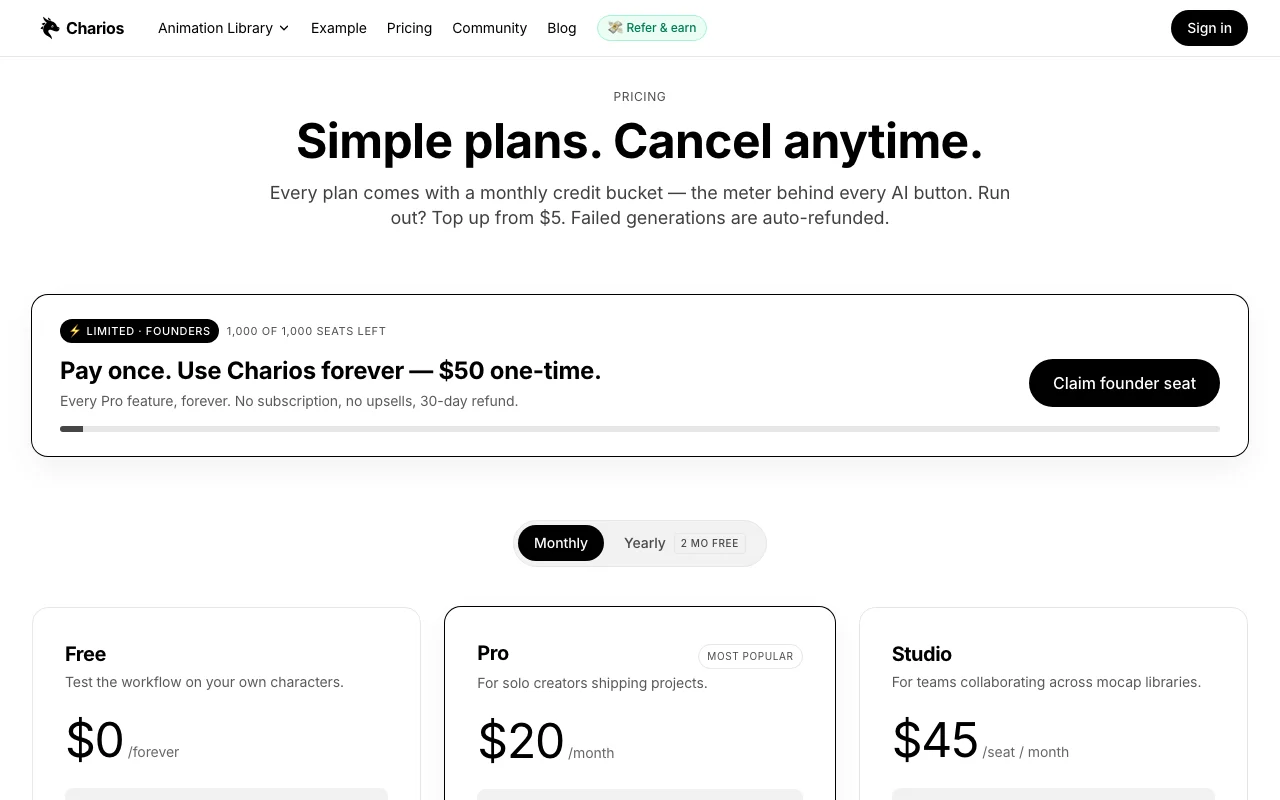
Charios pricing page with plans and prices — screenshot of the video AI tool, Oct 2, 2026
The official Charios pricing page as we saw it. charios.com, captured Oct 2, 2026

Free access and trial conditions

Free forever with 30 credits/month and 3 projects, no card.

None needed; Free plan.

Paid plans: what changes as you upgrade

Free web

Free source (opens in a new tab)

Month

For: Testing on your own characters

Limits

  • 30 credits/month
  • 3 active projects
1 more
  • 13 bundled mocap clips

Includes

  • All editor features
  • Anim-check 3x3 grid
1 more
  • Community support

Pro web

$20/mo source (opens in a new tab)

Month

For: Solo creators shipping projects

Limits

  • 500 credits/month
  • Unlimited projects

Includes

  • PNG sequence + JSON export
  • Higher upload cap
2 more
  • Email support
  • Early access

Studio web

$45/mo per seat per month source (opens in a new tab)

Month

For: Teams

Limits

  • 2,000 credits/month per seat (pooled)

Includes

  • Everything in Pro
  • Seat management
2 more
  • Priority support
  • One invoice

Founder Lifetime web

$50 one-time source (opens in a new tab)

One-time

For: Long-term solo users

Limits

  • First 1,000 seats
  • 5,000 bonus credits
1 more
  • 30 credits/month free drip

Includes

  • Every Pro feature
  • 25% off top-ups
1 more
  • Founder badge

Usage caps, credits and extra costs

Top-ups $5 (100), $20 (450), $69 (1,800), $199 (6,000).

VAT/sales tax included; billed via Polar as merchant of record.

What is Charios, and how does it work?

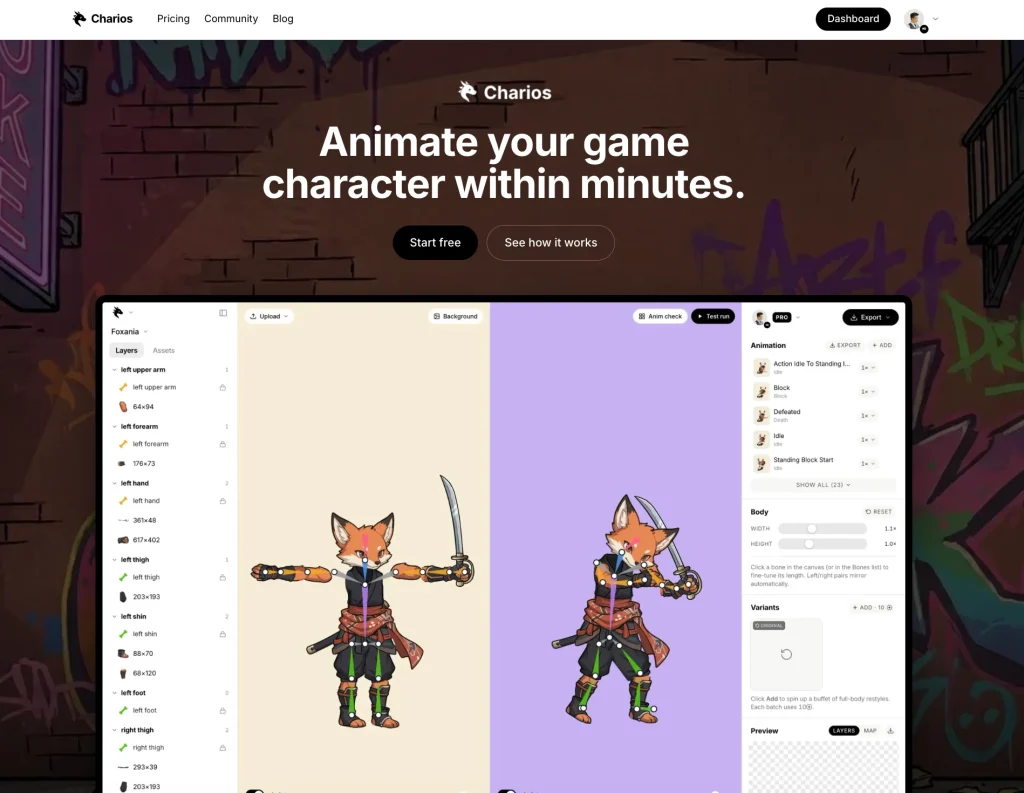
Charios lets you drop in a character image, auto-split it into layers, rig it and apply a mocap animation library, all in the browser. Characters can be play-tested in the editor. Exports include GIF, Unity prefab, Godot scene and Unreal Paper2D sprites; the site also mentions a headless WebSocket API. AI actions use a monthly credit system.

Charios homepage — screenshot of the video AI tool, Oct 2, 2026
Charios's official site: how the product presents itself. charios.com, captured Oct 2, 2026

What you provide and what you get back

How Charios works: what you provide, where it runs and what you get backYOU PROVIDEYour inputA character PNGLayered artBVH or FBX mocap filesVIDEOChariosWeb, APIfrom $20/mo (Pro)free tier availableaccount requiredchecked Oct 1, 2026YOU GET BACKThe resultRigged animated characterGIFUnity prefab, Godot scene or Unre…input → Charios → output · from the vendor's own pages, no hands-on test unless stated
What you give Charios and what comes back, from its documentation

You provide

  • A character PNG
  • Layered art
  • BVH or FBX mocap files

You get back

  • Rigged animated character
  • GIF
  • Unity prefab, Godot scene or Unreal Paper2D sprites

Where you can use it

Platforms
Web, API
Account
Required
Export targets
Unity prefab, Godot scene, Unreal Paper2D, GIF, PNG sequence
Mocap input
.bvh and .fbx humanoid
Bundled clips
13
Credit use
Split, variant, layer regenerate

Best use cases for Charios

Scenarios are worked out by our editors from the documentation; the actual result depends on your input and plan.

Animating 2D game characters

Who
Indie developers without a rigging background
You provide
Single character image
Expected result
Auto-split layers, rigged and animated with a mocap clip within minutes
Plan needed
Free for 3 projects
Limitation
Credits limit AI splits (about 3 per month on Free) source (opens in a new tab)

Rigging layered sprites

Who
Game-jam teams
You provide
Several enemy sprites
Expected result
Multiple posed, animated characters ready for engine import
Plan needed
Pro or Studio for unlimited projects
Limitation
Editor is desktop-first source (opens in a new tab)

Prototyping game animations

Who
Artists making devlog content
You provide
Character sheet
Expected result
GIF or PNG sequence animations for itch.io and social posts
Plan needed
Pro for PNG sequence
Limitation
Not a full Spine replacement; fewer animation tools source (opens in a new tab)

What Charios does, and where it stops

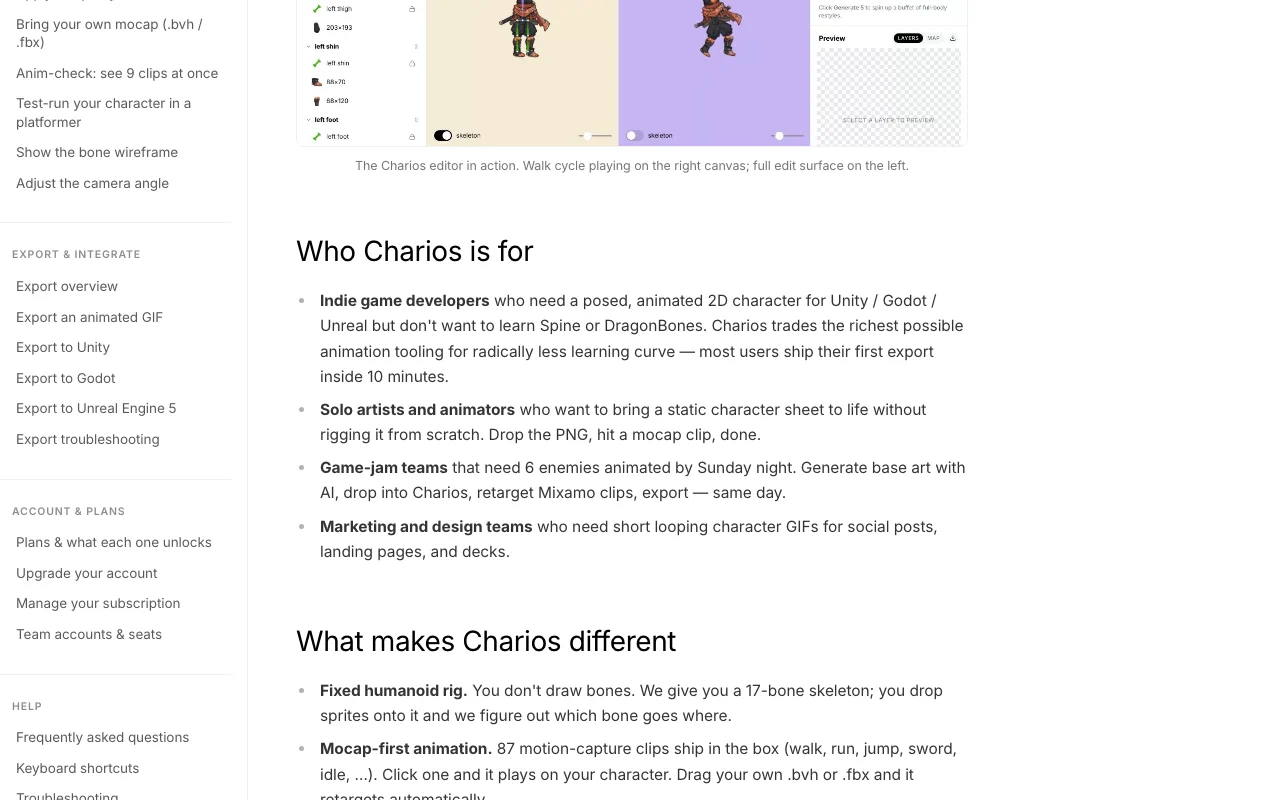
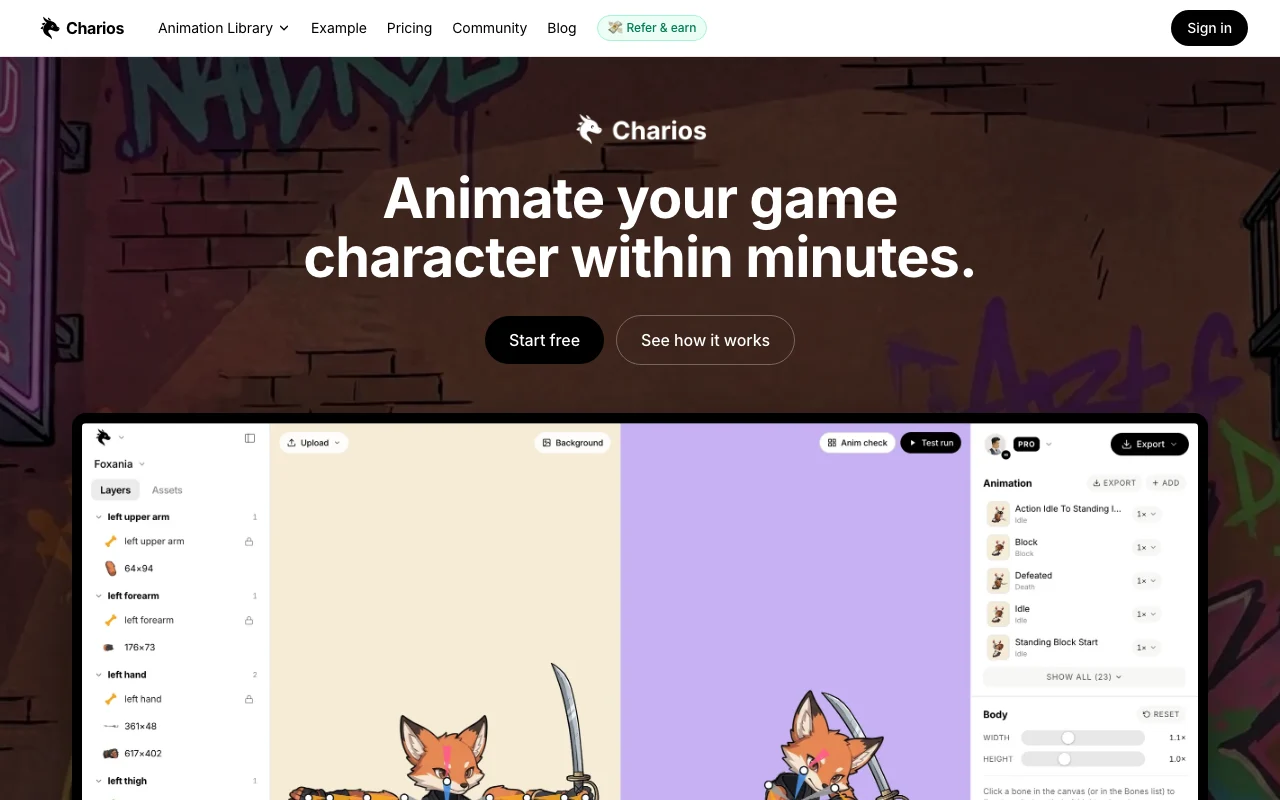
Charios homepage — screenshot of the video AI tool, Oct 2, 2026
Feature overview on the official site. charios.com, captured Oct 2, 2026

Auto layering

Splits one image into Spine-ready layers using AI Avoids manual cutting

Access: Uses credits; Free about 3 splits a monthLimit: Costs credits per split source (opens in a new tab)

Joint snapping rigging

Snaps joints onto the skeleton for rigging Speeds up setup of the humanoid skeleton

Access: All editor features on every planLimit: Humanoid skeletons only source (opens in a new tab)

Mocap animation library

Retargets bundled or uploaded mocap clips to the character Gives walks and attacks without keyframing

Access: 13 bundled clips; uploads of .bvh/.fbxLimit: Source rigs must be humanoid source (opens in a new tab)

Browser play-test

Plays the animation in the editor Lets you check motion before export

Access: All plansLimit: Docs mention Anim-check 3x3 grid for review source (opens in a new tab)

Export to engines

Exports GIF, Unity prefab, Godot scene and Unreal Paper2D sprites Moves results into game projects

Access: Pricing page lists PNG and JSON export on ProLimit: Homepage FAQ says Godot import is on the roadmap, which conflicts with the export tiles source (opens in a new tab)

Charios: strengths and limits

Reasons to choose Charios

Check before paying for Charios

How to use Charios for rigging and animating a 2D game character

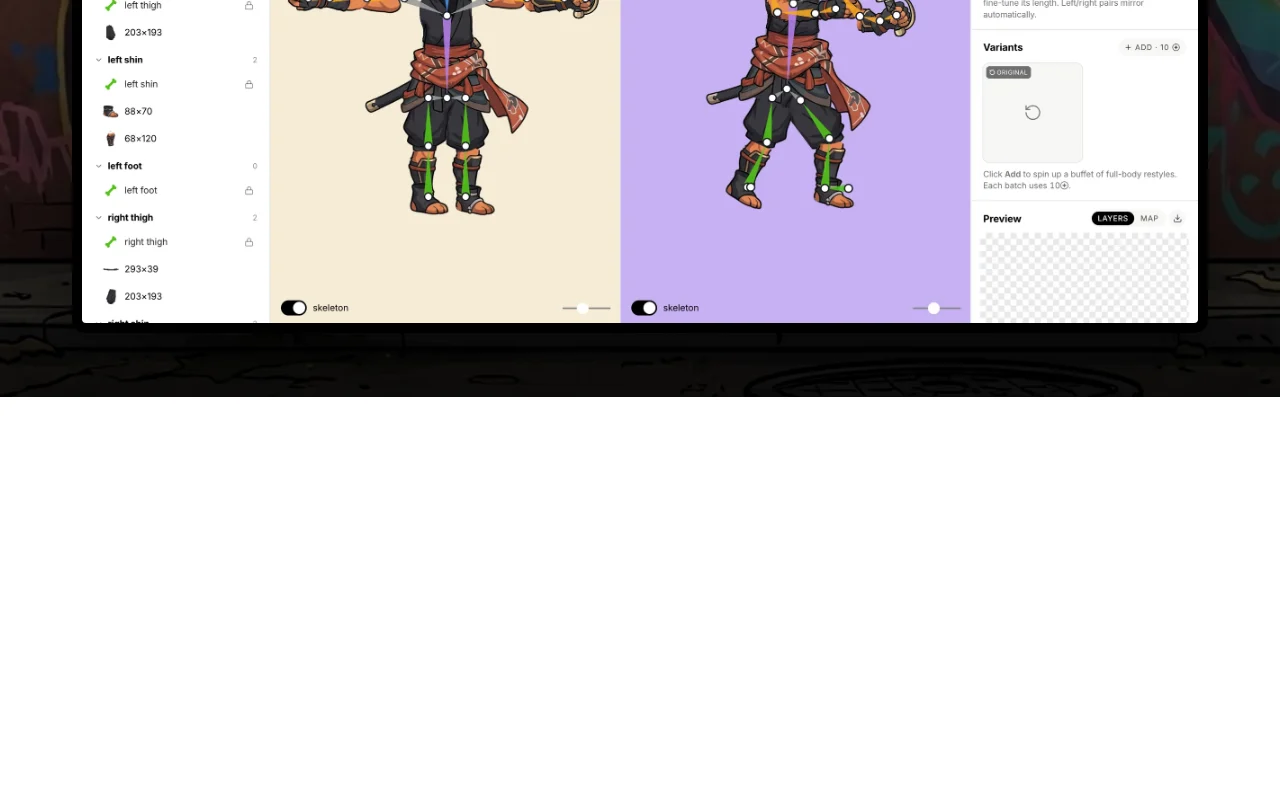
Charios documentation — screenshot of the video AI tool, Oct 2, 2026
Charios documentation: where the steps below come from. charios.com, captured Oct 2, 2026

Set up Charios

  1. Open the Charios editor and sign in with Google
  2. Create a project (up to 3 on Free)
  3. Drop your character PNG into the editor
  4. Run the character split and review the layers

Example: rigging and animating a 2D game character

  1. Snap the joints to the skeleton
  2. Pick a bundled walk clip from the animation library
  3. Fix draw order, such as a sword behind the body
  4. Export a Unity prefab or GIF

Review and export the result

  1. Play-test the walk cycle in the editor
  2. Open the prefab in your engine and compare the pose

Charios integrations and API

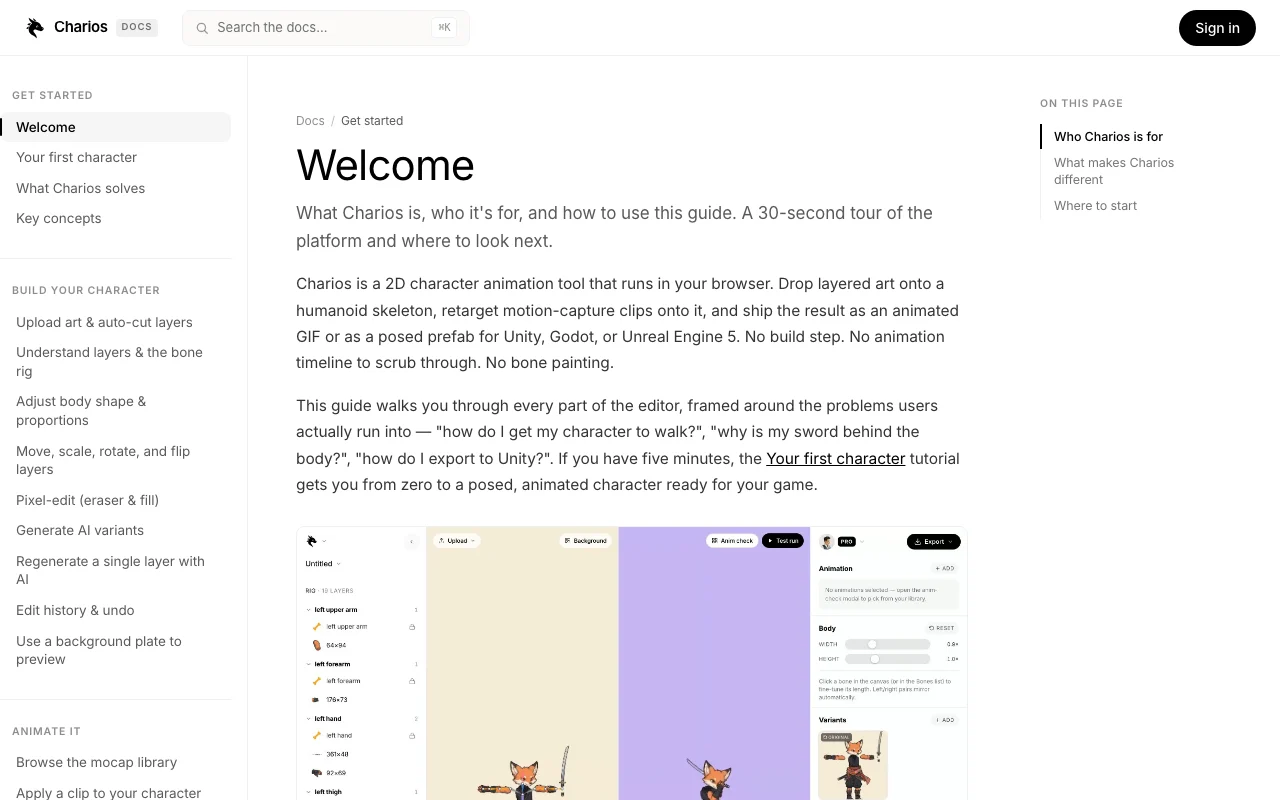
Charios documentation — screenshot of the video AI tool, Oct 2, 2026
Charios documentation (continued). charios.com, captured Oct 2, 2026

Native integrations and export formats

Export: GIF, PNG sequence, JSON skeleton, Unity prefab

API access and separate billing

Charios has no public API in its official documentation. Homepage mentions a headless WebSocket API; details not in fetched pages API documentation ↗

Privacy, data use and commercial rights

Summarized from the vendor's current policies; this is not legal advice and a vendor's badge is not an independent audit.

How your inputs and outputs are handled

Stores project names, layer transforms and your uploaded PNGs.

Not stated; policy says data is not sold or shared.

Kept until you delete your account; deletion removes projects and assets.

Commercial use and plan restrictions

Not stated.

Not stated.

Controls for business users

  • Row-level security per user

Policies: charios.com/privacy

Charios alternatives by need

"Better suited" is based on documented features and pricing, not on a head-to-head test.

Runway: better suited to

Alternatives
AlternativeWhen to choose itPricingLimitation
Runway——Compare

Explore Charios further

Related to Charios

Charios user reviews

No user reviews yet.

Used Charios? Be the first to share your experience.

Write a review

Reviews are checked by a moderator before they appear. Your email is never published. Plain text only.

Your rating (required)

Show what you made or what went wrong. Images are published only if the review is approved; location data is removed.

    Charios FAQ

    What does a character split cost?

    About 8 credits: 500 credits is roughly 62 splits, so Free's 30 credits cover about 3. source (opens in a new tab)

    Do failed generations cost credits?

    No. They are refunded automatically into your top-up bucket. source (opens in a new tab)

    Can I use my own mocap?

    Yes, drag in humanoid .bvh or .fbx files; the retargeter normalises bone lengths. source (opens in a new tab)

    What does the Founder Lifetime deal include?

    $50 once for the first 1,000 seats: Pro features, 5,000 bonus credits and 25% off top-ups, not an unlimited monthly AI bucket. source (opens in a new tab)

    Does the editor work on mobile?

    The editor is desktop-first; viewing projects and managing your account works on any device. source (opens in a new tab)

    Sources and review methodology

    Official sources and verification dates

    Not verified: Godot export status (roadmap vs listed); Pro price conflict ($12 homepage vs $20 pricing); API details; US availability.

    How we documented and maintain this page

    Every fact about Charios above comes from the 4 official pages listed here, last compared on Oct 1, 2026; we have not run Charios ourselves, so it has no editorial score. How we check and re-check pages.

    Article updated Oct 10, 2026; prices checked Oct 1, 2026. Outbound links to vendors are plain links; we do not earn commissions. How we review · Report an error