VideoDocumented overviewLast checked Oct 1, 2026

CaptionBolt: Pricing, Features & Best Use Cases

AI captions for short social videos with resize, trim, B-Roll, covers and social copy.
Who should use CaptionBolt

Choose CaptionBolt if you want styled AI captions, resizing and B-Roll for social videos with a free 10-minute monthly plan, and paid plans from $6/month billed annually. Based on the vendor's documentation, not on a hands-on test.

Best for: Short-form video creators

Also a good fit for

  • Social media managers

Consider another tool if free plan: videos up to 3 min, 200 MB uploads, CaptionBolt watermark

Or if

  • Monthly processing-minute caps on every plan
  • Free and Starter process 1 job at a time

CaptionBolt pricing and usage limits

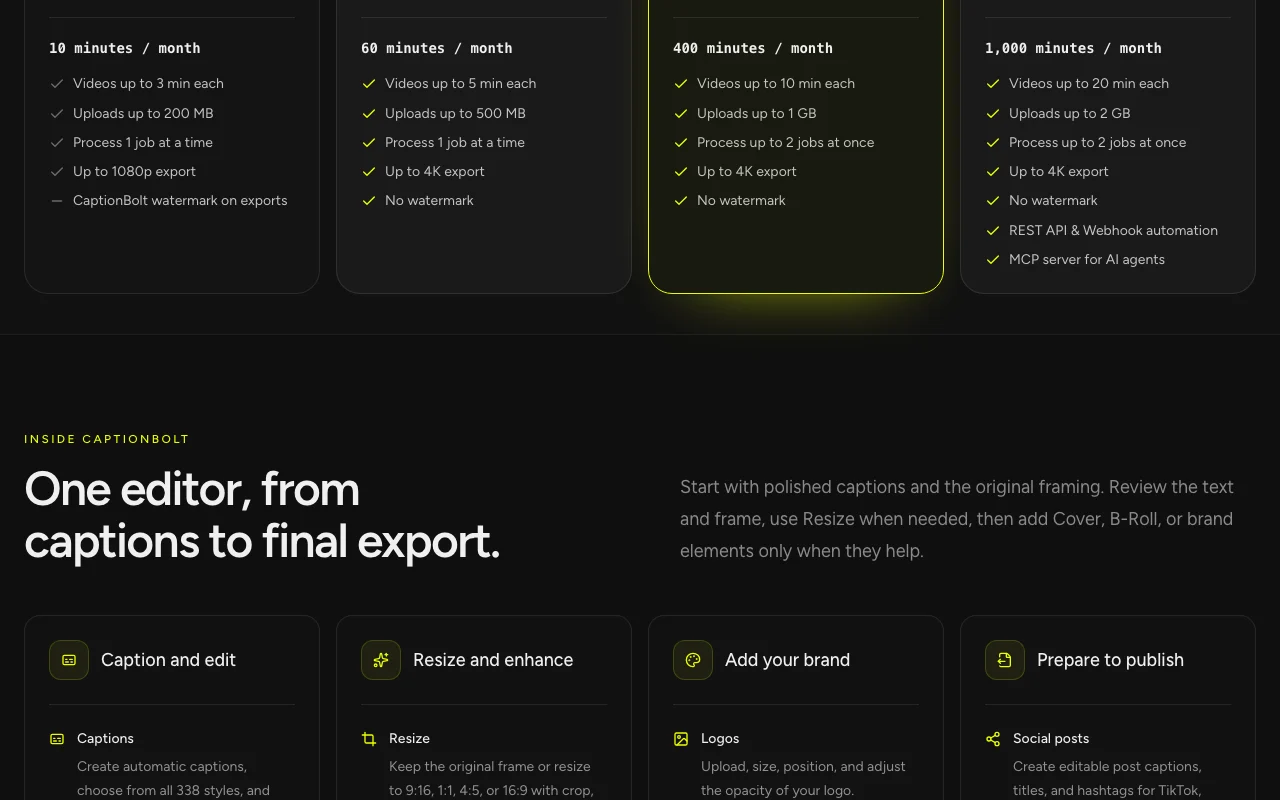
Prices checked Oct 1, 2026 on the official US pricing page. Official pricing ↗ Prices and limits change often.

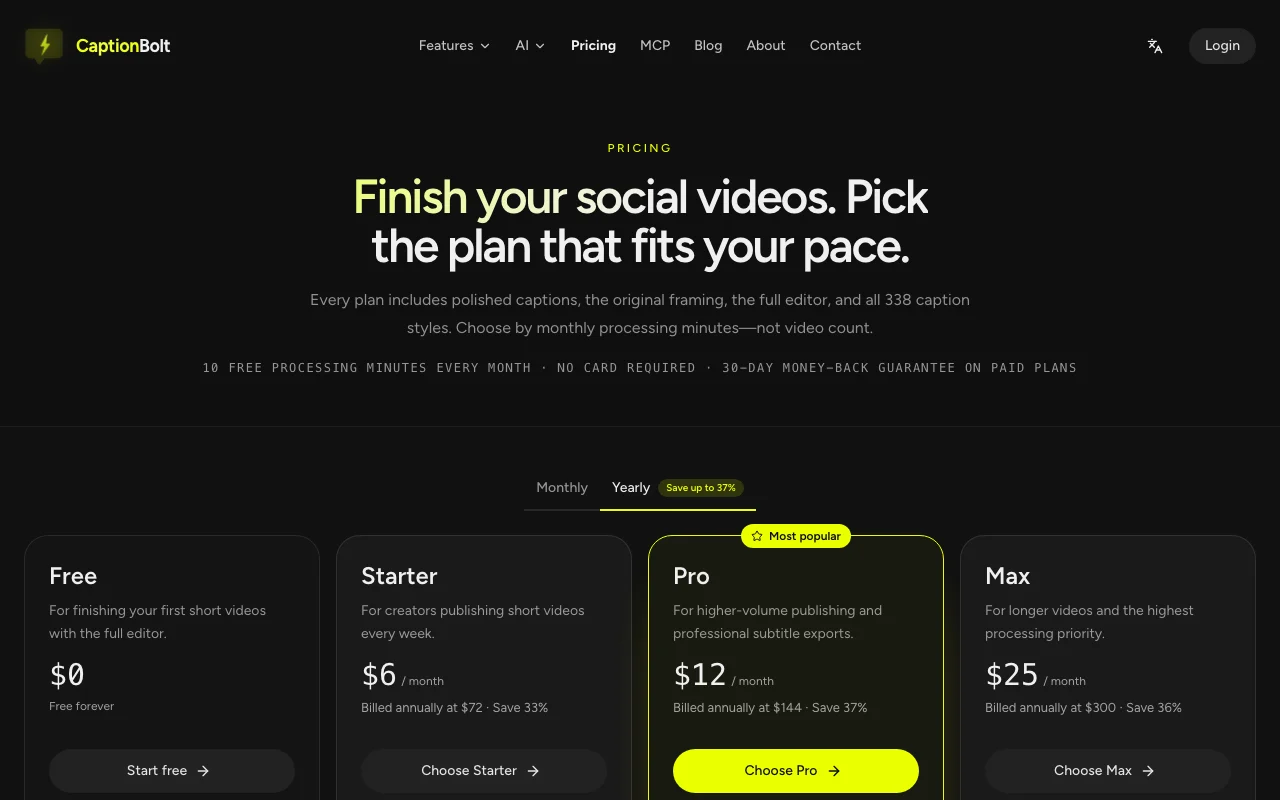
CaptionBolt pricing page with plans and prices — screenshot of the video AI tool, Oct 1, 2026
The official CaptionBolt pricing page as we saw it. captionbolt.com, captured Oct 1, 2026

Free access and trial conditions

10 free processing minutes every month, no card, with watermark.

Paid plans: what changes as you upgrade

Free web

Free source (opens in a new tab)

Month

For: Trying it out

Limits

  • 10 processing minutes per month
  • Videos up to 3 min
3 more
  • Uploads up to 200 MB
  • 1 job at a time
  • CaptionBolt watermark

Includes

  • Up to 1080p export

No API

Starter web

$6/mo source (opens in a new tab)

Month, annual commitment

Billed annually at $72

For: Light posting

Limits

  • 60 processing minutes per month
  • Videos up to 5 min
2 more
  • Uploads up to 500 MB
  • 1 job at a time

Includes

  • Up to 4K export
  • No watermark

No API

Pro web

$12/mo source (opens in a new tab)

Month, annual commitment

Billed annually at $144

For: Regular creators

Limits

  • 400 processing minutes per month
  • Videos up to 10 min
2 more
  • Uploads up to 1 GB
  • 2 jobs at once

Includes

  • Up to 4K export
  • No watermark

No API

Max web

$25/mo source (opens in a new tab)

Month, annual commitment

Billed annually at $300

For: Teams and automation

Limits

  • 1000 processing minutes per month
  • Videos up to 20 min
2 more
  • Uploads up to 2 GB
  • 2 jobs at once

Includes

  • REST API and webhooks
  • MCP server
1 more
  • No watermark

API included

What is CaptionBolt, and how does it work?

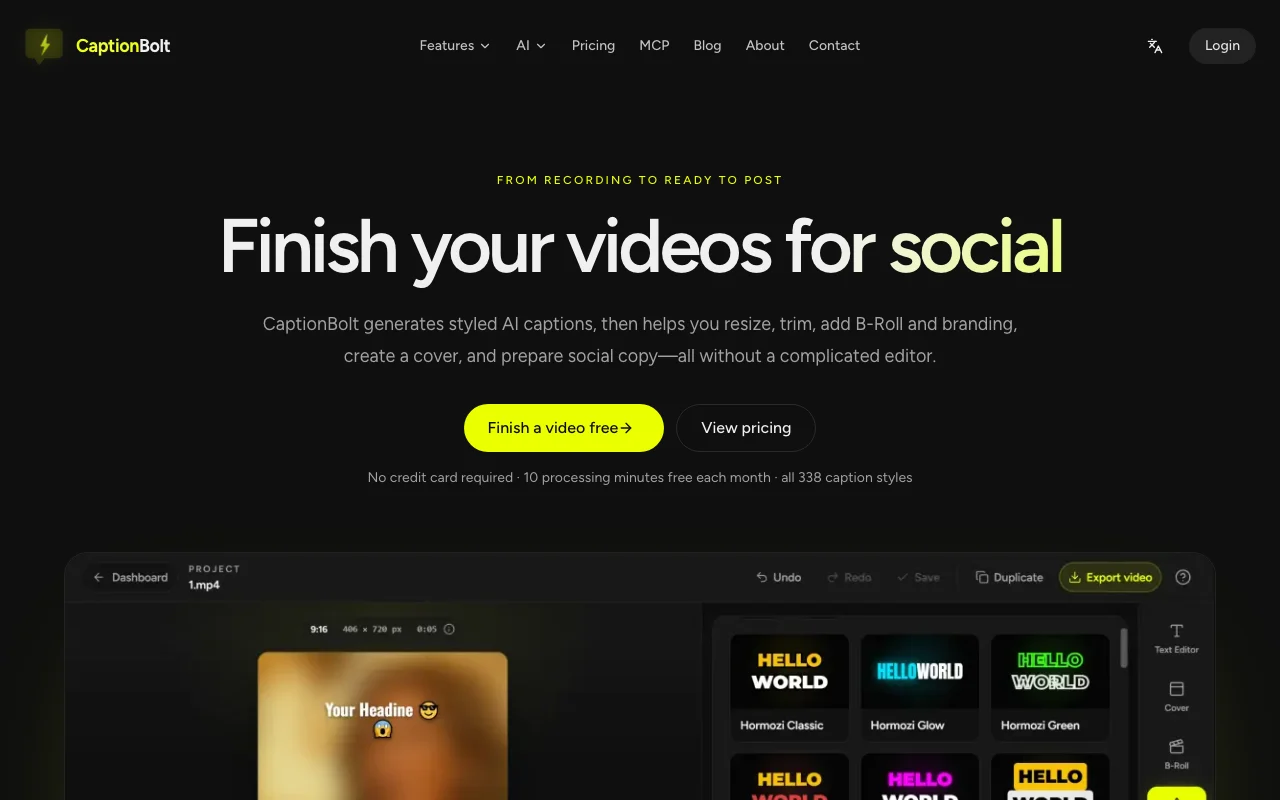
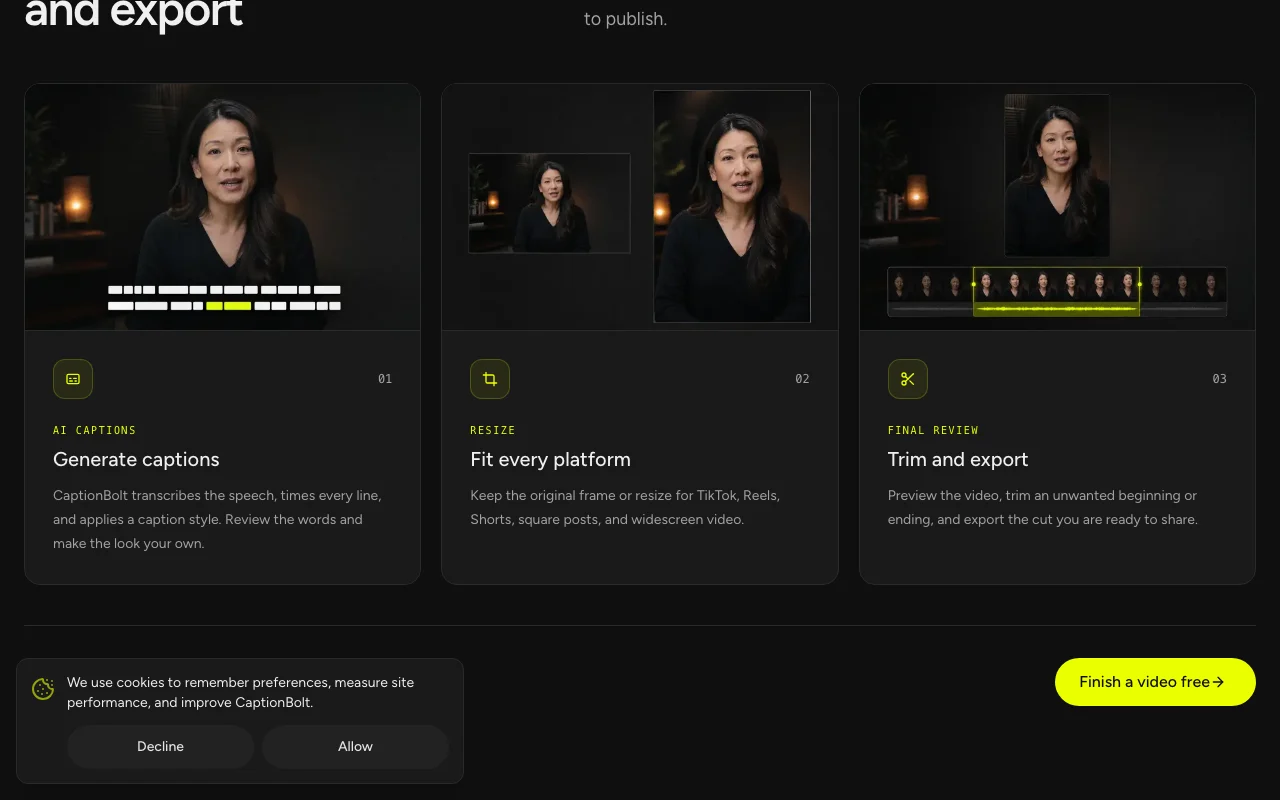
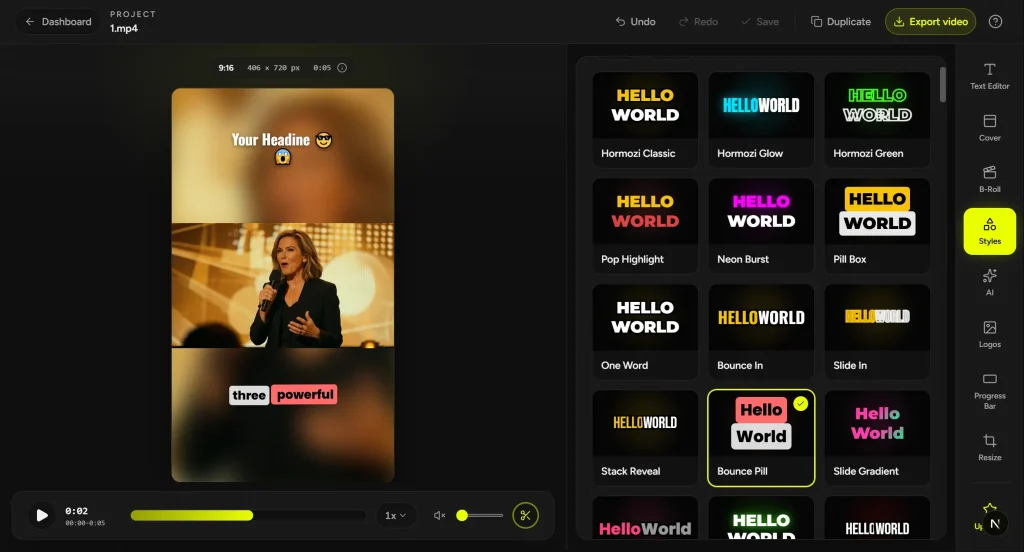
CaptionBolt transcribes speech, applies one of 338 caption styles, and lets users review the text, resize for TikTok, Reels, Shorts or square formats, trim and export. It also offers B-Roll suggestions, covers, logo/watermark placement and AI-drafted social posts, hashtags and headlines. Plans are based on monthly processing minutes.

CaptionBolt homepage — screenshot of the video AI tool, Oct 1, 2026
CaptionBolt's official site: how the product presents itself. captionbolt.com, captured Oct 1, 2026

What you provide and what you get back

How CaptionBolt works: what you provide, where it runs and what you get backYOU PROVIDEYour inputShort video file with speechOptional logo or watermarkOptional own B-Roll mediaVIDEOCaptionBoltWeb, APIfrom $6/mo (Starter)free tier availableaccount requiredchecked Oct 1, 2026YOU GET BACKThe resultCaptioned video up to 4K on paid…Subtitle filesAI-drafted social posts, hashtags…Cover imagesinput → CaptionBolt → output · from the vendor's own pages, no hands-on test unless stated
What you give CaptionBolt and what comes back, from its documentation

You provide

  • Short video file with speech
  • Optional logo or watermark
  • Optional own B-Roll media

You get back

  • Captioned video up to 4K on paid plans
  • Subtitle files
  • AI-drafted social posts, hashtags and headlines
  • Cover images

Where you can use it

Platforms
Web, API
Account
Required
Caption styles
338 in six families
Export
Up to 1080p free, up to 4K paid
Max video length
3, 5, 10 and 20 minutes by plan
Platform formats
TikTok, Reels, Shorts, square, widescreen
Usage unit
Processing minutes per month

Where CaptionBolt is most useful

Scenarios are worked out by our editors from the documentation; the actual result depends on your input and plan.

Captioning short-form videos

Who
Short-form creators on TikTok, Reels and Shorts
You provide
A talking video up to 3-20 minutes depending on plan
Expected result
A captioned video in one of 338 styles
Plan needed
Free to try, Starter for no watermark
Limitation
Free exports carry a CaptionBolt watermark source (opens in a new tab)

Resizing video for social platforms

Who
Social managers publishing on several platforms
You provide
A video in the original frame
Expected result
Versions resized for TikTok, Reels, Shorts, square and widescreen
Plan needed
Pro
Limitation
Monthly processing minutes cap volume source (opens in a new tab)

Adding B-Roll and covers

Who
Creators who want visuals over talking heads
You provide
A captioned video
Expected result
B-Roll suggestions, stock or own media plus a cover
Plan needed
Paid plans
Limitation
Output depends on suggestion quality, needs review source (opens in a new tab)

Key features and their practical limits

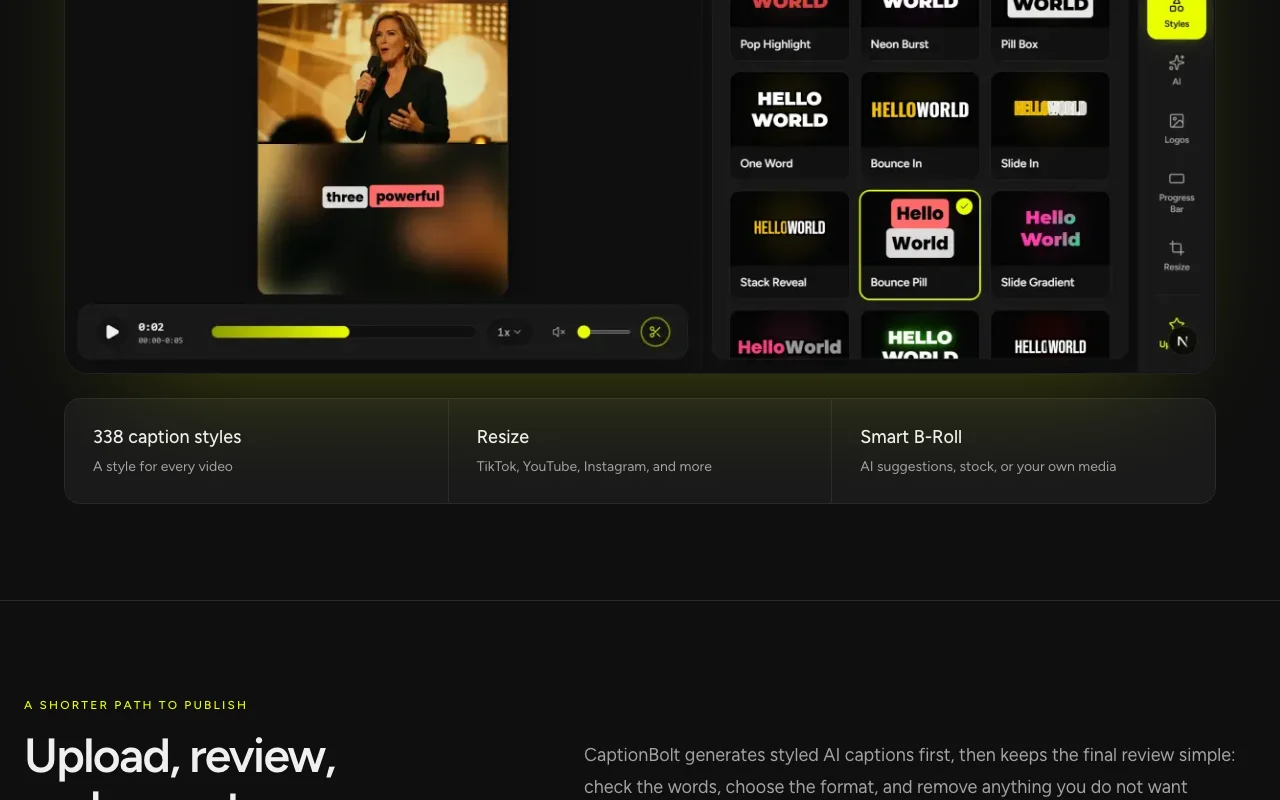
CaptionBolt homepage — screenshot of the video AI tool, Oct 1, 2026
Feature overview on the official site. captionbolt.com, captured Oct 1, 2026

338 caption styles

Offers 338 caption styles across six families with adjustable font, colour, motion and emphasis Lets you match captions to brand or niche

Access: All plansLimit: Styles are preset families source (opens in a new tab)

Animated captions

Animates captions with word-level emphasis Keeps viewers engaged on muted video

Access: IncludedLimit: Animation style limited to chosen preset source (opens in a new tab)

Resize and crop

Resizes and crops for TikTok, Reels, Shorts, square or widescreen Fits each platform without re-editing

Access: IncludedLimit: Original framing kept unless you resize source (opens in a new tab)

Smart B-Roll

Suggests Smart B-Roll from AI picks, stock or your media Adds visual variety to talking footage

Access: Included per siteLimit: Suggestions need manual review source (opens in a new tab)

CaptionBolt pros and cons

Reasons to choose CaptionBolt

Check before paying for CaptionBolt

How to use CaptionBolt for captioning a short social video

Set up CaptionBolt

  1. Open captionbolt.com and click Finish a video free
  2. Sign up for the free plan, no card needed
  3. Upload a video within 200 MB and 3 minutes

Example: captioning a short social video

  1. Let CaptionBolt transcribe and time the captions
  2. Pick a style such as Hormozi Classic from the Social hype family
  3. Choose Resize for TikTok, then trim the start and end
  4. Export the video and copy the drafted post and hashtags

Review and export the result

  1. Read the transcript for misheard words in the text editor
  2. Confirm the watermark is absent on a paid export
  3. Check the remaining processing minutes after the job

CaptionBolt integrations and API

CaptionBolt pricing page with plans and prices — screenshot of the video AI tool, Oct 1, 2026
Plan comparison on the official pricing page. captionbolt.com, captured Oct 1, 2026

Native integrations and export formats

Export: Video up to 4K, Subtitle files

API access and separate billing

CaptionBolt has no public API in its official documentation. REST API, webhooks and MCP server on Max.

Privacy, data use and commercial rights

Summarized from the vendor's current policies; this is not legal advice and a vendor's badge is not an independent audit.

How your inputs and outputs are handled

Privacy page not available.

Best CaptionBolt alternatives for different needs

"Better suited" is based on documented features and pricing, not on a head-to-head test.

Descript: better suited to

Runway: better suited to

Canva: better suited to

Alternatives
AlternativeWhen to choose itPricingLimitation
Descript——Compare
Runway——Compare
Canva——

Explore CaptionBolt further

Tools and guides near CaptionBolt

CaptionBolt user reviews

No user reviews yet.

Used CaptionBolt? Be the first to share your experience.

Write a review

Reviews are checked by a moderator before they appear. Your email is never published. Plain text only.

Your rating (required)

Show what you made or what went wrong. Images are published only if the review is approved; location data is removed.

    CaptionBolt FAQ

    Is CaptionBolt free?

    Yes, there is a free plan with 10 processing minutes a month, videos up to 3 minutes, 200 MB uploads and a watermark; no card needed. source (opens in a new tab)

    What do paid plans cost?

    Starter is $6/month ($72 billed annually), Pro $12/month ($144) and Max $25/month ($300). source (opens in a new tab)

    Which plan removes the watermark?

    Starter and higher export without watermark, up to 4K. source (opens in a new tab)

    Does it have an API?

    Yes, but only on Max, which adds REST API, webhooks and an MCP server. source (opens in a new tab)

    Is there a refund?

    Paid plans have a 30-day money-back guarantee. source (opens in a new tab)

    Sources and review methodology

    Official sources and verification dates

    Not verified: Privacy policy (not available); Docs (not available); Monthly-billed prices; Languages supported; Training use of uploads.

    How we documented and maintain this page

    Every fact about CaptionBolt above comes from the 2 official pages listed here, last compared on Oct 1, 2026; we have not run CaptionBolt ourselves, so it has no editorial score. How we check and re-check pages.

    Article updated Oct 10, 2026; prices checked Oct 1, 2026. Outbound links to vendors are plain links; we do not earn commissions. How we review · Report an error