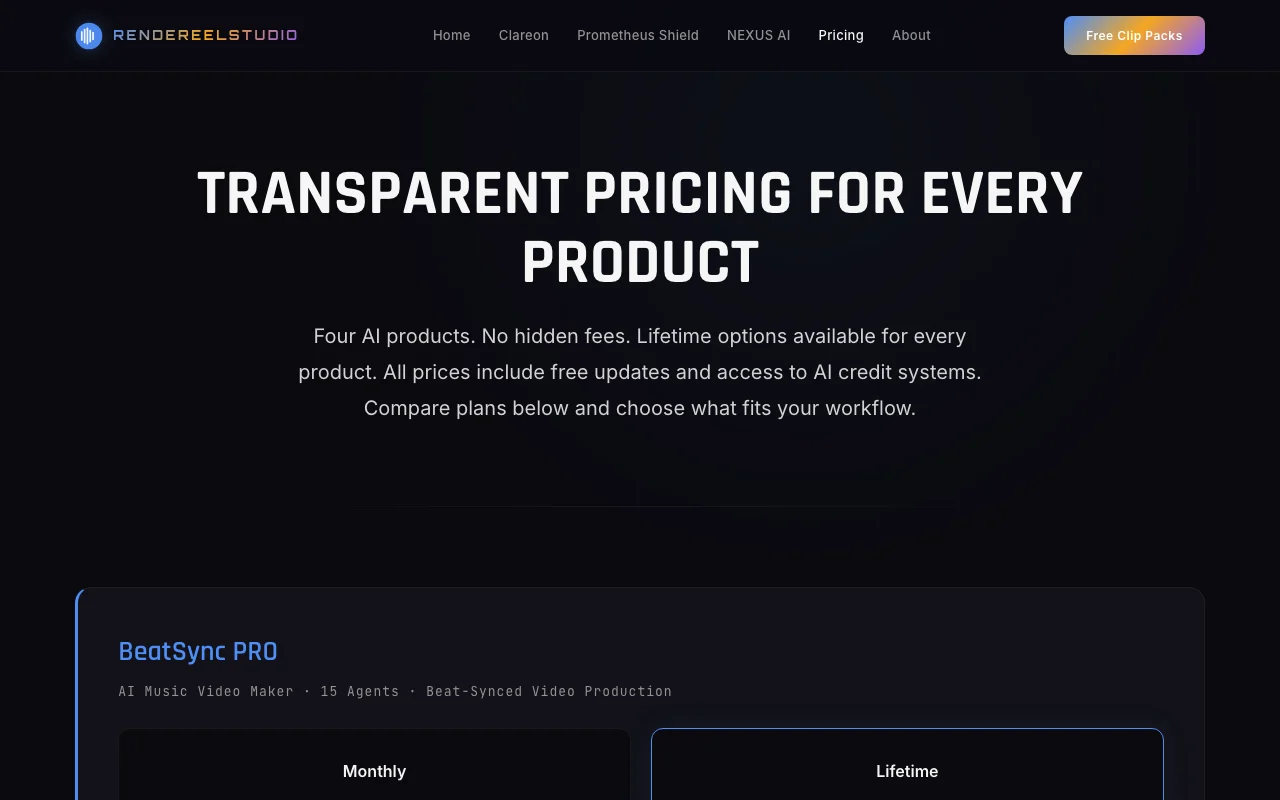
Monthly web
$60/mo source (opens in a new tab)
Month
For: Trying the tool short term
Limits
- Full access while subscribed
Includes
- Beat-synced video pipeline
- Free updates
1 more
- Cancel anytime

VideoDocumented overviewLast checked Oct 1, 2026
Windows desktop app that turns AI-generated clips into beat-synced music videos.

Our take: BeatSync PRO fits creators who already generate 5 to 15 second clips in Sora, Runway or Kling and want them cut to a track locally on a Windows NVIDIA PC, with a monthly or lifetime license.
Main limitation: Windows 10/11 only and an NVIDIA GPU (GTX 1060 6GB minimum) is needed; there is no free tier beyond free clip packs.
BeatSync PRO fits creators who already generate 5 to 15 second clips in Sora, Runway or Kling and want them cut to a track locally on a Windows NVIDIA PC, with a monthly or lifetime license. Based on the vendor's documentation, not on a hands-on test.
Also a good fit for
Or if
Prices checked Oct 1, 2026 on the official US pricing page. Official pricing ↗ Prices and limits change often.
Free clip packs only; no free plan.
None; monthly plan is suggested as the trial route.
$60/mo source (opens in a new tab)
Month
For: Trying the tool short term
Limits
Includes
$299 one-time source (opens in a new tab)
One-time
For: Long-term users
Limits
Includes
$49 source (opens in a new tab)
One-time
For: Topping up AI usage
Limits
Includes
$129 source (opens in a new tab)
One-time
For: Regular AI usage
Limits
Includes
$399 source (opens in a new tab)
One-time
For: Heavy AI usage
Limits
Includes
Credit packs: 5,000 for $49, 15,000 for $129, 50,000 for $399.
Not stated.
BeatSync PRO is a Windows desktop application that takes short AI-generated video clips and a music track and renders a beat-synced music video using GPU effects. The site describes a multi-agent production pipeline with beat detection, clip analysis and shader effects. It is sold by RendereelStudio as monthly or lifetime licenses.
You provide
You get back
Scenarios are worked out by our editors from the documentation; the actual result depends on your input and plan.
Analyses the audio to find beats (site says +/-5ms) Cuts align with the rhythm
Analyses each clip to understand its content Orders and trims clips sensibly
Runs a staged pipeline of AI agents covering direction, editing and post-production Automates creative decisions
Applies GPU shader effects through GLSL/ModernGL Adds visual style without a separate editor
Export: Rendered video file
BeatSync PRO has no public API in its official documentation. No API mentioned
Summarized from the vendor's current policies; this is not legal advice and a vendor's badge is not an independent audit.
Local features run on your machine; cloud-assisted AI features use credits and server processing.
Not stated.
Not stated.
Not stated.
Licenses are tied to a machine ID.
"Better suited" is based on documented features and pricing, not on a head-to-head test.
No user reviews yet.
Used BeatSync PRO? Be the first to share your experience.
Windows 10/11 and an NVIDIA GPU with at least a GTX 1060 6GB, per the site. source (opens in a new tab)
14 days for subscriptions and 7 days for lifetime licenses, if no more than 50% of included credits are used. source (opens in a new tab)
No; the pricing FAQ says credits never expire, and they are product-specific. source (opens in a new tab)
Yes, by deactivating on the old machine; up to 3 transfers per year. source (opens in a new tab)
After a one-time online activation, local features can run offline; cloud AI features need a connection. source (opens in a new tab)
Not verified: Output resolution and formats; Privacy policy; Real agent count (15 vs 27); US availability.
Every fact about BeatSync PRO above comes from the 2 official pages listed here, last compared on Oct 1, 2026; we have not run BeatSync PRO ourselves, so it has no editorial score. How we check and re-check pages.
Article updated Oct 10, 2026; prices checked Oct 1, 2026. Outbound links to vendors are plain links; we do not earn commissions. How we review · Report an error
compare>