VideoDocumented overviewLast checked Sep 29, 2026

BlitzReels: Pricing, Features & Best Use Cases

Turns long videos into captioned, reframed short clips for TikTok, Reels and Shorts.

Who BlitzReels fits

BlitzReels fits podcasters and agencies who want long videos clipped, captioned and reframed into branded shorts, with an API and CLI for automation. Based on the vendor's documentation, not on a hands-on test.

Best for: Podcasters

Also a good fit for

  • Short-form creators
  • Agencies

Consider another tool if 7-day trial requires a card

Or if

  • Starter limited to 30 exports and 15 AI credits per month
  • Mobile app, scheduling and carousels listed as coming soon

BlitzReels pricing and usage limits

Prices checked Sep 29, 2026 on the official US pricing page. Official pricing ↗ Prices and limits change often.

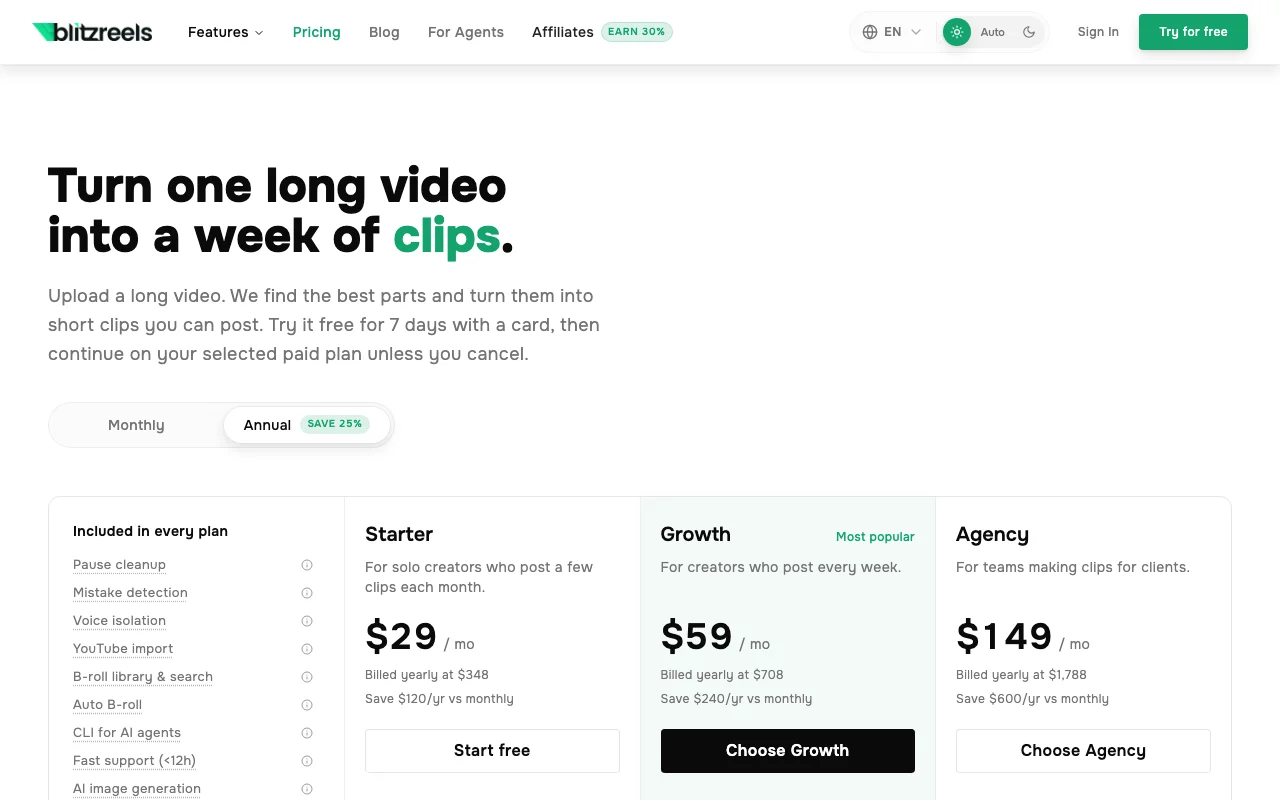
BlitzReels pricing page with plans and prices — screenshot of the video AI tool, Oct 1, 2026
The official BlitzReels pricing page as we saw it. blitzreels.com, captured Oct 1, 2026

Free access and trial conditions

No free plan; 7-day free trial with a card.

7 days, card required, cancel anytime.

Paid plans: what changes as you upgrade

Starter Web

$29/mo source (opens in a new tab)

Month, annual commitment

$29/mo shown on yearly billing; saves $120/yr vs monthly

For: Solo creators

Limits

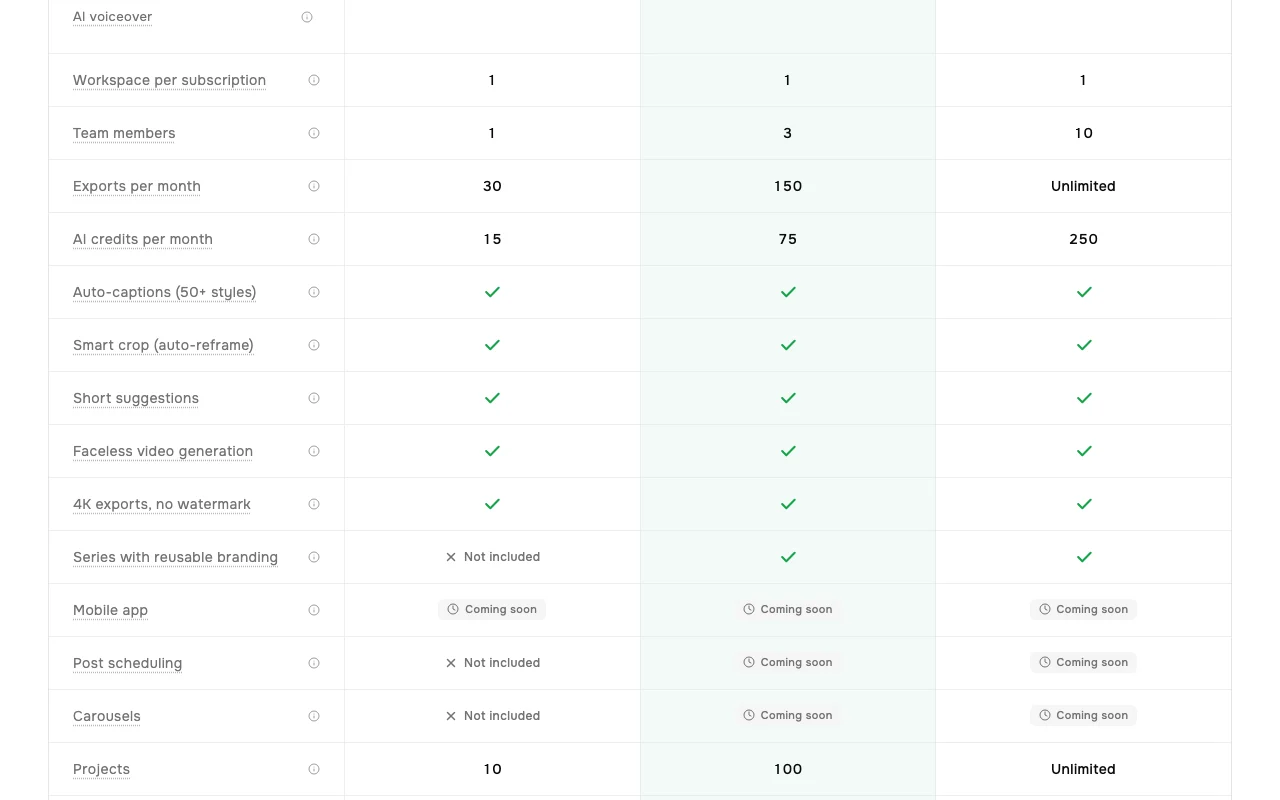
  • 1 team member
  • 30 exports and 15 AI credits per month
1 more
  • 10 projects, 25 GB storage

Includes

  • Auto-captions (50+ styles)
  • Smart crop
1 more
  • 4K exports, no watermark

API included

Growth Web

$59/mo source (opens in a new tab)

Month, annual commitment

Saves $240/yr vs monthly

For: Weekly creators

Limits

  • 3 team members
  • 150 exports and 75 AI credits per month
1 more
  • 100 projects, 500 GB storage

Includes

  • Series with reusable branding
  • API 120 req/min
1 more
  • All Starter features

API included

Agency Web

$149/mo source (opens in a new tab)

Month, annual commitment

Saves $600/yr vs monthly

For: Teams making client clips

Limits

  • 10 team members
  • Unlimited exports, 250 AI credits per month
1 more
  • Unlimited projects, 2 TB storage

Includes

  • Series with reusable branding
  • API 240 req/min, 40,000/day
1 more
  • All Growth features

API included

Usage caps, credits and extra costs

Credit packs add credits without raising other limits.

Not stated.

What is BlitzReels, and how does it work?

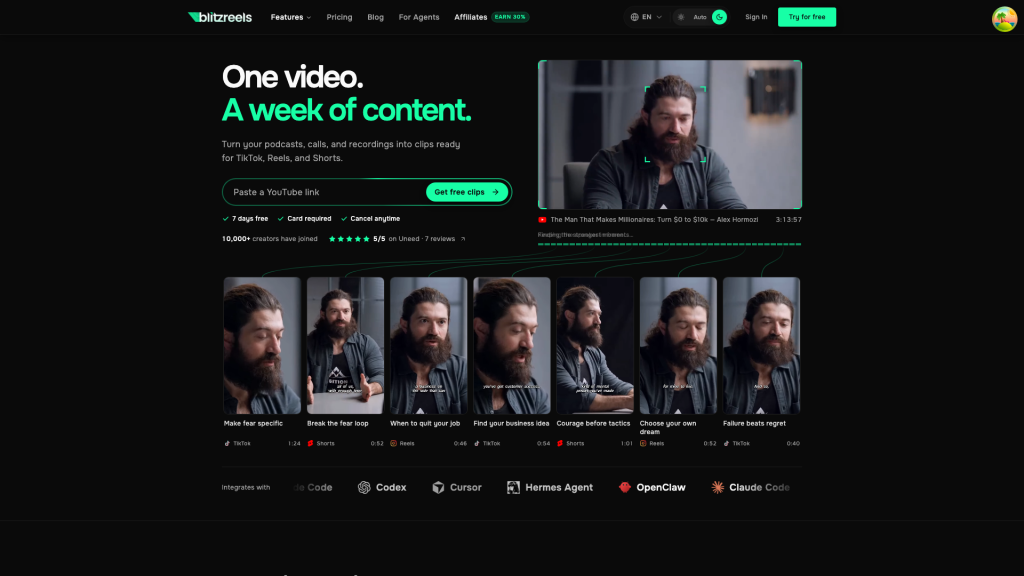
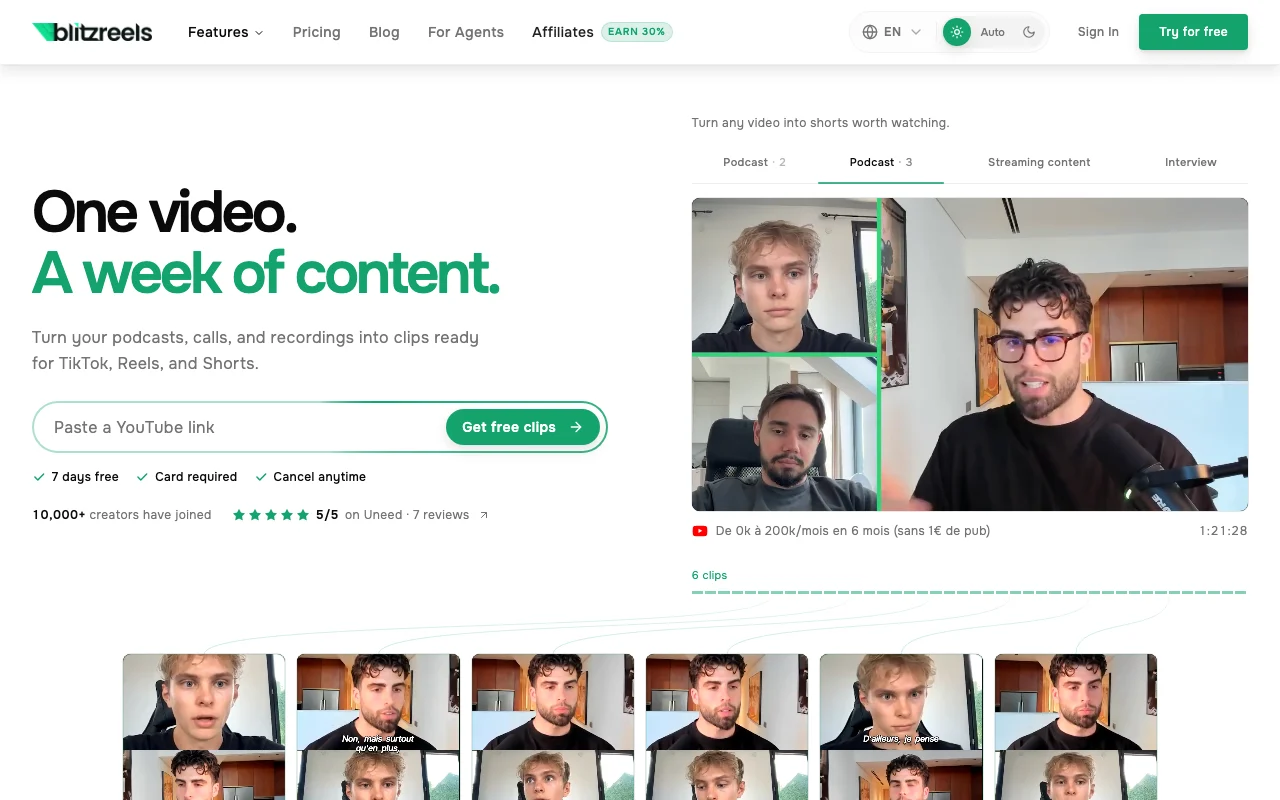
BlitzReels takes a long recording from a link or upload and finds strong moments, then produces reframed, captioned short clips. It also lists faceless video generation, AI voiceover, B-roll and a CLI for AI agents. Plans are subscription based with export and AI credit allowances, API limits, and team seats.

BlitzReels homepage — screenshot of the video AI tool, Oct 1, 2026
BlitzReels's official site: how the product presents itself. blitzreels.com, captured Oct 1, 2026

What you provide and what you get back

How BlitzReels works: what you provide, where it runs and what you get backYOU PROVIDEYour inputLong videos, podcasts and callsYouTube linksBrand assets for SeriesVIDEOBlitzReelsWeb, APIfrom $29/mo (Starter)no free tieraccount requiredchecked Sep 29, 2026YOU GET BACKThe resultCaptioned vertical clips4K exports without watermarkFaceless videos with AI voiceoverinput → BlitzReels → output · from the vendor's own pages, no hands-on test unless stated
What you give BlitzReels and what comes back, from its documentation

You provide

  • Long videos, podcasts and calls
  • YouTube links
  • Brand assets for Series

You get back

  • Captioned vertical clips
  • 4K exports without watermark
  • Faceless videos with AI voiceover

Where you can use it

Platforms
Web, API
Account
Required
Resolution
4K, no watermark
Captions
50+ styles
Storage
25 GB / 500 GB / 2 TB
API
45 / 120 / 240 requests per minute

Best use cases for BlitzReels

Scenarios are worked out by our editors from the documentation; the actual result depends on your input and plan.

Clipping podcasts and interviews

Who
Podcasters and creators
You provide
A long recording or YouTube link
Expected result
Short captioned clips with suggested highlights
Plan needed
Starter or above
Limitation
Starter allows 30 exports per month source (opens in a new tab)

Repurposing webinars

Who
Marketers
You provide
Webinar recording
Expected result
Reframed vertical clips for TikTok, Reels and Shorts
Plan needed
Growth
Limitation
Exports consume AI credits source (opens in a new tab)

Faceless short-form videos

Who
Creators who do not film
You provide
A script or idea
Expected result
Video with B-roll and AI voiceover
Plan needed
Any paid plan
Limitation
Needs AI credits source (opens in a new tab)

Running clip production for clients

Who
Agencies
You provide
Client videos and brand kits
Expected result
Branded clips via reusable Series
Plan needed
Agency
Limitation
Series not on Starter source (opens in a new tab)

BlitzReels features and their limits

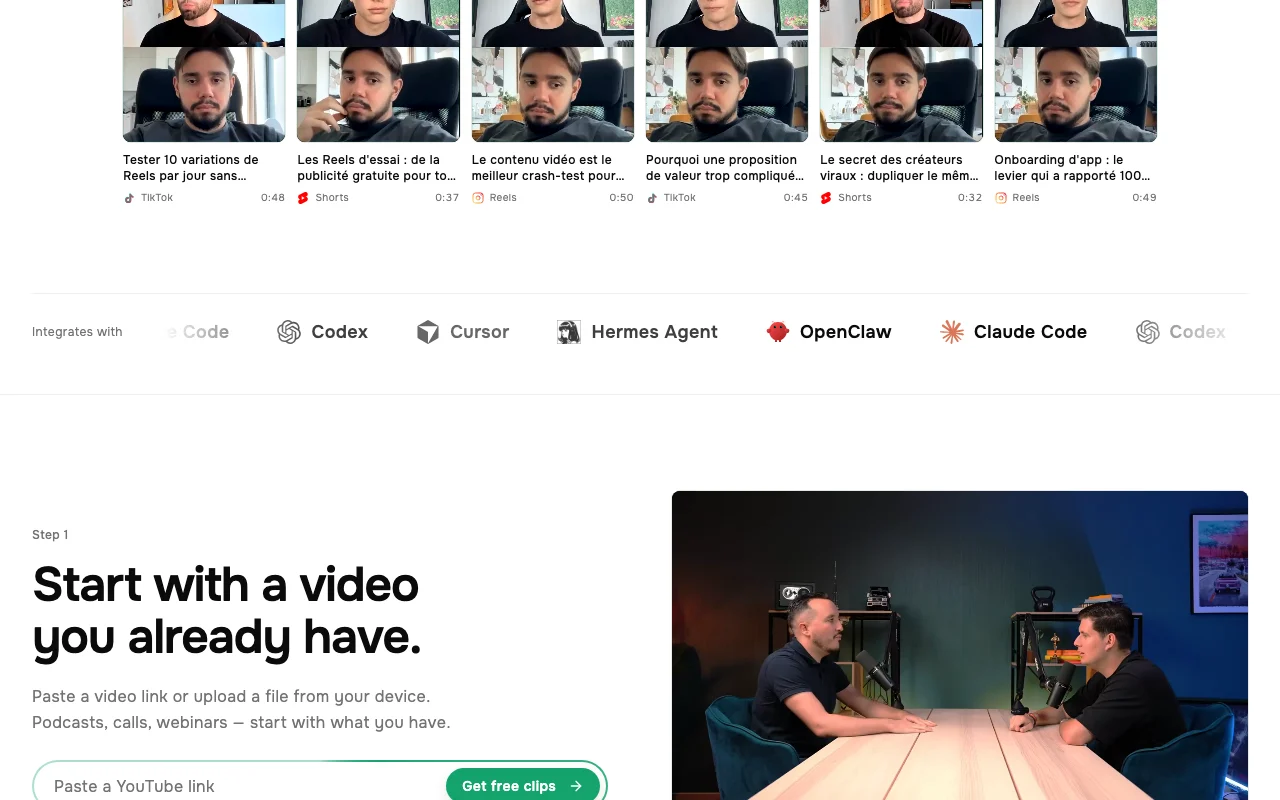
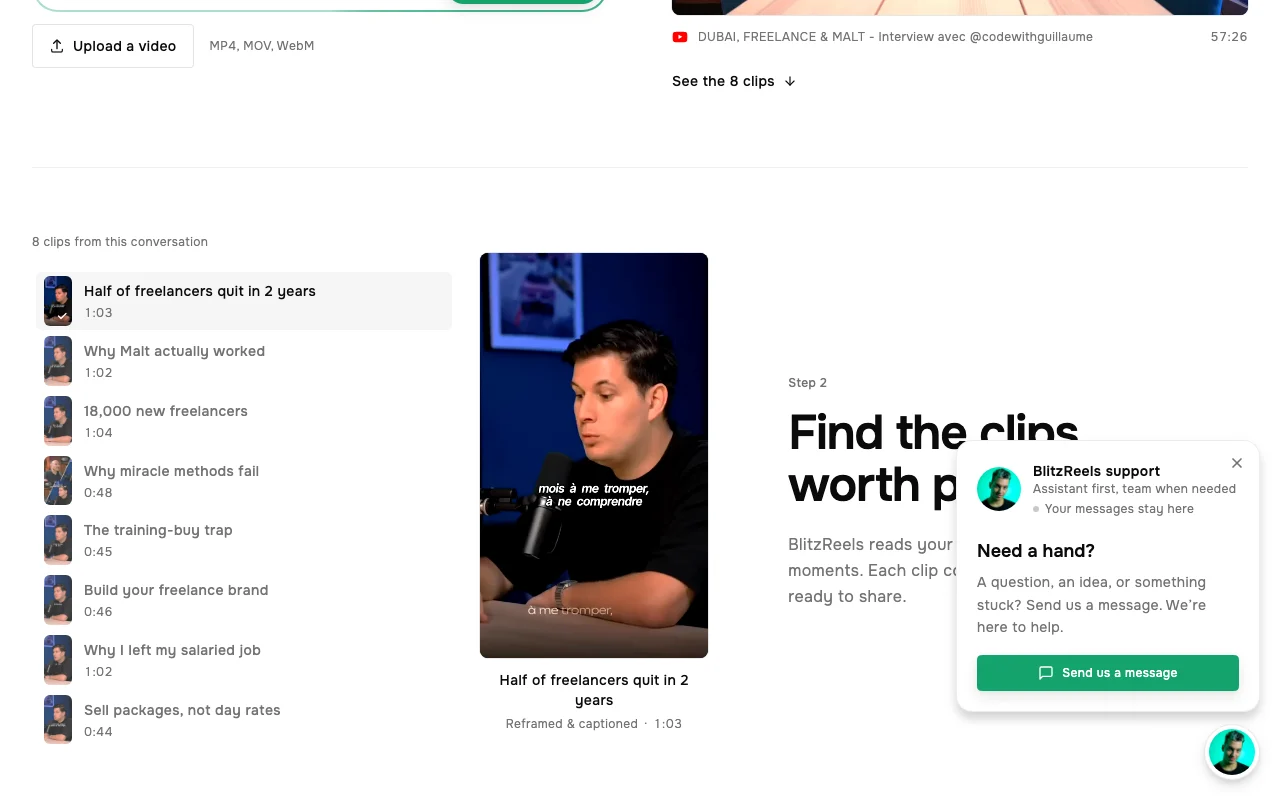
BlitzReels homepage — screenshot of the video AI tool, Oct 1, 2026
Feature overview on the official site. blitzreels.com, captured Oct 1, 2026

AI clipping

Finds the strongest moments in a long video and cuts them into clips. Saves manual scrubbing.

Access: All plansLimit: Uses AI credits source (opens in a new tab)

Auto-captions (50+ styles)

Transcribes speech and burns in captions in over 50 styles. Makes silent-autoplay clips readable.

Access: All plansLimit: Quality depends on audio source (opens in a new tab)

Smart crop reframing

Reframes horizontal footage to vertical, following the speaker. Fits TikTok and Reels.

Access: All plansLimit: Complex scenes may need manual adjustment source (opens in a new tab)

Auto B-roll

Inserts matching B-roll from a searchable library. Adds visual variety.

Access: All plansLimit: Library content only source (opens in a new tab)

Series with reusable branding

Saves branding for repeated shows. Keeps clips consistent.

Access: Growth and AgencyLimit: Not on Starter source (opens in a new tab)

BlitzReels: strengths and limits

Reasons to choose BlitzReels

Check before paying for BlitzReels

How to use BlitzReels for turning a long video into short clips

Set up BlitzReels

  1. Start the 7-day trial at blitzreels.com
  2. Pick Starter, Growth or Agency
  3. Create a project and import a file or YouTube link

Example: turning a long video into short clips

  1. Let the AI suggest short clips
  2. Choose a caption style from the 50+ options
  3. Apply smart crop for vertical output
  4. Export in 4K

Review and export the result

  1. Preview captions for transcription errors
  2. Check remaining AI credits and export count

BlitzReels integrations and API

BlitzReels pricing page with plans and prices — screenshot of the video AI tool, Oct 1, 2026
Plan comparison on the official pricing page. blitzreels.com, captured Oct 1, 2026

Native integrations and export formats

Export: MP4 clips (4K)

API access and separate billing

BlitzReels has no public API in its official documentation. REST API, SDKs, webhooks and CLI; limits per key by plan. API documentation ↗

Privacy, data use and commercial rights

Summarized from the vendor's current policies; this is not legal advice and a vendor's badge is not an independent audit.

How your inputs and outputs are handled

Uploaded videos and transcripts are processed to produce clips.

Not stated in the excerpt reviewed.

Not stated in the excerpt reviewed.

Commercial use and plan restrictions

Not stated.

Plan-based storage limits (25 GB to 2 TB).

Controls for business users

  • Team roles by plan

Policies: blitzreels.com/privacy

Best BlitzReels alternatives for different needs

"Better suited" is based on documented features and pricing, not on a head-to-head test.

Runway: better suited to

Descript: better suited to

Canva: better suited to

Alternatives
AlternativeWhen to choose itPricingLimitation
Runway——Compare
Descript——Compare
Canva——

Explore BlitzReels further

If you are looking at BlitzReels

BlitzReels user reviews

No user reviews yet.

Used BlitzReels? Be the first to share your experience.

Write a review

Reviews are checked by a moderator before they appear. Your email is never published. Plain text only.

Your rating (required)

Show what you made or what went wrong. Images are published only if the review is approved; location data is removed.

    BlitzReels FAQ

    Is there a free plan?

    No free plan; there is a 7-day trial that needs a card, then billing continues on the chosen plan unless you cancel. source (opens in a new tab)

    What is the difference between exports and AI credits?

    Exports are the monthly count of rendered clips; all exports also use AI credits, and Agency has no export count limit. source (opens in a new tab)

    Is post scheduling available?

    Not yet; scheduling, mobile app and carousels are listed as coming soon. source (opens in a new tab)

    What are the API limits?

    Starter allows 45 requests per minute and 1,500 per day; Growth 120 and 10,000; Agency 240 and 40,000. source (opens in a new tab)

    Can one subscription cover several workspaces?

    Each subscription covers one workspace; other workspaces normally need a separate subscription. source (opens in a new tab)

    Sources and review methodology

    Official sources and verification dates

    Not verified: Monthly (non-annual) prices; Training use of uploads; Retention period.

    How we documented and maintain this page

    Every fact about BlitzReels above comes from the 2 official pages listed here, last compared on Sep 29, 2026; we have not run BlitzReels ourselves, so it has no editorial score. How we check and re-check pages.

    Article updated Oct 10, 2026; prices checked Sep 29, 2026. Outbound links to vendors are plain links; we do not earn commissions. How we review · Report an error