VideoDocumented overviewLast checked Sep 29, 2026

Timbre: Pricing, Features & Best Use Cases

AI video and podcast editor that turns uploads into short clips, captions, B-roll, cleaned audio and social copy.
Who should use Timbre

Timbre suits solo creators and agencies that want long video and podcast recordings cut into shorts, captions and B-roll for $20 per month, with unused credits rolling over. Based on the vendor's documentation, not on a hands-on test.

Best for: Podcasters

Also a good fit for

  • Social media marketers
  • Video editors repurposing footage

Consider another tool if no free plan or trial

Or if

  • Features stop working when credits run out
  • Pro plan limited to 200 credits per month

Timbre pricing and usage limits

Prices checked Sep 29, 2026 on the official US pricing page. Official pricing ↗ Prices and limits change often.

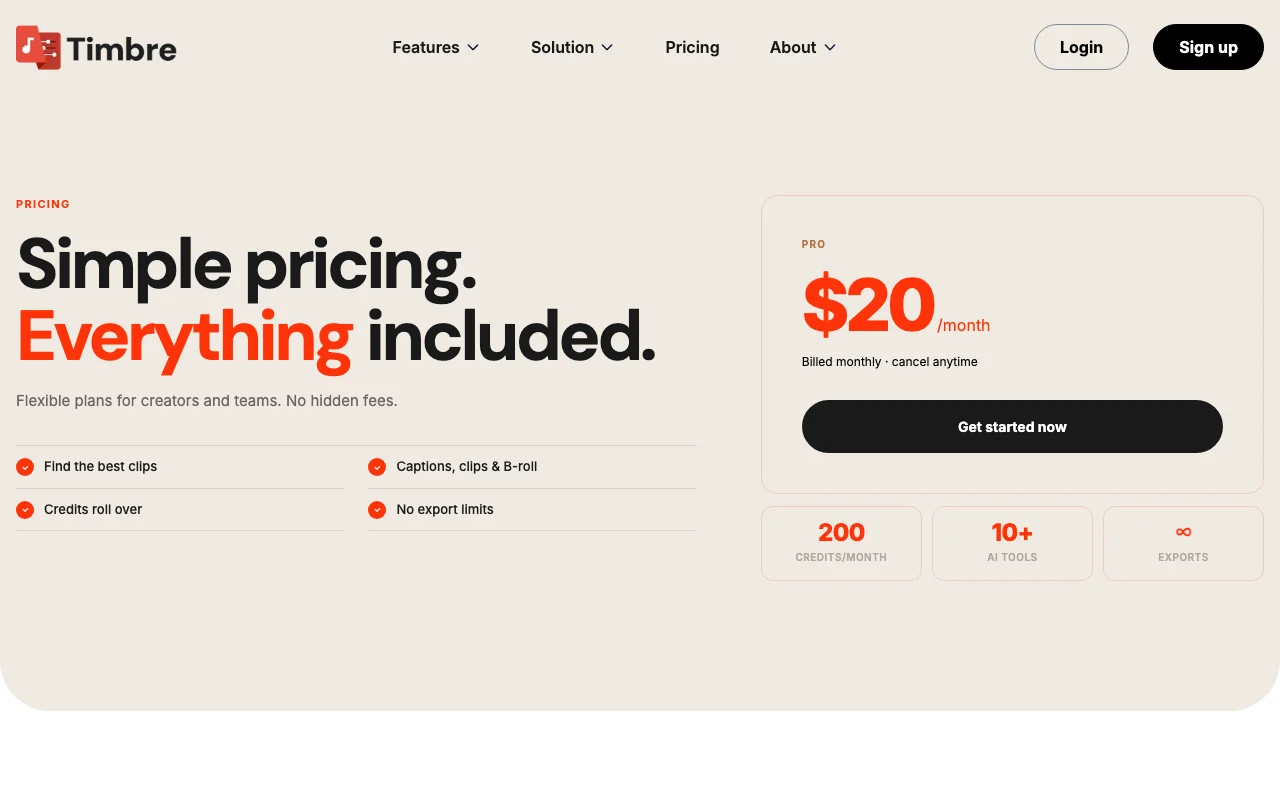
Timbre pricing page with plans and prices — screenshot of the video AI tool, Oct 1, 2026
The official Timbre pricing page as we saw it. timbrehq.com, captured Oct 1, 2026

Free access and trial conditions

No free plan.

No free trial.

Paid plans: what changes as you upgrade

Pro web

$20/mo source (opens in a new tab)

Month

For: Individual creators

Limits

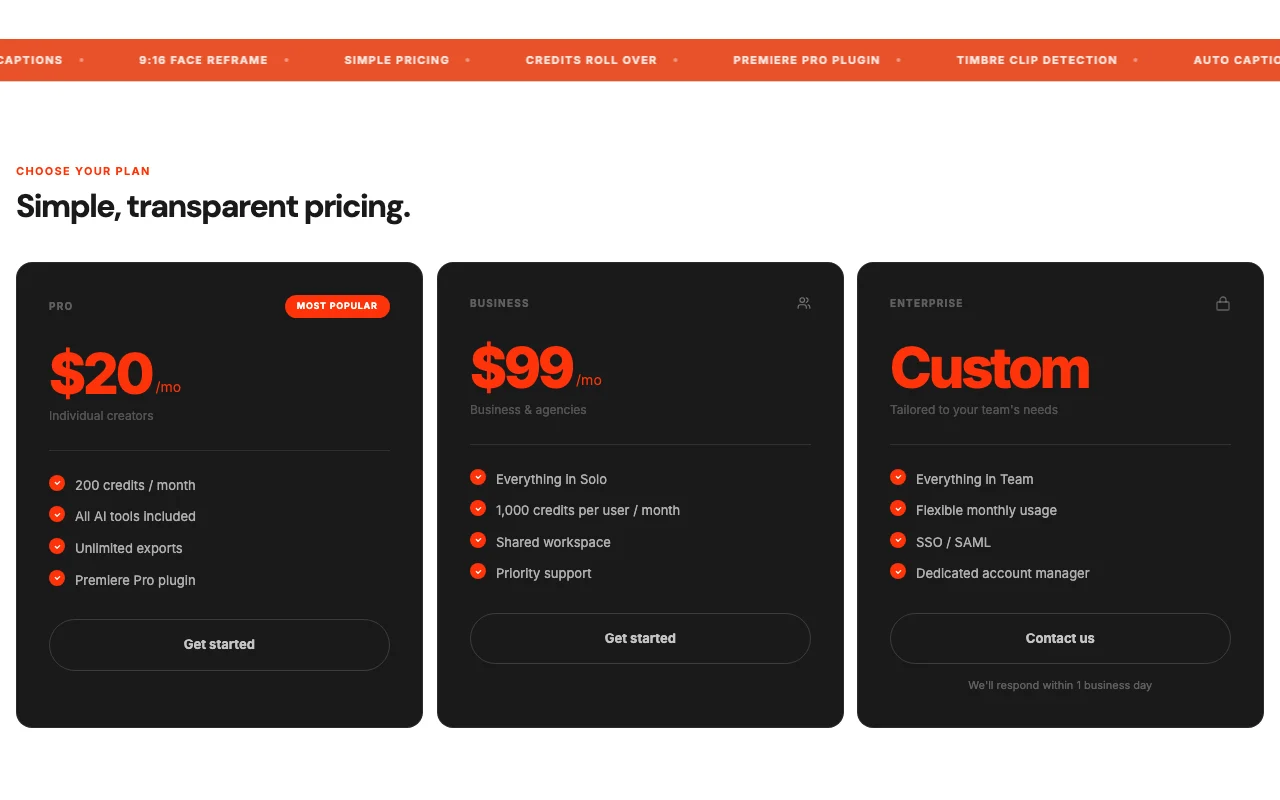
  • 200 credits per month
  • 1 seat

Includes

  • 10+ AI tools
  • Unlimited exports
2 more
  • Premiere Pro plugin
  • Credits roll over

Business web

$99/mo source (opens in a new tab)

Month

For: Businesses and agencies

Limits

  • 1,000 credits per user per month
  • Up to 5 seats

Includes

  • Shared workspace
  • Priority support
1 more
  • Everything in Pro

Enterprise web

Custom pricing source (opens in a new tab)

Custom

For: Large teams

Limits

  • Flexible monthly usage
  • Up to 20 seats

Includes

  • SSO/SAML and audit logs
  • Dedicated account manager
1 more
  • Custom branding and onboarding

Usage caps, credits and extra costs

Credits can be topped up instantly; price not stated.

Not stated.

What is Timbre, and how does it work?

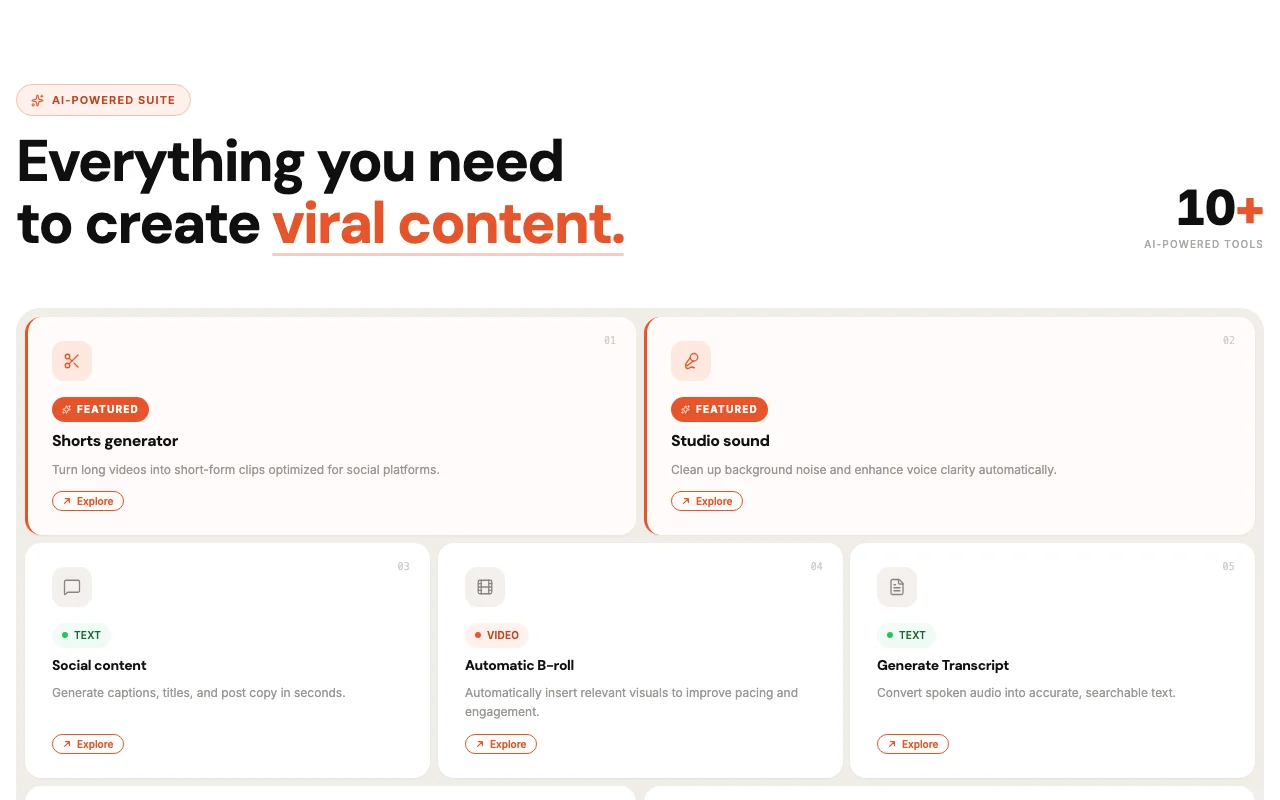
Timbre is an AI media editor with 10+ tools, including a shorts generator, podcast clips, automatic B-roll, studio sound, transcripts, video translation, eye contact correction, chapter markers and multi-cam. It runs as a web app, iOS and Android apps, and a Premiere Pro plugin. Plans are credit-based; the FAQ states there is no free plan or trial.

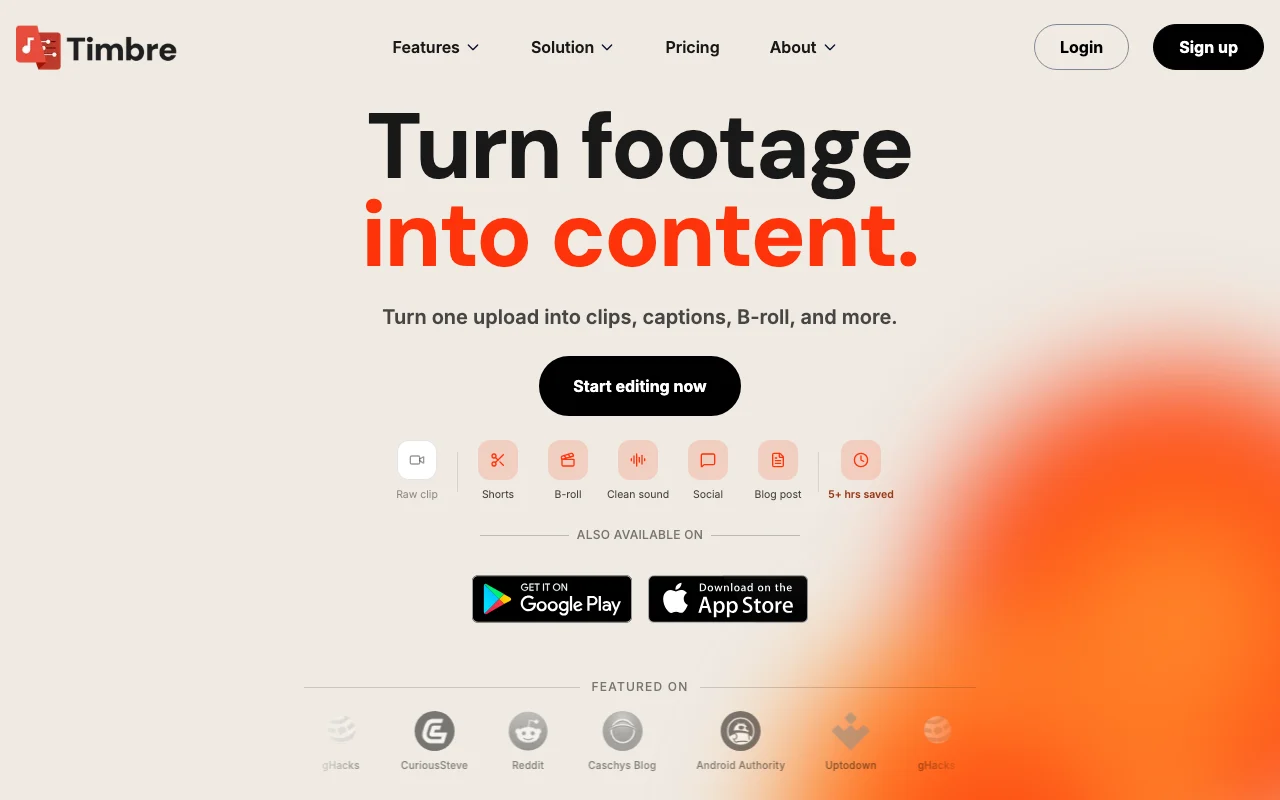
Timbre homepage — screenshot of the video AI tool, Oct 1, 2026
Timbre's official site: how the product presents itself. timbrehq.com, captured Oct 1, 2026

What you provide and what you get back

How Timbre works: what you provide, where it runs and what you get backYOU PROVIDEYour inputLong videos and podcast recordingsRaw audioCaptions language choicesVIDEOTimbreWeb, Mobilefrom $20/mo (Pro)no free tieraccount requiredchecked Sep 29, 2026YOU GET BACKThe resultShort vertical clips with captionsAutomatic B-roll and cleaned audioTranscripts, titles and social co…input → Timbre → output · from the vendor's own pages, no hands-on test unless stated
What you give Timbre and what comes back, from its documentation

You provide

  • Long videos and podcast recordings
  • Raw audio
  • Captions language choices

You get back

  • Short vertical clips with captions
  • Automatic B-roll and cleaned audio
  • Transcripts, titles and social copy

Where you can use it

Platforms
Web, Mobile
Account
Required
Platforms
Web, mobile, Premiere Pro plugin
Credits
200 / 1,000 per user
Seats
1 / 5 / 20
Tools
10+ AI tools
Format
9:16 vertical reframe

Best use cases for Timbre

Scenarios are worked out by our editors from the documentation; the actual result depends on your input and plan.

Turning long videos into shorts

Who
YouTubers and course creators
You provide
A 60-minute video
Expected result
Several 9:16 shorts with captions
Plan needed
Pro
Limitation
Uses credits per tool source (opens in a new tab)

Podcast clip creation

Who
Podcasters
You provide
An interview recording
Expected result
Podcast clips plus social copy
Plan needed
Pro
Limitation
Credits stop at zero source (opens in a new tab)

Cleaning up audio

Who
Editors using Premiere Pro
You provide
A rough cut
Expected result
AI tools run through the Premiere plugin
Plan needed
Pro
Limitation
Plugin requires Premiere Pro source (opens in a new tab)

Timbre features and their limits

Timbre homepage — screenshot of the video AI tool, Oct 1, 2026
Feature overview on the official site. timbrehq.com, captured Oct 1, 2026

Shorts generator

Detects the best moments and exports short clips Saves hours of scrubbing

Access: Pro and aboveLimit: Uses credits per run source (opens in a new tab)

Automatic B-roll

Inserts relevant B-roll automatically Improves pacing without footage hunting

Access: Pro and aboveLimit: Visual match quality varies source (opens in a new tab)

Studio sound

Cleans background noise and boosts voice clarity Fixes weak recordings

Access: Pro and aboveLimit: Cannot restore badly clipped audio source (opens in a new tab)

Video translation

Translates video into other languages Reaches wider audiences

Access: Pro and aboveLimit: Language list not shown source (opens in a new tab)

Pros, cons and deal-breakers

Where Timbre is strong

Limitations to check before paying

How to use Timbre for turning a long video into short clips

Set up Timbre

  1. Choose Pro on the pricing page and check out
  2. Sign in on the web app or install the mobile app
  3. Upload your long video or podcast file

Example: turning a long video into short clips

  1. Run the shorts generator on the upload
  2. Review the suggested clips
  3. Apply auto captions and 9:16 face reframe
  4. Export the clips without watermark

Review and export the result

  1. Check each caption against the audio
  2. Confirm credits used versus the 200 per month

Timbre integrations and API

Timbre pricing page with plans and prices — screenshot of the video AI tool, Oct 1, 2026
Plan comparison on the official pricing page. timbrehq.com, captured Oct 1, 2026

Native integrations and export formats

Export: MP4

API access and separate billing

Timbre has no public API in its official documentation. No API stated.

Privacy, data use and commercial rights

Summarized from the vendor's current policies; this is not legal advice and a vendor's badge is not an independent audit.

How your inputs and outputs are handled

Uploaded video and audio are processed by AI tools.

Commercial use and plan restrictions

SSO and audit logs on Enterprise

Controls for business users

  • Payment details encrypted

Other tools to consider instead of Timbre

"Better suited" is based on documented features and pricing, not on a head-to-head test.

Descript: better suited to

Runway: better suited to

Synthesia: better suited to

Alternatives
AlternativeWhen to choose itPricingLimitation
Descript——Compare
Runway——Compare
Synthesia——Compare

Explore Timbre further

If you are looking at Timbre

Timbre user reviews

No user reviews yet.

Used Timbre? Be the first to share your experience.

Write a review

Reviews are checked by a moderator before they appear. Your email is never published. Plain text only.

Your rating (required)

Show what you made or what went wrong. Images are published only if the review is approved; location data is removed.

    Timbre FAQ

    How much does Timbre cost?

    Pro is $20 per month for 200 credits, Business $99 per month with 1,000 credits per user, and Enterprise is custom. source (opens in a new tab)

    Is there a free trial?

    No, the FAQ says there is currently no free trial. source (opens in a new tab)

    Do unused credits roll over?

    Yes, unused credits roll over to the next month. source (opens in a new tab)

    What happens when credits run out?

    You cannot use features until credits are added; top-ups are available instantly. source (opens in a new tab)

    Are exports limited or watermarked?

    Exports are unlimited and have no watermark. source (opens in a new tab)

    Sources and review methodology

    Official sources and verification dates

    Not verified: credit cost per tool; top-up price; privacy and docs pages; supported languages.

    How we documented and maintain this page

    Every fact about Timbre above comes from the 3 official pages listed here, last compared on Sep 29, 2026; we have not run Timbre ourselves, so it has no editorial score. How we check and re-check pages.

    Article updated Oct 10, 2026; prices checked Sep 29, 2026. Outbound links to vendors are plain links; we do not earn commissions. How we review · Report an error