VideoDocumented overviewLast checked Oct 2, 2026

Tutorial AI: Pricing, Features & Best Use Cases

Turns screen recordings into narrated video tutorials and help articles with AI voices.
Is Tutorial AI right for you?

Tutorial AI suits support, enablement and L&D teams that turn screen recordings into narrated video tutorials and written docs, and it can be tried through a free trial whose exports are watermarked. Based on the vendor's documentation, not on a hands-on test.

Best for: Support and enablement teams

Also a good fit for

  • L&D teams
  • Product marketers

Consider another tool if free trial exports carry a watermark

Or if

  • Video export hours capped per year
  • Solo and Growth priced per seat

Tutorial AI pricing and usage limits

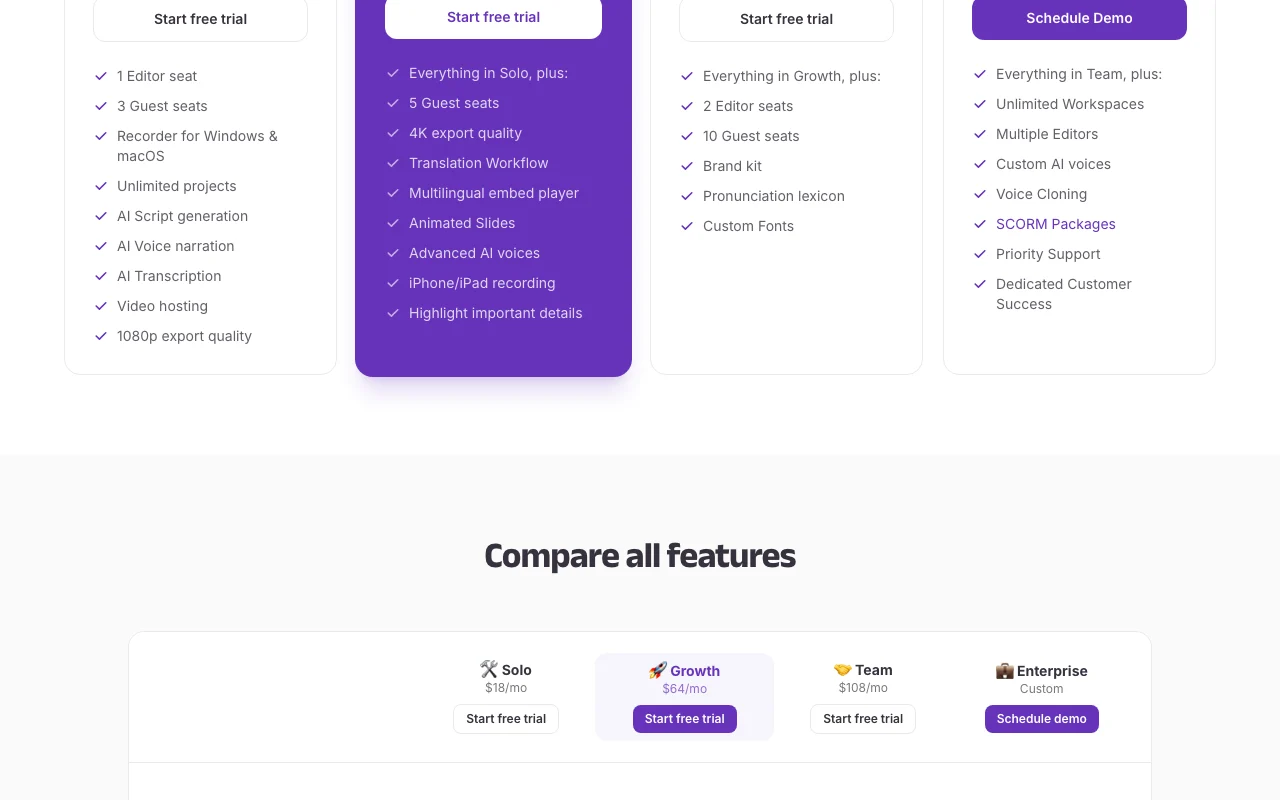
Prices checked Oct 2, 2026 on the official US pricing page. Official pricing ↗ Prices and limits change often.

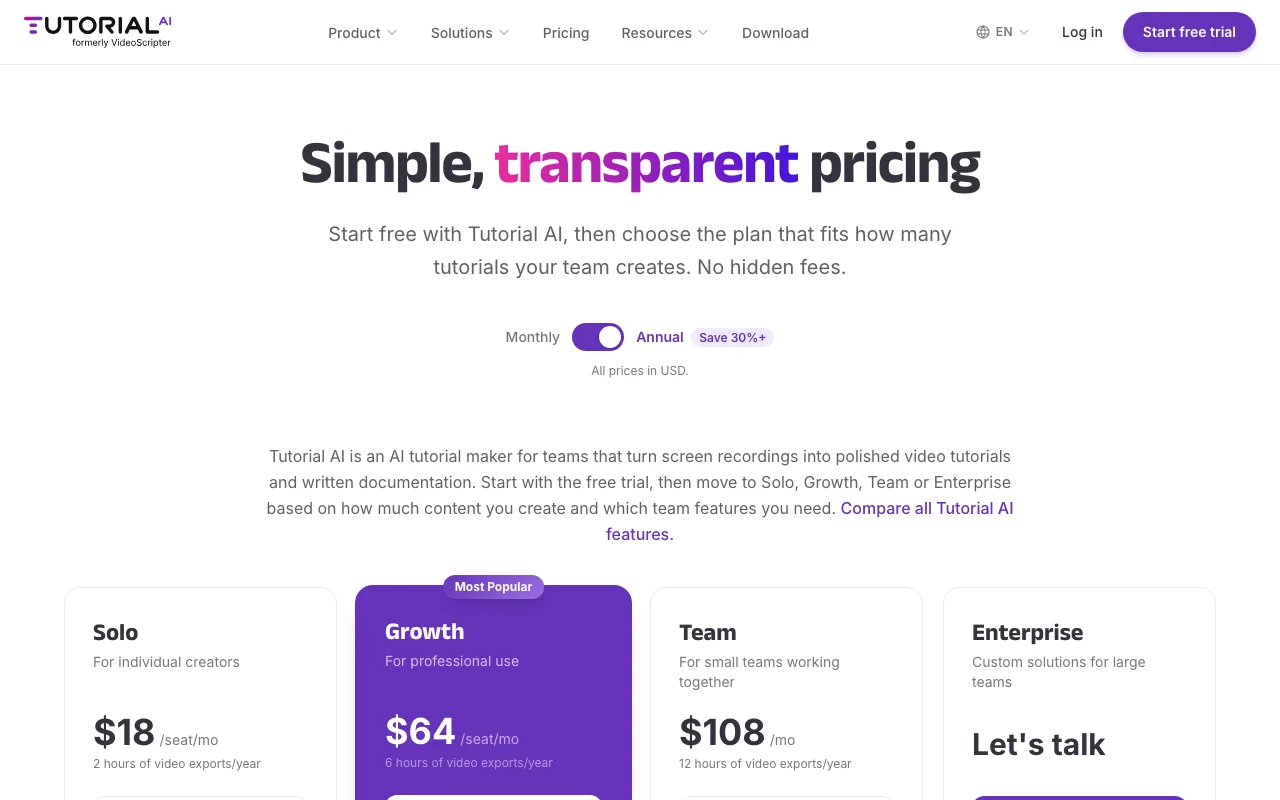
Tutorial AI pricing page with plans and prices — screenshot of the video AI tool, Oct 2, 2026
The official Tutorial AI pricing page as we saw it. tutorial.ai, captured Oct 2, 2026

Free access and trial conditions

Free trial; no permanent free plan stated.

Free trial exports carry a watermark.

Paid plans: what changes as you upgrade

Free trial Web and desktop

Free source (opens in a new tab)

Trial

For: Evaluating

Limits

  • Exports include a Tutorial AI watermark

Includes

  • Start free trial

Solo Web and desktop

See official pricing source (opens in a new tab)

Unknown

Page shows $18 per seat per month with a Monthly/Annual toggle (Annual saves 30%+); which period the figure reflects is unclear.

For: Individual creators

Limits

  • 2 hours video exports per year
  • 1 editor seat
1 more
  • 3 guest seats

Includes

  • Recorder for Windows and macOS
  • AI script and voice narration
2 more
  • 1080p export
  • Video hosting

Growth Web and desktop

See official pricing source (opens in a new tab)

Unknown

Page shows $64 per seat per month; billing period unclear.

For: Professional use

Limits

  • 6 hours video exports per year
  • 5 guest seats

Includes

  • 4K export
  • Translation workflow
2 more
  • Animated slides
  • iPhone and iPad recording

Team Web and desktop

See official pricing source (opens in a new tab)

Unknown

Page shows $108 per month; billing period unclear.

For: Small teams

Limits

  • 12 hours video exports per year
  • 2 editor seats
1 more
  • 10 guest seats

Includes

  • Brand kit
  • Pronunciation lexicon
1 more
  • Custom fonts

Enterprise Web and desktop

Custom pricing source (opens in a new tab)

Unknown

For: Large teams

Includes

  • Custom AI voices and voice cloning
  • SCORM packages
2 more
  • Priority support
  • Unlimited workspaces

What is Tutorial AI, and how does it work?

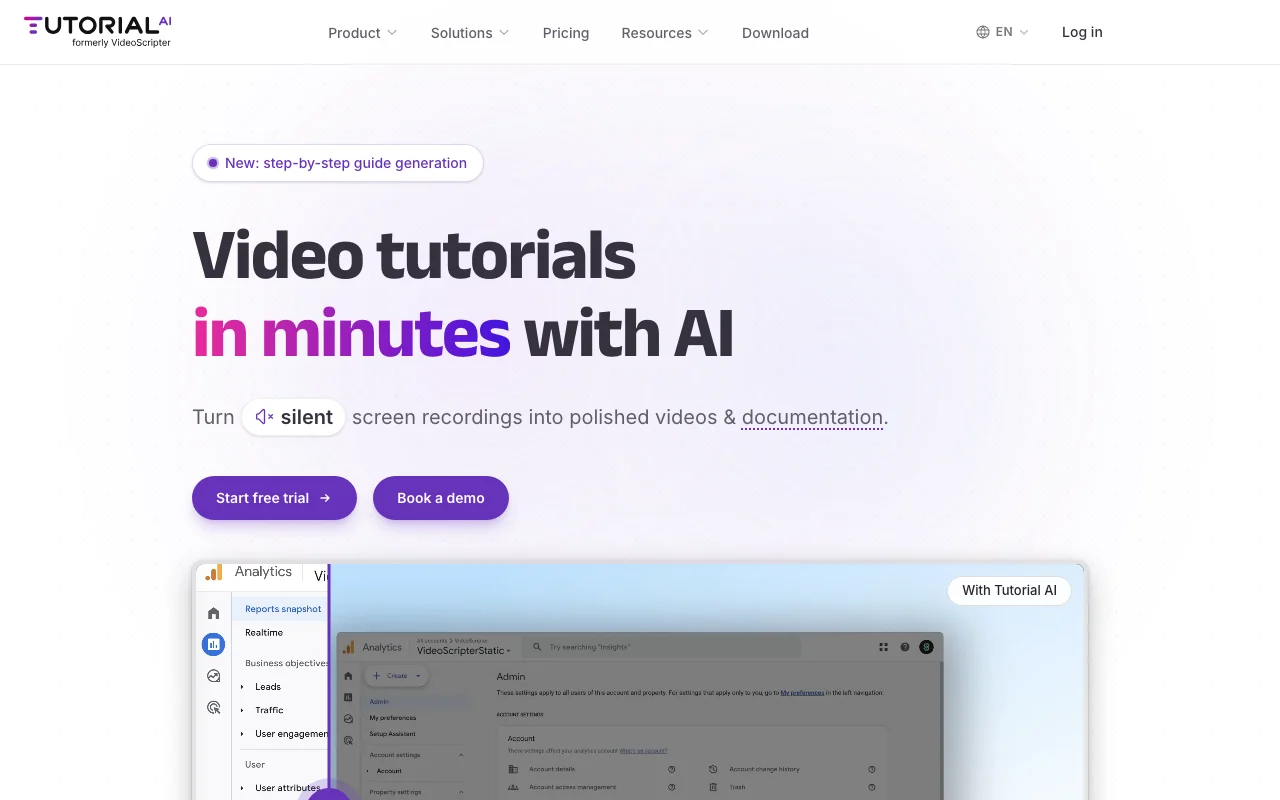
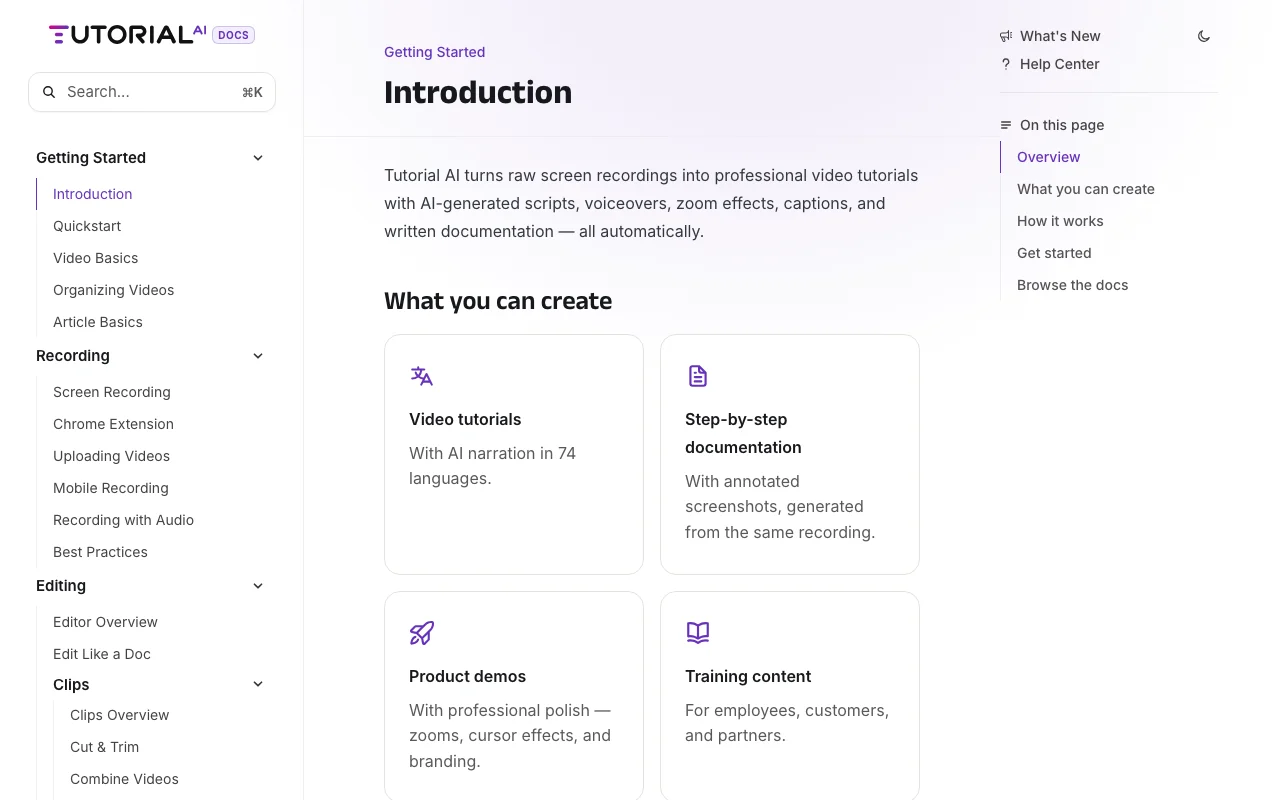
Tutorial AI converts screen recordings into polished tutorial videos, generating scripts and AI voiceover from the recording, plus written documentation with screenshots. It offers editing, captions, brand kits, translations into 74 languages and SCORM export, with a recorder for Windows and macOS and a Chrome extension.

Tutorial AI homepage — screenshot of the video AI tool, Oct 2, 2026
Tutorial AI's official site: how the product presents itself. tutorial.ai, captured Oct 2, 2026

What you provide and what you get back

How Tutorial AI works: what you provide, where it runs and what you get backYOU PROVIDEYour inputScreen recordings (desktop, Chrom…Uploaded recordingsScript edits and pronunciation te…VIDEOTutorial AIWeb, Desktopprice not publishedno free tieraccount requiredchecked Oct 2, 2026YOU GET BACKThe resultNarrated MP4 videos up to 4K on h…Captions in SRT, SBV and VTTStep-by-step written documentationinput → Tutorial AI → output · from the vendor's own pages, no hands-on test unless stated
What you give Tutorial AI and what comes back, from its documentation

You provide

  • Screen recordings (desktop, Chrome, iPhone or iPad)
  • Uploaded recordings
  • Script edits and pronunciation terms

You get back

  • Narrated MP4 videos up to 4K on higher plans
  • Captions in SRT, SBV and VTT
  • Step-by-step written documentation

Where you can use it

Platforms
Web, Desktop
Account
Required
Languages
74
Max resolution
1080p Solo; 4K Growth and up
Recorder
Windows 10+, macOS 13.1+, Chrome extension, iPhone/iPad
Caption export
SRT, SBV, VTT

What people use Tutorial AI for

Scenarios are worked out by our editors from the documentation; the actual result depends on your input and plan.

Software training videos

Who
Support teams
You provide
A screen recording of a workflow
Expected result
A narrated tutorial with captions and zooms
Plan needed
Solo and up
Limitation
Export hours are capped per year source (opens in a new tab)

Customer onboarding

Who
L&D and onboarding teams
You provide
Recordings of internal systems
Expected result
Training videos translated into 74 languages
Plan needed
Growth and up
Limitation
Translation workflow needs Growth source (opens in a new tab)

SOPs and process docs

Who
Product marketers
You provide
A product demo recording
Expected result
A branded video with intro slides and brand kit
Plan needed
Team
Limitation
Brand kit requires Team source (opens in a new tab)

What Tutorial AI does, and where it stops

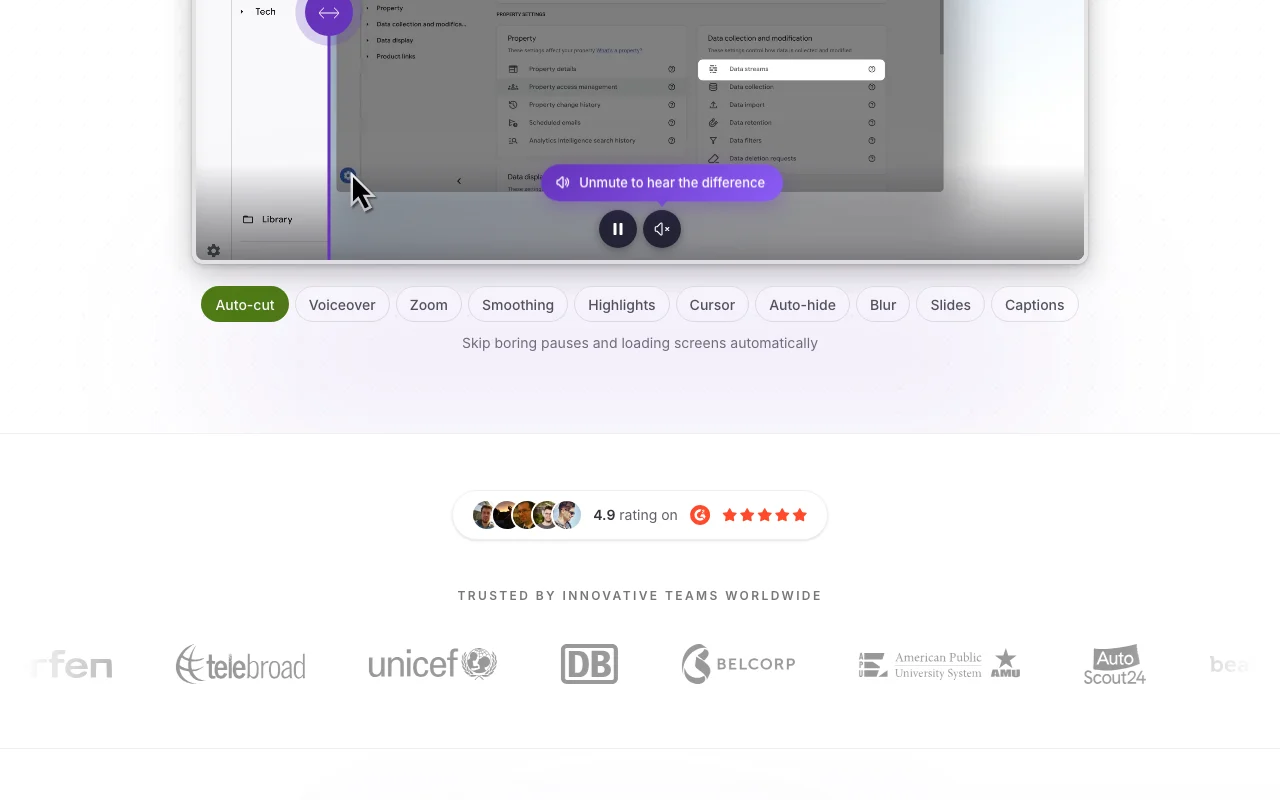
Tutorial AI homepage — screenshot of the video AI tool, Oct 2, 2026
Feature overview on the official site. tutorial.ai, captured Oct 2, 2026

AI script generation from recordings

Watches your screen recording and writes a matching narration script that you can edit like a document. Removes manual script writing.

Access: All plansLimit: Scripts need human review for accuracy. source (opens in a new tab)

AI voices in 74 languages

Replaces your voice with AI narration in 74 languages with regional accents. Produces consistent audio without re-recording.

Access: All plans; advanced voices on GrowthLimit: Custom voices and voice cloning need Enterprise. source (opens in a new tab)

Auto zoom and captions

Detects key interactions and adds smooth zoom and pan effects automatically. Guides viewers to what is clicked.

Access: All plansLimit: Zoom placement is automatic. source (opens in a new tab)

Documentation generation

Translates voiceover, captions and documentation into 74 languages with timing adapted by AutoRetime. Localizes tutorials with one click.
Access: Growth and upLimit: Translations land as drafts for review. source (opens in a new tab)

Tutorial AI: strengths and limits

Reasons to choose Tutorial AI

Check before paying for Tutorial AI

How to use Tutorial AI for making a narrated software tutorial

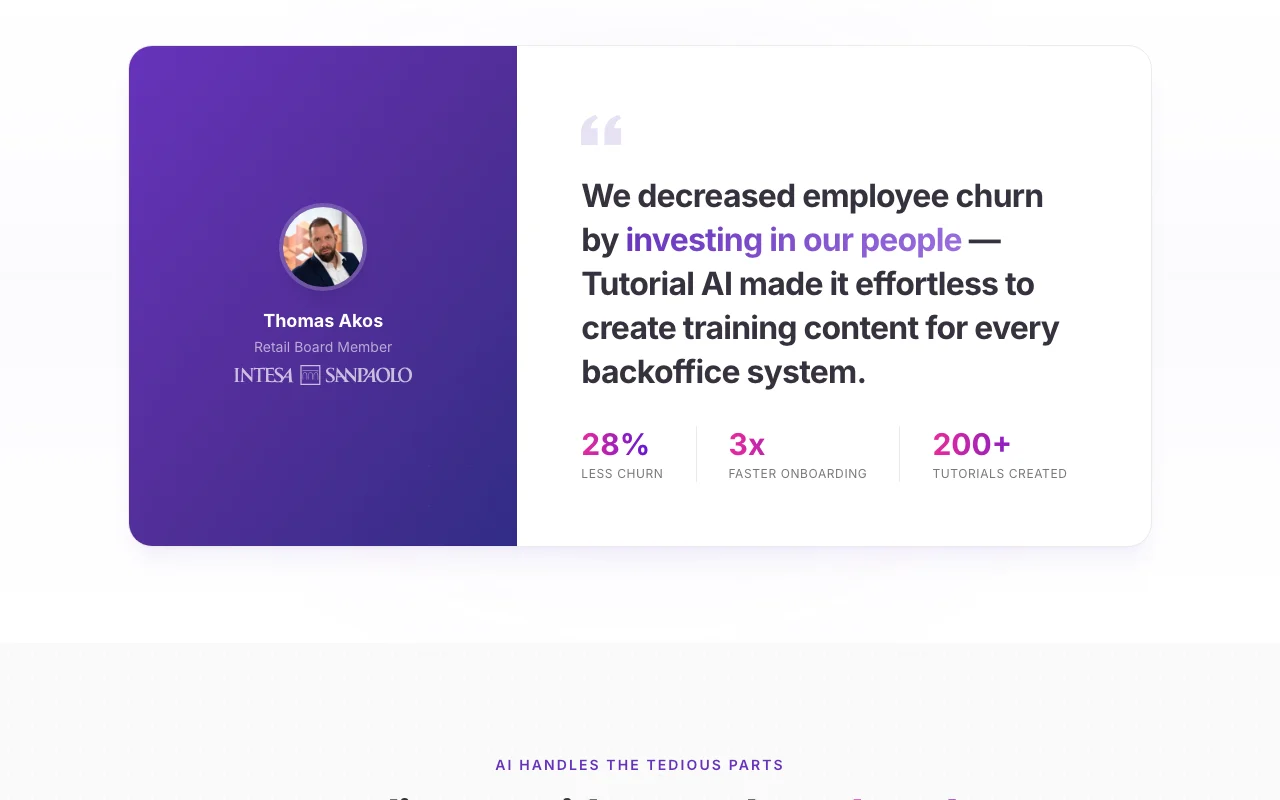
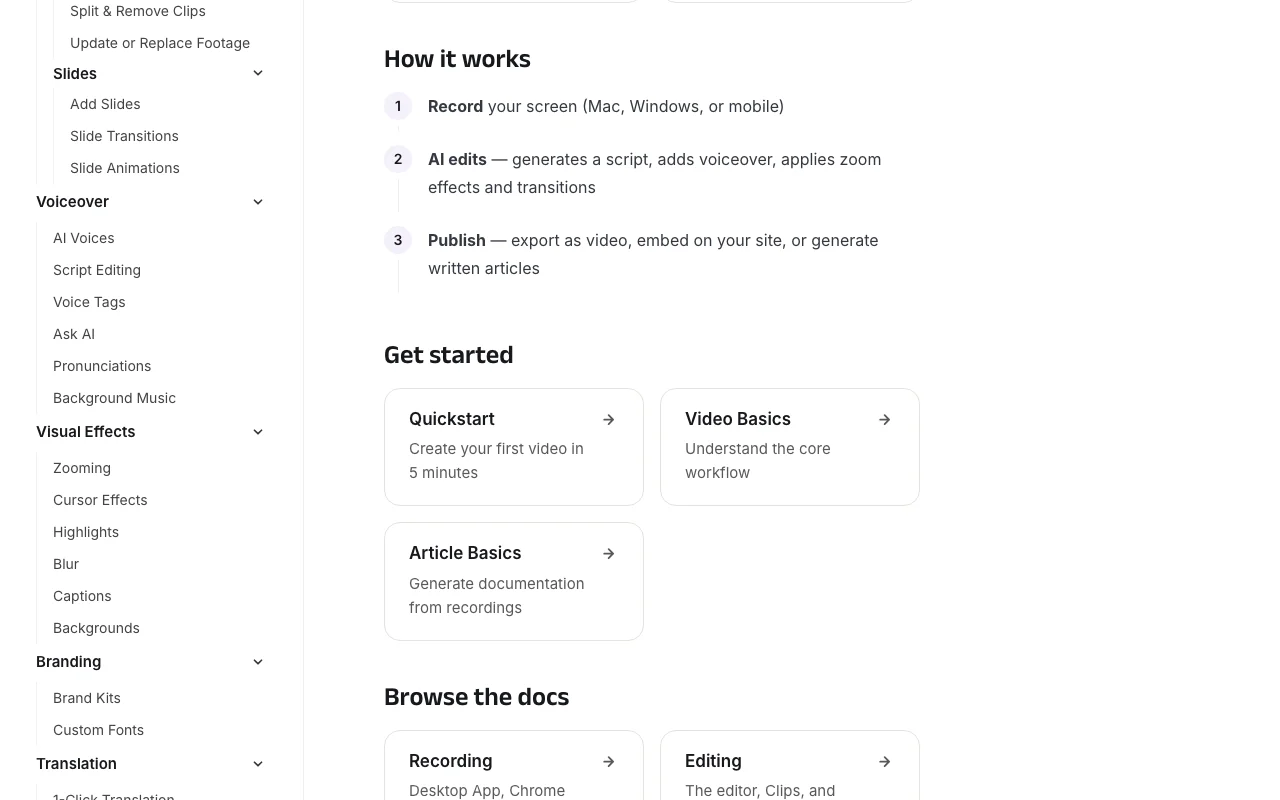
Tutorial AI documentation — screenshot of the video AI tool, Oct 2, 2026
Tutorial AI documentation: where the steps below come from. tutorial.ai, captured Oct 2, 2026

Set up Tutorial AI

  1. Start the free trial and sign in
  2. Install the Windows or macOS recorder or the Chrome extension
  3. Record or upload a screen recording

Example: making a narrated software tutorial

  1. Let AI draft the script and voiceover
  2. Review zooms and captions in the editor
  3. Export MP4 or publish with a hosted link

Review and export the result

  1. Play the video and confirm narration matches the screen
  2. Check sensitive data is blurred

Tutorial AI integrations and API

Tutorial AI documentation — screenshot of the video AI tool, Oct 2, 2026
Tutorial AI documentation (continued). tutorial.ai, captured Oct 2, 2026

Native integrations and export formats

Export: MP4, SRT, SBV, VTT, SCORM (Enterprise)

API access and separate billing

Tutorial AI has no public API in its official documentation. No API documented in fetched text. API documentation ↗

Privacy, data use and commercial rights

Summarized from the vendor's current policies; this is not legal advice and a vendor's badge is not an independent audit.

How your inputs and outputs are handled

Recordings are hosted on Tutorial AI servers when you use video hosting.

Commercial use and plan restrictions

Free trial exports carry a watermark; paid plans do not.

Policies: tutorial.ai/privacy

Tutorial AI alternatives by need

"Better suited" is based on documented features and pricing, not on a head-to-head test.

Synthesia: better suited to aI avatar videos

Descript: better suited to edit video via transcript

Alternatives
AlternativeWhen to choose itPricingLimitation
SynthesiaYou want presenter videos instead of screen tutorialsSee vendor pageNot screen-recording basedCompare
DescriptYou edit general recordingsSee vendor pageLess focused on software tutorialsCompare

Explore Tutorial AI further

If you are looking at Tutorial AI

Tutorial AI user reviews

No user reviews yet.

Used Tutorial AI? Be the first to share your experience.

Write a review

Reviews are checked by a moderator before they appear. Your email is never published. Plain text only.

Your rating (required)

Show what you made or what went wrong. Images are published only if the review is approved; location data is removed.

    Tutorial AI FAQ

    How many hours of video can Tutorial AI Solo export?

    2 hours of video exports per year on Solo, 6 on Growth and 12 on Team. source (opens in a new tab)

    Does Tutorial AI add a watermark?

    Only free trial exports include a small Tutorial AI watermark; paid plans are watermark-free. source (opens in a new tab)

    Which operating systems does the Tutorial AI recorder support?

    Windows 10 or later and macOS 13.1 or later, plus a Chrome extension. source (opens in a new tab)

    How many languages does Tutorial AI support?

    74 languages for AI voiceovers, captions and translations. source (opens in a new tab)

    Can Tutorial AI clone my voice?

    Yes, voice cloning and custom voices are listed for Enterprise. source (opens in a new tab)

    Sources and review methodology

    Official sources and verification dates

    Not verified: Whether displayed prices are monthly or annual billing; Privacy page text not captured; Download page not refetched.

    How we documented and maintain this page

    Every fact about Tutorial AI above comes from the 4 official pages listed here, last compared on Oct 2, 2026; we have not run Tutorial AI ourselves, so it has no editorial score. How we check and re-check pages.

    Article updated Oct 2, 2026; prices checked Oct 2, 2026. Outbound links to vendors are plain links; we do not earn commissions. How we review · Report an error