VideoDocumented overviewLast checked Sep 29, 2026

Vibeknow: Pricing, Features & Best Use Cases

Web tool that turns documents, PDFs and links into narrated explainer videos with voice, visuals and music.
Who Vibeknow fits

Vibeknow suits creators, educators and marketing teams who already have written material and want it turned into a narrated explainer video in about three minutes, starting free. Based on the vendor's documentation, not on a hands-on test.

Best for: Creators repurposing written content

Also a good fit for

  • Educators and course builders
  • Marketing and training teams

Consider another tool if free plan adds a watermark and has limited downloads

Or if

  • Free plan has no monthly fast-generation credits
  • Plus allows only one active generation at a time

Vibeknow pricing and usage limits

Prices checked Sep 29, 2026 on the official US pricing page. Official pricing ↗ Prices and limits change often.

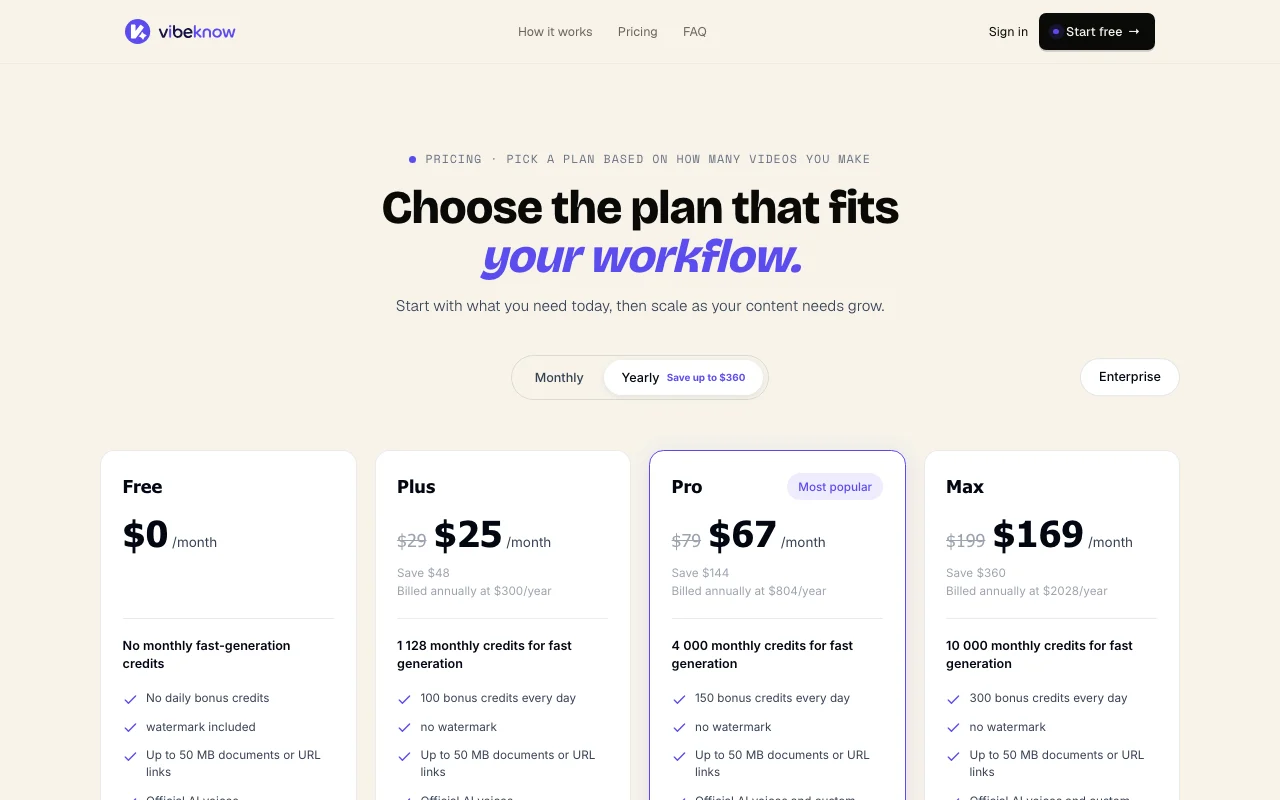
Vibeknow pricing page with plans and prices — screenshot of the video AI tool, Oct 1, 2026
The official Vibeknow pricing page as we saw it. vibeknow.ai, captured Oct 1, 2026

Free access and trial conditions

Free plan, no credit card.

Paid plans: what changes as you upgrade

Free web

Free source (opens in a new tab)

Month

For: Trying one video

Limits

  • No monthly fast-generation credits, no daily bonus credits
  • Watermark, limited downloads
1 more
  • Documents or links up to 50 MB

Includes

  • Official AI voices
  • Background music

Plus web

See official pricing source (opens in a new tab)

Month

Monthly and yearly toggle shown; dollar amounts not visible

For: Occasional video makers

Limits

  • 100 bonus credits per day
  • One active generation at a time

Includes

  • No watermark
  • Fast generation speed
1 more
  • Official AI voices

Pro web

See official pricing source (opens in a new tab)

Month

Monthly and yearly toggle shown; dollar amounts not visible

For: Regular publishers (most popular)

Limits

  • 200 bonus credits per day
  • Faster generation speed

Includes

  • No watermark
  • Custom voice personalization
1 more
  • Unlimited concurrent generations

Max web

See official pricing source (opens in a new tab)

Month

Monthly and yearly toggle shown; dollar amounts not visible

For: High-volume producers

Limits

  • 500 bonus credits per day
  • Fastest generation speed

Includes

  • No watermark
  • Custom voice personalization
1 more
  • Unlimited concurrent generations

Usage caps, credits and extra costs

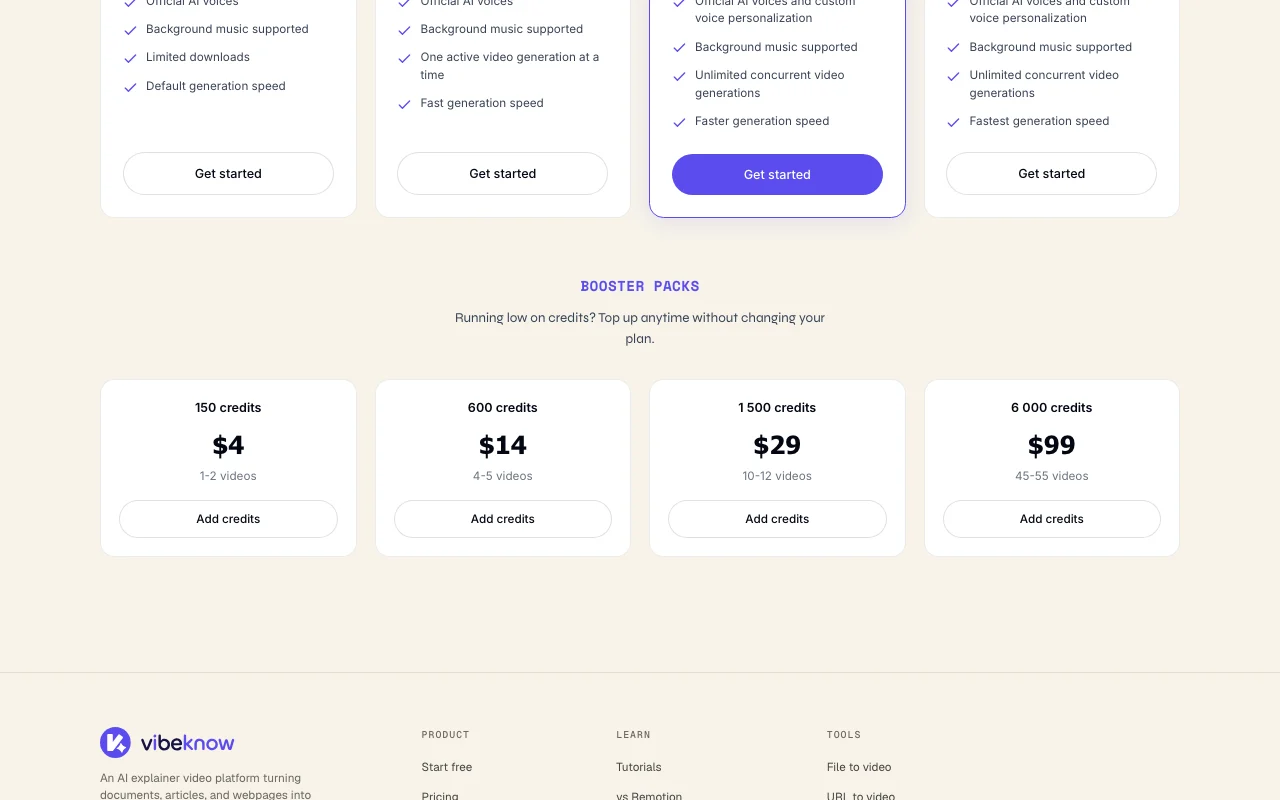
Booster Packs available to top up credits; prices did not render.

Not stated.

What is Vibeknow, and how does it work?

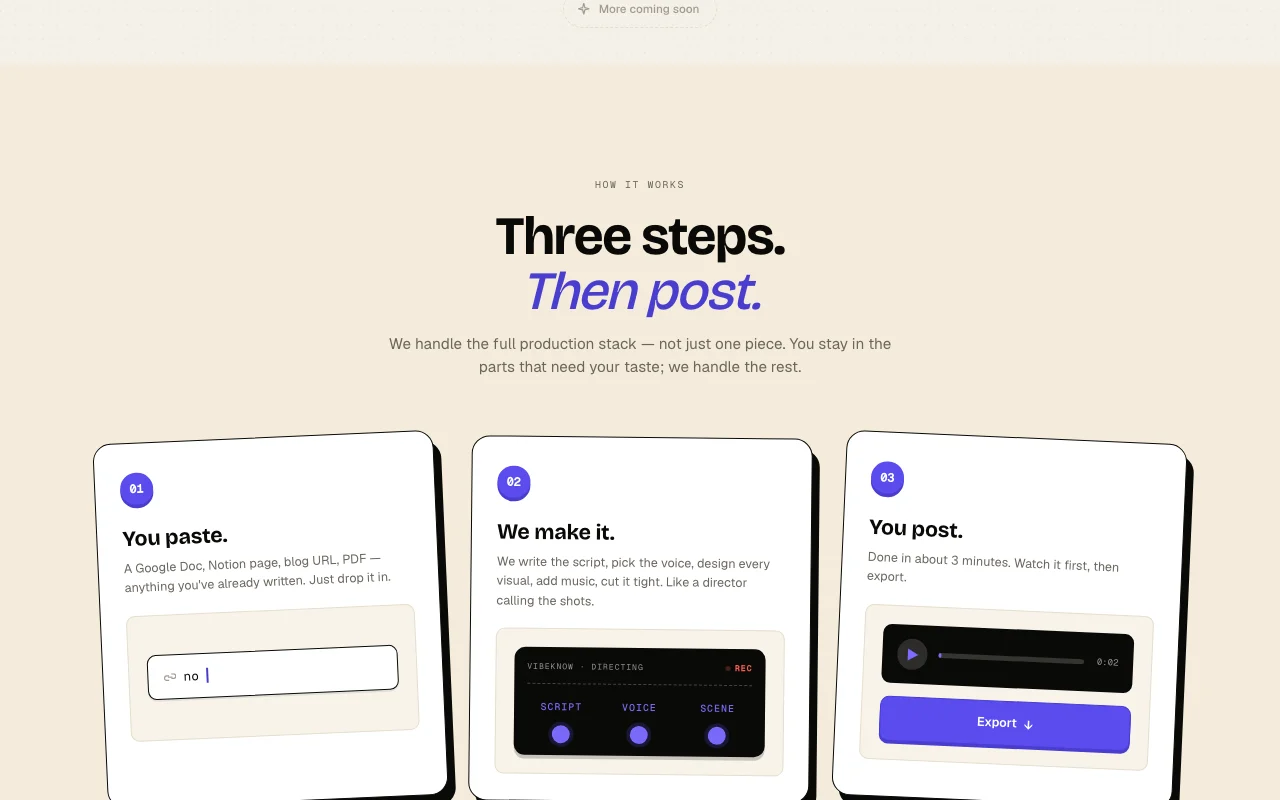
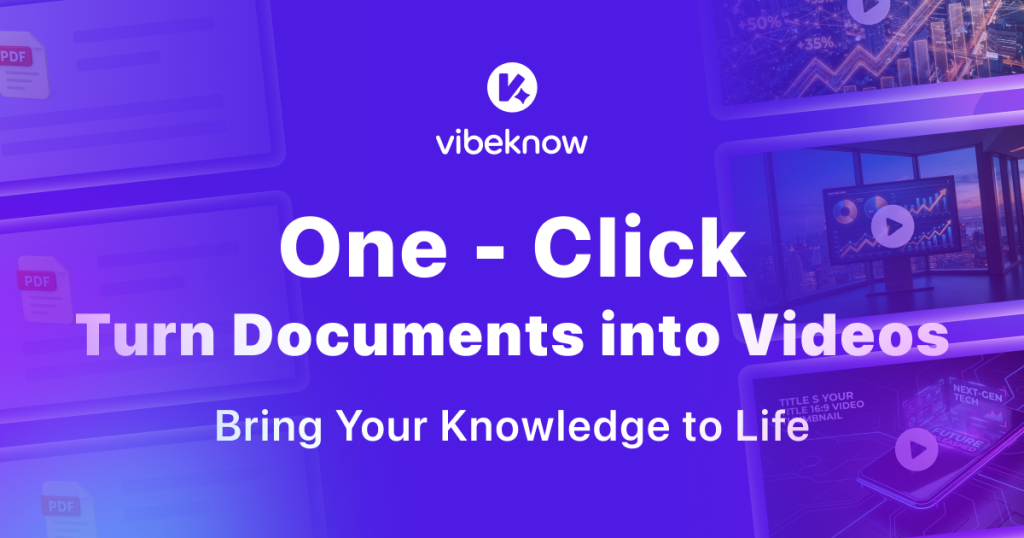
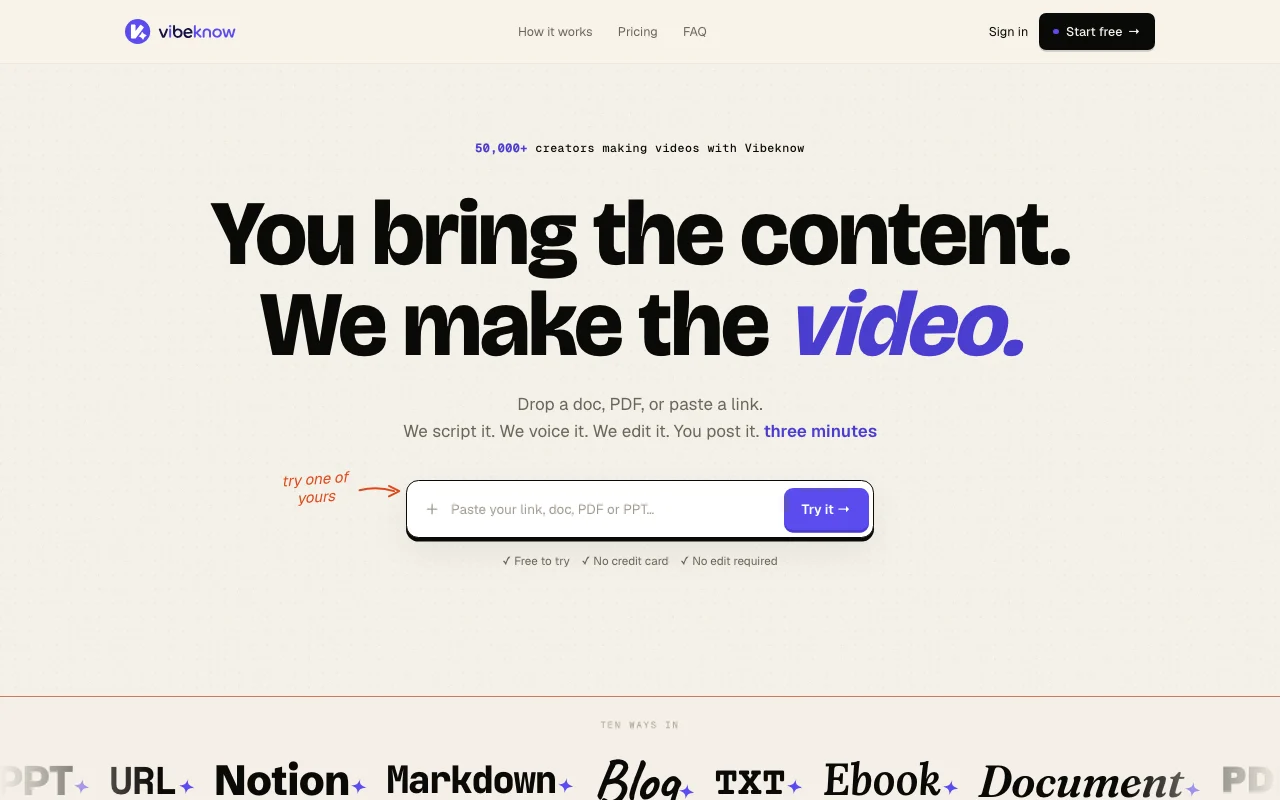
Vibeknow converts existing content such as documents, PDFs, PPT files or web links into explainer videos. It writes a script, adds a voice, designs scenes, adds music and captions, and renders the result. The pricing page lists a Free plan plus Plus, Pro and Max subscriptions, and an Enterprise option. Plans differ by watermark, daily bonus credits, generation speed and concurrency.

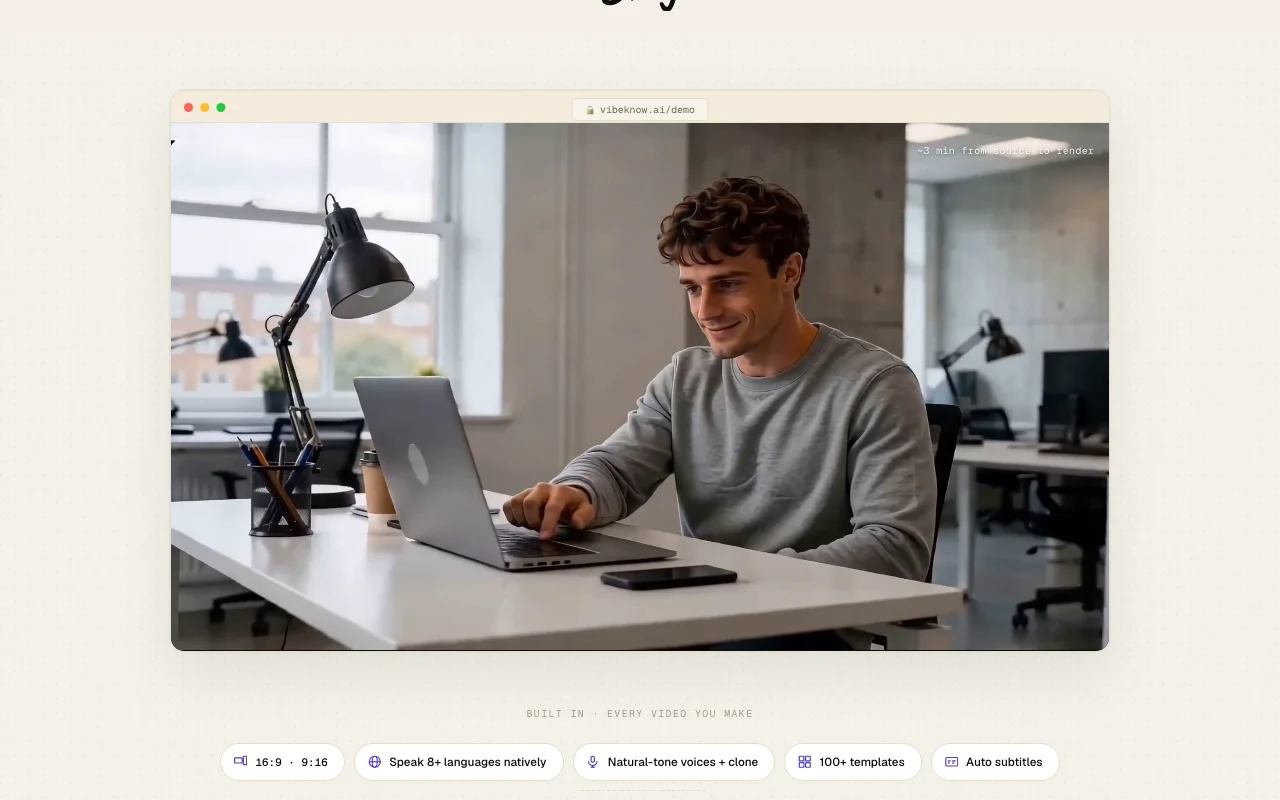
Vibeknow homepage — screenshot of the video AI tool, Oct 1, 2026
Vibeknow's official site: how the product presents itself. vibeknow.ai, captured Oct 1, 2026

What you provide and what you get back

How Vibeknow works: what you provide, where it runs and what you get backYOU PROVIDEYour inputDocuments, PDFs, Word, PPT, Notio…Brand colors and voice choiceTarget format 16:9 or 9:16VIDEOVibeknowWebfree tier, paid price not publish…free tier availableaccount requiredchecked Sep 29, 2026YOU GET BACKThe resultNarrated explainer video with sce…Auto subtitlesLandscape or vertical exportsinput → Vibeknow → output · from the vendor's own pages, no hands-on test unless stated
What you give Vibeknow and what comes back, from its documentation

You provide

  • Documents, PDFs, Word, PPT, Notion, Markdown, blog URLs up to 50 MB
  • Brand colors and voice choice
  • Target format 16:9 or 9:16

You get back

  • Narrated explainer video with scenes and music
  • Auto subtitles
  • Landscape or vertical exports

Where you can use it

Platforms
Web
Account
Required
Inputs
Docs, PDF, Word, PPT, URL, Notion, Markdown
Formats
16:9 and 9:16
Languages
8+ natively per homepage
Max input
50 MB
Daily bonus credits
100 / 200 / 500

Best use cases for Vibeknow

Scenarios are worked out by our editors from the documentation; the actual result depends on your input and plan.

Turn a blog post or newsletter into a short video

Who
Newsletter writers and bloggers
You provide
A Substack post or blog URL
Expected result
Vertical 9:16 video for TikTok or Shorts
Plan needed
Free for a first try
Limitation
Free adds a watermark source (opens in a new tab)

Make video versions of course lessons

Who
Course creators
You provide
A PDF lesson
Expected result
Video version of each chapter
Plan needed
Plus or Pro
Limitation
Plus runs one generation at a time source (opens in a new tab)

Create onboarding or training explainers from documents

Who
Training and ops teams
You provide
A 40-page onboarding document
Expected result
A short walkthrough video
Plan needed
Pro
Limitation
Custom voice is Pro and Max only source (opens in a new tab)

Vibeknow features and their limits

Vibeknow homepage — screenshot of the video AI tool, Oct 1, 2026
Feature overview on the official site. vibeknow.ai, captured Oct 1, 2026

Input from documents, PDFs, PPTs or URLs up to 50 MB

Accepts documents, PDFs, PPTs or URLs up to 50 MB Start from content you already wrote

Access: All plansLimit: 50 MB input cap source (opens in a new tab)

Automatic script, voice and scene generation

Writes the script, picks the voice and builds scenes automatically Removes manual video editing

Access: All plansLimit: Default speed on Free source (opens in a new tab)

Official AI voices; custom voice on Pro and Max

Offers official AI voices and custom voice personalization Voice matches your brand

Access: Custom voice on Pro and MaxLimit: Free and Plus use official voices only source (opens in a new tab)

Background music and auto subtitles

Adds background music and auto subtitles Videos are ready to post

Access: All plansLimit: Subtitle style options not detailed source (opens in a new tab)

Vibeknow pros and cons

Reasons to choose Vibeknow

Check before paying for Vibeknow

How to use Vibeknow for turning a blog post into an explainer video

Set up Vibeknow

  1. Open Vibeknow and choose Try it free
  2. Create an account, no credit card
  3. Paste a blog URL or upload a document up to 50 MB

Example: turning a blog post into an explainer video

  1. Pick vertical 9:16 format
  2. Choose an official AI voice and music
  3. Let Vibeknow generate script and scenes
  4. Watch the draft and export

Review and export the result

  1. Check the script for wrong facts from the source
  2. Confirm the watermark is gone after upgrading

Vibeknow integrations and API

Vibeknow pricing page with plans and prices — screenshot of the video AI tool, Oct 1, 2026
Plan comparison on the official pricing page. vibeknow.ai, captured Oct 1, 2026

Native integrations and export formats

Export: MP4

API access and separate billing

Vibeknow has no public API in its official documentation. No API stated.

Privacy, data use and commercial rights

Summarized from the vendor's current policies; this is not legal advice and a vendor's badge is not an independent audit.

How your inputs and outputs are handled

Uploaded documents and links are processed to generate videos.

Vibeknow alternatives by need

"Better suited" is based on documented features and pricing, not on a head-to-head test.

Synthesia: better suited to

Runway: better suited to

Descript: better suited to

Canva: better suited to

Alternatives
AlternativeWhen to choose itPricingLimitation
Synthesia——Compare
Runway——Compare
Descript——Compare
Canva——

Explore Vibeknow further

If you are looking at Vibeknow

Vibeknow user reviews

No user reviews yet.

Used Vibeknow? Be the first to share your experience.

Write a review

Reviews are checked by a moderator before they appear. Your email is never published. Plain text only.

Your rating (required)

Show what you made or what went wrong. Images are published only if the review is approved; location data is removed.

    Vibeknow FAQ

    Is Vibeknow free?

    Yes, the Free plan needs no card but adds a watermark, limits downloads and gives no fast-generation credits. source (opens in a new tab)

    How big can my input be?

    Documents or URLs up to 50 MB on every plan. source (opens in a new tab)

    Which plan has custom voices?

    Pro and Max include custom voice personalization; Plus and Free use official AI voices. source (opens in a new tab)

    How long does a video take?

    The homepage says about three minutes from source to render. source (opens in a new tab)

    How much do Plus, Pro and Max cost?

    Prices were not visible on the fetched pricing page, which shows daily bonus credits of 100, 200 and 500 respectively. source (opens in a new tab)

    Sources and review methodology

    Official sources and verification dates

    Not verified: USD prices for paid plans; booster pack prices; privacy and docs content.

    How we documented and maintain this page

    Every fact about Vibeknow above comes from the 2 official pages listed here, last compared on Sep 29, 2026; we have not run Vibeknow ourselves, so it has no editorial score. How we check and re-check pages.

    Article updated Oct 10, 2026; prices checked Sep 29, 2026. Outbound links to vendors are plain links; we do not earn commissions. How we review · Report an error