Our take: Best for social media creators, meme makers, and game developers who need fast character animation and motion capture without professional equipment; free tier available.
Main limitation: Paid usage limited by monthly credits; free plan has 7-day asset storage limit
By the AI Tool Atlas editors.
Based on the vendor's official documentation; we have not tested this product hands-on. What “documented overview” means
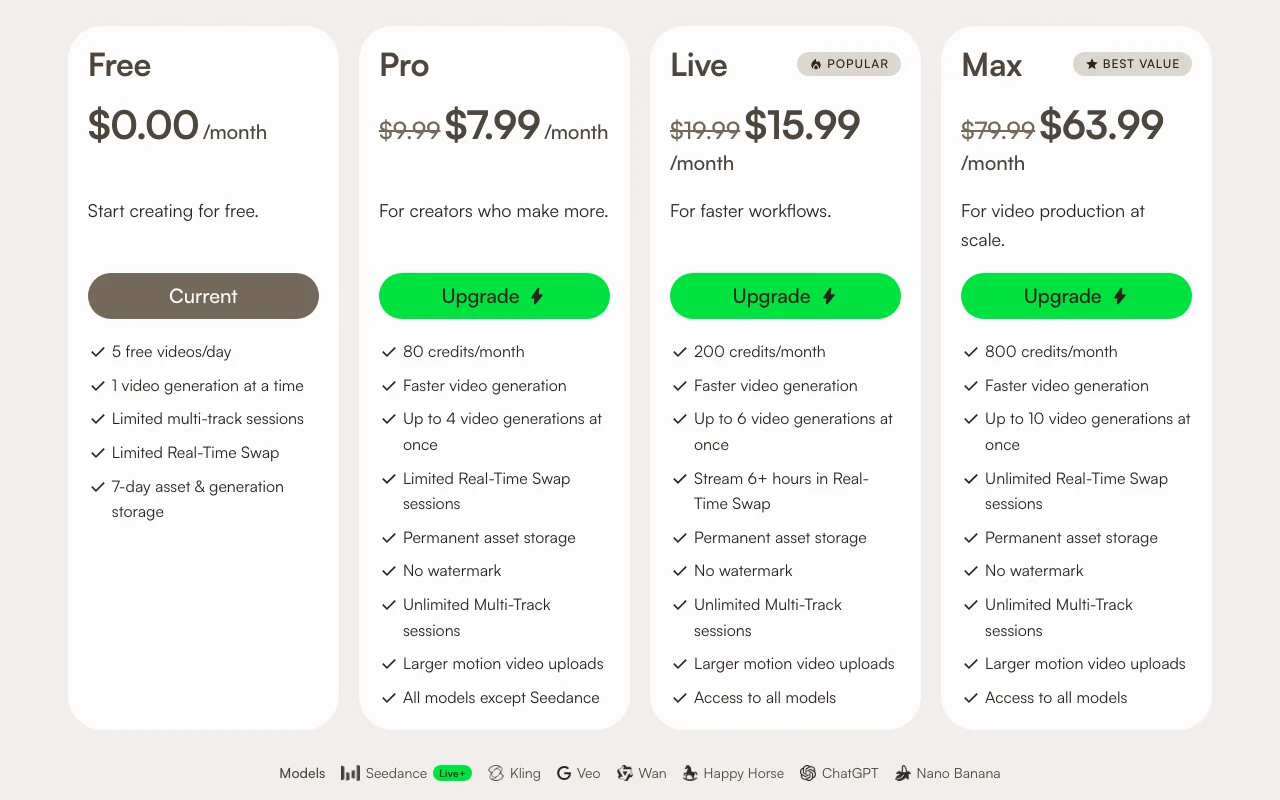
Viggle pricing and usage limits
Prices checked Oct 1, 2026 on the official US pricing page. Official pricing ↗ Prices and limits change often.
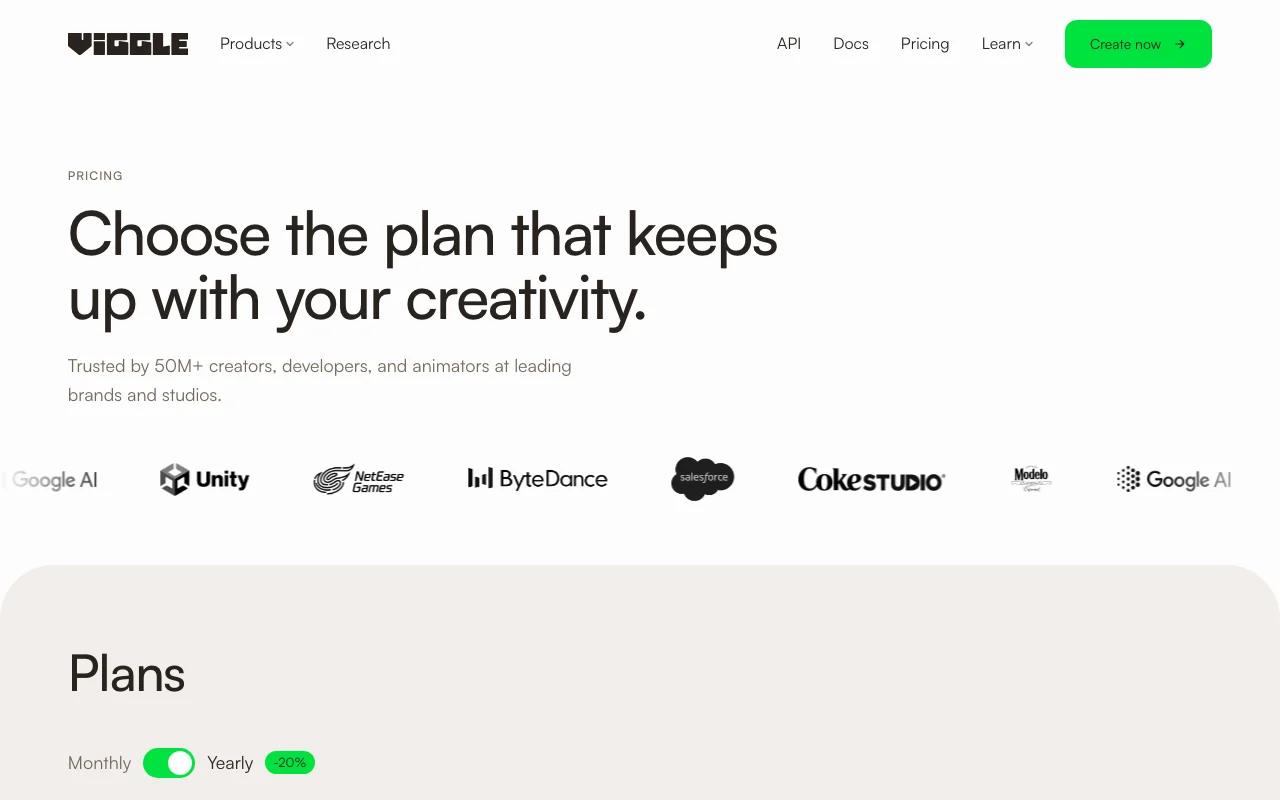
The official Viggle pricing page as we saw it. viggle.ai, captured Oct 1, 2026
Free access and trial conditions
Free plan includes 5 videos/day, 1 simultaneous generation, limited real-time swap (5 min), and 7-day asset storage
Free tier serves as trial; no separate free trial for paid plans
For: Video production studios, agencies, and game developers at scale
Limits
800 credits per month
Unlimited videos per day
4 more
Up to 10 video generations at once
Unlimited real-time swap sessions
10 min maximum video upload
Permanent asset storage
Includes
Access to all models (including Seedance)
Fastest video generation
3 more
No watermark
Unlimited multi-track sessions
Full real-time collaboration
No API
Usage caps, credits and extra costs
Credits purchased separately if monthly allocation exhausted; purchased credits do not expire but can only be used with active subscription
Not explicitly stated in sources
What is Viggle, and how does it work?
Viggle is a generative video platform that turns a photo into an animated character and applies motion from reference videos or templates. It supports character swaps, meme creation, a multi-editor and real-time live features.
Plans are credit-based, from a free tier to Pro, Live and Max subscriptions. Developers can use the Viggle API to create characters and render videos in their own products and games.
Viggle's official site: how the product presents itself. viggle.ai, captured Oct 1, 2026
What you provide and what you get back
What you give Viggle and what comes back, from its documentation
You provide
Photos (character images)
Video files (motion reference)
Phone video clips (motion capture)
Character templates
You get back
Animated video (character with applied motion)
Video memes (character swaps into trending videos)
Production-ready motion data (for game engines)
Social media clips
Where you can use it
Platforms
Web, Mobile (Get App link present; specific platforms not detailed), API, Game engines (export integration)
Account
Required
What people use Viggle for
Scenarios are worked out by our editors from the documentation; the actual result depends on your input and plan.
Making meme and dance videos from a photo
Who
Social media creators, TikTok/YouTube content creators
You provide
Photo of a person and trending video clip
Expected result
Meme video or dance video with character swapped into trending moment
Plan needed
Free (limited) or Pro ($7.99–9.99/mo) for faster generation
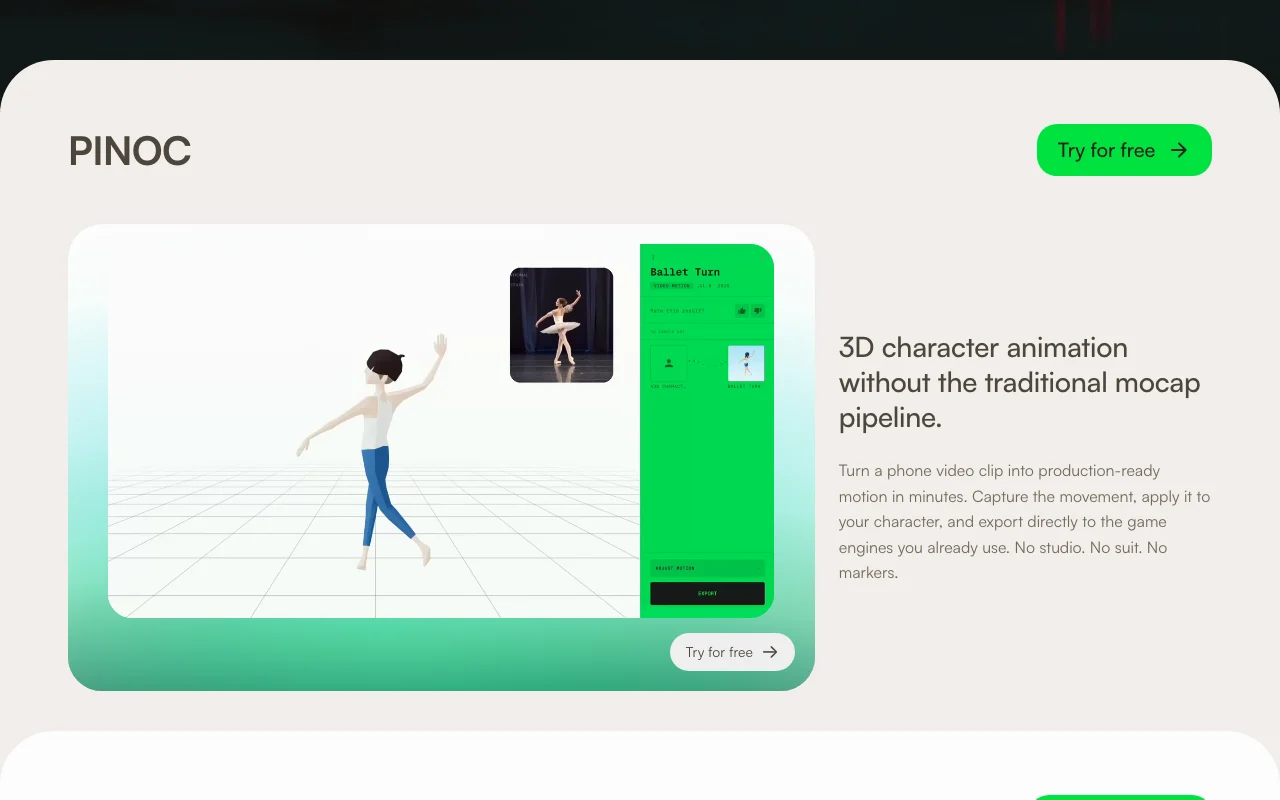
Feature overview on the official site. viggle.ai, captured Oct 1, 2026
Photo-to-animated character
Convert a still photo of a person into a 3D animated character capable of movement Eliminates need for traditional mocap studio, suit, or markers; creates character in minutes
Access: All plans (Free and above)Limit: Quality and model availability vary by plan; Seedance model restricted to Live and Maxsource (opens in a new tab)
Motion transfer from video
Apply motion from a reference video or motion template to an animated character Turn phone videos into production-ready motion; apply trending dances or gestures
Access: All plans (Free and above)Limit: Maximum video upload: 1 min (Free), 10 min (Pro+); model availability depends on plansource (opens in a new tab)
Character swap
Swap a character into trending videos or existing footage; real-time preview available on Live/Max Create memes and social content quickly; repurpose trending clips with custom characters
Access: Real-Time Swap limited on Free/Pro, full on Live/MaxLimit: Free: 5 min; Pro: 30 min; Live: 6 hrs; Max: Unlimited sessionssource (opens in a new tab)
Multi-track editor and collaborative sessions
Edit multiple character animations, layers, and collaborate with team members Scale production workflows; enable team-based content creation
Access: Unlimited on Pro+; Limited on FreeLimit: Free plan has limited multi-track sessionssource (opens in a new tab)
Pros, cons and deal-breakers
Reasons to choose Viggle
Free plan at $0 Zero cost to test core character animation and meme creation featuresdocumentedsource (opens in a new tab)
Yearly billing saves 20% Annual commitment reduces monthly costs ($7.99 vs $9.99 Pro; $15.99 vs $19.99 Live; $63.99 vs $79.99 Max)documentedsource (opens in a new tab)
Public API with documentation Developers can integrate Viggle into games, apps, and custom workflowsdocumentedsource (opens in a new tab)
No watermark on paid tiers Professional-quality exports without branding; suitable for commercial usedocumentedsource (opens in a new tab)
Check before paying for Viggle
Paid usage limited by monthly credits Heavy users may run out of credits before month end and must wait for renewal or upgrade plandocumentedsource (opens in a new tab)
Free plan has 7-day asset storage Free users lose projects and assets after 7 days; Pro+ offers permanent storagedocumentedsource (opens in a new tab)
Some models (Seedance) excluded below Live/Max tiers Access to advanced models requires Live ($15.99–19.99/mo) or Max ($63.99–79.99/mo)documentedsource (opens in a new tab)
Requires account and subscription for full features No fully free tier for advanced features like real-time swap or multiple simultaneous generationsdocumentedsource (opens in a new tab)
How to use Viggle for creating an animated meme video from a photo
Set up Viggle
Sign up for a Viggle account (free or paid plan)
Upload a photo of a character (person or avatar)
Viggle creates a 3D animated character model
Select a motion template or upload a video for motion transfer
Apply motion to the character
Export video (watermark-free on paid plans)
Example: creating an animated meme video from a photo
Open Meme Maker tool and upload a trending video clip
Upload a photo of yourself
Viggle swaps your character into the trending moment
Preview in real-time (on Live/Max tier)
Refine character positioning and timing if needed
Export and share to TikTok, Instagram, or YouTube
Review and export the result
Verify character animation quality and motion accuracy
Check remaining credits before export
Preview watermark status (Free tier only)
Example prompt suggested by our editors (not a recorded output of the product)
Create a dance meme of me doing the trending dance from this TikTok video.
Viggle integrations and API
Plan comparison on the official pricing page. viggle.ai, captured Oct 1, 2026
Native integrations and export formats
Export: Video (format not specified, no watermark on paid tiers), Motion data (game engine format), Character data (API export)
API access and separate billing
Viggle has no public API in its official documentation. API docs link present in navigation but not fetched; used for character creation, rendering, and game integrations
Credits are used across Viggle's generation tools and models. Each feature and model may use a different number of credits depending on the specific tool and output quality. source (opens in a new tab)
Do credits expire?
Monthly plan credits expire on your billing date. Purchased extra credits do not expire, but they can only be used when you are subscribed to a Viggle plan. source (opens in a new tab)
Can I cancel anytime?
You can cancel your subscription at any time. The cancellation takes effect at the end of the current billing cycle. You can restore the subscription before the cycle ends if you change your mind. source (opens in a new tab)
What is Viggle's Spatial GenAI?
Viggle uses a proprietary Joint Space-Time (JST) model to generate characters, motion, and scenes together in a shared 4D space. This powers faster, more accurate character animation and motion capture. source (opens in a new tab)
Can I use Viggle for commercial projects?
Yes. Paid tiers (Pro, Live, Max) allow commercial use and export without watermark. The free tier and its usage terms are unclear. source (opens in a new tab)
Sources and review methodology
Official sources and verification dates
Viggle Pricingpricing · checked Oct 1, 2026 · Plan pricing (Free, Pro, Live, Max), Monthly credits and feature limits, Annual billing discount (20%), FAQs on credits, cancellation, and API
Viggle | Turn your imagination into 3D motionhomepage · checked Oct 1, 2026 · Product overview (character animation, motion capture, games), Use cases (Meme Maker, character swap, game workflows), Brands using Viggle, API documentation and integration
Not verified: Exact API pricing and billing model; Privacy policy details (404 error); Specific mobile platforms (Get App link present but not detailed); Video export format and resolution specifications; Training data use and commercial license terms; Data retention and compliance policies; Detailed API documentation (docs URL not accessible in fetched pages).
How we documented and maintain this page
Every fact about Viggle above comes from the 2 official pages listed here, last compared on Oct 1, 2026; we have not run Viggle ourselves, so it has no editorial score. How we check and re-check pages.
Article updated Oct 2, 2026; prices checked Oct 1, 2026. Outbound links to vendors are plain links; we do not earn commissions. How we review · Report an error